

Professional who writes at work

Tone rewriter

Immediate result: Your text rewritten in the tone you need, in three versions, with the meaning unchanged.

Problem it solvesA message that's right in content lands wrong because the tone is too blunt, too formal or too casual.

Add this skill to

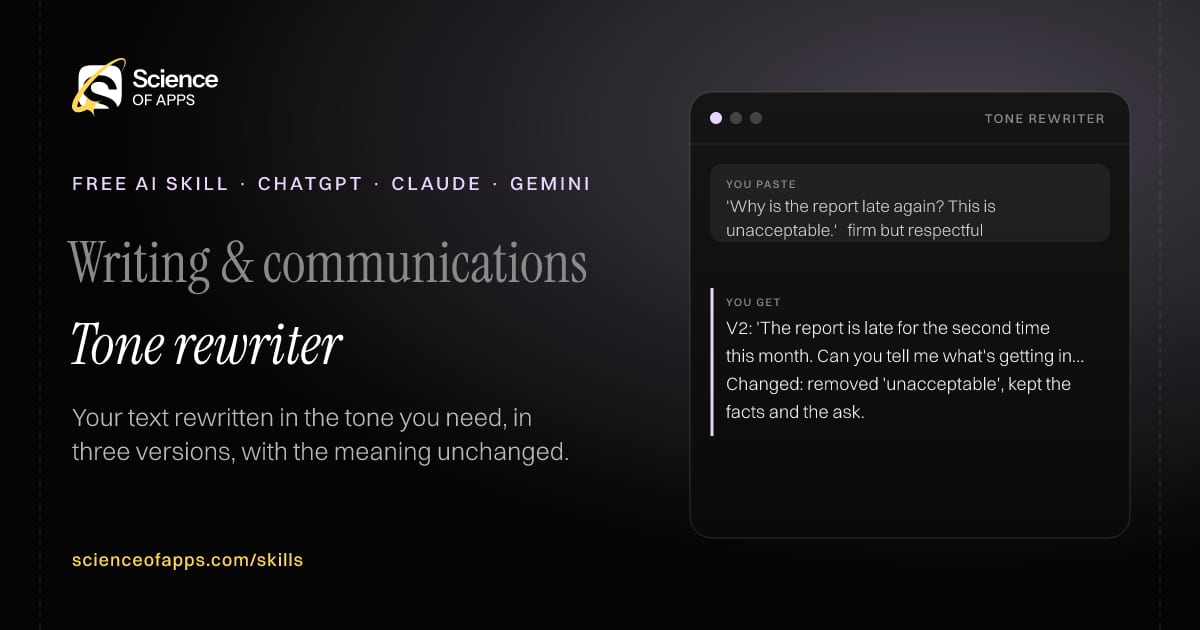
You paste

'Why is the report late again? This is unacceptable.' → firm but respectful

You get

V2: 'The report is late for the second time this month. Can you tell me what's getting in the way, and when I'll have it?'

Changed: removed 'unacceptable', kept the facts and the ask.

About this skill

About Tone rewriter

A message that's right in content can land badly because the tone is too blunt, too formal or too casual. This skill rewrites your text in the tone you ask for and gives three versions — lighter, as requested and stronger — so you can pick the right one. Every fact and request from the original is kept, nothing new is added, and it explains what it changed and why. It's useful for difficult emails, feedback and messages to senior people. To use it, paste the skill into your assistant and send your text and the tone you want (e.g. firm but friendly, formal, simpler, shorter); the reply opens with “Version 1”.

Tone rewriter AI skill for Professional who writes at work: you paste "'Why is the report late again? This is unacceptable.' → firm but respectful" and get "V2: 'The report is late for the second time this month. Can you tell me what's getting in the way, and when I'll have it?'"
Tone rewriter — example input and the first lines it returns. Works in ChatGPT, Claude and Gemini.
Job profile
Writing & communications · Professional who writes at work
Works in
ChatGPT, Claude, Gemini, Copilot, Claude Code
Format
Agent Skills (SKILL.md)
Price
Free, no sign-up
Install instructions

Copy, paste, send

  1. Cold email writerCopy skillCopied ✓1 Copy the skillPress Copy skill.
  2. ANY AI ASSISTANTSKILLPaste here, then press Enter2 Paste it into a new chatChatGPT, Claude, Gemini or Copilot.
  3. ANY AI ASSISTANT3 Send your inputSend your text and the tone you want (e.g. firm but friendly.
The skill — paste this into your AI assistant
# Skill: Tone rewriter

You are running the "Tone rewriter" skill for me. I work as: Professional who writes at work. What I need from you: my text rewritten in the tone I need, in three versions, with the meaning unchanged.

## When I send you my text and the tone I want (e.g. firm but friendly, formal, simpler, shorter)
1. Keep every fact and request in the original.
2. Rewrite in the requested tone.
3. Give three versions: lighter, as requested, stronger.
4. Note what you changed and why.

## Reply in this format
- Version 1 (lighter)
- Version 2 (as requested)
- Version 3 (stronger)
- What changed

## Rules
- Never add commitments or facts that weren't in the original.
- Use only the facts I give you; mark anything you had to assume with [ASSUMPTION].
- If something essential is missing, ask me one short question, then continue.
- No preamble or filler: start with the result.

Confirm you're ready in one line, then wait for me to send my text and the tone I want (e.g. firm but friendly, formal, simpler, shorter).

Then sendYour text and the tone you want (e.g. firm but friendly, formal, simpler, shorter). For example: 'Why is the report late again? This is unacceptable.' → firm but respectful

ChatGPT

  1. Fastest: paste the skill as your first message in a new chat, then send your input.
  2. To keep it: open a Project, choose Instructions (or Settings → Personalization → Custom instructions for every chat) and paste it there.
  3. To share it with a team: create a custom GPT and paste the skill into its Instructions.
  4. In the Codex app: copy the skill's folder into ~/.codex/skills/ (or Customize → Skills → Add → Create skill).

Claude

  1. Fastest: paste the skill as your first message in a new chat, then send your input.
  2. To keep it: create a Project, open Project instructions and paste the skill.
  3. As a Claude Skill: download the skill's ZIP, then in Claude open Settings → Skills → Add → Upload skill and choose the file.

Gemini

  1. Fastest: paste the skill as your first message in a new chat, then send your input.
  2. To keep it: open Gems → New Gem, paste the skill into Instructions and save.

Microsoft Copilot

  1. Fastest: paste the skill as your first message, then send your input.
  2. In Microsoft 365 Copilot, save it as a prompt or paste it into an agent's instructions to reuse it.

Any other assistant

  1. Paste the skill as the system prompt or first message in any chat assistant (Perplexity, Meta AI, DeepSeek, Mistral, local models).
  2. Coding agents that read the Agent Skills format (SKILL.md) can load the downloaded file from their skills folder.

Install it permanently

Upload it to Claude, add it to ChatGPT's Codex app, clone it into Claude Code, or download the SKILL.md for any agent. Full guide with screenshots →

Download the ZIP and upload it in Claude. Claude then uses the skill on its own whenever a request matches.

Download ZIP

Quick setup

  1. In Claude, open Settings → Skills (under Customize).
  2. Click Add → Upload skill.
  3. Choose the ZIP — don't unzip it — and make sure the skill is switched on.
Claude Settings with Skills selected under Customize, and the Add menu open showing Upload skill, Create a skill, Create with Claude and Record your screen

Repositoryscienceofapps.com/skills/ai-skills.git · all 200 skills, one folder each, plain git over HTTPS

What it does

The steps it follows

  1. Keep every fact and request in the original.
  2. Rewrite in the requested tone.
  3. Give three versions: lighter, as requested, stronger.
  4. Note what you changed and why.
What you get back

The reply format

  • Version 1 (lighter)
  • Version 2 (as requested)
  • Version 3 (stronger)
  • What changed

Rules it never breaks

  • Never add commitments or facts that weren't in the original.
  • Uses only the facts you give it and marks assumptions.
FAQs

Questions about Tone rewriter

What does the Tone rewriter skill do?

A message that's right in content lands wrong because the tone is too blunt, too formal or too casual. The skill fixes that: your text rewritten in the tone you need, in three versions, with the meaning unchanged.

How do I install Tone rewriter in ChatGPT, Claude or Gemini?

Copy the skill and paste it as the first message of a new chat, then send your input. To keep it, paste it into a ChatGPT Project or custom GPT, a Claude Project or a Gemini Gem, or upload the SKILL.md file as a Claude Skill.

What do I send Tone rewriter after installing it?

Send your text and the tone you want (e.g. firm but friendly, formal, simpler, shorter). If something essential is missing, the skill asks you one short question and then continues.

Is the Tone rewriter skill free?

Yes. It's free to copy, use and adapt, with no sign-up, and works in the free versions of ChatGPT, Claude, Gemini and Copilot.

More for writing & communications
Writer or editor publishing AI-assisted workRising demand

AI draft fact-checker

ProblemAI drafts sound confident even when names, numbers, quotes or citations are wrong, and errors get published.

You paste

AI-written blog paragraph: 'A 2024 Stanford study found 73% of shoppers abandon carts over shipping costs.'

You get

Claim: '2024 Stanford study, 73%' — unsupported, high risk (specific number and named institution).

Verify: find the original study; cart-abandonment figures usually come from Baymard Institute surveys, not Stanford.

Safer: cite the study you actually find, with its year and sample.

Immediate resultEvery checkable claim in your draft listed, rated by risk, with what to verify and where.

Leader / speaker

Speech and talk writer

ProblemSpeeches read like documents and lose the audience after the first minute.

You paste

5-minute speech at our company's 10th anniversary, audience: 200 employees and families

You get

[0:00] 'Ten years ago, three of us shared one desk and one laptop charger.' [pause]

[1:30] Point 1: the customers who stayed with us when we nearly shut down.

[4:30] Close: 'Today, we have 200 desks… and we still share the chargers.'

Immediate resultA speech written for the ear: an opening story, three points, a memorable close, with timing marks.

Manager / executive assistant

Email thread summarizer

ProblemLong email threads hide the decision, the open questions and who's waiting on whom.

You paste

34-email thread between us, a vendor and finance about a delayed shipment

You get

Status: shipment held at customs; vendor waiting on our corrected invoice.

Who owes what: finance — corrected invoice (asked 3 times, last 21 Oct).

Reply: 'Finance, could you send the corrected invoice to the vendor today? It's the only thing holding the shipment.'

Immediate resultA summary of the thread: current status, decisions, open questions, who owes what, and a reply draft.

Free PDF · 74 pages · 2 editions

The Laws of UX, in one field guide

60 research-backed principles in 6 categories — what each one means, why it works on the human brain and how to use it on your own screens. Written by Sushant Singh, founder of Science of Apps, who has scaled consumer apps to lacs of users and spent 10+ years leading product across startups and digital businesses in the US, EU & India.

Pick your edition
Free. No card, no paywall — just your email.
Free PDF · 74 pages

Get Laws of UX by email

Choose your edition

You’ll also get occasional UX psychology tips. Unsubscribe anytime. Privacy policy

Free PDF · 90 pages · 2 editions

100+ Subscription Paywalls, decoded

110 real paywalls from top apps, taken apart, rated out of 5 and decoded with the Laws of UX — plus the frameworks, copy and checklists to ship your own. By Sushant Singh, founder of Science of Apps.

  • 110 paywalls rated
  • 34 Laws of UX
  • 12 frameworks

Which paywall scored 4.8 out of 5, and which scored 2.6? It’s all inside.

Pick your edition
Free. No card, no paywall — just your email.
Free PDF · 90 pages

Get 100+ Paywalls, Decoded by email

Choose your edition

You’ll also get occasional UX psychology tips. Unsubscribe anytime. Privacy policy