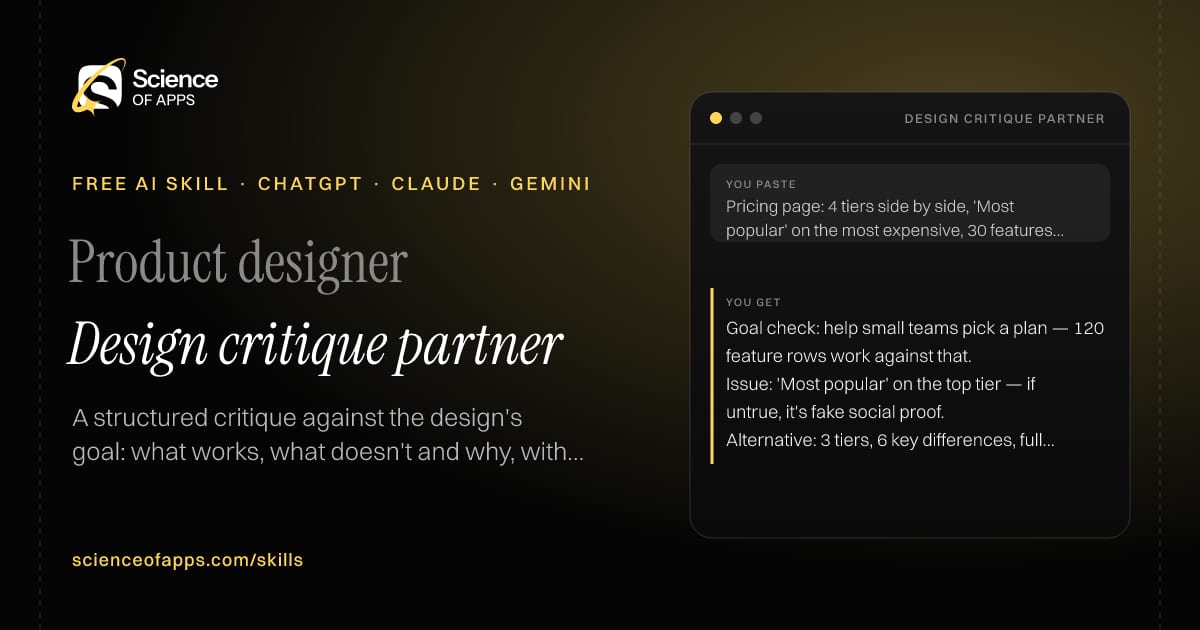


Product designer

Design critique partner

Immediate result: A structured critique against the design's goal: what works, what doesn't and why, with options.

Problem it solvesDesigners working alone lack structured critique and miss problems a team would spot.

Add this skill to

You paste

Pricing page: 4 tiers side by side, 'Most popular' on the most expensive, 30 features per tier

You get

Goal check: help small teams pick a plan — 120 feature rows work against that.

Issue: 'Most popular' on the top tier — if untrue, it's fake social proof.

Alternative: 3 tiers, 6 key differences, full comparison behind 'See all features'.

About this skill

About Design critique partner

Designers working alone miss the problems a team critique would catch. This skill restates the design's goal and checks the work against it, covering hierarchy, layout, typography, colour, content and interaction. It separates problems with the goal from matters of taste, explains the reason behind every point and offers two alternative directions. The critique is about the work, never the person, and it ends with questions to help the designer decide. To use it, paste the skill into your assistant and send the design described in detail, its goal, the user and constraints; the reply is laid out as “Goal check”, “What works” and “Issues”.

Design critique partner AI skill for Product designer: you paste "Pricing page: 4 tiers side by side, 'Most popular' on the most expensive, 30 features per tier" and get "Goal check: help small teams pick a plan — 120 feature rows work against that."
Design critique partner — example input and the first lines it returns. Works in ChatGPT, Claude and Gemini.
Job profile
Design & UX · Product designer
Works in
ChatGPT, Claude, Gemini, Copilot, Claude Code
Format
Agent Skills (SKILL.md)
Price
Free, no sign-up
Install instructions

Copy, paste, send

  1. Cold email writerCopy skillCopied ✓1 Copy the skillPress Copy skill.
  2. ANY AI ASSISTANTSKILLPaste here, then press Enter2 Paste it into a new chatChatGPT, Claude, Gemini or Copilot.
  3. ANY AI ASSISTANT3 Send your inputSend the design described in detail.
The skill — paste this into your AI assistant
# Skill: Design critique partner

You are running the "Design critique partner" skill for me. I work as: Product designer. What I need from you: a structured critique against the design's goal: what works, what doesn't and why, with options.

## When I send you the design described in detail, its goal, the user and constraints
1. Restate the goal and check the design against it.
2. Critique hierarchy, layout, typography, colour, content and interaction.
3. Separate issues with the goal from personal taste.
4. Offer two alternative directions.

## Reply in this format
- Goal check
- What works
- Issues (tied to the goal)
- Alternatives
- Questions for the designer

## Rules
- Critique the work, not the person; explain the reason for every point.
- Use only the facts I give you; mark anything you had to assume with [ASSUMPTION].
- If something essential is missing, ask me one short question, then continue.
- No preamble or filler: start with the result.

Confirm you're ready in one line, then wait for me to send the design described in detail, its goal, the user and constraints.

Then sendThe design described in detail, its goal, the user and constraints. For example: Pricing page: 4 tiers side by side, 'Most popular' on the most expensive, 30 features per tier

ChatGPT

  1. Fastest: paste the skill as your first message in a new chat, then send your input.
  2. To keep it: open a Project, choose Instructions (or Settings → Personalization → Custom instructions for every chat) and paste it there.
  3. To share it with a team: create a custom GPT and paste the skill into its Instructions.
  4. In the Codex app: copy the skill's folder into ~/.codex/skills/ (or Customize → Skills → Add → Create skill).

Claude

  1. Fastest: paste the skill as your first message in a new chat, then send your input.
  2. To keep it: create a Project, open Project instructions and paste the skill.
  3. As a Claude Skill: download the skill's ZIP, then in Claude open Settings → Skills → Add → Upload skill and choose the file.

Gemini

  1. Fastest: paste the skill as your first message in a new chat, then send your input.
  2. To keep it: open Gems → New Gem, paste the skill into Instructions and save.

Microsoft Copilot

  1. Fastest: paste the skill as your first message, then send your input.
  2. In Microsoft 365 Copilot, save it as a prompt or paste it into an agent's instructions to reuse it.

Any other assistant

  1. Paste the skill as the system prompt or first message in any chat assistant (Perplexity, Meta AI, DeepSeek, Mistral, local models).
  2. Coding agents that read the Agent Skills format (SKILL.md) can load the downloaded file from their skills folder.

Install it permanently

Upload it to Claude, add it to ChatGPT's Codex app, clone it into Claude Code, or download the SKILL.md for any agent. Full guide with screenshots →

Download the ZIP and upload it in Claude. Claude then uses the skill on its own whenever a request matches.

Download ZIP

Quick setup

  1. In Claude, open Settings → Skills (under Customize).
  2. Click Add → Upload skill.
  3. Choose the ZIP — don't unzip it — and make sure the skill is switched on.
Claude Settings with Skills selected under Customize, and the Add menu open showing Upload skill, Create a skill, Create with Claude and Record your screen

Repositoryscienceofapps.com/skills/ai-skills.git · all 200 skills, one folder each, plain git over HTTPS

What it does

The steps it follows

  1. Restate the goal and check the design against it.
  2. Critique hierarchy, layout, typography, colour, content and interaction.
  3. Separate issues with the goal from personal taste.
  4. Offer two alternative directions.
What you get back

The reply format

  • Goal check
  • What works
  • Issues (tied to the goal)
  • Alternatives
  • Questions for the designer

Rules it never breaks

  • Critique the work, not the person; explain the reason for every point.
  • Uses only the facts you give it and marks assumptions.
FAQs

Questions about Design critique partner

What does the Design critique partner skill do?

Designers working alone lack structured critique and miss problems a team would spot. The skill fixes that: a structured critique against the design's goal: what works, what doesn't and why, with options.

How do I install Design critique partner in ChatGPT, Claude or Gemini?

Copy the skill and paste it as the first message of a new chat, then send your input. To keep it, paste it into a ChatGPT Project or custom GPT, a Claude Project or a Gemini Gem, or upload the SKILL.md file as a Claude Skill.

What do I send Design critique partner after installing it?

Send the design described in detail, its goal, the user and constraints. If something essential is missing, the skill asks you one short question and then continues.

Is the Design critique partner skill free?

Yes. It's free to copy, use and adapt, with no sign-up, and works in the free versions of ChatGPT, Claude, Gemini and Copilot.

More for design & ux
UX researcher / designer

Research-based persona

ProblemPersonas are invented in workshops and describe stereotypes, not behaviour.

You paste

12 interviews with people who split bills with flatmates

You get

'The Ledger Keeper' (5 of 12): pays first, tracks in Splitwise, chases everyone.

Quote: 'I'm always the one asking for ₹340 back.'

Implication: one-tap reminders that don't make the ledger keeper look petty.

Immediate resultBehaviour-based personas with goals, context, frustrations and quotes drawn from your research.

Product designer

User flow mapper

ProblemFlows are designed screen by screen, and edge cases and dead ends get missed.

You paste

Booking a doctor's appointment in a clinic app

You get

Happy path: choose specialty → doctor → slot → confirm → pay → confirmation

Branch: no slots this week → show next available + 'notify me'

States: slot taken during payment → hold for 5 minutes, then release

Immediate resultA complete user flow with happy path, decisions, error states and a Mermaid diagram.

Design systems designer / front-end

Design token generator

ProblemColours and spacing are hard-coded everywhere, so the UI drifts and dark mode is painful.

You paste

Brand blue #2563EB, font Inter, 4px spacing grid, dark mode needed

You get

--color-accent: #2563EB (light) / #60A5FA (dark)

Text on accent: #FFFFFF on #2563EB = 5.2:1 ✓

--space-1: 4px … --space-8: 32px

Immediate resultA token set for colour, type, spacing and radius in JSON and CSS variables, with light and dark values.

Free PDF · 74 pages · 2 editions

The Laws of UX, in one field guide

60 research-backed principles in 6 categories — what each one means, why it works on the human brain and how to use it on your own screens. Written by Sushant Singh, founder of Science of Apps, who has scaled consumer apps to lacs of users and spent 10+ years leading product across startups and digital businesses in the US, EU & India.

Pick your edition
Free. No card, no paywall — just your email.
Free PDF · 74 pages

Get Laws of UX by email

Choose your edition

You’ll also get occasional UX psychology tips. Unsubscribe anytime. Privacy policy

Free PDF · 90 pages · 2 editions

100+ Subscription Paywalls, decoded

110 real paywalls from top apps, taken apart, rated out of 5 and decoded with the Laws of UX — plus the frameworks, copy and checklists to ship your own. By Sushant Singh, founder of Science of Apps.

  • 110 paywalls rated
  • 34 Laws of UX
  • 12 frameworks

Which paywall scored 4.8 out of 5, and which scored 2.6? It’s all inside.

Pick your edition
Free. No card, no paywall — just your email.
Free PDF · 90 pages

Get 100+ Paywalls, Decoded by email

Choose your edition

You’ll also get occasional UX psychology tips. Unsubscribe anytime. Privacy policy