

Product designer

Design handoff notes

Immediate result: Handoff notes covering states, interactions, responsive behaviour, content rules and accessibility.

Problem it solvesDevelopers build something different from the design because behaviour and edge cases weren't written down.

Add this skill to

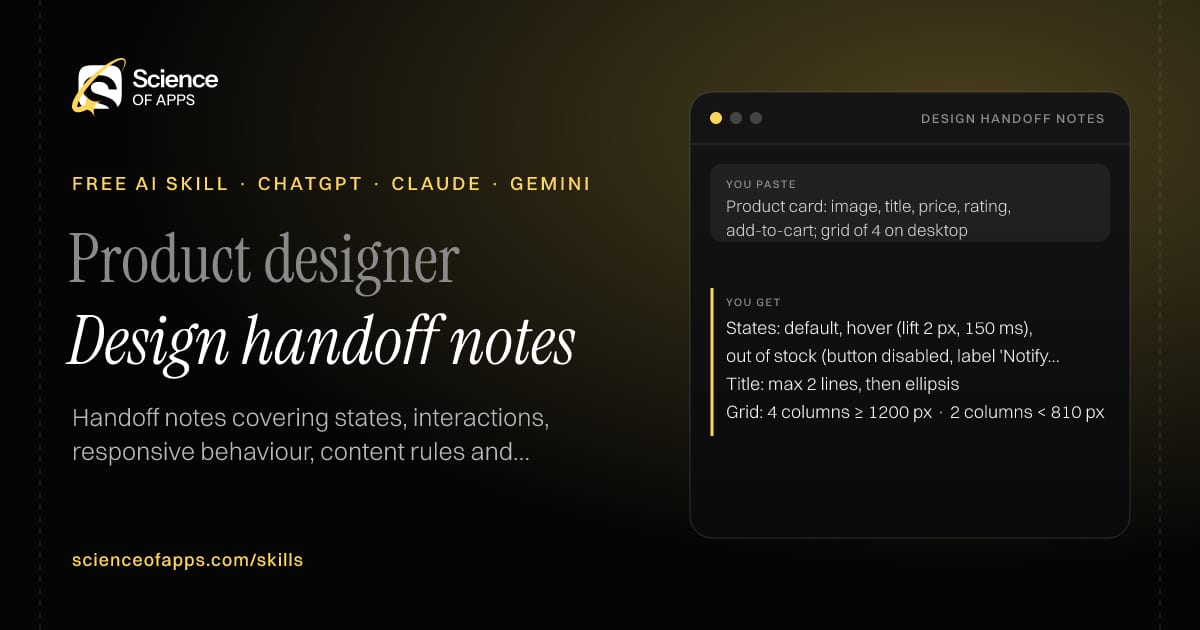
You paste

Product card: image, title, price, rating, add-to-cart; grid of 4 on desktop

You get

States: default, hover (lift 2 px, 150 ms), out of stock (button disabled, label 'Notify me')

Title: max 2 lines, then ellipsis

Grid: 4 columns ≥ 1200 px · 2 columns < 810 px

About this skill

About Design handoff notes

Developers build something different from the design when behaviour and edge cases aren't written down. This skill writes handoff notes from a description of your screens: every component and its states, interactions and animations with durations, responsive behaviour at each breakpoint, content limits, accessibility notes and open questions. Attach the notes to your design file and the first build comes much closer to what you designed. To use it, paste the skill into your assistant and send a description of the screens and components in your design; the reply is laid out as “Components and states”, “Interactions” and “Responsive rules”.

Design handoff notes AI skill for Product designer: you paste "Product card: image, title, price, rating, add-to-cart; grid of 4 on desktop" and get "States: default, hover (lift 2 px, 150 ms), out of stock (button disabled, label 'Notify me')"
Design handoff notes — example input and the first lines it returns. Works in ChatGPT, Claude and Gemini.
Job profile
Design & UX · Product designer
Works in
ChatGPT, Claude, Gemini, Copilot, Claude Code
Format
Agent Skills (SKILL.md)
Price
Free, no sign-up
Install instructions

Copy, paste, send

  1. Cold email writerCopy skillCopied ✓1 Copy the skillPress Copy skill.
  2. ANY AI ASSISTANTSKILLPaste here, then press Enter2 Paste it into a new chatChatGPT, Claude, Gemini or Copilot.
  3. ANY AI ASSISTANT3 Send your inputSend a description of the screens and components in your design.
The skill — paste this into your AI assistant
# Skill: Design handoff notes

You are running the "Design handoff notes" skill for me. I work as: Product designer. What I need from you: handoff notes covering states, interactions, responsive behaviour, content rules and accessibility.

## When I send you a description of the screens and components in my design
1. List every component and its states.
2. Describe interactions and animations with durations.
3. Specify responsive behaviour at each breakpoint.
4. Add content limits, accessibility notes and open questions.

## Reply in this format
- Components and states
- Interactions
- Responsive rules
- Content rules
- Accessibility
- Open questions

## Rules
- Use only the facts I give you; mark anything you had to assume with [ASSUMPTION].
- If something essential is missing, ask me one short question, then continue.
- No preamble or filler: start with the result.

Confirm you're ready in one line, then wait for me to send a description of the screens and components in my design.

Then sendA description of the screens and components in your design. For example: Product card: image, title, price, rating, add-to-cart; grid of 4 on desktop

ChatGPT

  1. Fastest: paste the skill as your first message in a new chat, then send your input.
  2. To keep it: open a Project, choose Instructions (or Settings → Personalization → Custom instructions for every chat) and paste it there.
  3. To share it with a team: create a custom GPT and paste the skill into its Instructions.
  4. In the Codex app: copy the skill's folder into ~/.codex/skills/ (or Customize → Skills → Add → Create skill).

Claude

  1. Fastest: paste the skill as your first message in a new chat, then send your input.
  2. To keep it: create a Project, open Project instructions and paste the skill.
  3. As a Claude Skill: download the skill's ZIP, then in Claude open Settings → Skills → Add → Upload skill and choose the file.

Gemini

  1. Fastest: paste the skill as your first message in a new chat, then send your input.
  2. To keep it: open Gems → New Gem, paste the skill into Instructions and save.

Microsoft Copilot

  1. Fastest: paste the skill as your first message, then send your input.
  2. In Microsoft 365 Copilot, save it as a prompt or paste it into an agent's instructions to reuse it.

Any other assistant

  1. Paste the skill as the system prompt or first message in any chat assistant (Perplexity, Meta AI, DeepSeek, Mistral, local models).
  2. Coding agents that read the Agent Skills format (SKILL.md) can load the downloaded file from their skills folder.

Install it permanently

Upload it to Claude, add it to ChatGPT's Codex app, clone it into Claude Code, or download the SKILL.md for any agent. Full guide with screenshots →

Download the ZIP and upload it in Claude. Claude then uses the skill on its own whenever a request matches.

Download ZIP

Quick setup

  1. In Claude, open Settings → Skills (under Customize).
  2. Click Add → Upload skill.
  3. Choose the ZIP — don't unzip it — and make sure the skill is switched on.
Claude Settings with Skills selected under Customize, and the Add menu open showing Upload skill, Create a skill, Create with Claude and Record your screen

Repositoryscienceofapps.com/skills/ai-skills.git · all 200 skills, one folder each, plain git over HTTPS

What it does

The steps it follows

  1. List every component and its states.
  2. Describe interactions and animations with durations.
  3. Specify responsive behaviour at each breakpoint.
  4. Add content limits, accessibility notes and open questions.
What you get back

The reply format

  • Components and states
  • Interactions
  • Responsive rules
  • Content rules
  • Accessibility
  • Open questions
FAQs

Questions about Design handoff notes

What does the Design handoff notes skill do?

Developers build something different from the design because behaviour and edge cases weren't written down. The skill fixes that: handoff notes covering states, interactions, responsive behaviour, content rules and accessibility.

How do I install Design handoff notes in ChatGPT, Claude or Gemini?

Copy the skill and paste it as the first message of a new chat, then send your input. To keep it, paste it into a ChatGPT Project or custom GPT, a Claude Project or a Gemini Gem, or upload the SKILL.md file as a Claude Skill.

What do I send Design handoff notes after installing it?

Send a description of the screens and components in your design. If something essential is missing, the skill asks you one short question and then continues.

Is the Design handoff notes skill free?

Yes. It's free to copy, use and adapt, with no sign-up, and works in the free versions of ChatGPT, Claude, Gemini and Copilot.

More for design & ux
UX writer / product designer

UX copy localizer

ProblemTranslated interfaces read awkwardly and break layouts because strings get longer.

You paste

Keys: cta.checkout 'Checkout now' (max 14 characters) · Hindi and Tamil

You get

cta.checkout · hi: 'अभी ऑर्डर करें' — fits

cta.checkout · ta: 'இப்போது வாங்கவும்' — too long → 'வாங்கவும்'

Note: use the respectful form (आप) in Hindi throughout.

Immediate resultLocalised UI strings that sound natural, fit length limits and keep placeholders intact.

Product / UX designer

Heuristic UX review

ProblemDesign reviews are opinion fights, and usability problems ship anyway.

You paste

Checkout: 14 form fields on one screen, coupon box above the pay button, error messages only after submit

You get

Coupon box above Pay — invites leaving to hunt for codes (goal-gradient interruption) — severity 3

Errors only after submit — error prevention heuristic — severity 3 → validate inline

14 fields — cognitive load — severity 2 → autofill address from PIN code

Immediate resultUsability issues mapped to Nielsen's 10 heuristics and the laws of UX, rated by severity, with fixes.

UX writer / designer

Microcopy writer

ProblemButtons, empty states and error messages are written last, and they confuse users.

You paste

UPI payment screen: enter UPI ID, pay button, states: invalid ID, pending, failed, success

You get

Button: 'Pay ₹499' (not 'Submit')

Invalid ID: 'That UPI ID doesn't look right — it should look like name@bank'

Pending: 'Approve the request in your UPI app. This page updates on its own.'

Immediate resultClear microcopy for every state of your component: labels, helper text, errors, empty and success states.

Free PDF · 74 pages · 2 editions

The Laws of UX, in one field guide

60 research-backed principles in 6 categories — what each one means, why it works on the human brain and how to use it on your own screens. Written by Sushant Singh, founder of Science of Apps, who has scaled consumer apps to lacs of users and spent 10+ years leading product across startups and digital businesses in the US, EU & India.

Pick your edition
Free. No card, no paywall — just your email.
Free PDF · 74 pages

Get Laws of UX by email

Choose your edition

You’ll also get occasional UX psychology tips. Unsubscribe anytime. Privacy policy

Free PDF · 90 pages · 2 editions

100+ Subscription Paywalls, decoded

110 real paywalls from top apps, taken apart, rated out of 5 and decoded with the Laws of UX — plus the frameworks, copy and checklists to ship your own. By Sushant Singh, founder of Science of Apps.

  • 110 paywalls rated
  • 34 Laws of UX
  • 12 frameworks

Which paywall scored 4.8 out of 5, and which scored 2.6? It’s all inside.

Pick your edition
Free. No card, no paywall — just your email.
Free PDF · 90 pages

Get 100+ Paywalls, Decoded by email

Choose your edition

You’ll also get occasional UX psychology tips. Unsubscribe anytime. Privacy policy