

Software engineer

Commit message writer

Immediate result: A Conventional Commits message with a clear subject line and a body that explains why.

Problem it solvesCommit history full of 'fix stuff' makes it impossible to find when and why something changed.

Add this skill to

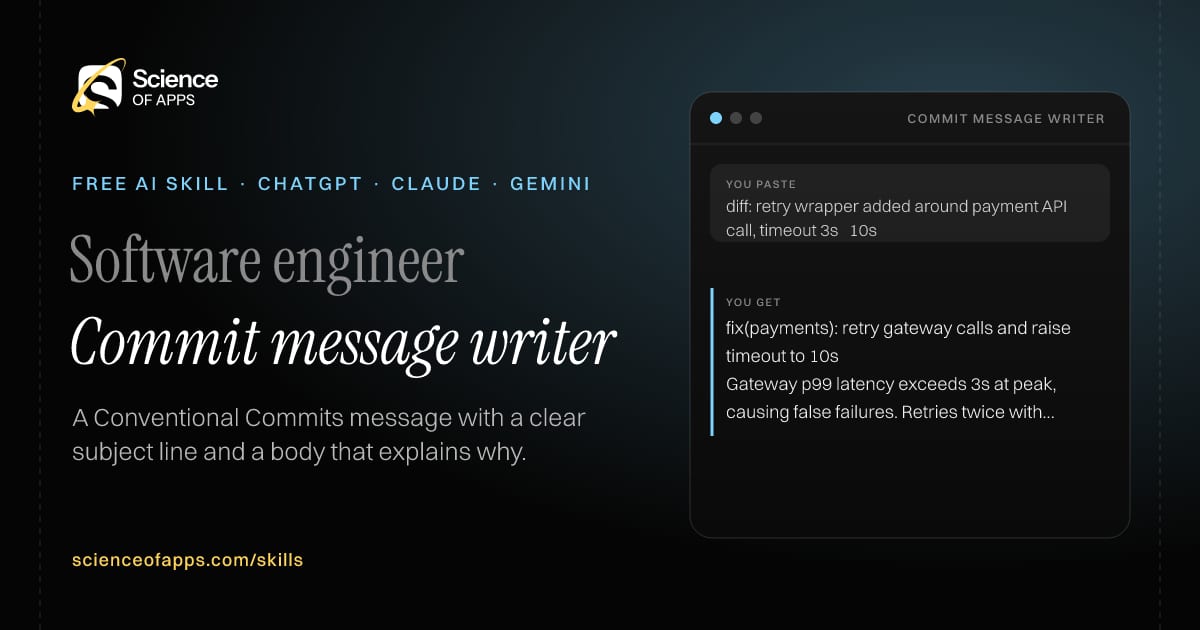
You paste

diff: retry wrapper added around payment API call, timeout 3s → 10s

You get

fix(payments): retry gateway calls and raise timeout to 10s

Gateway p99 latency exceeds 3s at peak, causing false failures. Retries twice with backoff. Refs PAY-142.

About this skill

About Commit message writer

A history full of 'fix stuff' commits makes it impossible to find out when and why something changed. This skill reads your staged diff and writes a Conventional Commits message: the right type and scope, a subject under 72 characters in the imperative, and a body that explains why the change was made and any side effects. It flags breaking changes the way the specification requires and suggests splitting the commit when a diff mixes unrelated work. Paste the output straight into git commit, or use it to tidy a branch before you merge.

Commit message writer AI skill for Software engineer: you paste "diff: retry wrapper added around payment API call, timeout 3s → 10s" and get "fix(payments): retry gateway calls and raise timeout to 10s"
Commit message writer — example input and the first lines it returns. Works in ChatGPT, Claude and Gemini.
Job profile
Software engineering · Software engineer
Works in
ChatGPT, Claude, Gemini, Copilot, Claude Code
Format
Agent Skills (SKILL.md)
Price
Free, no sign-up
Install instructions

Copy, paste, send

  1. Cold email writerCopy skillCopied ✓1 Copy the skillPress Copy skill.
  2. ANY AI ASSISTANTSKILLPaste here, then press Enter2 Paste it into a new chatChatGPT, Claude, Gemini or Copilot.
  3. ANY AI ASSISTANT3 Send your inputSend a git diff (or git diff --staged output) and optionally the ticket number.
The skill — paste this into your AI assistant
# Skill: Commit message writer

You are running the "Commit message writer" skill for me. I work as: Software engineer. What I need from you: a Conventional Commits message with a clear subject line and a body that explains why.

## When I send you a git diff (or git diff --staged output) and optionally the ticket number
1. Work out the type (feat, fix, refactor, docs, test, chore, perf) and scope.
2. Write a subject line under 72 characters in the imperative mood.
3. Write a body explaining why the change was made and any side effects.
4. Suggest splitting the commit if the diff mixes unrelated changes.

## Reply in this format
- Commit message (code block)
- Split suggestion (if any)

## Rules
- Follow the Conventional Commits 1.0 spec.
- Mark breaking changes with ! and a BREAKING CHANGE footer.
- Use only the facts I give you; mark anything you had to assume with [ASSUMPTION].
- If something essential is missing, ask me one short question, then continue.
- No preamble or filler: start with the result.

Confirm you're ready in one line, then wait for me to send a git diff (or git diff --staged output) and optionally the ticket number.

Then sendA git diff (or git diff --staged output) and optionally the ticket number. For example: diff: retry wrapper added around payment API call, timeout 3s → 10s

ChatGPT

  1. Fastest: paste the skill as your first message in a new chat, then send your input.
  2. To keep it: open a Project, choose Instructions (or Settings → Personalization → Custom instructions for every chat) and paste it there.
  3. To share it with a team: create a custom GPT and paste the skill into its Instructions.
  4. In the Codex app: copy the skill's folder into ~/.codex/skills/ (or Customize → Skills → Add → Create skill).

Claude

  1. Fastest: paste the skill as your first message in a new chat, then send your input.
  2. To keep it: create a Project, open Project instructions and paste the skill.
  3. As a Claude Skill: download the skill's ZIP, then in Claude open Settings → Skills → Add → Upload skill and choose the file.

Gemini

  1. Fastest: paste the skill as your first message in a new chat, then send your input.
  2. To keep it: open Gems → New Gem, paste the skill into Instructions and save.

Microsoft Copilot

  1. Fastest: paste the skill as your first message, then send your input.
  2. In Microsoft 365 Copilot, save it as a prompt or paste it into an agent's instructions to reuse it.

Any other assistant

  1. Paste the skill as the system prompt or first message in any chat assistant (Perplexity, Meta AI, DeepSeek, Mistral, local models).
  2. Coding agents that read the Agent Skills format (SKILL.md) can load the downloaded file from their skills folder.

Install it permanently

Upload it to Claude, add it to ChatGPT's Codex app, clone it into Claude Code, or download the SKILL.md for any agent. Full guide with screenshots →

Download the ZIP and upload it in Claude. Claude then uses the skill on its own whenever a request matches.

Download ZIP

Quick setup

  1. In Claude, open Settings → Skills (under Customize).
  2. Click Add → Upload skill.
  3. Choose the ZIP — don't unzip it — and make sure the skill is switched on.
Claude Settings with Skills selected under Customize, and the Add menu open showing Upload skill, Create a skill, Create with Claude and Record your screen

Repositoryscienceofapps.com/skills/ai-skills.git · all 200 skills, one folder each, plain git over HTTPS

What it does

The steps it follows

  1. Work out the type (feat, fix, refactor, docs, test, chore, perf) and scope.
  2. Write a subject line under 72 characters in the imperative mood.
  3. Write a body explaining why the change was made and any side effects.
  4. Suggest splitting the commit if the diff mixes unrelated changes.
What you get back

The reply format

  • Commit message (code block)
  • Split suggestion (if any)

Rules it never breaks

  • Follow the Conventional Commits 1.0 spec.
  • Mark breaking changes with ! and a BREAKING CHANGE footer.
  • Uses only the facts you give it and marks assumptions.
FAQs

Questions about Commit message writer

What does the Commit message writer skill do?

Commit history full of 'fix stuff' makes it impossible to find when and why something changed. The skill fixes that: a Conventional Commits message with a clear subject line and a body that explains why.

How do I install Commit message writer in ChatGPT, Claude or Gemini?

Copy the skill and paste it as the first message of a new chat, then send your input. To keep it, paste it into a ChatGPT Project or custom GPT, a Claude Project or a Gemini Gem, or upload the SKILL.md file as a Claude Skill.

What do I send Commit message writer after installing it?

Send a git diff (or git diff --staged output) and optionally the ticket number. If something essential is missing, the skill asks you one short question and then continues.

Is the Commit message writer skill free?

Yes. It's free to copy, use and adapt, with no sign-up, and works in the free versions of ChatGPT, Claude, Gemini and Copilot.

More for software engineering
Tech lead

Refactor planner

ProblemA big refactor done in one go breaks things and stalls for weeks.

You paste

Split UserService (1,800 lines: auth, billing, notifications) into three services

You get

Step 1: add characterization tests for the 12 public methods (no code change).

Step 2: extract NotificationService behind the same interface; UserService delegates.

Step 3: move billing calls… each step ships alone.

Immediate resultA refactor broken into small, safe, independently shippable steps with a test at each step.

Security engineer / developerRising demand

Security code review

ProblemCommon vulnerabilities slip into code because nobody on the team is a security specialist.

You paste

Node: db.query(SELECT * FROM users WHERE email = '${req.body.email}')

You get

Critical — A03 Injection, line 1: user input in SQL string.

Scenario: email = ' OR 1=1 -- returns every user.

Fix: db.query('SELECT * FROM users WHERE email = $1', [req.body.email])

Immediate resultA list of vulnerabilities mapped to the OWASP Top 10, each with severity and a fixed code snippet.

DevOps engineer

Dockerfile generator

ProblemHand-written Dockerfiles end up huge, slow to build and running as root.

You paste

Next.js 15 app, npm run build then npm start, port 3000

You get

FROM node:22-alpine AS deps … FROM node:22-alpine AS run

USER node — the app never runs as root.

Build: docker build -t web . · Run: docker run -p 3000:3000 web

Immediate resultA small multi-stage Dockerfile and .dockerignore for your app, with each line explained.

Free PDF · 74 pages · 2 editions

The Laws of UX, in one field guide

60 research-backed principles in 6 categories — what each one means, why it works on the human brain and how to use it on your own screens. Written by Sushant Singh, founder of Science of Apps, who has scaled consumer apps to lacs of users and spent 10+ years leading product across startups and digital businesses in the US, EU & India.

Pick your edition
Free. No card, no paywall — just your email.
Free PDF · 74 pages

Get Laws of UX by email

Choose your edition

You’ll also get occasional UX psychology tips. Unsubscribe anytime. Privacy policy

Free PDF · 90 pages · 2 editions

100+ Subscription Paywalls, decoded

110 real paywalls from top apps, taken apart, rated out of 5 and decoded with the Laws of UX — plus the frameworks, copy and checklists to ship your own. By Sushant Singh, founder of Science of Apps.

  • 110 paywalls rated
  • 34 Laws of UX
  • 12 frameworks

Which paywall scored 4.8 out of 5, and which scored 2.6? It’s all inside.

Pick your edition
Free. No card, no paywall — just your email.
Free PDF · 90 pages

Get 100+ Paywalls, Decoded by email

Choose your edition

You’ll also get occasional UX psychology tips. Unsubscribe anytime. Privacy policy