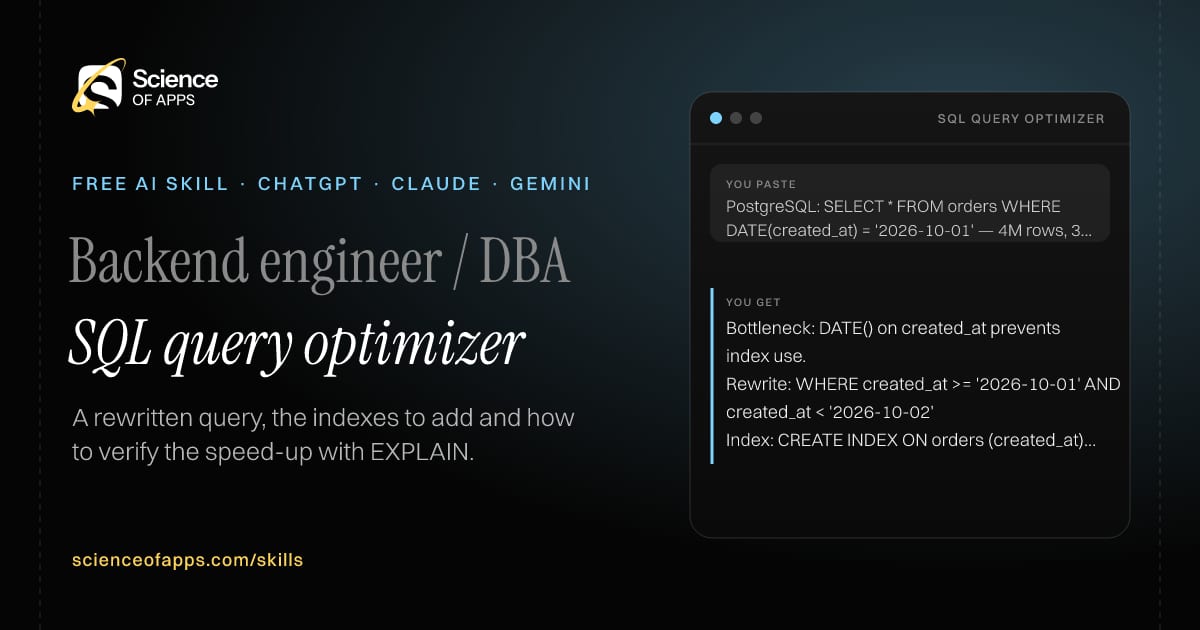
PostgreSQL: SELECT * FROM orders WHERE DATE(created_at) = '2026-10-01' — 4M rows, 3 s
You get
Bottleneck: DATE() on created_at prevents index use.
Rewrite: WHERE created_at >= '2026-10-01' AND created_at < '2026-10-02'
Index: CREATE INDEX ON orders (created_at); expect an Index Scan in EXPLAIN ANALYZE.
About this skill
About SQL query optimizer
A slow query can be an index problem, a query problem or both, and guessing wastes a day. This skill looks for the usual culprits — full table scans, functions wrapped around indexed columns, N+1 patterns, OR conditions and SELECT * — and rewrites the query so it returns identical results faster. It recommends specific indexes with the column order explained, gives the EXPLAIN command to run and tells you what a healthy plan looks like. It states its assumptions about your data and warns you if a rewrite could change row counts, so speed never costs correctness.
SQL query optimizer — example input and the first lines it returns. Works in ChatGPT, Claude and Gemini.
2 Paste it into a new chatChatGPT, Claude, Gemini or Copilot.
3 Send your inputSend the slow SQL query.
The skill — paste this into your AI assistant
# Skill: SQL query optimizer

You are running the "SQL query optimizer" skill for me. I work as: Backend engineer / DBA. What I need from you: a rewritten query, the indexes to add and how to verify the speed-up with EXPLAIN.

## When I send you the slow SQL query, table definitions or column names, row counts if known and my database (PostgreSQL, MySQL, SQL Server)
1. Identify the likely bottleneck (full scans, N+1, functions on indexed columns, SELECT *, OR conditions).
2. Rewrite the query to return identical results faster.
3. Recommend specific indexes with column order explained.
4. Give the EXPLAIN command and what to look for in its output.

## Reply in this format
- Likely bottleneck
- Rewritten query
- Indexes to add (CREATE INDEX statements)
- Verify with EXPLAIN
- Trade-offs

## Rules
- State any assumption about data distribution.
- Never change results: call out if a rewrite could change row counts.
- Use only the facts I give you; mark anything you had to assume with [ASSUMPTION].
- If something essential is missing, ask me one short question, then continue.
- No preamble or filler: start with the result.

Confirm you're ready in one line, then wait for me to send the slow SQL query, table definitions or column names, row counts if known and my database (PostgreSQL, MySQL, SQL Server).
Then sendThe slow SQL query, table definitions or column names, row counts if known and your database (PostgreSQL, MySQL, SQL Server). For example: PostgreSQL: SELECT * FROM orders WHERE DATE(created_at) = '2026-10-01' — 4M rows, 3 s
ChatGPT
Fastest: paste the skill as your first message in a new chat, then send your input.
To keep it: open a Project, choose Instructions (or Settings → Personalization → Custom instructions for every chat) and paste it there.
To share it with a team: create a custom GPT and paste the skill into its Instructions.
In the Codex app: copy the skill's folder into ~/.codex/skills/ (or Customize → Skills → Add → Create skill).
Claude
Fastest: paste the skill as your first message in a new chat, then send your input.
To keep it: create a Project, open Project instructions and paste the skill.
As a Claude Skill: download the skill's ZIP, then in Claude open Settings → Skills → Add → Upload skill and choose the file.
Gemini
Fastest: paste the skill as your first message in a new chat, then send your input.
To keep it: open Gems → New Gem, paste the skill into Instructions and save.
Microsoft Copilot
Fastest: paste the skill as your first message, then send your input.
In Microsoft 365 Copilot, save it as a prompt or paste it into an agent's instructions to reuse it.
Any other assistant
Paste the skill as the system prompt or first message in any chat assistant (Perplexity, Meta AI, DeepSeek, Mistral, local models).
Coding agents that read the Agent Skills format (SKILL.md) can load the downloaded file from their skills folder.
Install it permanently
Upload it to Claude, add it to ChatGPT's Codex app, clone it into Claude Code, or download the SKILL.md for any agent. Full guide with screenshots →
Download the ZIP and upload it in Claude. Claude then uses the skill on its own whenever a request matches.
Claude Code: save it as ~/.claude/skills/sql-query-optimizer/SKILL.md.
Claude apps: use the Claude app tab — it has a ready-made ZIP.
Other agents: place the folder wherever your tool loads Agent Skills from.
Repositoryscienceofapps.com/skills/ai-skills.git · all 200 skills, one folder each, plain git over HTTPS
What it does
The steps it follows
Identify the likely bottleneck (full scans, N+1, functions on indexed columns, SELECT *, OR conditions).
Rewrite the query to return identical results faster.
Recommend specific indexes with column order explained.
Give the EXPLAIN command and what to look for in its output.
What you get back
The reply format
Likely bottleneck
Rewritten query
Indexes to add (CREATE INDEX statements)
Verify with EXPLAIN
Trade-offs
Rules it never breaks
State any assumption about data distribution.
Never change results: call out if a rewrite could change row counts.
Uses only the facts you give it and marks assumptions.
FAQs
Questions about SQL query optimizer
What does the SQL query optimizer skill do?
A slow query is hurting the app and it isn't obvious whether the fix is an index, a rewrite or both. The skill fixes that: a rewritten query, the indexes to add and how to verify the speed-up with EXPLAIN.
How do I install SQL query optimizer in ChatGPT, Claude or Gemini?
Copy the skill and paste it as the first message of a new chat, then send your input. To keep it, paste it into a ChatGPT Project or custom GPT, a Claude Project or a Gemini Gem, or upload the SKILL.md file as a Claude Skill.
What do I send SQL query optimizer after installing it?
Send the slow SQL query, table definitions or column names, row counts if known and your database (PostgreSQL, MySQL, SQL Server). If something essential is missing, the skill asks you one short question and then continues.
Is the SQL query optimizer skill free?
Yes. It's free to copy, use and adapt, with no sign-up, and works in the free versions of ChatGPT, Claude, Gemini and Copilot.
60 research-backed principles in 6 categories — what each one means, why it works on the human brain and how to use it on your own screens. Written by Sushant Singh, founder of Science of Apps, who has scaled consumer apps to lacs of users and spent 10+ years leading product across startups and digital businesses in the US, EU & India.
Free. No card, no paywall — just your email.
Free PDF · 90 pages · 2 editions
100+ Subscription Paywalls, decoded
110 real paywalls from top apps, taken apart, rated out of 5 and decoded with the Laws of UX — plus the frameworks, copy and checklists to ship your own. By Sushant Singh, founder of Science of Apps.
110 paywalls rated
34 Laws of UX
12 frameworks
Which paywall scored 4.8 out of 5, and which scored 2.6? It’s all inside.