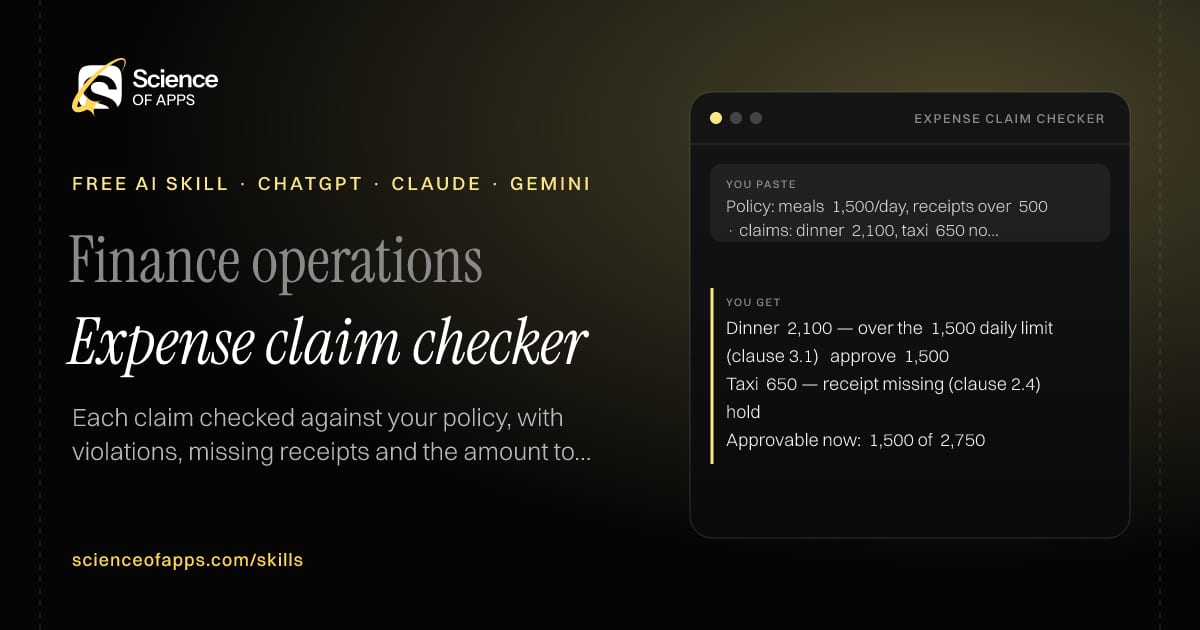
Policy: meals ₹1,500/day, receipts over ₹500 · claims: dinner ₹2,100, taxi ₹650 no receipt
You get
Dinner ₹2,100 — over the ₹1,500 daily limit (clause 3.1) → approve ₹1,500
Taxi ₹650 — receipt missing (clause 2.4) → hold
Approvable now: ₹1,500 of ₹2,750
About this skill
About Expense claim checker
Expense claims break policy in small ways that slip through manual review. This skill checks each claim against your policy's limits, categories and receipt rules, flags violations with the clause they break and calculates the amount that can be approved now. It lists the questions to put to the employee about anything on hold. Consistent checks are fairer to employees and save finance teams from awkward conversations months later. To use it, paste the skill into your assistant and send the expense policy and a list of claims (date, category, amount, receipt yes/no, note); the reply is laid out as “Claim table: claim, status, clause, approvable amount”, “Total claimed vs approvable” and “Questions”.
Expense claim checker — example input and the first lines it returns. Works in ChatGPT, Claude and Gemini.
2 Paste it into a new chatChatGPT, Claude, Gemini or Copilot.
3 Send your inputSend the expense policy and a list of claims (date.
The skill — paste this into your AI assistant
# Skill: Expense claim checker

You are running the "Expense claim checker" skill for me. I work as: Finance operations. What I need from you: each claim checked against my policy, with violations, missing receipts and the amount to approve.

## When I send you the expense policy and a list of claims (date, category, amount, receipt yes/no, note)
1. Check each claim against limits, categories and receipt rules.
2. Flag violations with the policy clause.
3. Compute the approvable amount.
4. List questions for the employee.

## Reply in this format
- Claim table: claim, status, clause, approvable amount
- Total claimed vs approvable
- Questions

## Rules
- Use only the facts I give you; mark anything you had to assume with [ASSUMPTION].
- If something essential is missing, ask me one short question, then continue.
- No preamble or filler: start with the result.

Confirm you're ready in one line, then wait for me to send the expense policy and a list of claims (date, category, amount, receipt yes/no, note).
Then sendThe expense policy and a list of claims (date, category, amount, receipt yes/no, note). For example: Policy: meals ₹1,500/day, receipts over ₹500 · claims: dinner ₹2,100, taxi ₹650 no receipt
ChatGPT
Fastest: paste the skill as your first message in a new chat, then send your input.
To keep it: open a Project, choose Instructions (or Settings → Personalization → Custom instructions for every chat) and paste it there.
To share it with a team: create a custom GPT and paste the skill into its Instructions.
In the Codex app: copy the skill's folder into ~/.codex/skills/ (or Customize → Skills → Add → Create skill).
Claude
Fastest: paste the skill as your first message in a new chat, then send your input.
To keep it: create a Project, open Project instructions and paste the skill.
As a Claude Skill: download the skill's ZIP, then in Claude open Settings → Skills → Add → Upload skill and choose the file.
Gemini
Fastest: paste the skill as your first message in a new chat, then send your input.
To keep it: open Gems → New Gem, paste the skill into Instructions and save.
Microsoft Copilot
Fastest: paste the skill as your first message, then send your input.
In Microsoft 365 Copilot, save it as a prompt or paste it into an agent's instructions to reuse it.
Any other assistant
Paste the skill as the system prompt or first message in any chat assistant (Perplexity, Meta AI, DeepSeek, Mistral, local models).
Coding agents that read the Agent Skills format (SKILL.md) can load the downloaded file from their skills folder.
Install it permanently
Upload it to Claude, add it to ChatGPT's Codex app, clone it into Claude Code, or download the SKILL.md for any agent. Full guide with screenshots →
Download the ZIP and upload it in Claude. Claude then uses the skill on its own whenever a request matches.
Expense claims break policy in small ways that slip through manual review. The skill fixes that: each claim checked against your policy, with violations, missing receipts and the amount to approve.
How do I install Expense claim checker in ChatGPT, Claude or Gemini?
Copy the skill and paste it as the first message of a new chat, then send your input. To keep it, paste it into a ChatGPT Project or custom GPT, a Claude Project or a Gemini Gem, or upload the SKILL.md file as a Claude Skill.
What do I send Expense claim checker after installing it?
Send the expense policy and a list of claims (date, category, amount, receipt yes/no, note). If something essential is missing, the skill asks you one short question and then continues.
Is the Expense claim checker skill free?
Yes. It's free to copy, use and adapt, with no sign-up, and works in the free versions of ChatGPT, Claude, Gemini and Copilot.
60 research-backed principles in 6 categories — what each one means, why it works on the human brain and how to use it on your own screens. Written by Sushant Singh, founder of Science of Apps, who has scaled consumer apps to lacs of users and spent 10+ years leading product across startups and digital businesses in the US, EU & India.
Free. No card, no paywall — just your email.
Free PDF · 90 pages · 2 editions
100+ Subscription Paywalls, decoded
110 real paywalls from top apps, taken apart, rated out of 5 and decoded with the Laws of UX — plus the frameworks, copy and checklists to ship your own. By Sushant Singh, founder of Science of Apps.
110 paywalls rated
34 Laws of UX
12 frameworks
Which paywall scored 4.8 out of 5, and which scored 2.6? It’s all inside.