

Data analyst

Data cleaning plan

Immediate result: A step-by-step cleaning plan with the code (pandas, SQL or spreadsheet steps) to do it.

Problem it solvesA messy export has duplicates, mixed formats and blanks, and cleaning it by hand is error-prone.

Add this skill to

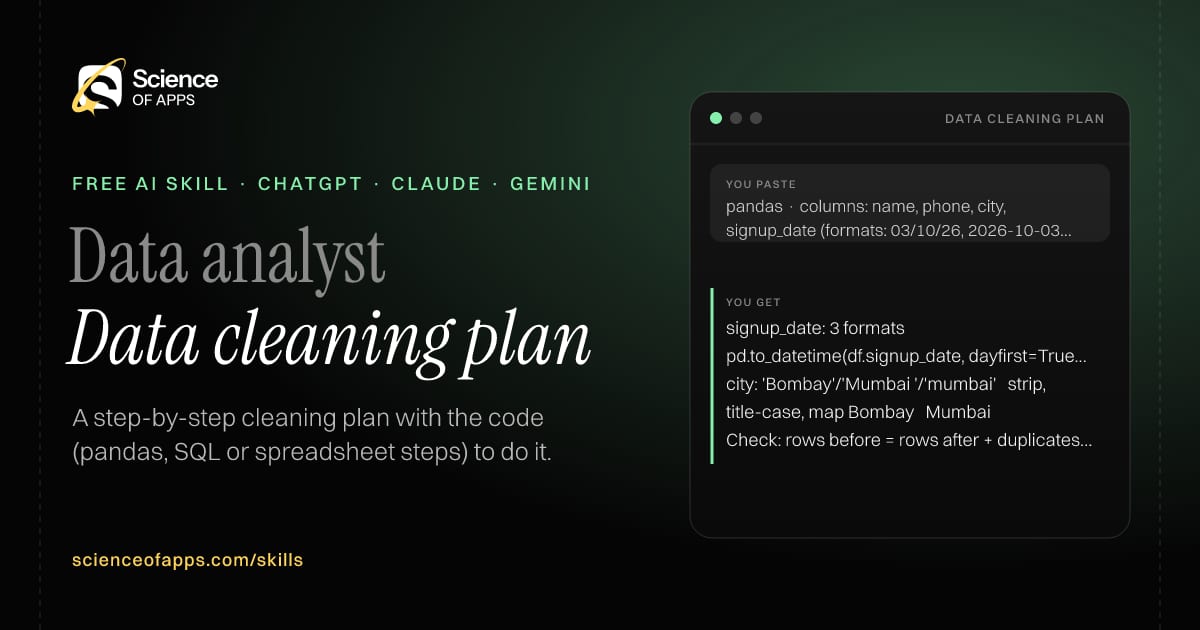
You paste

pandas · columns: name, phone, city, signup_date (formats: 03/10/26, 2026-10-03, '3 Oct')

You get

signup_date: 3 formats → pd.to_datetime(df.signup_date, dayfirst=True, format='mixed')

city: 'Bombay'/'Mumbai '/'mumbai' → strip, title-case, map Bombay → Mumbai

Check: rows before = rows after + duplicates removed (logged).

About this skill

About Data cleaning plan

A messy export with duplicates, mixed date formats and blanks is slow and risky to clean by hand. This skill profiles each column from a small anonymised sample, proposes a cleaning rule per issue and writes the code — pandas, SQL or spreadsheet steps. It never drops rows silently: everything removed is logged with a reason. It closes with validation checks such as row counts and totals that prove the cleaned data still adds up. You end up with a repeatable process rather than a one-off fix. To use it, paste the skill into your assistant and send column names and 10–20 sample rows (anonymised), plus the tool you use.

Data cleaning plan AI skill for Data analyst: you paste "pandas · columns: name, phone, city, signup_date (formats: 03/10/26, 2026-10-03, '3 Oct')" and get "signup_date: 3 formats → pd.to_datetime(df.signup_date, dayfirst=True, format='mixed')"
Data cleaning plan — example input and the first lines it returns. Works in ChatGPT, Claude and Gemini.
Job profile
Data & analytics · Data analyst
Works in
ChatGPT, Claude, Gemini, Copilot, Claude Code
Format
Agent Skills (SKILL.md)
Price
Free, no sign-up
Install instructions

Copy, paste, send

  1. Cold email writerCopy skillCopied ✓1 Copy the skillPress Copy skill.
  2. ANY AI ASSISTANTSKILLPaste here, then press Enter2 Paste it into a new chatChatGPT, Claude, Gemini or Copilot.
  3. ANY AI ASSISTANT3 Send your inputSend column names and 10–20 sample rows (anonymised).
The skill — paste this into your AI assistant
# Skill: Data cleaning plan

You are running the "Data cleaning plan" skill for me. I work as: Data analyst. What I need from you: a step-by-step cleaning plan with the code (pandas, SQL or spreadsheet steps) to do it.

## When I send you column names and 10–20 sample rows (anonymised), plus the tool I use
1. Profile each column: type, format issues, blanks, outliers, duplicates.
2. Propose a cleaning rule per issue.
3. Write the code or steps in the chosen tool.
4. Add checks that prove the cleaned data is right (row counts, totals).

## Reply in this format
- Column profile table
- Cleaning rules
- Code
- Validation checks

## Rules
- Never drop rows silently: log what's removed and why.
- Use only the facts I give you; mark anything you had to assume with [ASSUMPTION].
- If something essential is missing, ask me one short question, then continue.
- No preamble or filler: start with the result.

Confirm you're ready in one line, then wait for me to send column names and 10–20 sample rows (anonymised), plus the tool I use.

Then sendColumn names and 10–20 sample rows (anonymised), plus the tool you use. For example: pandas · columns: name, phone, city, signup_date (formats: 03/10/26, 2026-10-03, '3 Oct')

ChatGPT

  1. Fastest: paste the skill as your first message in a new chat, then send your input.
  2. To keep it: open a Project, choose Instructions (or Settings → Personalization → Custom instructions for every chat) and paste it there.
  3. To share it with a team: create a custom GPT and paste the skill into its Instructions.
  4. In the Codex app: copy the skill's folder into ~/.codex/skills/ (or Customize → Skills → Add → Create skill).

Claude

  1. Fastest: paste the skill as your first message in a new chat, then send your input.
  2. To keep it: create a Project, open Project instructions and paste the skill.
  3. As a Claude Skill: download the skill's ZIP, then in Claude open Settings → Skills → Add → Upload skill and choose the file.

Gemini

  1. Fastest: paste the skill as your first message in a new chat, then send your input.
  2. To keep it: open Gems → New Gem, paste the skill into Instructions and save.

Microsoft Copilot

  1. Fastest: paste the skill as your first message, then send your input.
  2. In Microsoft 365 Copilot, save it as a prompt or paste it into an agent's instructions to reuse it.

Any other assistant

  1. Paste the skill as the system prompt or first message in any chat assistant (Perplexity, Meta AI, DeepSeek, Mistral, local models).
  2. Coding agents that read the Agent Skills format (SKILL.md) can load the downloaded file from their skills folder.

Install it permanently

Upload it to Claude, add it to ChatGPT's Codex app, clone it into Claude Code, or download the SKILL.md for any agent. Full guide with screenshots →

Download the ZIP and upload it in Claude. Claude then uses the skill on its own whenever a request matches.

Download ZIP

Quick setup

  1. In Claude, open Settings → Skills (under Customize).
  2. Click Add → Upload skill.
  3. Choose the ZIP — don't unzip it — and make sure the skill is switched on.
Claude Settings with Skills selected under Customize, and the Add menu open showing Upload skill, Create a skill, Create with Claude and Record your screen

Repositoryscienceofapps.com/skills/ai-skills.git · all 200 skills, one folder each, plain git over HTTPS

What it does

The steps it follows

  1. Profile each column: type, format issues, blanks, outliers, duplicates.
  2. Propose a cleaning rule per issue.
  3. Write the code or steps in the chosen tool.
  4. Add checks that prove the cleaned data is right (row counts, totals).
What you get back

The reply format

  • Column profile table
  • Cleaning rules
  • Code
  • Validation checks

Rules it never breaks

  • Never drop rows silently: log what's removed and why.
  • Uses only the facts you give it and marks assumptions.
FAQs

Questions about Data cleaning plan

What does the Data cleaning plan skill do?

A messy export has duplicates, mixed formats and blanks, and cleaning it by hand is error-prone. The skill fixes that: a step-by-step cleaning plan with the code (pandas, SQL or spreadsheet steps) to do it.

How do I install Data cleaning plan in ChatGPT, Claude or Gemini?

Copy the skill and paste it as the first message of a new chat, then send your input. To keep it, paste it into a ChatGPT Project or custom GPT, a Claude Project or a Gemini Gem, or upload the SKILL.md file as a Claude Skill.

What do I send Data cleaning plan after installing it?

Send column names and 10–20 sample rows (anonymised), plus the tool you use. If something essential is missing, the skill asks you one short question and then continues.

Is the Data cleaning plan skill free?

Yes. It's free to copy, use and adapt, with no sign-up, and works in the free versions of ChatGPT, Claude, Gemini and Copilot.

More for data & analytics
Analytics lead / PM

Dashboard spec writer

ProblemDashboards get built with every metric and answer no question.

You paste

Weekly dashboard for the head of a food-delivery city team

You get

Q1: Are we delivering on time? → On-time rate = orders delivered ≤ promised ETA ÷ delivered orders

Chart: line, 8 weeks, with target line at 92%

Filter: zone, hour of day.

Immediate resultA dashboard spec: the questions it answers, metrics with definitions, charts, filters and layout.

Analytics engineer / data analyst

Metric definition doc

ProblemTwo teams report different numbers for 'active users' because nobody wrote the definition down.

You paste

'Activation rate' for a B2B SaaS — people mean different things

You get

Activation rate = new workspaces that invite ≥ 1 teammate and create ≥ 1 project within 7 days ÷ new workspaces

Excludes: internal and test workspaces (domain list).

Edge: workspaces created on day 6 of the window are counted next week.

Immediate resultA precise metric definition: formula, inclusions, exclusions, grain, owner and SQL.

Research / insights analyst

Survey analysis

ProblemHundreds of open-text survey answers go unread, and only the scores get reported.

You paste

NPS survey, 340 answers to 'What's the main reason for your score?'

You get

Slow delivery — 92 (27%) · 'Third late order this month'

Detractors mention delivery 3× more than promoters.

Action: show a realistic ETA at checkout, not the best case.

Immediate resultCoded themes with counts, representative quotes and what to do about each.

Free PDF · 74 pages · 2 editions

The Laws of UX, in one field guide

60 research-backed principles in 6 categories — what each one means, why it works on the human brain and how to use it on your own screens. Written by Sushant Singh, founder of Science of Apps, who has scaled consumer apps to lacs of users and spent 10+ years leading product across startups and digital businesses in the US, EU & India.

Pick your edition
Free. No card, no paywall — just your email.
Free PDF · 74 pages

Get Laws of UX by email

Choose your edition

You’ll also get occasional UX psychology tips. Unsubscribe anytime. Privacy policy

Free PDF · 90 pages · 2 editions

100+ Subscription Paywalls, decoded

110 real paywalls from top apps, taken apart, rated out of 5 and decoded with the Laws of UX — plus the frameworks, copy and checklists to ship your own. By Sushant Singh, founder of Science of Apps.

  • 110 paywalls rated
  • 34 Laws of UX
  • 12 frameworks

Which paywall scored 4.8 out of 5, and which scored 2.6? It’s all inside.

Pick your edition
Free. No card, no paywall — just your email.
Free PDF · 90 pages

Get 100+ Paywalls, Decoded by email

Choose your edition

You’ll also get occasional UX psychology tips. Unsubscribe anytime. Privacy policy