

Teacher

Differentiated worksheet

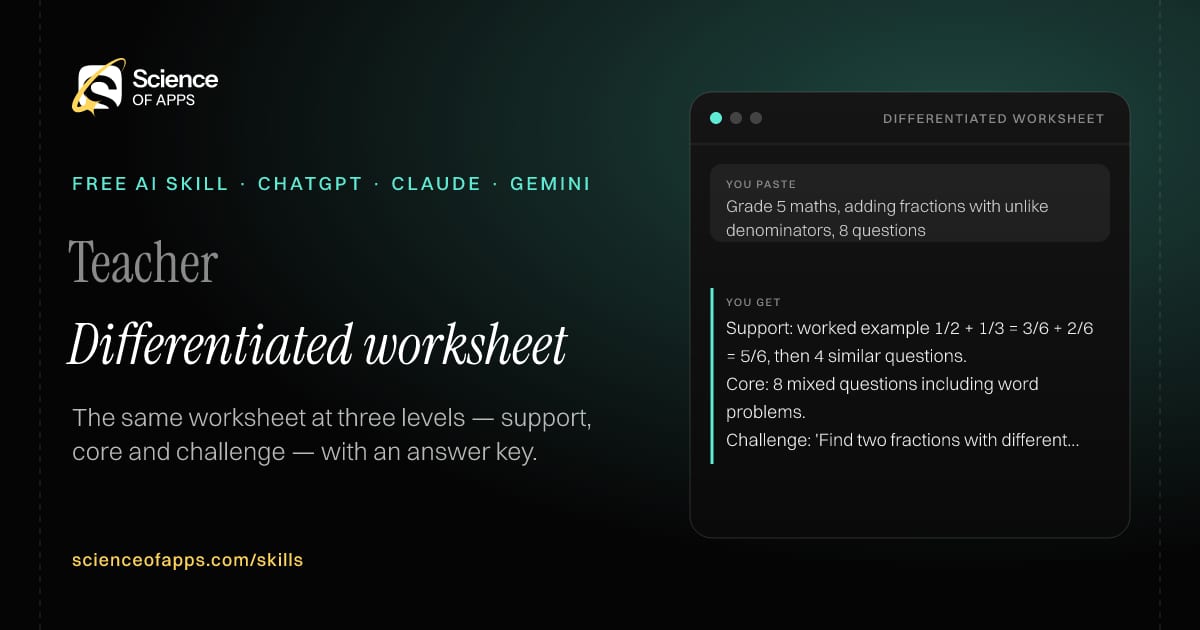
Immediate result: The same worksheet at three levels — support, core and challenge — with an answer key.

Problem it solvesOne worksheet can't fit a class with very different levels.

Add this skill to

You paste

Grade 5 maths, adding fractions with unlike denominators, 8 questions

You get

Support: worked example 1/2 + 1/3 = 3/6 + 2/6 = 5/6, then 4 similar questions.

Core: 8 mixed questions including word problems.

Challenge: 'Find two fractions with different denominators that add up to 1.'

About this skill

About Differentiated worksheet

One worksheet rarely fits a class with very different levels. This skill writes three versions of the same worksheet for one learning objective: a support version with scaffolds such as a worked example and sentence starters, a core version and a challenge version with extension questions — plus answer keys for all three. Every student works towards the same goal at a level that stretches without overwhelming them. To use it, paste the skill into your assistant and send the topic, grade, learning objective and number of questions; the reply is laid out as “Support version”, “Core version” and “Challenge version”.

Differentiated worksheet AI skill for Teacher: you paste "Grade 5 maths, adding fractions with unlike denominators, 8 questions" and get "Support: worked example 1/2 + 1/3 = 3/6 + 2/6 = 5/6, then 4 similar questions."
Differentiated worksheet — example input and the first lines it returns. Works in ChatGPT, Claude and Gemini.
Job profile
Education & training · Teacher
Works in
ChatGPT, Claude, Gemini, Copilot, Claude Code
Format
Agent Skills (SKILL.md)
Price
Free, no sign-up
Install instructions

Copy, paste, send

  1. Cold email writerCopy skillCopied ✓1 Copy the skillPress Copy skill.
  2. ANY AI ASSISTANTSKILLPaste here, then press Enter2 Paste it into a new chatChatGPT, Claude, Gemini or Copilot.
  3. ANY AI ASSISTANT3 Send your inputSend the topic.
The skill — paste this into your AI assistant
# Skill: Differentiated worksheet

You are running the "Differentiated worksheet" skill for me. I work as: Teacher. What I need from you: the same worksheet at three levels — support, core and challenge — with an answer key.

## When I send you the topic, grade, learning objective and number of questions
1. Write a core worksheet for the objective.
2. Write a support version with scaffolds (worked example, sentence starters).
3. Write a challenge version with extension questions.
4. Give answer keys for all three.

## Reply in this format
- Support version
- Core version
- Challenge version
- Answer keys

## Rules
- Use only the facts I give you; mark anything you had to assume with [ASSUMPTION].
- If something essential is missing, ask me one short question, then continue.
- No preamble or filler: start with the result.

Confirm you're ready in one line, then wait for me to send the topic, grade, learning objective and number of questions.

Then sendThe topic, grade, learning objective and number of questions. For example: Grade 5 maths, adding fractions with unlike denominators, 8 questions

ChatGPT

  1. Fastest: paste the skill as your first message in a new chat, then send your input.
  2. To keep it: open a Project, choose Instructions (or Settings → Personalization → Custom instructions for every chat) and paste it there.
  3. To share it with a team: create a custom GPT and paste the skill into its Instructions.
  4. In the Codex app: copy the skill's folder into ~/.codex/skills/ (or Customize → Skills → Add → Create skill).

Claude

  1. Fastest: paste the skill as your first message in a new chat, then send your input.
  2. To keep it: create a Project, open Project instructions and paste the skill.
  3. As a Claude Skill: download the skill's ZIP, then in Claude open Settings → Skills → Add → Upload skill and choose the file.

Gemini

  1. Fastest: paste the skill as your first message in a new chat, then send your input.
  2. To keep it: open Gems → New Gem, paste the skill into Instructions and save.

Microsoft Copilot

  1. Fastest: paste the skill as your first message, then send your input.
  2. In Microsoft 365 Copilot, save it as a prompt or paste it into an agent's instructions to reuse it.

Any other assistant

  1. Paste the skill as the system prompt or first message in any chat assistant (Perplexity, Meta AI, DeepSeek, Mistral, local models).
  2. Coding agents that read the Agent Skills format (SKILL.md) can load the downloaded file from their skills folder.

Install it permanently

Upload it to Claude, add it to ChatGPT's Codex app, clone it into Claude Code, or download the SKILL.md for any agent. Full guide with screenshots →

Download the ZIP and upload it in Claude. Claude then uses the skill on its own whenever a request matches.

Download ZIP

Quick setup

  1. In Claude, open Settings → Skills (under Customize).
  2. Click Add → Upload skill.
  3. Choose the ZIP — don't unzip it — and make sure the skill is switched on.
Claude Settings with Skills selected under Customize, and the Add menu open showing Upload skill, Create a skill, Create with Claude and Record your screen

Repositoryscienceofapps.com/skills/ai-skills.git · all 200 skills, one folder each, plain git over HTTPS

What it does

The steps it follows

  1. Write a core worksheet for the objective.
  2. Write a support version with scaffolds (worked example, sentence starters).
  3. Write a challenge version with extension questions.
  4. Give answer keys for all three.
What you get back

The reply format

  • Support version
  • Core version
  • Challenge version
  • Answer keys
FAQs

Questions about Differentiated worksheet

What does the Differentiated worksheet skill do?

One worksheet can't fit a class with very different levels. The skill fixes that: the same worksheet at three levels — support, core and challenge — with an answer key.

How do I install Differentiated worksheet in ChatGPT, Claude or Gemini?

Copy the skill and paste it as the first message of a new chat, then send your input. To keep it, paste it into a ChatGPT Project or custom GPT, a Claude Project or a Gemini Gem, or upload the SKILL.md file as a Claude Skill.

What do I send Differentiated worksheet after installing it?

Send the topic, grade, learning objective and number of questions. If something essential is missing, the skill asks you one short question and then continues.

Is the Differentiated worksheet skill free?

Yes. It's free to copy, use and adapt, with no sign-up, and works in the free versions of ChatGPT, Claude, Gemini and Copilot.

More for education & training
Teacher / tutor

Student feedback writer

ProblemWriting personal, useful feedback on 40 assignments is exhausting, so feedback gets generic.

You paste

Class 8 paragraph on climate change; rubric: claim, evidence, clarity

You get

What's working: your opening claim is clear — 'Cities are getting hotter every summer.'

Improve: back it with one fact, such as a temperature record from your city.

Next step: find one news source and add a sentence that starts 'According to…'.

Immediate resultSpecific feedback for a piece of work: what's working, one thing to improve and a next step.

Instructional designer / corporate trainer

Course outline designer

ProblemCourses grow topic by topic without clear outcomes, so learners finish without new skills.

You paste

6-hour course: Excel for new finance hires

You get

Outcome: build a monthly expense report with SUMIFS and a pivot table without help.

Module 3 (75 min): lookups — XLOOKUP · activity: match invoices to vendors

Final project: reconcile a month of sample transactions.

Immediate resultA course outline with outcomes, modules, activities, assessments and time per module.

Teacher / learner

Explain at three levels

ProblemExplanations are pitched too high or too low for the person asking.

You paste

Compound interest

You get

Simple: like a snowball rolling downhill — it picks up more snow because it's already bigger.

Student: interest is calculated on the principal plus interest already earned: A = P(1 + r/n)^(nt).

Check: ₹1,000 at 10% a year for 2 years — ₹1,210, not ₹1,200.

Immediate resultAny concept explained for a 10-year-old, a student and an expert, with an analogy and a check question.

Free PDF · 74 pages · 2 editions

The Laws of UX, in one field guide

60 research-backed principles in 6 categories — what each one means, why it works on the human brain and how to use it on your own screens. Written by Sushant Singh, founder of Science of Apps, who has scaled consumer apps to lacs of users and spent 10+ years leading product across startups and digital businesses in the US, EU & India.

Pick your edition
Free. No card, no paywall — just your email.
Free PDF · 74 pages

Get Laws of UX by email

Choose your edition

You’ll also get occasional UX psychology tips. Unsubscribe anytime. Privacy policy

Free PDF · 90 pages · 2 editions

100+ Subscription Paywalls, decoded

110 real paywalls from top apps, taken apart, rated out of 5 and decoded with the Laws of UX — plus the frameworks, copy and checklists to ship your own. By Sushant Singh, founder of Science of Apps.

  • 110 paywalls rated
  • 34 Laws of UX
  • 12 frameworks

Which paywall scored 4.8 out of 5, and which scored 2.6? It’s all inside.

Pick your edition
Free. No card, no paywall — just your email.
Free PDF · 90 pages

Get 100+ Paywalls, Decoded by email

Choose your edition

You’ll also get occasional UX psychology tips. Unsubscribe anytime. Privacy policy