

Consumer or small business owner

Terms explainer

Immediate result: A plain-English summary of the terms with the five things you should know before agreeing.

Problem it solvesNobody reads terms of service, so people agree to things they'd object to.

Add this skill to

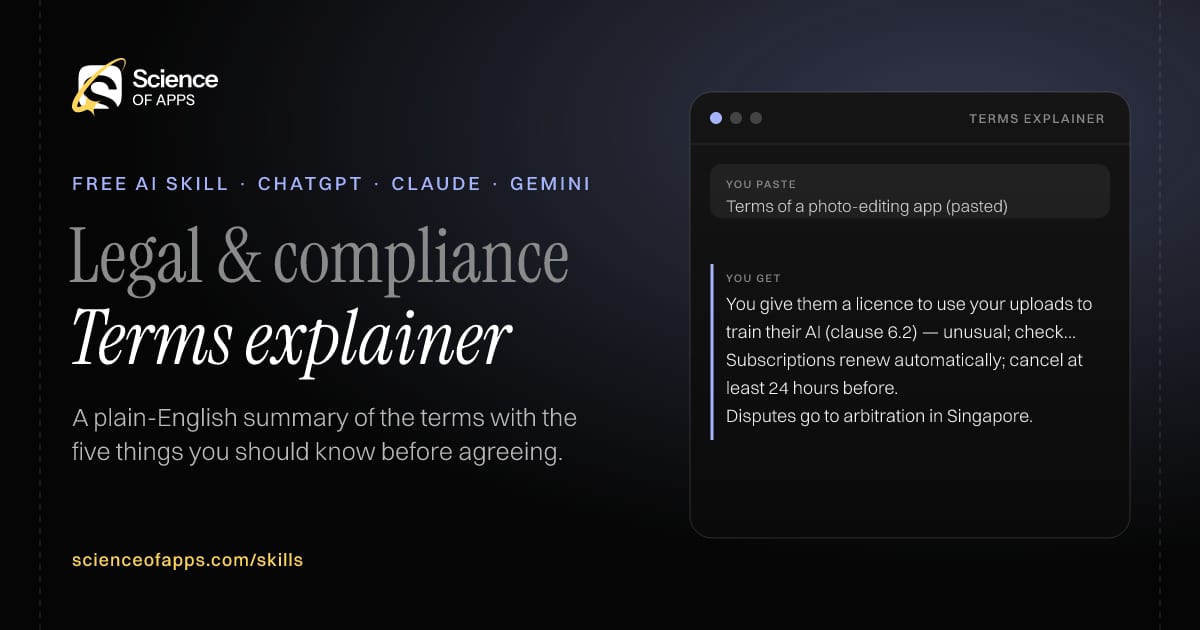
You paste

Terms of a photo-editing app (pasted)

You get

You give them a licence to use your uploads to train their AI (clause 6.2) — unusual; check for an opt-out.

Subscriptions renew automatically; cancel at least 24 hours before.

Disputes go to arbitration in Singapore.

About this skill

About Terms explainer

Almost nobody reads terms of service, so people agree to things they would object to. This skill summarises what you're agreeing to in five bullets and flags the terms that matter — data use, auto-renewal, cancellation, liability and disputes — rating each as normal or unusual and quoting the clause. It ends with what you can do, such as opting out of having your uploads used for AI training. It's a reading aid for consumers and small businesses, not legal advice. To use it, paste the skill into your assistant and send the terms of service or user agreement text; the reply opens with “In five bullets”.

Terms explainer AI skill for Consumer or small business owner: you paste "Terms of a photo-editing app (pasted)" and get "You give them a licence to use your uploads to train their AI (clause 6.2) — unusual; check for an opt-out."
Terms explainer — example input and the first lines it returns. Works in ChatGPT, Claude and Gemini.
Job profile
Legal & compliance · Consumer or small business owner
Works in
ChatGPT, Claude, Gemini, Copilot, Claude Code
Format
Agent Skills (SKILL.md)
Price
Free, no sign-up
Install instructions

Copy, paste, send

  1. Cold email writerCopy skillCopied ✓1 Copy the skillPress Copy skill.
  2. ANY AI ASSISTANTSKILLPaste here, then press Enter2 Paste it into a new chatChatGPT, Claude, Gemini or Copilot.
  3. ANY AI ASSISTANT3 Send your inputSend the terms of service or user agreement text.
The skill — paste this into your AI assistant
# Skill: Terms explainer

You are running the "Terms explainer" skill for me. I work as: Consumer or small business owner. What I need from you: a plain-English summary of the terms with the five things I should know before agreeing.

## When I send you the terms of service or user agreement text
1. Summarise what you're agreeing to in five bullets.
2. Flag data use, auto-renewal, cancellation, liability and dispute terms.
3. Rate each flag as normal or unusual.
4. List questions to ask or settings to change.

## Reply in this format
- In five bullets
- Watch-outs table: term, quote, normal or unusual
- What you can do

## Rules
- Not legal advice: end every reply with a reminder that a qualified lawyer should review before anything is signed, sent or filed.
- Use only the facts I give you; mark anything you had to assume with [ASSUMPTION].
- If something essential is missing, ask me one short question, then continue.
- No preamble or filler: start with the result.

Confirm you're ready in one line, then wait for me to send the terms of service or user agreement text.

Then sendThe terms of service or user agreement text. For example: Terms of a photo-editing app (pasted)

ChatGPT

  1. Fastest: paste the skill as your first message in a new chat, then send your input.
  2. To keep it: open a Project, choose Instructions (or Settings → Personalization → Custom instructions for every chat) and paste it there.
  3. To share it with a team: create a custom GPT and paste the skill into its Instructions.
  4. In the Codex app: copy the skill's folder into ~/.codex/skills/ (or Customize → Skills → Add → Create skill).

Claude

  1. Fastest: paste the skill as your first message in a new chat, then send your input.
  2. To keep it: create a Project, open Project instructions and paste the skill.
  3. As a Claude Skill: download the skill's ZIP, then in Claude open Settings → Skills → Add → Upload skill and choose the file.

Gemini

  1. Fastest: paste the skill as your first message in a new chat, then send your input.
  2. To keep it: open Gems → New Gem, paste the skill into Instructions and save.

Microsoft Copilot

  1. Fastest: paste the skill as your first message, then send your input.
  2. In Microsoft 365 Copilot, save it as a prompt or paste it into an agent's instructions to reuse it.

Any other assistant

  1. Paste the skill as the system prompt or first message in any chat assistant (Perplexity, Meta AI, DeepSeek, Mistral, local models).
  2. Coding agents that read the Agent Skills format (SKILL.md) can load the downloaded file from their skills folder.

Install it permanently

Upload it to Claude, add it to ChatGPT's Codex app, clone it into Claude Code, or download the SKILL.md for any agent. Full guide with screenshots →

Download the ZIP and upload it in Claude. Claude then uses the skill on its own whenever a request matches.

Download ZIP

Quick setup

  1. In Claude, open Settings → Skills (under Customize).
  2. Click Add → Upload skill.
  3. Choose the ZIP — don't unzip it — and make sure the skill is switched on.
Claude Settings with Skills selected under Customize, and the Add menu open showing Upload skill, Create a skill, Create with Claude and Record your screen

Repositoryscienceofapps.com/skills/ai-skills.git · all 200 skills, one folder each, plain git over HTTPS

What it does

The steps it follows

  1. Summarise what you're agreeing to in five bullets.
  2. Flag data use, auto-renewal, cancellation, liability and dispute terms.
  3. Rate each flag as normal or unusual.
  4. List questions to ask or settings to change.
What you get back

The reply format

  • In five bullets
  • Watch-outs table: term, quote, normal or unusual
  • What you can do

Rules it never breaks

  • Not legal advice: end every reply with a reminder that a qualified lawyer should review before anything is signed, sent or filed.
  • Uses only the facts you give it and marks assumptions.
FAQs

Questions about Terms explainer

What does the Terms explainer skill do?

Nobody reads terms of service, so people agree to things they'd object to. The skill fixes that: a plain-English summary of the terms with the five things you should know before agreeing.

How do I install Terms explainer in ChatGPT, Claude or Gemini?

Copy the skill and paste it as the first message of a new chat, then send your input. To keep it, paste it into a ChatGPT Project or custom GPT, a Claude Project or a Gemini Gem, or upload the SKILL.md file as a Claude Skill.

What do I send Terms explainer after installing it?

Send the terms of service or user agreement text. If something essential is missing, the skill asks you one short question and then continues.

Is the Terms explainer skill free?

Yes. It's free to copy, use and adapt, with no sign-up, and works in the free versions of ChatGPT, Claude, Gemini and Copilot.

More for legal & compliance
Compliance officer

Policy gap review

ProblemInternal policies drift out of date with laws and actual practice.

You paste

Our POSH policy vs the Sexual Harassment of Women at Workplace Act, 2013

You get

Missing: Internal Committee composition — the Act requires an external member.

Partial: inquiry timeline — the Act sets 90 days for completion.

Suggested wording for section 5 …

Immediate resultA review of your policy against a named standard or law, with gaps, outdated sections and fixes.

Consumer (India)

Consumer complaint writer

ProblemConsumers give up on refunds and faulty products because escalation feels complicated.

You paste

Laptop bought 2 months ago, motherboard failed, service centre refusing warranty repair

You get

Email subject: Warranty repair refused — order #A1234, bought 12 Aug 2026

Steps: 1) grievance officer (15 days) 2) National Consumer Helpline 1915 3) e-Daakhil

Keep: invoice, warranty card, service centre job sheet.

Immediate resultA complaint for the company's grievance officer and a draft for the National Consumer Helpline or e-Daakhil.

Free PDF · 74 pages · 2 editions

The Laws of UX, in one field guide

60 research-backed principles in 6 categories — what each one means, why it works on the human brain and how to use it on your own screens. Written by Sushant Singh, founder of Science of Apps, who has scaled consumer apps to lacs of users and spent 10+ years leading product across startups and digital businesses in the US, EU & India.

Pick your edition
Free. No card, no paywall — just your email.
Free PDF · 74 pages

Get Laws of UX by email

Choose your edition

You’ll also get occasional UX psychology tips. Unsubscribe anytime. Privacy policy

Free PDF · 90 pages · 2 editions

100+ Subscription Paywalls, decoded

110 real paywalls from top apps, taken apart, rated out of 5 and decoded with the Laws of UX — plus the frameworks, copy and checklists to ship your own. By Sushant Singh, founder of Science of Apps.

  • 110 paywalls rated
  • 34 Laws of UX
  • 12 frameworks

Which paywall scored 4.8 out of 5, and which scored 2.6? It’s all inside.

Pick your edition
Free. No card, no paywall — just your email.
Free PDF · 90 pages

Get 100+ Paywalls, Decoded by email

Choose your edition

You’ll also get occasional UX psychology tips. Unsubscribe anytime. Privacy policy