

Event / demand-gen marketer

Webinar promo kit

Immediate result: A title, landing page copy, three emails and social posts for your webinar.

Problem it solvesWebinars get few sign-ups because the promotion is a single generic email.

Add this skill to

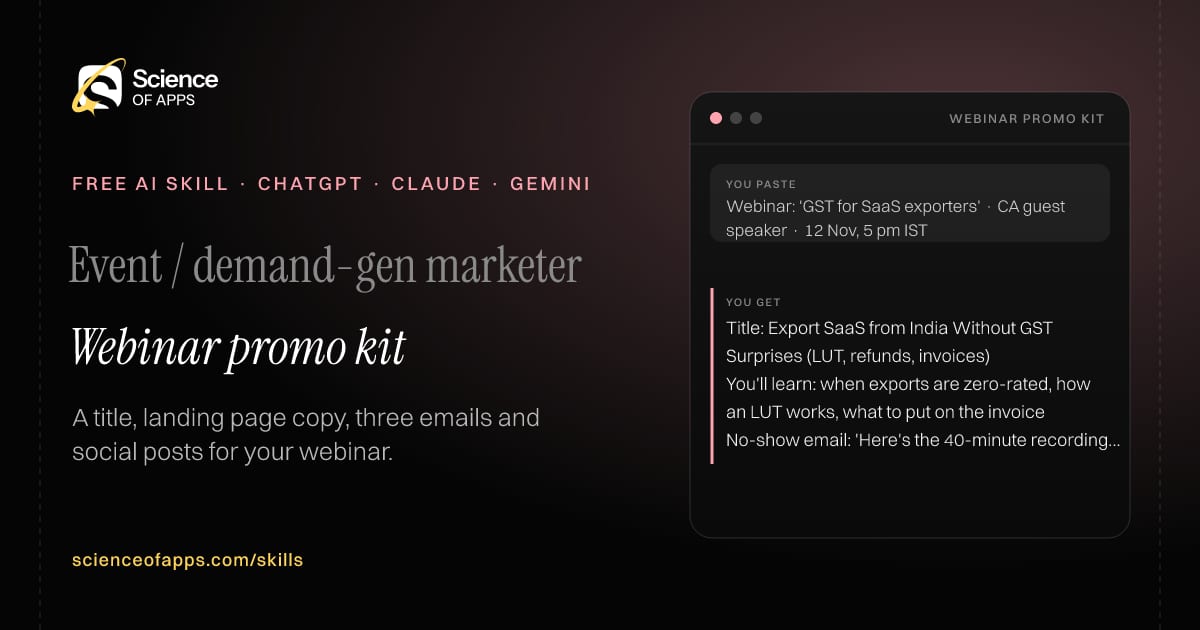
You paste

Webinar: 'GST for SaaS exporters' · CA guest speaker · 12 Nov, 5 pm IST

You get

Title: Export SaaS from India Without GST Surprises (LUT, refunds, invoices)

You'll learn: when exports are zero-rated, how an LUT works, what to put on the invoice

No-show email: 'Here's the 40-minute recording + the checklist'.

About this skill

About Webinar promo kit

Webinars get few sign-ups when promotion is a single generic email. This skill builds the whole promotion kit from your topic, speakers, date and audience: three specific title options, landing page copy with what attendees will learn, invite, reminder and last-chance emails, LinkedIn posts for the host and speakers, and a follow-up email for attendees and no-shows. Every piece leads with the concrete takeaway rather than the company, which is what makes busy people block an hour in their calendar. To use it, paste the skill into your assistant and send the webinar topic, speakers, date, audience and the takeaway; the reply is laid out as “Title options”, “Landing page copy” and “Emails”.

Webinar promo kit AI skill for Event / demand-gen marketer: you paste "Webinar: 'GST for SaaS exporters' · CA guest speaker · 12 Nov, 5 pm IST" and get "Title: Export SaaS from India Without GST Surprises (LUT, refunds, invoices)"
Webinar promo kit — example input and the first lines it returns. Works in ChatGPT, Claude and Gemini.
Job profile
Marketing · Event / demand-gen marketer
Works in
ChatGPT, Claude, Gemini, Copilot, Claude Code
Format
Agent Skills (SKILL.md)
Price
Free, no sign-up
Install instructions

Copy, paste, send

  1. Cold email writerCopy skillCopied ✓1 Copy the skillPress Copy skill.
  2. ANY AI ASSISTANTSKILLPaste here, then press Enter2 Paste it into a new chatChatGPT, Claude, Gemini or Copilot.
  3. ANY AI ASSISTANT3 Send your inputSend the webinar topic.
The skill — paste this into your AI assistant
# Skill: Webinar promo kit

You are running the "Webinar promo kit" skill for me. I work as: Event / demand-gen marketer. What I need from you: a title, landing page copy, three emails and social posts for my webinar.

## When I send you the webinar topic, speakers, date, audience and the takeaway
1. Write three title options with a specific promise.
2. Write landing page copy: what you'll learn (three bullets), who it's for, speaker bios.
3. Write invite, reminder and last-chance emails.
4. Write LinkedIn posts for the host and speakers.

## Reply in this format
- Title options
- Landing page copy
- Emails (3)
- Social posts
- Follow-up email for attendees and no-shows

## Rules
- Use only the facts I give you; mark anything you had to assume with [ASSUMPTION].
- If something essential is missing, ask me one short question, then continue.
- No preamble or filler: start with the result.

Confirm you're ready in one line, then wait for me to send the webinar topic, speakers, date, audience and the takeaway.

Then sendThe webinar topic, speakers, date, audience and the takeaway. For example: Webinar: 'GST for SaaS exporters' · CA guest speaker · 12 Nov, 5 pm IST

ChatGPT

  1. Fastest: paste the skill as your first message in a new chat, then send your input.
  2. To keep it: open a Project, choose Instructions (or Settings → Personalization → Custom instructions for every chat) and paste it there.
  3. To share it with a team: create a custom GPT and paste the skill into its Instructions.
  4. In the Codex app: copy the skill's folder into ~/.codex/skills/ (or Customize → Skills → Add → Create skill).

Claude

  1. Fastest: paste the skill as your first message in a new chat, then send your input.
  2. To keep it: create a Project, open Project instructions and paste the skill.
  3. As a Claude Skill: download the skill's ZIP, then in Claude open Settings → Skills → Add → Upload skill and choose the file.

Gemini

  1. Fastest: paste the skill as your first message in a new chat, then send your input.
  2. To keep it: open Gems → New Gem, paste the skill into Instructions and save.

Microsoft Copilot

  1. Fastest: paste the skill as your first message, then send your input.
  2. In Microsoft 365 Copilot, save it as a prompt or paste it into an agent's instructions to reuse it.

Any other assistant

  1. Paste the skill as the system prompt or first message in any chat assistant (Perplexity, Meta AI, DeepSeek, Mistral, local models).
  2. Coding agents that read the Agent Skills format (SKILL.md) can load the downloaded file from their skills folder.

Install it permanently

Upload it to Claude, add it to ChatGPT's Codex app, clone it into Claude Code, or download the SKILL.md for any agent. Full guide with screenshots →

Download the ZIP and upload it in Claude. Claude then uses the skill on its own whenever a request matches.

Download ZIP

Quick setup

  1. In Claude, open Settings → Skills (under Customize).
  2. Click Add → Upload skill.
  3. Choose the ZIP — don't unzip it — and make sure the skill is switched on.
Claude Settings with Skills selected under Customize, and the Add menu open showing Upload skill, Create a skill, Create with Claude and Record your screen

Repositoryscienceofapps.com/skills/ai-skills.git · all 200 skills, one folder each, plain git over HTTPS

What it does

The steps it follows

  1. Write three title options with a specific promise.
  2. Write landing page copy: what you'll learn (three bullets), who it's for, speaker bios.
  3. Write invite, reminder and last-chance emails.
  4. Write LinkedIn posts for the host and speakers.
What you get back

The reply format

  • Title options
  • Landing page copy
  • Emails (3)
  • Social posts
  • Follow-up email for attendees and no-shows
FAQs

Questions about Webinar promo kit

What does the Webinar promo kit skill do?

Webinars get few sign-ups because the promotion is a single generic email. The skill fixes that: a title, landing page copy, three emails and social posts for your webinar.

How do I install Webinar promo kit in ChatGPT, Claude or Gemini?

Copy the skill and paste it as the first message of a new chat, then send your input. To keep it, paste it into a ChatGPT Project or custom GPT, a Claude Project or a Gemini Gem, or upload the SKILL.md file as a Claude Skill.

What do I send Webinar promo kit after installing it?

Send the webinar topic, speakers, date, audience and the takeaway. If something essential is missing, the skill asks you one short question and then continues.

Is the Webinar promo kit skill free?

Yes. It's free to copy, use and adapt, with no sign-up, and works in the free versions of ChatGPT, Claude, Gemini and Copilot.

More for marketing
Content marketer / creator

Newsletter issue writer

ProblemA weekly newsletter becomes a chore, and issues read like link dumps.

You paste

5 links on AI in fintech, our audience: Indian fintech PMs

You get

Subject: The RBI just made AI explainability your problem

Lead: why the new draft rules mean every credit model needs a 'why' for users

Also this week: … (2 lines each)

Immediate resultA complete newsletter issue with a subject line, a lead story and curated sections in your voice.

App marketer / ASO specialist

App Store listing optimizer

ProblemApp store listings waste their limited characters and don't rank for what users search.

You paste

Meditation app in Hindi and English, sleep stories, 5-minute sessions

You get

Title: Shanti: Meditation in Hindi (27)

Subtitle: Sleep Stories & 5-Min Calm (26)

Keywords: dhyan,neend,anxiety,relax,breathing,mindfulness,yoga,stress,focus (65)

Immediate resultA title, subtitle, keyword field and first lines of description within App Store and Google Play limits.

Performance marketer

Ad variant generator

ProblemAd platforms reward testing many variants, but writing them within character limits is slow.

You paste

Google Search · invoicing app for Indian freelancers · free plan, GST-ready invoices

You get

Pain | GST Invoices in 60 Seconds (26) | Stop formatting invoices by hand. Free plan, GST fields built in. (65)

Objection | Free Plan, No Card Needed (25)

Test first: Pain vs Outcome — the clearest contrast.

Immediate resultTen ad variants across five angles, each inside Google or Meta character limits, ready to upload.

Free PDF · 74 pages · 2 editions

The Laws of UX, in one field guide

60 research-backed principles in 6 categories — what each one means, why it works on the human brain and how to use it on your own screens. Written by Sushant Singh, founder of Science of Apps, who has scaled consumer apps to lacs of users and spent 10+ years leading product across startups and digital businesses in the US, EU & India.

Pick your edition
Free. No card, no paywall — just your email.
Free PDF · 74 pages

Get Laws of UX by email

Choose your edition

You’ll also get occasional UX psychology tips. Unsubscribe anytime. Privacy policy

Free PDF · 90 pages · 2 editions

100+ Subscription Paywalls, decoded

110 real paywalls from top apps, taken apart, rated out of 5 and decoded with the Laws of UX — plus the frameworks, copy and checklists to ship your own. By Sushant Singh, founder of Science of Apps.

  • 110 paywalls rated
  • 34 Laws of UX
  • 12 frameworks

Which paywall scored 4.8 out of 5, and which scored 2.6? It’s all inside.

Pick your edition
Free. No card, no paywall — just your email.
Free PDF · 90 pages

Get 100+ Paywalls, Decoded by email

Choose your edition

You’ll also get occasional UX psychology tips. Unsubscribe anytime. Privacy policy