

Manager / analyst / consultant

Executive summary

Immediate result: A one-page executive summary: the bottom line first, three supporting points and the decision needed.

Problem it solvesLong reports go unread because the key point is buried on page nine.

Add this skill to

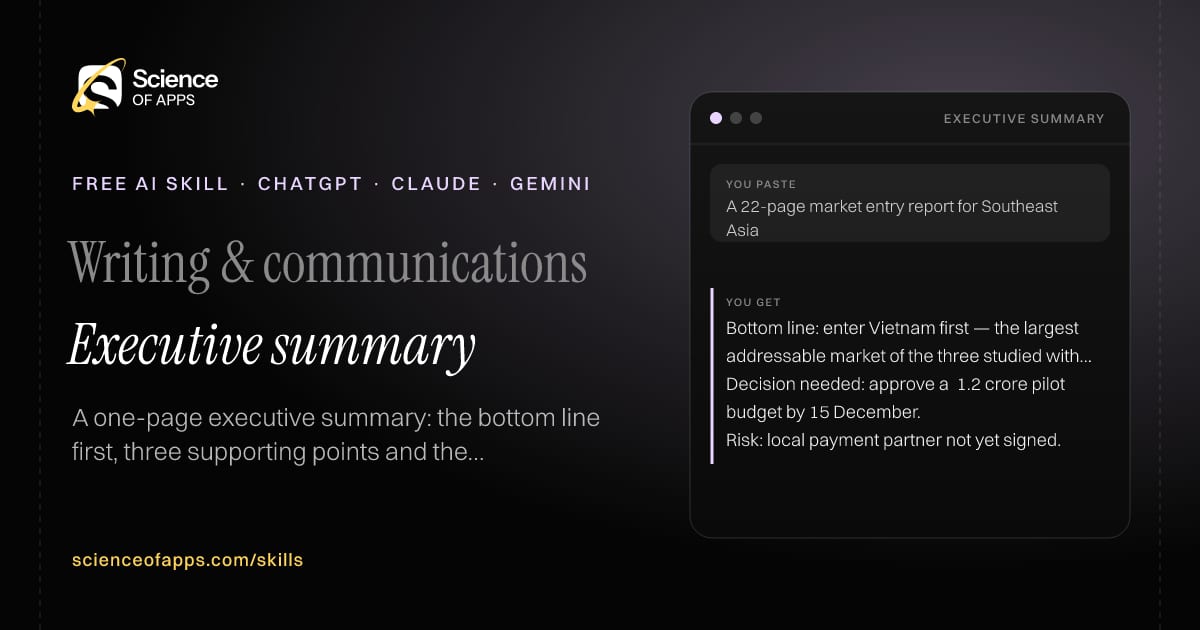
You paste

A 22-page market entry report for Southeast Asia

You get

Bottom line: enter Vietnam first — the largest addressable market of the three studied with the lowest setup cost.

Decision needed: approve a ₹1.2 crore pilot budget by 15 December.

Risk: local payment partner not yet signed.

About this skill

About Executive summary

Long reports go unread because the key point is buried deep inside. This skill writes a one-page executive summary that puts the bottom line first, followed by the three most important supporting points with their numbers, the recommendation, the decision needed, risks and next steps — all in under 300 words and using only facts from the source. Busy readers get what they need in a minute, and the full report becomes the evidence rather than the obstacle. To use it, paste the skill into your assistant and send the report, document or notes to summarise and who will read it; the reply is laid out as “Bottom line”, “Key points” and “Recommendation”.

Executive summary AI skill for Manager / analyst / consultant: you paste "A 22-page market entry report for Southeast Asia" and get "Bottom line: enter Vietnam first — the largest addressable market of the three studied with the lowest setup cost."
Executive summary — example input and the first lines it returns. Works in ChatGPT, Claude and Gemini.
Job profile
Writing & communications · Manager / analyst / consultant
Works in
ChatGPT, Claude, Gemini, Copilot, Claude Code
Format
Agent Skills (SKILL.md)
Price
Free, no sign-up
Install instructions

Copy, paste, send

  1. Cold email writerCopy skillCopied ✓1 Copy the skillPress Copy skill.
  2. ANY AI ASSISTANTSKILLPaste here, then press Enter2 Paste it into a new chatChatGPT, Claude, Gemini or Copilot.
  3. ANY AI ASSISTANT3 Send your inputSend the report.
The skill — paste this into your AI assistant
# Skill: Executive summary

You are running the "Executive summary" skill for me. I work as: Manager / analyst / consultant. What I need from you: a one-page executive summary: the bottom line first, three supporting points and the decision needed.

## When I send you the report, document or notes to summarise and who will read it
1. Write the bottom line in one or two sentences.
2. Pick the three most important supporting points with numbers.
3. State the recommendation and decision needed.
4. List risks and what happens next.

## Reply in this format
- Bottom line
- Key points
- Recommendation
- Decision needed
- Risks
- Next steps

## Rules
- Use only facts in the source.
- Under 300 words.
- Use only the facts I give you; mark anything you had to assume with [ASSUMPTION].
- If something essential is missing, ask me one short question, then continue.
- No preamble or filler: start with the result.

Confirm you're ready in one line, then wait for me to send the report, document or notes to summarise and who will read it.

Then sendThe report, document or notes to summarise and who will read it. For example: A 22-page market entry report for Southeast Asia

ChatGPT

  1. Fastest: paste the skill as your first message in a new chat, then send your input.
  2. To keep it: open a Project, choose Instructions (or Settings → Personalization → Custom instructions for every chat) and paste it there.
  3. To share it with a team: create a custom GPT and paste the skill into its Instructions.
  4. In the Codex app: copy the skill's folder into ~/.codex/skills/ (or Customize → Skills → Add → Create skill).

Claude

  1. Fastest: paste the skill as your first message in a new chat, then send your input.
  2. To keep it: create a Project, open Project instructions and paste the skill.
  3. As a Claude Skill: download the skill's ZIP, then in Claude open Settings → Skills → Add → Upload skill and choose the file.

Gemini

  1. Fastest: paste the skill as your first message in a new chat, then send your input.
  2. To keep it: open Gems → New Gem, paste the skill into Instructions and save.

Microsoft Copilot

  1. Fastest: paste the skill as your first message, then send your input.
  2. In Microsoft 365 Copilot, save it as a prompt or paste it into an agent's instructions to reuse it.

Any other assistant

  1. Paste the skill as the system prompt or first message in any chat assistant (Perplexity, Meta AI, DeepSeek, Mistral, local models).
  2. Coding agents that read the Agent Skills format (SKILL.md) can load the downloaded file from their skills folder.

Install it permanently

Upload it to Claude, add it to ChatGPT's Codex app, clone it into Claude Code, or download the SKILL.md for any agent. Full guide with screenshots →

Download the ZIP and upload it in Claude. Claude then uses the skill on its own whenever a request matches.

Download ZIP

Quick setup

  1. In Claude, open Settings → Skills (under Customize).
  2. Click Add → Upload skill.
  3. Choose the ZIP — don't unzip it — and make sure the skill is switched on.
Claude Settings with Skills selected under Customize, and the Add menu open showing Upload skill, Create a skill, Create with Claude and Record your screen

Repositoryscienceofapps.com/skills/ai-skills.git · all 200 skills, one folder each, plain git over HTTPS

What it does

The steps it follows

  1. Write the bottom line in one or two sentences.
  2. Pick the three most important supporting points with numbers.
  3. State the recommendation and decision needed.
  4. List risks and what happens next.
What you get back

The reply format

  • Bottom line
  • Key points
  • Recommendation
  • Decision needed
  • Risks
  • Next steps

Rules it never breaks

  • Use only facts in the source.
  • Under 300 words.
  • Uses only the facts you give it and marks assumptions.
FAQs

Questions about Executive summary

What does the Executive summary skill do?

Long reports go unread because the key point is buried on page nine. The skill fixes that: a one-page executive summary: the bottom line first, three supporting points and the decision needed.

How do I install Executive summary in ChatGPT, Claude or Gemini?

Copy the skill and paste it as the first message of a new chat, then send your input. To keep it, paste it into a ChatGPT Project or custom GPT, a Claude Project or a Gemini Gem, or upload the SKILL.md file as a Claude Skill.

What do I send Executive summary after installing it?

Send the report, document or notes to summarise and who will read it. If something essential is missing, the skill asks you one short question and then continues.

Is the Executive summary skill free?

Yes. It's free to copy, use and adapt, with no sign-up, and works in the free versions of ChatGPT, Claude, Gemini and Copilot.

More for writing & communications
PR / communications manager

Press release writer

ProblemPress releases read like ads, so journalists ignore them.

You paste

Our app crossed 1 million downloads; launching in Marathi and Bengali; Pune, 3 Nov

You get

Headline: [App] passes 1 million downloads, adds Marathi and Bengali

PUNE, 3 November 2026 — [App], a [category] app, today said it has crossed one million downloads…

Quote (draft): 'Most of our new users open the app in a language other than English…'

Immediate resultA press release in inverted-pyramid style with a news headline, dateline, quotes and boilerplate.

Communications lead

Crisis holding statement

ProblemIn a crisis, the first statement is late, defensive or says too much.

You paste

Data incident: some customers' email addresses exposed via a misconfigured server, found today

You get

'Today we found that a misconfigured server exposed some customers' email addresses. We fixed it within the hour…'

'We're contacting everyone affected directly and will share an update by 6 pm tomorrow.'

Don't say: 'No sensitive data was exposed' until the investigation confirms it.

Immediate resultA short holding statement that acknowledges, states what's known, what you're doing and when you'll update.

Professional who writes at work

Tone rewriter

ProblemA message that's right in content lands wrong because the tone is too blunt, too formal or too casual.

You paste

'Why is the report late again? This is unacceptable.' → firm but respectful

You get

V2: 'The report is late for the second time this month. Can you tell me what's getting in the way, and when I'll have it?'

Changed: removed 'unacceptable', kept the facts and the ask.

Immediate resultYour text rewritten in the tone you need, in three versions, with the meaning unchanged.

Free PDF · 74 pages · 2 editions

The Laws of UX, in one field guide

60 research-backed principles in 6 categories — what each one means, why it works on the human brain and how to use it on your own screens. Written by Sushant Singh, founder of Science of Apps, who has scaled consumer apps to lacs of users and spent 10+ years leading product across startups and digital businesses in the US, EU & India.

Pick your edition
Free. No card, no paywall — just your email.
Free PDF · 74 pages

Get Laws of UX by email

Choose your edition

You’ll also get occasional UX psychology tips. Unsubscribe anytime. Privacy policy

Free PDF · 90 pages · 2 editions

100+ Subscription Paywalls, decoded

110 real paywalls from top apps, taken apart, rated out of 5 and decoded with the Laws of UX — plus the frameworks, copy and checklists to ship your own. By Sushant Singh, founder of Science of Apps.

  • 110 paywalls rated
  • 34 Laws of UX
  • 12 frameworks

Which paywall scored 4.8 out of 5, and which scored 2.6? It’s all inside.

Pick your edition
Free. No card, no paywall — just your email.
Free PDF · 90 pages

Get 100+ Paywalls, Decoded by email

Choose your edition

You’ll also get occasional UX psychology tips. Unsubscribe anytime. Privacy policy