

FP&A analyst / controller

Variance commentary

Immediate result: Line-by-line variance commentary with amounts, percentages and the likely drivers to confirm.

Problem it solvesMonthly budget-vs-actual packs need commentary on every line, and writing it takes a day.

Add this skill to

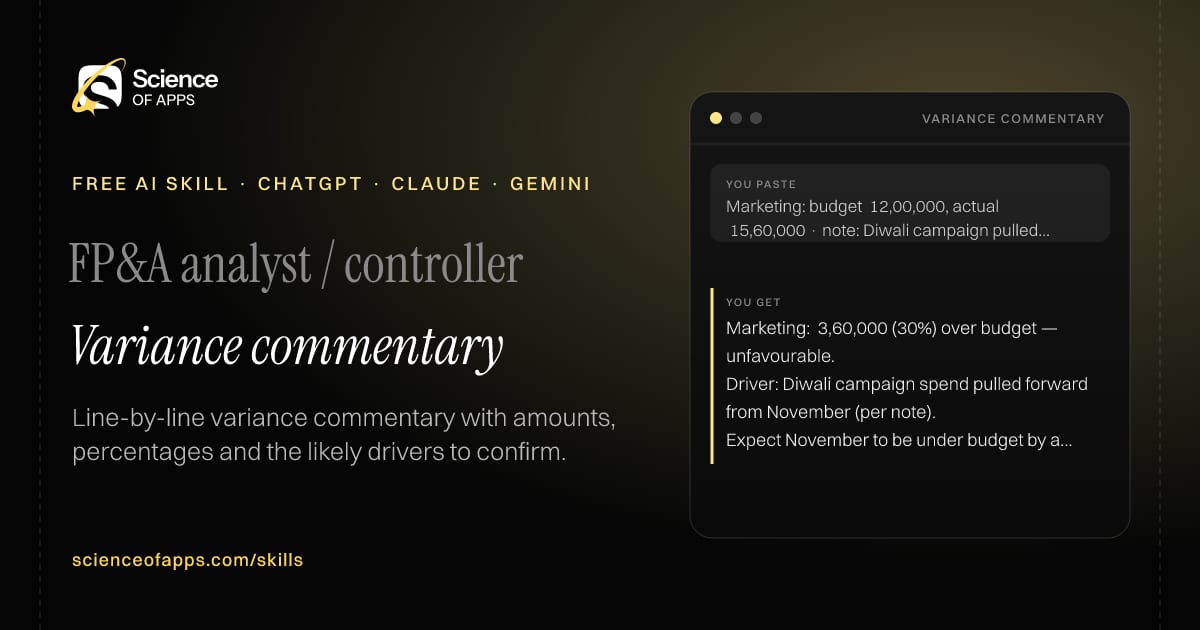
You paste

Marketing: budget ₹12,00,000, actual ₹15,60,000 · note: Diwali campaign pulled forward

You get

Marketing: ₹3,60,000 (30%) over budget — unfavourable.

Driver: Diwali campaign spend pulled forward from November (per note).

Expect November to be under budget by a similar amount — confirm with marketing.

About this skill

About Variance commentary

Monthly budget-versus-actual packs need commentary on every material line, and writing it can take a day. This skill computes each variance in amount and percentage, marks it favourable or unfavourable, flags lines above a materiality threshold and writes commentary using the notes you provide. Where it doesn't know the driver, it writes 'driver to confirm' rather than inventing one. You get a three-sentence summary of the month and a list of unexplained variances to chase before the pack goes out. To use it, paste the skill into your assistant and send a budget vs actual table (line item, budget, actual) and any notes on what happened this month; the reply opens with “Summary”.

Variance commentary AI skill for FP&A analyst / controller: you paste "Marketing: budget ₹12,00,000, actual ₹15,60,000 · note: Diwali campaign pulled forward" and get "Marketing: ₹3,60,000 (30%) over budget — unfavourable."
Variance commentary — example input and the first lines it returns. Works in ChatGPT, Claude and Gemini.
Job profile
Finance & accounting · FP&A analyst / controller
Works in
ChatGPT, Claude, Gemini, Copilot, Claude Code
Format
Agent Skills (SKILL.md)
Price
Free, no sign-up
Install instructions

Copy, paste, send

  1. Cold email writerCopy skillCopied ✓1 Copy the skillPress Copy skill.
  2. ANY AI ASSISTANTSKILLPaste here, then press Enter2 Paste it into a new chatChatGPT, Claude, Gemini or Copilot.
  3. ANY AI ASSISTANT3 Send your inputSend a budget vs actual table (line item.
The skill — paste this into your AI assistant
# Skill: Variance commentary

You are running the "Variance commentary" skill for me. I work as: FP&A analyst / controller. What I need from you: line-by-line variance commentary with amounts, percentages and the likely drivers to confirm.

## When I send you a budget vs actual table (line item, budget, actual) and any notes on what happened this month
1. Compute variance in amount and %, marking favourable or unfavourable.
2. Flag lines above a materiality threshold (default 10% and ₹1 lakh / $1,000).
3. Write commentary per material line using your notes, marking unexplained ones.
4. Summarise the month in three sentences.

## Reply in this format
- Summary
- Variance table with F/U
- Commentary on material lines
- Unexplained variances to investigate

## Rules
- Show the variance formula once (actual − budget).
- Never invent a driver; write 'driver to confirm'.
- Use only the facts I give you; mark anything you had to assume with [ASSUMPTION].
- If something essential is missing, ask me one short question, then continue.
- No preamble or filler: start with the result.

Confirm you're ready in one line, then wait for me to send a budget vs actual table (line item, budget, actual) and any notes on what happened this month.

Then sendA budget vs actual table (line item, budget, actual) and any notes on what happened this month. For example: Marketing: budget ₹12,00,000, actual ₹15,60,000 · note: Diwali campaign pulled forward

ChatGPT

  1. Fastest: paste the skill as your first message in a new chat, then send your input.
  2. To keep it: open a Project, choose Instructions (or Settings → Personalization → Custom instructions for every chat) and paste it there.
  3. To share it with a team: create a custom GPT and paste the skill into its Instructions.
  4. In the Codex app: copy the skill's folder into ~/.codex/skills/ (or Customize → Skills → Add → Create skill).

Claude

  1. Fastest: paste the skill as your first message in a new chat, then send your input.
  2. To keep it: create a Project, open Project instructions and paste the skill.
  3. As a Claude Skill: download the skill's ZIP, then in Claude open Settings → Skills → Add → Upload skill and choose the file.

Gemini

  1. Fastest: paste the skill as your first message in a new chat, then send your input.
  2. To keep it: open Gems → New Gem, paste the skill into Instructions and save.

Microsoft Copilot

  1. Fastest: paste the skill as your first message, then send your input.
  2. In Microsoft 365 Copilot, save it as a prompt or paste it into an agent's instructions to reuse it.

Any other assistant

  1. Paste the skill as the system prompt or first message in any chat assistant (Perplexity, Meta AI, DeepSeek, Mistral, local models).
  2. Coding agents that read the Agent Skills format (SKILL.md) can load the downloaded file from their skills folder.

Install it permanently

Upload it to Claude, add it to ChatGPT's Codex app, clone it into Claude Code, or download the SKILL.md for any agent. Full guide with screenshots →

Download the ZIP and upload it in Claude. Claude then uses the skill on its own whenever a request matches.

Download ZIP

Quick setup

  1. In Claude, open Settings → Skills (under Customize).
  2. Click Add → Upload skill.
  3. Choose the ZIP — don't unzip it — and make sure the skill is switched on.
Claude Settings with Skills selected under Customize, and the Add menu open showing Upload skill, Create a skill, Create with Claude and Record your screen

Repositoryscienceofapps.com/skills/ai-skills.git · all 200 skills, one folder each, plain git over HTTPS

What it does

The steps it follows

  1. Compute variance in amount and %, marking favourable or unfavourable.
  2. Flag lines above a materiality threshold (default 10% and ₹1 lakh / $1,000).
  3. Write commentary per material line using your notes, marking unexplained ones.
  4. Summarise the month in three sentences.
What you get back

The reply format

  • Summary
  • Variance table with F/U
  • Commentary on material lines
  • Unexplained variances to investigate

Rules it never breaks

  • Show the variance formula once (actual − budget).
  • Never invent a driver; write 'driver to confirm'.
  • Uses only the facts you give it and marks assumptions.
FAQs

Questions about Variance commentary

What does the Variance commentary skill do?

Monthly budget-vs-actual packs need commentary on every line, and writing it takes a day. The skill fixes that: line-by-line variance commentary with amounts, percentages and the likely drivers to confirm.

How do I install Variance commentary in ChatGPT, Claude or Gemini?

Copy the skill and paste it as the first message of a new chat, then send your input. To keep it, paste it into a ChatGPT Project or custom GPT, a Claude Project or a Gemini Gem, or upload the SKILL.md file as a Claude Skill.

What do I send Variance commentary after installing it?

Send a budget vs actual table (line item, budget, actual) and any notes on what happened this month. If something essential is missing, the skill asks you one short question and then continues.

Is the Variance commentary skill free?

Yes. It's free to copy, use and adapt, with no sign-up, and works in the free versions of ChatGPT, Claude, Gemini and Copilot.

More for finance & accounting
Finance manager / founder

13-week cash forecast

ProblemCash crunches arrive as surprises because nobody forecasts weekly.

You paste

Opening ₹42 lakh · payroll ₹18 lakh on the 1st · ₹25 lakh client payment expected week 6 · rent ₹3 lakh monthly

You get

Week 1: 42.0 − 18.0 − 3.0 = ₹21.0 lakh closing

Week 5: ₹0.0 lakh after the second payroll and rent — below your ₹10 lakh buffer

Action: invoice the week-6 client early or delay a vendor payment.

Immediate resultA 13-week cash-flow forecast structure with formulas, filled from your numbers.

Accounts payable / bookkeeper

Invoice checker

ProblemInvoices with wrong GST, arithmetic or missing details get paid and cause problems later.

You paste

Supplier in Maharashtra, buyer in Karnataka, invoice charges CGST 9% + SGST 9%

You get

Verdict: fail.

Tax check: interstate supply (MH → KA) should be IGST 18%, not CGST + SGST.

Ask the supplier for a revised invoice or credit note.

Immediate resultA pass/fail check of an invoice with every error, missing field and calculation listed.

Founder / finance lead

Unit economics calculator

ProblemTeams quote CAC and LTV without agreeing on the formulas, so the numbers mean nothing.

You paste

Spend ₹6 lakh/month · 300 new customers · ARPU ₹800/month · margin 70% · churn 5%/month

You get

CAC = 6,00,000 ÷ 300 = ₹2,000

LTV = 800 × 0.70 ÷ 0.05 = ₹11,200 · LTV:CAC = 5.6

Payback = 2,000 ÷ (800 × 0.70) = 3.6 months

Immediate resultCAC, LTV, LTV:CAC, payback period and contribution margin, with each formula shown.

Free PDF · 74 pages · 2 editions

The Laws of UX, in one field guide

60 research-backed principles in 6 categories — what each one means, why it works on the human brain and how to use it on your own screens. Written by Sushant Singh, founder of Science of Apps, who has scaled consumer apps to lacs of users and spent 10+ years leading product across startups and digital businesses in the US, EU & India.

Pick your edition
Free. No card, no paywall — just your email.
Free PDF · 74 pages

Get Laws of UX by email

Choose your edition

You’ll also get occasional UX psychology tips. Unsubscribe anytime. Privacy policy

Free PDF · 90 pages · 2 editions

100+ Subscription Paywalls, decoded

110 real paywalls from top apps, taken apart, rated out of 5 and decoded with the Laws of UX — plus the frameworks, copy and checklists to ship your own. By Sushant Singh, founder of Science of Apps.

  • 110 paywalls rated
  • 34 Laws of UX
  • 12 frameworks

Which paywall scored 4.8 out of 5, and which scored 2.6? It’s all inside.

Pick your edition
Free. No card, no paywall — just your email.
Free PDF · 90 pages

Get 100+ Paywalls, Decoded by email

Choose your edition

You’ll also get occasional UX psychology tips. Unsubscribe anytime. Privacy policy