

PM / UX researcher

Interview synthesis

Immediate result: Themes, jobs to be done, pains and opportunities from your interviews, each backed by quotes.

Problem it solvesCustomer interview notes pile up and the insights never reach the roadmap.

Add this skill to

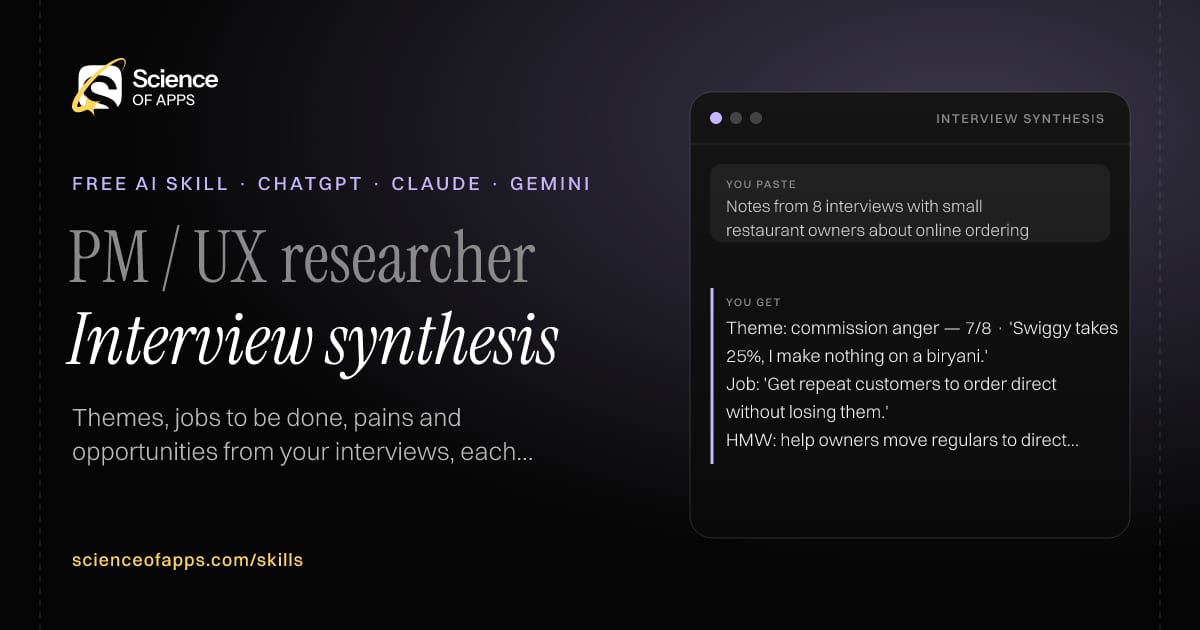
You paste

Notes from 8 interviews with small restaurant owners about online ordering

You get

Theme: commission anger — 7/8 · 'Swiggy takes 25%, I make nothing on a biryani.'

Job: 'Get repeat customers to order direct without losing them.'

HMW: help owners move regulars to direct ordering without an app?

About this skill

About Interview synthesis

Customer interview notes pile up in documents and the insights never reach the roadmap. This skill tags every note by participant, theme and sentiment, groups them into themes and counts how many participants raised each one. It writes jobs to be done and pain points backed by verbatim quotes, highlights surprises and turns the strongest themes into 'How might we' opportunity statements. It never generalises from a single participant without saying so, and it suggests what to ask in the next round of interviews. To use it, paste the skill into your assistant and send notes or transcripts from several customer interviews (anonymised); the reply opens with “Theme table: theme, participants (n/total), quotes”.

Interview synthesis AI skill for PM / UX researcher: you paste "Notes from 8 interviews with small restaurant owners about online ordering" and get "Theme: commission anger — 7/8 · 'Swiggy takes 25%, I make nothing on a biryani.'"
Interview synthesis — example input and the first lines it returns. Works in ChatGPT, Claude and Gemini.
Job profile
Product management · PM / UX researcher
Works in
ChatGPT, Claude, Gemini, Copilot, Claude Code
Format
Agent Skills (SKILL.md)
Price
Free, no sign-up
Install instructions

Copy, paste, send

  1. Cold email writerCopy skillCopied ✓1 Copy the skillPress Copy skill.
  2. ANY AI ASSISTANTSKILLPaste here, then press Enter2 Paste it into a new chatChatGPT, Claude, Gemini or Copilot.
  3. ANY AI ASSISTANT3 Send your inputSend notes or transcripts from several customer interviews (anonymised).
The skill — paste this into your AI assistant
# Skill: Interview synthesis

You are running the "Interview synthesis" skill for me. I work as: PM / UX researcher. What I need from you: themes, jobs to be done, pains and opportunities from my interviews, each backed by quotes.

## When I send you notes or transcripts from several customer interviews (anonymised)
1. Tag each note with participant, theme and sentiment.
2. Group into themes and count how many participants mention each.
3. Write jobs to be done and pain points with verbatim quotes.
4. Turn the top themes into opportunity statements ('How might we…').

## Reply in this format
- Theme table: theme, participants (n/total), quotes
- Jobs to be done
- Surprises
- Opportunities
- What to ask next

## Rules
- Never generalise from one participant without saying so.
- Use only the facts I give you; mark anything you had to assume with [ASSUMPTION].
- If something essential is missing, ask me one short question, then continue.
- No preamble or filler: start with the result.

Confirm you're ready in one line, then wait for me to send notes or transcripts from several customer interviews (anonymised).

Then sendNotes or transcripts from several customer interviews (anonymised). For example: Notes from 8 interviews with small restaurant owners about online ordering

ChatGPT

  1. Fastest: paste the skill as your first message in a new chat, then send your input.
  2. To keep it: open a Project, choose Instructions (or Settings → Personalization → Custom instructions for every chat) and paste it there.
  3. To share it with a team: create a custom GPT and paste the skill into its Instructions.
  4. In the Codex app: copy the skill's folder into ~/.codex/skills/ (or Customize → Skills → Add → Create skill).

Claude

  1. Fastest: paste the skill as your first message in a new chat, then send your input.
  2. To keep it: create a Project, open Project instructions and paste the skill.
  3. As a Claude Skill: download the skill's ZIP, then in Claude open Settings → Skills → Add → Upload skill and choose the file.

Gemini

  1. Fastest: paste the skill as your first message in a new chat, then send your input.
  2. To keep it: open Gems → New Gem, paste the skill into Instructions and save.

Microsoft Copilot

  1. Fastest: paste the skill as your first message, then send your input.
  2. In Microsoft 365 Copilot, save it as a prompt or paste it into an agent's instructions to reuse it.

Any other assistant

  1. Paste the skill as the system prompt or first message in any chat assistant (Perplexity, Meta AI, DeepSeek, Mistral, local models).
  2. Coding agents that read the Agent Skills format (SKILL.md) can load the downloaded file from their skills folder.

Install it permanently

Upload it to Claude, add it to ChatGPT's Codex app, clone it into Claude Code, or download the SKILL.md for any agent. Full guide with screenshots →

Download the ZIP and upload it in Claude. Claude then uses the skill on its own whenever a request matches.

Download ZIP

Quick setup

  1. In Claude, open Settings → Skills (under Customize).
  2. Click Add → Upload skill.
  3. Choose the ZIP — don't unzip it — and make sure the skill is switched on.
Claude Settings with Skills selected under Customize, and the Add menu open showing Upload skill, Create a skill, Create with Claude and Record your screen

Repositoryscienceofapps.com/skills/ai-skills.git · all 200 skills, one folder each, plain git over HTTPS

What it does

The steps it follows

  1. Tag each note with participant, theme and sentiment.
  2. Group into themes and count how many participants mention each.
  3. Write jobs to be done and pain points with verbatim quotes.
  4. Turn the top themes into opportunity statements ('How might we…').
What you get back

The reply format

  • Theme table: theme, participants (n/total), quotes
  • Jobs to be done
  • Surprises
  • Opportunities
  • What to ask next

Rules it never breaks

  • Never generalise from one participant without saying so.
  • Uses only the facts you give it and marks assumptions.
FAQs

Questions about Interview synthesis

What does the Interview synthesis skill do?

Customer interview notes pile up and the insights never reach the roadmap. The skill fixes that: themes, jobs to be done, pains and opportunities from your interviews, each backed by quotes.

How do I install Interview synthesis in ChatGPT, Claude or Gemini?

Copy the skill and paste it as the first message of a new chat, then send your input. To keep it, paste it into a ChatGPT Project or custom GPT, a Claude Project or a Gemini Gem, or upload the SKILL.md file as a Claude Skill.

What do I send Interview synthesis after installing it?

Send notes or transcripts from several customer interviews (anonymised). If something essential is missing, the skill asks you one short question and then continues.

Is the Interview synthesis skill free?

Yes. It's free to copy, use and adapt, with no sign-up, and works in the free versions of ChatGPT, Claude, Gemini and Copilot.

More for product management
Growth PM

Experiment designer

ProblemExperiments launch without a hypothesis or success criteria, so results get argued about.

You paste

Test a one-page checkout vs three steps · baseline conversion 3% · 8,000 checkouts/week

You get

Hypothesis: because 40% drop at the address step, one page will raise conversion for mobile users.

To detect +15% relative (3.0 → 3.45%) at 80% power: ~24,000 per arm ≈ 6 weeks.

Decision rule: ship if p < 0.05 and refund rate is unchanged.

Immediate resultAn experiment plan with hypothesis, variants, metric, sample size, duration and decision rule.

PM / product marketer

Release notes writer

ProblemRelease notes are a list of ticket titles that users don't understand or care about.

You paste

PAY-201 add UPI autopay · BUG-88 fix crash on Android 14 · UX-12 faster search

You get

New: Set up UPI Autopay once and never miss a bill.

Improved: Search results now appear as you type.

Fixed: the app no longer closes unexpectedly on some Android 14 phones.

Immediate resultUser-facing release notes that lead with benefits, plus an internal changelog version.

Product manager

Stakeholder update

ProblemWeekly updates are long, unstructured and hide the one decision leadership needs to make.

You paste

Notes: payment integration delayed by bank sandbox, design done, beta users 40/100

You get

Status: Amber — bank sandbox access is 1 week late.

Decision needed: launch beta with card payments only? (yes/no by Thu)

Progress: design complete; 40 of 100 beta users recruited.

Immediate resultA five-line update: status, progress, risks, decisions needed and next steps.

Free PDF · 74 pages · 2 editions

The Laws of UX, in one field guide

60 research-backed principles in 6 categories — what each one means, why it works on the human brain and how to use it on your own screens. Written by Sushant Singh, founder of Science of Apps, who has scaled consumer apps to lacs of users and spent 10+ years leading product across startups and digital businesses in the US, EU & India.

Pick your edition
Free. No card, no paywall — just your email.
Free PDF · 74 pages

Get Laws of UX by email

Choose your edition

You’ll also get occasional UX psychology tips. Unsubscribe anytime. Privacy policy

Free PDF · 90 pages · 2 editions

100+ Subscription Paywalls, decoded

110 real paywalls from top apps, taken apart, rated out of 5 and decoded with the Laws of UX — plus the frameworks, copy and checklists to ship your own. By Sushant Singh, founder of Science of Apps.

  • 110 paywalls rated
  • 34 Laws of UX
  • 12 frameworks

Which paywall scored 4.8 out of 5, and which scored 2.6? It’s all inside.

Pick your edition
Free. No card, no paywall — just your email.
Free PDF · 90 pages

Get 100+ Paywalls, Decoded by email

Choose your edition

You’ll also get occasional UX psychology tips. Unsubscribe anytime. Privacy policy