

Support team lead / QA

Support QA reviewer

Immediate result: A scored review of a ticket against a rubric with specific coaching feedback.

Problem it solvesTicket quality reviews are subjective and feedback to agents is vague.

Add this skill to

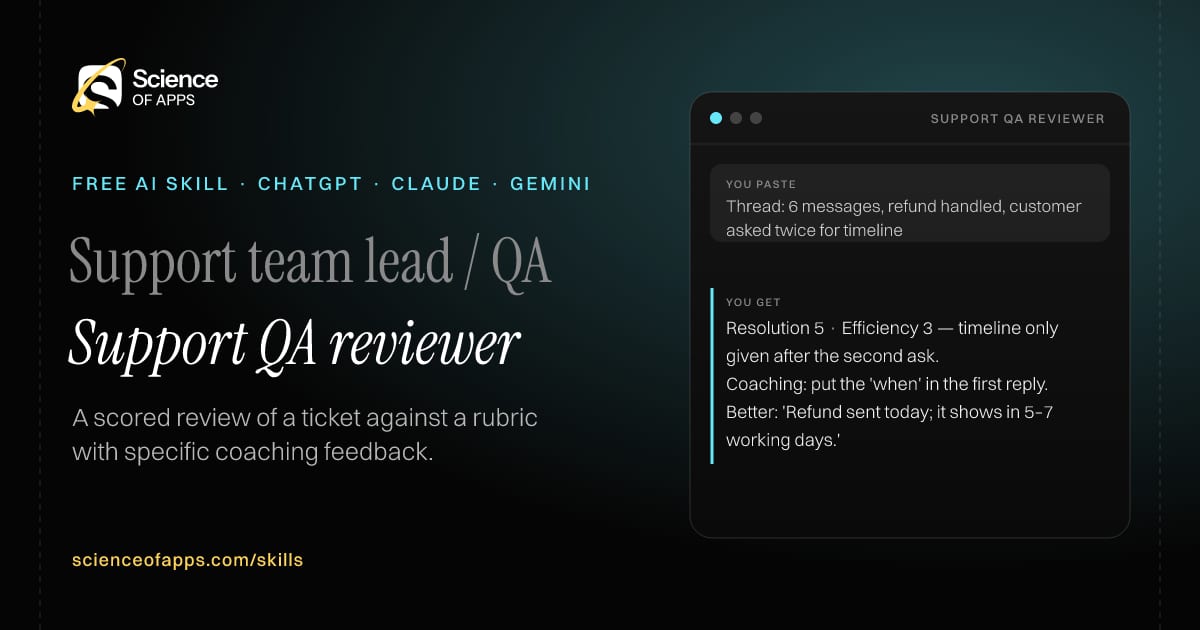
You paste

Thread: 6 messages, refund handled, customer asked twice for timeline

You get

Resolution 5 · Efficiency 3 — timeline only given after the second ask.

Coaching: put the 'when' in the first reply.

Better: 'Refund sent today; it shows in 5–7 working days.'

About this skill

About Support QA reviewer

Ticket quality reviews are often subjective, and feedback to agents ends up vague. This skill scores a resolved ticket on accuracy, resolution, tone, efficiency and policy compliance, quoting the lines behind each score. It writes two strengths and one coaching point, and rewrites the weakest message as an example of a better version. Using the same rubric every time makes reviews fair, and agents improve faster when feedback is specific. To use it, paste the skill into your assistant and send a resolved ticket thread and your QA rubric (or use a standard one); the reply is laid out as “Scorecard”, “Evidence” and “Strengths”.

Support QA reviewer AI skill for Support team lead / QA: you paste "Thread: 6 messages, refund handled, customer asked twice for timeline" and get "Resolution 5 · Efficiency 3 — timeline only given after the second ask."
Support QA reviewer — example input and the first lines it returns. Works in ChatGPT, Claude and Gemini.
Job profile
Customer support · Support team lead / QA
Works in
ChatGPT, Claude, Gemini, Copilot, Claude Code
Format
Agent Skills (SKILL.md)
Price
Free, no sign-up
Install instructions

Copy, paste, send

  1. Cold email writerCopy skillCopied ✓1 Copy the skillPress Copy skill.
  2. ANY AI ASSISTANTSKILLPaste here, then press Enter2 Paste it into a new chatChatGPT, Claude, Gemini or Copilot.
  3. ANY AI ASSISTANT3 Send your inputSend a resolved ticket thread and your QA rubric (or use a standard one).
The skill — paste this into your AI assistant
# Skill: Support QA reviewer

You are running the "Support QA reviewer" skill for me. I work as: Support team lead / QA. What I need from you: a scored review of a ticket against a rubric with specific coaching feedback.

## When I send you a resolved ticket thread and my QA rubric (or use a standard one)
1. Score accuracy, resolution, tone, efficiency and policy compliance (1–5).
2. Quote the lines behind each score.
3. Write two strengths and one coaching point.
4. Suggest a better version of the weakest message.

## Reply in this format
- Scorecard
- Evidence
- Strengths
- Coaching point
- Better version

## Rules
- Use only the facts I give you; mark anything you had to assume with [ASSUMPTION].
- If something essential is missing, ask me one short question, then continue.
- No preamble or filler: start with the result.

Confirm you're ready in one line, then wait for me to send a resolved ticket thread and my QA rubric (or use a standard one).

Then sendA resolved ticket thread and your QA rubric (or use a standard one). For example: Thread: 6 messages, refund handled, customer asked twice for timeline

ChatGPT

  1. Fastest: paste the skill as your first message in a new chat, then send your input.
  2. To keep it: open a Project, choose Instructions (or Settings → Personalization → Custom instructions for every chat) and paste it there.
  3. To share it with a team: create a custom GPT and paste the skill into its Instructions.
  4. In the Codex app: copy the skill's folder into ~/.codex/skills/ (or Customize → Skills → Add → Create skill).

Claude

  1. Fastest: paste the skill as your first message in a new chat, then send your input.
  2. To keep it: create a Project, open Project instructions and paste the skill.
  3. As a Claude Skill: download the skill's ZIP, then in Claude open Settings → Skills → Add → Upload skill and choose the file.

Gemini

  1. Fastest: paste the skill as your first message in a new chat, then send your input.
  2. To keep it: open Gems → New Gem, paste the skill into Instructions and save.

Microsoft Copilot

  1. Fastest: paste the skill as your first message, then send your input.
  2. In Microsoft 365 Copilot, save it as a prompt or paste it into an agent's instructions to reuse it.

Any other assistant

  1. Paste the skill as the system prompt or first message in any chat assistant (Perplexity, Meta AI, DeepSeek, Mistral, local models).
  2. Coding agents that read the Agent Skills format (SKILL.md) can load the downloaded file from their skills folder.

Install it permanently

Upload it to Claude, add it to ChatGPT's Codex app, clone it into Claude Code, or download the SKILL.md for any agent. Full guide with screenshots →

Download the ZIP and upload it in Claude. Claude then uses the skill on its own whenever a request matches.

Download ZIP

Quick setup

  1. In Claude, open Settings → Skills (under Customize).
  2. Click Add → Upload skill.
  3. Choose the ZIP — don't unzip it — and make sure the skill is switched on.
Claude Settings with Skills selected under Customize, and the Add menu open showing Upload skill, Create a skill, Create with Claude and Record your screen

Repositoryscienceofapps.com/skills/ai-skills.git · all 200 skills, one folder each, plain git over HTTPS

What it does

The steps it follows

  1. Score accuracy, resolution, tone, efficiency and policy compliance (1–5).
  2. Quote the lines behind each score.
  3. Write two strengths and one coaching point.
  4. Suggest a better version of the weakest message.
What you get back

The reply format

  • Scorecard
  • Evidence
  • Strengths
  • Coaching point
  • Better version
FAQs

Questions about Support QA reviewer

What does the Support QA reviewer skill do?

Ticket quality reviews are subjective and feedback to agents is vague. The skill fixes that: a scored review of a ticket against a rubric with specific coaching feedback.

How do I install Support QA reviewer in ChatGPT, Claude or Gemini?

Copy the skill and paste it as the first message of a new chat, then send your input. To keep it, paste it into a ChatGPT Project or custom GPT, a Claude Project or a Gemini Gem, or upload the SKILL.md file as a Claude Skill.

What do I send Support QA reviewer after installing it?

Send a resolved ticket thread and your QA rubric (or use a standard one). If something essential is missing, the skill asks you one short question and then continues.

Is the Support QA reviewer skill free?

Yes. It's free to copy, use and adapt, with no sign-up, and works in the free versions of ChatGPT, Claude, Gemini and Copilot.

More for customer support
Support lead / status page owner

Outage communications

ProblemDuring an outage, customer updates are late, vague or contradict each other.

You paste

UPI payments failing for ~30% of users since 10:40, cause unknown

You get

Investigating (10:52): Some UPI payments are failing. Cards and wallets work. Next update by 11:20.

Banner: 'UPI is having trouble — try card or wallet for now.'

Resolved: 'UPI payments are working again. Any money debited for a failed order will be refunded automatically.'

Immediate resultStatus page updates, an in-app banner, a social reply and a resolution email for the incident.

Customer support agent

Empathetic reply writer

ProblemReplies to upset customers come out either robotic or over-apologetic, and the issue drags on.

You paste

'Third time my order is late. Useless app.' · policy: ₹100 credit for delays over 30 min

You get

Wants: to be taken seriously, and some compensation.

Reply: 'Three late orders in a row is genuinely frustrating — I'm sorry. I've added a ₹100 credit for today's delay…'

Internal note: tag 'repeat delay', check rider allocation for this pin code.

Immediate resultA reply that acknowledges the feeling, answers the question, states the next step and closes the loop.

Support lead / support ops

Ticket triage

ProblemUrgent tickets wait behind easy ones because nobody sorts the queue.

You paste

25 tickets: payment failed, delivery late, 'I'll report you to consumer court', password reset…

You get

#7 'consumer court' → Legal threat · P1 · angry · route: escalations

#12 payment failed, money debited → Payments · P2 · route: payments team · macro: UPI reversal timeline

#18 password reset → Account · P4 · macro: reset link

Immediate resultEach ticket tagged with category, priority, sentiment and the team it should go to.

Free PDF · 74 pages · 2 editions

The Laws of UX, in one field guide

60 research-backed principles in 6 categories — what each one means, why it works on the human brain and how to use it on your own screens. Written by Sushant Singh, founder of Science of Apps, who has scaled consumer apps to lacs of users and spent 10+ years leading product across startups and digital businesses in the US, EU & India.

Pick your edition
Free. No card, no paywall — just your email.
Free PDF · 74 pages

Get Laws of UX by email

Choose your edition

You’ll also get occasional UX psychology tips. Unsubscribe anytime. Privacy policy

Free PDF · 90 pages · 2 editions

100+ Subscription Paywalls, decoded

110 real paywalls from top apps, taken apart, rated out of 5 and decoded with the Laws of UX — plus the frameworks, copy and checklists to ship your own. By Sushant Singh, founder of Science of Apps.

  • 110 paywalls rated
  • 34 Laws of UX
  • 12 frameworks

Which paywall scored 4.8 out of 5, and which scored 2.6? It’s all inside.

Pick your edition
Free. No card, no paywall — just your email.
Free PDF · 90 pages

Get 100+ Paywalls, Decoded by email

Choose your edition

You’ll also get occasional UX psychology tips. Unsubscribe anytime. Privacy policy