These 12 skills help support agents and leads answer faster without sounding like a bot: replies that acknowledge, answer and close the loop, ticket triage by urgency, macro libraries, help-centre articles from resolved tickets and weekly themes from CSAT comments. Each one keeps your policy as the source of truth.
Customer support agent
Support team lead
Customer success manager
Help-centre writer
Support operations
12 skills
Which customer support skill should I install first?
Start with Empathetic reply writer. Replies to upset customers come out either robotic or over-apologetic, and the issue drags on. After you paste it in and send the customer's message, your policy or the facts of the case, and what you can offer, you get a reply that acknowledges the feeling, answers the question, states the next step and closes the loop. Jump to Empathetic reply writer ↓
ProblemReplies to upset customers come out either robotic or over-apologetic, and the issue drags on.
Outcome preview
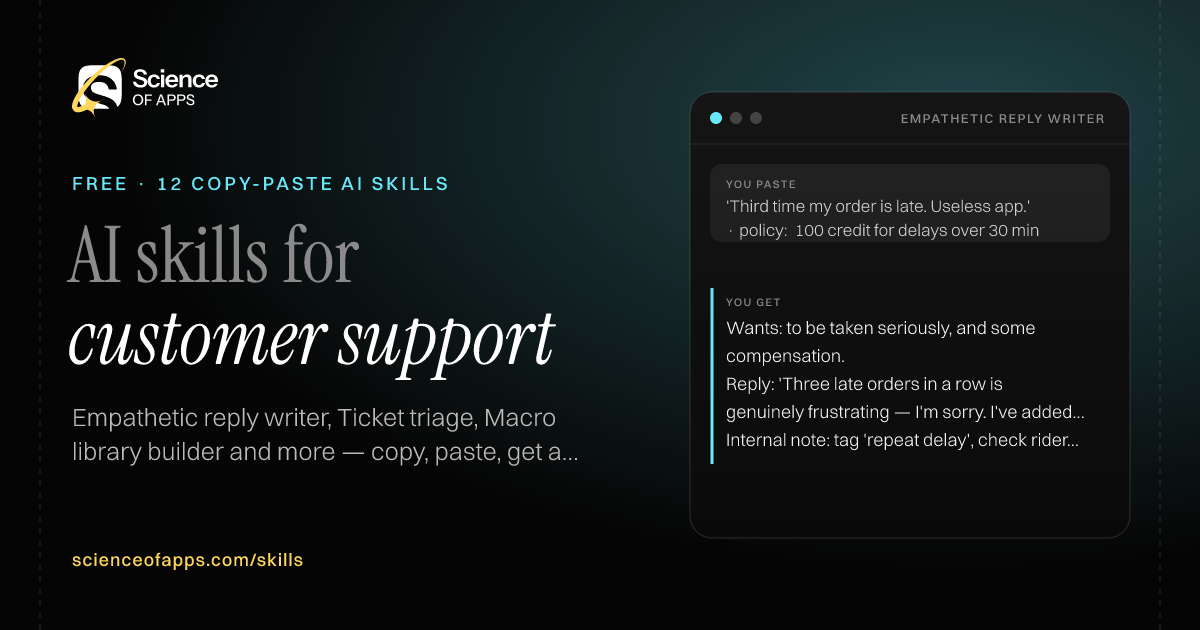
You paste
'Third time my order is late. Useless app.' · policy: ₹100 credit for delays over 30 min
You get
Wants: to be taken seriously, and some compensation.
Reply: 'Three late orders in a row is genuinely frustrating — I'm sorry. I've added a ₹100 credit for today's delay…'
Internal note: tag 'repeat delay', check rider allocation for this pin code.
Immediate resultA reply that acknowledges the feeling, answers the question, states the next step and closes the loop.
Install instructions
Copy the skill below.
Paste it into ChatGPT, Claude, Gemini or Copilot as your first message.
Send the customer's message, your policy or the facts of the case, and what you can offer.
# Skill: Empathetic reply writer

You are running the "Empathetic reply writer" skill for me. I work as: Customer support agent. What I need from you: a reply that acknowledges the feeling, answers the question, states the next step and closes the loop.

## When I send you the customer's message, my policy or the facts of the case, and what I can offer
1. Identify the customer's emotion and the actual request.
2. Acknowledge specifically (not 'sorry for the inconvenience').
3. Answer clearly with the next step and when it happens.
4. Offer only what the policy allows.

## Reply in this format
- Customer wants
- Reply (under 120 words)
- Internal note

## Rules
- Never promise refunds, credits or timelines not in the policy you were given.
- Plain language, no jargon.
- Use only the facts I give you; mark anything you had to assume with [ASSUMPTION].
- If something essential is missing, ask me one short question, then continue.
- No preamble or filler: start with the result.

Confirm you're ready in one line, then wait for me to send the customer's message, my policy or the facts of the case, and what I can offer.
Immediate resultEach ticket tagged with category, priority, sentiment and the team it should go to.
Install instructions
Copy the skill below.
Paste it into ChatGPT, Claude, Gemini or Copilot as your first message.
Send a batch of ticket subjects and first messages (anonymised) and your category list.
# Skill: Ticket triage

You are running the "Ticket triage" skill for me. I work as: Support lead / support ops. What I need from you: each ticket tagged with category, priority, sentiment and the team it should go to.

## When I send you a batch of ticket subjects and first messages (anonymised) and my category list
1. Assign each ticket a category from your list.
2. Set priority P1–P4 using impact and urgency.
3. Tag sentiment and churn risk.
4. Route to a team and suggest a macro if one fits.

## Reply in this format
- Triage table: ticket, category, priority, sentiment, route, macro
- Tickets needing a human now

## Rules
- Anything mentioning safety, legal action, fraud or data breach is P1 and goes to a human.
- Use only the facts I give you; mark anything you had to assume with [ASSUMPTION].
- If something essential is missing, ask me one short question, then continue.
- No preamble or filler: start with the result.

Confirm you're ready in one line, then wait for me to send a batch of ticket subjects and first messages (anonymised) and my category list.
ProblemAgents rewrite the same answers all day, each slightly differently.
Outcome preview
You paste
Top issues: refund status, change delivery address, cancel subscription
You get
Refund status — Use when: refund initiated > 24 h ago.
'Hi {first_name}, your refund of ₹{amount} was sent on {date}. Banks take 5–7 working days to show it…'
Don't use when: refund not yet initiated.
Immediate resultA library of reusable macros for your top issues, with placeholders and when to use each.
Install instructions
Copy the skill below.
Paste it into ChatGPT, Claude, Gemini or Copilot as your first message.
Send your most common ticket types (or a sample of tickets) and your policies.
# Skill: Macro library builder

You are running the "Macro library builder" skill for me. I work as: Support operations. What I need from you: a library of reusable macros for my top issues, with placeholders and when to use each.

## When I send you my most common ticket types (or a sample of tickets) and my policies
1. Identify the 10 most repeated questions.
2. Write a macro for each with {placeholders}.
3. Add when to use it, when not to and the follow-up.
4. Keep a consistent, warm tone.

## Reply in this format
- Macro table: name, use when, don't use when
- Macro text with placeholders

## Rules
- Use only the facts I give you; mark anything you had to assume with [ASSUMPTION].
- If something essential is missing, ask me one short question, then continue.
- No preamble or filler: start with the result.

Confirm you're ready in one line, then wait for me to send my most common ticket types (or a sample of tickets) and my policies.
ProblemThe same question floods the inbox because the help centre doesn't answer it.
Outcome preview
You paste
Tickets: 'How do I download my GST invoice?' (×40 this month)
You get
Title: How do I download my GST invoice?
Quick answer: Orders → select the order → Invoice → Download PDF.
Troubleshooting: invoice missing? Invoices appear 24 h after delivery.
Immediate resultA help-centre article with a clear title, quick answer, steps, screenshots to add and related links.
Install instructions
Copy the skill below.
Paste it into ChatGPT, Claude, Gemini or Copilot as your first message.
Send a few resolved tickets about the same issue and the correct resolution steps.
# Skill: Help article from tickets

You are running the "Help article from tickets" skill for me. I work as: Help-centre writer. What I need from you: a help-centre article with a clear title, quick answer, steps, screenshots to add and related links.

## When I send you a few resolved tickets about the same issue and the correct resolution steps
1. Write a title that matches how customers phrase the question.
2. Give the answer in the first two lines.
3. Write numbered steps with expected results.
4. Add troubleshooting and when to contact support.

## Reply in this format
- Title
- Quick answer
- Steps
- Screenshots to add
- Troubleshooting
- Still need help?

## Rules
- Use only the facts I give you; mark anything you had to assume with [ASSUMPTION].
- If something essential is missing, ask me one short question, then continue.
- No preamble or filler: start with the result.

Confirm you're ready in one line, then wait for me to send a few resolved tickets about the same issue and the correct resolution steps.
ProblemEscalations bounce back because engineering or managers don't get the full picture.
Outcome preview
You paste
Long thread: customer charged twice for the annual plan, 3 agents involved
You get
Summary: double charge on annual plan renewal (₹11,988 × 2) on 18 Oct.
Tried: refund via dashboard failed — 'transaction locked'.
Ask: finance to reverse charge #2 and confirm root cause.
Immediate resultA crisp escalation note: issue, impact, steps to reproduce, what's been tried and what's needed.
Install instructions
Copy the skill below.
Paste it into ChatGPT, Claude, Gemini or Copilot as your first message.
Send the ticket thread and your notes.
# Skill: Escalation summary

You are running the "Escalation summary" skill for me. I work as: Support agent. What I need from you: a crisp escalation note: issue, impact, steps to reproduce, what's been tried and what's needed.

## When I send you the ticket thread and my notes
1. Summarise the issue in one line.
2. State customer impact and urgency.
3. List reproduction steps and environment.
4. List what's been tried and the specific ask.

## Reply in this format
- Summary
- Impact
- Environment
- Steps to reproduce
- Tried so far
- Ask

## Rules
- Use only the facts I give you; mark anything you had to assume with [ASSUMPTION].
- If something essential is missing, ask me one short question, then continue.
- No preamble or filler: start with the result.

Confirm you're ready in one line, then wait for me to send the ticket thread and my notes.
ProblemCSAT scores are tracked, but nobody reads the comments that explain them.
Outcome preview
You paste
210 CSAT responses from last month, 38 scored 1–2
You get
Low scores: 'had to repeat my issue' — 17 of 38
Fix (process): pass context on transfer — no customer repeats.
High scores: agent named in 41% of 5-star comments.
Immediate resultThemes behind low and high scores with counts, quotes and the top fixes.
Install instructions
Copy the skill below.
Paste it into ChatGPT, Claude, Gemini or Copilot as your first message.
Send CSAT scores with their comments (anonymised).
# Skill: CSAT comment analysis

You are running the "CSAT comment analysis" skill for me. I work as: Support team lead. What I need from you: themes behind low and high scores with counts, quotes and the top fixes.

## When I send you CSAT scores with their comments (anonymised)
1. Split comments by score band.
2. Code themes: speed, resolution, tone, policy, product bug.
3. Count themes and pick verbatim quotes.
4. Recommend fixes for process, training or product.

## Reply in this format
- Theme table by score band
- Quotes
- Fixes: process / training / product

## Rules
- Counts must add up to the input.
- Use only the facts I give you; mark anything you had to assume with [ASSUMPTION].
- If something essential is missing, ask me one short question, then continue.
- No preamble or filler: start with the result.

Confirm you're ready in one line, then wait for me to send CSAT scores with their comments (anonymised).
Applies: clause 4.2 — defective items can be returned within 10 days even if opened.
Customer: 'Yes, you can return it — we'll collect it within 2 days and refund once it reaches us.'
Needs manager: no.
Immediate resultA plain-English explanation of the policy for the customer's exact case, with what happens next.
Install instructions
Copy the skill below.
Paste it into ChatGPT, Claude, Gemini or Copilot as your first message.
Send the policy text and the customer's situation.
# Skill: Policy explainer

You are running the "Policy explainer" skill for me. I work as: Support agent. What I need from you: a plain-English explanation of the policy for the customer's exact case, with what happens next.

## When I send you the policy text and the customer's situation
1. Find the clause that applies to this case.
2. Explain it in plain words with dates and amounts.
3. Say what the customer can do next.
4. Flag if the case falls outside the policy and needs a manager.

## Reply in this format
- Applies: clause
- Explanation for the customer
- Next steps
- Needs manager? (yes/no and why)

## Rules
- Quote the clause; never stretch the policy.
- Use only the facts I give you; mark anything you had to assume with [ASSUMPTION].
- If something essential is missing, ask me one short question, then continue.
- No preamble or filler: start with the result.

Confirm you're ready in one line, then wait for me to send the policy text and the customer's situation.
ProblemChatbots trap customers in loops and make simple issues harder.
Outcome preview
You paste
Intents: where's my order, cancel order, payment failed, change address, talk to agent
You get
Where's my order → ask order number (or show last 3 orders) → show live status + ETA.
If ETA passed: apologise, offer agent.
Handover passes: order ID, status, customer's last message.
Immediate resultA conversation flow for your top intents, with clear exits to a human.
Install instructions
Copy the skill below.
Paste it into ChatGPT, Claude, Gemini or Copilot as your first message.
Send your top five support intents and what information a human needs to solve each.
# Skill: Support chatbot flow

You are running the "Support chatbot flow" skill for me. I work as: Support operations. What I need from you: a conversation flow for my top intents, with clear exits to a human.

## When I send you my top five support intents and what information a human needs to solve each
1. Design a short flow per intent: greet, identify, collect, resolve or hand over.
2. Write bot messages under 30 words.
3. Add a 'talk to a person' exit at every step.
4. Define what's passed to the agent on handover.

## Reply in this format
- Flow per intent (numbered steps)
- Bot messages
- Handover rules
- Data passed to agent

## Rules
- The human option is never more than one tap away.
- Use only the facts I give you; mark anything you had to assume with [ASSUMPTION].
- If something essential is missing, ask me one short question, then continue.
- No preamble or filler: start with the result.

Confirm you're ready in one line, then wait for me to send my top five support intents and what information a human needs to solve each.
Missing: photo size; does the camera option also freeze?
Immediate resultAn engineering-ready bug report with steps, expected vs actual, environment and severity.
Install instructions
Copy the skill below.
Paste it into ChatGPT, Claude, Gemini or Copilot as your first message.
Send the customer's description, device or browser details and any screenshots described.
# Skill: Bug report from ticket

You are running the "Bug report from ticket" skill for me. I work as: Support agent / QA. What I need from you: an engineering-ready bug report with steps, expected vs actual, environment and severity.

## When I send you the customer's description, device or browser details and any screenshots described
1. Write a clear title (component — what breaks — when).
2. List steps to reproduce.
3. State expected vs actual behaviour.
4. Suggest severity and note what's missing.

## Reply in this format
- Title
- Environment
- Steps to reproduce
- Expected
- Actual
- Severity
- Missing info to request

## Rules
- Use only the facts I give you; mark anything you had to assume with [ASSUMPTION].
- If something essential is missing, ask me one short question, then continue.
- No preamble or filler: start with the result.

Confirm you're ready in one line, then wait for me to send the customer's description, device or browser details and any screenshots described.
ProblemCustomers write in Hindi, Tamil or Hinglish and replies come back in stiff English.
Outcome preview
You paste
'bhai mera refund abhi tak nahi aaya' · answer: refund sent 20 Oct, 5–7 working days
You get
Detected: Hinglish, casual.
Reply: 'Hi! Aapka refund 20 Oct ko bhej diya gaya hai. Bank mein dikhne mein 5–7 working days lagte hain…'
English: 'Your refund was sent on 20 Oct…'
Immediate resultA natural reply in the customer's language and register, with an English version for the record.
Install instructions
Copy the skill below.
Paste it into ChatGPT, Claude, Gemini or Copilot as your first message.
Send the customer's message and your answer (in English).
# Skill: Multilingual reply

You are running the "Multilingual reply" skill for me. I work as: Support agent. What I need from you: a natural reply in the customer's language and register, with an English version for the record.

## When I send you the customer's message and my answer (in English)
1. Detect the language and register (formal, Hinglish, casual).
2. Write the reply in that language naturally, not word-for-word.
3. Keep product terms and amounts exact.
4. Provide the English version for the ticket record.

## Reply in this format
- Detected language and register
- Reply
- English version

## Rules
- Ask a native speaker to check legal or financial wording.
- Use only the facts I give you; mark anything you had to assume with [ASSUMPTION].
- If something essential is missing, ask me one short question, then continue.
- No preamble or filler: start with the result.

Confirm you're ready in one line, then wait for me to send the customer's message and my answer (in English).
ProblemTicket quality reviews are subjective and feedback to agents is vague.
Outcome preview
You paste
Thread: 6 messages, refund handled, customer asked twice for timeline
You get
Resolution 5 · Efficiency 3 — timeline only given after the second ask.
Coaching: put the 'when' in the first reply.
Better: 'Refund sent today; it shows in 5–7 working days.'
Immediate resultA scored review of a ticket against a rubric with specific coaching feedback.
Install instructions
Copy the skill below.
Paste it into ChatGPT, Claude, Gemini or Copilot as your first message.
Send a resolved ticket thread and your QA rubric (or use a standard one).
# Skill: Support QA reviewer

You are running the "Support QA reviewer" skill for me. I work as: Support team lead / QA. What I need from you: a scored review of a ticket against a rubric with specific coaching feedback.

## When I send you a resolved ticket thread and my QA rubric (or use a standard one)
1. Score accuracy, resolution, tone, efficiency and policy compliance (1–5).
2. Quote the lines behind each score.
3. Write two strengths and one coaching point.
4. Suggest a better version of the weakest message.

## Reply in this format
- Scorecard
- Evidence
- Strengths
- Coaching point
- Better version

## Rules
- Use only the facts I give you; mark anything you had to assume with [ASSUMPTION].
- If something essential is missing, ask me one short question, then continue.
- No preamble or filler: start with the result.

Confirm you're ready in one line, then wait for me to send a resolved ticket thread and my QA rubric (or use a standard one).
ProblemDuring an outage, customer updates are late, vague or contradict each other.
Outcome preview
You paste
UPI payments failing for ~30% of users since 10:40, cause unknown
You get
Investigating (10:52): Some UPI payments are failing. Cards and wallets work. Next update by 11:20.
Banner: 'UPI is having trouble — try card or wallet for now.'
Resolved: 'UPI payments are working again. Any money debited for a failed order will be refunded automatically.'
Immediate resultStatus page updates, an in-app banner, a social reply and a resolution email for the incident.
Install instructions
Copy the skill below.
Paste it into ChatGPT, Claude, Gemini or Copilot as your first message.
Send what's broken, who's affected, since when and what you know so far.
# Skill: Outage communications

You are running the "Outage communications" skill for me. I work as: Support lead / status page owner. What I need from you: status page updates, an in-app banner, a social reply and a resolution email for the incident.

## When I send you what's broken, who's affected, since when and what I know so far
1. Write an initial acknowledgement without speculating on cause.
2. Write update templates with a 'next update by' time.
3. Write a resolution message and a follow-up with what changed.
4. Keep every message consistent and specific.

## Reply in this format
- Status page: investigating / identified / monitoring / resolved
- In-app banner
- Social reply
- Resolution email

## Rules
- Never guess the cause or a fix time; say when the next update comes.
- Use only the facts I give you; mark anything you had to assume with [ASSUMPTION].
- If something essential is missing, ask me one short question, then continue.
- No preamble or filler: start with the result.

Confirm you're ready in one line, then wait for me to send what's broken, who's affected, since when and what I know so far.
Customer operations is one of the functions where generative AI creates the most value and where leaders already use agents, and customer service is among the occupations with the highest AI applicability in Microsoft's research.
McKinsey — The state of AI in 2025: Agents, innovation and transformation88% of organisations use AI in at least one business function (survey of 1,993 people, mid-2025), but most have not scaled it; AI agent use is most often reported in IT and knowledge management, and no more than 10% scale agents in any one function.
12 AI skills for customer support, starting with Empathetic reply writer.
FAQs
AI skills for customer support: questions
What can AI skills do for customer support?
These 12 skills help support agents and leads answer faster without sounding like a bot: replies that acknowledge, answer and close the loop, ticket triage by urgency, macro libraries, help-centre articles from resolved tickets and weekly themes from CSAT comments. Each one keeps your policy as the source of truth.
Which customer support skill should I install first?
Start with Empathetic reply writer. Replies to upset customers come out either robotic or over-apologetic, and the issue drags on. After you paste it in and send the customer's message, your policy or the facts of the case, and what you can offer, you get a reply that acknowledges the feeling, answers the question, states the next step and closes the loop.
What should I not paste into an AI assistant for customer support work?
Remove names, emails, phone numbers and order IDs before pasting tickets. Refunds, legal threats and safety issues still go to a person.
Why is customer support a high-demand area for AI skills?
Customer operations is one of the functions where generative AI creates the most value and where leaders already use agents, and customer service is among the occupations with the highest AI applicability in Microsoft's research.
60 research-backed principles in 6 categories — what each one means, why it works on the human brain and how to use it on your own screens. Written by Sushant Singh, founder of Science of Apps, who has scaled consumer apps to lacs of users and spent 10+ years leading product across startups and digital businesses in the US, EU & India.
Free. No card, no paywall — just your email.
Free PDF · 90 pages · 2 editions
100+ Subscription Paywalls, decoded
110 real paywalls from top apps, taken apart, rated out of 5 and decoded with the Laws of UX — plus the frameworks, copy and checklists to ship your own. By Sushant Singh, founder of Science of Apps.
110 paywalls rated
34 Laws of UX
12 frameworks
Which paywall scored 4.8 out of 5, and which scored 2.6? It’s all inside.