

HR / compensation

Pay band builder

Immediate result: Pay bands by level with min, midpoint and max, built from the market data you provide.

Problem it solvesPay is set deal by deal, creating unfair gaps between people in the same role.

Add this skill to

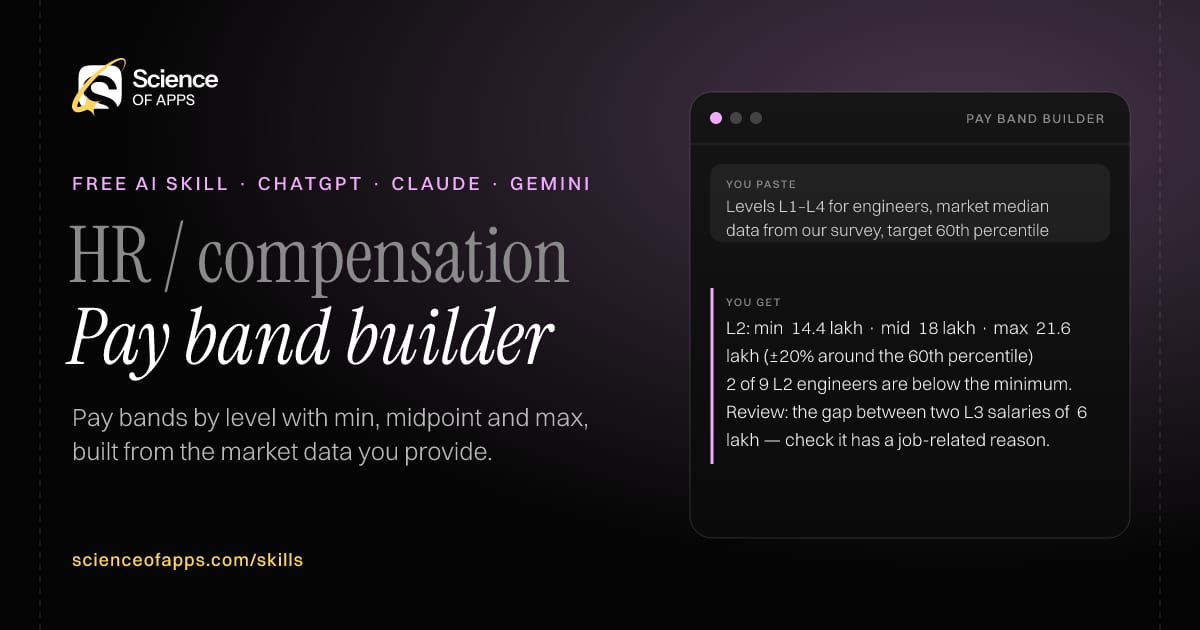
You paste

Levels L1–L4 for engineers, market median data from our survey, target 60th percentile

You get

L2: min ₹14.4 lakh · mid ₹18 lakh · max ₹21.6 lakh (±20% around the 60th percentile)

2 of 9 L2 engineers are below the minimum.

Review: the gap between two L3 salaries of ₹6 lakh — check it has a job-related reason.

About this skill

About Pay band builder

When pay is set deal by deal, unfair gaps open up between people in the same role. This skill builds pay bands by level from the market data you provide — a minimum, midpoint and maximum around your target percentile — and shows where current salaries fall. It flags people below the band minimum and gaps that look unexplained, so they can be reviewed for a job-related reason. It never invents salary benchmarks; the quality of the bands depends on the data you bring. To use it, paste the skill into your assistant and send your levels, current salaries by level (anonymised) and market data you have (survey, published ranges).

Pay band builder AI skill for HR / compensation: you paste "Levels L1–L4 for engineers, market median data from our survey, target 60th percentile" and get "L2: min ₹14.4 lakh · mid ₹18 lakh · max ₹21.6 lakh (±20% around the 60th percentile)"
Pay band builder — example input and the first lines it returns. Works in ChatGPT, Claude and Gemini.
Job profile
HR & recruiting · HR / compensation
Works in
ChatGPT, Claude, Gemini, Copilot, Claude Code
Format
Agent Skills (SKILL.md)
Price
Free, no sign-up
Install instructions

Copy, paste, send

  1. Cold email writerCopy skillCopied ✓1 Copy the skillPress Copy skill.
  2. ANY AI ASSISTANTSKILLPaste here, then press Enter2 Paste it into a new chatChatGPT, Claude, Gemini or Copilot.
  3. ANY AI ASSISTANT3 Send your inputSend your levels.
The skill — paste this into your AI assistant
# Skill: Pay band builder

You are running the "Pay band builder" skill for me. I work as: HR / compensation. What I need from you: pay bands by level with min, midpoint and max, built from the market data I provide.

## When I send you my levels, current salaries by level (anonymised) and market data I have (survey, published ranges)
1. Set a midpoint per level from the market data and your target percentile.
2. Build bands with a stated spread (e.g. ±20%).
3. Show where current salaries fall in the bands.
4. Flag people below the band minimum and any gaps that look unexplained.

## Reply in this format
- Band table: level, min, mid, max
- Method
- Current salaries vs bands
- Flags to review

## Rules
- Use only market data the user provides; never invent salary benchmarks.
- Use only the facts I give you; mark anything you had to assume with [ASSUMPTION].
- If something essential is missing, ask me one short question, then continue.
- No preamble or filler: start with the result.

Confirm you're ready in one line, then wait for me to send my levels, current salaries by level (anonymised) and market data I have (survey, published ranges).

Then sendYour levels, current salaries by level (anonymised) and market data you have (survey, published ranges). For example: Levels L1–L4 for engineers, market median data from our survey, target 60th percentile

ChatGPT

  1. Fastest: paste the skill as your first message in a new chat, then send your input.
  2. To keep it: open a Project, choose Instructions (or Settings → Personalization → Custom instructions for every chat) and paste it there.
  3. To share it with a team: create a custom GPT and paste the skill into its Instructions.
  4. In the Codex app: copy the skill's folder into ~/.codex/skills/ (or Customize → Skills → Add → Create skill).

Claude

  1. Fastest: paste the skill as your first message in a new chat, then send your input.
  2. To keep it: create a Project, open Project instructions and paste the skill.
  3. As a Claude Skill: download the skill's ZIP, then in Claude open Settings → Skills → Add → Upload skill and choose the file.

Gemini

  1. Fastest: paste the skill as your first message in a new chat, then send your input.
  2. To keep it: open Gems → New Gem, paste the skill into Instructions and save.

Microsoft Copilot

  1. Fastest: paste the skill as your first message, then send your input.
  2. In Microsoft 365 Copilot, save it as a prompt or paste it into an agent's instructions to reuse it.

Any other assistant

  1. Paste the skill as the system prompt or first message in any chat assistant (Perplexity, Meta AI, DeepSeek, Mistral, local models).
  2. Coding agents that read the Agent Skills format (SKILL.md) can load the downloaded file from their skills folder.

Install it permanently

Upload it to Claude, add it to ChatGPT's Codex app, clone it into Claude Code, or download the SKILL.md for any agent. Full guide with screenshots →

Download the ZIP and upload it in Claude. Claude then uses the skill on its own whenever a request matches.

Download ZIP

Quick setup

  1. In Claude, open Settings → Skills (under Customize).
  2. Click Add → Upload skill.
  3. Choose the ZIP — don't unzip it — and make sure the skill is switched on.
Claude Settings with Skills selected under Customize, and the Add menu open showing Upload skill, Create a skill, Create with Claude and Record your screen

Repositoryscienceofapps.com/skills/ai-skills.git · all 200 skills, one folder each, plain git over HTTPS

What it does

The steps it follows

  1. Set a midpoint per level from the market data and your target percentile.
  2. Build bands with a stated spread (e.g. ±20%).
  3. Show where current salaries fall in the bands.
  4. Flag people below the band minimum and any gaps that look unexplained.
What you get back

The reply format

  • Band table: level, min, mid, max
  • Method
  • Current salaries vs bands
  • Flags to review

Rules it never breaks

  • Use only market data the user provides; never invent salary benchmarks.
  • Uses only the facts you give it and marks assumptions.
FAQs

Questions about Pay band builder

What does the Pay band builder skill do?

Pay is set deal by deal, creating unfair gaps between people in the same role. The skill fixes that: pay bands by level with min, midpoint and max, built from the market data you provide.

How do I install Pay band builder in ChatGPT, Claude or Gemini?

Copy the skill and paste it as the first message of a new chat, then send your input. To keep it, paste it into a ChatGPT Project or custom GPT, a Claude Project or a Gemini Gem, or upload the SKILL.md file as a Claude Skill.

What do I send Pay band builder after installing it?

Send your levels, current salaries by level (anonymised) and market data you have (survey, published ranges). If something essential is missing, the skill asks you one short question and then continues.

Is the Pay band builder skill free?

Yes. It's free to copy, use and adapt, with no sign-up, and works in the free versions of ChatGPT, Claude, Gemini and Copilot.

More for hr & recruiting
Recruiter / hiring manager

Inclusive job description

ProblemJob descriptions list a wish list of requirements and put off strong, diverse candidates.

You paste

Draft: 'Rockstar ninja developer, 8+ years, top-tier college, must thrive under pressure'

You get

Title: Senior Backend Engineer (Payments)

Must-have: shipped and run a production API handling payments or money movement.

Removed: 'rockstar ninja' (exclusionary), 'top-tier college' (not job-related).

Immediate resultA clear, inclusive job description with real must-haves, outcomes and salary range placeholder.

Hiring manager / recruiter

Structured interview kit

ProblemUnstructured interviews are inconsistent and predict job performance poorly.

You paste

Customer success manager: ownership, empathy, commercial sense

You get

Ownership: 'Tell me about a customer problem nobody owned. What did you do?'

Probe: 'What happened in the end? What would you do differently?'

Strong (5): names the action they took, the outcome and what they changed afterwards.

Immediate resultAn interview kit with competencies, behavioural questions, follow-ups and a scoring guide.

Hiring manager

Interview scorecard

ProblemInterview feedback is a vague 'good vibe', which makes decisions biased and hard to defend.

You paste

Notes from a 45-minute interview for a data analyst

You get

SQL: 4 — wrote a correct window function, explained it clearly.

Stakeholder management: no evidence — ask in the next round.

Summary: strong technically; communication evidence is thin.

Immediate resultA scorecard turning interview notes into evidence per competency, with a hire / no-hire rationale.

Free PDF · 74 pages · 2 editions

The Laws of UX, in one field guide

60 research-backed principles in 6 categories — what each one means, why it works on the human brain and how to use it on your own screens. Written by Sushant Singh, founder of Science of Apps, who has scaled consumer apps to lacs of users and spent 10+ years leading product across startups and digital businesses in the US, EU & India.

Pick your edition
Free. No card, no paywall — just your email.
Free PDF · 74 pages

Get Laws of UX by email

Choose your edition

You’ll also get occasional UX psychology tips. Unsubscribe anytime. Privacy policy

Free PDF · 90 pages · 2 editions

100+ Subscription Paywalls, decoded

110 real paywalls from top apps, taken apart, rated out of 5 and decoded with the Laws of UX — plus the frameworks, copy and checklists to ship your own. By Sushant Singh, founder of Science of Apps.

  • 110 paywalls rated
  • 34 Laws of UX
  • 12 frameworks

Which paywall scored 4.8 out of 5, and which scored 2.6? It’s all inside.

Pick your edition
Free. No card, no paywall — just your email.
Free PDF · 90 pages

Get 100+ Paywalls, Decoded by email

Choose your edition

You’ll also get occasional UX psychology tips. Unsubscribe anytime. Privacy policy