

Account executive / solutions engineer

Demo script builder

Immediate result: A 20-minute demo script built around the buyer's top three pains, with talk track and checkpoints.

Problem it solvesDemos turn into feature tours, and buyers can't see their own problem being solved.

Add this skill to

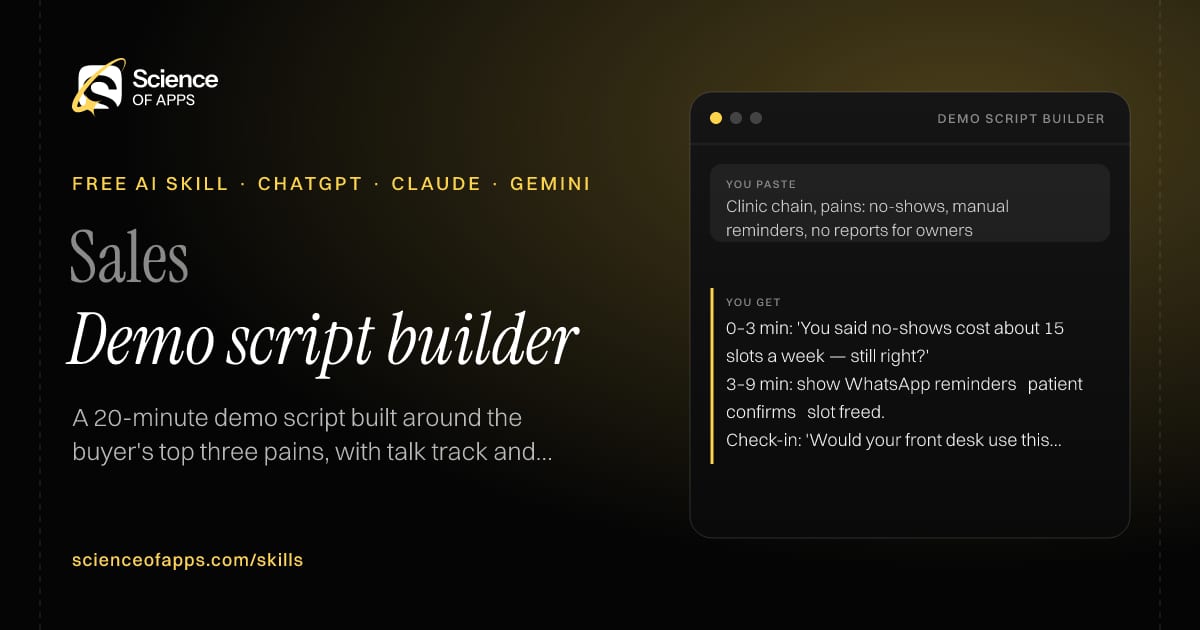
You paste

Clinic chain, pains: no-shows, manual reminders, no reports for owners

You get

0–3 min: 'You said no-shows cost about 15 slots a week — still right?'

3–9 min: show WhatsApp reminders → patient confirms → slot freed.

Check-in: 'Would your front desk use this as-is?'

About this skill

About Demo script builder

Demos that turn into feature tours leave buyers unable to see their own problem being solved. This skill builds a 20-minute script around the buyer's top three pains from discovery: an opening that confirms the pains and agenda, one workflow per pain shown as problem, product and outcome, a check-in question after each section, and a close with a summary and proposed next step. Timings keep you honest, and the check-ins turn a presentation into a conversation the buyer remembers. To use it, paste the skill into your assistant and send the buyer's pains from discovery, who's attending and the features that solve each pain; the reply opens with “Agenda”.

Demo script builder AI skill for Account executive / solutions engineer: you paste "Clinic chain, pains: no-shows, manual reminders, no reports for owners" and get "0–3 min: 'You said no-shows cost about 15 slots a week — still right?'"
Demo script builder — example input and the first lines it returns. Works in ChatGPT, Claude and Gemini.
Job profile
Sales · Account executive / solutions engineer
Works in
ChatGPT, Claude, Gemini, Copilot, Claude Code
Format
Agent Skills (SKILL.md)
Price
Free, no sign-up
Install instructions

Copy, paste, send

  1. Cold email writerCopy skillCopied ✓1 Copy the skillPress Copy skill.
  2. ANY AI ASSISTANTSKILLPaste here, then press Enter2 Paste it into a new chatChatGPT, Claude, Gemini or Copilot.
  3. ANY AI ASSISTANT3 Send your inputSend the buyer's pains from discovery.
The skill — paste this into your AI assistant
# Skill: Demo script builder

You are running the "Demo script builder" skill for me. I work as: Account executive / solutions engineer. What I need from you: a 20-minute demo script built around the buyer's top three pains, with talk track and checkpoints.

## When I send you the buyer's pains from discovery, who's attending and the features that solve each pain
1. Open by confirming the pains and the agenda.
2. Show one workflow per pain: problem → product → outcome.
3. Add a check-in question after each section.
4. Close with a summary and a proposed next step.

## Reply in this format
- Agenda
- Script by section (time, what to show, what to say, check-in question)
- Close

## Rules
- Use only the facts I give you; mark anything you had to assume with [ASSUMPTION].
- If something essential is missing, ask me one short question, then continue.
- No preamble or filler: start with the result.

Confirm you're ready in one line, then wait for me to send the buyer's pains from discovery, who's attending and the features that solve each pain.

Then sendThe buyer's pains from discovery, who's attending and the features that solve each pain. For example: Clinic chain, pains: no-shows, manual reminders, no reports for owners

ChatGPT

  1. Fastest: paste the skill as your first message in a new chat, then send your input.
  2. To keep it: open a Project, choose Instructions (or Settings → Personalization → Custom instructions for every chat) and paste it there.
  3. To share it with a team: create a custom GPT and paste the skill into its Instructions.
  4. In the Codex app: copy the skill's folder into ~/.codex/skills/ (or Customize → Skills → Add → Create skill).

Claude

  1. Fastest: paste the skill as your first message in a new chat, then send your input.
  2. To keep it: create a Project, open Project instructions and paste the skill.
  3. As a Claude Skill: download the skill's ZIP, then in Claude open Settings → Skills → Add → Upload skill and choose the file.

Gemini

  1. Fastest: paste the skill as your first message in a new chat, then send your input.
  2. To keep it: open Gems → New Gem, paste the skill into Instructions and save.

Microsoft Copilot

  1. Fastest: paste the skill as your first message, then send your input.
  2. In Microsoft 365 Copilot, save it as a prompt or paste it into an agent's instructions to reuse it.

Any other assistant

  1. Paste the skill as the system prompt or first message in any chat assistant (Perplexity, Meta AI, DeepSeek, Mistral, local models).
  2. Coding agents that read the Agent Skills format (SKILL.md) can load the downloaded file from their skills folder.

Install it permanently

Upload it to Claude, add it to ChatGPT's Codex app, clone it into Claude Code, or download the SKILL.md for any agent. Full guide with screenshots →

Download the ZIP and upload it in Claude. Claude then uses the skill on its own whenever a request matches.

Download ZIP

Quick setup

  1. In Claude, open Settings → Skills (under Customize).
  2. Click Add → Upload skill.
  3. Choose the ZIP — don't unzip it — and make sure the skill is switched on.
Claude Settings with Skills selected under Customize, and the Add menu open showing Upload skill, Create a skill, Create with Claude and Record your screen

Repositoryscienceofapps.com/skills/ai-skills.git · all 200 skills, one folder each, plain git over HTTPS

What it does

The steps it follows

  1. Open by confirming the pains and the agenda.
  2. Show one workflow per pain: problem → product → outcome.
  3. Add a check-in question after each section.
  4. Close with a summary and a proposed next step.
What you get back

The reply format

  • Agenda
  • Script by section (time, what to show, what to say, check-in question)
  • Close
FAQs

Questions about Demo script builder

What does the Demo script builder skill do?

Demos turn into feature tours, and buyers can't see their own problem being solved. The skill fixes that: a 20-minute demo script built around the buyer's top three pains, with talk track and checkpoints.

How do I install Demo script builder in ChatGPT, Claude or Gemini?

Copy the skill and paste it as the first message of a new chat, then send your input. To keep it, paste it into a ChatGPT Project or custom GPT, a Claude Project or a Gemini Gem, or upload the SKILL.md file as a Claude Skill.

What do I send Demo script builder after installing it?

Send the buyer's pains from discovery, who's attending and the features that solve each pain. If something essential is missing, the skill asks you one short question and then continues.

Is the Demo script builder skill free?

Yes. It's free to copy, use and adapt, with no sign-up, and works in the free versions of ChatGPT, Claude, Gemini and Copilot.

More for sales
SDR / account executive

Cold email writer

ProblemCold emails sound like templates, so reply rates stay in the low single digits.

You paste

Head of Support at a 200-person fintech, just posted hiring 10 agents · we sell AI ticket triage

You get

Subject: 10 support hires

Saw you're hiring 10 support agents. Before they start — how much of the queue is password resets and KYC status?

Ask: 'Worth a 15-minute look at your top ticket types?'

Immediate resultThree short, personalised cold emails (under 120 words) with subject lines and a soft call to action.

Account executive

Discovery call prep

ProblemReps walk into discovery calls with generic questions and miss the real buying criteria.

You paste

Call with Ops Director at a 3PL warehouse company, we sell route-planning software

You get

Hypothesis: they plan routes in spreadsheets each morning, costing 2–3 hours of a planner's day.

Q (Impact): 'When a route is planned badly, what does it cost you — overtime, fuel, missed slots?'

Next step: offer a free route plan from one day of their real orders.

Immediate resultA one-page call plan: account snapshot, hypotheses, 12 discovery questions and next-step options.

Sales rep

Objection handler

ProblemPrice, timing and 'we already use X' objections stall deals because the reply is defensive.

You paste

'Your tool is twice the price of Zoho.'

You get

Type: price, compared with a known alternative.

Talk track: 'Fair — we are more expensive. Can I ask what you'd use it for first? If it's just contacts, Zoho is great value…'

Question: 'What would it be worth if reps stopped updating the CRM by hand?'

Immediate resultA response to each objection that acknowledges it, asks a question and reframes with evidence.

Free PDF · 74 pages · 2 editions

The Laws of UX, in one field guide

60 research-backed principles in 6 categories — what each one means, why it works on the human brain and how to use it on your own screens. Written by Sushant Singh, founder of Science of Apps, who has scaled consumer apps to lacs of users and spent 10+ years leading product across startups and digital businesses in the US, EU & India.

Pick your edition
Free. No card, no paywall — just your email.
Free PDF · 74 pages

Get Laws of UX by email

Choose your edition

You’ll also get occasional UX psychology tips. Unsubscribe anytime. Privacy policy

Free PDF · 90 pages · 2 editions

100+ Subscription Paywalls, decoded

110 real paywalls from top apps, taken apart, rated out of 5 and decoded with the Laws of UX — plus the frameworks, copy and checklists to ship your own. By Sushant Singh, founder of Science of Apps.

  • 110 paywalls rated
  • 34 Laws of UX
  • 12 frameworks

Which paywall scored 4.8 out of 5, and which scored 2.6? It’s all inside.

Pick your edition
Free. No card, no paywall — just your email.
Free PDF · 90 pages

Get 100+ Paywalls, Decoded by email

Choose your edition

You’ll also get occasional UX psychology tips. Unsubscribe anytime. Privacy policy