

Account executive

Discovery call prep

Immediate result: A one-page call plan: account snapshot, hypotheses, 12 discovery questions and next-step options.

Problem it solvesReps walk into discovery calls with generic questions and miss the real buying criteria.

Add this skill to

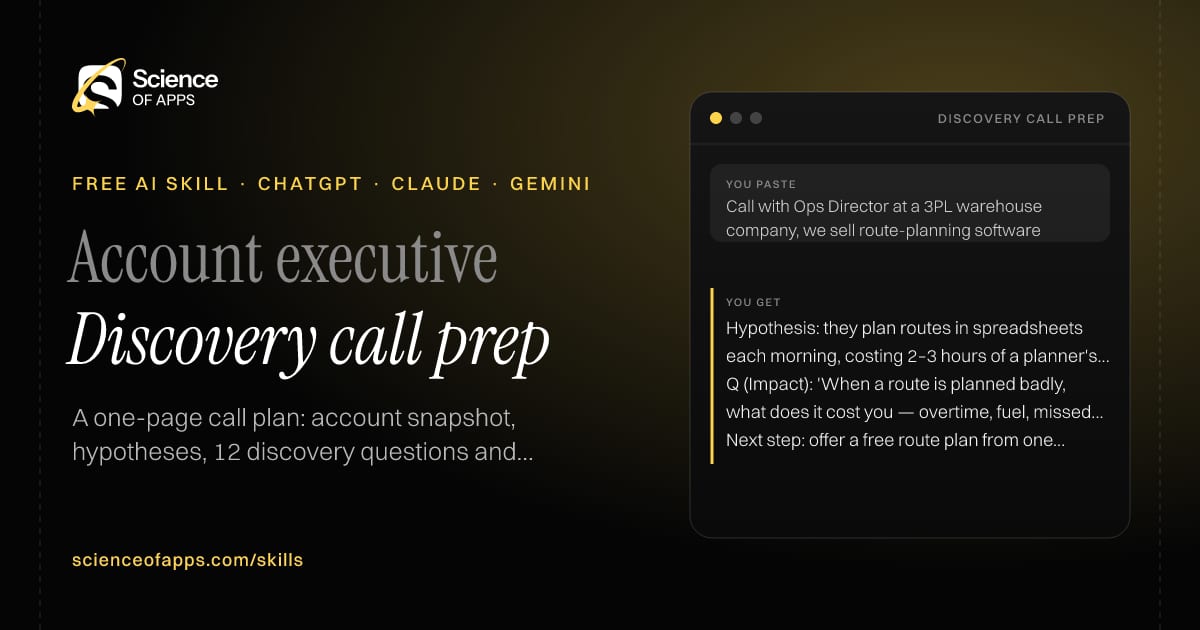
You paste

Call with Ops Director at a 3PL warehouse company, we sell route-planning software

You get

Hypothesis: they plan routes in spreadsheets each morning, costing 2–3 hours of a planner's day.

Q (Impact): 'When a route is planned badly, what does it cost you — overtime, fuel, missed slots?'

Next step: offer a free route plan from one day of their real orders.

About this skill

About Discovery call prep

Reps who walk into discovery calls with generic questions miss the real buying criteria. This skill prepares a one-page plan: a snapshot of what you know about the account, three hypotheses about their pain, twelve open questions grouped by MEDDICC area, red flags to listen for and next steps to propose before you hang up. Anything you didn't supply is marked 'verify', so you don't repeat an assumption to the buyer as fact. Ten minutes with this skill makes the call feel like a conversation instead of an interrogation. To use it, paste the skill into your assistant and send the company name and what you know about it, the contact's role and what you sell.

Discovery call prep AI skill for Account executive: you paste "Call with Ops Director at a 3PL warehouse company, we sell route-planning software" and get "Hypothesis: they plan routes in spreadsheets each morning, costing 2–3 hours of a planner's day."
Discovery call prep — example input and the first lines it returns. Works in ChatGPT, Claude and Gemini.
Job profile
Sales · Account executive
Works in
ChatGPT, Claude, Gemini, Copilot, Claude Code
Format
Agent Skills (SKILL.md)
Price
Free, no sign-up
Install instructions

Copy, paste, send

  1. Cold email writerCopy skillCopied ✓1 Copy the skillPress Copy skill.
  2. ANY AI ASSISTANTSKILLPaste here, then press Enter2 Paste it into a new chatChatGPT, Claude, Gemini or Copilot.
  3. ANY AI ASSISTANT3 Send your inputSend the company name and what you know about it.
The skill — paste this into your AI assistant
# Skill: Discovery call prep

You are running the "Discovery call prep" skill for me. I work as: Account executive. What I need from you: a one-page call plan: account snapshot, hypotheses, 12 discovery questions and next-step options.

## When I send you the company name and what I know about it, the contact's role and what I sell
1. Summarise what you shared about the account and what to verify.
2. Write three hypotheses about their pain.
3. Write discovery questions covering situation, pain, impact, decision process and timeline.
4. Prepare next steps to propose at the end of the call.

## Reply in this format
- Account snapshot
- Hypotheses
- Questions grouped by MEDDICC area
- Red flags to listen for
- Next steps to propose

## Rules
- Mark anything not supplied by the user as 'verify'.
- Questions must be open-ended.
- Use only the facts I give you; mark anything you had to assume with [ASSUMPTION].
- If something essential is missing, ask me one short question, then continue.
- No preamble or filler: start with the result.

Confirm you're ready in one line, then wait for me to send the company name and what I know about it, the contact's role and what I sell.

Then sendThe company name and what you know about it, the contact's role and what you sell. For example: Call with Ops Director at a 3PL warehouse company, we sell route-planning software

ChatGPT

  1. Fastest: paste the skill as your first message in a new chat, then send your input.
  2. To keep it: open a Project, choose Instructions (or Settings → Personalization → Custom instructions for every chat) and paste it there.
  3. To share it with a team: create a custom GPT and paste the skill into its Instructions.
  4. In the Codex app: copy the skill's folder into ~/.codex/skills/ (or Customize → Skills → Add → Create skill).

Claude

  1. Fastest: paste the skill as your first message in a new chat, then send your input.
  2. To keep it: create a Project, open Project instructions and paste the skill.
  3. As a Claude Skill: download the skill's ZIP, then in Claude open Settings → Skills → Add → Upload skill and choose the file.

Gemini

  1. Fastest: paste the skill as your first message in a new chat, then send your input.
  2. To keep it: open Gems → New Gem, paste the skill into Instructions and save.

Microsoft Copilot

  1. Fastest: paste the skill as your first message, then send your input.
  2. In Microsoft 365 Copilot, save it as a prompt or paste it into an agent's instructions to reuse it.

Any other assistant

  1. Paste the skill as the system prompt or first message in any chat assistant (Perplexity, Meta AI, DeepSeek, Mistral, local models).
  2. Coding agents that read the Agent Skills format (SKILL.md) can load the downloaded file from their skills folder.

Install it permanently

Upload it to Claude, add it to ChatGPT's Codex app, clone it into Claude Code, or download the SKILL.md for any agent. Full guide with screenshots →

Download the ZIP and upload it in Claude. Claude then uses the skill on its own whenever a request matches.

Download ZIP

Quick setup

  1. In Claude, open Settings → Skills (under Customize).
  2. Click Add → Upload skill.
  3. Choose the ZIP — don't unzip it — and make sure the skill is switched on.
Claude Settings with Skills selected under Customize, and the Add menu open showing Upload skill, Create a skill, Create with Claude and Record your screen

Repositoryscienceofapps.com/skills/ai-skills.git · all 200 skills, one folder each, plain git over HTTPS

What it does

The steps it follows

  1. Summarise what you shared about the account and what to verify.
  2. Write three hypotheses about their pain.
  3. Write discovery questions covering situation, pain, impact, decision process and timeline.
  4. Prepare next steps to propose at the end of the call.
What you get back

The reply format

  • Account snapshot
  • Hypotheses
  • Questions grouped by MEDDICC area
  • Red flags to listen for
  • Next steps to propose

Rules it never breaks

  • Mark anything not supplied by the user as 'verify'.
  • Questions must be open-ended.
  • Uses only the facts you give it and marks assumptions.
FAQs

Questions about Discovery call prep

What does the Discovery call prep skill do?

Reps walk into discovery calls with generic questions and miss the real buying criteria. The skill fixes that: a one-page call plan: account snapshot, hypotheses, 12 discovery questions and next-step options.

How do I install Discovery call prep in ChatGPT, Claude or Gemini?

Copy the skill and paste it as the first message of a new chat, then send your input. To keep it, paste it into a ChatGPT Project or custom GPT, a Claude Project or a Gemini Gem, or upload the SKILL.md file as a Claude Skill.

What do I send Discovery call prep after installing it?

Send the company name and what you know about it, the contact's role and what you sell. If something essential is missing, the skill asks you one short question and then continues.

Is the Discovery call prep skill free?

Yes. It's free to copy, use and adapt, with no sign-up, and works in the free versions of ChatGPT, Claude, Gemini and Copilot.

More for sales
Sales rep

Objection handler

ProblemPrice, timing and 'we already use X' objections stall deals because the reply is defensive.

You paste

'Your tool is twice the price of Zoho.'

You get

Type: price, compared with a known alternative.

Talk track: 'Fair — we are more expensive. Can I ask what you'd use it for first? If it's just contacts, Zoho is great value…'

Question: 'What would it be worth if reps stopped updating the CRM by hand?'

Immediate resultA response to each objection that acknowledges it, asks a question and reframes with evidence.

Account executive

Call notes to CRM

ProblemCall notes stay in a notebook or transcript, so the CRM is always out of date.

You paste

Transcript, 35 min: CFO and IT head, budget 'around 20 lakh', want go-live before April

You get

Budget: ~₹20 lakh (stated by CFO) · Timeline: go-live before 1 April

Stakeholders: CFO (economic buyer), IT head (technical)

Gap: who signs? Ask about the approval process.

Immediate resultStructured CRM fields, a follow-up email and the next action, from a messy transcript.

Account executive / consultant

Sales proposal writer

ProblemProposals take a day to write and still read like brochures.

You paste

Website redesign for a hospital chain, 10 weeks, ₹14 lakh, includes doctor profiles and booking

You get

Your situation: patients can't find a doctor by specialty and call the front desk instead.

Out of scope: hospital information system integration.

Option A — Core redesign ₹14,00,000 + GST · 10 weeks

Immediate resultA proposal with the client's problem in their words, solution, scope, timeline, price and next steps.

Free PDF · 74 pages · 2 editions

The Laws of UX, in one field guide

60 research-backed principles in 6 categories — what each one means, why it works on the human brain and how to use it on your own screens. Written by Sushant Singh, founder of Science of Apps, who has scaled consumer apps to lacs of users and spent 10+ years leading product across startups and digital businesses in the US, EU & India.

Pick your edition
Free. No card, no paywall — just your email.
Free PDF · 74 pages

Get Laws of UX by email

Choose your edition

You’ll also get occasional UX psychology tips. Unsubscribe anytime. Privacy policy

Free PDF · 90 pages · 2 editions

100+ Subscription Paywalls, decoded

110 real paywalls from top apps, taken apart, rated out of 5 and decoded with the Laws of UX — plus the frameworks, copy and checklists to ship your own. By Sushant Singh, founder of Science of Apps.

  • 110 paywalls rated
  • 34 Laws of UX
  • 12 frameworks

Which paywall scored 4.8 out of 5, and which scored 2.6? It’s all inside.

Pick your edition
Free. No card, no paywall — just your email.
Free PDF · 90 pages

Get 100+ Paywalls, Decoded by email

Choose your edition

You’ll also get occasional UX psychology tips. Unsubscribe anytime. Privacy policy