 By
Quick answer: What is the best free website builder?
- Best free all-rounder: Wix (wixsite.com subdomain, Wix ads, 500 MB storage, 1 GB bandwidth).
- Best free blog or content site: WordPress.com (wordpress.com subdomain, ads, 1 GB storage, unrestricted bandwidth).
- Best free one-page site: Carrd (three sites per account, 'Made with Carrd' footer, custom domain from $19 a year).
- Best free page with no ads: Google Sites, which also lets you connect a domain you own.
- Best free page for a product: the Launchpad, a product page that's listed, found and tested, not a general website builder.
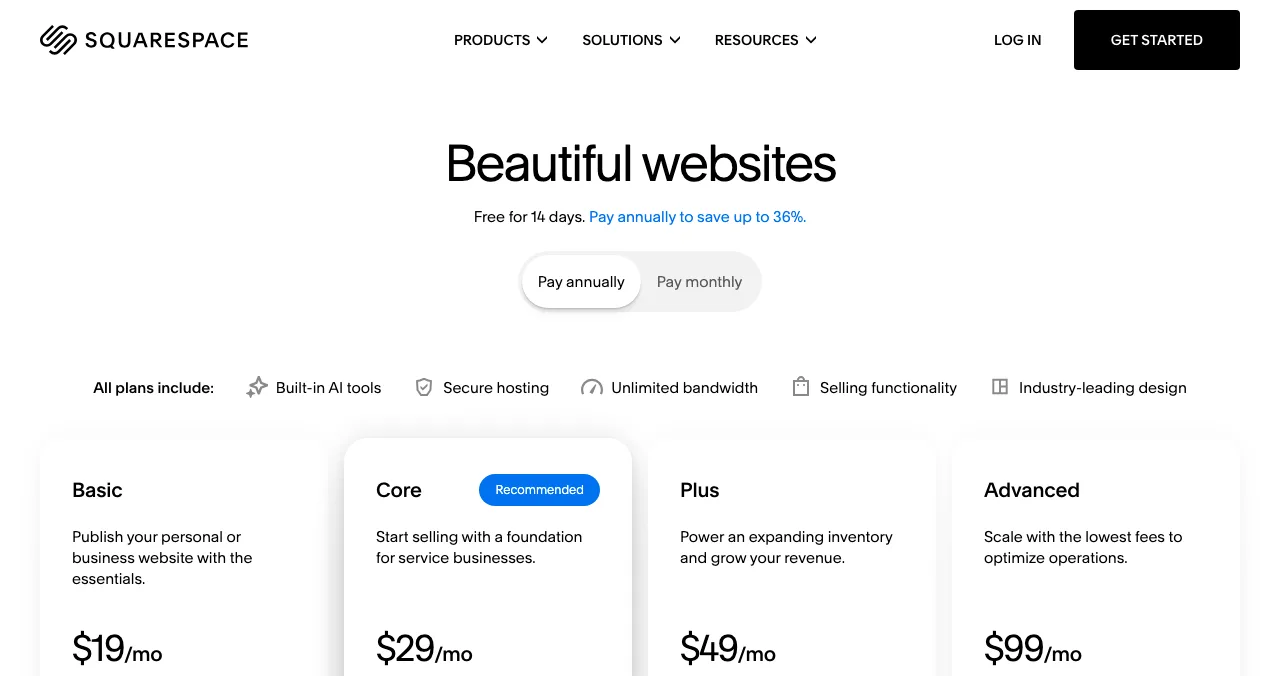
- Not free: Squarespace, Hostinger and Shopify offer trials, not free plans.
Key takeaways
- Every free plan puts you on the builder's subdomain; a custom domain is the most common reason to upgrade.
- Free storage ranges from 250 MB (SITE123) to 1 GB (WordPress.com); bandwidth from 250 MB to unrestricted.
- Wix, WordPress.com, Weebly and Jimdo show their own ads or branding on free sites.
- Framer says its free plan is ideal for non-commercial use; Webflow's free plan allows only two static pages.
- A builder publishes a site; it doesn't bring visitors. A product also needs listings that get it found.
"Free website builder" is searched about 165,000 times a month, and "free sites to create a website" another 49,500 (Google Keyword Planner, global 12-month average). Nearly every builder now advertises a free plan, but the plans aren't equal: one gives you 250 MB of storage, another unrestricted bandwidth; some put their ads on your pages, some only a small badge. This list compares 12 free plans by the limits that matter (ads, subdomain, storage, bandwidth and custom domain), each read from the builder's own pricing or help pages on 20 November 2026. If you're building a site for a product, start with the first pick. Jump to the comparison table, which to choose or the plan.
The best free website builders
 Get a free product page
Science of Apps Launchpad Top pick for products
A free product page that's listed, found and tested. Not a general site builder.
Free foreverFor products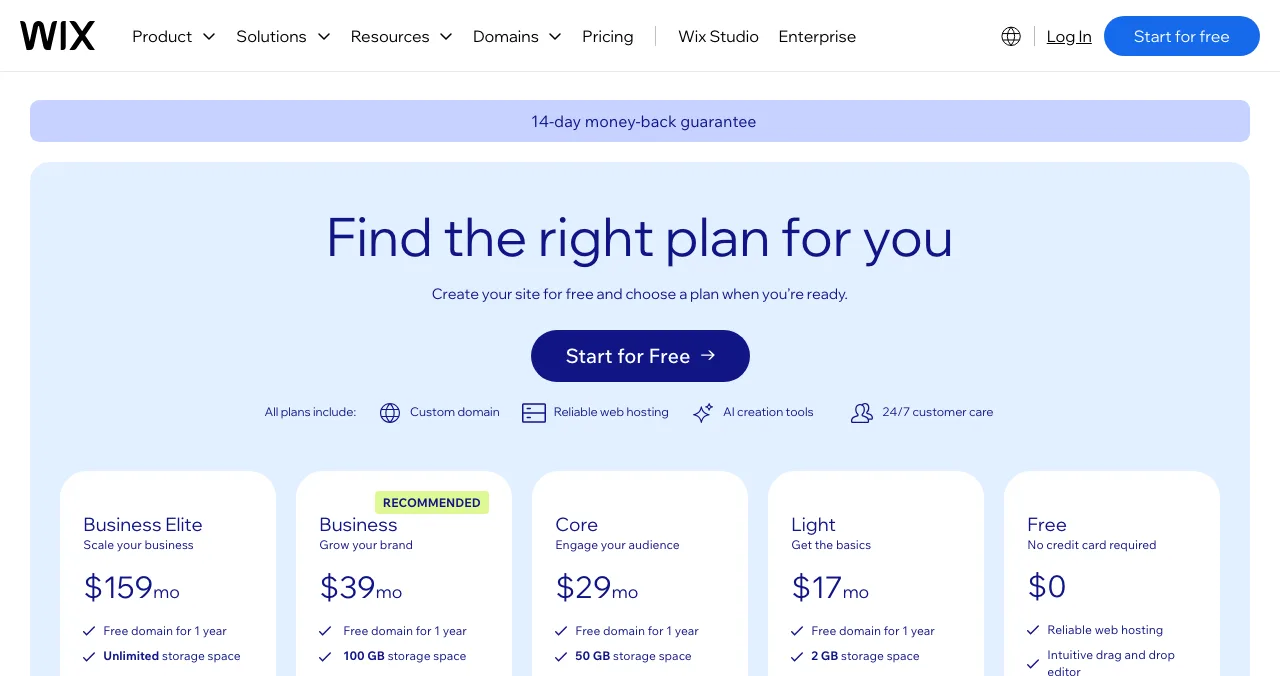
Wix
The most complete free website builder, with an AI builder.
FreeWix ads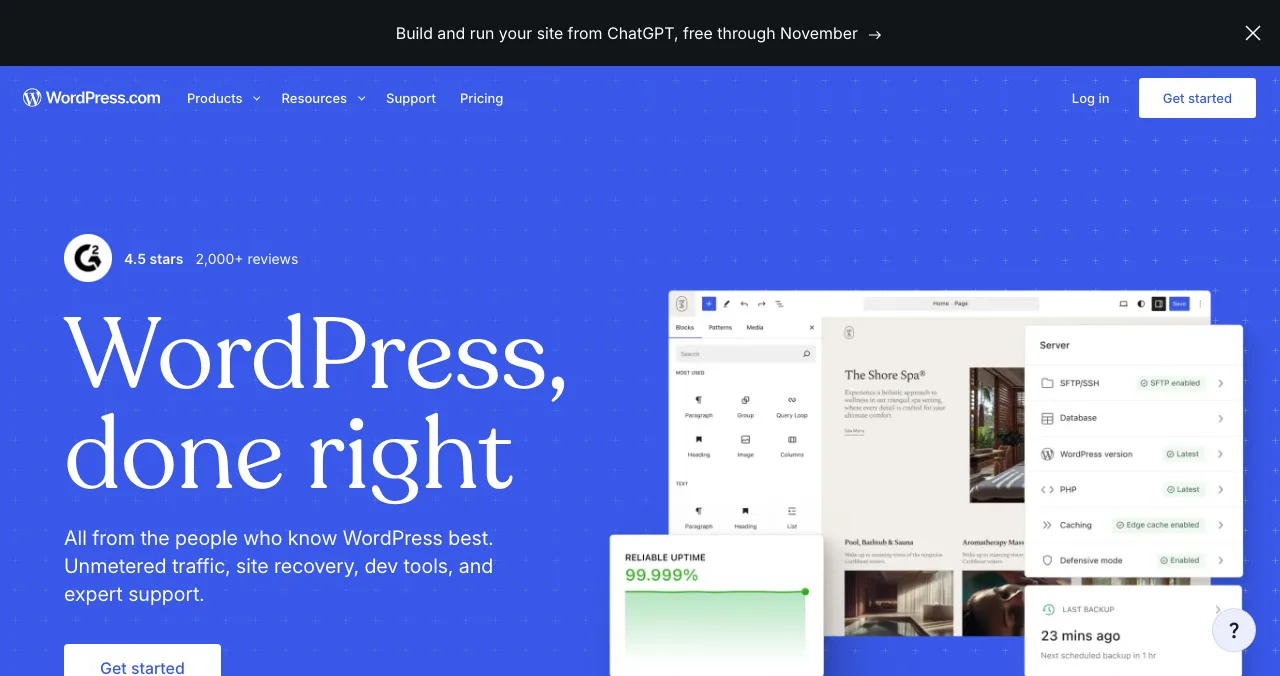
WordPress.com
A free blog or content site with unrestricted bandwidth.
Free1 GB storage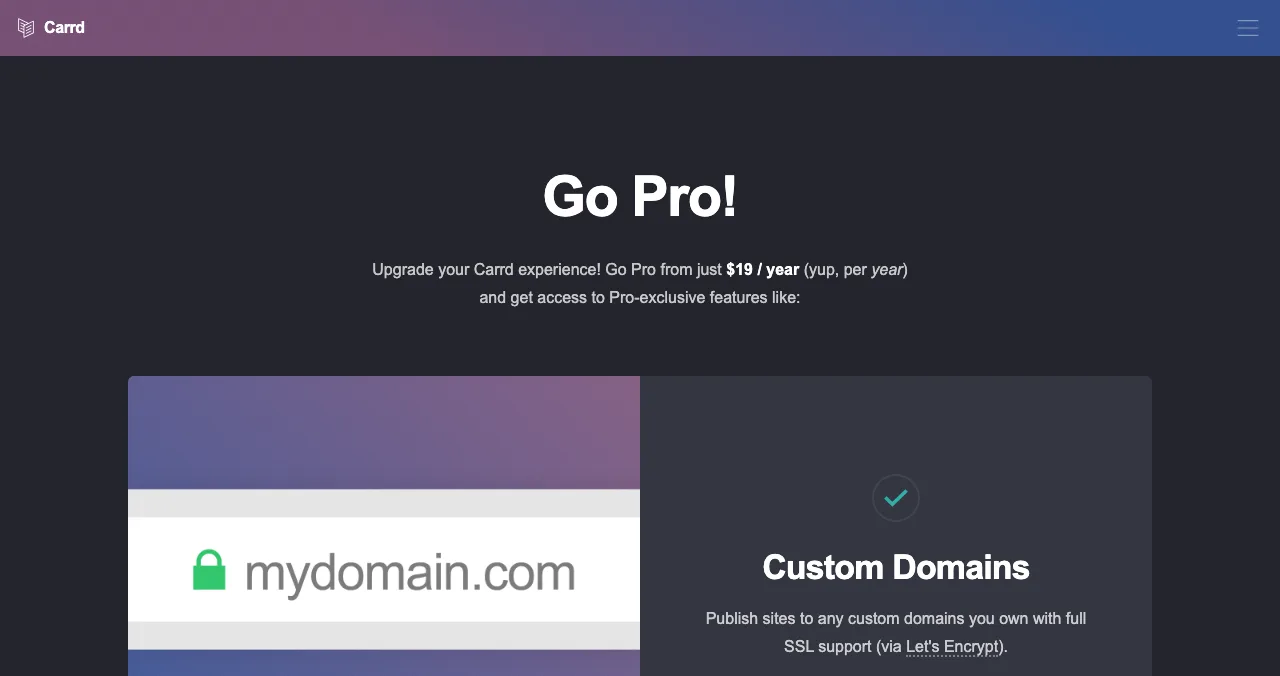
Carrd
Three free one-page sites per account.
FreeDomain from $19/yr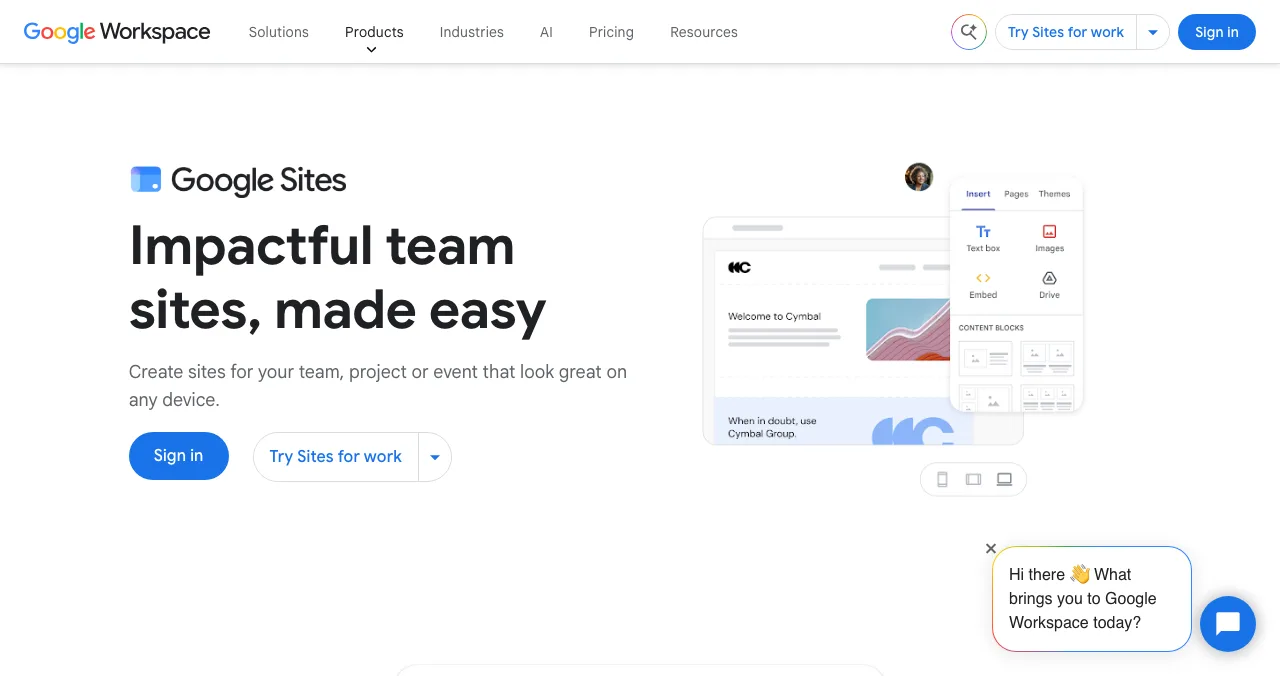
Google Sites
A simple free site with no ads, and your own domain.
No adsOwn domain OK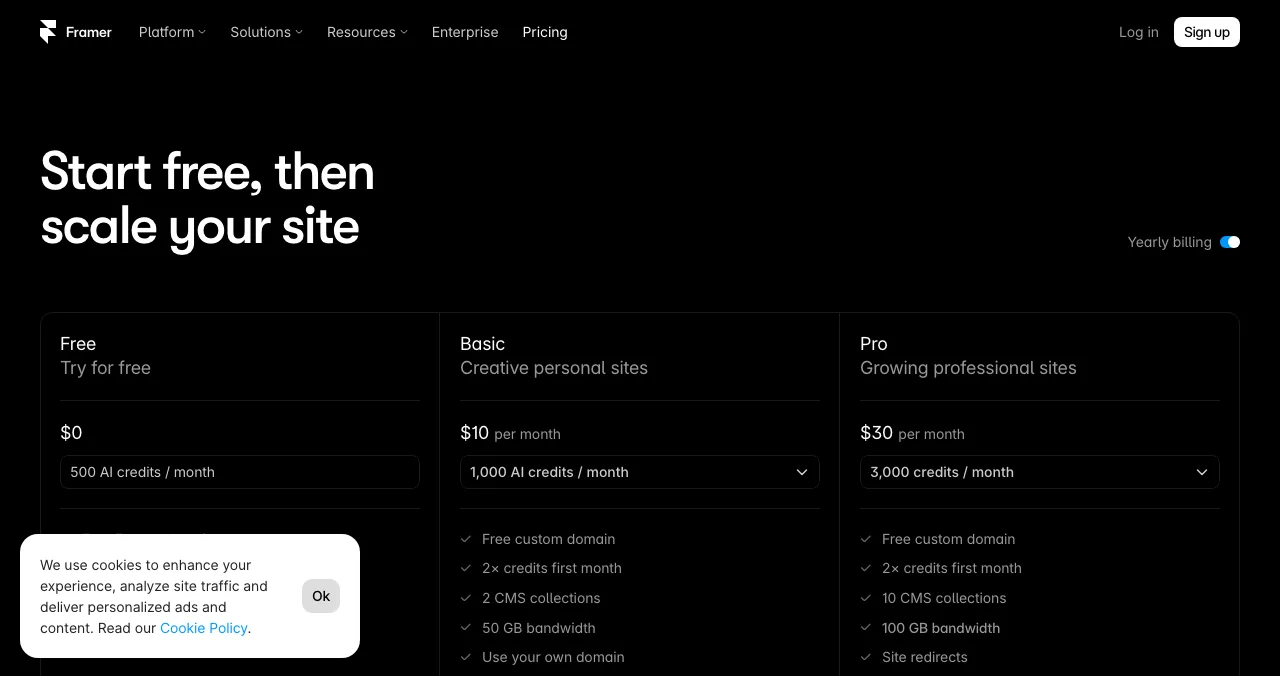
Framer
Design-led free sites with AI, for non-commercial use.
Free1 GB bandwidth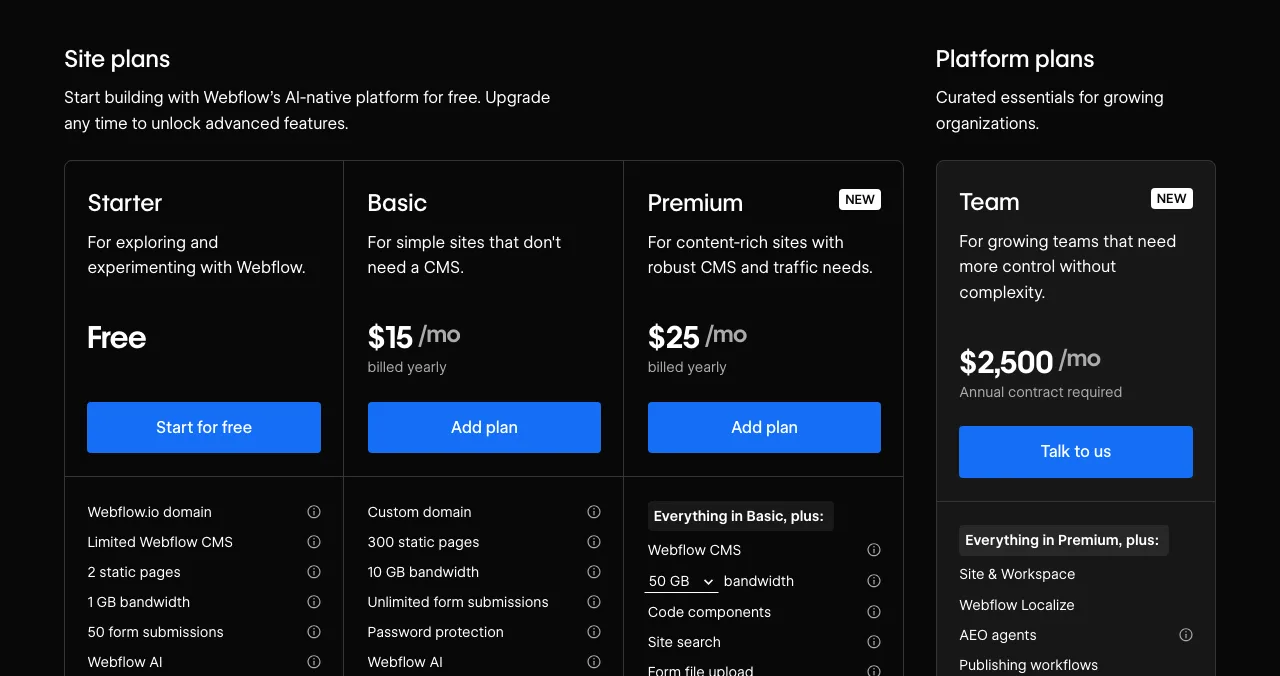
Webflow
Pro-grade design, two static pages free.
Free2 pages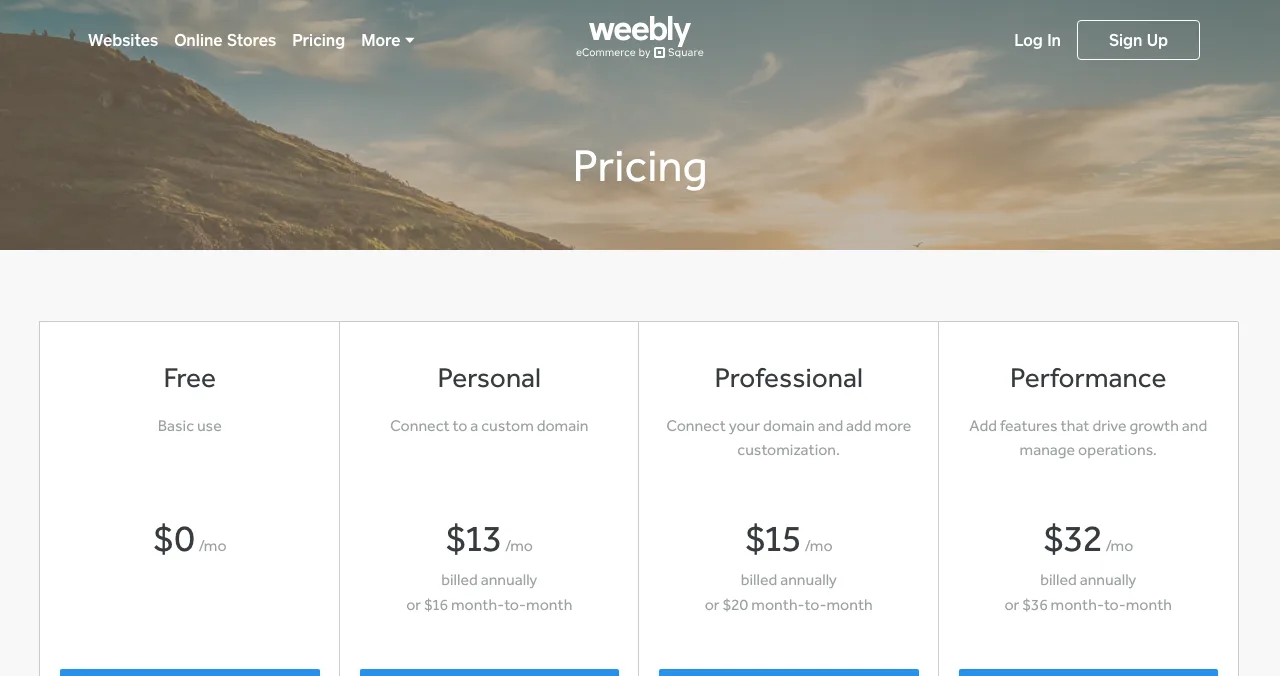
Weebly
Free site with a shopping cart, from Square.
FreeSquare ads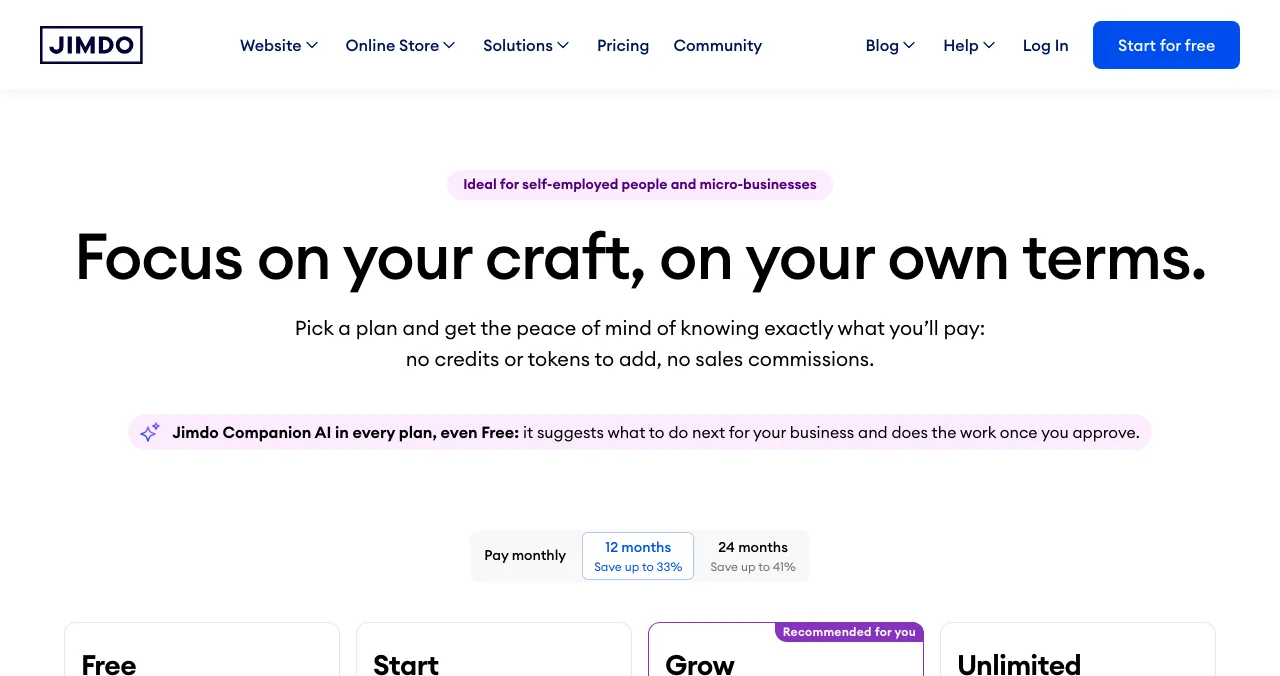
Jimdo
AI-built small site, with bookings and payments on free.
Free5 pages
Notion Sites
Publish a Notion page as a site.
Freenotion.site
SITE123
Quick, guided free site.
Free250 MB
10Web
AI WordPress-style builder, one free project.
Free1K visitors/mo
Free website builders compared: ads, subdomain, storage, bandwidth
The headline price of every plan below is $0. The differences are in what you put up with to keep it at $0.
| Builder | Free address | Ads or branding | Storage | Bandwidth | Own domain on free |
|---|---|---|---|---|---|
| Launchpad | launchpad.scienceofapps.com/p/… | Launchpad page | Not a host | Not a host | No (links to your site) |
| Wix | username.wixsite.com/sitename | Wix ads on every page | 500 MB | 1 GB | No |
| WordPress.com | yoursite.wordpress.com | WordPress.com ads | 1 GB | Unrestricted | No |
| Carrd | .carrd.co | 'Made with Carrd' footer | Not stated | Not stated | No (Pro Standard) |
| Google Sites | Google Sites address | No ads | Not stated | Not stated | Yes, a domain you own |
| Framer | Free Framer domain | 'Made in Framer' banner | 5 MB uploads | 1 GB | No |
| Webflow | mysite.webflow.io | 'Made in Webflow' badge | Not stated | 1 GB | No |
| Weebly | Weebly subdomain | Square ads | Not stated | Not stated | No |
| Jimdo | Jimdo subdomain | Ads and Jimdo branding | 5 GB | Not stated | No |
| Notion Sites | notion.site | Notion branding | Not stated | Not stated | No ($8/mo per domain, yearly) |
| SITE123 | SITE123 subdomain | SITE123 floating tag | 250 MB | 250 MB | No |
| 10Web | 10web.site | 10Web branding | 200 MB | 1K visitors a month | No |
Table: Free website builder plans compared (each builder's own pricing and help pages, checked 20 Nov 2026; "not stated" means the official page doesn't say)
1. Science of Apps Launchpad: the free page that also gets you found
- Cost
- Free, forever
- What you get
- One public product page with its own link
- Time
- About 5 minutes, six short steps
- Found by
- The problem you solve, editorial picks
- Catch
- A product page, not a multi-page site
Most people searching for a free website builder for a startup, app or SaaS want two things: a page that explains the product, and people to see it. Builders solve the first. The Launchpad does both for one page: your product gets a permanent public page (launchpad.scienceofapps.com/p/your-product) with its tagline, screenshots, links to your site and app stores, and it's listed by the problem it solves alongside other products.
- Cost: free to list, forever. Ranking is by relevance, editorial picks and community interest, never payment (0 paid placements).
- Accepts: startups, SaaS, mobile apps, AI products, developer tools, browser extensions, games and open-source projects.
- Proof: a Featured badge when you go live, earned badges such as Verified (a work email on your domain), Community favourite and Editor's pick, plus vouches and followers.
- Tested: a free baseline diagnosis of your landing page, discoverability and speed runs as you go live. The full investigation covers 22 areas of the product.
Best for: a product that needs a page today and visitors this week. Not for a blog, portfolio or multi-page business site.
2. Wix: the most complete free website builder
- Cost
- Free; no credit card
- Address
- username.wixsite.com/sitename
- Ads
- Wix ads on every page
- Limits
- 500 MB storage, 1 GB bandwidth
- Catch
- No own domain or payments on free
Wix gives you the full editor, templates and its AI website builder on the free plan; you can start building with AI for free, according to Wix's AI builder page. What you give up is in the help centre: Wix ads appear on every page, the address is a wixsite.com subdomain, and free sites get up to 500 MB of storage and 1 GB of bandwidth.
- Cost: $0. Premium plans start with Light; Wix says prices and currency vary by location and its displayed prices are for yearly subscriptions paid up front.
- Paid adds: a custom domain (a free domain voucher for a year on selected yearly plans), no Wix ads, online payments.
- Not on free: accepting payments.
Best for: a small business or portfolio that wants room to grow. Compared with paid rivals in Wix vs Squarespace vs Shopify.
3. WordPress.com: the best free website maker for content
- Cost
- Free, no expiry
- Address
- yoursite.wordpress.com
- Ads
- WordPress.com ads
- Limits
- 1 GB storage, unrestricted bandwidth
- Catch
- No plugins or own domain on free
WordPress.com's free plan is the one to pick if you'll publish a lot: "unrestricted bandwidth" and 1 GB of storage. Its pricing page is plain that the free plan doesn't include a custom domain, plugin installation or ad-free browsing.
- Cost: $0. Personal is US$4 a month billed yearly or US$9 billed monthly (excluding tax).
- Address: yoursite.wordpress.com.
- Catch: WordPress.com ads shown to visitors; no plugins.
Best for: blogs, newsletters and content sites. Not the same as self-hosted WordPress: see Webflow vs WordPress vs Framer.
4. Carrd: the best free one-page website builder
- Cost
- Free: three sites per account
- Branding
- 'Made with Carrd' footer
- Forms
- Pro only
- Upgrade
- Pro Lite $9/yr; domain from $19/yr
- Catch
- One page per site
Carrd builds single-page sites, and its free plan lets you "build up to three sites per account" with all core features. The upgrade is unusually cheap and billed per year.
- Cost: $0 for three sites. Pro Lite is $9 a year (no custom domain, no forms); Pro Standard is $19 a year with a custom domain and forms.
- Catch: the 'Made with Carrd' footer and no forms on free, so a waitlist needs Pro or an embedded tool.
Best for: a personal page, a link page or a startup's first landing page.
5. Google Sites: the free site with no ads
- Cost
- No price listed; needs a Google account
- Ads
- None
- Own domain
- Yes, one you own (up to five)
- Rule
- Address must include a subdomain like www
- Catch
- Simple layouts only
Google Sites is the quiet winner for anyone who wants no ads and their own domain without paying a builder. Google's help page says you can connect up to five custom domains to one site, if you own the domain and the address includes a subdomain such as www. Only the site's owner can connect it, and the site must be shared publicly.
- Cost: Google's product page lists no price; you need a Google account. Buying a domain through Google needs a Workspace subscription; connecting one you already own doesn't.
- Catch: limited design and no blog or shop.
Best for: a clean info page, event page or internal project site.
6. Framer: the best free builder for design
- Cost
- Free
- Limits
- 1,000 pages, 1 GB bandwidth, 5 MB uploads
- Branding
- 'Made in Framer' banner
- AI
- 500 AI credits a month
- Catch
- 'Ideal for non-commercial use'
Framer's free plan is generous on pages (1,000) and includes 500 AI credits a month, but its FAQ calls it "ideal for non-commercial use", the 'Made in Framer' banner shows on published sites, and you need a paid plan to connect a custom domain.
- Cost: $0. Basic is $10 a month, billed according to the cycle you choose at checkout.
- Catch: 1 GB bandwidth and non-commercial positioning.
Best for: designers and portfolio sites; startups usually move to Basic once they connect a domain.
7. Webflow: pro design, two free pages
- Cost
- Starter plan, free
- Address
- mysite.webflow.io
- Limits
- 2 static pages, 1 GB bandwidth, 50 form submissions
- Branding
- 'Made in Webflow' badge
- Catch
- Custom domain needs a paid site plan
Webflow's free Starter plan is a sandbox for learning or prototyping: two static pages, 1 GB bandwidth, 50 form submissions and a webflow.io address.
- Cost: $0. Basic is $15 a month billed yearly, with a custom domain, 300 pages and 10 GB bandwidth.
- Catch: two pages isn't a business site; the badge stays until you pay.
Best for: designers who'll upgrade, or a two-page prototype.
8. Weebly: a free site with a shopping cart
- Cost
- Free
- Ads
- Square ads and branding
- Shop
- Shopping cart on free
- Upgrade
- Personal $13/mo yearly, $16 monthly
- Catch
- No custom domain on free
Weebly, now part of Square, keeps a free plan that includes a shopping cart. Its pricing page says paid sites "will not display any Square ads or branding", meaning free ones do; removing them needs Professional or above.
- Cost: $0. Personal is $13 a month billed annually or $16 month to month; it adds a custom domain.
- Catch: Square ads; free storage isn't stated.
Best for: a tiny shop testing demand.
9. Jimdo: an AI-built small site with bookings
- Cost
- Free, no time limit
- Limits
- 5 pages, 5 GB storage
- AI
- Companion AI, 50 messages a day
- Ads
- Ads and Jimdo branding on free
- Catch
- Own domain on paid plans only
Jimdo calls its free plan "your trial: no time limit and no credit card", and says free gets you a website, bookings and payments while paid plans add your domain, invoices and a shop. The comparison lists 5 pages and 5 GB of storage on free, with 'No ads on your site' and branding removal as paid features.
- Cost: $0. Start was shown to us at about $11 a month on a 12-month term, including VAT; prices are localised, and the plan renews at its regular price after the first term.
- Catch: ads on free; five pages.
Best for: a local service business that wants bookings on day one.
10. Notion Sites: publish a page you already wrote
- Cost
- Free plan includes basic sites
- Address
- One notion.site domain
- Branding
- Notion branding on free
- Upgrade
- Own domain $8/mo per domain, yearly
- Catch
- A document, not a designed site
If your docs, changelog or job board already live in Notion, the free plan publishes them to a notion.site address. A custom domain with Notion branding removed is an add-on at $8 a month per domain paid annually, or $10 monthly.
Best for: docs, roadmaps and simple info pages.
11. SITE123: a guided free site, small limits
- Cost
- Free: 'no payment, no trial'
- Limits
- 250 MB storage, 250 MB bandwidth
- Branding
- SITE123 floating tag
- Upgrade
- Premium from $10.8/mo, annual upfront
- Catch
- Smallest bandwidth here
SITE123's guided editor is quick, but 250 MB of bandwidth is the tightest allowance on this list, and connecting a domain costs from $10.8 a month (annual plan, paid up front), according to its FAQ.
Best for: a first site you'll replace.
12. 10Web: one free AI-built project
- Cost
- Free forever, no card
- Limits
- 1 project, 15 AI credits, 200 MB storage
- Traffic
- 1K monthly visitors
- Branding
- 10Web branding, 10web.site address
- Catch
- Custom domain on paid plans
10Web's free tier is a way to try its AI builder: one project, 15 AI credits, 200 MB storage and 1,000 monthly visitors. AI Starter was shown at $10 a month on a 12-month term ($120 for the year).
Best for: trying AI generation. More AI options in the best free AI website builders.
Not free: builders with trials only
| Builder | What's free | Source |
|---|---|---|
| Squarespace | 14-day free trial, no card; no free plan | squarespace.com/pricing |
| Hostinger Website Builder | 14-day free trial; "isn't free" | hostinger.com/website-builder |
| Shopify | 3-day free trial, then paid | shopify.com/pricing |
| GoDaddy Airo | Build and preview free with 50 credits; paid to publish | GoDaddy's own pricing guide |
Table: Popular builders that don't have a free plan (official pages, checked 20 Nov 2026)
Which free website builder should you choose?
| You're building | Choose | Why |
|---|---|---|
| A page for a startup, app or SaaS | Launchpad, plus Carrd or Framer | Listed and found, then a page on your own domain |
| A small-business site | Wix | Most complete free editor |
| A blog | WordPress.com | Unrestricted bandwidth |
| A free site on your own domain, no ads | Google Sites | Connect a domain you own |
| A design portfolio | Framer | 1,000 pages, AI credits |
| A tiny shop | Weebly | Shopping cart on free |
| Docs or a roadmap | Notion Sites | Publish what you've written |
Table: Which free website builder to choose by what you're building
Your product's site, tested end to end
A free builder can make a page look finished. It can't tell you whether visitors understand it, sign up or come back. When you list on the Launchpad, a free baseline diagnosis checks your landing page, discoverability and speed. The full investigation goes further:
- Areas of your product tested
- 22
- Automatic measurements, desktop and mobile
- 39
- Expert heuristics behind the login
- 74
- Verdicts, from Good to Critical
- 5

It runs in a real browser on desktop and mobile, every finding is analyst-reviewed, the report is private to your team, and it never affects your ranking.
See what your visitors see
List free, then order the report that fits: the first impression, or the full diagnosis with a plan.

 Economy
See what new customers see
- Store listing and homepage, screen by screen
- Scorecard against 60 Laws of UX
- Customers, competitors and the fixes worth most
PremiumThe full diagnosis and the plan
- Every screen, every finding, every flow
- All 60 laws with evidence and fixes
- 8 strategy chapters and a 90-day roadmap
Researched from your live product and fact-checked against the evidence.
Build and launch a free website in a weekend
- Saturday morning
Pick by purpose
Use the table above; one page or many decides most of it.
- Saturday afternoon
Build the first page
Headline, one sentence on who it's for, one call to action.
- Saturday evening
Check it on a phone
Most builders preview mobile; fix anything you have to zoom to read.
- Sunday morning
List the product
Create your free Launchpad page and link it to the site.
- Sunday afternoon
Measure
Run PageSpeed Insights on the free address and read the Launchpad baseline check.
Mistakes to avoid with free website builders

- Choosing on templates alone — the free plan's limits (pages, bandwidth, forms) decide whether you can stay free
- Building on a builder you'll leave — most can't export a site to another builder, so rebuilding costs a weekend
- Ignoring the ads — a competitor's ad or the builder's banner on your page undercuts trust
- Too many choices on the page — fewer links and one clear call to action convert better (Hick's law)
- Publishing and waiting — a new subdomain isn't found by itself; list it where people look
Visitors judge a polished page as easier to use, which is the aesthetic-usability effect: a clean free template helps, but it won't hide a confusing sign-up.
Ready to launch?
How we chose
We compared builders that have a true free plan (not just a trial) and that a person without code can publish with. Every limit comes from the builder's own pricing, plans or help pages, read on 20 November 2026; where a page doesn't state a limit, the table says "not stated". Some prices were shown to us localised; where that happened we say so rather than convert them. Search volumes are Google Keyword Planner's global 12-month averages. Science of Apps runs the Launchpad, which ranks first only for product pages, and has no relationship with any other builder listed.
Key terms, defined
- Free plan: a plan that stays $0 with no end date, unlike a free trial.
- Subdomain: an address on the builder's domain, such as yoursite.wordpress.com.
- Custom domain: your own address, such as yourproduct.com, usually a paid feature.
- Bandwidth: the data your site can send visitors in a month.
- Badge or branding: the builder's 'Made with…' label on a free site.
- Product page: a public page about one product, such as a Launchpad listing, rather than a whole website.
Frequently asked questions
What is the best free website builder?
For a full, multi-page site, Wix and WordPress.com have the most generous free plans, each with its own ads and a subdomain address. For a single page, Carrd is the simplest. Google Sites is the cleanest free option with no ads. If the site is for a startup or app, a free Launchpad product page gets it listed and tested too.
Is there a completely free website builder with no ads?
Yes. Google Sites shows no ads, and Carrd and Notion Sites show only a small badge or branding rather than ads. Wix, WordPress.com and Weebly show their own ads on free sites, and Jimdo lists 'No ads on your site' as a paid feature. 'No ads' still usually means the builder's badge and a subdomain address.
Which free sites to create a website let you use your own domain?
Google Sites lets you connect a domain you already own, up to five per site, as long as the address includes a subdomain such as www. Wix, WordPress.com, Carrd, Framer, Webflow, Weebly, SITE123, Jimdo and Notion all need a paid plan or add-on to connect a custom domain.
What is the best free website maker for a small business?
Wix is the most complete free website maker for a small business, with templates, an AI builder and booking tools, but you'll need a paid plan to take payments or remove Wix ads. Weebly's free plan includes a shopping cart. For a one-page brochure site, Carrd or Google Sites is quicker.
Is a free online website builder good enough for a startup?
For a first landing page or waitlist, yes. The limits that hurt startups are the subdomain address, the builder's ads or badge and, on some plans, no forms. Most founders upgrade once they connect a domain. Pair the site with listings, such as a free Launchpad product page, so people can find it.
Is Squarespace free?
No. Squarespace's pricing page says it doesn't offer a free plan, but every site starts with a 14-day free trial with no credit card. Hostinger's website builder and Shopify also offer trials rather than free plans. To keep a site live without paying, choose a builder with a true free plan, such as Wix or WordPress.com.
Is the Launchpad a website builder?
No. The Science of Apps Launchpad gives a product one free, permanent public page with its own link, listed by the problem it solves, with badges, vouches and a product test. It's not a general website builder, host or domain registrar, so use it alongside your own site, not instead of a multi-page website.
Sources
- Wix — Plans and pricing (checked 20 Nov 2026)
- Wix — About storage and bandwidth (checked 20 Nov 2026)
- Wix — Upgrading your site to Premium: free-plan ads and URL (checked 20 Nov 2026)
- WordPress.com — Pricing (checked 20 Nov 2026)
- Carrd — Pro plans (checked 20 Nov 2026)
- Google — Sites Help: use a custom domain (checked 20 Nov 2026)
- Framer — Pricing (checked 20 Nov 2026)
- Webflow — Pricing (checked 20 Nov 2026)
- Weebly — Pricing (checked 20 Nov 2026)
- SITE123 — Pricing (checked 20 Nov 2026)
- Jimdo — Pricing (checked 20 Nov 2026)
- Notion — Pricing and Notion Sites (checked 20 Nov 2026)
- 10Web — Pricing (checked 20 Nov 2026)
- Squarespace — Pricing: free trial (checked 20 Nov 2026)
- Science of Apps — Launchpad (checked 18 Nov 2026)
- Science of Apps — Product investigation (checked 18 Nov 2026)
- Checked November 20, 2026. Figures that change — fees, salaries, prices — are reviewed every six months; if something is out of date, tell us.
Where to go from here
- Wix vs Squarespace vs Shopify — when you're ready to pay
- Webflow vs WordPress vs Framer — the designer's builders compared
- Websites to launch your startup free — where to list once the site is live
- Science of Apps - LaunchpadFree website hosting in 2027: 10 free hosts compared by storage, bandwidth, ads, custom domains and commercial-use rules, including InfinityFree, GitHub Pages, Cloudflare Pages, Netlify and VercelThe best free website hosting depends on your site: static hosts like GitHub Pages and Cloudflare Pages, or PHP hosts like InfinityFree. Checked 20 Nov 2026.
- Science of Apps - LaunchpadThe best free AI website builders for 2027: 10 free plans that publish a real site, their AI credits, subdomains and badges, and the AI builders that only look freeThe best free AI website builder publishes a live site without paying. 10 free plans compared by AI credits, subdomain and badge, checked 20 Nov 2026.
- Science of Apps - LaunchpadThe best free landing page builders for startups in 2027: 9 free plans compared by pages, forms, branding, subscribers and custom domains, and the free product page that's live in five minutesA free landing page is easy; one with forms and your own domain isn't. 9 free landing page builders compared for startups, limits checked 20 Nov 2026.
- Science of Apps - LaunchpadFramer alternatives for startup websites: Webflow, Wix, WordPress.com, Squarespace, Carrd, Hostinger, Durable and Tilda compared on free plans, prices and limitsThe best Framer alternative depends on your site: Webflow for CMS, WordPress.com for content, Carrd for one page. Free plans, prices and limits, checked.
- Science of Apps - LaunchpadThe best AI website generator for your project: nine AI website makers compared on free plans, verified prices and what they build, plus how a generated site gets its first visitorsThe best AI website generator by job: 9 AI website makers, from Durable and Wix to Framer and v0, with free plans, verified prices and how to get visitors.
- Science of Apps - LaunchpadThe best free portfolio sites for founders, makers and builders: a free portfolio website on GitHub Pages, Carrd, Framer, Webflow, Wix, Google Sites, Strikingly, WordPress.com or Dribbble, compared on limits, plus a free page for the product you builtThe best free portfolio sites for founders and builders: GitHub Pages, Carrd, Framer, Webflow, Wix, Google Sites and more, compared on free limits.
Get the ideas, not the noise.
Sign up with Google and we’ll send you short UX psychology tips by email — why people tap, stall and leave, and what to do about it. Unsubscribe anytime. Prefer something to keep? Get the free Laws of UX guide as a PDF.
Launch day ends. Your listing shouldn't.
A website builder gives you pages; it doesn't give you visitors. The Science of Apps Launchpad gives your product a free, permanent public page, lists it by the problem it solves and tests the product with a detailed report.