 By
Quick answer: What is the best Framer alternative for a startup website?
- Framer free: $0 on a Framer domain with 1 GB bandwidth; a custom domain needs a paid plan (from $10/month).
- Webflow: the closest Framer competitor; free Starter on webflow.io, Basic $15/month billed yearly.
- WordPress.com: free plan with ads; Personal from $4/month billed yearly.
- Carrd: three free one-page sites; Pro from $19 a year with custom domains.
- For a product page now: a free Launchpad listing, not a full site.
Key takeaways
- Framer's free plan is real, but it lives on a Framer domain and can't take your own.
- Webflow is the most like Framer; WordPress.com and Wix trade design freedom for simplicity.
- Intro prices on yearly or multi-year terms often renew higher; read the renewal line.
- A one-page site on Carrd or a free builder is enough for most pre-launch products.
- A builder hosts your site; it doesn't bring visitors or tell you what's broken.
Framer is a lovely tool, but it isn't the only way to get a startup website live, and it may not be the cheapest or the best fit for your content. Maybe you need a proper blog, maybe a single page is enough, or maybe you just want to know what "Framer free" actually includes before you commit. This guide compares eight Framer alternatives on their free plans, paid prices and limits, every figure taken from each company's own pricing page on 20 November 2026. It doesn't repeat our Webflow vs WordPress vs Framer head-to-head; it widens the field. Jump to the comparison table, which to choose or the plan.
Framer alternatives, ranked for startups
 List free
Webflow Closest to Framer
The closest Framer competitor: visual control plus a strong CMS.
Free Starter$15/mo yearly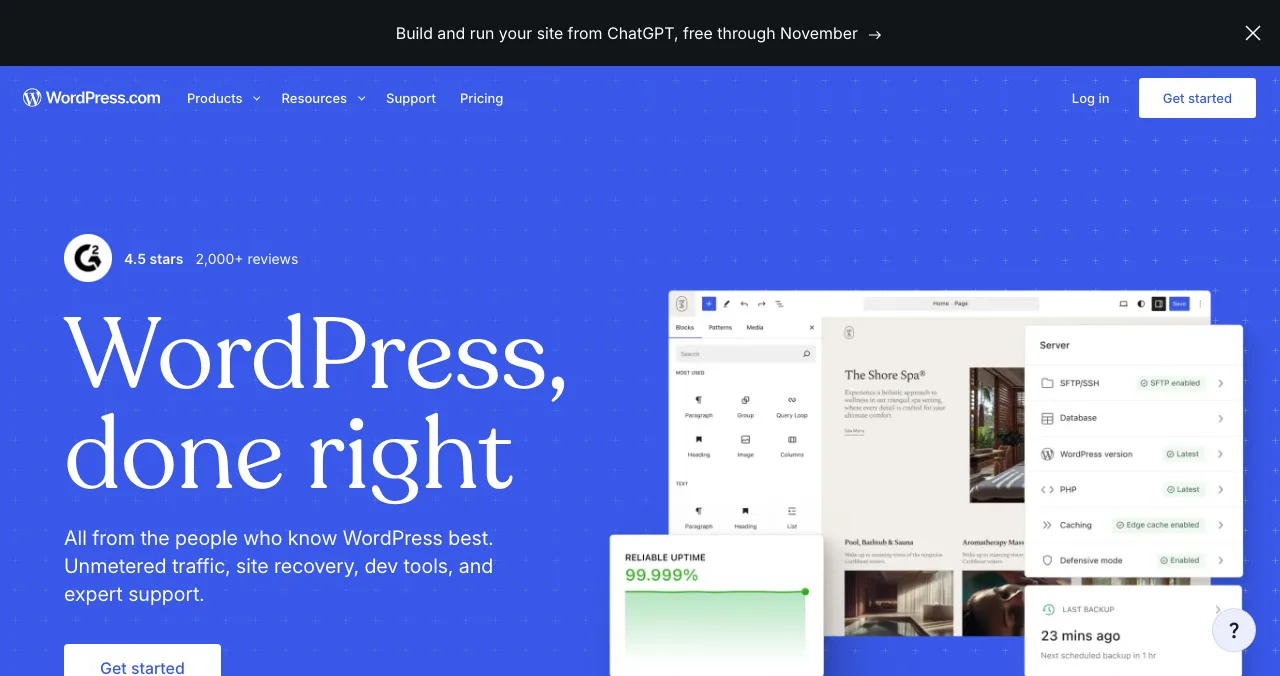
WordPress.com
Content-first sites with the biggest plugin ecosystem.
Free with ads$4/mo yearly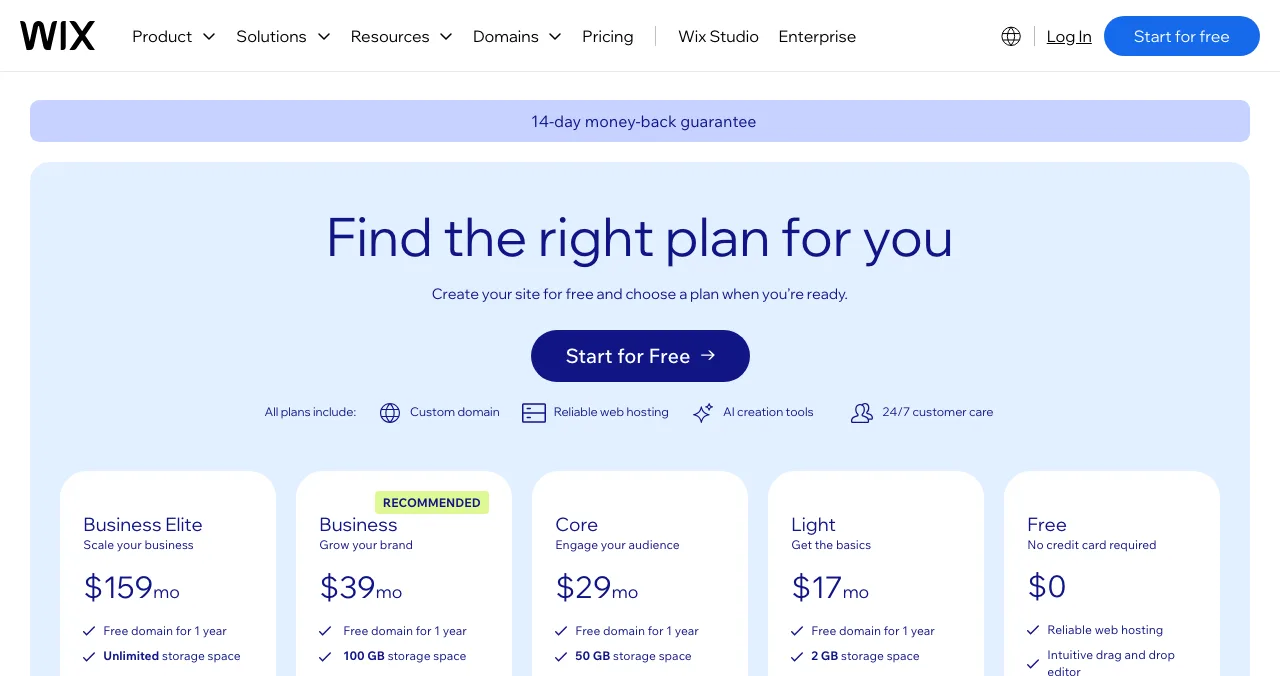
Wix
The gentlest drag-and-drop editor, with a free plan.
Free planpaid by region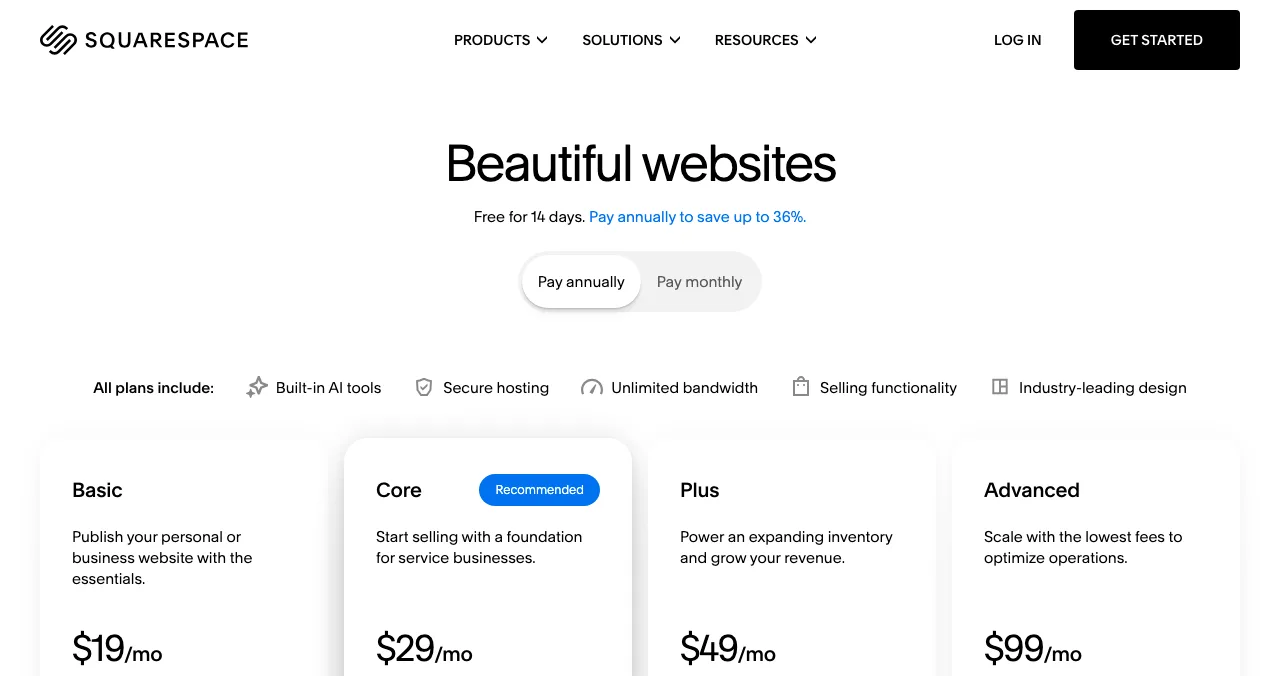
Squarespace
Polished templates for brand-led sites.
14-day trialno free plan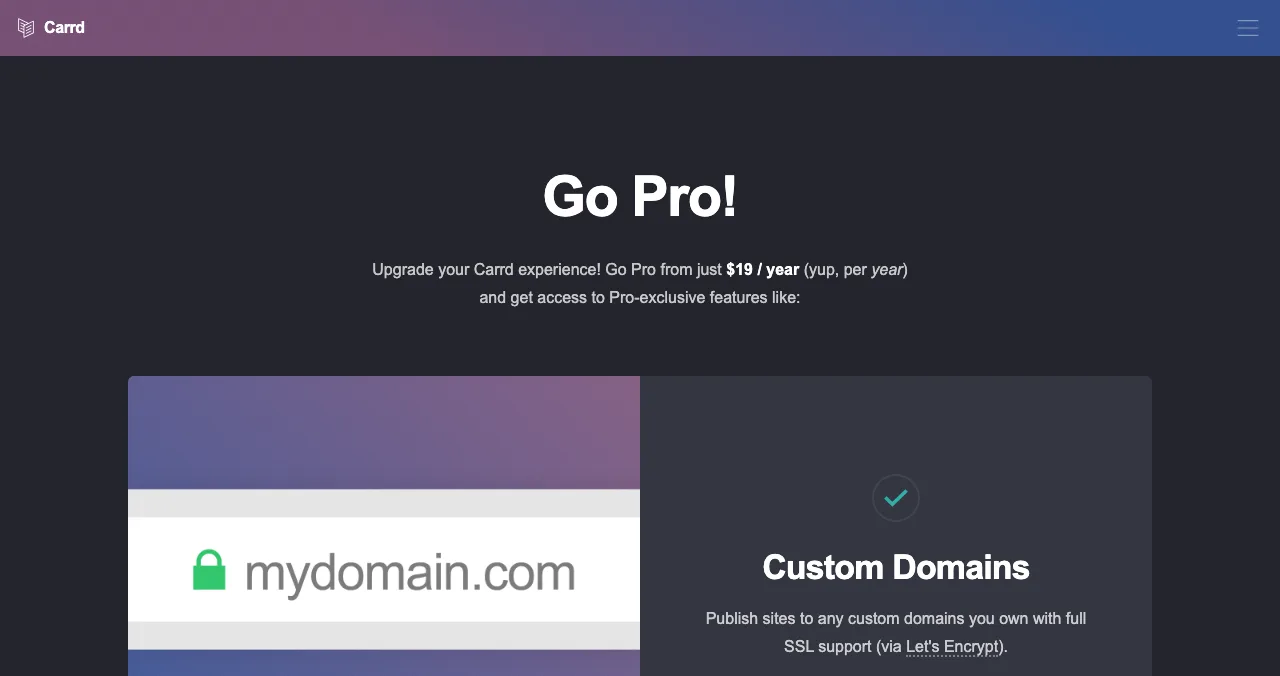
Carrd
One-page sites, almost free.
3 free sitesPro $19/yr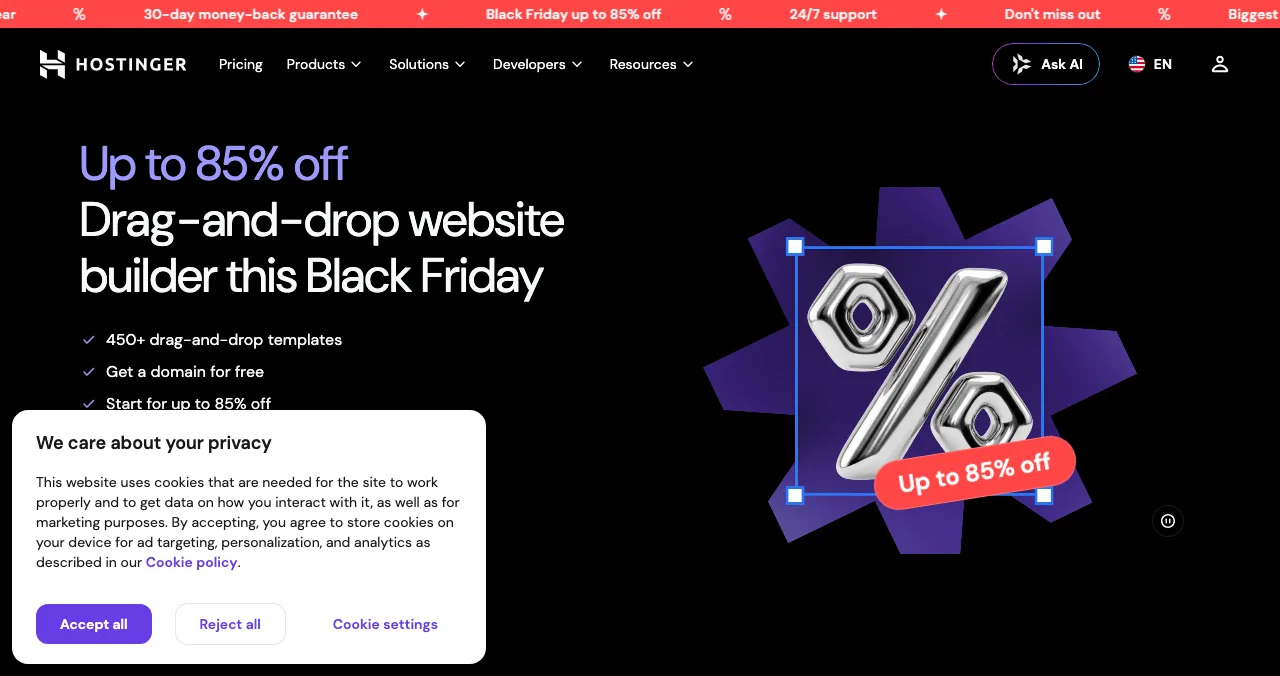
Hostinger Website Builder
Cheap builder bundled with hosting and a domain.
$1.99/mo on 48 monthsrenews higher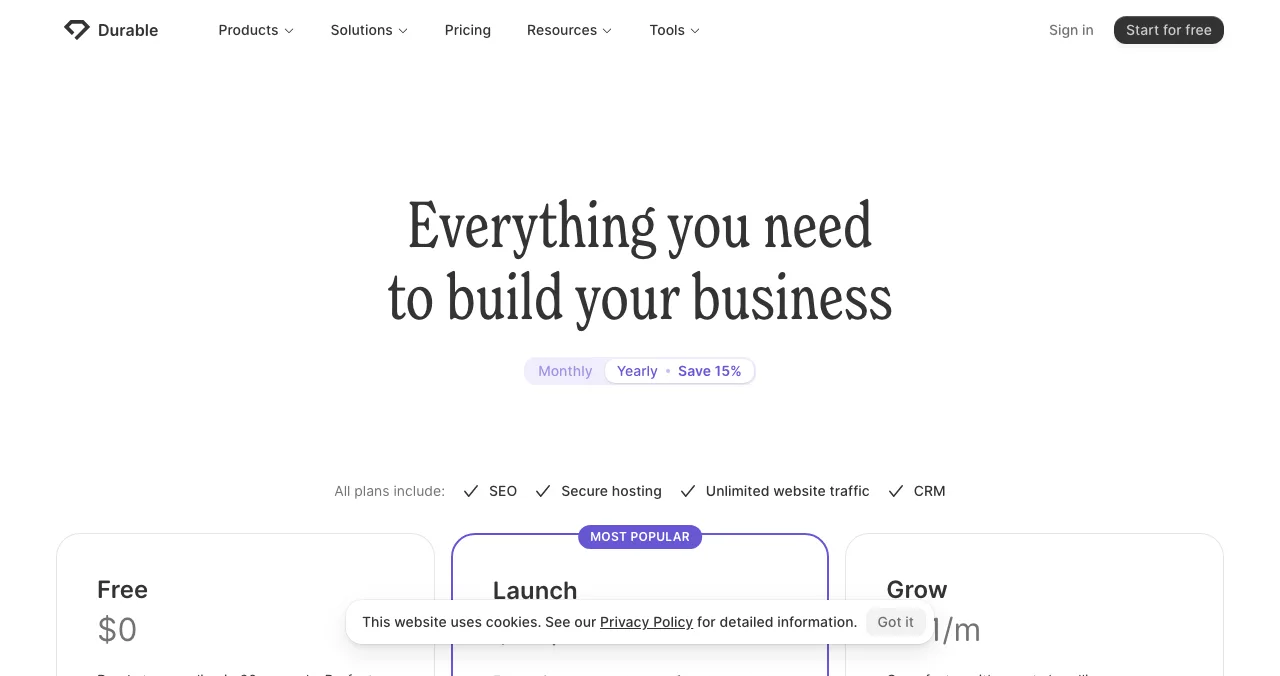
Durable
An AI-generated small-business site in minutes.
Free previewLaunch $25/mo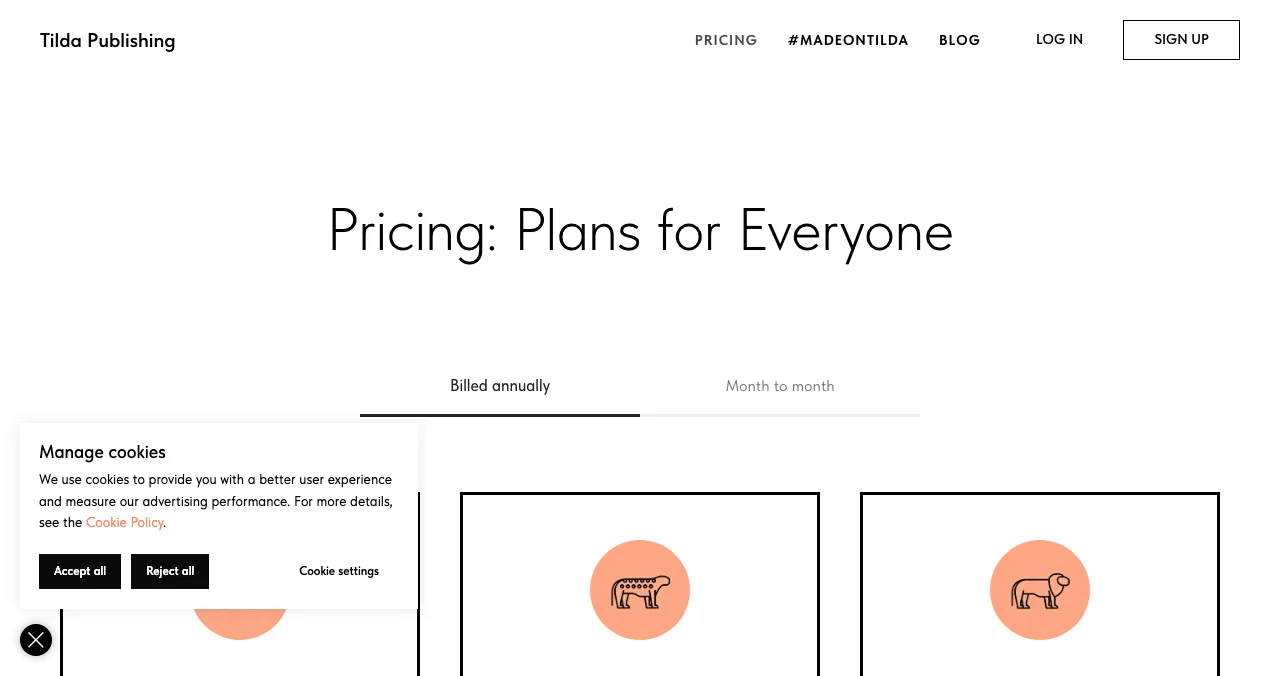
Tilda
Block-based pages with strong typography.
Free plan$10/mo yearly
Framer alternatives compared: free plans, prices and limits
Start with what Framer itself offers, because "Framer free" is a common search. Framer's pricing page lists a Free plan at $0 on a free Framer domain with 1 GB of bandwidth, Basic at $10 a month (30 pages, 50 GB bandwidth, custom domain) and Pro at $30 a month (150 pages, 100 GB). Its FAQ says that to connect a custom domain "you'll need to upgrade to a paid plan", and yearly billing adds a complimentary domain.
| Builder | Free option | Cheapest paid (as listed) | Custom domain on free? | Best for |
|---|---|---|---|---|
| Framer | Free plan, Framer domain, 1 GB bandwidth | Basic $10/mo | No | Designers, animated marketing sites |
| Webflow | Starter: webflow.io, 2 static pages, 1 GB bandwidth | Basic $15/mo billed yearly | No | CMS-heavy sites with visual control |
| WordPress.com | Free: subdomain, 1 GB storage, ads | Personal $4/mo billed yearly ($9 monthly) | No | Blogs and content |
| Wix | Free plan on username.wixsite.com | Light, priced by region | No | Simplest editor |
| Squarespace | 14-day trial, no free plan | Basic (priced by region) | n/a | Brand and portfolio sites |
| Carrd | Up to 3 one-page sites | Pro Lite $9/yr; Pro Standard $19/yr | No | One page |
| Hostinger | No free plan | Premium $1.99/mo on a 48-month term, renews $10.99/mo | n/a | Budget bundle with hosting |
| Durable | Free website preview, 300 AI credits | Launch $25/mo ($22/mo yearly) | No | AI-made service-business sites |
| Tilda | Free: 1 site, 50 pages | Personal $10/mo yearly ($15 monthly) | No | Block-built landing pages |
Table: Framer alternatives compared, from each company's own pricing page (checked 20 Nov 2026; prices in US dollars unless noted, some vary by region)
1. Webflow: the closest Framer competitor
- Free
- Starter on webflow.io
- Starter limits
- 2 static pages, 1 GB bandwidth, 50 CMS items
- Basic
- $15/mo billed yearly, custom domain
- Premium
- $25/mo billed yearly, Webflow CMS
- Catch
- Steeper learning curve than Framer
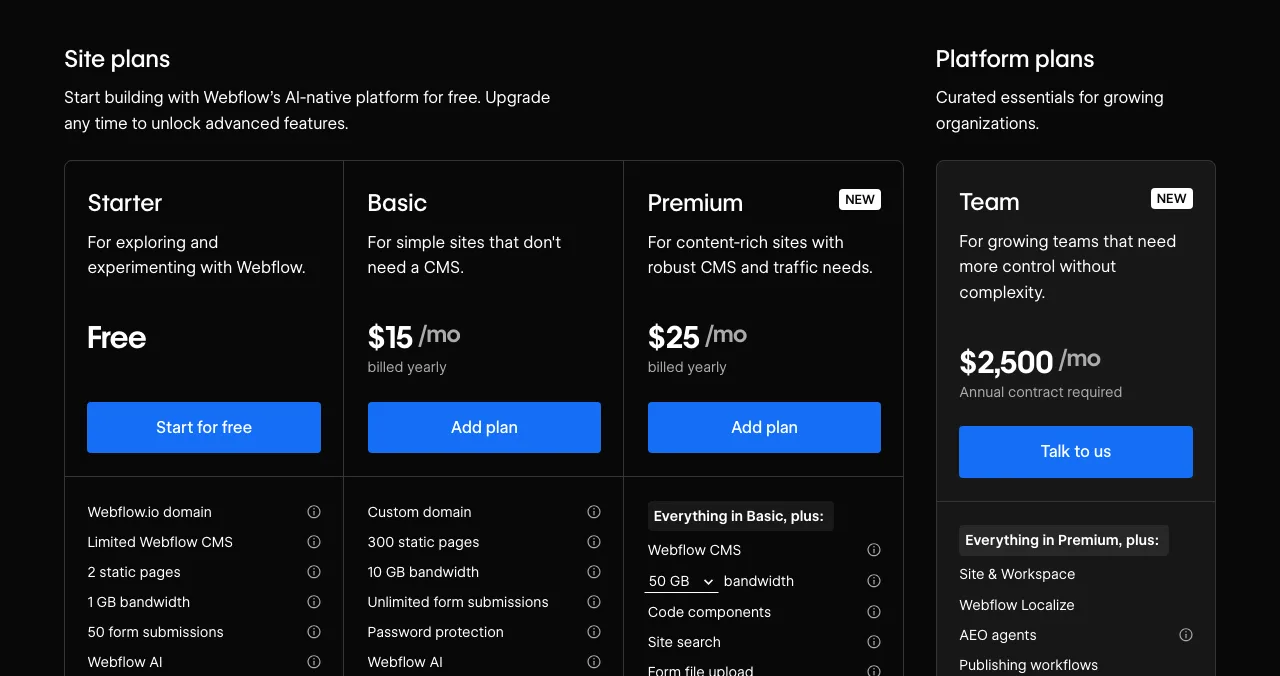
If you like Framer because it feels like a design tool, Webflow is the alternative that feels most similar, with more control over structure and a far more mature CMS. Its site plans changed recently: there's now a free Starter, a Basic plan for sites without a CMS and a new Premium plan with the CMS.
- Cost: Starter is free; Basic is $15 a month and Premium $25 a month, both billed yearly. A $2,500-a-month Team platform plan sits above them.
- Starter limits: a webflow.io address, 2 static pages, 50 CMS items, 1 GB bandwidth and 50 form submissions.
- Basic: custom domain, 300 static pages, 10 GB bandwidth, unlimited form submissions.
- Premium: adds Webflow CMS with up to 20,000 CMS items and bandwidth from 50 GB.
Best for: a startup that will publish case studies, docs or a blog and wants pixel-level control. More options in Webflow alternatives.
2. WordPress.com: content first, cheapest yearly plan
- Free
- Subdomain, 1 GB storage, ads shown
- Personal
- $4/mo yearly, $9/mo monthly
- Business
- $25/mo yearly, plugins
- Domain
- Free for year one on annual plans
- Catch
- No plugins below Business
WordPress.com is the hosted version of WordPress. It's less of a design canvas than Framer, but nothing beats it for publishing.
- Free: $0 with no expiry, on yoursite.wordpress.com, with 1 GB of storage and WordPress.com ads shown to visitors; no plugin installs.
- Paid: Personal $4, Premium $8, Business $25 and Commerce $45 a month billed every 12 months; monthly billing costs more (Personal $9).
- Domain: annual and multi-year plans include a free custom domain for the first year; monthly plans don't.
Best for: founders who will write a lot: changelogs, guides, SEO content.
3. Wix: the simplest editor with a free plan
- Free
- Yes, on username.wixsite.com
- Branding
- Removed on Premium plans
- Domain
- 1-year voucher on most yearly plans
- Refund
- 14-day money-back on first upgrade
- Catch
- Prices vary by location
Wix's FAQ says creating a site is free, and that a Premium plan lets you connect your own domain and remove Wix branding; the free address takes the form username.wixsite.com/sitename. The plans page shows prices by location ("USD prices displayed for reference only"), so we don't quote a single dollar figure.
- Free domain: most yearly or multi-year Premium plans include a one-year voucher, for first-time purchases only, redeemable within 60 days, and only for a new domain bought from Wix.
- Refund: a 14-day money-back guarantee on the first Premium upgrade.
Best for: non-designers who want drag-and-drop and lots of built-in apps. Compared in depth in Wix vs Squarespace vs Shopify.
4. Squarespace: polished templates, trial only
- Free plan
- No
- Trial
- 14 days, no card required
- Plans
- Basic, Core, Advanced
- Domain
- Free first year on annual plans
- Catch
- Priced by region
Squarespace says plainly that it "doesn't offer a free plan". Every site starts with a 14-day free trial without a card, and annual plans include one year of free domain registration on available domains; after that the domain renews at the standard rate. Its page showed us local-currency prices, so check yours.
Best for: brand-led sites where templates do the design work.
5. Carrd: one page, almost free
- Free
- Up to 3 one-page sites
- Pro Lite
- $9/yr, no custom domain
- Pro Standard
- $19/yr, custom domains, forms
- Trial
- 7 days
- Catch
- One page per site
If what you liked about Framer was getting a page up in an afternoon, Carrd does that for the price of a coffee a year. Its homepage says you can build up to three sites per account and use all core features for free.
- Pro Lite ($9 a year) removes branding but uses Carrd's premium URLs only. Pro Standard ($19 a year, 10 sites) adds custom domains, forms, embeds and analytics. Pro Plus ($49 a year) adds advanced forms, redirects and password protection.
Best for: a waitlist or one-page launch site. See Carrd alternatives for more one-page builders.
6. Hostinger Website Builder: cheapest upfront, read the renewal
- Premium
- $1.99/mo on 48 months ($95.52 upfront)
- Renews
- $10.99/mo
- Includes
- Up to 3 sites, domain free for year one
- Free plan
- No
- Catch
- Paid upfront; renewal is higher
Hostinger's plan cards are honest about the trade: the Premium builder plan was $1.99 a month during its Black Friday sale, but "Today you pay $95.52 for 48 months. Renews at $10.99/mo." All plans are paid upfront. It includes up to three websites and a custom domain free for one year. Our GoDaddy vs Hostinger comparison goes deeper on hosting.
Best for: a long-term, low-budget site where you're happy to prepay.
7. Durable: an AI-built site in minutes
- Free
- Website preview, 300 AI credits
- Launch
- $25/mo, or $22/mo yearly
- Grow
- $49/mo, or $41/mo yearly
- Domain
- Free domain up to $20 on Launch
- Catch
- Free plan is a private preview
Durable generates a site from a short description. Its Free plan gives you a website preview, 300 AI credits and a small CRM; the comparison table lists the free plan's domain as "Private preview", so plan on Launch to go live on your own domain. It's built for service businesses (booking, CRM, reviews) more than for software startups.
Best for: a local or service business, less so a SaaS product site.
8. Tilda: blocks and typography
- Free
- 1 site, 50 pages, 100 blocks
- Personal
- $10/mo yearly, $15 monthly
- Business
- $20/mo yearly, 5 sites, code export
- Catch
- Custom domain needs Personal
Tilda builds pages from pre-designed blocks, and its Zero Block gives designers free placement. The free plan allows one website with up to 50 pages from a 100-block library; Personal unlocks the full library (600+ blocks) and a custom domain, and Business allows five websites and exporting source code.
Best for: content-rich landing pages and editorial-style product stories.
Where a free Launchpad listing fits
- Cost
- Free, forever
- Time
- About 5 minutes, six short steps
- What you get
- A public product page with its own link
- Included
- A product test and detailed report
- Not
- A website builder, host or domain
Every builder above hosts pages. None of them brings people to those pages or tells you what's broken on them. The Launchpad does the two things a builder can't:
- A product page now: a permanent public profile at launchpad.scienceofapps.com/p/your-product, found by the problem your product solves, ranked by relevance, editorial picks and community interest, never payment.
- Proof that builds: a Featured badge when you go live, earned badges such as Verified (a work email on your domain), plus vouches and followers from real users.
- Your product, tested: a free baseline diagnosis of your landing page, discoverability and speed as you go live.
- Areas of your product tested
- 22
- Automatic measurements, desktop and mobile
- 39
- Expert checks behind your login
- 74
- Verdicts that rank what to fix first
- 5
Know what the new site must fix
List free, then order the report that fits: the first impression, or the full diagnosis with a plan.

 Economy
See what new customers see
- Store listing and homepage, screen by screen
- Scorecard against 60 Laws of UX
- Customers, competitors and the fixes worth most
PremiumThe full diagnosis and the plan
- Every screen, every finding, every flow
- All 60 laws with evidence and fixes
- 8 strategy chapters and a 90-day roadmap
Researched from your live product and fact-checked against the evidence.
Best for: a product page and a to-do list for the site, in the same afternoon.
Which Framer alternative should you choose?
| Your situation | Choose | Why |
|---|---|---|
| Design-led team, needs a CMS | Webflow | Closest to Framer, stronger content model |
| You'll publish weekly | WordPress.com | Cheapest yearly plan with real publishing tools |
| Nobody on the team designs | Wix or Squarespace | Templates and an easy editor |
| Pre-launch, one page | Carrd or Tilda's free plan | Live today for $0–$19 a year |
| Local or service business | Durable or Hostinger | AI draft plus booking, CRM or hosting bundle |
| You need a product page before any site | Launchpad listing | Free, permanent, tested |
Table: Which Framer alternative fits which startup
A one-week plan
- Day 1
List the product
Create your free Launchpad listing and read the baseline diagnosis.
- Day 2
Pick the builder
Use the table above; start on the free plan or trial.
- Day 3–4
Build one page first
Headline, one screenshot, one call to action. Use the landing page checklist.
- Day 5
Connect a domain
Only now pay for a plan; check the renewal price.
- Day 6–7
Link everything
Point the listing at the new site, and the site's footer at the listing.
Mistakes to avoid

- Paying before the page works — every builder here has a free plan or trial; use it
- Ignoring renewal prices — multi-year intro rates renew several times higher
- Choosing by animation — visitors decide in seconds on clarity, not motion
- Building ten pages before launch — one strong page converts better than a thin site
- Treating a builder as distribution — a site with no visitors teaches you nothing
Good-looking sites feel easier to use, which is the aesthetic-usability effect, but polish can also hide a confusing offer. Get the words right first.
Ready to launch?
How we chose
We picked the builders startups most often weigh against Framer and read each one's own pricing page on 20 November 2026. Some pages show prices by visitor location (Wix, Squarespace, and Framer in some regions); where a page showed us local currency or labelled US dollars as "for reference", we say so instead of converting. Intro prices are labelled with their term and renewal. Search volumes come from Google Keyword Planner (global 12-month average). Science of Apps runs the Launchpad and has no commercial relationship with any builder listed.
Key terms, defined
- Website builder: a hosted tool for designing and publishing a site without writing code.
- Subdomain: an address on the builder's domain, such as yoursite.webflow.io.
- CMS: a content management system for repeatable content like blog posts.
- Intro price: a discounted first-term price that renews at a higher rate.
- Bandwidth: the data your site may serve to visitors each month.
- Product listing: a public page about one product on a directory or launch platform, not a full website.
Frequently asked questions
What is the best Framer alternative?
For most startups it is Webflow, because it offers the same visual, designer-first control plus a mature CMS. Pick WordPress.com if content and plugins matter most, Wix if you want the gentlest editor, Squarespace for polished templates, and Carrd if a single page is enough. Each has a free plan or trial except Squarespace, which offers a 14-day trial.
Is Framer free?
Yes. Framer's pricing page lists a Free plan at $0 with a free Framer domain and 1 GB of bandwidth. To connect your own domain you need a paid plan: Basic at $10 a month or Pro at $30 a month, as listed on 20 November 2026. Yearly billing adds a complimentary domain.
What are Framer's main competitors?
Framer's closest competitors are Webflow, Wix (including Wix Studio), Squarespace and WordPress. Simpler sites like Framer for one page include Carrd, Tilda and Strikingly, and AI builders such as Durable and Hostinger's website builder generate a first draft from a description.
Are there free sites like Framer?
Yes. Webflow's Starter plan, Wix's free plan, WordPress.com's free plan, Tilda's free plan and Carrd's free plan all cost nothing, but each keeps you on the platform's own address and adds limits such as two static pages on Webflow or WordPress.com ads. A custom domain always needs a paid plan.
Is Webflow better than Framer?
Neither is better for everyone. Webflow gives finer control and a stronger CMS for blogs, case studies and directories; Framer is quicker for designers who want an animated marketing site live fast. Our full comparison of Webflow, WordPress and Framer covers the trade-offs in detail.
Do I need a website builder before launching my product?
Not always. Before launch, a single page or a free product listing is often enough to explain the product and collect interest. A free Science of Apps Launchpad listing gives your product a permanent public page and tests it with a report; it is a product page, not a multi-page website.
Which Framer alternative is cheapest?
On 20 November 2026 the lowest paid prices we found were Carrd Pro Lite at $9 a year (no custom domain), Carrd Pro Standard at $19 a year with custom domains, and WordPress.com Personal at $4 a month billed yearly. Hostinger's builder starts at $1.99 a month only on a 48-month prepaid term, renewing at $10.99.
Sources
- Framer — Pricing (checked 20 Nov 2026)
- Webflow — Pricing: Site plans (checked 20 Nov 2026)
- WordPress.com — Pricing (checked 20 Nov 2026)
- Wix — Plans and FAQ (checked 20 Nov 2026)
- Squarespace — Pricing (checked 20 Nov 2026)
- Carrd — Pro plans (checked 20 Nov 2026)
- Hostinger — Website builder plans (checked 20 Nov 2026)
- Durable — Pricing (checked 20 Nov 2026)
- Tilda — Pricing (checked 20 Nov 2026)
- Science of Apps — Launchpad: launch your product free (checked 18 Nov 2026)
- Science of Apps — Product investigation (checked 18 Nov 2026)
- Science of Apps — Pricing: free listing, Economy and Premium reports (checked 18 Nov 2026)
- Checked November 20, 2026. Figures that change — fees, salaries, prices — are reviewed every six months; if something is out of date, tell us.
Where to go from here
- Webflow vs WordPress vs Framer — the head-to-head
- Webflow alternatives — if Webflow is on your list too
- Carrd alternatives — when one page is enough
- Science of Apps - LaunchpadWix alternatives in 2027: ten free and cheaper website builders and sites like Wix, with each one's free plan, cheapest paid plan and catch, checked on its own pricing pageThe best Wix alternatives and Wix competitors, free and paid: WordPress.com, Squarespace, Webflow, Framer, Carrd and more, with prices checked 20 Nov 2026.
- Science of Apps - LaunchpadWebflow alternatives compared: Framer, WordPress, Wix, Squarespace, Strikingly, Tilda and Carrd on free plans, prices, limits and who each suitsIs Webflow free? Only on webflow.io. The best Webflow alternatives, from Framer to WordPress and Carrd, compared on free plans, prices and limits.
- Science of Apps - LaunchpadWordPress alternatives for 2027: easier website builders and sites like WordPress, including free WordPress alternatives and WordPress.com alternatives, with prices checked on each pricing pageThe best WordPress alternative by job: Wix, Squarespace, Webflow, Framer, Ghost, Carrd or a free product page. WordPress competitors, checked 20 Nov 2026.
- Science of Apps - LaunchpadCarrd alternatives for one-page websites: Google Sites, Strikingly, Tilda, Framer, Wix and Webflow compared on free plans, custom domains and priceCarrd is free for three one-page sites. The best Carrd alternatives, from Google Sites to Framer, compared on free plans, domains and price.
- Science of Apps - LaunchpadSquarespace alternatives and competitors for 2027: nine website builders and websites similar to Squarespace, including free ones, with plans and fees checked on each pricing pageSquarespace alternatives with free plans: Wix, WordPress.com, Webflow, Framer, Shopify and more, with each Squarespace competitor's prices checked 20 Nov 2026.
- Science of Apps - LaunchpadThe best free portfolio sites for founders, makers and builders: a free portfolio website on GitHub Pages, Carrd, Framer, Webflow, Wix, Google Sites, Strikingly, WordPress.com or Dribbble, compared on limits, plus a free page for the product you builtThe best free portfolio sites for founders and builders: GitHub Pages, Carrd, Framer, Webflow, Wix, Google Sites and more, compared on free limits.


Get the ideas, not the noise.
Sign up with Google and we’ll send you short UX psychology tips by email — why people tap, stall and leave, and what to do about it. Unsubscribe anytime. Prefer something to keep? Get the free Laws of UX guide as a PDF.
Launch day ends. Your listing shouldn't.
Whichever builder you choose, the Science of Apps Launchpad gives your product a free, permanent public page today and tests the live product with a detailed report, so you know what the new site must fix first.