 By
Quick answer: What is the best alternative to Carrd for a one-page website?
- Carrd free: up to 3 one-page sites with core features; Pro Standard $19/year adds custom domains.
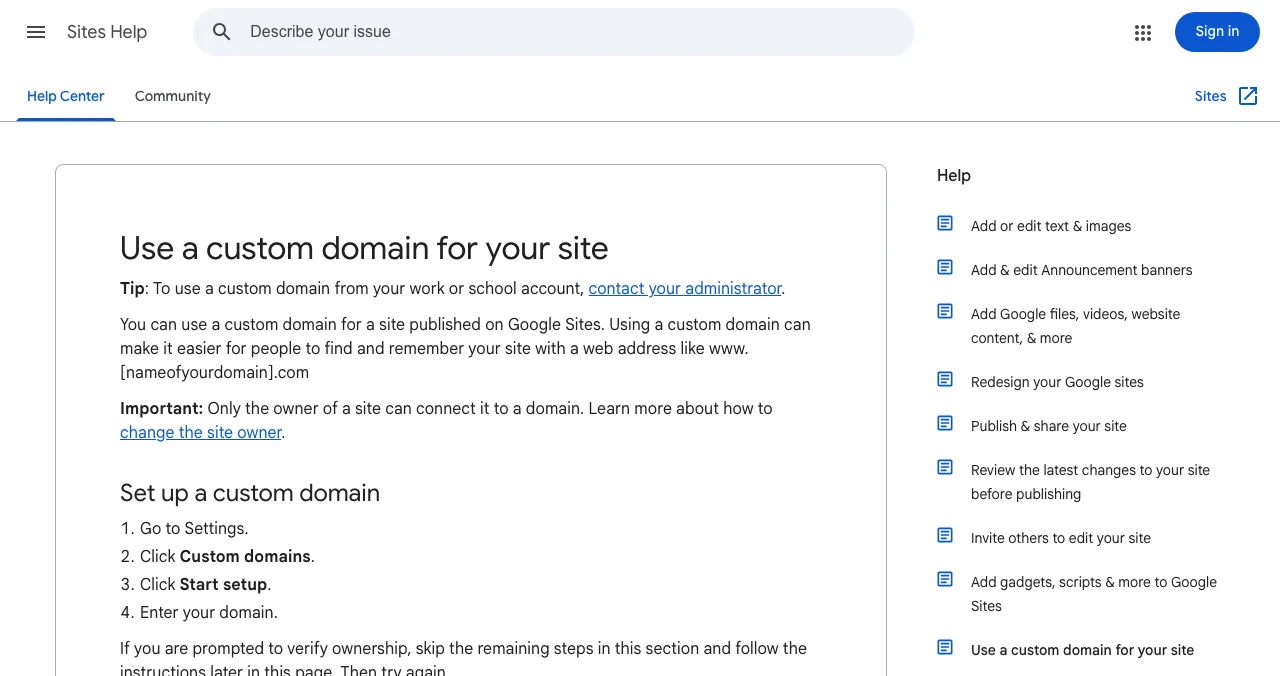
- Free with your own domain: Google Sites lets you connect up to 5 custom domains to a site.
- Free on a subdomain: Strikingly, Tilda, Framer, Wix and Webflow Starter.
- Most design control: Framer (Basic $10/month).
- For a product: a free Launchpad page also brings visitors and a report.
Key takeaways
- Carrd is already one of the cheapest one-page builders; switch for features, not price.
- Google Sites is the rare free builder that accepts a custom domain at no charge.
- Free plans elsewhere keep you on the builder's subdomain.
- A one-pager sits still; it doesn't bring visitors or tell you what's wrong.
- A free product listing complements a one-pager rather than replacing it.
Carrd made the one-page website almost free, and for many founders it's still the right call. But you might want your own domain without paying, a small store, more than one page, or simply nicer design. This guide compares six Carrd alternatives for one-page websites on what each one's free plan really includes, what a custom domain costs and who each suits, using every company's own pricing or help page on 20 November 2026. It also shows where a free product page fits if what you're putting on that one page is a product. Jump to the table, which to choose or the plan.
Carrd alternatives for one-page sites
 List free
Google Sites Best free pick
Free, simple, and accepts your own domain.
Freecustom domain OK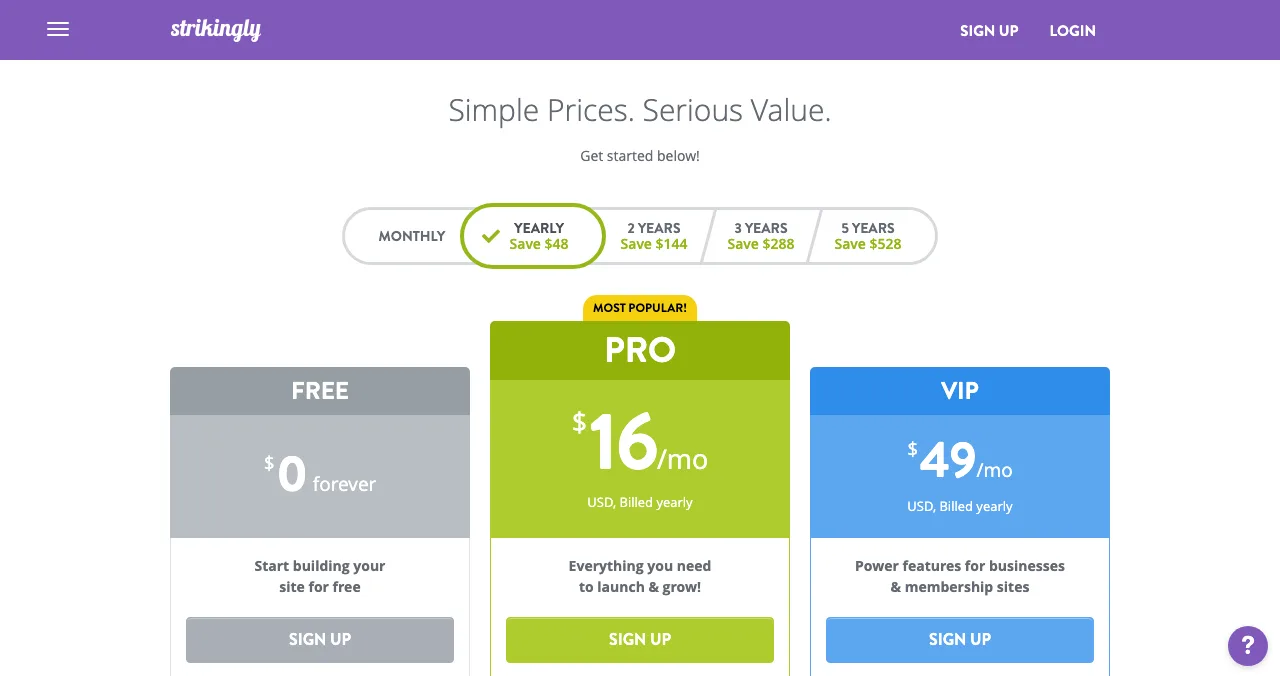
Strikingly
One-page sites with a tiny free store.
Free planPro $16/mo yearly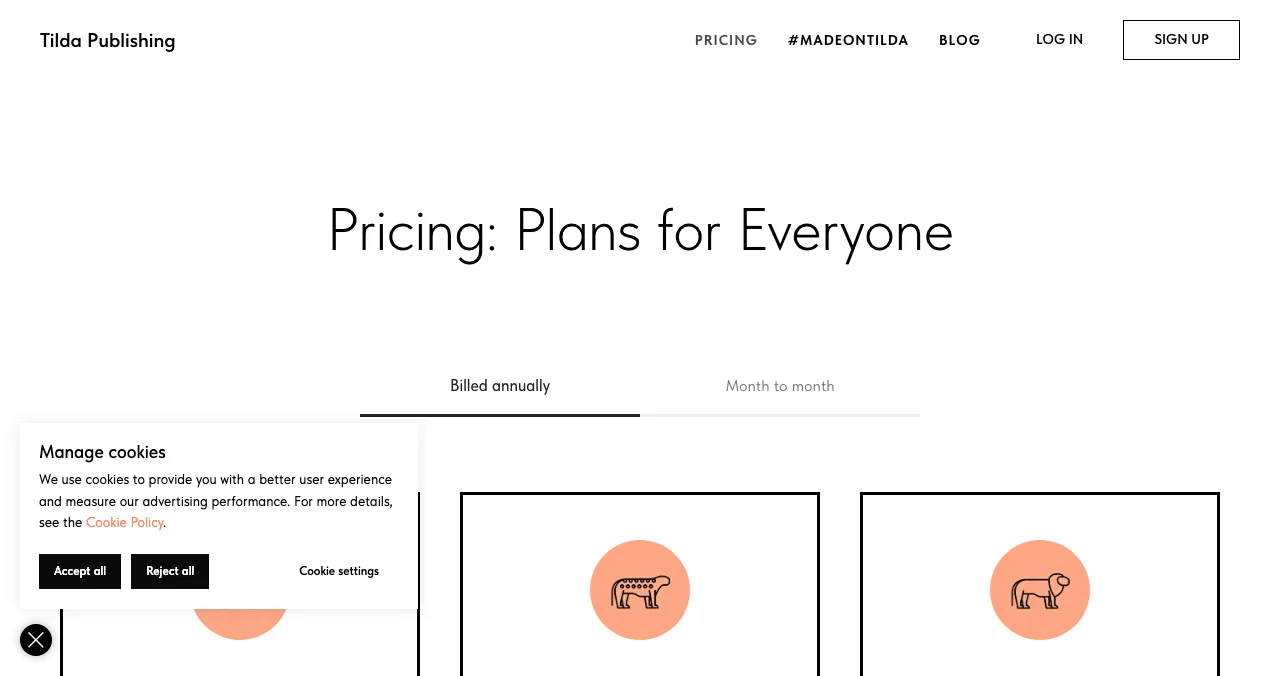
Tilda
Long, editorial landing pages from blocks.
Free plan$10/mo yearly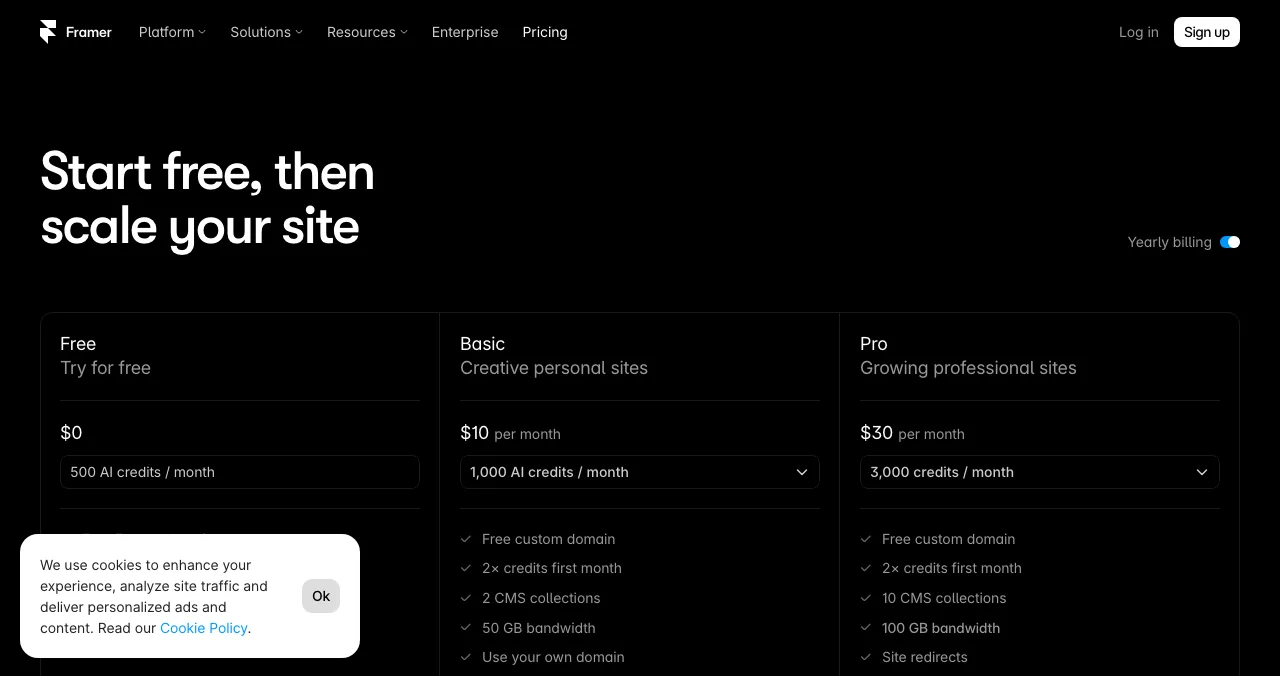
Framer
A designed one-pager with motion.
Free planBasic $10/mo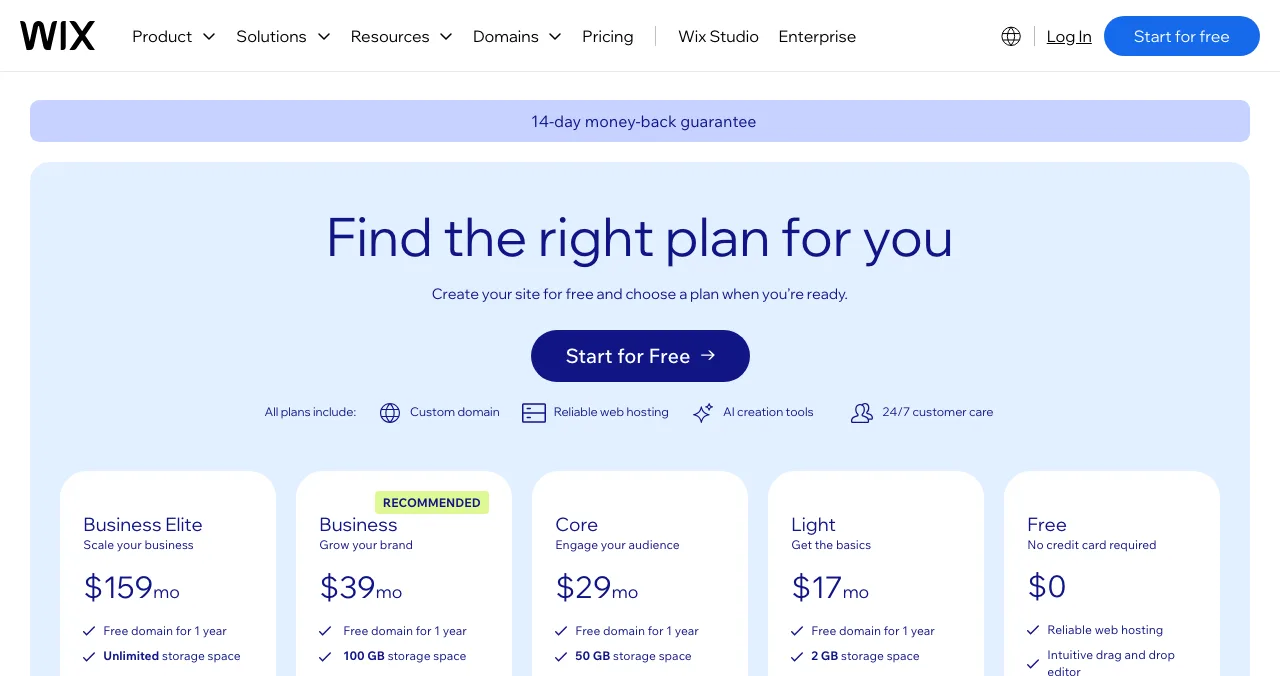
Wix
The easiest drag-and-drop editor.
Free planpriced by region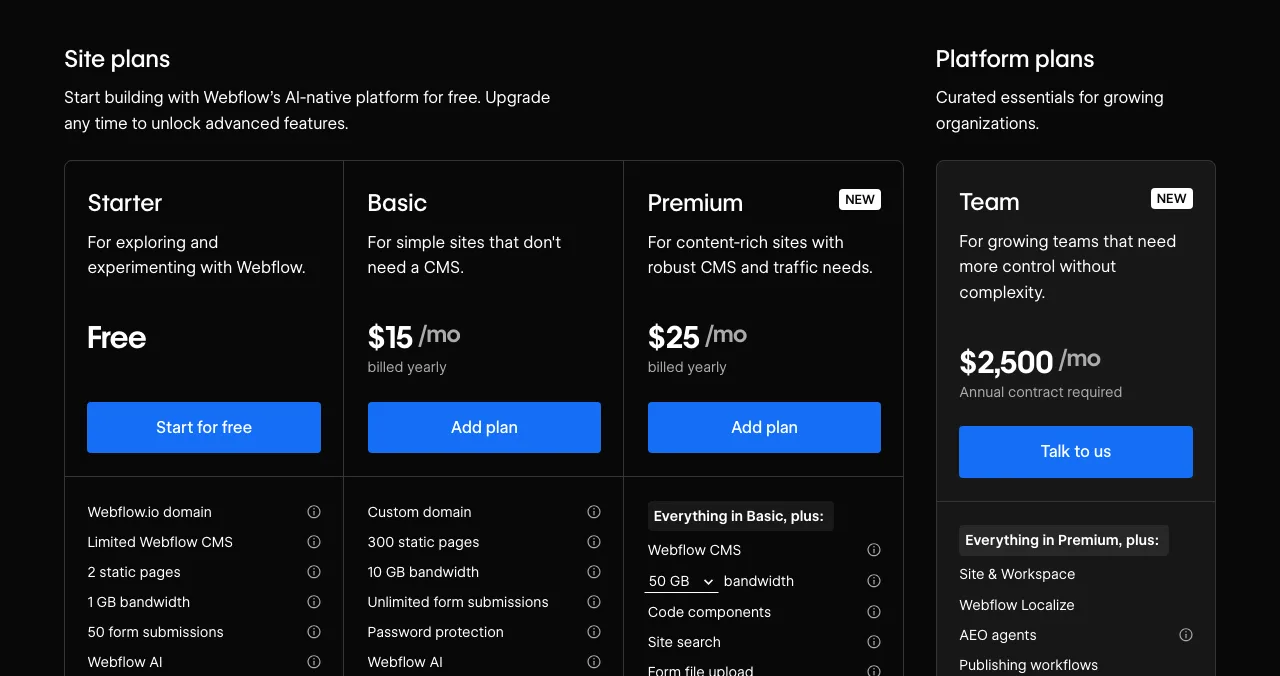
Webflow
Pixel control, if you'll grow into a CMS.
Free Starter$15/mo yearly
Is Carrd free? What you'd be leaving
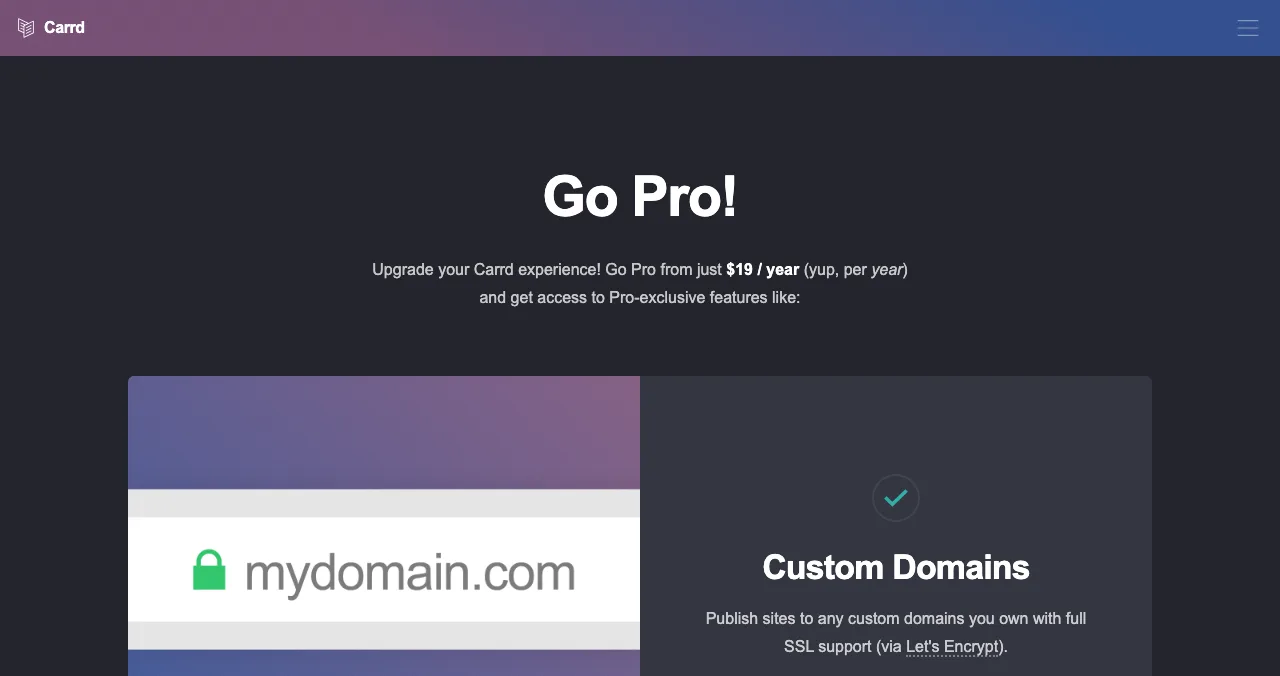
Yes. Carrd's homepage says you can "build up to three sites per account and use all of Carrd's core features – for free". Pro is priced per year: Pro Lite $9 (3 sites, no custom domain, no branding), Pro Standard $19 (10 sites, custom domains, forms, widgets, embeds, analytics) and Pro Plus $49 (25 sites, advanced forms, redirects, password protection), with larger site packs above those. There's a 7-day free trial. That is hard to beat on price, so most people switch for a feature: a free custom domain, a store, more pages, or more design freedom.
Carrd alternatives compared
| Free plan | Own domain on free? | Cheapest paid with own domain (as listed) | Pages | Best for | |
|---|---|---|---|---|---|
| Carrd | Up to 3 sites | No | Pro Standard $19/yr | One per site | Cheapest one-pager |
| Google Sites | Yes, with a Google account | Yes (up to 5 per site) | Free | Multiple | Free page on your domain |
| Strikingly | Yes, strikingly.com | No | Pro $16/mo yearly | Up to 100 on Pro | One-pager with a store |
| Tilda | 1 site, 50 pages | No | Personal $10/mo yearly | Up to 50 free | Long landing pages |
| Framer | Yes, Framer domain | No | Basic $10/mo | 30 on Basic | Designed, animated page |
| Wix | Yes, wixsite.com | No | Light, priced by region | Multiple | Easiest editor |
| Webflow | Starter, 2 static pages | No | Basic $15/mo yearly | 300 on Basic | Growing into a CMS |
Table: Carrd alternatives compared on each company's own pricing or help page (checked 20 Nov 2026)
1. Google Sites: free, and your own domain
- Cost
- Free with a Google account
- Own domain
- Up to 5 custom domains per site
- Buying a domain
- Through a Google Workspace plan
- Catch
- Few templates; plain design
Google Sites is the quiet winner for "free one page website on my own domain". Its help centre says you can use a custom domain for a published site (Settings, Custom domains, Start setup) and connect up to five custom domains to one site; only the site's owner can connect it, and changes can take up to 48 hours. You need to own the domain already, or buy one through a Google Workspace plan.
Best for: a simple, free page on a domain you already own. Design is plain; don't expect Carrd's polish.
2. Strikingly: a one-pager that can sell
- Free
- Unlimited free sites, strikingly.com domain
- Free limits
- 500 MB storage, 5 GB bandwidth/mo
- Store
- One product on free, 5% fee
- Pro
- $16/mo billed yearly, own domain
- Catch
- Domain needs a paid plan
Strikingly started as a one-page builder and still does it well. The free plan gives you unlimited free sites on a strikingly.com address and lets you sell a single product at a 5% transaction fee. Pro ($16 a month billed yearly) connects a custom domain, adds a free domain for a year and allows up to 100 pages per site.
Best for: a one-page product site with a pre-order or a single product.
3. Tilda: long, editorial one-pagers
- Free
- 1 site, 50 pages, 100 blocks
- Personal
- $10/mo yearly ($15 monthly)
- Business
- $20/mo yearly, 5 sites, code export
- Catch
- Own domain from Personal
If your one page is long, a story told in sections, Tilda's block library makes it look designed without a designer. The free plan includes one website, up to 50 pages and 100 blocks; Personal unlocks 600+ blocks and a custom domain.
Best for: scroll-telling product pages.
4. Framer: a one-pager with design and motion
- Free
- Framer domain, 1 GB bandwidth
- Basic
- $10/mo, custom domain, 30 pages
- Pro
- $30/mo
- Catch
- Pricier than Carrd for one page
Framer is what designers reach for when Carrd feels too constrained. The free plan publishes on a Framer domain; Basic ($10 a month) connects your domain. See Framer alternatives for the wider field.
Best for: a launch page that needs to look as good as the product.
5. Wix: the easiest editor
- Free
- Yes, username.wixsite.com/sitename
- Premium
- Own domain, no Wix branding
- Domain
- 1-year voucher on most yearly plans
- Catch
- Prices vary by location
Wix is free to build and publish on a wixsite.com address. Premium connects your domain and removes branding; most yearly plans include a one-year domain voucher for a new domain bought from Wix. Prices shown depend on your location.
Best for: someone who wants to drag things around until it looks right.
6. Webflow: if one page will become twenty
- Starter
- Free, webflow.io, 2 static pages
- Basic
- $15/mo billed yearly, custom domain
- Premium
- $25/mo billed yearly, CMS
- Catch
- Steep learning curve
Webflow is overkill for one page, but if you know the page will grow into a blog and docs, starting there saves a migration. Starter is free on webflow.io with two static pages. More in Webflow alternatives.
Best for: a one-pager that's the seed of a full marketing site.
A Launchpad page vs a one-pager
- Cost
- Free, forever
- Live in
- About 5 minutes, six steps
- Found by
- The problem your product solves
- Included
- Product test and report
- Not
- A general website builder
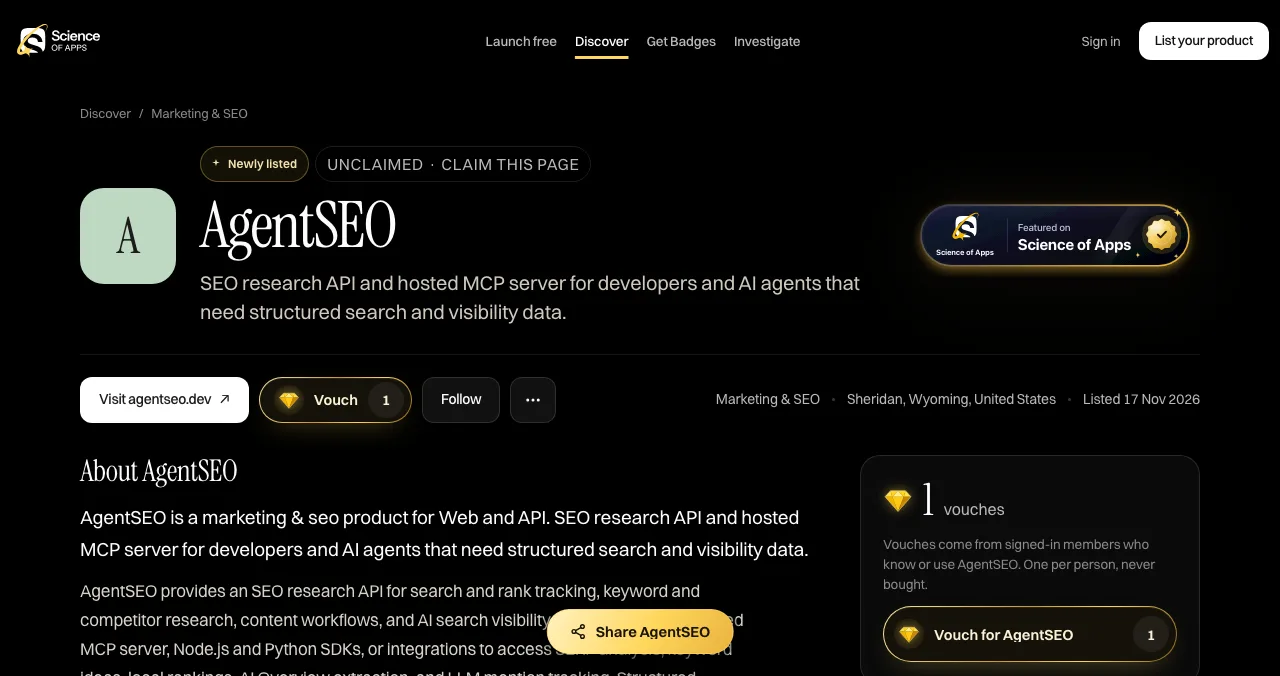
A Carrd page is a sign on an empty street: it explains your product perfectly to the few people who already have the link. A Launchpad page explains it too, and adds what a one-pager can't:
- Visitors: your page is listed and found by the problem it solves, ranked by relevance, editorial picks and community interest, never payment.
- Proof: a Featured badge on going live, earned badges such as Verified (work email on your domain), vouches and followers.
- Feedback: a free baseline diagnosis of your landing page, discoverability and speed as you go live, and optional reports that test the whole product.
- Its own link: launchpad.scienceofapps.com/p/your-product, free forever.
- Areas of your product tested
- 22
- Automatic measurements, desktop and mobile
- 39
- Expert checks behind your login
- 74
- Verdicts that rank what to fix first
- 5
See what a first-time visitor sees
List free, then order the report that fits: the first impression, or the full diagnosis with a plan.

 Economy
See what new customers see
- Store listing and homepage, screen by screen
- Scorecard against 60 Laws of UX
- Customers, competitors and the fixes worth most
PremiumThe full diagnosis and the plan
- Every screen, every finding, every flow
- All 60 laws with evidence and fixes
- 8 strategy chapters and a 90-day roadmap
Researched from your live product and fact-checked against the evidence.
Which one-page website builder should you use?
| You want… | Use |
|---|---|
| The cheapest page on your own domain | Carrd Pro Standard ($19/yr) or Google Sites (free) |
| A free page with no domain at all | Carrd free, Strikingly, Tilda or Wix |
| To sell one product | Strikingly |
| Designer-grade visuals | Framer |
| Room to grow into a CMS | Webflow |
| A product page that brings visitors and a report | Launchpad listing, linked from any of the above |
Table: Which one-page website builder fits which need
A one-afternoon plan

- Write the page first — one headline, one sentence on who it's for, one screenshot, one button.
- Build it on a free plan — Carrd, Google Sites or Strikingly.
- Connect a domain — free on Google Sites; $19 a year on Carrd Pro Standard.
- List the product free — your Launchpad page, linked to the one-pager.
- Read the baseline diagnosis — fix the first thing it flags before you share the link.
Mistakes to avoid

- Switching builders to save money — Carrd is already among the cheapest
- Cramming a whole site into one page — the first screen must say what it is
- A wall of buttons — one primary action per page (Hick's law)
- No proof — a quote, a number or a badge beats another feature line (social proof)
- Publishing and waiting — a one-pager doesn't bring its own visitors
Ready to launch?
How we chose
We compared builders that can produce a good single page on a free plan, using each company's own pricing or help page on 20 November 2026. Where prices depend on location (Wix), we don't quote one figure. We didn't build test sites; limits are as published. Search volumes are Google Keyword Planner's global 12-month averages. Science of Apps runs the Launchpad and has no relationship with any builder named.
Key terms, defined
- One-page website: a site whose content sits on a single scrolling page.
- Subdomain: an address on the builder's domain, such as yourname.wixsite.com.
- Custom domain: your own address, such as yourproduct.com.
- Branding badge: the builder's "Made with" credit, removed on paid plans.
- Product listing: a public page about one product on a launch platform, found by search and browsing.
Frequently asked questions
What is the best Carrd alternative?
For a free one-page website, Google Sites is the strongest Carrd alternative because it's free and lets you connect your own domain. Strikingly and Tilda have free plans with more templates; Framer gives designers more control from $10 a month; Wix is the easiest editor. For a product, add a free Launchpad page too.
Is Carrd free?
Yes. Carrd's homepage says you can build up to three sites per account and use all core features for free. Custom domains, more sites, forms, embeds, analytics and removing the 'Made with Carrd' branding need Pro: Pro Lite is $9 a year without custom domains, and Pro Standard is $19 a year with them.
What websites are like Carrd?
Websites like Carrd include Google Sites, Strikingly, Tilda, Framer, Wix and Webflow, plus link-in-bio tools such as Campsite.bio for a list of links. Carrd's distinctive niche is one responsive page for very little money; the alternatives add multiple pages, stores, blogs or richer design.
What is the best one page website builder?
It depends on the job. Carrd is best for a cheap single page, Google Sites for a free page on your own domain, Framer for a designed page with animation, Strikingly for a simple page with a store, and Tilda for long, editorial landing pages. Every one of them has a free plan.
Can I use my own domain on a free one-page builder?
On Google Sites, yes: its help centre says you can connect up to five custom domains to one site. Carrd, Strikingly, Tilda, Framer, Wix and Webflow all need a paid plan to connect a custom domain, as listed on their pricing pages on 20 November 2026.
Is a Launchpad page a Carrd alternative?
For a product, partly. A Science of Apps Launchpad listing is a free, permanent public page about your product with screenshots, badges and vouches, found by people searching for what it does, and the product is tested with a report. It isn't a general website builder, so you can't design arbitrary pages with it.
Sources
- Carrd — Homepage (checked 20 Nov 2026)
- Carrd — Pro plans (checked 20 Nov 2026)
- Google Sites Help — Use a custom domain for your site (checked 20 Nov 2026)
- Strikingly — Pricing (checked 20 Nov 2026)
- Tilda — Pricing (checked 20 Nov 2026)
- Framer — Pricing (checked 20 Nov 2026)
- Wix — Plans and FAQ (checked 20 Nov 2026)
- Webflow — Pricing: Site plans (checked 20 Nov 2026)
- Science of Apps — Launchpad: launch your product free (checked 18 Nov 2026)
- Science of Apps — Product investigation (checked 18 Nov 2026)
- Science of Apps — Pricing: free listing, Economy and Premium reports (checked 18 Nov 2026)
- Checked November 20, 2026. Figures that change — fees, salaries, prices — are reviewed every six months; if something is out of date, tell us.
Where to go from here
- Framer alternatives — for a designed, multi-page site
- Best link in bio tools — if you really need a list of links
- Landing page conversion checklist — what your one page needs
- Science of Apps - LaunchpadWebflow alternatives compared: Framer, WordPress, Wix, Squarespace, Strikingly, Tilda and Carrd on free plans, prices, limits and who each suitsIs Webflow free? Only on webflow.io. The best Webflow alternatives, from Framer to WordPress and Carrd, compared on free plans, prices and limits.
- Science of Apps - LaunchpadFramer alternatives for startup websites: Webflow, Wix, WordPress.com, Squarespace, Carrd, Hostinger, Durable and Tilda compared on free plans, prices and limitsThe best Framer alternative depends on your site: Webflow for CMS, WordPress.com for content, Carrd for one page. Free plans, prices and limits, checked.
- Science of Apps - LaunchpadWix alternatives in 2027: ten free and cheaper website builders and sites like Wix, with each one's free plan, cheapest paid plan and catch, checked on its own pricing pageThe best Wix alternatives and Wix competitors, free and paid: WordPress.com, Squarespace, Webflow, Framer, Carrd and more, with prices checked 20 Nov 2026.
- Science of Apps - LaunchpadThe best free portfolio sites for founders, makers and builders: a free portfolio website on GitHub Pages, Carrd, Framer, Webflow, Wix, Google Sites, Strikingly, WordPress.com or Dribbble, compared on limits, plus a free page for the product you builtThe best free portfolio sites for founders and builders: GitHub Pages, Carrd, Framer, Webflow, Wix, Google Sites and more, compared on free limits.
- Science of Apps - LaunchpadWordPress alternatives for 2027: easier website builders and sites like WordPress, including free WordPress alternatives and WordPress.com alternatives, with prices checked on each pricing pageThe best WordPress alternative by job: Wix, Squarespace, Webflow, Framer, Ghost, Carrd or a free product page. WordPress competitors, checked 20 Nov 2026.
- Science of Apps - LaunchpadThe best website builder with no coding needed: 10 no-code website builders compared on free plans, prices, ease and what each is best for, plus a free way to get the finished site foundThe best website builder with no coding: 10 no code website builders compared on free plans, prices and ease, from Wix and Squarespace to Carrd and Framer.

Get the ideas, not the noise.
Sign up with Google and we’ll send you short UX psychology tips by email — why people tap, stall and leave, and what to do about it. Unsubscribe anytime. Prefer something to keep? Get the free Laws of UX guide as a PDF.
Launch day ends. Your listing shouldn't.
A Carrd-style page explains your product; a free Science of Apps Launchpad page does that too, gets found by people searching for the problem you solve, and tests your product with a detailed report.