 By
Quick answer: What is the best website builder with no coding?
- Easiest: Wix (drag and drop, free plan with ads).
- Most polished: Squarespace (no free plan; 14-day trial).
- Most control: Webflow and Framer (free on their subdomains).
- Cheapest with a domain: Carrd Pro Standard, $19/year.
- Free: Google Sites; then list the site free on the Science of Apps Launchpad to get found.
Key takeaways
- Every builder here needs zero code; they differ in control, price and lock-in.
- Free plans exist to let you try; most put you on a subdomain with branding.
- Compare renewal prices and what a custom domain costs, not first-year promos.
- AI site generators get you a draft fast; you'll still edit the words.
- A website isn't discovery; plan how people will find it.
Ten years ago "a website without coding" meant a clunky template. Today a no code website builder can give you a site that looks custom, with hosting, SSL and mobile layouts handled for you, and several will draft the first version with AI. The hard part is choosing, because every builder claims to be the easiest. This comparison sets ten of them side by side on free plans, paid prices, how easy they are, and what each is genuinely best at, using each builder's own pricing page as read on 20 November 2026. All prices are US prices in US dollars; where a page localised prices for our location, we used its US view archived by the Wayback Machine. Jump to the table, which to choose or after you build.
10 no-code website builders
 List your site free
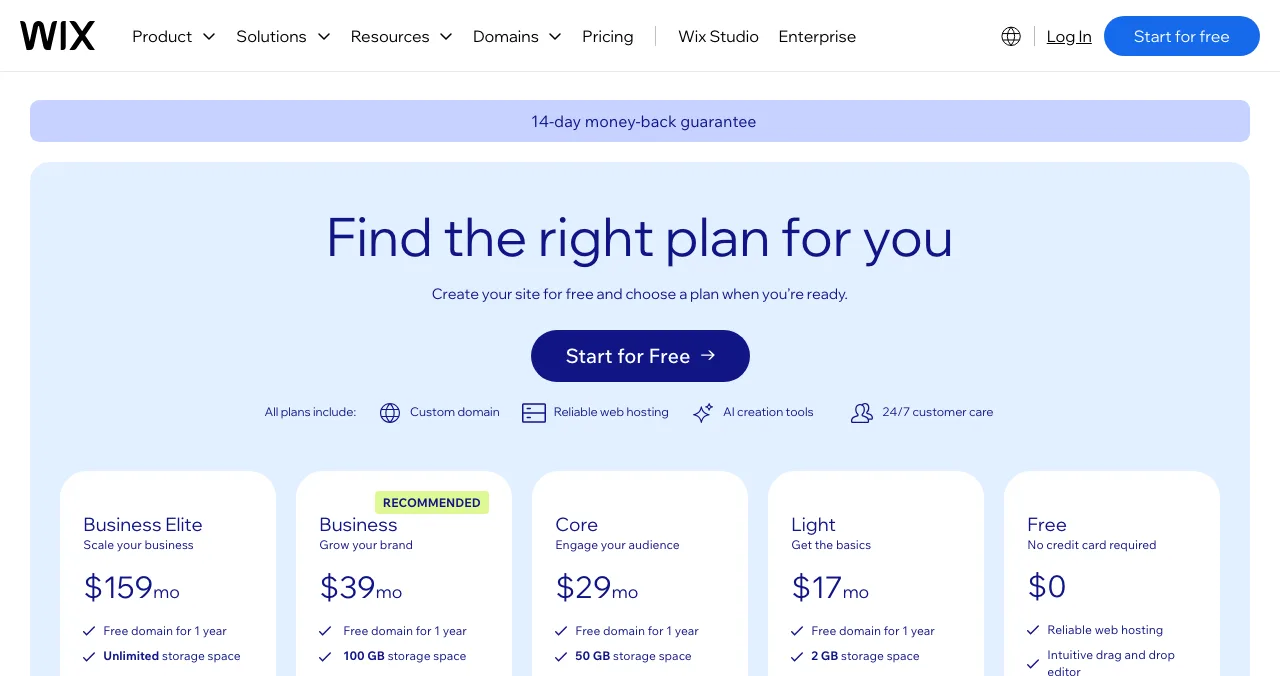
Wix Easiest
The easiest all-round drag-and-drop builder.
Free plan with adsPaid from $17/mo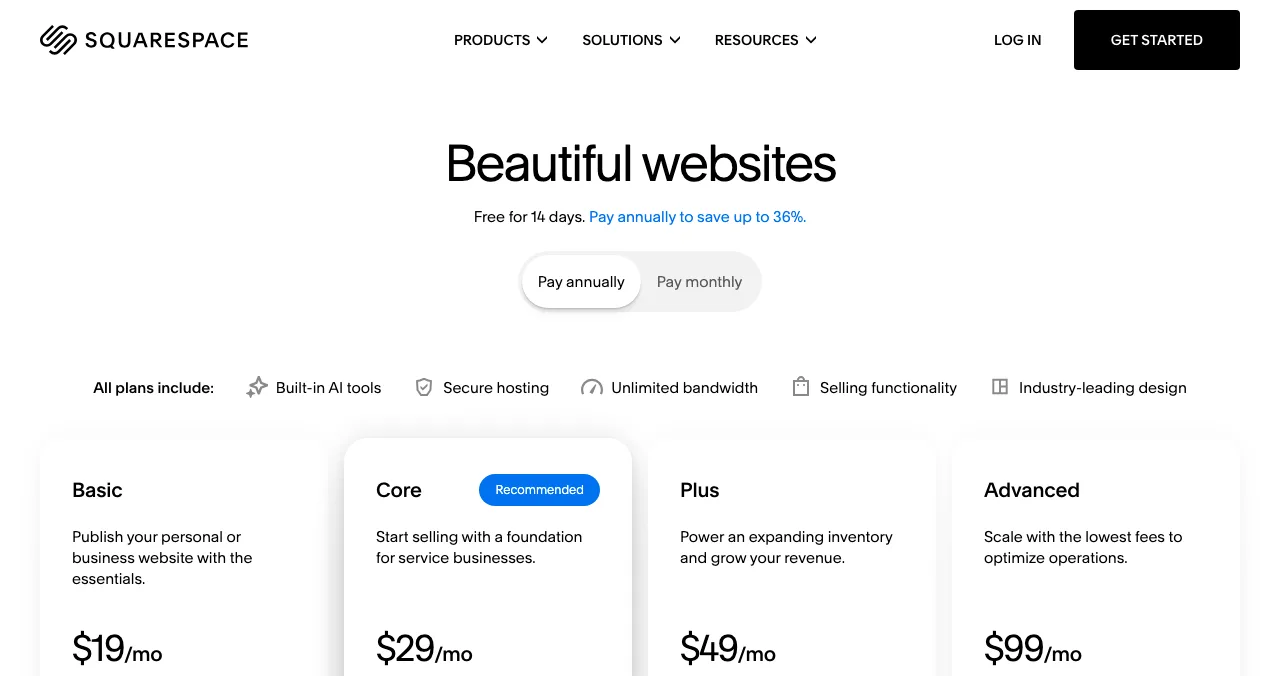
Squarespace
Polished templates for brands and creatives.
14-day trialFrom $19/mo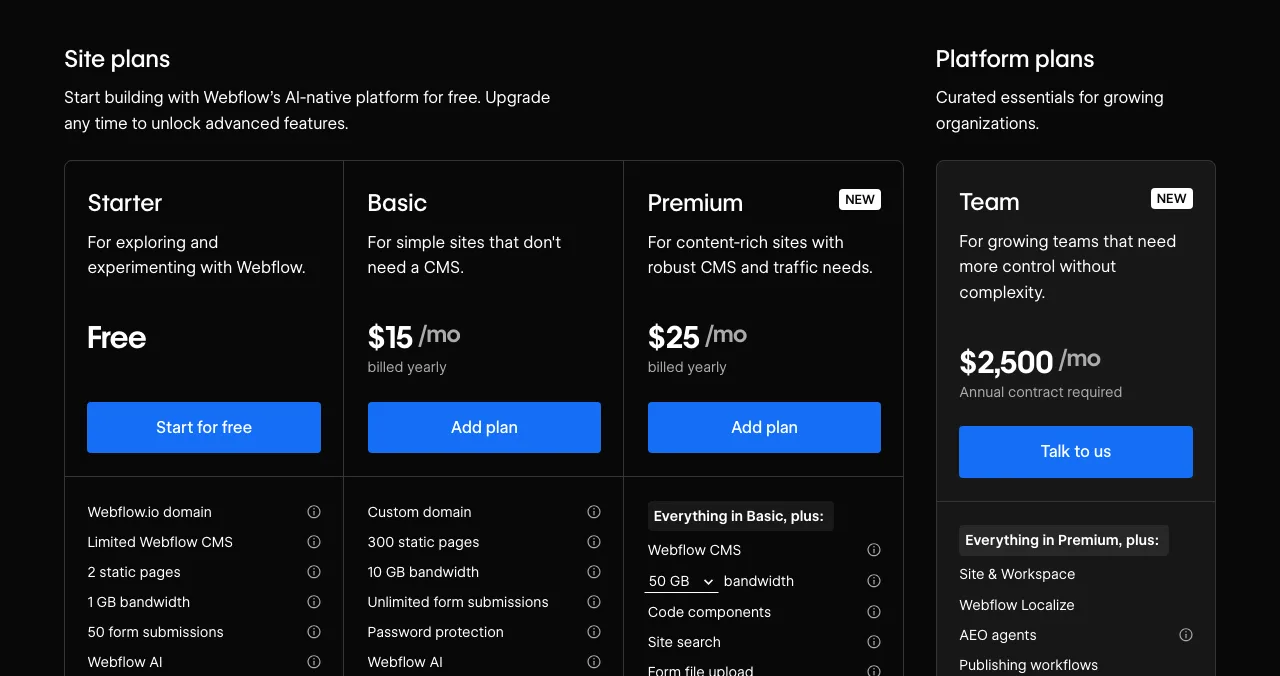
Webflow
Professional design control without code.
Free StarterBasic $15/mo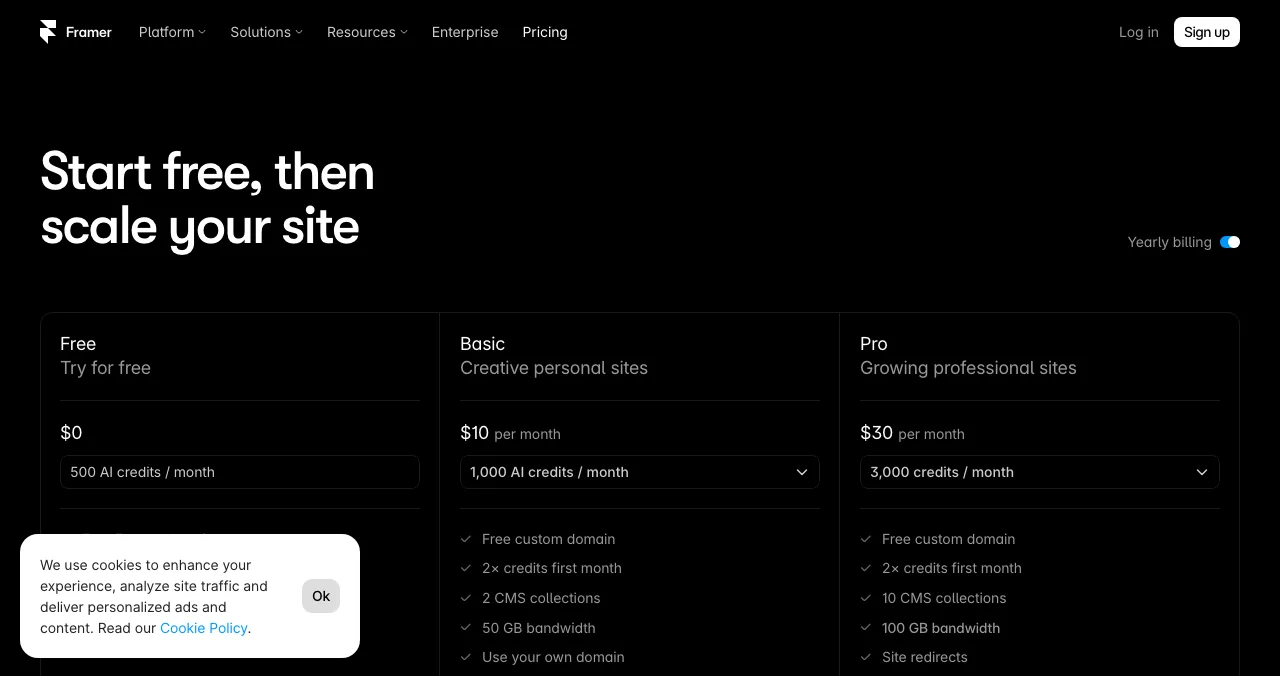
Framer
Design-led sites with AI help.
FreePaid from $10/mo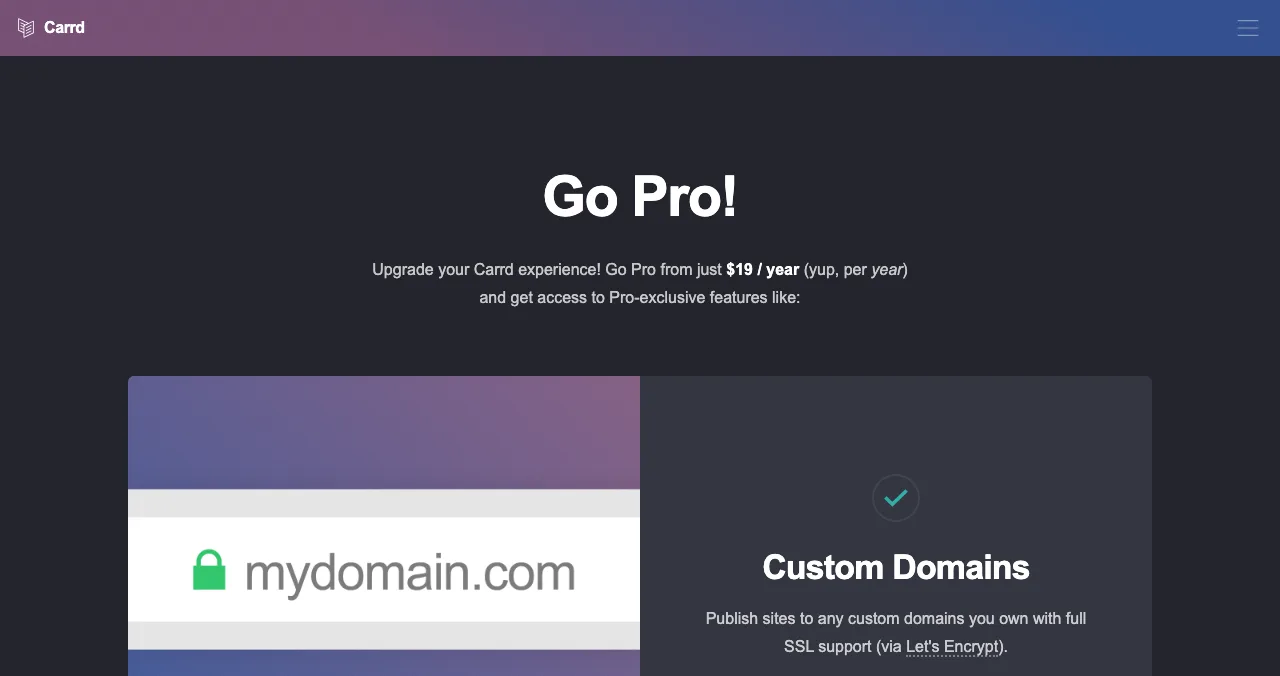
Carrd
The cheapest one-page sites.
FreeDomain $19/yr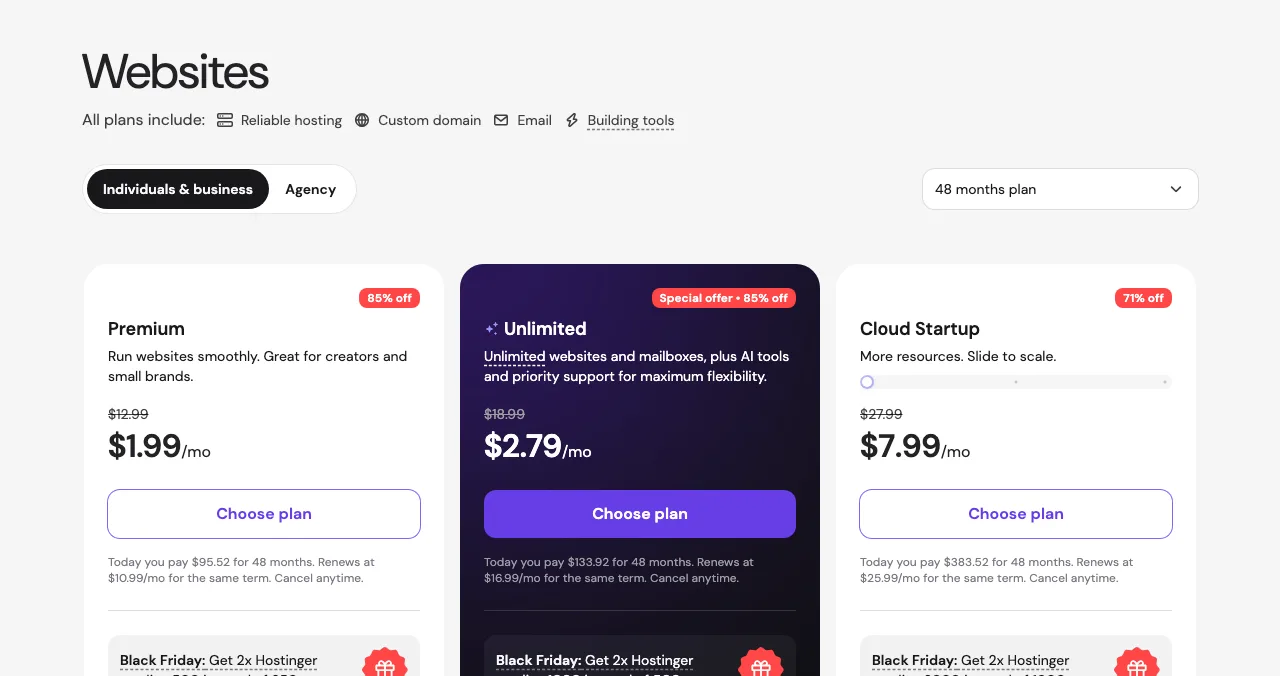
Hostinger Website Builder
Low intro prices with hosting and a domain.
14-day trial$1.99/mo on 48 months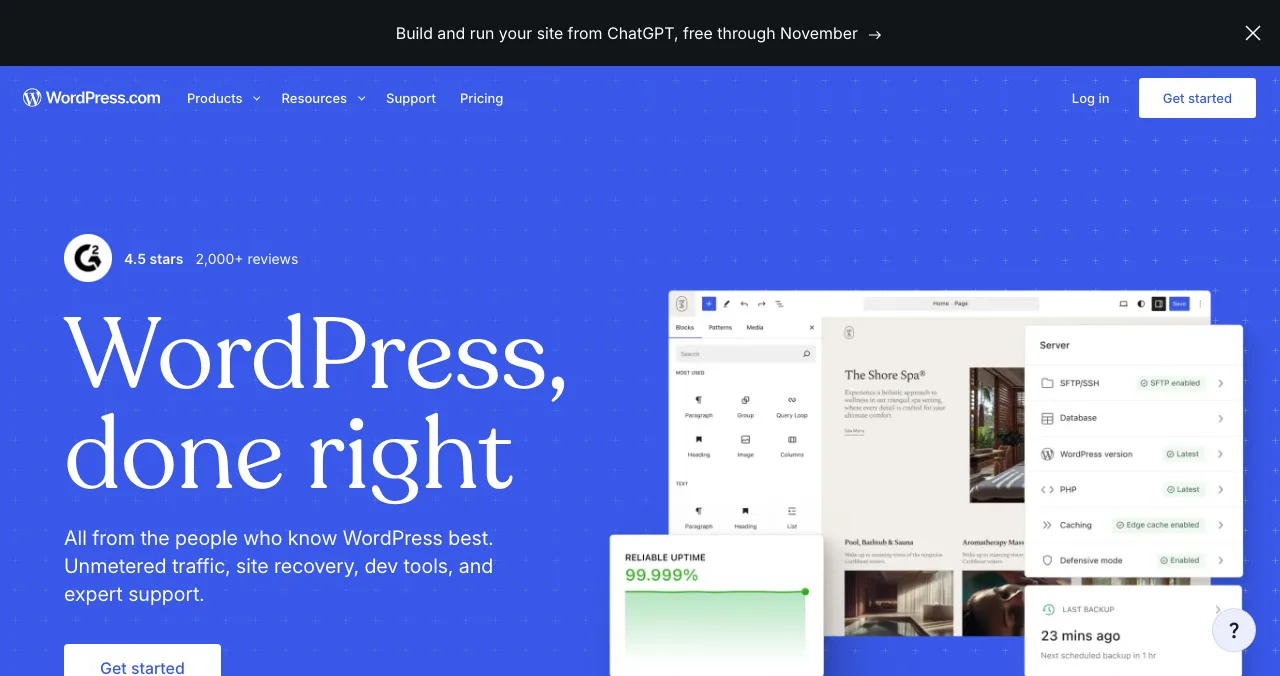
WordPress.com
Blogs and content sites, hosted.
Free with adsPaid from $4/mo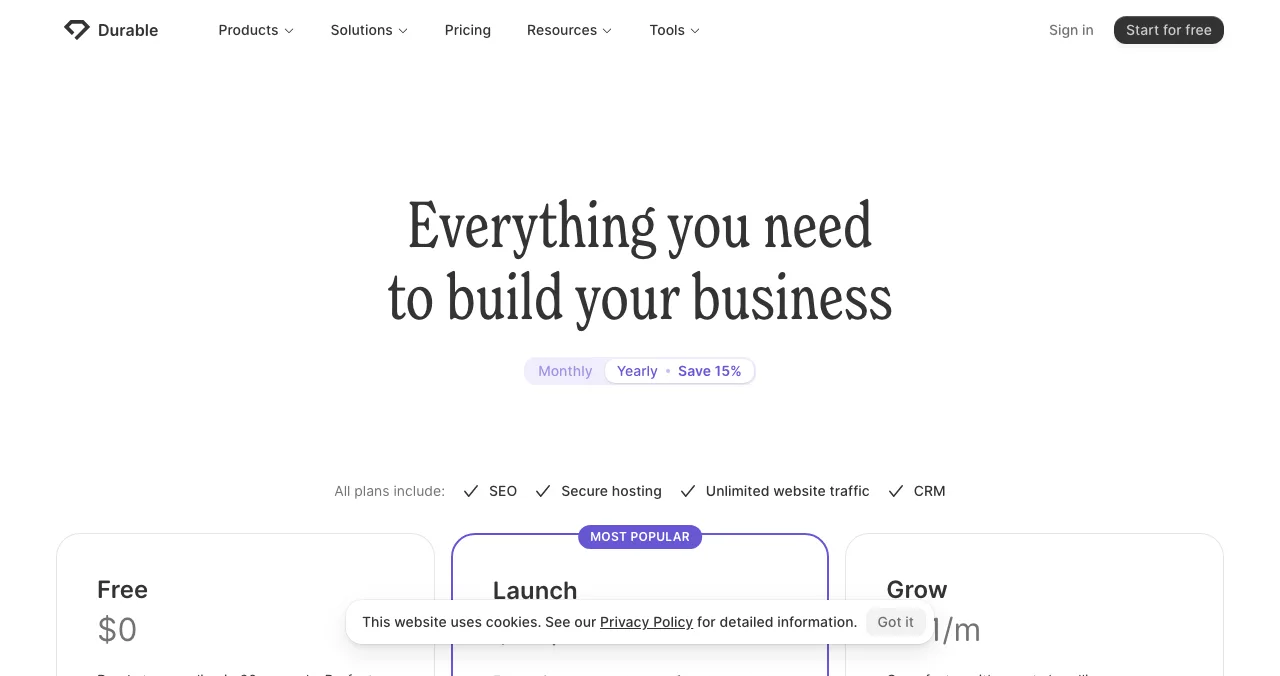
Durable
An AI-generated site in seconds.
Free subdomainLaunch $22/mo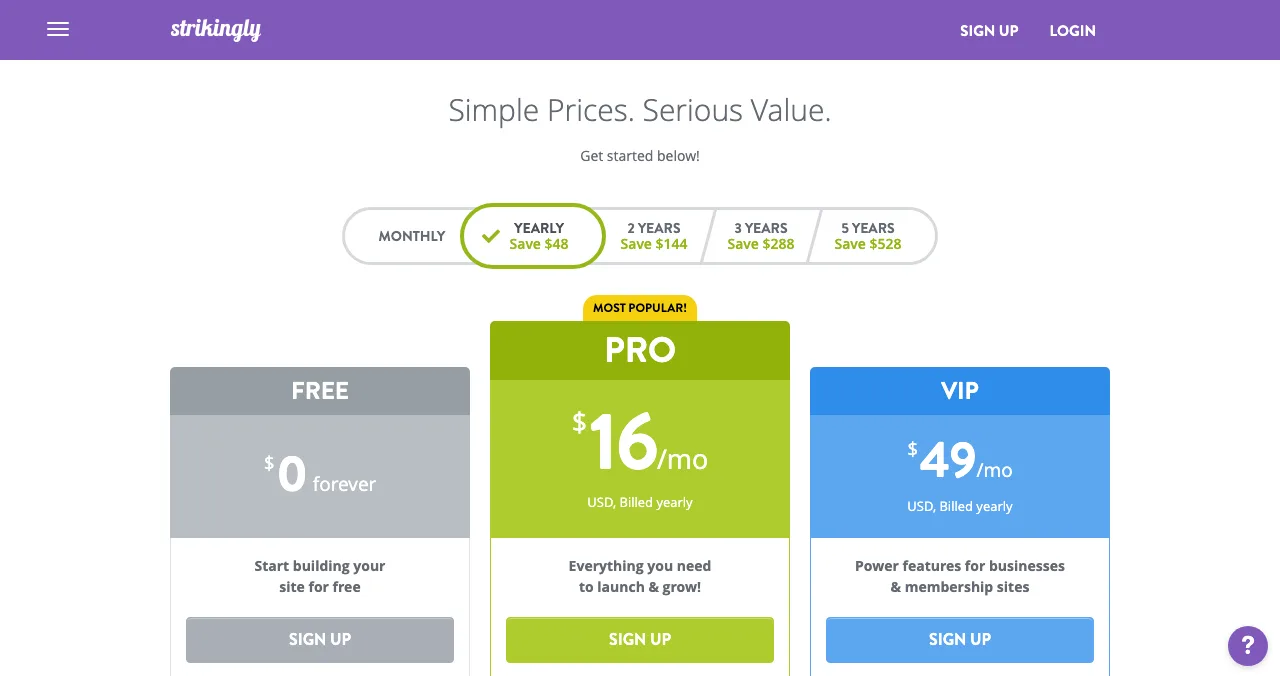
Strikingly
Simple one- and few-page sites.
FreePro $16/mo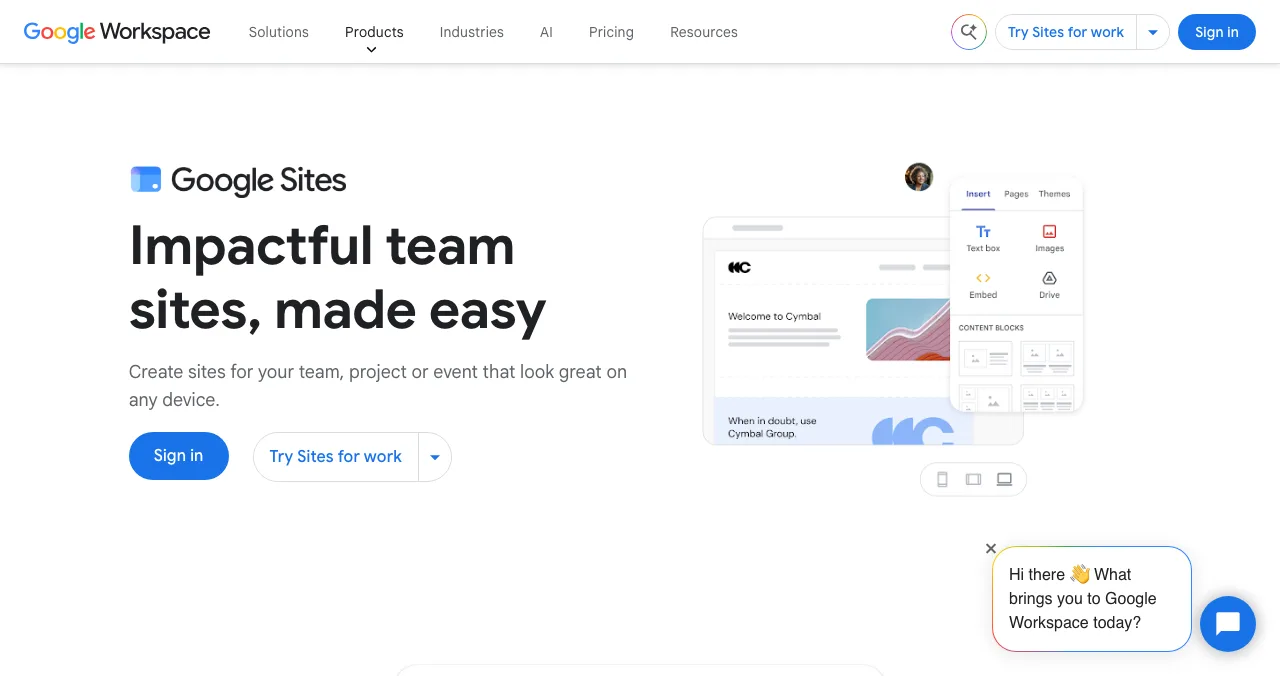
Google Sites
Free, simple sites for teams and projects.
FreeOwn domain OK
No code website builders compared
| Builder | Free option | Cheapest paid plan (as shown) | Custom domain | Ease | Best for |
|---|---|---|---|---|---|
| Wix | Free plan, Wix ads, wixsite.com address | Light $17/mo billed yearly | Paid plans; free 1 year | Easiest | Small businesses, all-rounders |
| Squarespace | 14-day trial | Basic $19/mo billed annually | Free 1 year on annual | Easy | Creatives, brands |
| Webflow | Starter: webflow.io, 2 static pages | Basic $15/mo billed yearly | Paid plans | Hardest | Designers, growing startups |
| Framer | Free Framer domain, 1 GB bandwidth | Basic $10/mo billed yearly | Paid; complimentary on yearly | Moderate | Startup and portfolio sites |
| Carrd | Up to three sites on carrd.co | Pro Lite $9/yr; domains on Pro Standard $19/yr | Pro Standard | Easiest one-pager | Landing pages |
| Hostinger | 14-day trial | Premium $1.99/mo (48-month term), renews $10.99/mo | Free 1 year | Easy, AI draft | Budget sites with hosting |
| WordPress.com | Free plan with ads | Personal $4/mo first year, billed yearly; renews at $5/mo | Free 1 year on paid | Moderate | Blogs, content |
| Durable | Free on *.durable.site | Launch $22/mo billed yearly | Free domain up to $20 value | Easiest (AI) | Service businesses |
| Strikingly | Free on strikingly.com | Pro $16/mo billed yearly | Pro; free domain 1 year | Easy | Simple sites |
| Google Sites | Free | — | Connect up to five you own | Easy | Teams, projects, events |
Table: No code website builders compared (each builder's own pricing page, checked 20 Nov 2026; US prices in US dollars, with Wix, Squarespace, Framer and WordPress.com from the US view archived by the Wayback Machine 16–19 Nov 2026; Hostinger's price was a promotion)
1. Wix: the easiest website builder
- Free
- Yes, with Wix ads and a wixsite.com address
- Paid
- Light $17/mo billed yearly
- Domain
- Free for 1 year on paid plans
- Guarantee
- 14-day money-back
Drag anything anywhere, thousands of templates, an AI site generator, and plans from Light to Business Elite. The free plan is genuinely usable but shows Wix ads. Best for: first-time site builders and small businesses.
2. Squarespace: the most polished
No free plan, but a 14-day free trial with no card. Basic is $19 a month billed annually ($25 monthly) on Squarespace's US pricing page, with one year of free domain registration on annual plans. Best for: creatives and brands who want great-looking templates.
3. Webflow: control without code
The free Starter plan publishes two static pages to webflow.io with 1 GB of bandwidth; Basic adds a custom domain and 300 static pages for $15 a month billed yearly, and Premium adds the CMS for $25. Best for: designers and startups planning a full marketing site.
4. Framer: design-led, fast
Free on a Framer domain with 1 GB bandwidth and 500 AI credits a month; Basic is $10 a month billed yearly. Best for: startup and portfolio sites where look and motion matter.
5. Carrd: the cheapest one-pager
Free for up to three sites on carrd.co; Pro Lite $9 a year removes branding; Pro Standard $19 a year adds custom domains, forms and embeds. Best for: landing pages and link pages.
6. Hostinger Website Builder: budget with hosting
Not free (14-day trial). Premium showed $1.99 a month with $95.52 paid up front for 48 months, renewing at $10.99 a month, during a Black Friday offer; includes a free domain for one year and an AI site builder. Best for: the lowest monthly cost if you can prepay. See GoDaddy vs Hostinger.
7. WordPress.com: for content
A free plan shows WordPress.com ads; Personal is $4 a month for the first year billed yearly ($48), then renews at $5 a month ($60 a year), on WordPress.com's US pricing page, with a free domain for a year. Best for: blogs and content-heavy sites.
8. Durable: an AI site in seconds
The free plan builds an SEO-ready site on a durable.site subdomain with 300 AI credits; Launch ($25 monthly or $22 a month billed yearly) adds your own domain, or a free one up to a $20 value. Best for: service businesses that want a site today.
9. Strikingly: simple and free
Unlimited free sites on a Strikingly.com address; Pro ($16 a month, billed yearly) connects a custom domain and includes a free domain for a year. Best for: simple personal and small-business sites.
10. Google Sites: free for teams
Free with any Google account, with native Docs, Sheets and Forms, and up to five custom domains per site if you own them. Best for: team, project and event sites. Full review: Google Sites as a free website.
Which no code website builder should you choose?
| You want… | Choose |
|---|---|
| The easiest full site | Wix |
| The best-looking templates | Squarespace |
| Design control that scales | Webflow |
| A beautiful startup site, fast | Framer |
| One page, smallest budget | Carrd |
| A site written by AI today | Durable or Hostinger |
| A blog | WordPress.com |
| A free team or project site | Google Sites |
Table: Which no-code website builder to choose
After you build: get it found

A builder puts your site on the web; it doesn't bring visitors. If your site is for a product (an app, a SaaS, an AI tool, a game), list it free on the Launchpad: a permanent page in six short steps, found by the problem you solve, ranked by relevance, never payment, linking to your new site. Once live, the product gets a free baseline check and can be tested end to end.
- Areas of your product tested
- 22
- Automatic measurements, desktop and mobile
- 39
- Expert checks behind your login
- 74
- Verdicts that rank what to fix first
- 5
See what visitors meet on your new site
List free, then order the report that fits your stage.

 Economy
See what new customers see
- Store listing and homepage, screen by screen
- Scorecard against 60 Laws of UX
- Customers, competitors and the fixes worth most
PremiumThe full diagnosis and the plan
- Every screen, every finding, every flow
- All 60 laws with evidence and fixes
- 8 strategy chapters and a 90-day roadmap
Fact-checked against the evidence. Private to your team, and never affects ranking.
A one-week plan
- Day 1
Pick
Choose by the job, using the table above.
- Day 2–3
Build
Start from a template; write your own copy.
- Day 4
Domain
Connect it, or stay on the subdomain while you test.
- Day 5
Check
PageSpeed Insights on mobile; fix the slowest images.
- Day 6
List
Launchpad listing linking to the site.
Mistakes

- Choosing by the promo price — compare renewals
- Too many templates to choose from — pick one fast (choice overload)
- Keeping AI-written copy as is — rewrite it in your words
- Heavy images — the most common cause of slow no-code sites
- Publishing and waiting — plan how people will find it
Ready to launch?
How we chose
We included widely used no-code website builders with a free plan or trial and published pricing, and read each builder's own pricing page on 20 November 2026. We didn't build test sites; "ease" reflects how each builder describes and structures its editor and plans. Wix, Squarespace, WordPress.com and Framer localised prices for our location, so their US prices come from each pricing page's US view as archived by the Wayback Machine (Wix 17 Nov, Squarespace 19 Nov, WordPress.com 18 Nov, Framer 16 Nov 2026). Science of Apps runs the Launchpad, which isn't ranked here.
Key terms, defined
- No code website builder: a tool for building and hosting a website visually, without writing code.
- Free plan: a permanent free tier, usually on a subdomain with branding.
- Free trial: time-limited access to a paid plan.
- CMS: a content management system for collections such as blog posts.
- AI site generator: a feature that drafts a site from a short description.
Frequently asked questions
What is the best website builder with no coding?
For most people, Wix: it's the easiest drag-and-drop builder and has a free plan. Squarespace is the most polished but has no free plan. Webflow and Framer suit designers who want control. Carrd is cheapest for one page, and Google Sites is free for simple sites. Choose by the job, not the ranking.
Is there a free no code website builder?
Yes. Wix, Webflow, Framer, Carrd, Strikingly, Durable and WordPress.com all have free plans on their own subdomains, usually with branding or ads, and Google Sites is free with a Google account. Squarespace and Hostinger offer free trials, not free plans. Prices were read on 20 November 2026.
What is the easiest website builder?
Wix and Squarespace are the easiest full-site builders: templates, drag and drop, and hosting included. Carrd is easiest for a single page. Durable and Hostinger generate a first draft with AI, which is fast, but you'll still rewrite the copy. Webflow is the most powerful and the hardest to learn.
Can I build a professional no code website for free?
You can build it free; making it professional usually needs a custom domain, which no builder includes free forever. The cheapest route we found was Carrd Pro Standard at $19 a year plus a domain you register, or Google Sites, which is free and accepts a domain you own.
Which no code website builder is best for a startup?
Framer or Webflow if design is part of your pitch and you'll grow into a full marketing site; Carrd for a one-page launch site on a tiny budget. Pair any of them with a free Launchpad listing so people searching for the problem you solve can find the product.
Do no code websites rank on Google?
Yes, if the pages answer what people search for and load fast. Builders handle the technical basics such as hosting, SSL and mobile layouts; ranking depends on your content and links. A listing on relevant directories, such as the Launchpad, adds one more place people and engines find you.
Sources
- Wix — Plans and pricing, US view archived by the Wayback Machine on 17 Nov 2026 (checked 20 Nov 2026)
- Squarespace — Pricing, US view archived by the Wayback Machine on 19 Nov 2026 (checked 20 Nov 2026)
- Webflow — Pricing (checked 20 Nov 2026)
- Framer — Pricing, US-dollar view archived by the Wayback Machine on 16 Nov 2026 (checked 20 Nov 2026)
- Carrd — Pro plans (checked 20 Nov 2026)
- Hostinger — Website builder plans (checked 20 Nov 2026)
- WordPress.com — Pricing, US view archived by the Wayback Machine on 18 Nov 2026 (checked 20 Nov 2026)
- Durable — Pricing (checked 20 Nov 2026)
- Strikingly — Pricing (checked 20 Nov 2026)
- Google Workspace — Google Sites (checked 20 Nov 2026)
- Science of Apps — Launchpad homepage (checked 20 Nov 2026)
- Checked November 20, 2026. Figures that change — fees, salaries, prices — are reviewed every six months; if something is out of date, tell us.
Where to go from here
- Webflow vs WordPress vs Framer — the deep comparison
- Wix vs Squarespace vs Shopify — for stores
- Best no-code app builders — for apps, not sites
- Science of Apps - LaunchpadWebflow alternatives compared: Framer, WordPress, Wix, Squarespace, Strikingly, Tilda and Carrd on free plans, prices, limits and who each suitsIs Webflow free? Only on webflow.io. The best Webflow alternatives, from Framer to WordPress and Carrd, compared on free plans, prices and limits.
- Science of Apps - LaunchpadFramer alternatives for startup websites: Webflow, Wix, WordPress.com, Squarespace, Carrd, Hostinger, Durable and Tilda compared on free plans, prices and limitsThe best Framer alternative depends on your site: Webflow for CMS, WordPress.com for content, Carrd for one page. Free plans, prices and limits, checked.
- Science of Apps - LaunchpadWix alternatives in 2027: ten free and cheaper website builders and sites like Wix, with each one's free plan, cheapest paid plan and catch, checked on its own pricing pageThe best Wix alternatives and Wix competitors, free and paid: WordPress.com, Squarespace, Webflow, Framer, Carrd and more, with prices checked 20 Nov 2026.
- Science of Apps - LaunchpadWordPress alternatives for 2027: easier website builders and sites like WordPress, including free WordPress alternatives and WordPress.com alternatives, with prices checked on each pricing pageThe best WordPress alternative by job: Wix, Squarespace, Webflow, Framer, Ghost, Carrd or a free product page. WordPress competitors, checked 20 Nov 2026.
- Science of Apps - LaunchpadThe best AI website generator for your project: nine AI website makers compared on free plans, verified prices and what they build, plus how a generated site gets its first visitorsThe best AI website generator by job: 9 AI website makers, from Durable and Wix to Framer and v0, with free plans, verified prices and how to get visitors.
- Science of Apps - LaunchpadCarrd alternatives for one-page websites: Google Sites, Strikingly, Tilda, Framer, Wix and Webflow compared on free plans, custom domains and priceCarrd is free for three one-page sites. The best Carrd alternatives, from Google Sites to Framer, compared on free plans, domains and price.

Get the ideas, not the noise.
Sign up with Google and we’ll send you short UX psychology tips by email — why people tap, stall and leave, and what to do about it. Unsubscribe anytime. Prefer something to keep? Get the free Laws of UX guide as a PDF.
Launch day ends. Your listing shouldn't.
A no-code builder gets your site live; a free Science of Apps Launchpad listing gets the product behind it found by the problem it solves, and tests it end to end with a detailed report.