 By
Quick answer: Is Google Sites a good free website builder?
- Free: with any Google account; no ads on your site.
- Custom domain: connect up to five to one site; you need to own or buy the domain.
- Analytics: add a Google Analytics Property ID in Settings.
- Best for: internal sites, projects, events, simple portfolios and docs hubs.
- Weak for: product marketing; pair it with a free Science of Apps Launchpad listing for discovery.
Key takeaways
- Google Sites is free in the full sense, not a trial or a cut-down tier.
- Its strength is Google Workspace: live Docs, Sheets, Slides and Forms on the page.
- Design flexibility is deliberately limited; that's the trade for speed.
- A custom domain makes it look professional, but you buy the domain elsewhere or via Workspace.
- Being on the web isn't the same as being found; discovery needs other channels.
Google Sites is the website builder most people already have and never think about: it comes free with every Google account. Search "free website creation in Google" and it's what you'll find. It's quick, it's genuinely free, and for some jobs it's the best tool there is. For others, especially marketing a new product, it's the wrong one. This review sets out what the Google website maker does well, where it falls short, how custom domains and Analytics work, and our verdict by use case, based on Google's own product and help pages read on 20 November 2026. Jump to pros and cons, custom domains or the verdict.
What is Google Sites?
- Cost
- Free with a Google account
- Custom domain
- Up to five per site; you supply the domain
- Analytics
- Google Analytics via Property ID
- Strength
- Native Docs, Sheets, Slides and Forms
- Catch
- Limited design; no built-in blog or checkout
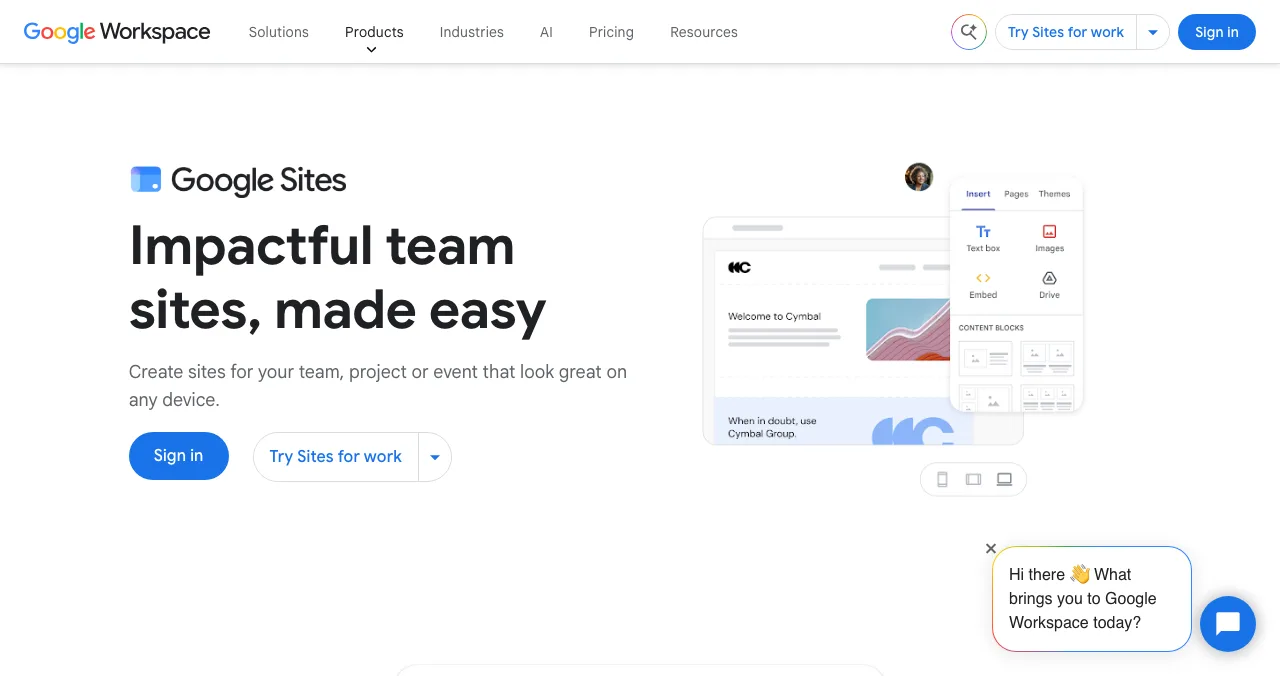
Google positions Sites as a way to "create sites for your team, project or event that look great on any device". You build by dragging blocks onto a page: text, images, buttons, collapsible text, image carousels, and Google files such as Docs, Sheets, Slides and Forms. Sharing works like a Google Doc, so a whole team can edit.
Google Sites pros and cons

What it does well
- Free with any Google account, no ads on your site
- Very fast to learn; a page in minutes
- Google files such as Docs, Sheets, Slides and Forms on the page
- Collaboration and sharing permissions like Google Drive
- Custom domains (up to five per site) and Google Analytics
Where it falls short
- Simple templates and limited design control
- No built-in blog, store or checkout
- Custom code only through embeds
- Domain bought separately or through a paid Workspace plan
- Nothing helps new visitors discover you
How to use a custom domain with Google Sites
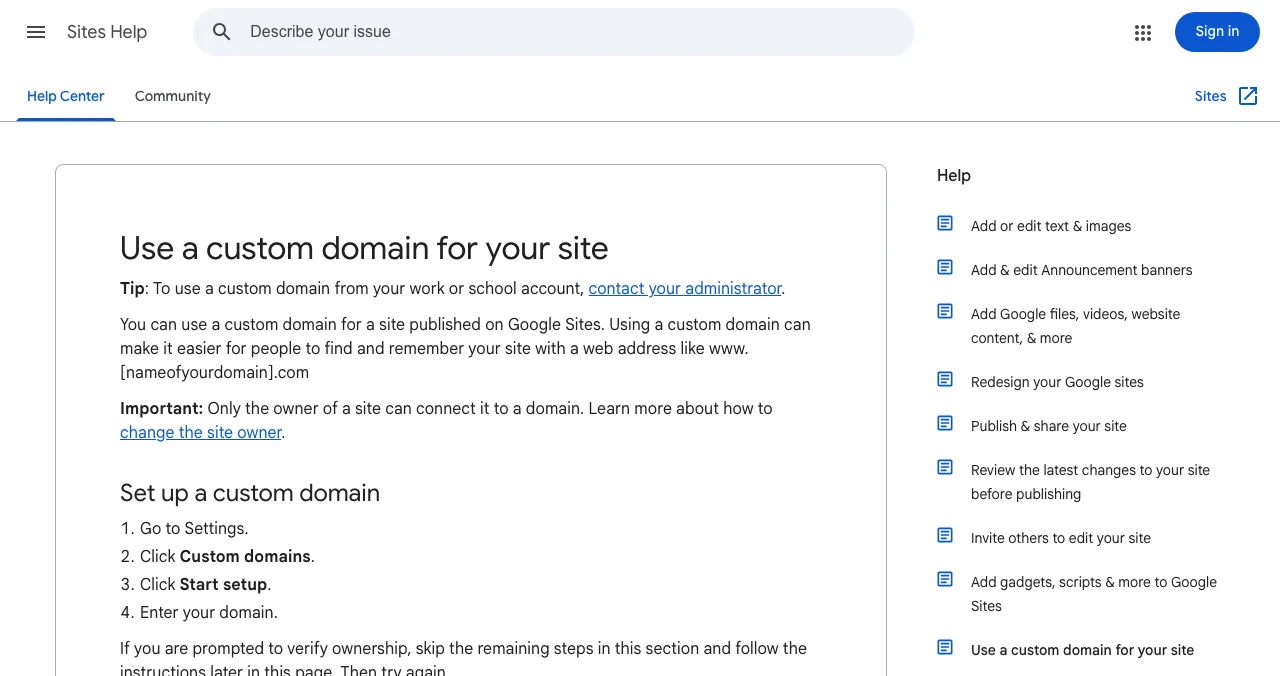
Google's Sites Help lays out the steps. Only the site's owner can connect a domain.

- Open Settings in your site and choose Custom domains.
- Click Start setup and enter your domain.
- Verify ownership if prompted.
- Follow the on-screen instructions for your third-party registrar.
- Wait — changes can take up to 48 hours to appear.
You can connect up to five custom domains to one site. If you don't own a domain, Google offers to sell one through a Google Workspace plan (the default suggested plan is Business Standard), then import the site into the new Workspace account. Our free website builder with domain guide explains what "free domain" offers really include.
Google Analytics on Google Sites
Add a Google Analytics Property ID under Settings, Analytics. Google's help page notes three catches: data can take up to 24 hours to appear; renaming a page or publishing a custom path creates a new URL, which can affect tracking; and visitors who reject cookies can make the numbers underestimate real use.
Isn't there a free Google Business Profile website?
Not any more. Google turned off websites made with Business Profiles in March 2024, redirecting visitors to the Business Profile until 10 June 2024, after which the old sites stopped working, as reported by Search Engine Journal. The Business Profile itself is still free and still the first stop for local businesses. See business listing sites.
Google Sites vs the alternatives
| Need | Google Sites | Better fit |
|---|---|---|
| Internal wiki, team or project site | Excellent | — |
| Event or class page | Excellent | — |
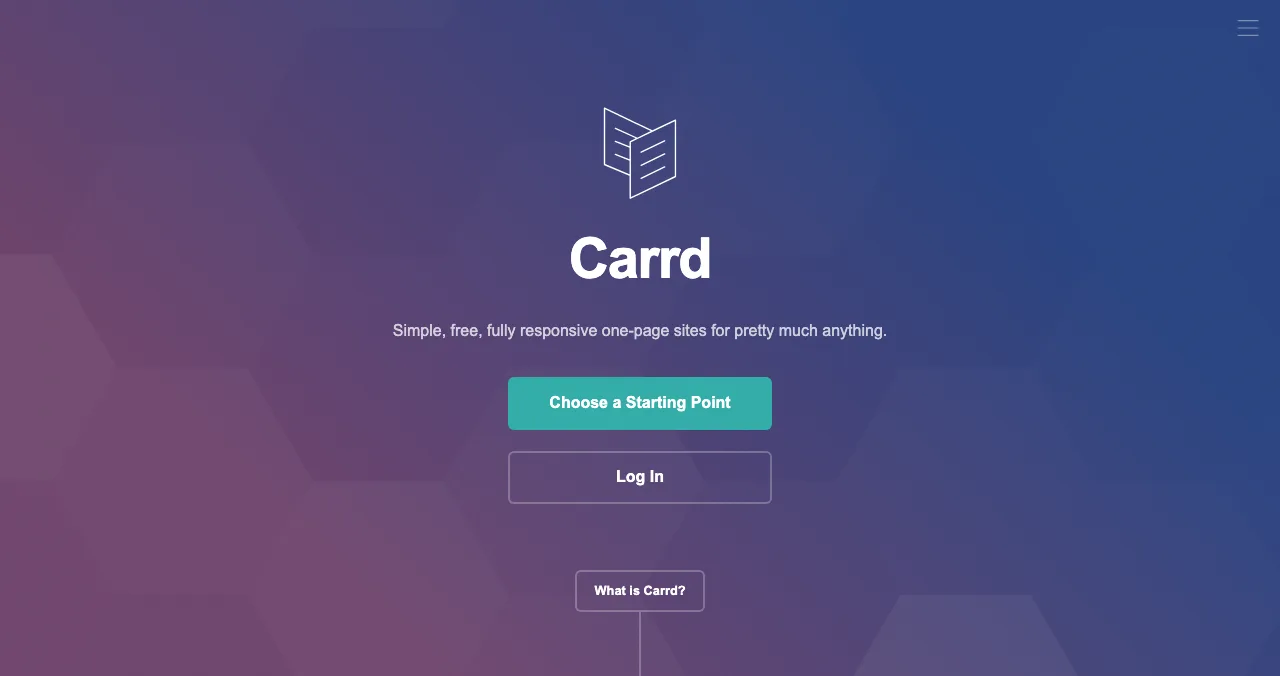
| Simple personal portfolio | Good | Carrd for a sharper one-pager |
| Startup marketing site | Limited | A dedicated builder (Carrd, Framer, Webflow) |
| Online store | Not built in | A commerce platform |
| Being found by new users | No discovery | A free Launchpad listing alongside |
Table: Google Sites vs alternatives by use case (Google's product and help pages; builders' pricing pages, checked 20 Nov 2026)
Google Sites for internal pages; the Launchpad for public discovery

A Google Site is a page people visit when they already know about you. If you've built a product, even one documented on a Google Site, a free Launchpad listing gives it a public product page that people find by the problem they have, ranked by relevance, editorial picks and community interest, never payment. It takes six short steps, goes live with a Featured badge after automated checks and a person's review, and links straight to your site. Once live, the product can be tested end to end.
- Areas of your product tested
- 22
- Automatic measurements, desktop and mobile
- 39
- Expert checks behind your login
- 74
- Verdicts that rank what to fix first
- 5
See what new users meet
List free, then order the report that fits your stage.

 Economy
See what new customers see
- Store listing and homepage, screen by screen
- Scorecard against 60 Laws of UX
- Customers, competitors and the fixes worth most
PremiumThe full diagnosis and the plan
- Every screen, every finding, every flow
- All 60 laws with evidence and fixes
- 8 strategy chapters and a 90-day roadmap
Fact-checked against the evidence. Private to your team, and never affects ranking.
Verdict by use case
| You want… | Use Google Sites? |
|---|---|
| A team, project or event site in an hour | Yes |
| A class, club or community page | Yes |
| A docs hub or investor data room linking Drive files | Yes, with sharing set carefully |
| A simple portfolio | Yes, or Carrd for more polish |
| A startup's public marketing site | Only as a stopgap |
| An online store or blog | No |
Table: Our Google Sites verdict, by use case
A one-day plan
- Morning
Build
A Google Site with your content and embedded Docs or Forms.
- Midday
Domain
Connect your own domain in Settings, Custom domains.
- Afternoon
Analytics
Add your Google Analytics Property ID.
- Evening
Get found
List the product on the Launchpad, linking to the site.
Mistakes

- Leaving Drive files on "anyone with the link" — check what an embedded file exposes
- Renaming pages after launch — new URLs break links and Analytics tracking
- Using it as a store — it isn't one
- Expecting traffic — a published site isn't a discovered one
- Skipping the domain — a sites.google.com address looks temporary to customers
Ready to launch?
How we know
Google Sites details come from Google's Sites product page and its Sites Help articles on custom domains and Analytics, read on 20 November 2026. The Business Profile websites shutdown is from Search Engine Journal's report of Google's announcement. Carrd and the Launchpad come from their own pages, read the same day. We did not build a test site for this review. Science of Apps runs the Launchpad.
Key terms, defined
- Google Sites: Google's free website builder, included with Google accounts and Workspace.
- Custom domain: your own address, such as yourname.com, connected to a site.
- Google Workspace: Google's paid suite for organisations, including Gmail on your domain.
- Property ID: the identifier that connects a site to Google Analytics.
- Embed: placing content from another service, such as a Google Doc, inside a page.
Frequently asked questions
Is Google Sites a good free website builder?
For simple sites, yes. It's free with a Google account, quick to learn, and embeds Google Docs, Sheets, Slides and Forms natively. It suits internal sites, projects, events, class pages and simple portfolios. For a startup's marketing site, with a strong design, a blog or checkout, a dedicated builder fits better.
Is Google Sites really free?
Yes. Building and publishing a Google Site costs nothing with a personal Google account, and Google doesn't place ads on it. The costs come only if you want a custom domain, which you register separately or buy through a Google Workspace plan, or if your organisation already pays for Workspace.
Can I use a custom domain with Google Sites?
Yes. Google's Sites Help says only the site owner can connect a domain: go to Settings, Custom domains, Start setup, enter your domain and follow the steps for your registrar. You can connect up to five custom domains to one site, and changes can take up to 48 hours to appear.
What is free website creation in Google?
Usually it means Google Sites, Google's free website maker, at sites.google.com. Google's other free website option, websites made with Business Profiles, was turned off in March 2024, with visitors redirected to the Business Profile until June 2024. Business Profile itself is still free for local businesses.
Does Google Sites support Google Analytics?
Yes. Create an Analytics account if you don't have one, find your Property ID, then add it under Settings, Analytics in your site. Google notes data can take up to 24 hours to appear, and that renaming a page or publishing a custom path creates a new URL, which can affect tracking.
Is Google Sites good for a startup?
For internal wikis, investor data rooms, hiring pages and event sites, yes. As the public face of a product, it's limited: the templates are simple and it has no built-in blog or checkout. Many founders use a builder for the marketing site and a free Launchpad listing so new users can find the product.
Sources
- Google Workspace — Google Sites product page (checked 20 Nov 2026)
- Sites Help — Use a custom domain for your site (checked 20 Nov 2026)
- Sites Help — Track site traffic with Google Analytics (checked 20 Nov 2026)
- Search Engine Journal — Websites created with Google Business Profiles to shut down in March (checked 20 Nov 2026)
- Science of Apps — Launchpad homepage: what you can list, FAQ (checked 20 Nov 2026)
- Science of Apps — Product investigation (checked 20 Nov 2026)
- Carrd — Pro plans (checked 20 Nov 2026)
- Checked November 20, 2026. Figures that change — fees, salaries, prices — are reviewed every six months; if something is out of date, tell us.
Where to go from here
- Wix vs Squarespace vs Shopify — paid builders compared
- Business listing sites — Google Business Profile and more
- Promote your website free — once it's live
- Science of Apps - LaunchpadCarrd alternatives for one-page websites: Google Sites, Strikingly, Tilda, Framer, Wix and Webflow compared on free plans, custom domains and priceCarrd is free for three one-page sites. The best Carrd alternatives, from Google Sites to Framer, compared on free plans, domains and price.
- Science of Apps - LaunchpadThe best free portfolio sites for founders, makers and builders: a free portfolio website on GitHub Pages, Carrd, Framer, Webflow, Wix, Google Sites, Strikingly, WordPress.com or Dribbble, compared on limits, plus a free page for the product you builtThe best free portfolio sites for founders and builders: GitHub Pages, Carrd, Framer, Webflow, Wix, Google Sites and more, compared on free limits.
- Science of Apps - LaunchpadHow to create a free website for a business: 9 ways compared, from Google Business Profile and Square Online to Wix, Google Sites and Durable, with the best free website builder for small business by typeHow to create a free website for business: 9 ways compared, including the best free website builder for small business by type, with limits and catches.
- Science of Apps - LaunchpadThe best free landing page builders for startups in 2027: 9 free plans compared by pages, forms, branding, subscribers and custom domains, and the free product page that's live in five minutesA free landing page is easy; one with forms and your own domain isn't. 9 free landing page builders compared for startups, limits checked 20 Nov 2026.
- Science of Apps - LaunchpadThe best free website builders for 2027: 12 free plans compared by ads, subdomain, storage, bandwidth and what you have to pay for, plus the free product page that also gets you foundThe best free website builder depends on what you can live with: ads, a subdomain, tiny storage. 12 free plans compared, limits checked 20 Nov 2026.
- Science of Apps - LaunchpadFramer alternatives for startup websites: Webflow, Wix, WordPress.com, Squarespace, Carrd, Hostinger, Durable and Tilda compared on free plans, prices and limitsThe best Framer alternative depends on your site: Webflow for CMS, WordPress.com for content, Carrd for one page. Free plans, prices and limits, checked.
Get the ideas, not the noise.
Sign up with Google and we’ll send you short UX psychology tips by email — why people tap, stall and leave, and what to do about it. Unsubscribe anytime. Prefer something to keep? Get the free Laws of UX guide as a PDF.
Launch day ends. Your listing shouldn't.
Google Sites is great for pages your team and users already know about; a free Science of Apps Launchpad listing helps new people find your product by the problem it solves, and tests it with a detailed report.