 By
Quick answer: What does a startup website need on day one?
- Day-one pages: home (or one landing page), pricing or 'free to try', about, contact, privacy, terms.
- Day-one checks: one-line value proposition, one CTA, mobile speed, indexing, accessibility basics.
- Template: the eight-section startup website template below.
- Build it: Carrd, Framer or Webflow, free on their subdomains.
- Get found and checked: a free Science of Apps Launchpad listing runs a baseline check of the same areas.
Key takeaways
- Day one is about clarity and trust, not page count.
- A one-page startup landing page can be a complete day-one website.
- Legal pages and contact details are trust signals, not paperwork.
- Mobile speed and indexing are measurable; measure them before launch.
- Founders can't see their own site with fresh eyes; get it checked.
Founders tend to over-build their first website: ten pages, a blog with one post, a careers page with no jobs. A website for a startup on day one needs far less, but what it needs, it needs to get right: a stranger has to understand what you do, trust you enough to try it, and be able to do so on a phone. This checklist covers the pages and checks that matter on day one, a startup website template, free ways to build one, and how to check it the way the Launchpad's investigation does. Plans and pages were checked on 20 November 2026. Jump to the checklist, the template or how to check it.
- Pages a startup website needs on day one
- 6
- Sections in the startup website template
- 8
- To start, on a builder subdomain
- $0
- To make your value clear
- 5 sec
The day-one startup website checklist
| Area | Day-one requirement | How to check |
|---|---|---|
| Value proposition | One line: what you do, for whom | Five-second test with people outside the team |
| Product | Real screenshots or a short video | Look: is it the actual product? |
| Call to action | One primary action, visible on mobile without scrolling | Open it on a phone |
| Pricing | Prices, or a clear "free to try" | Can a visitor tell what it costs? |
| About | Founders, with names and faces | Is there a human behind it? |
| Contact | An email or form | Send yourself a test message |
| Legal | Privacy policy and terms, linked in the footer | Click both |
| Speed | Fast on a mid-range phone | PageSpeed Insights, mobile |
| Indexing | Title, description, pages Google can crawl | Search site:yourdomain |
| Accessibility | Contrast, alt text, labels | WAVE scan |
Table: Day-one startup website checklist (Science of Apps editorial framework, informed by Google's SEO starter guide)
The startup website template
A one-page startup landing page can be your whole day-one website. Use these sections in order:

- Headline — the outcome, in plain words. Under it, one line on who it's for.
- The problem — in your buyer's words, two sentences.
- The product — screenshots of the real screens a new user sees.
- How it works — three steps.
- Proof — early users, quotes you have permission to use, vouches, numbers you can show.
- Pricing — or "free to try" and what happens after.
- The founders — names, photos, one line each.
- One call to action — repeated at the end; footer with contact, privacy and terms.
Each extra choice slows a decision (Hick's law), so resist adding a second call to action on day one.
Free ways to build it
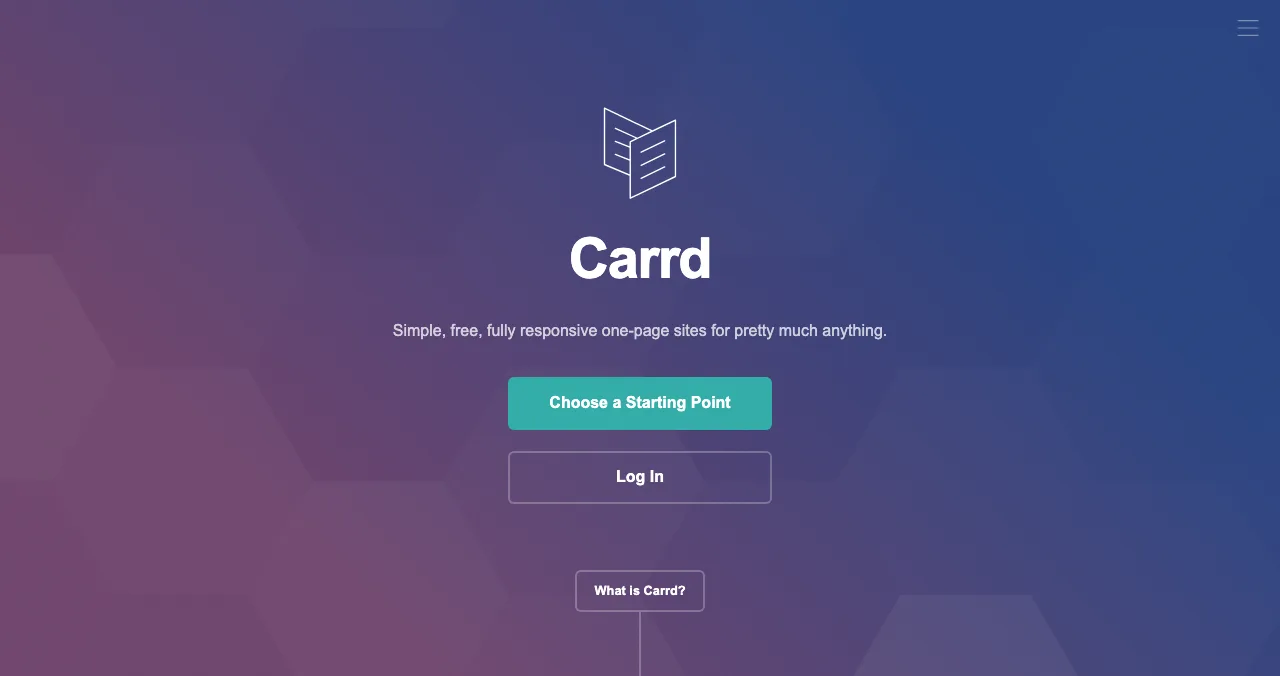
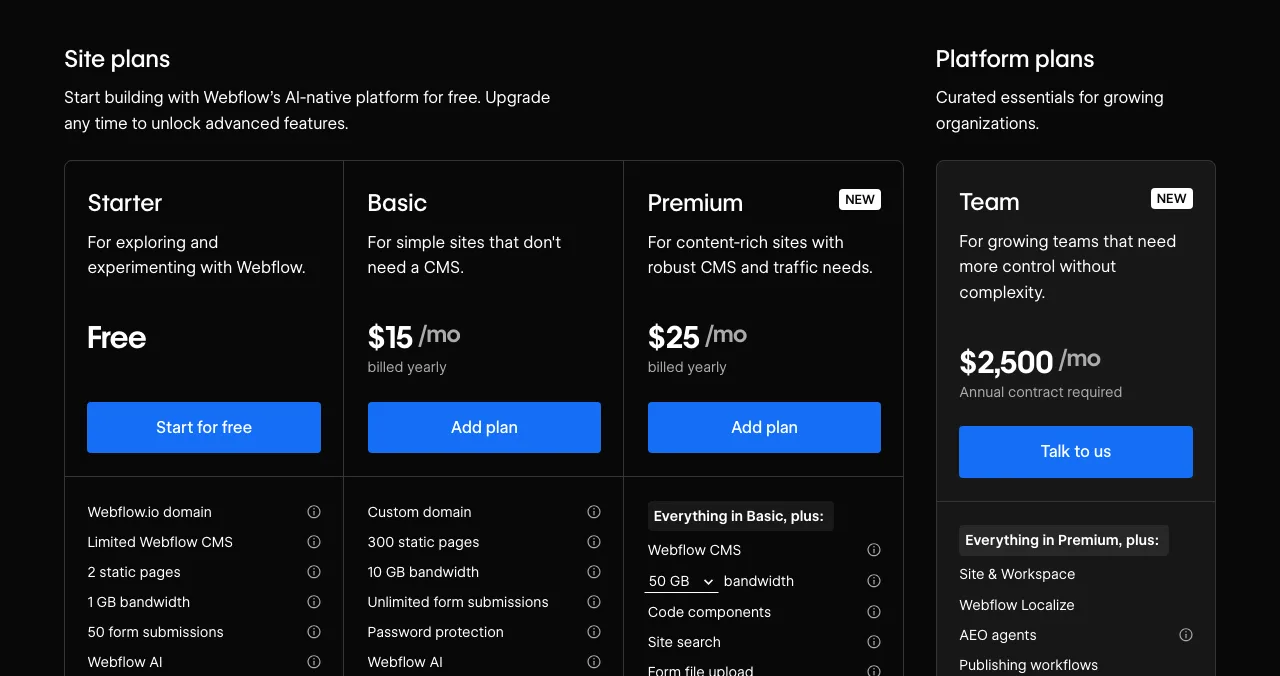
| Builder | Free plan | Cheapest custom domain plan | Best for |
|---|---|---|---|
| Carrd | Up to three sites on carrd.co, with branding | Pro Standard, $19/year | A one-page startup website |
| Framer | Framer domain, 1 GB bandwidth | Basic, $10/month billed yearly | Design-led pages |
| Webflow | Starter: webflow.io, 2 static pages, 1 GB bandwidth | Basic, $15/month billed yearly | Growing into a full site |
Table: Free and low-cost ways to build a startup website (each builder's pricing page, checked 20 Nov 2026)
For bigger comparisons see Webflow vs WordPress vs Framer and GoDaddy vs Hostinger.
How to check it the way a stranger would
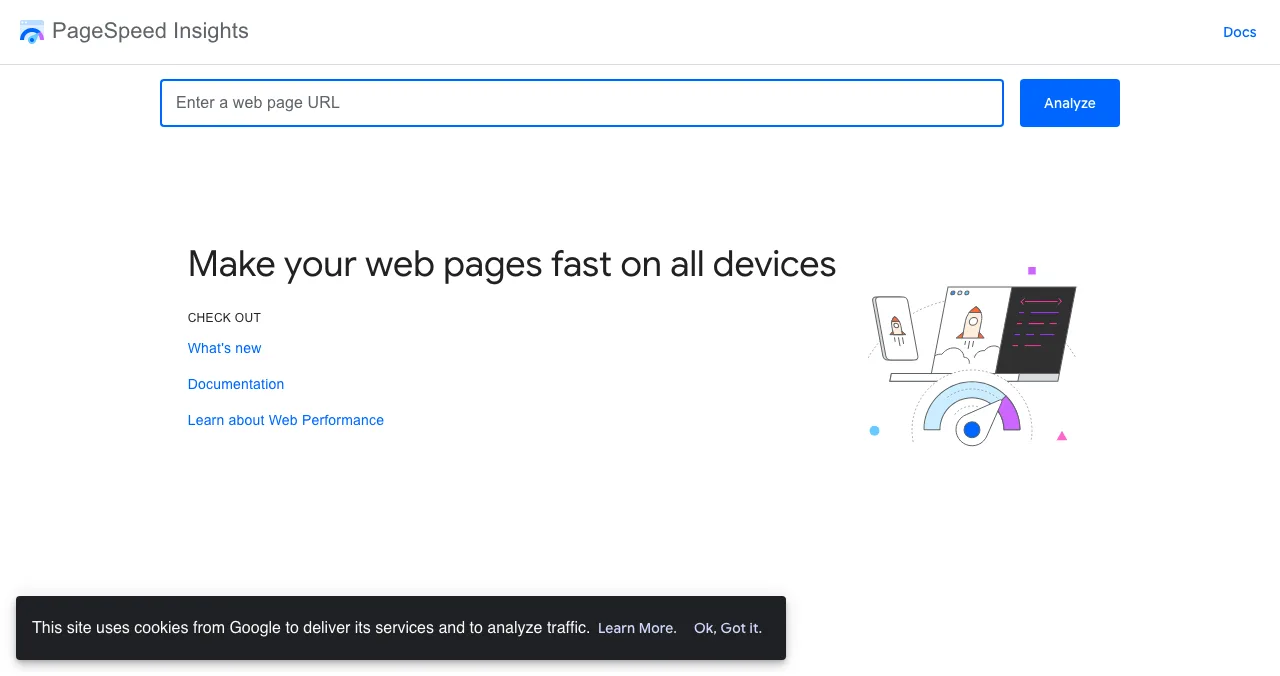
Free tools cover the measurable parts: PageSpeed Insights for speed and Core Web Vitals, WAVE for accessibility errors, and a site: search for indexing. The rest needs eyes that aren't yours. Our free website audit walks through each tool.
Your website, checked on the Launchpad

List your startup free and a baseline check of your landing page, discoverability and speed runs as your listing goes live. The full investigation's first stage, "Arrive", covers the same ground as this checklist: discoverability on Google, AI and social, the landing page, pricing, trust and speed, measured in a real browser on desktop and mobile. Then it carries on into the product.
- Areas of your product tested
- 22
- Automatic measurements, desktop and mobile
- 39
- Expert checks behind your login
- 74
- Verdicts: Good to Critical, plus Recommendation
- 5
Arrive
First impression
Discoverability on Google, AI and social; landing page, pricing, trust and speed.
Join
The first minutes
Sign-up, sign-in, recovery and onboarding.
Use
The everyday job
Home, core flow, dashboards, search, microcopy and error states.
Pay
Value into revenue
Paywall, upgrade, checkout and payments.
Stay
Coming back
Notifications, account, settings and help.
Every screen
Throughout
Accessibility to WCAG 2.2, visual design and consistency.
From first impression to full diagnosis
List free, then order the report that fits your stage.

 Economy
See what new customers see
- Store listing and homepage, screen by screen
- Scorecard against 60 Laws of UX
- Customers, competitors and the fixes worth most
PremiumThe full diagnosis and the plan
- Every screen, every finding, every flow
- All 60 laws with evidence and fixes
- 8 strategy chapters and a 90-day roadmap
Fact-checked against the evidence. Private to your team, and never affects ranking.
Your listing is also a product page in its own right, found by the problem you solve, so the website and the listing work together: the listing gets found, the website converts.
A one-week website plan
- Day 1
Write the copy
Headline, problem, how it works, founders.
- Day 2
Build
One page on a free builder plan.
- Day 3
Legal and contact
Privacy, terms, a contact address.
- Day 4
List and check
Launchpad listing; read the baseline check.
- Day 5
Fix and measure
PageSpeed, WAVE, five-second test; fix the worst first.
Mistakes

- Ten pages on day one — one clear page beats ten thin ones
- "Coming soon" sections — cut them until they're real
- No founders — anonymous startups are harder to trust
- Desktop-only testing — most first visits are on phones
- No legal pages — they're trust signals, and app stores and payment providers ask for them
Ready to launch?
How we know
The checklist and template are Science of Apps' editorial framework, informed by Google's SEO starter guide. Builder plans come from Carrd's, Framer's and Webflow's pricing pages, and the Launchpad's check from its investigation and homepage, all read on 20 November 2026; Framer's US-dollar prices come from its pricing page as archived by the Wayback Machine on 16 November 2026, since the live page localised for our location. Science of Apps runs the Launchpad.
Key terms, defined
- Startup website: the pages that represent a startup on its own domain.
- Startup landing page: a single page that explains a startup and asks for one action.
- Value proposition: one line on what you do, for whom, and why it's better.
- Core Web Vitals: Google's metrics for loading, responsiveness and visual stability.
- Five-second test: showing a page for five seconds and asking what it does.
Frequently asked questions
What does a startup website need on day one?
A home page that says what you do and for whom in one line, real product screenshots, one call to action, pricing or a clear 'free to try', a short about section with the founders, a way to contact you, a privacy policy and terms, fast loading on a phone, and basic SEO: a title, a description and pages Google can index.
Is a landing page enough for a startup website?
On day one, usually yes. A single startup landing page with the product, one call to action, the founders and links to privacy and terms covers what early visitors need. Add pricing, docs, a blog and careers pages when you have something to put on them. Our product page vs landing page guide covers the order.
What is a good startup website template?
Eight sections in order: a one-line headline, the problem, product screenshots, how it works in three steps, proof, pricing or 'free to try', the founders, and one call to action, with a footer linking contact, privacy and terms. Most builders offer free templates you can adapt to this structure.
How much does a startup website cost?
It can be free on a builder's subdomain: Carrd, Framer and Webflow all have free plans. A custom domain adds a builder plan, for example Carrd Pro Standard at $19 a year or Webflow Basic at $15 a month billed yearly, plus the domain itself. Prices were read on 20 November 2026.
How do I check my startup website before launch?
Ask five people outside the team what you do after five seconds; test speed with PageSpeed Insights; check accessibility with WAVE; search site:yourdomain to confirm indexing; sign up on a phone in a clean browser. A free Launchpad listing also runs a baseline check of your landing page, discoverability and speed.
Do I need a blog on my startup website?
Not on day one. A blog helps once you can publish useful posts regularly, because search and AI engines reward pages that answer real questions. Until then, put the effort into the home page and product screenshots, and list on a few places where people find products, such as the Launchpad.
Sources
- Science of Apps — Product investigation: 22 areas, 39 measurements (checked 20 Nov 2026)
- Science of Apps — Launchpad homepage: how listing works, FAQ (checked 20 Nov 2026)
- Science of Apps — Pricing (checked 20 Nov 2026)
- Google Search Central — SEO starter guide (checked 20 Nov 2026)
- Google — PageSpeed Insights
- WebAIM — WAVE web accessibility evaluation tool
- Carrd — Pro plans (checked 20 Nov 2026)
- Webflow — Pricing (checked 20 Nov 2026)
- Framer — Pricing, US-dollar view archived by the Wayback Machine on 16 Nov 2026 (checked 20 Nov 2026)
- Checked November 20, 2026. Figures that change — fees, salaries, prices — are reviewed every six months; if something is out of date, tell us.
Where to go from here
- Landing page conversion checklist — make the home page convert
- Free website audit — five checks, free tools
- Startup launch checklist — everything else for launch week
- Science of Apps - LaunchpadPre-launch marketing for startups: a six-week plan from waitlist to launch day, with the channels, assets and rules that matterPre-launch marketing for startups: a 6-week plan with a waitlist, building in public, early adopters, launch assets and a scheduled launch date.
- Science of Apps - LaunchpadThe startup launch checklist for 2027: everything to do before, during and after launch, in orderA startup launch checklist for 2027: product, page, visibility, assets, launch-day and follow-up items, in order, with the platform rules that matter.
- Science of Apps - LaunchpadFree landing page templates for 2027: 10 verified sources by use, from no-code builders to free HTML, startup and SaaS landing page templates, with their licences and the checks every template should passThe best free landing page templates by use: 10 verified sources for no-code, HTML, startup and SaaS pages, with licences, and the checks to run before launch.
- Science of Apps - LaunchpadHow to make a coming soon page that collects sign-ups: what to put on it, a coming soon page template, free builders and waitlist page tools compared, and what to do on launch dayHow to make a coming soon page that collects sign-ups: a coming soon page template, free builders and waitlist page tools, and what to do on launch day.
- Science of Apps - LaunchpadHow to do a UX audit of your website in one day: the eight steps, the standards to check against, the free tools, and how to turn findings into a fix listHow to do a UX audit in one day: set goals, walk the journey, check Nielsen's heuristics and WCAG 2.2, measure speed, read analytics and rank the fixes.
- Science of Apps - LaunchpadHow to make a free startup landing page with no code: the sections every startup landing page template needs, the six-step Launchpad route, and when to build your own on Carrd, Framer or WebflowMake a free startup landing page with no code: the sections a startup landing page template needs, the six-step Launchpad route, and builder options.

Get the ideas, not the noise.
Sign up with Google and we’ll send you short UX psychology tips by email — why people tap, stall and leave, and what to do about it. Unsubscribe anytime. Prefer something to keep? Get the free Laws of UX guide as a PDF.
Launch day ends. Your listing shouldn't.
List your startup free on the Science of Apps Launchpad and a baseline check of your landing page, discoverability and speed runs as you go live, mapped to the same day-one checklist.