Google Workspace Skills Certification
Tests practical Google Workspace skills — Gmail and Calendar, Drive sharing and storage, and collaboration across Docs, Sheets, Meet, Chat and Gemini — for teams that work in Google's tools. Pass to earn Google Workspace Skills SOA-GWS.
- Intermediate difficulty.Assumes hands-on experience in the role.
- 15 scenario questions
- 15 minutes, timed
- 70% to pass · 90% for distinction
- Free no sign-up needed
- LinkedIn-ready · add it to your profile in one clickSee how ↓

 Founder, Science of Apps
What is the Google Workspace Skills Certification?
The Google Workspace Skills Certification is a free 15-minute skill test from Science of Apps. It tests practical Google Workspace skills — Gmail and Calendar, Drive sharing and storage, and collaboration across Docs, Sheets, Meet, Chat and Gemini — for teams that work in Google's tools. Score 70% or more on its 15 questions to earn a verifiable Google Workspace Skills certificate (SOA-GWS). Every question is based on published standards and research — including Google Drive Help (Google), Google Workspace Learning Center (Google), Gmail Help (Google) — and each answer is explained with its source.
Built for your job title
Office professional, Remote worker, Administrative assistant, Startup team member and Teacher — and anyone who wants quick, verifiable proof of Google Workspace skills for a CV or LinkedIn.
- Office professional
- Remote worker
- Administrative assistant
- Startup team member
- Teacher
What the test covers
Three skill areas with 5 questions each, drawn from a bank of 10 per area, so a retake brings questions you haven't seen.
- 01
Gmail and Calendar
33%- Labels, filters and search
- Scheduling and availability
- Email productivity
- 02
Drive, Sharing and Security
33%- My Drive vs shared drives
- Sharing permissions
- Account security
- 03
Collaboration, Meet and Gemini
33%- Real-time co-editing
- Google Meet and Chat
- Gemini in Workspace
Independent skills test. Science of Apps is not affiliated with, endorsed by or sponsored by Google. Product and exam names are trademarks of their owners. Passing earns a Science of Apps certificate, not a certification issued by Google.
Based on published standards
The questions are original scenarios, and each one names the public standard, official guide or research it draws on — shown under the question while you answer, and linked in your review. These are the sources behind this test:
- Google Drive HelpGoogle8 questions
- Google Workspace Learning CenterGoogle8 questions
- Gmail HelpGoogle7 questions
- Google Calendar HelpGoogle3 questions
- Google Docs Editors HelpGoogle2 questions
- SP 800-63B: Digital Identity GuidelinesNIST1 question
- PasskeysFIDO Alliance1 question
Try a sample question
Where do you set an out-of-office reply in Gmail?
- Labels > Away
- Calendar > Working hours only
- Drive > Sharing
- Settings > Vacation responder
Show the answer
D. Settings > Vacation responder — Gmail's vacation responder sends automatic replies. The real test has 15 questions like this.
How the test works
15 minutes, 15 questions
One question per screen, with a progress bar and a countdown. Your progress is saved on this device if you need to pause.
Graded on our server
Answers reach the page only after you submit, so the certificate can only be earned by passing.
Every answer explained
Pass or not, you see every question with the right answer, why, and the source behind it. Pass mark 70%, distinction 90%.
Your certificate
Founder-signed, with a QR code and credential ID. Download PDF or PNG, add to LinkedIn, and it's emailed to you.
What you earn
Pass, then add it to LinkedIn in one click
No typing. The Add to LinkedIn button opens your profile’s Licenses & certifications form already filled in: the certificate name, Science of Apps as the issuer, the issue date, your credential ID and a link recruiters can use to verify it.
- 1Take the 15-minute test
- 2Score 70% or more
- 3Click Add to LinkedIn

Google Workspace Skills
Science of Apps
Show credential ↗Try another skill test
- 15 minSOA-MSW
Microsoft Word Skills Certification
Tests practical Microsoft Word skills for work — document formatting and styles, long documents and references, and collaboration, review and accessibility — as used in offices, schools and admin roles.
Difficulty: IntermediateTake the 15-minute test → - 15 minSOA-MSPP
Microsoft PowerPoint Skills Certification
Tests practical Microsoft PowerPoint skills — slide design with masters and layouts, content, media and animation, and delivering, sharing and making presentations accessible.
Difficulty: IntermediateTake the 15-minute test → - 10 minSOA-MSO
Microsoft Outlook Skills Certification
Tests practical Microsoft Outlook skills — managing email efficiently with folders, rules and search, and scheduling meetings and sharing calendars — for office and admin work.
Difficulty: BeginnerTake the 10-minute test →
Frequently asked questions
What is the Google Workspace Skills Certification?
The Google Workspace Skills Certification is a free 15-minute skill test from Science of Apps. It tests practical Google Workspace skills — Gmail and Calendar, Drive sharing and storage, and collaboration across Docs, Sheets, Meet, Chat and Gemini — for teams that work in Google's tools. Score 70% or more on its 15 questions to earn a verifiable Google Workspace Skills certificate (SOA-GWS). Every question is based on published standards and research — including Google Drive Help (Google), Google Workspace Learning Center (Google), Gmail Help (Google) — and each answer is explained with its source.
How do I take the Google Workspace Skills Certification for free?
Read the three skill areas on this page, then take the 15-minute test online — no fee, course or sign-up. You see every answer explained when you finish. Score 70% or more and you get a Google Workspace Skills certificate straight away, on screen, as a PDF and by email, with a credential ID anyone can verify.
Are the Google Workspace Skills Certification questions based on real standards?
Yes. The questions are original scenarios written by Science of Apps, and each one is based on a public source you can read: Google Drive Help (Google); Google Workspace Learning Center (Google); Gmail Help (Google); Google Calendar Help (Google); Google Docs Editors Help (Google); SP 800-63B: Digital Identity Guidelines (NIST). The source is shown under each question and linked in the answer review. Science of Apps doesn't copy questions from other tests.
What does the Google Workspace Skills Certification cover?
Three skill areas with five questions each, drawn from a bank of 10 per area so a retake brings new questions: Gmail and Calendar (Labels, filters and search, Scheduling and availability and Email productivity); Drive, Sharing and Security (My Drive vs shared drives, Sharing permissions and Account security); Collaboration, Meet and Gemini (Real-time co-editing, Google Meet and Chat and Gemini in Workspace). Every question is an original scenario based on a published standard, official documentation or research, named under the question.
Who should take the Google Workspace Skills Certification?
Office professional, Remote worker, Administrative assistant, Startup team member and Teacher. It suits anyone who wants a quick, verifiable way to show Google Workspace skills, from students and career switchers to experienced professionals.
Can I take the Google Workspace Skills Certification from any country?
Yes. The test is online, in English and free everywhere — people take it from India, the US, the UK, Europe, Africa, Latin America and Asia-Pacific. Your certificate is dated with your own local date and can be verified from anywhere at scienceofapps.com/certification/verify/.
How long is the Google Workspace Skills Certification?
15 questions — 5 from each of 3 skill areas — with a 15-minute limit. You need 70% (11 of 15) to pass and 90% for distinction.
How hard is the Google Workspace Skills Certification?
We rate it Intermediate: assumes hands-on experience in the role. It has 15 scenario questions — 5 from each of 3 skill areas — and a 15-minute limit. You need 70% (11 of 15) to pass and 90% for distinction.
How much do Science of Apps certifications cost?
Nothing. There is no fee to take a test, to receive the certificate, to have it emailed or to verify it, and no sign-up.
How are the tests graded?
On our server, not in your browser. The answers never reach the page until you submit, so a certificate can only be earned by passing. Each certificate gets a unique credential ID stored by Science of Apps.
What happens if I don't pass?
You see your score for each area and every question with the correct answer and why, with the published source behind it. You can retake after 30 minutes, and the retake draws questions you haven't seen yet.
Do the certificates expire?
No. Every certificate is dated, so it always shows when you passed. Retake a test any time for a newer date or a higher score.
Can I add the certificate to LinkedIn?
Yes. After you pass, Add to LinkedIn opens the Licenses & certifications form with the certificate name, Science of Apps as the issuer, the issue date, your credential ID and the verification link filled in. You can also download it as a PDF or PNG, and it's emailed to you as a PDF.
How can an employer verify my certificate?
Every certificate has a credential ID and a QR code. Scanning it, or entering the ID at scienceofapps.com/certification/verify/, shows the holder's name, the certification, the score and the issue date from our records.
Are these accredited qualifications?
No. They are Science of Apps' own assessments of applied skill. They aren't issued by a university or standards body, and they work best alongside a portfolio that shows the skills in real work.
621 more certifications to collect
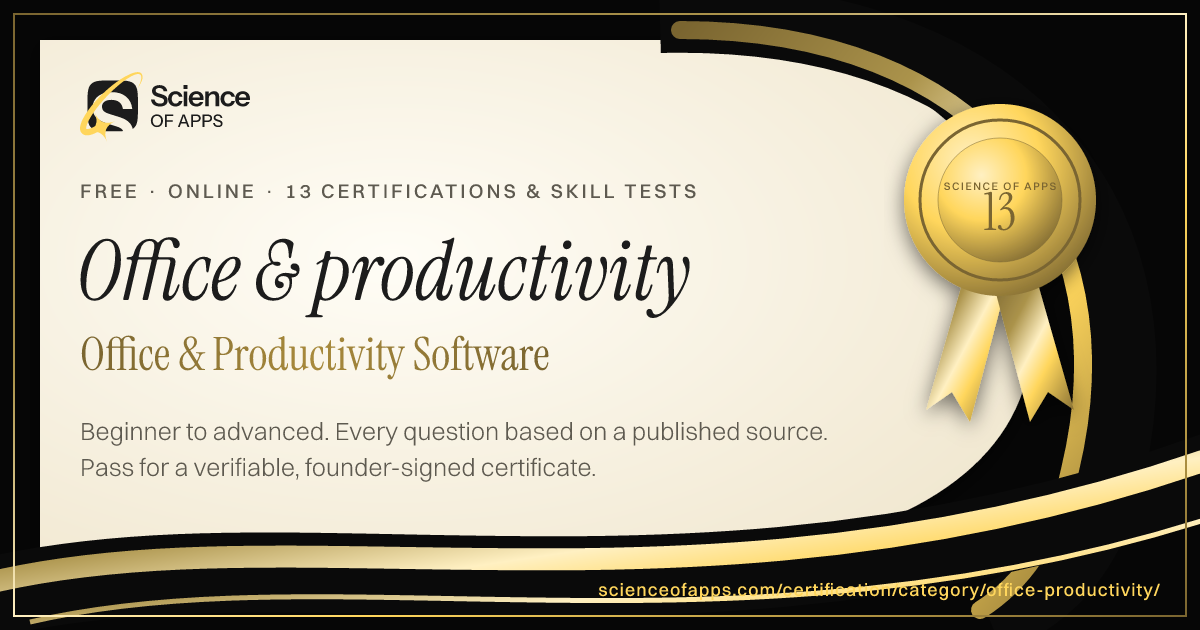
Office & Productivity Software
- Microsoft Word Skills Certification15 min · Intermediate
- Microsoft PowerPoint Skills Certification15 min · Intermediate
- Microsoft Outlook Skills Certification10 min · Beginner
- Microsoft 365 Skills Certification15 min · Intermediate
- Microsoft Teams Skills Certification10 min · Beginner
- SharePoint Skills Certification15 min · Intermediate
- Power Automate Certification Practice15 min · Intermediate
- Power Apps Certification Practice15 min · Intermediate
- Google Workspace Skills CertificationYou're here
- Google Slides Skills Certification10 min · Beginner
- Google Docs Skills Certification10 min · Beginner
- Google Apps Script Certification15 min · Intermediate
- Power Platform Fundamentals PL-900 Practice Test15 min · Intermediate
Foundation
AI & Generative AI
- AI UX Design Certification30 min · Advanced
- Prompt Engineering Certification30 min · Intermediate
- AI Product Manager Certification30 min · Advanced
Software Engineering & Web Development
- HTML and CSS Fundamentals Certification10 min · Beginner
- JavaScript Fundamentals Certification10 min · Beginner
- TypeScript Fundamentals Certification15 min · Intermediate
Data Analytics & Business Intelligence
- Product Analytics Certification30 min · Advanced
- Data Literacy Certification10 min · Beginner
- Microsoft Excel Fundamentals Certification10 min · Beginner
Digital Marketing, SEO, AEO & Growth
- Conversion Rate Optimization (CRO) Certification30 min · Advanced
- App Store Optimization (ASO) Certification30 min · Intermediate
- Growth Marketing Certification30 min · Intermediate
UX/UI, Design, Research & Creative
- UX Design Certification30 min · Intermediate
- UI Design Certification30 min · Intermediate
- Product Design Certification30 min · Intermediate
Product, Project Management & Business Analysis
- Product Manager Certification30 min · Intermediate
- Design Leadership Certification30 min · Advanced
- Agile Product Owner Certification30 min · Intermediate
Cybersecurity, IT, Cloud & DevOps
- Cybersecurity Fundamentals Certification10 min · Beginner
- Security Awareness and Phishing Detection Certification10 min · Beginner
- Network Security Fundamentals Certification15 min · Intermediate
Sales, Customer Success & Support
- Sales Fundamentals Certification10 min · Beginner
- Consultative Selling Certification15 min · Intermediate
- B2B Sales Development Representative Certification10 min · Beginner
Human Resources & People Management
- Human Resources Fundamentals Certification10 min · Beginner
- Talent Acquisition and Recruitment Certification10 min · Beginner
- Technical Recruitment Certification15 min · Intermediate
Finance, Accounting, Operations & Entrepreneurship
- Financial Literacy for Professionals Certification10 min · Beginner
- Accounting Fundamentals Certification10 min · Beginner
- Bookkeeping Fundamentals Certification10 min · Beginner
Communication, Leadership & Transferable Skills
- Critical Thinking Test10 min · Beginner
- Attention to Detail Test10 min · Beginner
- Cognitive Bias Test10 min · Beginner
Languages
- English Level Test30 min · Beginner
- American Sign Language (ASL) Foundations Test25 min · Intermediate
- App & Software Localization Test25 min · Intermediate
Healthcare, Education, Legal Operations & Sustainability
- Healthcare Administration Fundamentals Certification10 min · Beginner
- Medical Office Administration Certification10 min · Beginner
- Healthcare Data Privacy Awareness Certification10 min · Beginner
Test Prep, Academics & Aptitude
- SAT Math Practice Test20 min · Advanced
- SAT Reading and Writing Practice Test20 min · Advanced
- ACT Practice Test (English, Math, Reading & Science)20 min · Advanced
Language Exam Prep
- IELTS Academic Practice Test with Band Score20 min · Advanced
- IELTS General Training Practice Test20 min · Advanced
- TOEFL iBT Practice Test20 min · Advanced
Engineering, Architecture, Construction & Safety
- Mechanical Engineering Practice Test (FE-Style)20 min · Advanced
- Electrical Engineering Practice Test (FE-Style)20 min · Advanced
- Civil Engineering Practice Test (FE-Style)20 min · Advanced
Hospitality, Travel & Retail
- Hospitality Management Certification10 min · Beginner
- Food Safety Certification10 min · Beginner
- Hotel Revenue Management Certification15 min · Intermediate
Read before you test
- ComparisonsSlack vs Teams: which team chat tool fits your company — features, free plans and ecosystems comparedSlack vs Microsoft Teams compared: messaging, meetings, integrations, free plans, AI and external collaboration — with a verdict for each kind of team.
- Career guidesAI productivity skills employers want in 2027: using Copilot, ChatGPT, Gemini and Claude for email, meetings, documents and spreadsheets — safelyAI productivity skills employers want in 2027: email, meetings, documents, spreadsheets and research with AI assistants, done safely and checked.
- Career guidesRemote and hybrid work skills for 2027: written communication, async collaboration, visibility and trust, managing your day, video meetings, time zones, staying connected and finding remote jobsRemote and hybrid work skills for 2027: written communication, async work, visibility, managing your day, video meetings, time zones and staying connected.
- Career guidesGoogle Sheets skills for jobs in 2027: QUERY, IMPORTRANGE, shared trackers and what startups actually testGoogle Sheets skills for jobs in 2027: which roles use Sheets, how startups test it, QUERY, ARRAYFORMULA and IMPORTRANGE questions with answers, and a plan.
- ComparisonsBest Calendly alternatives: scheduling tools for founders, sales teams and consultantsThe best Calendly alternatives — Cal.com, Google appointment schedules, Microsoft Bookings, Zoho Bookings, HubSpot Meetings, SavvyCal and TidyCal — compared.
- Career guidesTeamwork skills employers look for in 2027: reliability, clear communication, psychological safety, shared goals and roles, giving help and asking for it, healthy disagreement and working across teamsTeamwork skills employers want in 2027: reliability, clear communication, psychological safety, shared goals, healthy disagreement and cross-team work.
Get the ideas, not the noise.
Sign up with Google and we’ll send you short UX psychology tips by email — why people tap, stall and leave, and what to do about it. Unsubscribe anytime. Prefer something to keep? Get the free Laws of UX guide as a PDF.