 By
Quick answer: How much does Softr cost?
- What it is: a no-code platform for client portals, internal tools, workflows and AI agents built on your data.
- Free plan: up to 3 builders, 5 app users, 5K database records, 500 workflow actions and 5 AI credits a month; no custom domain.
- Paid: Basic $19, Pro $99, Business $329 a month; yearly billing gives two months off (USD, checked 20 Nov 2026).
- Softr and Airtable: Airtable is a data source on every plan; Softr reads, creates and updates records.
- Going public: list the product free on the Launchpad and get it tested end to end.
Key takeaways
- Softr's real limits are app users, builders and records, not the number of apps.
- The free plan is for building and testing; a custom domain starts on Basic.
- Bigger data sources such as PostgreSQL, MySQL and SQL Server arrive on Business.
- Glide, Noloco, Bubble and AppSheet are the closest Softr alternatives, each with a different sweet spot.
- An internal tool that becomes a public product needs a launch and an outside test.
"softr pricing" is searched about 4,400 times a month and "softr airtable" about 590 (Google Keyword Planner, global 12-month average): people who already have their data in a spreadsheet or Airtable base and want to know what turning it into an app will cost. This review lays out Softr pricing plan by plan, what each limit means in practice, how Softr works with Airtable, the Softr alternatives worth comparing, and what to do when an internal tool turns into a product for the public. All facts come from Softr's own pages as checked on 20 November 2026; we didn't build on Softr, so this isn't a hands-on test. Jump to pricing, the verdict, alternatives or the launch plan.
What is Softr?
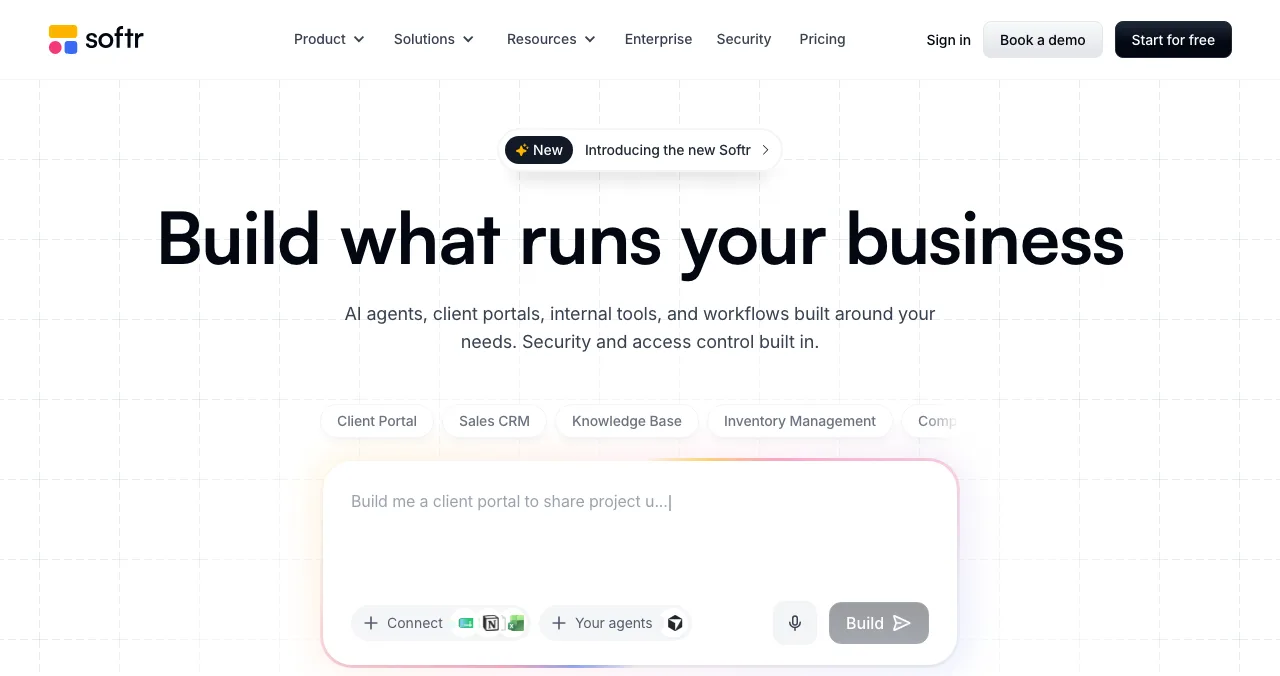
Softr's homepage headline is "Build what runs your business", and it describes the product as "AI agents, client portals, internal tools, and workflows built around your needs", with security and access control built in. You can start from a prompt ("Build me a client portal to share project updates…") or from templates such as a client portal, sales CRM, knowledge base or inventory manager. Its pricing page says it's "Trusted by 1 million+ businesses", a figure that is Softr's own.
The important design choice: Softr is an interface on top of data. It has its own database, but it also connects to the places teams already keep records, including Airtable, Notion and Google Sheets on every plan, with more sources on higher plans.
Softr pricing: every plan and its limits
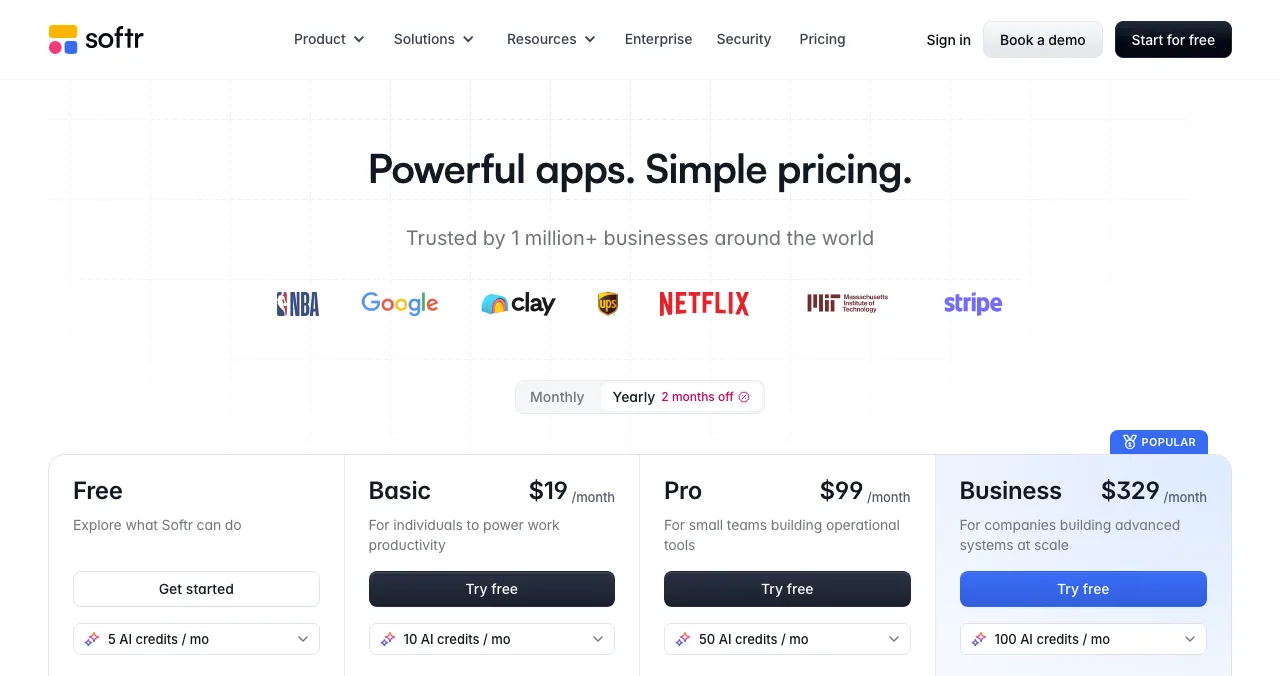
Softr lists four public plans plus Enterprise, in US dollars. The pricing page has a monthly and yearly toggle with "2 months off" on yearly billing; its text didn't make clear whether the listed prices are the monthly-billed or yearly-billed rate, so confirm the figure at checkout.
| Plan | Price (USD) | Builders | App users | Database records | Data sources |
|---|---|---|---|---|---|
| Free | $0 | Up to 3 | 5 | 5K | Airtable, Notion, Google Sheets + 48 integrations |
| Basic | $19 / month | 1 included (+$5/mo each) | 5 team + 5 client | 50K | Same as Free; custom domain |
| Pro | $99 / month | 2 included (+$10/mo each) | 10 team + 50 client (extra from $1/mo) | 500K | Adds Supabase, OpenAI, Claude, Monday.com, ClickUp, Coda, Xero and more |
| Business | $329 / month | 3 included (+$20/mo each) | 30 team + 100 client (extra from $2/mo) | 1M | Adds HubSpot, Excel, PostgreSQL, MySQL, SQL Server |
| Enterprise | Contact sales | Custom | Custom | Custom | Adds Salesforce, BigQuery, Snowflake, custom integrations |

Table: Softr pricing by plan (softr.io/pricing, checked 20 Nov 2026; USD)
The free plan also caps workflow actions at 500 a month and AI credits at 5 a month; the plan cards show 10, 50 and 100 AI credits a month on Basic, Pro and Business. Apps, databases, workflows and agents are unlimited on Free, so the real limits are people (builders and app users) and records.
Softr and Airtable: how they work together
Softr's Airtable page presents Airtable as the data store and Softr as the branded front end, "keeping your data centralized in Airtable". In practice:
- Read and write. Softr workflows can "read, create, and update Airtable records", and results appear in Softr lists, detail pages and member dashboards.
- Changes show up immediately. "Reflect changes from Softr in Airtable instantly, so your team always sees the latest data."
- What people build: client intake portals that create records from form submissions, member-managed directories, internal CRMs for deal stages, admin views for bulk changes, status-driven notifications and scheduled clean-up workflows.
Because Airtable is a data source on every plan, including Free, you can put a Softr interface on an existing base without migrating anything. The limits to watch are Softr's own: app users and records per plan.
Softr review: the verdict

Where Softr is strong
- Interfaces on data you already have: Airtable, Sheets, Notion and more
- Unlimited apps, databases, workflows and agents even on Free
- Permissions and access control designed in, for client portals
- Prompt-to-app and templates for common business tools
- Bigger databases (PostgreSQL, SQL Server) on Business
Where it falls short
- Free plan allows only 5 app users and no custom domain
- App users and builders are charged per head above plan limits
- Low AI credits on Free (5 a month) and Basic
- Advanced data sources sit on the $329 Business plan
- Built for known users; public products need extra polish and testing
Softr's strength, building for a team you know, is also the risk when an app goes public. Your colleagues know what "Submit intake" means; a stranger arriving from search doesn't. The gap between an internal tool and a public product is mostly onboarding, wording and trust.
Softr alternatives worth comparing
The right Softr alternatives depend on where your data lives and who your users are. Each is described from its own pricing page (20 Nov 2026). For a side-by-side on a real brief, read the best no-code app builders.
| Tool | Free plan | First paid plan (USD) | Best for |
|---|---|---|---|
| Softr | 3 builders, 5 app users, 5K records | Basic $19/mo | Portals and internal tools on Airtable and other data |
| Glide | 2 team members, 10 projects, no published apps | Basic $25/mo | Apps from spreadsheets and business data |
| Noloco | 2,000 records, 50 active clients | Build $65/mo annual ($79 monthly) | Client portals and internal tools with many team seats |
| Bubble | 500 AI credits, 50K workload units, no live site listed | Starter $32/mo, billed annually | Full web and native mobile apps with custom logic |
| Google AppSheet | Free for prototypes, up to 10 test users | Starter $5/user/mo | Apps on Google Workspace data |
Table: Softr alternatives, free plans and first paid plans (each tool's pricing page, checked 20 Nov 2026)
Glide
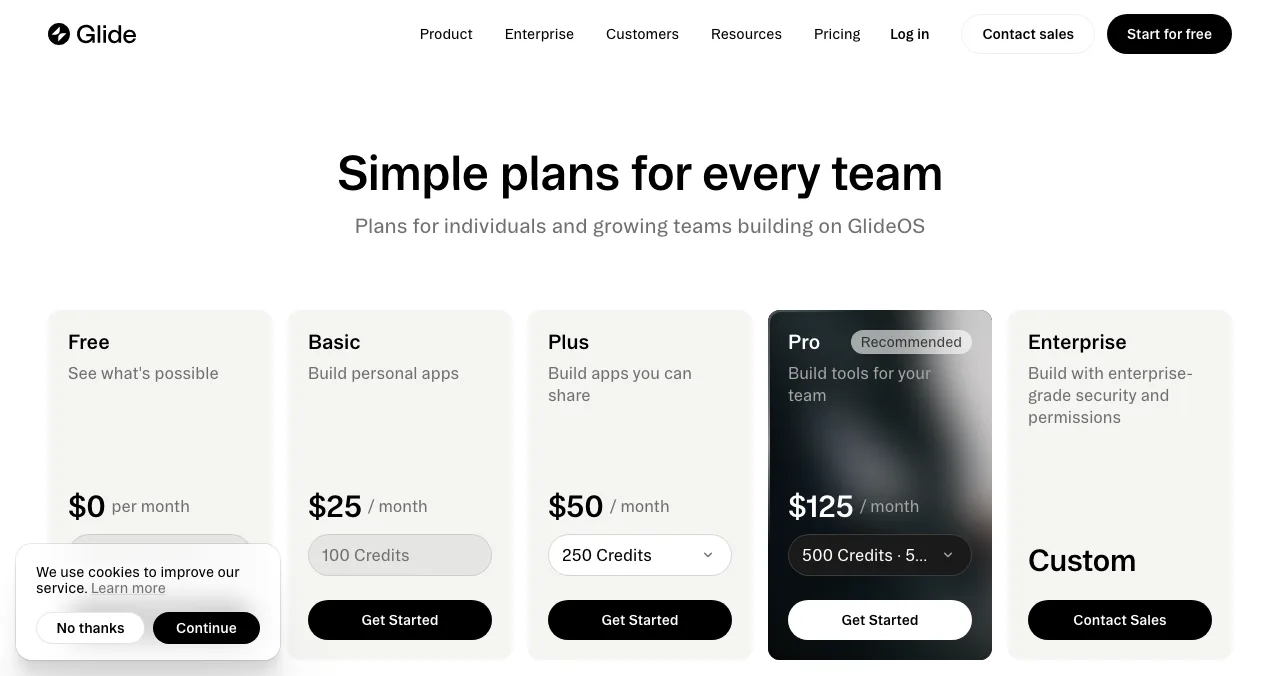
Glide calls itself "the business operations platform that turns the Excel files and Google Sheets your team runs on into apps and AI agents." Free allows 2 team members and 10 projects but no published apps; Basic is $25 a month with 2 published apps, and annual plans are "coming soon". Pick it over Softr if your data lives in spreadsheets and the users are your own team.
Noloco
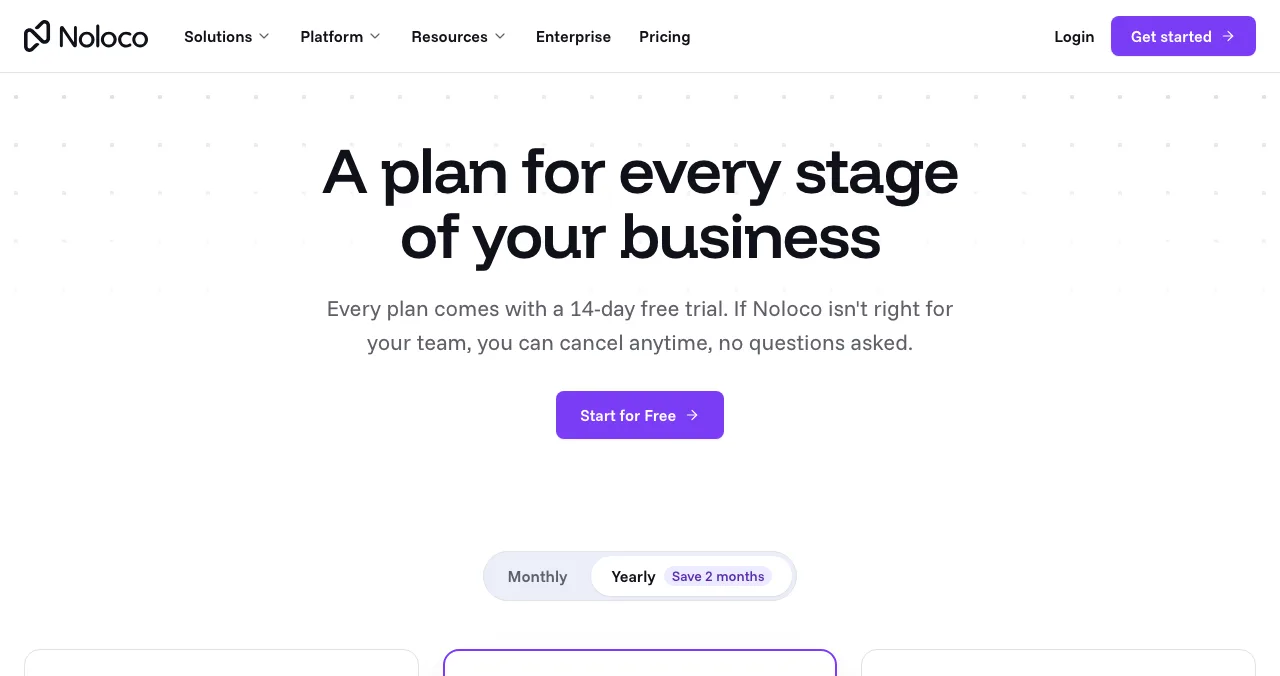
Noloco builds portals and internal tools. Free has unlimited team seats, 50 active clients and 2,000 records; Build is $65 a month billed annually or $79 monthly, with 10 team seats and 25,000 records, and a 14-day trial without a card. Pick it over Softr if many teammates need to edit.
Bubble
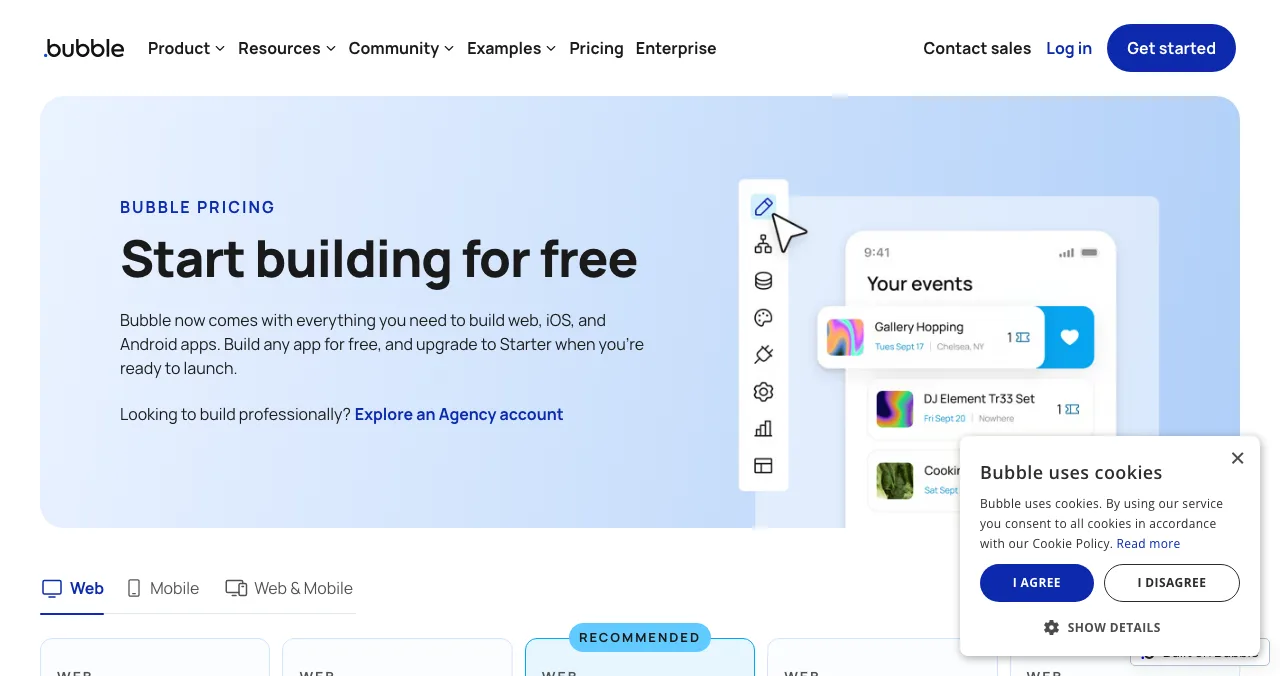
Bubble is a no-code AI app builder for web and native iOS and Android apps, with hosting and a database built in. Free includes 500 AI credits and 50K workload units, but a live site and custom domain aren't listed; Starter is $32 a month billed annually. Pick it over Softr if you're building a full product with custom logic, not a portal on existing data.
Google AppSheet
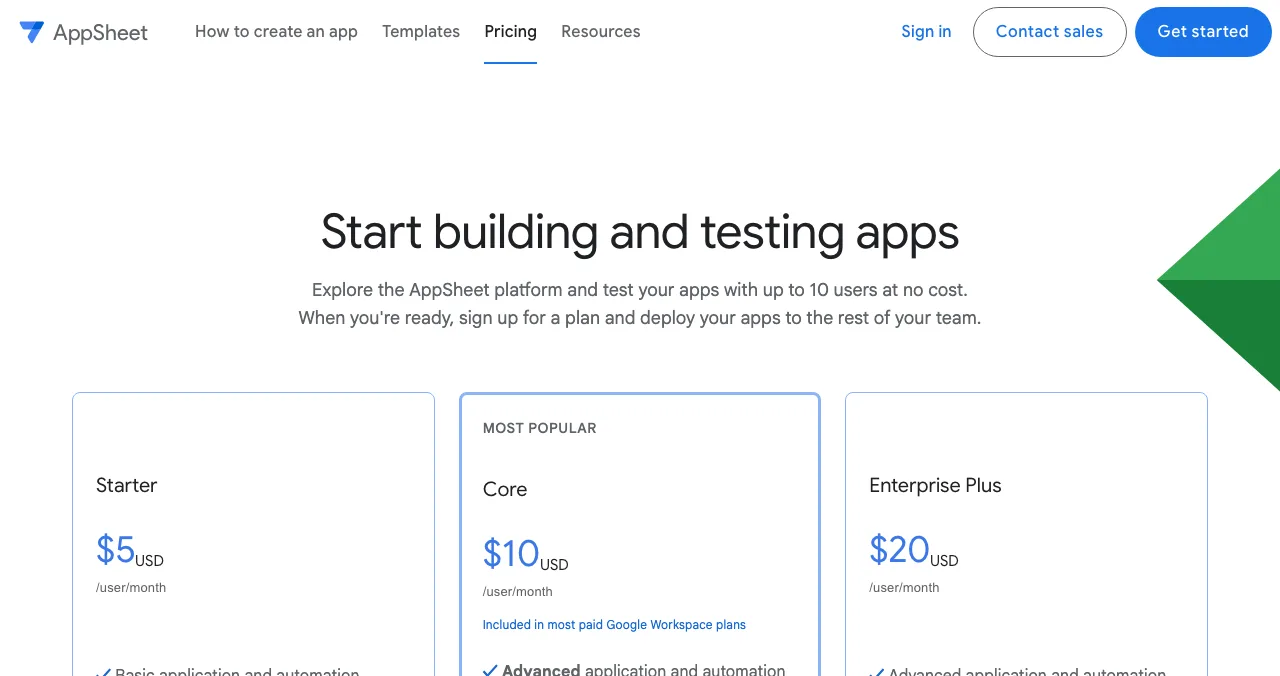
AppSheet lets you "use basic app and automation features at no cost" while prototyping, with up to 10 test users. Paid plans are per user: Starter $5, Core $10 (included in most paid Google Workspace plans) and Enterprise Plus $20 a month. Pick it over Softr if your team already lives in Google Workspace.
From internal tool to public product: where to launch it
Most Softr apps never need a launch: they serve a known team or client list. But some become products, such as a member directory anyone can join, or a portal you sell to other businesses. At that point the app needs a public page, a way to be found, and an outside look at the experience. That's what the Science of Apps Launchpad provides.
- Cost
- Free, forever
- Time
- About five minutes, six short steps
- Visible for
- Permanent
- Ranking
- Relevance, editorial, community; never payment
- Included
- A product test and detailed report

- What you get: a public product page with its own link, found by the problem you solve, a Featured badge when it goes live and earned badges such as Verified (a work email on your domain), Community favourite and Editor's pick, plus vouches and followers.
- What it isn't: a host or a website builder. Softr keeps running your app; the Launchpad is where people discover it.
- The difference: a free baseline diagnosis of landing page, discoverability and speed as you go live, and an end-to-end test of the product behind the login.
- Areas of your product tested
- 22
- Automatic measurements, desktop and mobile
- 39
- Expert checks behind your login
- 74
- Verdicts that rank what to fix first
- 5
Arrive
First impression
Discoverability on Google, AI and social; landing page, pricing, trust and speed.
Join
The first minutes
Sign-up, sign-in, recovery and onboarding.
Use
The everyday job
Home, core flow, dashboards, search, microcopy and error states.
Pay
Value into revenue
Paywall, upgrade, checkout and payments.
Stay
Coming back
Notifications, account, settings and help.
Every screen
Throughout
Accessibility to WCAG 2.2, visual design and consistency.

The investigation is re-cut per category. If your Softr app includes one of its AI agents, the AI cut adds prompt and output trust checks: whether people know what to ask and whether answers are clear about their limits.
Evidence for every finding
Each finding is pinned to its screen or backed by a measurement.
Five verdicts
Good, Needs improvement, Needs to be fixed, Critical, Recommendation.
Analyst-reviewed
Findings are approved, edited or rejected by a Science of Apps analyst before you see them.
Private to your team
Reports are private by default and never affect your listing's ranking.
See what a first-time visitor sees
List free, then order the report that fits: the first impression, or the full diagnosis with a plan.

 Economy
See what new customers see
- Store listing and homepage, screen by screen
- Scorecard against 60 Laws of UX
- Customers, competitors and the fixes worth most
PremiumThe full diagnosis and the plan
- Every screen, every finding, every flow
- All 60 laws with evidence and fixes
- 8 strategy chapters and a 90-day roadmap
Researched from your live product and fact-checked against the evidence.
Which Softr plan, or which tool, should you choose?
| Your situation | Start with | Then |
|---|---|---|
| Prototype on an Airtable base | Softr Free | Show it to 5 real users |
| A small client portal pilot | Softr Basic (custom domain) | Move to Pro when clients pass 5 |
| A portal for 50 clients | Softr Pro | Test sign-up and permissions before inviting |
| Data in PostgreSQL or SQL Server | Softr Business | Or compare Noloco's Build plan |
| A full public product with custom logic | Bubble | Launchpad listing and an end-to-end test |
| A team on Google Workspace | AppSheet | Prototype free with 10 test users |
Table: Which Softr plan or Softr alternative to choose, by situation
A plan for taking a Softr app public

- Count your users — pick the plan by app users and records, not features; that's where Softr's limits bite.
- Connect a custom domain — available from Basic, so your public links never change.
- Rewrite for strangers — replace internal labels and jargon on the sign-up and first screens.
- Check permissions — sign up as a brand-new user and confirm what they can and can't see.
- List it on the Launchpad — your permanent product page; read the free baseline check.
- Announce it — in the communities your users read, and on the platform showcases covered in where to launch a no-code product.
Mistakes to avoid with Softr

- Choosing a plan by features — app users and records decide the bill
- Launching on Free — 5 app users and no custom domain won't hold a public launch
- Keeping internal wording — field names from your Airtable base confuse outside users
- Skipping a fresh-account test — permissions bugs only show up for new users
- Ignoring per-head add-ons — extra builders and app users add to the plan price
New users can hold only a few things in mind at once, the idea behind cognitive load. Internal tools tolerate busy screens because the team knows them; public products don't.
Ready to launch?
How we reviewed Softr
Softr's plans, prices and limits come from its pricing page, its positioning from its homepage, and the Airtable details from its Airtable integration page, all read on 20 November 2026; prices are in US dollars as shown. We couldn't confirm from the page text whether listed prices are monthly- or yearly-billed. We didn't build on Softr, so this reviews what it offers and costs, not a hands-on test. Alternatives come from their own pricing pages the same day. The Launchpad's terms come from its homepage (20 November) and investigation and pricing pages (18 November). Search volumes are Google Keyword Planner's global 12-month averages. Science of Apps runs the Launchpad and has no relationship with Softr.
Key terms, defined
- Softr: a no-code platform for client portals, internal tools, workflows and AI agents built on your data.
- Builder (Softr): a person who can edit apps in the Softr workspace; charged per head above the plan's allowance.
- App user: a person who signs in to use a Softr app, split into team and client users on paid plans.
- Data source: where the app's records live, such as Airtable, Google Sheets, Notion or a SQL database.
- Client portal: a secure area where each customer sees only their own records, files and updates.
- Permanent listing: a product page that stays live and findable after any launch day.
Frequently asked questions
How much does Softr cost? What is Softr pricing?
Softr pricing on 20 Nov 2026, in US dollars: Free; Basic $19 a month; Pro $99 a month; Business $329 a month; Enterprise by quote. The page has a monthly and yearly toggle with two months off on yearly billing. Paid plans also charge for extra builders ($5, $10 or $20 a month) and, on Pro and Business, extra app users.
Is Softr free?
Yes. Softr's free plan includes unlimited apps, databases, workflows and agents, but limits you to 3 builders, 5 app users, 5,000 database records, 500 workflow actions a month and 5 AI credits a month. A custom domain isn't part of Free; it starts on Basic. Free works for building and showing a prototype, not for a live product with many users.
How does Softr work with Airtable?
Softr uses Airtable as a data source and acts as the interface on top. Its Airtable page says Softr can read, create and update Airtable records and that changes made in Softr show in Airtable instantly. Typical builds are client intake portals, member directories, internal CRMs and admin views. Airtable is listed as a data source on every Softr plan, including Free.
What are the best Softr alternatives?
The closest Softr alternatives are Glide (apps from spreadsheets and business data), Noloco (portals and internal tools with a free plan of 2,000 records), Bubble (full web and native mobile apps with its own database) and Google AppSheet (apps on Google data, free for prototypes with up to 10 test users). Pick by data source and by who uses the app.
What is Softr used for?
Softr describes itself as a way to build 'what runs your business': AI agents, client portals, internal tools and workflows around your data, with security and access control built in. Its pricing page says it's trusted by over a million businesses. Most teams use it for portals and internal tools on data they already keep in Airtable, Google Sheets or Notion.
Which Softr plan do I need for a client portal?
It depends on users. Basic includes 5 team and 5 client app users, so it suits a small pilot. Pro includes 10 team and 50 client users, with extra users from $1 a month, plus integrations such as Supabase. Business includes 30 team and 100 client users and adds databases like PostgreSQL and SQL Server. Count users before choosing.
Where should I launch a Softr app that's open to the public?
Connect a custom domain on a paid plan, then give the app a permanent public page: a free Science of Apps Launchpad listing, plus the communities and directories your users read. Before announcing, test sign-up, permissions and the core task on mobile, because portals built for a known team often confuse first-time visitors.
Sources
- Softr — Plans and pricing (checked 20 Nov 2026)
- Softr — Homepage (checked 20 Nov 2026)
- Softr — Airtable integration (checked 20 Nov 2026)
- Glide — Pricing (checked 20 Nov 2026)
- Noloco — Pricing (checked 20 Nov 2026)
- Bubble — Pricing (checked 20 Nov 2026)
- Google AppSheet — Pricing (checked 20 Nov 2026)
- Science of Apps — Launchpad: launch your product free (checked 20 Nov 2026)
- Science of Apps — Product investigation (checked 18 Nov 2026)
- Science of Apps — Pricing: free listing, Economy and Premium reports (checked 18 Nov 2026)
- Checked November 20, 2026. Figures that change — fees, salaries, prices — are reviewed every six months; if something is out of date, tell us.
Where to go from here
- Best no-code app builders — Softr against the field on a real brief
- Where to launch a no-code product — showcases, communities and listings
- Best AI app builders — for non-coders, by what you're building
- Science of Apps - LaunchpadBase44 review: what the AI app builder makes from a prompt, what each plan costs in credits, the alternatives worth comparing, and how to launch and test what you buildBase44 builds apps from a prompt with backend, auth and hosting built in. Base44 pricing, limits, alternatives, and how to launch and test the app you make.
- Science of Apps - Launchpadv0 by Vercel review: what the AI agent builds, what v0 pricing really includes in credits, the v0 alternatives worth comparing, and how to turn a v0 prototype into a launched productv0 by Vercel turns prompts into Next.js apps and deploys them to Vercel. v0 pricing, limits, alternatives, and how to launch and test what you build.
- Science of Apps - LaunchpadEmergent AI review: what the Emergent AI app builder makes from a prompt, what Emergent pricing includes in credits, the Emergent alternatives worth comparing, and how to launch and test the appEmergent AI builds web and mobile apps from a prompt and hosts them. Emergent pricing, credits, alternatives, and how to launch and test what you build.
- Science of Apps - LaunchpadReplit pricing in 2027: the free Starter plan, Replit Core, Replit Pro and Enterprise, how credits work and what it costs to build and launch an appReplit pricing checked 20 Nov 2026: free Starter limits, Replit Core at $20 a month ($18 yearly), Pro at $100 ($90), credits, and build vs launch costs.
- Science of Apps - LaunchpadBubble io alternatives: what Bubble's no-code plans cost today, seven alternatives with verified free tiers and prices, and where to launch the app once it's builtBubble io pricing, checked today, plus 7 Bubble alternatives with real free tiers: FlutterFlow, Glide, Softr, Adalo, WeWeb, Lovable and Base44.
- Science of Apps - LaunchpadMicrolaunch review: how a 30-day launch works, what Launch Pro, Launch Plus and Launch Everywhere cost, whether there's a free option, and how it compares with Uneed, Product Hunt and the free LaunchpadIs Microlaunch free? Its own pages show paid launch packs from $39 for 30 days of visibility. How it works, what each plan includes, and free options to pair.

Get the ideas, not the noise.
Sign up with Google and we’ll send you short UX psychology tips by email — why people tap, stall and leave, and what to do about it. Unsubscribe anytime. Prefer something to keep? Get the free Laws of UX guide as a PDF.
Launch day ends. Your listing shouldn't.
Softr turns your data into portals and tools. When one becomes a product for the public, the Science of Apps Launchpad gives it a free, permanent product page and tests it end to end with a detailed report.