 By
Quick answer: How do I see which directories send traffic?
- One tagged link per listing: utm_source, utm_medium and utm_campaign, all lowercase.
- Use utm_medium=referral so directories land in GA4's Referral channel, not Unassigned.
- Read it in GA4: Reports › Acquisition › Traffic acquisition, by session source / medium.
- Mark sign-up as a key event to see which directories send users, not just sessions.
- Untagged links still show up by referring domain, when the browser passes a referrer.
Key takeaways
- A directory that sends 40 visits and 6 sign-ups beats one that sends 400 visits and none.
- UTM values are case sensitive in GA4; pick a naming convention and never change it.
- A made-up medium such as 'directory' falls into Unassigned in GA4's default channel group.
- Key events count only from the moment you mark them, so set them up before launch day.
- Judge directories over 30–90 days, not on launch day alone.
You listed your startup on a dozen directories and launch sites. Analytics shows a bump. But which listing sent the people who actually signed up, and which ones were a waste of an afternoon? Unless every link is tagged and your sign-up is counted as a key event, you can't tell. This playbook shows how to track referral traffic from startup directories in Google Analytics 4: a UTM template you can copy, the exact report to open, the naming mistake that dumps directory traffic into "Unassigned", and how to judge a listing by sign-ups instead of visits. Every GA4 step was checked against Google's own Analytics Help pages on 18 November 2026. Jump to the UTM template, the GA4 report or the 30-day plan.
- UTM parameters Google says to always use
- 3
- GA4 report that answers the question
- 1
- Key events a standard GA4 property can mark
- 30
- Hours before standard reports show a new key event
- 24
How do I see which directories send traffic?
Give every listing a link with its own UTM tags, then read GA4's Traffic acquisition report by session source / medium. Untagged listings still appear, credited to the directory's domain, as long as the visitor's browser passes a referrer.
| Situation | What GA4 shows | Channel |
|---|---|---|
| Tagged: utm_source=betalist, utm_medium=referral | betalist / referral | Referral |
| Untagged link, referrer passed | betalist.com / referral | Referral |
| Tagged with a made-up medium: utm_medium=directory | betalist / directory | Unassigned |
| Untagged link opened from an app, email or a copied URL | (direct) / (none) | Direct |
| Tagged with mixed case: utm_source=BetaList and betalist | Two separate rows | Referral, split |
Table: How the same directory visit is reported in GA4, depending on how the link is tagged (based on Google Analytics Help, checked 18 Nov 2026)
The third row is the one that catches founders out. GA4's default channel group puts a session in Referral only when the medium is "referral", "app" or "link". Anything it doesn't recognise falls through every rule and lands in Unassigned. The channel rules ignore letter case, but the UTM values themselves are case sensitive, which is why the last row splits into two.
What are UTM links, and which parameters matter?
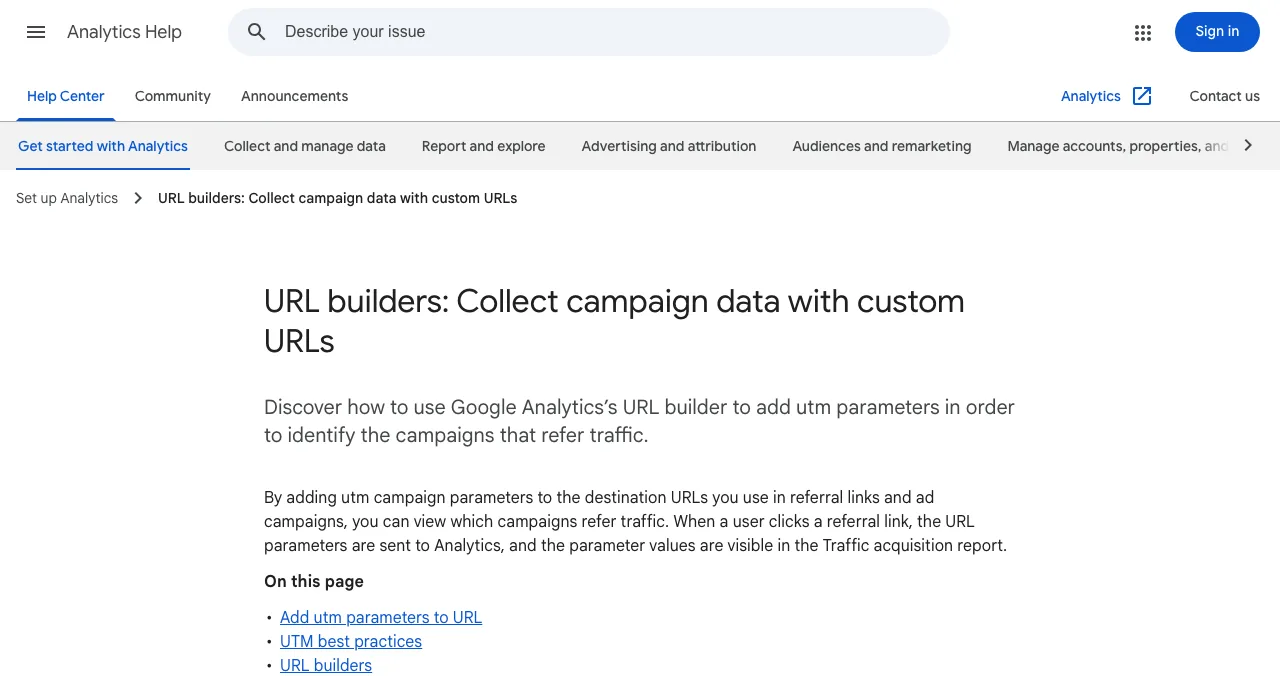
A UTM link is your normal URL with a few labelled values added after a question mark. When someone clicks it, GA4 reads the labels and credits the visit to them. Google's help page lists nine parameters; three are the ones that matter for directories.
- utm_source (always): the site sending the click. Use the directory's name: producthunt, betalist, launchpad, saashub.
- utm_medium (always): the type of channel. For directories and launch sites, use referral, so the visit stays in GA4's Referral channel.
- utm_campaign (always): the push this click belongs to, such as launch-2027. Keep it identical everywhere; Google warns that variations split your rows.
- utm_content (optional): tells apart two links from the same place, such as the main website button and a link in the description.
- utm_id (recommended by Google): a campaign ID, mainly useful if you later import campaign data. Founders can skip it at first.
Google's own advice is short: always set source, medium and campaign; use lowercase and consistent naming; use one source value per platform. Anything you leave out shows up as "(not set)" in reports.
The UTM template for startup directories
Copy this table into a sheet before you submit anywhere. One row per listing, filled in before you paste the link.
| Listing | utm_source | utm_medium | utm_campaign | utm_content |
|---|---|---|---|---|
| Product Hunt | producthunt | referral | launch-2027 | website |
| BetaList | betalist | referral | launch-2027 | website |
| Science of Apps Launchpad | launchpad | referral | launch-2027 | website |
| SaaSHub | saashub | referral | launch-2027 | website |
| Hacker News (Show HN) | hackernews | referral | launch-2027 | post |
| Newsletter feature | newsletter-name | launch-2027 | feature |
Table: A UTM naming template for directory and launch-site listings (illustrative values; Science of Apps editorial)
The finished link for the BetaList row looks like this:
https://yourstartup.com/?utm_source=betalist&utm_medium=referral&utm_campaign=launch-2027&utm_content=website
Note the newsletter row: an email feature is email, not referral, and GA4 has an Email channel for it. Tag each source honestly by what it is and the channels sort themselves.
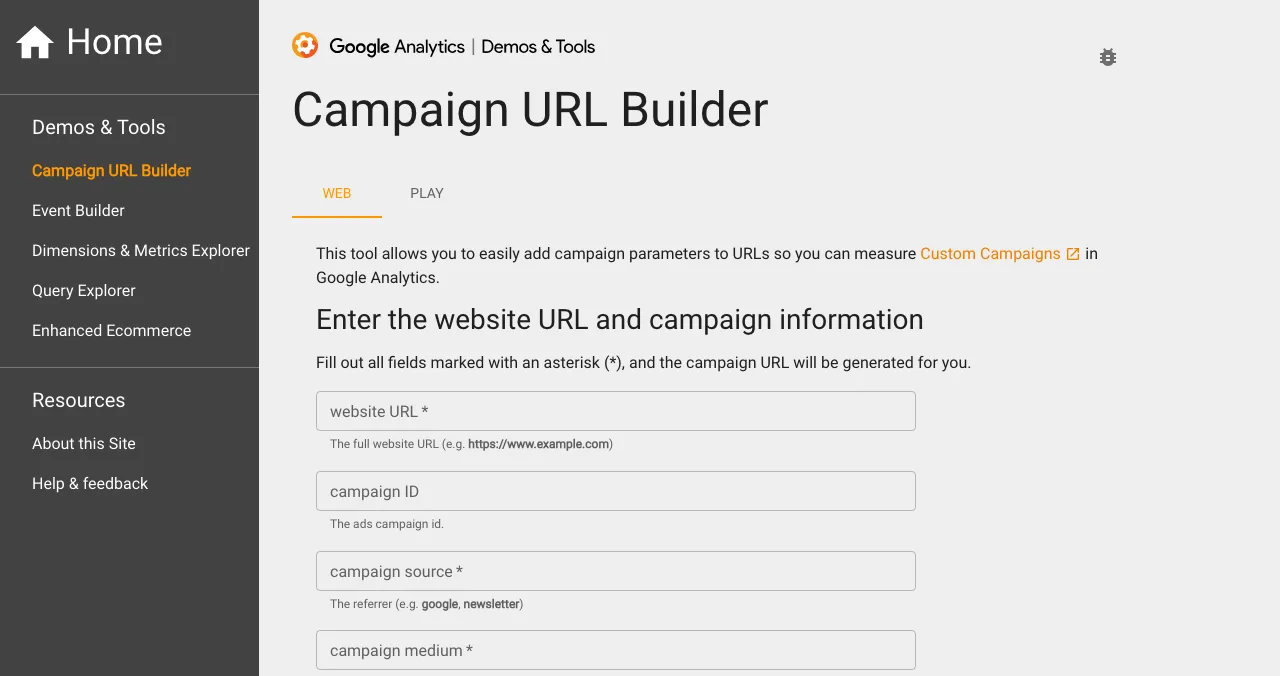
If you'd rather not type query strings by hand, Google's free Campaign URL Builder builds them. Fields marked with an asterisk are required.
Set up GA4 before you submit anywhere

- Install GA4 and check Realtime. Open your site in a private window and confirm your own visit appears in the Realtime report.
- Pick your key event. Usually sign_up, or the first moment of value (project created, first upload). In GA4, go to Admin, Data display, Events, and mark it as a key event. Google's help page says this affects reports only from the time you mark it, so do it before launch.
- Build the sheet. One row per directory with its tagged link, the date you submitted and the date it went live.
- Paste tagged links. Use the tagged URL in each directory's website field wherever the form accepts it.
- Test every live listing. Click your own link, check the address bar still carries the tags, and watch the visit arrive in Realtime.
Which GA4 report shows referral traffic?
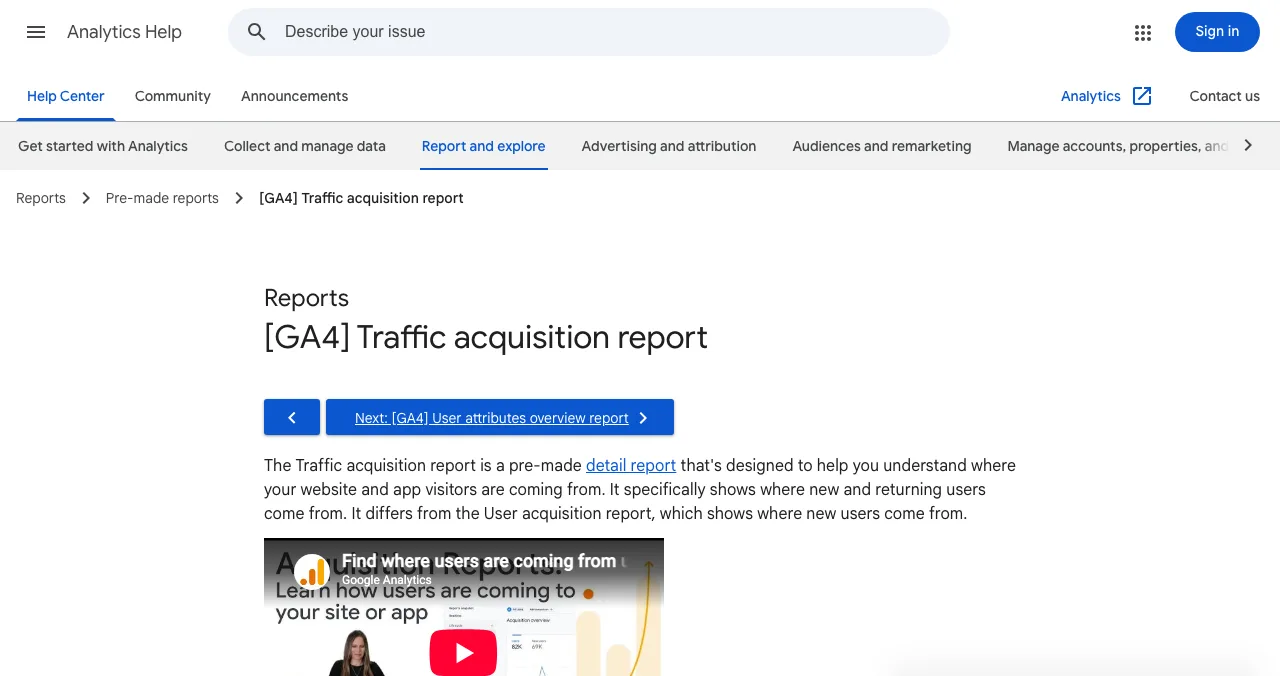
The Traffic acquisition report. Google's help page gives the path: Reports, then Acquisition, then Traffic acquisition. Its default dimension is Session default channel group, which shows Referral, Organic Search, Direct and the rest as rows.
To see directories one by one:
- Change the dimension from Session default channel group to Session source / medium. Each directory becomes its own row: producthunt / referral, betalist.com / referral, and so on.
- Filter with + Add filter, include Session medium = referral, to hide everything else.
- Read the right columns. Sessions and engaged sessions tell you about attention. Key events and Session key event rate tell you about sign-ups. Those two decide which directories deserve your time.
- Filter by campaign (Session campaign = launch-2027) to see the whole launch in one view.
Session dimensions describe each session, so a returning visitor who comes back through a directory is credited again. For "which directories brought new people", check the User acquisition report's first user source too.
How do you measure launch traffic that converts?
Visits are the cheapest number in analytics. A launch-day spike from a big site can produce thousands of sessions and almost no sign-ups, while a small, focused directory sends a few dozen visitors who stay. Compare directories on four numbers:
| Number | Where in GA4 | What it tells you |
|---|---|---|
| Sessions | Traffic acquisition | Raw attention |
| Engagement rate | Traffic acquisition | Whether visitors stayed or bounced |
| Key events | Traffic acquisition | Sign-ups (or your chosen event) |
| Session key event rate | Traffic acquisition | Sign-ups per session: the quality of the source |
Table: The four numbers to compare directories on, all in GA4's Traffic acquisition report (metrics as listed on Google's help page, checked 18 Nov 2026)
Here is an illustrative example (hypothetical numbers, not real data): Directory A sends 600 sessions and 3 sign-ups; Directory B sends 70 sessions and 9 sign-ups. A won the day; B is the better listing, and the one where you should improve your profile, answer comments and ask happy users to vouch.
If your landing page is losing the people the directories send, no amount of tagging fixes that. Check the page, sign-up and onboarding before you blame the source.
How are Launchpad links credited in GA4?

When we checked a live Launchpad profile's page source on 18 November 2026, its outbound links to the founder's website carried rel="noopener" and no noreferrer, so browsers can pass the referring site. In practice, an untagged click usually arrives as launchpad.scienceofapps.com / referral. Tag your website link with utm_source=launchpad if the form keeps it, and test it once the listing is live.
The Launchpad is free to list, forever, in six short steps. Every listing is checked automatically and reviewed by a person, ranked by relevance, editorial picks and community interest, never payment, and goes live with a Featured badge. Because the profile is permanent, it keeps sending a trickle long after launch day, which is exactly the kind of source the 30- and 90-day views below reward.
The bigger difference is what happens after you go live: a free baseline diagnosis of your landing page, discoverability and speed, and a full product investigation on request. If directory visitors arrive and don't sign up, that report shows you where they drop.
- Areas of your product examined
- 22
- Automatic measurements, desktop and mobile
- 39
- Expert heuristics on the screens behind the login
- 74
- Verdicts, from Good to Critical
- 5
Find out where visitors drop
List free, then order the report that fits your stage.

 Economy
See what new customers see
- Store listing and homepage, screen by screen
- Scorecard against 60 Laws of UX
- The fixes worth most
PremiumThe full diagnosis and the plan
- Every screen, every finding, every flow
- All 60 laws with evidence and fixes
- 8 strategy chapters and a 90-day roadmap
Fact-checked against the evidence. Private by default. Never affects ranking.
A 30-day plan to measure your directory listings
- Day −3
Set up
GA4 live, sign-up marked as a key event, UTM sheet built.
- Day 0
Submit and tag
Submit to your shortlist with tagged links; note the live date of each.
- Day 1–7
Check daily
Realtime on launch days, then Traffic acquisition by source / medium.
- Day 14
First read
Rank directories by key events, not sessions. Improve the profiles that convert.
- Day 30
Decide
Keep investing in the top two or three; stop polishing the rest.
- Day 90
Re-check
Permanent listings and search-indexed profiles often keep sending visits.
Mistakes that make directory traffic unreadable

- Inventing a medium — utm_medium=directory sends sessions to Unassigned; use referral
- Mixed case — BetaList and betalist are two rows; keep everything lowercase
- Marking key events after launch — GA4 doesn't backfill them
- Tagging internal links — UTMs on links within your own site overwrite where the visitor really came from
- Judging on sessions — a big spike with no sign-ups is noise
- Judging on day one — some listings pay off over weeks, through search and repeat visits
- Never testing the live link — some sites strip or rewrite query strings; click it yourself
Ready to launch?
How we know
The UTM parameters, the case-sensitivity rule and the Campaign URL Builder come from Google's Analytics Help article on campaign URLs. The report path, default dimension and metrics come from the Traffic acquisition article; the channel rules from the Default channel group article; key-event limits and timing from Mark events as key events. All were read on 18 November 2026. The Launchpad link behaviour comes from a public listing's page source on the same day. The template values and the A-versus-B example are illustrative. Science of Apps runs the Launchpad.
Key terms, defined
- Referral traffic: visits that arrive by clicking a link on another website or app, not from search, ads, social or email.
- UTM parameters: labels added to a URL (utm_source, utm_medium, utm_campaign and others) that tell analytics where a click came from.
- Session source / medium: the GA4 dimension that names where each session came from, such as betalist / referral.
- Default channel group: GA4's rule-based grouping of traffic into channels such as Referral, Organic Search and Unassigned.
- Key event: an event you mark as important in GA4, such as a sign-up, so reports count it per source.
- Session key event rate: the share of sessions that included a key event; the best single measure of a source's quality.
Frequently asked questions
How do I see which directories send traffic?
In GA4, open Reports, then Acquisition, then Traffic acquisition, and change the primary dimension to Session source / medium. Each directory appears as its own row, either under the utm_source you gave it or under its domain with medium referral. Add the Key events and Session key event rate columns to see which directories send people who sign up, not just visitors.
What UTM parameters should a startup use for directory listings?
Google says to always use utm_source, utm_medium and utm_campaign. For directories, set utm_source to the directory's name (producthunt, betalist, launchpad), utm_medium to referral, and utm_campaign to the launch (launch-2027). Use utm_content to tell apart two links on the same listing, such as the website button and a link in the description. Keep every value lowercase.
Why does my directory traffic show as Unassigned in GA4?
GA4's default channel group sorts sessions by rules on source and medium. Referral requires a medium of referral, app or link. If you tag a listing with a medium GA4 doesn't recognise, such as directory or listing, no rule matches and the session lands in Unassigned. Use utm_medium=referral for directories and the traffic stays in the Referral channel.
Do I need UTM links if GA4 already shows referrals?
Not strictly, but they help. Without tags you depend on the browser passing a referrer, and some links (apps, emails, copied URLs, sites that strip referrers) arrive as direct traffic. A UTM tag travels with the click, so the visit is credited correctly. Tags also let you split two links from the same site and group everything under one campaign name.
How do I measure launch traffic that converts?
Mark your sign-up or first-value event as a key event in GA4 (Admin, Data display, Events) before launch day, because key events are not counted retroactively. Then compare directories by key events and session key event rate, not by sessions. Check again at 30 and 90 days: some directories send a spike, others a steady trickle that adds up.
Can I add UTM parameters to a Product Hunt or Launchpad listing?
Many directories let you enter any website URL, including a tagged one; some strip or rewrite query strings, and a few add their own tags. After your listing goes live, click its link yourself and check the address bar and GA4's Realtime report. If the tag is gone, the visit is still usually credited to the directory's domain as a referral.
What's the difference between session source and first user source in GA4?
Session source describes where each session came from, so a returning user who comes back from a directory is credited again. First user source describes where the user first came from and never changes. For judging directories, start with session source / medium in Traffic acquisition, then check User acquisition to see which ones bring genuinely new users.
Sources
- Google Analytics Help — URL builders: Collect campaign data with custom URLs (checked 18 Nov 2026)
- Google Analytics Help — [GA4] Traffic acquisition report (checked 18 Nov 2026)
- Google Analytics Help — [GA4] Default channel group (checked 18 Nov 2026)
- Google Analytics Help — [GA4] Mark events as key events (checked 18 Nov 2026)
- Google Analytics — Campaign URL Builder (checked 18 Nov 2026)
- Science of Apps — Launchpad homepage and a public listing's page source (checked 18 Nov 2026)
- Checked November 18, 2026. Figures that change — fees, salaries, prices — are reviewed every six months; if something is out of date, tell us.
Where to go from here
- Startup launch checklist — set up analytics before launch day
- After a Product Hunt launch — what to do with the traffic
- Free startup directories — where to list, then measure
- Science of Apps - LaunchpadWhich launch sites and startup directories give dofollow backlinks? We inspected the rel attribute on real listing pages: most are nofollow or ugc, and that's fineWhich launch sites give dofollow backlinks? We checked real listings on 17 Nov 2026: Product Hunt is ugc, SaaSHub and AlternativeTo nofollow.
- Science of Apps - LaunchpadGlobal startup directories by region: the global launch sites and databases every startup can use, plus what's specific to India, Europe and the US, with costs checkedGlobal startup directories by region: global launch sites and databases, plus India, Europe (Dealroom) and the US (YC, Crunchbase), with costs.
- Science of Apps - LaunchpadLaunching Next, Startup Stash and Tiny Startups reviewed: what each is, what it costs (free, $99 fast-track, paid plans, bid-for-rank spots) and who should submitLaunching Next, Startup Stash and Tiny Startups reviewed: free submission vs $99 fast-track, paid listings and bid-for-rank featured spots.
- Science of Apps - LaunchpadHow to promote my website for free: 15 ways that work for a new startup or small business site, grouped by where visitors actually come fromHow to promote your website for free: 15 ways grouped by where visitors come from (search, listings, communities and people), with what each costs in time.
- Science of Apps - LaunchpadA startup directory submission tracker you build yourself: the columns, 24 real rows with cost, link type and review time checked on each site, the formulas, and how many directories to submit toBuild a directory submission tracker in 10 minutes: the columns, 24 real rows with cost, rel and review time checked 18 Nov 2026, and the formulas to use.
- Science of Apps - LaunchpadFree startup directories in 2027: 16 checked sites to submit your startup to, grouped by what you want (investors, customers, a launch, India) with each one's rules16 free startup directories checked for 2027, grouped by goal: investors, customers, launch day and India, with each site's rules and the ones to skip.





Get the ideas, not the noise.
Sign up with Google and we’ll send you short UX psychology tips by email — why people tap, stall and leave, and what to do about it. Unsubscribe anytime. Prefer something to keep? Get the free Laws of UX guide as a PDF.
Launch day ends. Your listing shouldn't.
A free, permanent Launchpad listing is one more source you can measure in GA4, and your product is tested end to end with a detailed report once you're live.