 By
Quick answer: What does link in bio mean?
- Meaning: 'link in bio' = the clickable link in someone's profile.
- Why: Instagram and TikTok captions don't make links clickable.
- Instagram: up to 5 links in your profile (Edit profile → Links).
- TikTok: a website link depends on your account; check Edit profile.
- If you sell a product: point the link at one page that explains it.
Key takeaways
- Link in bio is a workaround for captions that can't hold clickable links.
- One profile link is the most valuable click on a social account.
- A link in bio tool turns one link into a page of many.
- For a product, one explaining page beats a menu of links.
- Use the same link everywhere so trust and traffic gather in one place.
You've seen it under a thousand posts: "link in bio". It's one of the most searched phrases on the web, and "what does link in bio mean" alone gets about 2,400 searches a month (Google Keyword Planner, global 12-month average). The short answer is simple. The useful answer, if you run an account for a product, is where that one link should point, because it's the most valuable click your profile has. This guide explains the bio link meaning, how link in bio works on Instagram and TikTok (using each platform's own help pages, checked 20 November 2026), how to set it up, and where a product's link should go. Jump to Instagram, TikTok or where it should point.
What does "link in bio" mean?
"Link in bio" means go to my profile and tap the link there. Instagram and TikTok don't turn web addresses in captions into clickable links, so the only reliable way to send followers to a website is the link field in the profile, the "bio". When a post says "link in bio", it's asking you to tap through to the profile and then to that link.
Three related terms mean nearly the same thing:
| Term | What it means |
|---|---|
| Link in bio | The clickable web link in a social profile, and the phrase used to point people to it |
| Bio link | Another name for that link, or for the page it opens |
| Link in bio tool | A service (Linktree, Campsite.bio, Beacons…) that turns one link into a page of many |
Table: Link in bio, bio link and link in bio tool, defined
The link opens whatever you choose: your website, a shop, an app store page, a sign-up form, or a page of links. That last option is so common that "link in bio" and "Linktree" are often used interchangeably.
Link in bio on Instagram
- Links allowed
- Up to 5 websites
- Where
- Edit profile, Links, Add external link
- Reorder
- Links, Options, Reorder links
- Device
- Android and iPhone apps only
- Visible to
- Anyone, on or off Instagram
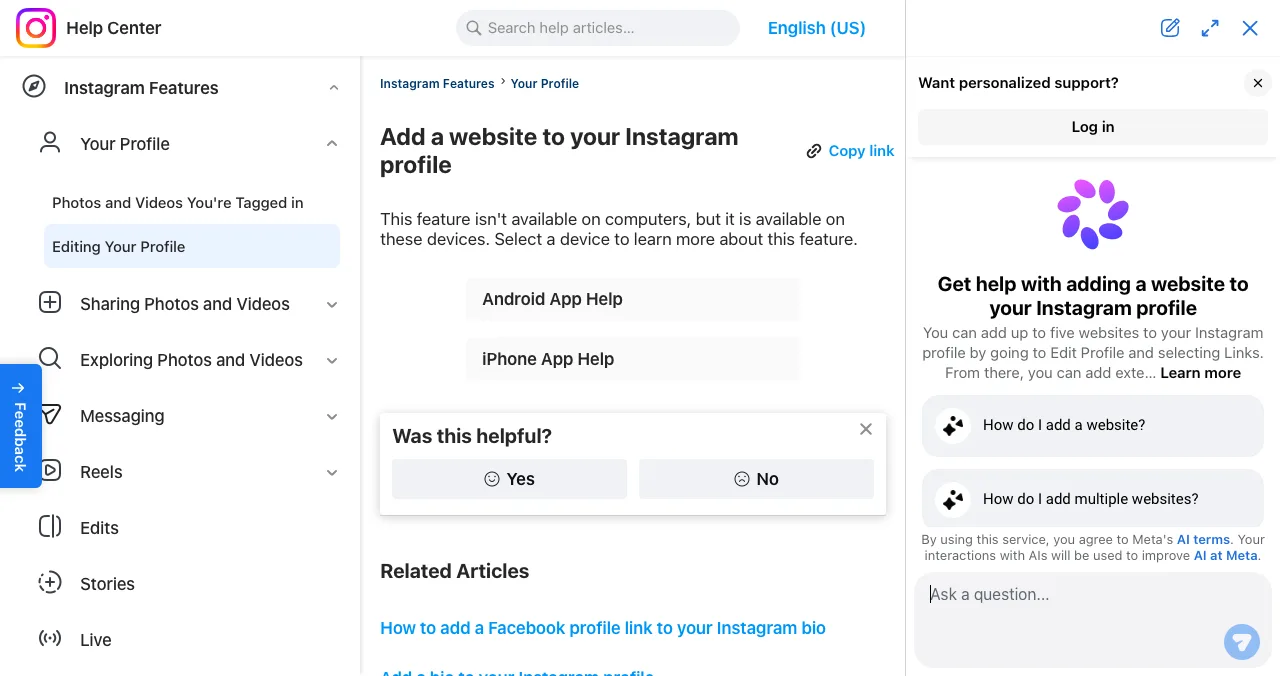
Instagram is where the phrase was born, and it's more generous than it used to be. Its help centre says: "You can add up to 5 websites to your Instagram profile," and anyone, on or off Instagram, can see them.

- Open your profile — tap your profile picture in the bottom right.
- Tap Edit profile — at the top of the screen.
- Tap Links, then Add external link — enter the full URL.
- Tap Done — then Back. To remove one, tap it and choose Remove link.
- Reorder — Edit profile, Links, Options, Reorder links, then drag.
Instagram notes this feature isn't available on computers, only in the Android and iPhone apps. If you link a Facebook profile, it shows as the first website in your bio. With five links available, many accounts no longer need a link in bio tool for Instagram at all; it's still useful for analytics, more than five destinations, or one link that works everywhere.
TikTok link in bio
TikTok also has a website field on profiles, but not every account gets it. TikTok's support FAQ, as it appeared in search results on 20 November 2026, says general (personal) accounts need at least 1,000 followers to add a website link, and verified business accounts can add one to promote a website. TikTok is unavailable from our location, so we couldn't open or capture the page ourselves; treat these rules as unconfirmed and check your own app under Edit profile. If you don't see a website field, it isn't available on your account yet.
Until it is, creators commonly point followers to another profile that has a link (often Instagram), or use their TikTok bio text for a memorable, typeable address.
How a link in bio tool works
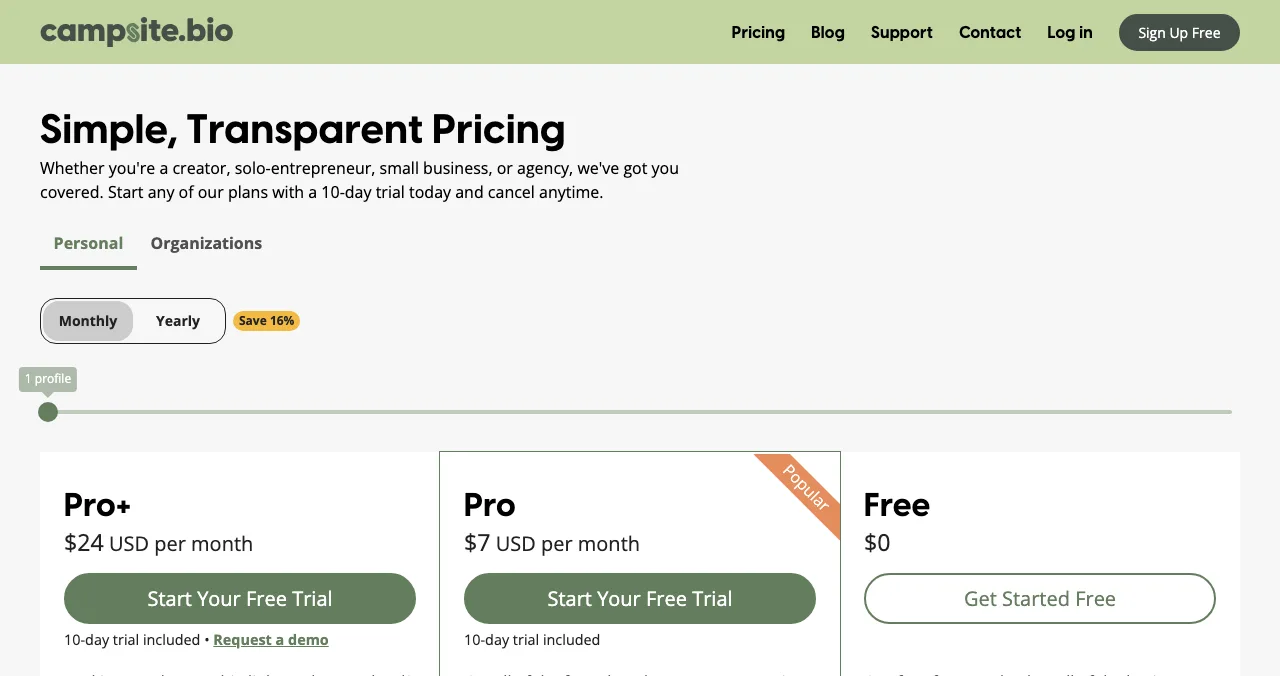
A link in bio tool gives you one short address, such as yourname on the tool's domain, that opens a mobile page of buttons. You put that one address in every profile, then change the buttons whenever you like without touching your profiles. Most have free plans: Campsite.bio's is free forever with unlimited links; Beacons' free plan includes a store with a 9% fee on sales; Linktree's free plan has unlimited links. Our best link in bio tools guide compares them, and how to make a Linktree walks through setup.
Where should your link in bio point if you sell a product?
This is the question that matters for founders. A page of links works for a creator with many destinations: a podcast, a shop, a newsletter. A product has one job: get the visitor to understand it and try it. A menu of six buttons asks them to decide before they understand.
| Your account is for… | Point the link at |
|---|---|
| A creator with many projects | A link in bio page (Campsite.bio, Beacons, Linktree) |
| An app in the stores | The App Store or Google Play page, or a page that links to both |
| A SaaS or web product | Your landing page, if it explains the product in one screen |
| A product without a good landing page yet | A free product profile with screenshots and proof |
| A launch this week | The launch page, then switch back afterwards |
Table: Where your link in bio should point, by account type
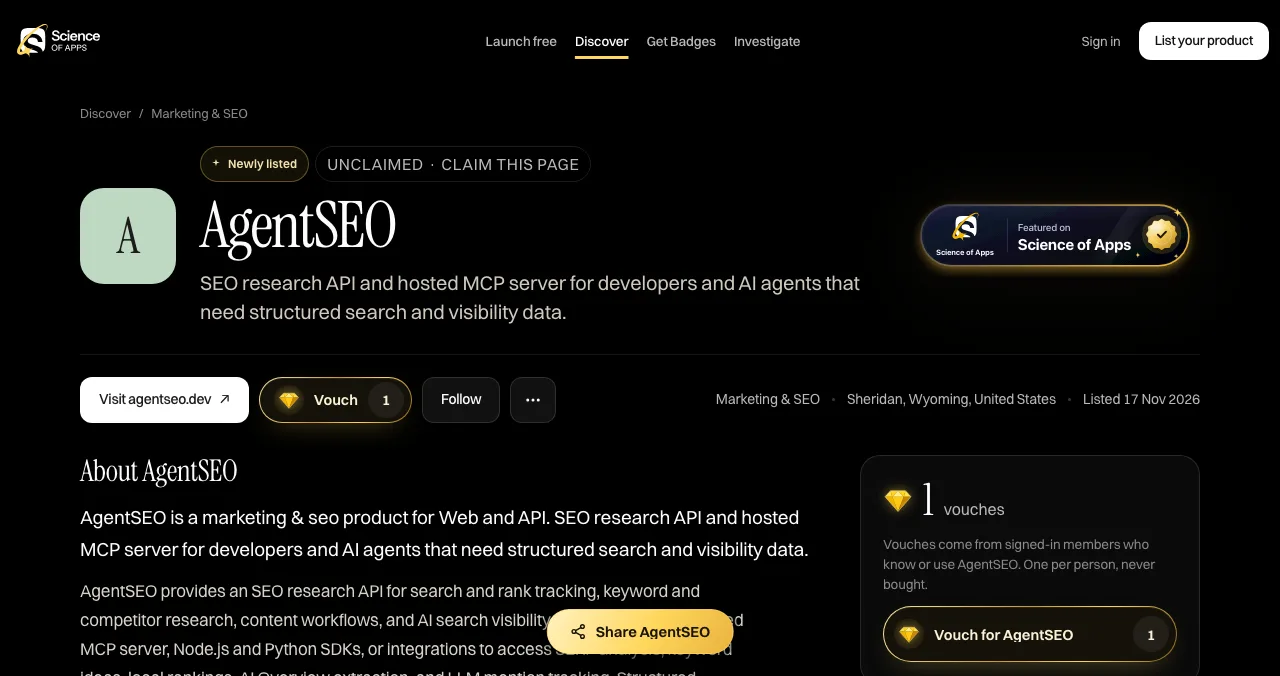
A free product profile as your bio link
For a product, one profile page with screenshots, badges and vouches beats a list of links. The Science of Apps Launchpad gives you that page free, forever, at launchpad.scienceofapps.com/p/your-product:
- Explains: your description and screenshots, with one button to your site or store.
- Proves: a Featured badge when you go live, earned badges such as Verified (a work email on your domain), vouches from signed-in members and followers.
- Gets found: listed by the problem it solves, ranked by relevance, editorial picks and community interest, never payment.
- Tests: a free baseline diagnosis of your landing page, discoverability and speed as you go live.
- Areas of your product tested
- 22
- Automatic measurements, desktop and mobile
- 39
- Expert checks behind your login
- 74
- Verdicts that rank what to fix first
- 5
See what your followers land on
List free, then order the report that fits: the first impression, or the full diagnosis with a plan.

 Economy
See what new customers see
- Store listing and homepage, screen by screen
- Scorecard against 60 Laws of UX
- Customers, competitors and the fixes worth most
PremiumThe full diagnosis and the plan
- Every screen, every finding, every flow
- All 60 laws with evidence and fixes
- 8 strategy chapters and a 90-day roadmap
Researched from your live product and fact-checked against the evidence.
Set up your link in bio in 10 minutes

- Decide the one job — follow, buy, download or sign up.
- Pick the destination — use the table above.
- Add it on Instagram — Edit profile, Links, Add external link.
- Add it on TikTok — if your account shows the website field.
- Say what's there — "Free trial at the link in bio" beats "link in bio".
- Check it monthly — broken or outdated links waste your best traffic.
Mistakes to avoid

- Saying "link in bio" with no reason — tell people what they'll get
- A menu for a single product — explain first, then offer one button
- Different links on every platform — one link gathers all the proof
- A slow, desktop-only page — almost every bio-link tap is on a phone
- Forgetting to update after a launch — expired offers kill trust (peak-end rule)
Ready to launch?
How we know
Instagram's steps and its five-link limit come from its own help centre, read on 20 November 2026. TikTok's requirements come from TikTok's support FAQ as shown in search results, because TikTok is unavailable from our location; we flag them as unconfirmed. Search volumes are Google Keyword Planner's global 12-month averages. Science of Apps runs the Launchpad and has no relationship with Instagram, TikTok or any link in bio tool.
Key terms, defined
- Bio: the short profile text on a social account.
- Link in bio: the clickable link in that profile, and the phrase pointing people to it.
- Bio link: another name for the same link, or the page it opens.
- Link in bio tool: a service hosting a mobile page of links behind one URL.
- Product profile: a public page about one product, with description, screenshots and proof.
Frequently asked questions
What does link in bio mean?
It means 'go to my profile and tap the link there'. Instagram and TikTok don't make links in posts clickable, so people put one website link in their profile bio and write 'link in bio' in captions and videos. The link usually opens a website, a shop, or a page of several links made with a tool like Linktree.
What is the bio link meaning?
'Bio link' means the same as 'link in bio': the clickable web address in a social media profile. People also use 'bio link' for the page that address opens, such as a Linktree or Beacons page, and Bio.link is the name of one link in bio tool. In every case it's the profile's main way out to the web.
How do I add a link in bio on Instagram?
Instagram's help centre gives the steps: tap your profile picture, tap Edit profile, tap Links, then Add external link, enter the URL and tap Done. You can add up to five websites and reorder them from the Links screen. Instagram says the feature isn't available on computers, only in the Android and iPhone apps.
How do I get a TikTok link in bio?
Open your profile, tap Edit profile and look for a website field. TikTok's support FAQ, as shown in search results, says personal accounts need at least 1,000 followers and verified business accounts can also add one. TikTok was unavailable from our location, so treat these rules as unconfirmed and check your own app.
What should my link in bio point to?
It should point to the one page that does the job of your posts. Creators often use a page of links. If you sell one product, point it at a page that explains that product: your landing page, an app store page, or a free product profile with screenshots and proof. Avoid sending people to a menu.
Do I need Linktree for a link in bio?
No. On Instagram you can add up to five links natively. You need a link in bio tool like Linktree, Campsite.bio or Beacons only when you want more links, analytics, selling, or one page that works across Instagram, TikTok, YouTube and X. A founder can use a free product profile instead.
Sources
- Instagram Help Center — Add a website to your Instagram profile (checked 20 Nov 2026)
- Instagram Help Center — Add a Facebook profile link and reorder links in your bio (checked 20 Nov 2026)
- TikTok Support — Website link on your profile (listed in search results 20 Nov 2026; unavailable from our location)
- Linktree — How to add your Linktree URL to your Instagram bio (listed in search results 20 Nov 2026)
- Campsite.bio — Pricing (checked 20 Nov 2026)
- Science of Apps — Launchpad: launch your product free (checked 18 Nov 2026)
- Science of Apps — Product investigation (checked 18 Nov 2026)
- Science of Apps — Pricing: free listing, Economy and Premium reports (checked 18 Nov 2026)
- Checked November 20, 2026. Figures that change — fees, salaries, prices — are reviewed every six months; if something is out of date, tell us.
Where to go from here
- Best link in bio tools — free and paid, ranked
- How to make a Linktree — setup, step by step
- Linktree alternatives — free options
- Science of Apps - LaunchpadHow to make a Linktree for Instagram, step by step: sign up, choose your username, add links, put it in your bio, and the better options when you're promoting a productHow to make a Linktree in five steps and add it to Instagram, plus when you don't need one: Instagram's five links, free alternatives and a product page.
- Science of Apps - LaunchpadThe best link in bio tools, free and paid: Campsite.bio, Beacons, Carrd, Stan, Linktree and Instagram's own links compared by job, fees and limits, and the bio link a product should useThe best link in bio tools by job: Campsite.bio free, Beacons for selling, Carrd for design, Stan for 0% fees. Free plans, prices and fees, checked.
- Science of Apps - LaunchpadLinktree alternatives: the free link-in-bio tools worth using, from Beacons and Campsite.bio to Carrd, Instagram's own links and a product page on the LaunchpadThe best free Linktree alternatives: Campsite.bio, Beacons, Carrd and Instagram's own five links, with fees and limits checked, plus a richer page for products.
- Science of Apps - LaunchpadWhat is Product Hunt? How launches, the leaderboard, featuring, makers and Product of the Day actually workWhat Product Hunt is and how it works in 2027: daily launches, the leaderboard, featuring, makers and hunters, Product of the Day and the rules, explained.
- Science of Apps - LaunchpadHow to write a product launch press release: a fill-in template, an annotated example, the launch-specific details journalists look for, and where the links should pointA product launch press release template with an annotated example: headline, dateline, the news, proof, a quote, availability and the one link to include.
- Science of Apps - LaunchpadLinktree vs Beacons: plans, prices, fees on sales and features of the two biggest link-in-bio tools compared, and what a product founder should use insteadLinktree vs Beacons: Linktree wins on simple links and integrations, Beacons on selling, email and a media kit. Plans, fees and who should use each.
Get the ideas, not the noise.
Sign up with Google and we’ll send you short UX psychology tips by email — why people tap, stall and leave, and what to do about it. Unsubscribe anytime. Prefer something to keep? Get the free Laws of UX guide as a PDF.
Launch day ends. Your listing shouldn't.
If your link in bio is for a product, point it at a page that explains it. The Science of Apps Launchpad gives your product a free profile with screenshots, badges and vouches, and tests it with a detailed report.