 By
Quick answer: How do you make a Linktree?
- Sign up at linktr.ee/register with an email; verify it.
- Choose a username — your link becomes linktr.ee/yourname.
- Pick the Free plan, add links, choose a theme.
- Linktree for Instagram: Edit profile → Links → Add external link → paste.
- Maybe skip it: Instagram allows 5 links; a product is better served by a product page.
Key takeaways
- Making a Linktree takes minutes and the Free plan has unlimited links.
- Instagram now allows five profile links, so you may not need one.
- Put the most important link first and keep the list short.
- Free alternatives like Campsite.bio and Carrd do the same job.
- For a product, a page that explains and proves it beats a menu.
Making a Linktree takes about five minutes, and the Free plan is enough for most people. This guide walks through how to make a Linktree step by step, how to add it to Instagram, and how to fix it when Instagram won't take the link. It also covers the two cases where you shouldn't bother: when Instagram's own five profile links are enough, and when you're promoting a product, which is better served by a page that explains it. The Linktree steps come from Linktree's help centre as listed in search results (its domain was blocked by our network provider on 20 November 2026, so we couldn't open it directly); the Instagram steps come from Instagram's help centre, checked that day. Jump to the steps, adding it to Instagram or better options.
How to make a Linktree, step by step
Linktree's "create your first Linktree" help article describes the same short sequence. Here it is, with what to decide at each step.

- Go to linktr.ee/register — sign up with an email address (or phone). Use one you check: you'll need it to verify the account. Linktree says no credit card is required.
- Choose your username — it becomes the end of your link, linktr.ee/yourusername. Use the same handle as your Instagram so people recognise it.
- Pick a plan — start on Free. It includes unlimited links; paid plans add customisation and remove the ads Linktree says can show on free Linktrees.
- Add your first links — title each one with where it goes ("Shop", "Newsletter", "New video"), not "Click here". Put the most important first.
- Choose a theme and add a photo — match your profile picture and colours so the page feels like you.
- Copy your link — linktr.ee/yourusername — ready for your bio.
A few choices make a real difference to how many people tap through:
| Decision | Do this | Why |
|---|---|---|
| Number of links | 3 to 5 | Fewer choices, faster decisions (Hick's law) |
| Order | Most important first | The first items get the most attention (serial position effect) |
| Labels | Say the destination | People won't tap a mystery |
| Photo and name | Same as your profile | Confirms they're in the right place |
| Review | Monthly | Remove links nobody taps |
Table: Setting up a Linktree that people actually use
How to use Linktree for Instagram
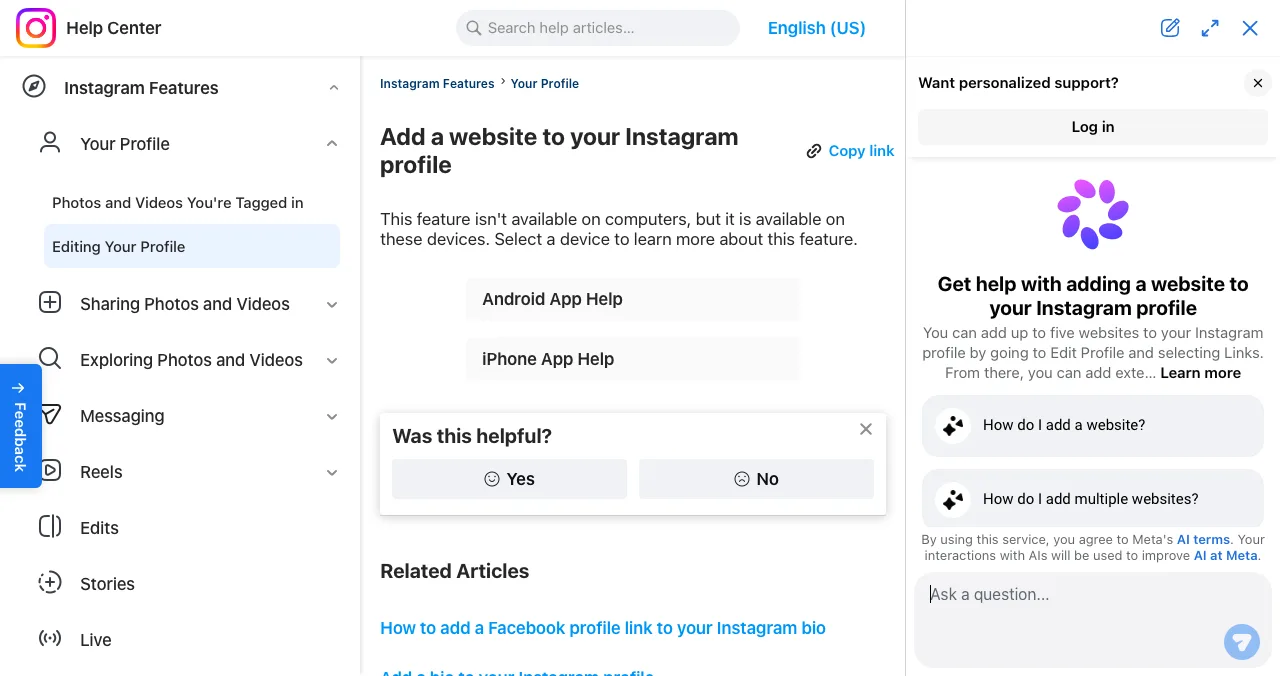
Instagram's help centre gives these steps, which work for a Linktree URL like any other website:

- Open your profile — tap your profile picture in the bottom right.
- Tap Edit profile — at the top.
- Tap Links, then Add external link — paste the full Linktree URL, including https://.
- Tap Done — then Back. Your Linktree now shows under your bio.
- Reorder if needed — Edit profile, Links, Options, Reorder links.
Instagram says "you can add up to 5 websites" and that this feature isn't available on computers, only in the Android and iPhone apps. Linktree also suggests adding a link sticker to Stories that points to your Linktree.
If Instagram won't accept your Linktree
- Recent profile changes: Linktree's troubleshooting article (as listed in search results) says a recent change to your Instagram name, email or username can block the link; it suggests trying again after 24 hours.
- Incomplete URL: paste the full address, including https://.
- Wrong device: use the mobile app; the link setting isn't on desktop.
- Connection: save on a stable connection; both apps need one to save changes.
Do you even need a Linktree? Better options
A Linktree is the right tool when you have more than five destinations, want click analytics, or need one link for Instagram, TikTok, YouTube and X together. Otherwise there are simpler or better choices:
| Option | Cost | Choose it when |
|---|---|---|
| Instagram's own links | Free, up to 5 | You only need Instagram and five links or fewer |
| Linktree | Free plan; paid by region | You want the familiar default and its integrations |
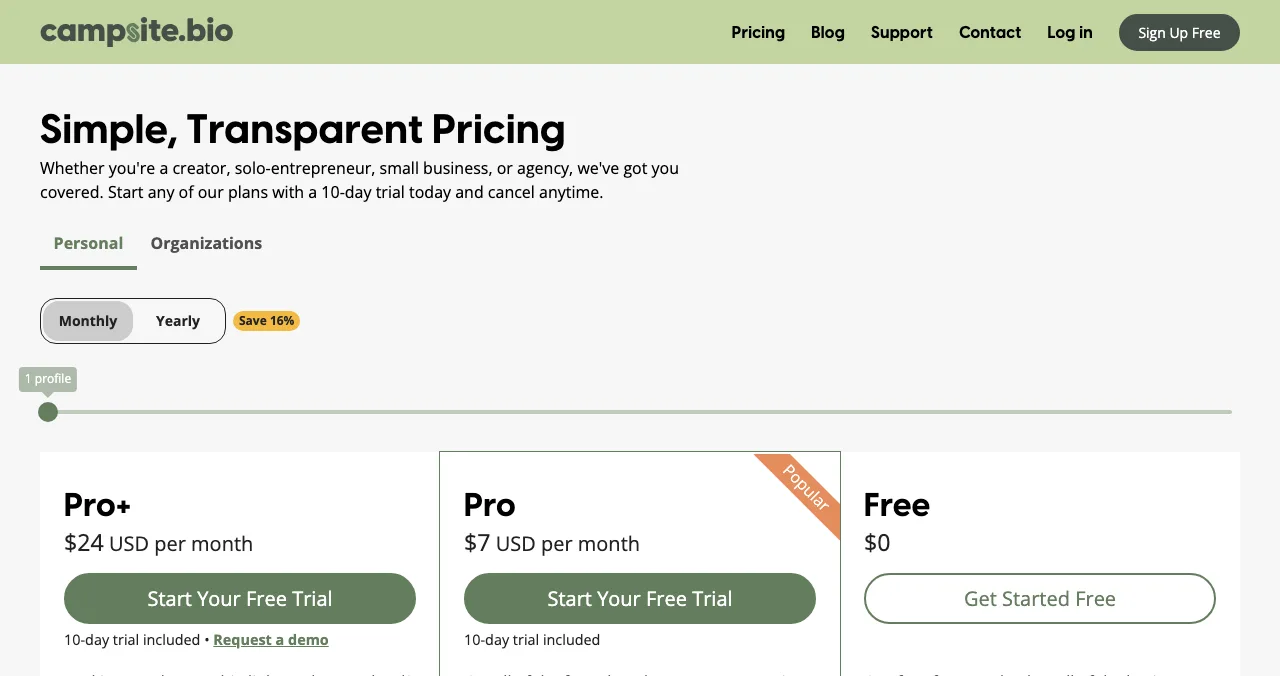
| Campsite.bio | Free forever; Pro $7/mo | You want a free page of unlimited links |
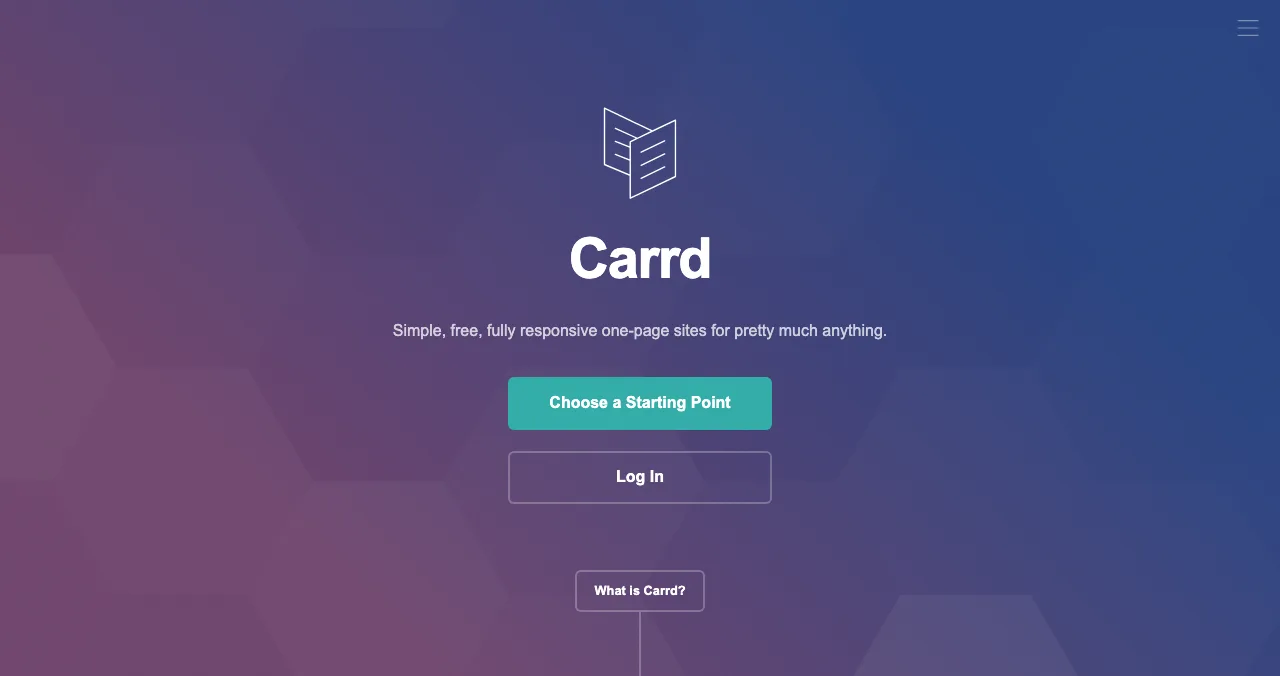
| Carrd | 3 free sites; $19/yr Pro | You want a designed page, not a template |
| A product page on the Launchpad | Free forever | You're promoting one product |
Table: Linktree and better options, by situation (each tool's own page, checked 20 Nov 2026)
Full comparisons: Linktree alternatives, best link in bio tools and, if you'll sell from your bio, Linktree vs Beacons.
For a product: make a product page, not a Linktree
- Cost
- Free, forever, no card
- Time
- About 5 minutes, six short steps
- Your link
- launchpad.scienceofapps.com/p/your-product
- Shows
- Screenshots, badges, vouches
- Included
- Product test and report
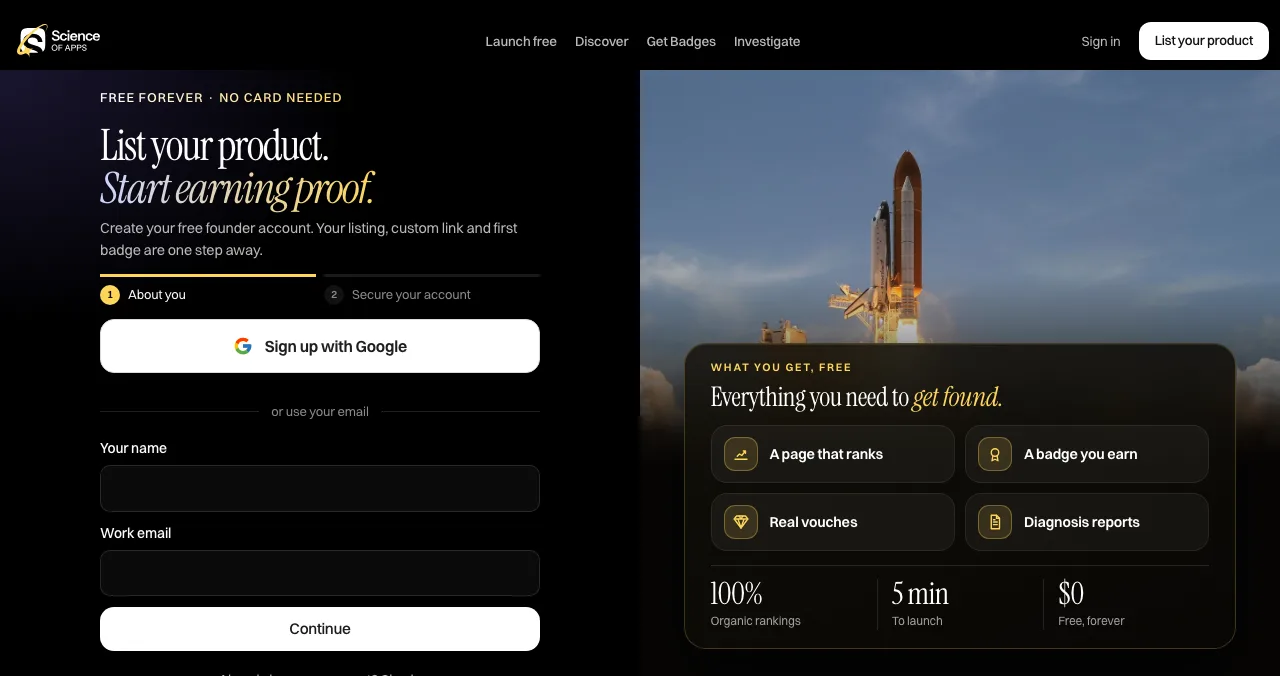
If your bio link is for an app, a SaaS or any product, a list of buttons makes visitors choose before they understand. One profile page with screenshots, badges and vouches does the explaining first. Making one feels much like making a Linktree:

- Sign up free — with Google or a work email; no card needed.
- Add your product — name, one-line description, category, website.
- Add screenshots — show the product, not a logo.
- Go live — your page gets a Featured badge and its own link.
- Put the link in your bio — on every platform.
- Earn proof — Verified with a work email on your domain, vouches from users, followers.
The page is found by people searching for the problem your product solves, ranked by relevance, editorial picks and community interest, never payment. As it goes live, a free baseline diagnosis checks your landing page, discoverability and speed.
- Areas of your product tested
- 22
- Automatic measurements, desktop and mobile
- 39
- Expert checks behind your login
- 74
- Verdicts that rank what to fix first
- 5
See what someone tapping your bio link sees
List free, then order the report that fits: the first impression, or the full diagnosis with a plan.

 Economy
See what new customers see
- Store listing and homepage, screen by screen
- Scorecard against 60 Laws of UX
- Customers, competitors and the fixes worth most
PremiumThe full diagnosis and the plan
- Every screen, every finding, every flow
- All 60 laws with evidence and fixes
- 8 strategy chapters and a 90-day roadmap
Researched from your live product and fact-checked against the evidence.
Mistakes to avoid

- Fifteen links — the page becomes a wall nobody reads (choice overload)
- "Click here" labels — say where each link goes
- A different username from your Instagram — people hesitate on unfamiliar links
- Forgetting old links — expired offers and dead pages lose trust
- A Linktree for one product — explain the product instead of listing links
Ready to launch?
How we know
Instagram's steps and five-link limit come from Instagram's help centre, read on 20 November 2026. Linktree's sign-up steps and troubleshooting come from Linktree's help centre and blog as listed in search results that day, because linktr.ee was blocked by our network provider; we couldn't open or screenshot Linktree's pages ourselves. Campsite.bio and Carrd figures come from their own pricing pages. Search volumes are Google Keyword Planner's global 12-month averages. Science of Apps runs the Launchpad and has no relationship with Linktree or Instagram.
Key terms, defined
- Linktree: a link in bio tool that hosts a page of links at linktr.ee/yourusername.
- Link in bio: the clickable website link in a social profile.
- External link: Instagram's name for a website added to your profile.
- Link sticker: a clickable link placed on an Instagram Story.
- Product profile: a public page about one product, with description, screenshots and proof.
Frequently asked questions
How do you make a Linktree?
According to Linktree's help centre: go to linktr.ee/register, enter your email (you'll need it to verify), choose a username, pick a plan (Free is fine), then add your first links and choose a theme. Your page is live at linktr.ee/yourusername. Linktree says no credit card is needed to sign up.
How do I add my Linktree to Instagram?
Copy your Linktree URL, then in the Instagram app tap your profile picture, Edit profile, Links, Add external link, paste the full URL including https://, and tap Done. Instagram allows up to five website links, so your Linktree can sit alongside others. This only works in the Android and iPhone apps, not on a computer.
Is Linktree free?
Yes, Linktree has a Free plan with unlimited links. Paid Starter, Pro and Premium plans add features and remove ads that Linktree says can appear on free Linktrees. Prices vary by region; check Linktree's pricing page in your account before upgrading.
Why won't Instagram let me add my Linktree?
Linktree's own troubleshooting article, as shown in search results, says a recent change to your Instagram name, email or username can block the link for a while and suggests trying again after 24 hours. Also check you pasted the full URL and that you're using the mobile app, since Instagram's link setting isn't available on computers.
Do I need a Linktree for Instagram?
Not necessarily. Instagram's help centre says you can add up to five websites to your profile. If five links cover you, use Instagram's own links. A Linktree helps when you need more links, click analytics, or one link that works on TikTok, YouTube and X as well.
What's better than a Linktree for a product?
A page that explains the product. A free Science of Apps Launchpad profile shows the description, screenshots, a Featured badge, earned badges and vouches, with one button to your site, and gets found by people searching for the problem it solves. It's made in six short steps and the product is tested with a report.
Sources
- Linktree Help — How to create your first Linktree (listed in search results 20 Nov 2026; page unreachable from our network)
- Linktree Help — How to add your Linktree URL to your Instagram bio (listed in search results 20 Nov 2026)
- Linktree Blog — Is your Linktree not working on Instagram? (listed in search results 20 Nov 2026)
- Instagram Help Center — Add a website to your Instagram profile (checked 20 Nov 2026)
- Campsite.bio — Pricing (checked 20 Nov 2026)
- Carrd — Homepage and Pro plans (checked 20 Nov 2026)
- Science of Apps — Launchpad: launch your product free (checked 18 Nov 2026)
- Science of Apps — Product investigation (checked 18 Nov 2026)
- Science of Apps — Pricing: free listing, Economy and Premium reports (checked 18 Nov 2026)
- Checked November 20, 2026. Figures that change — fees, salaries, prices — are reviewed every six months; if something is out of date, tell us.
Where to go from here
- Linktree alternatives — free tools that do the same
- What does link in bio mean? — Instagram and TikTok rules
- Linktree vs Beacons — if you'll sell from your bio
- Science of Apps - LaunchpadLinktree alternatives: the free link-in-bio tools worth using, from Beacons and Campsite.bio to Carrd, Instagram's own links and a product page on the LaunchpadThe best free Linktree alternatives: Campsite.bio, Beacons, Carrd and Instagram's own five links, with fees and limits checked, plus a richer page for products.
- Science of Apps - LaunchpadWhat does link in bio mean? The bio link meaning explained, how link in bio works on Instagram and TikTok, how to set one up, and where it should point if you sell a productLink in bio means the clickable link in a social profile, because posts can't carry one. How it works on Instagram and TikTok, and where yours should point.
- Science of Apps - LaunchpadThe best link in bio tools, free and paid: Campsite.bio, Beacons, Carrd, Stan, Linktree and Instagram's own links compared by job, fees and limits, and the bio link a product should useThe best link in bio tools by job: Campsite.bio free, Beacons for selling, Carrd for design, Stan for 0% fees. Free plans, prices and fees, checked.
- Science of Apps - LaunchpadLinktree vs Beacons: plans, prices, fees on sales and features of the two biggest link-in-bio tools compared, and what a product founder should use insteadLinktree vs Beacons: Linktree wins on simple links and integrations, Beacons on selling, email and a media kit. Plans, fees and who should use each.
- Science of Apps - LaunchpadHow to get a free product page for your app, SaaS or AI tool: a step-by-step walkthrough of the Launchpad listing flow, what the page shows, and when a product landing page builder is the better choiceGet a free product page with its own link: the Launchpad listing flow step by step, what the page shows, and when a product page builder fits better.
- Science of Apps - LaunchpadCan a startup be added to Wikidata? Wikidata's notability rules, the independent sources a company entry needs, how to create a properly sourced item step by step, and why knowledge graphs and AI engines careCan a startup be on Wikidata? The notability rules, the independent sources a company entry needs, a step-by-step guide and why AI engines care.
Get the ideas, not the noise.
Sign up with Google and we’ll send you short UX psychology tips by email — why people tap, stall and leave, and what to do about it. Unsubscribe anytime. Prefer something to keep? Get the free Laws of UX guide as a PDF.
Launch day ends. Your listing shouldn't.
A Linktree lists links; a product needs explaining. The Science of Apps Launchpad gives your product a free profile with screenshots, badges and vouches in six short steps, and tests it with a detailed report.