Serial Position Effect
Also known as Primacy and recency effect
People best remember the first and last items in a series and tend to forget the ones in the middle.
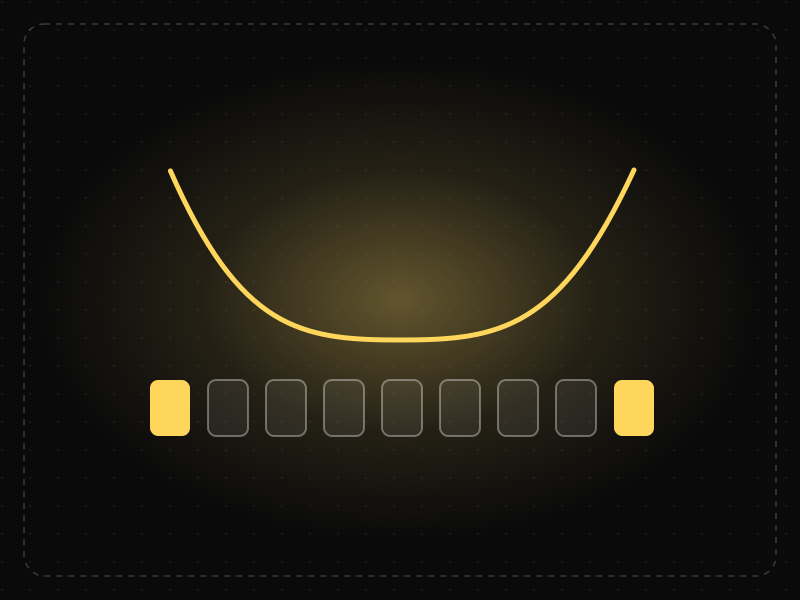
See it in action
The same screen without and with Serial Position Effect. Watch both sides play out, then compare the outcome.
Middle items are remembered least, and that's exactly where “Search” sits.
The most important items take the first and last slots, where recall is strongest.
What to watch: the U-shaped recall curve — ends remembered, middle forgotten.
Put the most important items at the start and end of lists, menus and onboarding.
Bury critical actions or information in the middle of a long sequence.
Key takeaways
- Place the most important items at the start and end of lists and navigation.
- Don't bury key options in the middle of long menus.
- Front-load the key message and close with the call to action.
Quick facts
- Also known as
- Primacy and recency effect
- Described by
- Hermann Ebbinghaus
- Year
- 1885
- Category
- Memory & attention
- Related laws
- Peak-End Rule, Von Restorff Effect, Miller's Law, F-Shaped Pattern
Serial Position Effect explained
The serial position effect describes how people tend to remember the first and last items in a series best, and the middle items worst. The first-item advantage is the primacy effect; the last-item advantage is the recency effect.
Primacy happens because early items get more rehearsal and enter long-term memory; recency happens because the last items are still in working memory. Middle items get neither advantage.
In interfaces, this affects navigation menus, lists, onboarding sequences, feature lists and presentations: what comes first and last gets disproportionate attention and recall.
Where it comes from
First described by Hermann Ebbinghaus in his 1885 memory experiments and measured systematically by Bennet Murdock in 1962, who plotted the U-shaped recall curve of the primacy and recency effects.
How it shows up in apps
Bottom tab bars, feature lists and onboarding screens all present items in sequence; the middle positions get the least attention and recall.
Serial Position Effect examples
A bottom navigation bar places Home first and Profile last, with less-used destinations in between, matching how users remember and reach for them.
Navigation placement
Many mobile apps put the most important tabs, such as Home and Profile, at the far left and far right of the bottom bar, where they are easiest to find and remember.
Feature lists
Landing pages lead with their strongest benefit and end with a compelling one, rather than burying key value in the middle of a long list.
Onboarding sequences
The first and last onboarding screens are the ones users remember, so they should carry the main value proposition and the call to action.
How to apply Serial Position Effect
- Put the most important items at the beginning and end of lists and menus.
- Lead with the key message and close with the call to action.
- Keep lists short so fewer items fall into the forgettable middle.
- Use visual emphasis to lift important middle items.
- Order content by importance rather than by internal logic.
Want Serial Position Effect checked in your own product? Our saas ux audit evaluates it alongside the other principles that shape how users decide, onboard and stay.
Common mistakes
- Placing critical information in the middle of long lists or tours.
- Ordering navigation alphabetically or by creation date rather than importance.
- Ending journeys with low-value content, such as legal text, instead of a clear next step.
How to measure it
Test recall by asking users which items they remember after viewing a list or tour. Click-through rates by position in menus and lists show how position affects engagement.
Frequently asked questions
What is Serial Position Effect?
People best remember the first and last items in a series and tend to forget the ones in the middle.
Where does Serial Position Effect come from?
First described by Hermann Ebbinghaus in his 1885 memory experiments and measured systematically by Bennet Murdock in 1962, who plotted the U-shaped recall curve of the primacy and recency effects.
How does Serial Position Effect apply to app design?
Bottom tab bars, feature lists and onboarding screens all present items in sequence; the middle positions get the least attention and recall.
Who discovered the serial position effect?
Hermann Ebbinghaus first observed it in his 19th-century memory experiments, and Bennet Murdock documented the U-shaped recall curve in 1962.
What is the difference between primacy and recency?
Primacy is the tendency to remember the first items best, and recency the tendency to remember the last items best.
How do you measure Serial Position Effect in a product?
Test recall by asking users which items they remember after viewing a list or tour. Click-through rates by position in menus and lists show how position affects engagement.
Sources
- Ebbinghaus, H. (1885). Über das Gedächtnis. Duncker & Humblot. Find on Google Scholar ↗
- Murdock, B. B. (1962). The serial position effect of free recall. Journal of Experimental Psychology, 64(5). Find on Google Scholar ↗
Related laws
 Motivation & emotion
Peak-End Rule
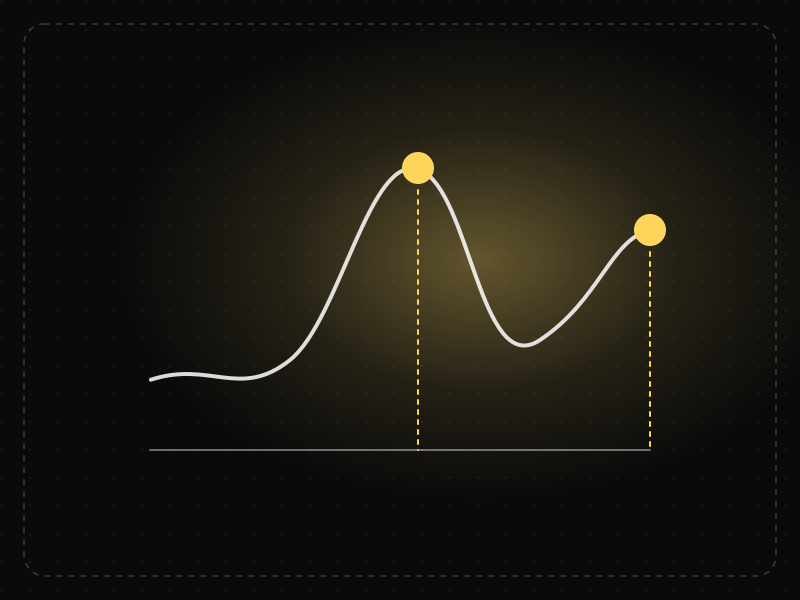
People judge an experience mostly by how they felt at its most intense moment and at its end, not by the average of every moment.
 Memory & attention
Von Restorff Effect
When several similar items are present, the one that differs from the rest is the one most likely to be noticed and remembered.
 Memory & attention
Miller's Law
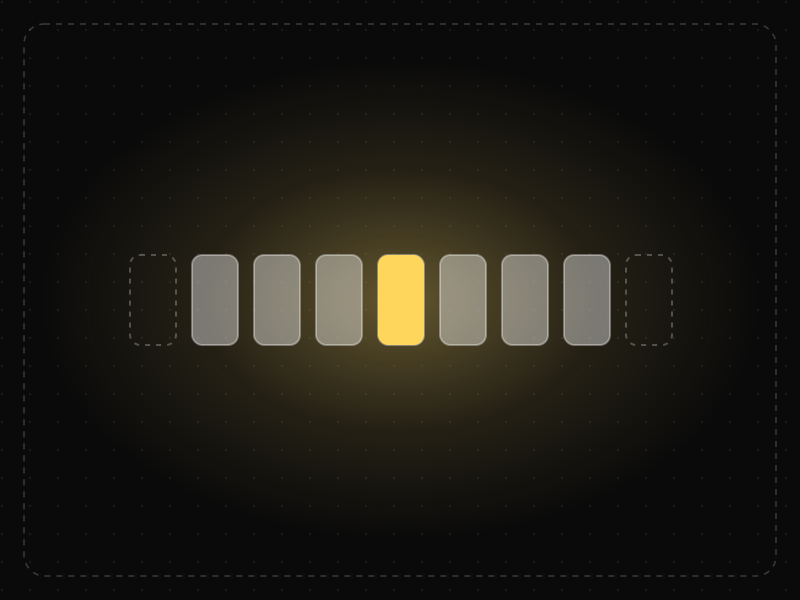
People can hold only a limited number of items in short-term memory — famously about seven, plus or minus two — so information should be organized into small chunks.
 Memory & attention
F-Shaped Pattern
When pages lack clear structure, people scan text in an F-shape: across the top, across a little lower, then down the left side, missing much of the content.
Serial Position Effect in practice
- Career guidesHow to get a UX designer job in 2027: the hiring playbook, from the other side of the deskHow to get a UX designer job in 2027: what recruiters screen for, the interview loop, a portfolio that survives a 30-second look, pay and a 12-week plan.
- Career guidesUX psychology skills employers want in 2027: attention, memory, perception, decision-making and how designers apply them without manipulationUX psychology skills employers want in 2027: attention, memory, perception, decision-making, Hick's and Fitts's laws, cognitive load and ethics.
- Career guidesHow to succeed as a first-time manager in 2027: one-on-ones, delegation, setting expectations, feedback, managing former peers, hiring, handling conflict and leading hybrid teamsHow to succeed as a new manager in 2027: one-on-ones, delegation, clear expectations, feedback, managing former peers, hiring, conflict and hybrid teams.
- Making moneyApp monetization strategies that don't annoy users — designed with behavioural scienceMonetize your app without wrecking retention: value-first paywalls, honest trials, rewarded ads, anchoring and decoy pricing done ethically, and what to avoid.
- Career guidesConflict resolution at work in 2027: addressing issues early, separating people from problems, interests behind positions, difficult conversations, mediating between colleagues, conflict styles and remote conflictConflict resolution at work in 2027: addressing issues early, interests behind positions, difficult conversations, mediation and remote conflict.
- UI/UX designOnboarding screen examples: 40 patterns that get users to value faster40 app onboarding examples and patterns — welcome, sign-up, personalisation, permissions, empty states and first success — and why each works.



Certifications that test it
- Free certification · UX/UI, Design, Research & CreativeUX Research CertificationCertifies that you can plan, run and synthesize user research that changes decisions — method choice, recruiting, interviewing, usability testing, surveys and analysis.
- Free certification · UX/UI, Design, Research & CreativeUX Writing & Content Design CertificationCertifies that you can write interface copy that helps people act — microcopy, errors, onboarding, voice and tone, content structure and testing words.
- Free certification · UX/UI, Design, Research & CreativeInformation Architecture CertificationCertifies that you can structure content people can find — organisation schemes and labelling, navigation systems, card sorting and tree testing, and search.
- Free certification · Digital Marketing, SEO, AEO & GrowthApp Store Optimization (ASO) CertificationCertifies that you can grow app installs organically — keyword research and metadata, store creative, ratings and reviews, and store experiments, localisation and in-app events on the App Store and Google Play.
- Free skill test · 10 minUX Psychology QuizA 10-minute quiz on the psychology behind UX: the cognitive, behavioural and perceptual laws of UX — Hick's law, Fitts's law, Jakob's law and more — and how to apply them.
- Free skill test · 15 minUX Designer Interview TestA 15-minute practice test of UX designer interview questions: portfolio walkthroughs, process and behavioural questions, whiteboard challenges, design critique, collaboration and AI in the design process.





Get the ideas, not the noise.
Sign up with Google and we’ll send you short UX psychology tips by email — why people tap, stall and leave, and what to do about it. Unsubscribe anytime. Prefer something to keep? Get the free Laws of UX guide as a PDF.