 By
Quick answer: How do I launch a side project?
- Ready when: a stranger can use it in one sitting.
- Show HN: if people can try it right now, no sign-up wall.
- Indie Hackers: founder feedback and accountability.
- Product Hunt: when you can give it a full launch day.
- Startup signal: users return, ask for more, or offer to pay.
Key takeaways
- Ship smaller than feels comfortable.
- Pick launch channels that fit your limited hours.
- Replies in the first week matter more than the post itself.
- A permanent page keeps it findable after the spike.
- Turn it into a startup only when users pull you there.
Side projects die in two places: in a private repo where they're "almost ready", and in a single launch post nobody sees after day two. Launching one well doesn't need a marketing plan or a free weekend. It needs a version strangers can use in one sitting, the right two or three places to post it, and a week of replying to people. This guide covers where to launch, how to fit it into limited hours and the signals that a side project could become a startup. For what to build, see side project ideas. Jump to where to post, the launch evening or startup signals.
- Sitting a stranger should need to use it
- 1
- Evening for the launch itself
- 1
- Days of replying afterwards
- 7
- Signals it could be a startup
- 3
Is it ready to launch?

- A stranger can use it in one sitting — without you explaining it
- One clear job — the description fits in one line
- No dead ends — the main path works on desktop and mobile
- A way to reach you — email, a feedback form or comments
- A link that won't change — your own domain or a stable URL
Where to post your side project
| Place | Post it when | What you get |
|---|---|---|
| Show HN | People can try it right now, no sign-up wall | Technical feedback from developers |
| Indie Hackers | Any stage; share what you learned | Founder feedback and accountability |
| Relevant communities | Your users gather there | Real users, if you follow the rules |
| Product Hunt | You can spend a full launch day | A bigger audience for one day |
| A permanent listing | Always | Findable after the posts fade |
Table: Where to post a side project (editorial guidance; Show HN rules from its guidelines)
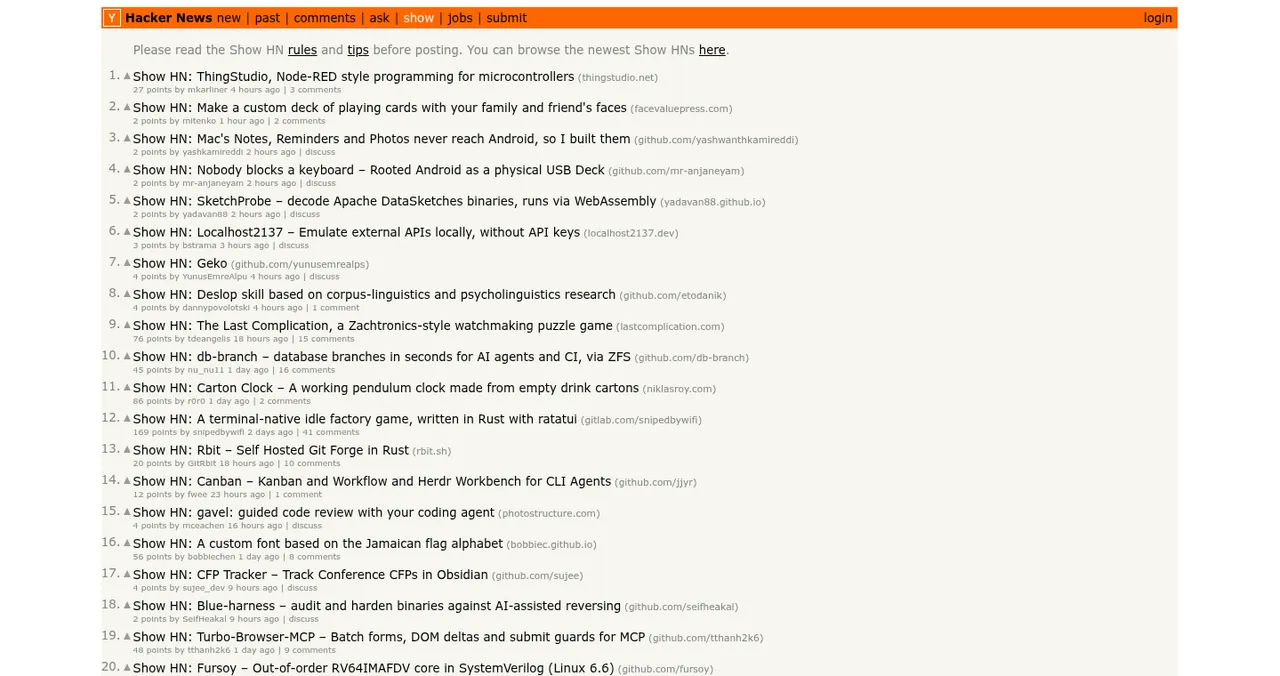
Show HN's guidelines say it's for things people can play with, so landing pages, sign-up walls and newsletters don't qualify. See our Show HN guide.
The launch evening

- Write the one-liner — what it does, for whom.
- Write the story — why you built it, in three or four sentences.
- Add two screenshots or a short screen recording — the main job, working.
- Create the permanent listing — so every post links somewhere stable.
- Post to two places — e.g. Show HN and Indie Hackers.
- Reply to everything — that evening and every day for a week.
Signals it could become a startup

People come back
They use it again without a reminder.
People ask for more
Specific feature requests from repeat users.
People offer to pay
Or ask whether there's a paid version.
When you see all three, talk to those users (how to talk to users) and read how to launch a startup.
Mistakes

- Polishing for months — ship the smallest useful version
- Posting everywhere at once — two places, done well
- Posting and disappearing — replies are the launch
- No permanent link — posts fade within days
- Quitting your job on launch-day interest — wait for the three signals
Ready to ship it?
How we know
Show HN rules come from Hacker News's guidelines; Product Hunt preparation from its launch guide; both as summarised in our earlier verified guides and checked on 16–17 November 2026. The readiness checklist, launch evening and startup signals are our editorial guidance.
Key terms, defined
- Side project: something you build alongside a job or studies.
- Show HN: Hacker News posts sharing something people can try.
- One-liner: a single sentence saying what it does and for whom.
- Pull: users wanting more without being pushed.
- Permanent listing: a profile page that stays up after launch posts fade.
Frequently asked questions
How do I launch a side project?
Make it usable in one sitting, write a one-line description and a short post explaining why you built it, then share it where people can try it: Show HN, Indie Hackers, relevant communities and a permanent listing. Spend the following week replying to every comment.
Where should I post my side project?
Show HN for things people can try now, Indie Hackers for founder feedback, communities where your users gather, Product Hunt for a larger launch, and a free permanent listing so it remains findable.
Can I post a side project on Show HN?
Yes, if people can try it right away. Hacker News's Show HN guidelines rule out landing pages, sign-up walls and fundraisers; it should be something you made that people can play with.
How do I know if my side project could be a startup?
Look for pull: people use it repeatedly without reminders, ask for features, tell others, or offer to pay. Interest on launch day alone isn't enough.
How much time does launching a side project take?
The launch itself can be an evening; the week after, a little time each day for replies. A Product Hunt launch takes more preparation and a full day of attention.
Where can I find side project ideas?
From problems you have yourself, at work or at home. Our side project ideas guide lists ideas by skill and time available.
Sources
- Hacker News — Show HN guidelines
- Indie Hackers
- Product Hunt Help Center — 4. Build your product page (checked 17 Nov 2026)
- Science of Apps — Launchpad: launch your product free
- Checked November 17, 2026. Figures that change — fees, salaries, prices — are reviewed every six months; if something is out of date, tell us.
Where to go from here
- Side project ideas — what to build
- Show HN guide — post it right
- App launch checklist — before you post
- Science of Apps - LaunchpadStartup showcase websites explained: showcase vs launch site vs directory, and the best places to show off what you built, from Peerlist and Indie Hackers to Show HN and permanent listingsStartup showcase websites explained: showcase vs launch site vs directory, and the best places to show what you built, from Peerlist to Show HN.
- Science of Apps - LaunchpadWhere to launch a product built with no-code: platform showcases (Made in Webflow, Bubble's showcase), launch sites, founder communities and a permanent listingWhere to launch a product built with no-code: Made in Webflow, Bubble's showcase, Product Hunt, Indie Hackers and a free permanent listing.
- Science of Apps - LaunchpadHow to use Indie Hackers to launch and grow: what the community rewards, what to post, and how it fits with Product Hunt and Show HNHow to use Indie Hackers to launch: what the founder community rewards, posts that work, mistakes that get ignored, and where it fits with other launches.
- Science of Apps - LaunchpadProduct Hunt vs Indie Hackers vs Hacker News: three very different communities, what each rewards, and where your startup should go firstProduct Hunt vs Indie Hackers vs Hacker News: a launch day, a founder community and a Show HN thread compared, with the rules and which to use first.
- Science of Apps - LaunchpadRoast my startup: the best places to get brutally honest feedback, and how to post so the roast is usefulWhere to get your startup roasted in 2027: r/roastmystartup, Show HN, Indie Hackers, Microlaunch and an evidence-based product test, and how to post.
- Science of Apps - LaunchpadHow to get your first users for a new app: the store listing, launch sites, communities, direct outreach and a web page that keeps bringing people inHow to get users for a new app, free: fix the store listing, launch on Product Hunt and Peerlist, reach people directly, and add a permanent web page.




Get the ideas, not the noise.
Sign up with Google and we’ll send you short UX psychology tips by email — why people tap, stall and leave, and what to do about it. Unsubscribe anytime. Prefer something to keep? Get the free Laws of UX guide as a PDF.
Launch day ends. Your listing shouldn't.
A free, permanent Launchpad profile keeps your side project findable after launch posts fade, found by the problem it solves and ranked by relevance, never payment.