Progressive Disclosure
Show only the most important options first and reveal advanced or rarely used features when users need them, making interfaces easier to learn and use.
See it in action
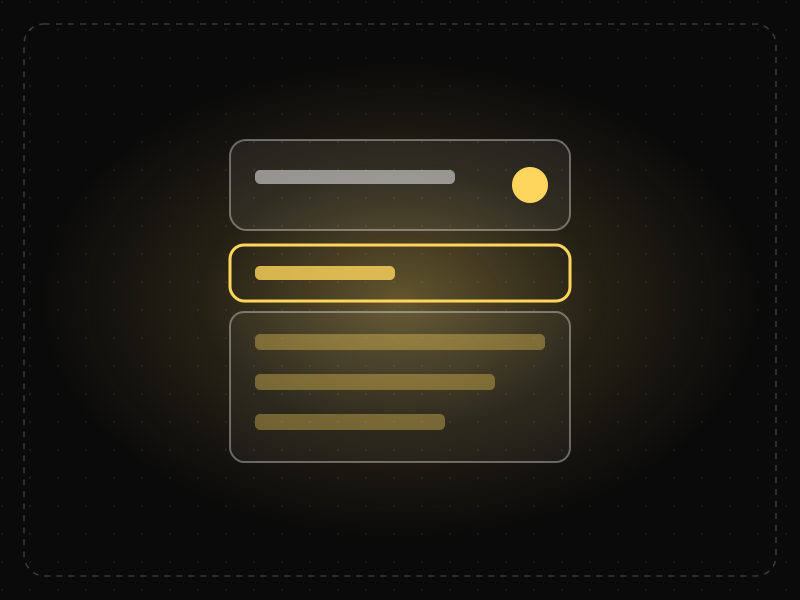
The same screen without and with Progressive Disclosure. Watch both sides play out, then compare the outcome.
Eight settings most people never touch slow down the one thing they came to do.
Two common choices up front, the rest one tap away: quick for most, complete for experts.
What to watch: the direct path to Export when advanced settings wait behind one link.
Show the few options most people need; reveal advanced ones when they ask.
Bury frequently used settings several levels deep, or hide things without a clear way to reveal them.
Key takeaways
- Prioritise the features most users need and defer the rest.
- Make advanced options easy to find for those who need them.
- Keep the number of disclosure levels small.
Quick facts
- Also known as
- —
- Described by
- Early GUI designers; popularised by Jakob Nielsen
- Year
- 1980s
- Category
- Product strategy
- Related laws
- Cognitive Load, Hick's Law, Paradox of the Active User
Progressive Disclosure explained
Progressive disclosure defers advanced or rarely used features to secondary screens or interactions. The primary interface shows only what most users need most of the time.
This reduces cognitive load and makes products easier to learn, while still supporting power users.
The challenge is deciding what to show first. That decision should be based on user research and usage data, not internal assumptions.
Where it comes from
Interface designers have used progressive disclosure since early graphical user interfaces in the 1980s. Jakob Nielsen and the Nielsen Norman Group popularised the term in usability practice, describing it as one of the best ways to satisfy both novice and expert users.
How it shows up in apps
Onboarding that introduces features gradually, settings with 'Advanced' sections, expandable details and step-by-step wizards all use progressive disclosure to reduce initial complexity.
Progressive Disclosure examples
A photo editing app shows basic tools such as crop, filters and brightness by default. Advanced tools like curves and colour channels sit behind an 'Advanced' tab, so beginners are not overwhelmed and experts can still find them.
Advanced settings
Many apps hide advanced configuration behind an 'Advanced' link, keeping the main settings simple.
Expandable details
Product pages show key information first and let users expand sections for specifications and shipping details.
Contextual onboarding
Apps introduce new features when users reach a relevant point rather than all at once during sign-up.
How to apply Progressive Disclosure
- Use research and analytics to identify core versus advanced features.
- Show core features prominently and defer the rest.
- Make the path to advanced features clear and consistent.
- Limit disclosure to one or two levels.
- Reveal features contextually when they become relevant.
Want Progressive Disclosure checked in your own product? Our mobile app ux audit evaluates it alongside the other principles that shape how users decide, onboard and stay.
Common mistakes
- Hiding features that many users need.
- Using too many nested levels, making features hard to find.
- Inconsistent disclosure patterns across the product.
How to measure it
Track how often users access deferred features and whether they find them in usability tests. Compare task success and learnability for new users before and after introducing progressive disclosure.
Frequently asked questions
What is Progressive Disclosure?
Show only the most important options first and reveal advanced or rarely used features when users need them, making interfaces easier to learn and use.
Where does Progressive Disclosure come from?
Interface designers have used progressive disclosure since early graphical user interfaces in the 1980s. Jakob Nielsen and the Nielsen Norman Group popularised the term in usability practice, describing it as one of the best ways to satisfy both novice and expert users.
How does Progressive Disclosure apply to app design?
Onboarding that introduces features gradually, settings with 'Advanced' sections, expandable details and step-by-step wizards all use progressive disclosure to reduce initial complexity.
What is progressive disclosure in UX?
It is a design technique that shows only the most important information and options first, revealing more complex or less used features as users need them.
How is progressive disclosure different from hiding features?
Progressive disclosure keeps advanced features accessible through clear paths, while poorly hidden features are hard to discover.
How do you measure Progressive Disclosure in a product?
Track how often users access deferred features and whether they find them in usability tests. Compare task success and learnability for new users before and after introducing progressive disclosure.
Sources
- Nielsen, J. (2006). Progressive Disclosure. Nielsen Norman Group. Find on Google Scholar ↗
Related laws
 Memory & attention
Cognitive Load
Cognitive load is the amount of mental effort needed to understand and use an interface; when it exceeds what people can handle, they slow down, make mistakes or give up.
 Decision-making
Hick's Law
The time it takes to make a decision increases with the number and complexity of the choices available.
 Interaction & speed
Paradox of the Active User
Users start using software immediately instead of reading instructions, even when learning first would save them time later.
Progressive Disclosure in practice
- Architecture & engineeringThe best airports in the world in 2026, and the design science that makes them easy to useThe best airports in the world in 2026, led by Singapore Changi, and the design behind them: wayfinding, short walks, daylight and the psychology of waiting.
- Architecture & engineeringIndian temple architecture explained: Nagara, Dravida and Vesara, and how to read any templeThe three types of Indian temple architecture, Nagara, Dravida and Vesara, explained with diagrams: a temple's parts, its plan grid and famous examples.
- Making moneyApp monetization strategies that don't annoy users — designed with behavioural scienceMonetize your app without wrecking retention: value-first paywalls, honest trials, rewarded ads, anchoring and decoy pricing done ethically, and what to avoid.
- Architecture & engineeringThe Seven Wonders of the World, ancient and new: who built them, how, and what is leftThe Seven Wonders of the World, ancient and new: who built each, when, how they were engineered, and why only the Great Pyramid of the first seven survives.
- Career guidesAI skills for product managers in 2027: AI in discovery, specs and analysis — plus judgement about where AI belongs in your productAI skills product managers need in 2027: AI in discovery, specs, analysis and prioritisation, judging AI features, model choice and unit economics.
- Career guidesUX writing for AI interfaces in 2027: onboarding, prompts and suggestions, uncertainty, errors, disclosures, system prompts and tone for AI productsUX writing for AI interfaces in 2027: onboarding, prompt suggestions, uncertainty, errors, AI disclosures, system prompts and voice for AI products.

Certifications that test it
- Free certification · UX/UI, Design, Research & CreativeUX Design CertificationCertifies that you can take a product problem from user need to a tested, usable flow — research, information architecture, interaction design and usability evaluation.
- Free certification · UX/UI, Design, Research & CreativeProduct Design CertificationCertifies end-to-end product design: framing problems against business goals, designing and shipping solutions with engineering, and measuring their impact.
- Free certification · AI & Generative AIAI UX Design CertificationCertifies that you can design AI-powered products people trust — setting expectations, conversational and agent UX, handling errors and uncertainty, and responsible AI.
- Free certification · UX/UI, Design, Research & CreativeMobile App Design CertificationCertifies that you can design native-feeling iOS and Android apps — platform conventions, navigation and gestures, touch ergonomics and accessibility, and performance, offline and permission flows.
- Free certification · Product, Project Management & Business AnalysisUser Onboarding & Retention CertificationCertifies that you can turn sign-ups into retained users — activation and aha moments, onboarding patterns, habit and engagement design, and churn reduction and win-back.




Get the ideas, not the noise.
Sign up with Google and we’ll send you short UX psychology tips by email — why people tap, stall and leave, and what to do about it. Unsubscribe anytime. Prefer something to keep? Get the free Laws of UX guide as a PDF.