 By
Quick answer: How do I improve my paywall?
- Clarity: what the user gets, for how much, how often.
- Choice: two or three plans, one recommended.
- Trust: trial length, renewal date, how to cancel.
- Timing: after the user has seen value.
- Rules: Apple 3.1.2 and Google Play's subscriptions policy.
Key takeaways
- The paywall is where value turns into revenue; small fixes matter.
- Clear terms are both good UX and a store requirement.
- Fewer plans make the decision faster.
- Honest anchoring helps; fake discounts hurt trust.
- Test timing as carefully as design.
The paywall is the one screen where every earlier design decision gets a verdict. Users who reached it chose to sign up, got through onboarding and saw some value; now they decide whether to pay. Small problems here, a vague headline, four plans, a trial whose end date is buried, cost real revenue, and some also break app-store rules. This audit gives you 18 checks in four groups, the Apple and Google Play rules your pricing screen must follow as read on 17 November 2026, and how to judge the paywall examples you study. Jump to the rules, the 18 checks or examples.
- Checks in this audit
- 18
- Groups: clarity, choice, trust, timing
- 4
- Apple's minimum subscription period
- 7 days
- Google Play's eligibility-discount disclosure update
- 27 Jan 2027
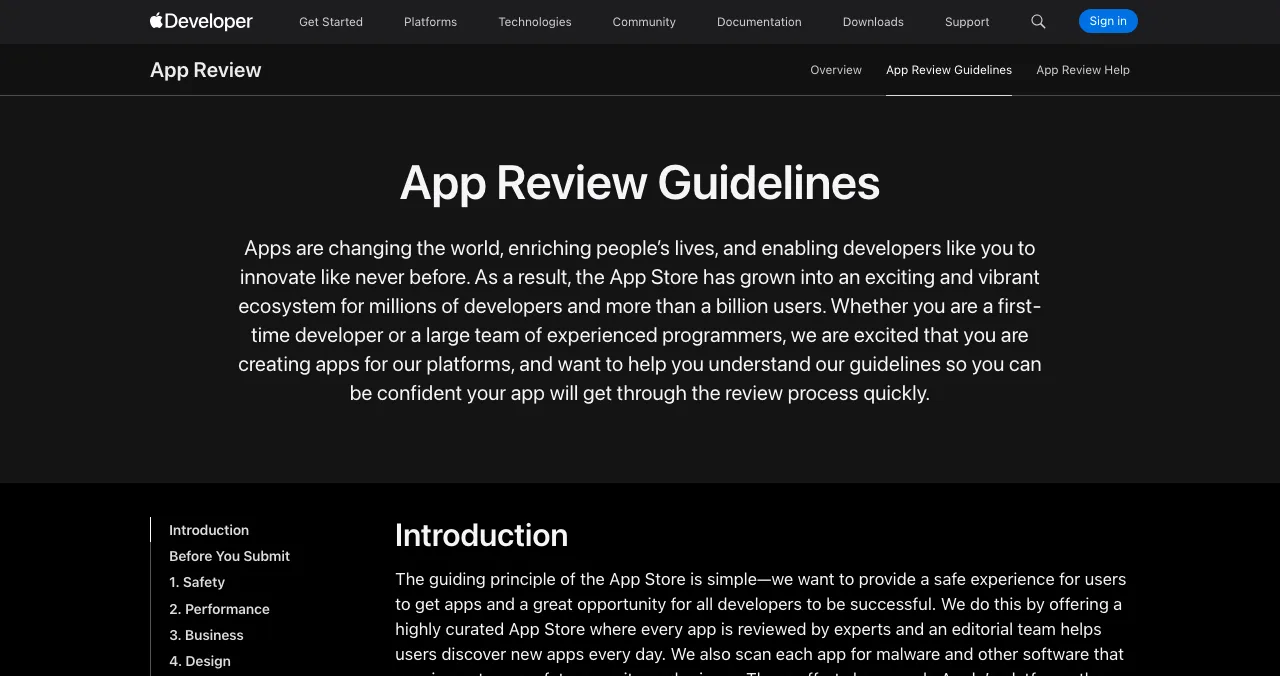
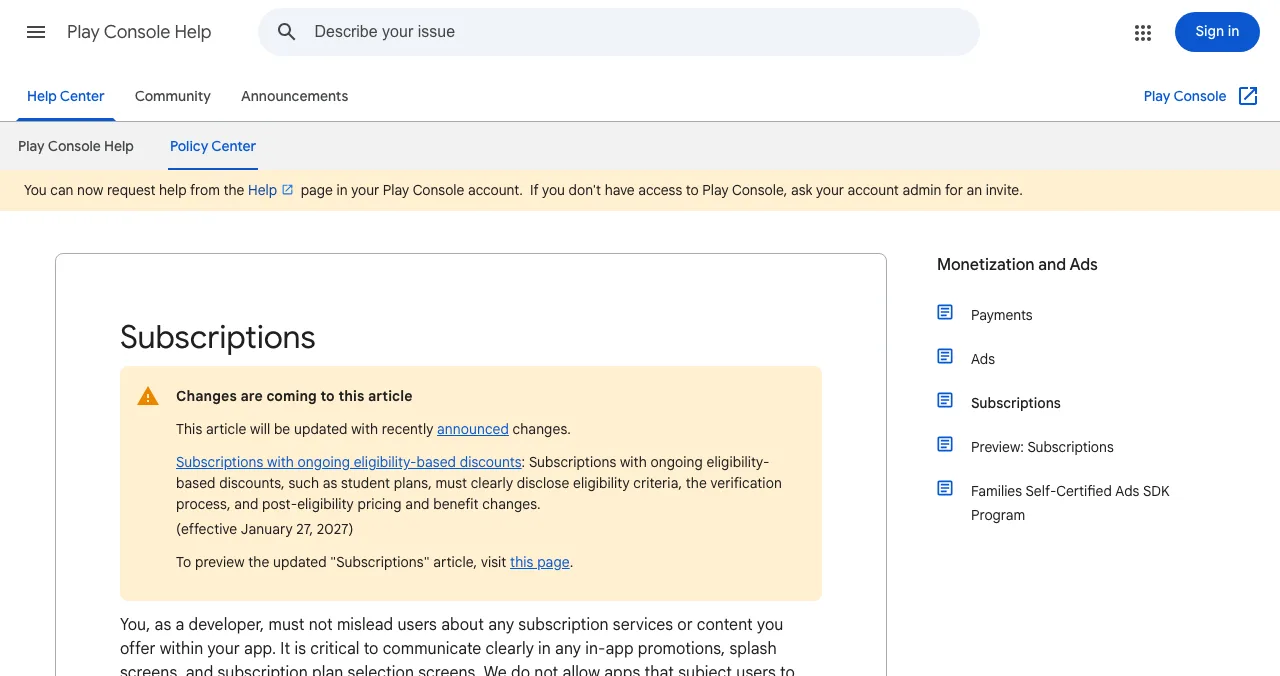
The store rules your paywall must follow
| Rule | What it says (summarised) |
|---|---|
| Apple 3.1.2(a) | Auto-renewable subscriptions must provide ongoing value, last at least seven days and be available across the user's devices |
| Apple 3.1.2(c) | Before asking a customer to subscribe, clearly describe what they'll get for the price |
| Apple 3.1.2 | Users should get what they paid for without extra tasks such as posting on social media |
| Google Play subscriptions | Developers must not mislead users about subscription services or content |
| Google Play (from 27 Jan 2027) | Eligibility-based discounts must disclose criteria, verification and post-eligibility pricing |
Table: App-store rules for subscription paywalls (Apple App Review Guidelines and Google Play policy, checked 17 Nov 2026)
1. Clarity: checks 1–5

- 1. A specific benefit headline — "Unlimited invoices and reminders", not "Go Premium"
- 2. What's included, in a short list — three to five concrete benefits (Apple 3.1.2(c))
- 3. Full price and billing period — "₹399 a month", tax and currency clear
- 4. What happens to free features — users know what they keep
- 5. Plain language — no internal plan names without explanation
2. Choice: checks 6–9

- 6. Two or three plans — more slows the decision (Hick's Law)
- 7. One plan recommended — visually distinct, with a reason
- 8. Honest anchoring — compare real monthly vs annual prices (anchoring)
- 9. Sensible default — pre-selected plan that suits most users (default effect)
3. Trust: checks 10–14

- 10. Trial length and end date — "Free for 7 days, then ₹399/month from 24 Nov"
- 11. How to cancel — a short line, with where to do it
- 12. Restore purchases — visible for returning users
- 13. Easy to dismiss — a clear close button, not hidden
- 14. No fake urgency — no countdowns or "only today" that aren't true
4. Timing: checks 15–18

- 15. After value — shown once the user has completed something meaningful
- 16. At a natural limit — when they hit a real cap, with context
- 17. Not on every screen — repeated paywalls breed annoyance
- 18. Consistent across platforms — same terms on web, iOS and Android, within store rules
How to read paywall examples
When you study other apps' paywalls, record the same five things for each, then compare with yours. Our guide Subscription Paywalls, Decoded analyses real patterns in depth.
| Look at | Questions to ask |
|---|---|
| Headline | Does it name a benefit or just "Premium"? |
| Plans | How many? Which is recommended, and why? |
| Price display | Monthly, annual or both? Is the comparison honest? |
| Trial | Length, end date and renewal shown? |
| Placement | When in the flow does it appear? |
Table: How to analyse a paywall example (editorial framework)
Mistakes

- "Go Premium" with no specifics — Apple asks you to describe what users get
- Four or more plans — choice overload
- A hidden close button — users notice, and it costs trust
- Strike-through prices that were never charged — misleading
- Testing design, not timing — when it appears matters as much
Ready to audit your paywall?
How we built this audit
Store rules come from Apple's App Review Guidelines (section 3.1.2) and Google Play's subscriptions policy, read on 17 November 2026. The 18 checks are our editorial template, grounded in the Laws of UX linked above. Store rules change; read the current versions before you ship.
Key terms, defined
- Paywall: the screen asking users to pay or subscribe.
- Auto-renewable subscription: a subscription that renews until cancelled.
- Anchoring: judging a price relative to another number shown first.
- Hard paywall: payment required before any use.
- Restore purchases: letting returning users recover what they bought.
Frequently asked questions
How do I improve my paywall?
State clearly what the user gets for the price, offer two or three plans with one recommended, show trial length, renewal and cancellation plainly, and show the paywall after the user has experienced value. Then A/B test one change at a time.
What makes a good subscription paywall?
A specific benefit headline, a short list of what's included, a simple plan choice, the full price with billing period, clear trial terms and an easy way to dismiss or restore purchases.
What are Apple's rules for subscription paywalls?
Apple's App Review Guideline 3.1.2 says auto-renewable subscriptions must provide ongoing value, last at least seven days and work across the user's devices; 3.1.2(c) says you should clearly describe what the user will get for the price before asking them to subscribe.
What are Google Play's rules for subscriptions?
Google Play's subscriptions policy says developers must not mislead users about any subscription services or content they offer. An update effective 27 January 2027 adds disclosure rules for eligibility-based discounts such as student plans.
When should the paywall appear?
After the user understands the value: once they've completed a first task, hit a meaningful limit, or tried a premium feature. A hard paywall before any value works only when the brand or category already earns trust.
Where can I see paywall examples?
Our guide Subscription Paywalls, Decoded analyses real paywall patterns. When reviewing others, note the headline, plan structure, trial terms and where the paywall appears in the flow.
Sources
- Apple — App Review Guidelines, 3.1.2 Subscriptions (checked 17 Nov 2026)
- Google Play Console Help — Subscriptions policy (checked 17 Nov 2026)
- Science of Apps — Subscription Paywalls, Decoded
- Science of Apps — Laws of UX: Hick's Law
- Checked November 17, 2026. Figures that change — fees, salaries, prices — are reviewed every six months; if something is out of date, tell us.
Where to go from here
- Subscription Paywalls, Decoded — the full guide
- Laws of UX — the principles
- SaaS onboarding audit — the step before
- Science of Apps - LaunchpadA landing page review checklist for startups: 36 evidence-based checks for clarity, trust, speed, mobile and the call to action, with the research behind eachA landing page review checklist for startups: 36 checks for the first 10 seconds, trust, speed, mobile and the call to action, from NN/g and Google research.
- Science of Apps - LaunchpadWhere to launch a mobile app in 2027: the App Store and Google Play costs, free launch sites that take apps, and a launch order that gets first usersWhere to launch a mobile app in 2027: App Store ($99 a year) and Google Play ($25 once) costs, free launch sites for apps, and a launch order for first users.
- Making moneyIn-app purchase pricing: how top apps set their prices, and how to set yoursIn-app purchase pricing explained: regional prices for India, store price points, tiers and bundles, anchoring and decoys, trials and how to test prices safely.
- Making moneyApp monetization strategies that don't annoy users — designed with behavioural scienceMonetize your app without wrecking retention: value-first paywalls, honest trials, rewarded ads, anchoring and decoy pricing done ethically, and what to avoid.
- App marketing & ASOApp store screenshots that convert: 12 patterns, specs and examplesApp store screenshots that convert: 12 proven layout patterns with example captions, current App Store and Google Play specs, and tips for India.
- Science of Apps - LaunchpadA free website UX audit for startups: the five things to check first (findability, clarity, speed, accessibility, the sign-up path) with the free tools that measure eachA free website UX audit for startups: check findability, clarity, speed, accessibility and the sign-up path first, with free Google, WebAIM and Microsoft tools.


Get the ideas, not the noise.
Sign up with Google and we’ll send you short UX psychology tips by email — why people tap, stall and leave, and what to do about it. Unsubscribe anytime. Prefer something to keep? Get the free Laws of UX guide as a PDF.
Launch day ends. Your listing shouldn't.
List free on the Launchpad and, once live, get a free report on your landing page, discoverability and speed; deeper reports test sign-up, onboarding and the paywall end to end.