 By
Quick answer: How do I get a Product Hunt badge for my website?
- Before launch: grab a badge from your pre-launch dashboard once the launch is scheduled or drafted.
- On launch day: the launch-day dashboard offers badges to drive traffic from your site.
- After an award: Product Hunt emails you a badge, for example for Product of the Day.
- Reviews: add a 'Leave a review' badge to collect reviews.
- How to add it: copy the embed code into your site's HTML.
Key takeaways
- Badges send your own visitors to your launch; use them, but never to ask for upvotes.
- An award badge is social proof you can keep long after launch day.
- Put the badge where visitors see it, but don't let it compete with your main call to action.
- Badges that link to a verifiable page are more convincing than plain images.
- Other launch sites and directories offer their own earned badges too.
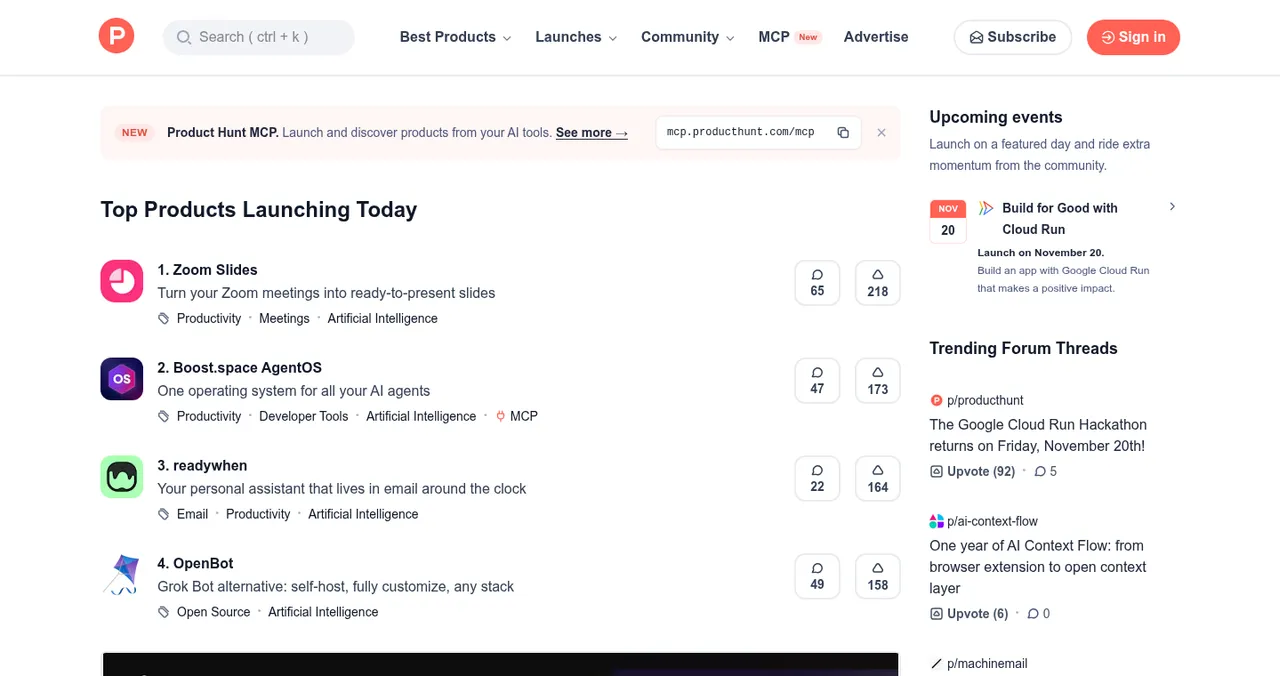
The little orange "Featured on Product Hunt" or "Product of the Day" badge in a startup's header does two jobs: it sends your own visitors to your launch, and it tells newcomers that a demanding community has already looked at you. This how-to covers where Product Hunt badges come from, how to add one, and how to use it without breaking the rules, from Product Hunt's help centre as read on 17 November 2026. Jump to the badge types, how to add one or other earned badges.
The Product Hunt badges
| Badge | When you get it | Where from |
|---|---|---|
| Launch badge | Once your launch is scheduled or drafted | Pre-launch dashboard |
| Launch-day badge | On the day | Launch-day dashboard |
| Award badge (e.g. Product of the Day) | After you win an award | Emailed by Product Hunt |
| Leave a review | Any time after launch | To collect reviews |
| Featured / Top Post | If featured, or a top post for its day or week | Embed options (older guide) |
Table: Product Hunt badges (Product Hunt help centre, checked 17 Nov 2026)
How to add a Product Hunt badge

- Schedule or draft your launch — the pre-launch dashboard appears.
- Choose the badge and theme — light or dark to suit your site.
- Copy the embed code.
- Paste it into your site — header, hero banner or footer.
- After launch, swap in your award badge if you won one.
Where to put it

- Before and during launch — a hero banner or header, with one clear call to action
- After an award — near your sign-up as social proof
- Long term — the footer, beside other "featured on" badges
- Never — as the main call to action on your page
Badge rules
Other earned startup badges

| Launchpad badge | How it's earned |
|---|---|
| Featured | When your profile goes live |
| Verified | Confirm a work email on your domain |
| Community favourite | Vouches from trusted members |
| Editor's pick | Editorial selection |
| Investigated | Your product investigated |
| Pro investigated | A Pro investigation |
| Rated exceptional | An exceptional rating |
Table: The seven Science of Apps Launchpad badges (Launchpad homepage, checked 17 Nov 2026)
Every Launchpad badge links back to your public page "so anyone can check it".
Ready to earn a badge?
How we know
Product Hunt badge details come from its help centre (How to promote your launch; What to do during and after your launch, both read on 17 November 2026; and its 2019 embed guide). Launchpad badges come from the Launchpad homepage, read the same day. Science of Apps runs the Launchpad.
Key terms, defined
- Badge: a small image with a link, added to your site.
- Embed code: the HTML snippet that displays a badge.
- Award badge: a badge for Product of the Day, Week or Month.
- Social proof: signals that others have already vetted you.
- Verifiable badge: one that links to a public page confirming it.
Frequently asked questions
How do I get a Product Hunt badge?
Schedule or draft your launch; your pre-launch dashboard lets you add a badge to your website. On launch day, the dashboard offers badges too. If you win an award such as Product of the Day, Product Hunt emails you an award badge.
How do I add a Product Hunt badge to my website?
Copy the badge's embed code from your Product Hunt dashboard or the post's Embed option, choose a theme, and paste the code into your site's HTML, typically in the header, hero or footer.
What badges does Product Hunt offer?
Launch badges you can add from your dashboards, award badges such as Product of the Day that are emailed to you, and a 'Leave a review' badge. Product Hunt's older embed guide also mentions 'Featured' and 'Top Post' badge options.
Can I use a Product Hunt badge to ask for upvotes?
No. Product Hunt's rules say never ask for upvotes, directly or through anything that requires or rewards them. Use the badge to invite people to try the product and leave feedback.
Do Product Hunt badges help SEO?
A badge is mainly a link from your site to Product Hunt, so it sends traffic and shows social proof rather than earning you backlinks. Your Product Page on Product Hunt can link back to your site.
Are there other startup badges worth adding?
Yes: many launch sites and directories offer earned badges. Science of Apps Launchpad offers seven, from Featured and Verified to Rated exceptional, each linking to your public page so anyone can check it.
Sources
- Product Hunt Help Center — How to promote your launch (and what to avoid) (checked 17 Nov 2026)
- Product Hunt Help Center — What to do during and after your launch (checked 17 Nov 2026)
- Product Hunt Help Center — How to add a Product Hunt badge to your website (2019)
- Science of Apps — Launchpad: badges, ranking and pricing (checked 17 Nov 2026)
- Checked November 17, 2026. Figures that change — fees, salaries, prices — are reviewed every six months; if something is out of date, tell us.
Where to go from here
- How to launch on Product Hunt — earn the badge first
- What to do after a Product Hunt launch — using your award
- 14 Product Hunt alternatives — more launch badges
- Science of Apps - LaunchpadThe top 5 websites to launch your startup for free, checked against each site's own rulesThe 5 best free websites to launch a startup: Science of Apps Launchpad, Product Hunt, Show HN, Uneed and Peerlist, with costs, rules and who each one suits.
- Science of Apps - LaunchpadFree startup directories in 2027: 16 checked sites to submit your startup to, grouped by what you want (investors, customers, a launch, India) with each one's rules16 free startup directories checked for 2027, grouped by goal: investors, customers, launch day and India, with each site's rules and the ones to skip.
- Science of Apps - LaunchpadWhat is Product Hunt? How launches, the leaderboard, featuring, makers and Product of the Day actually workWhat Product Hunt is and how it works in 2027: daily launches, the leaderboard, featuring, makers and hunters, Product of the Day and the rules, explained.
- Science of Apps - LaunchpadProduct Hunt vs Indie Hackers vs Hacker News: three very different communities, what each rewards, and where your startup should go firstProduct Hunt vs Indie Hackers vs Hacker News: a launch day, a founder community and a Show HN thread compared, with the rules and which to use first.
- Science of Apps - LaunchpadWhat to do after a Product Hunt launch: a 30-day plan to turn one day of attention into users, reviews and a better productWhat to do after a Product Hunt launch: keep replying, follow up, measure, ship feedback, collect reviews, launch elsewhere and plan your relaunch.
- Science of Apps - LaunchpadHow to use Indie Hackers to launch and grow: what the community rewards, what to post, and how it fits with Product Hunt and Show HNHow to use Indie Hackers to launch: what the founder community rewards, posts that work, mistakes that get ignored, and where it fits with other launches.
Get the ideas, not the noise.
Sign up with Google and we’ll send you short UX psychology tips by email — why people tap, stall and leave, and what to do about it. Unsubscribe anytime. Prefer something to keep? Get the free Laws of UX guide as a PDF.
Launch day ends. Your listing shouldn't.
Seven earned badges, from Featured and Verified to Rated exceptional, each linking back to your public Launchpad page so anyone can check it. Free to list, ranked by relevance, never payment.