 By
Quick answer: What should a startup profile include?
- Lead with the problem, not the brand: that's what people search for.
- Ten fields: name, tagline, problem, audience, product, category, platforms and pricing, media, links, founders, proof.
- Same facts everywhere: your About page, Launchpad, LinkedIn, Crunchbase, Wellfound.
- Free template: a Science of Apps Launchpad listing asks for these fields in six steps.
- Proof you can't fake beats adjectives: vouches, a Verified badge, real screenshots.
Key takeaways
- A startup profile is read by customers, investors, journalists and AI engines; write for all four.
- Consistency across profiles helps search and AI engines describe you correctly.
- Each profile site has its own reader: customers, investors, candidates or professionals.
- Unclaimed profiles drift; claim and verify the ones that matter.
- Update every profile on the same day when something changes.
Your startup profile is the page strangers read before they decide whether you're worth a click, a meeting or a job application. Most founders write one in a hurry for the first site that asks, then copy it badly everywhere else. This guide gives you a field-by-field startup profile template, shows real examples of what good looks like on the Launchpad, Crunchbase, LinkedIn and Wellfound, and ends with a plan to keep every company profile page saying the same thing. Launchpad pages were read on 20 November 2026; other platforms on the dates shown in the sources. Jump to the template, the examples or the plan.
The startup profile template, field by field
| # | Field | What to write | Example (illustrative) |
|---|---|---|---|
| 1 | Name and tagline | The outcome, 8–12 words | "Invoices that chase themselves" |
| 2 | The problem | The buyer's pain, in their words | "Freelancers spend hours chasing late payments" |
| 3 | Who it's for | A specific group | "Freelance designers and small studios" |
| 4 | What it does | Two to four plain sentences | How it works, in order |
| 5 | Category | The shelf a buyer browses | Finance tools |
| 6 | Platforms and pricing model | Web, iOS, Android; Free, Freemium, Paid | Web; Freemium |
| 7 | Media | Real screenshots, a short video | The first screen after sign-up |
| 8 | Links | Website, demo, store | One link that leads to value fastest |
| 9 | Founders | Names, roles, a photo, LinkedIn | The people accountable for it |
| 10 | Proof | Vouches, users, reviews, badges | Only what you can show |
Table: Startup profile template (Science of Apps editorial framework; examples are illustrative, not a real company)
Startup profile examples, by platform
Each platform has a different reader, so each profile leans on different fields.
| Platform | Main reader | Fields that matter most | Cost |
|---|---|---|---|
| Science of Apps Launchpad | Customers searching by problem | Problem, audience, media, links, proof | Free, forever |
| Crunchbase | Investors, journalists, researchers | Founders, location, funding, industries | Free to create and edit |
| LinkedIn Page | Professionals, candidates | Tagline, about, updates | Free |
| Wellfound | Job seekers | Mission, team, open roles | Free to browse |
Table: Where startups keep company profile pages, and for whom (each platform's own pages; dates in sources)
Science of Apps Launchpad: a profile built around the problem
- Cost
- Free, forever
- Reader
- Customers searching by problem
- Proof
- Vouches, followers, seven earned badges
- Ownership
- Claim it; Verified via a work email on your domain
- Extra
- Product tested with a detailed report, once live
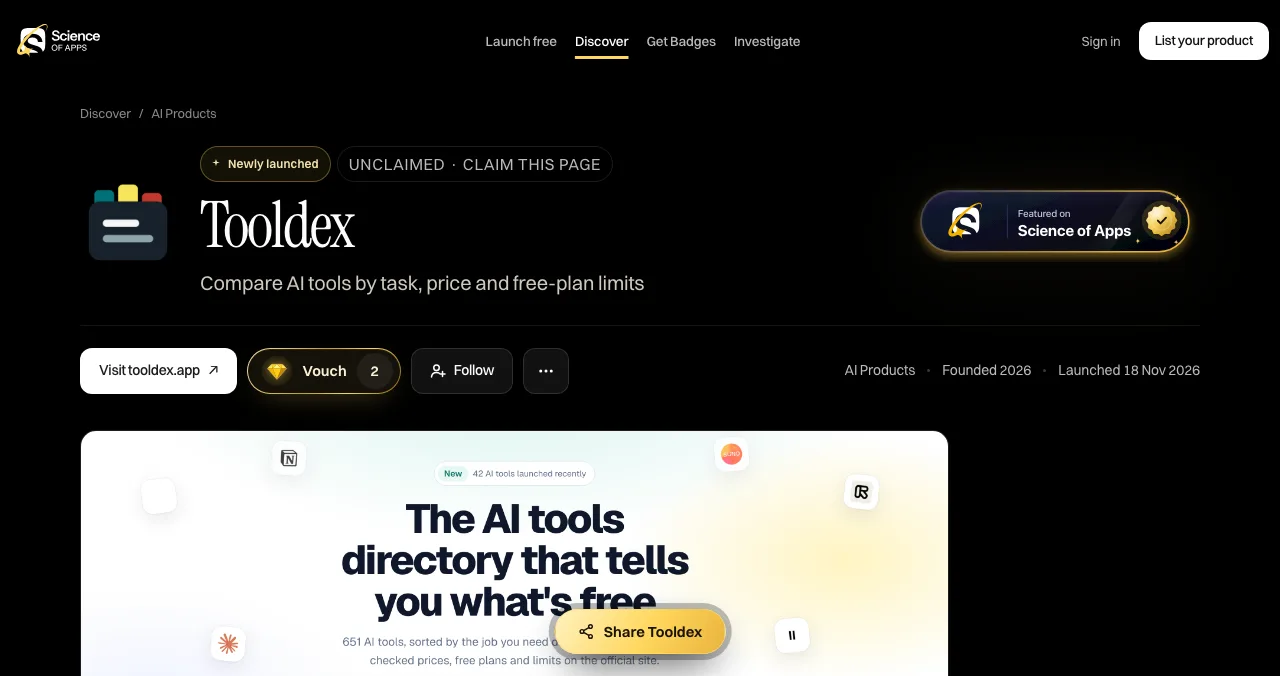
A live Launchpad profile follows the template closely. The Tooldex page we read shows: the name and tagline ("Compare AI tools by task, price and free-plan limits"), a "Visit" button, Vouch and Follow buttons, an "About" section, "The problem it solves", "Who it's for", an "At a glance" box (website, category, pricing model, year founded, platforms, ownership, launch date), questions answered from the product's own website, the founder, a live demo link, a QR code, earned badges, related products and comments. It also shows "Unclaimed · Claim this page", which is the first thing to fix on any profile that's yours.
- Badges: seven stages. Featured comes with every live listing; Verified when you prove you own the product's domain; Community favourite at 25 vouches from trusted members; Editor's pick when editors choose you; Investigated, Pro investigated and Rated exceptional come from released investigations.
- Founder card: your photo, name and LinkedIn, shown only when you choose.
Crunchbase: the investor-facing profile
- Cost
- Free to create and edit
- Who can add
- Registered, socially authenticated users
- Fields
- Logo, website, descriptions, HQ, industries, founders, funding
- Catch
- Objective, non-promotional content only
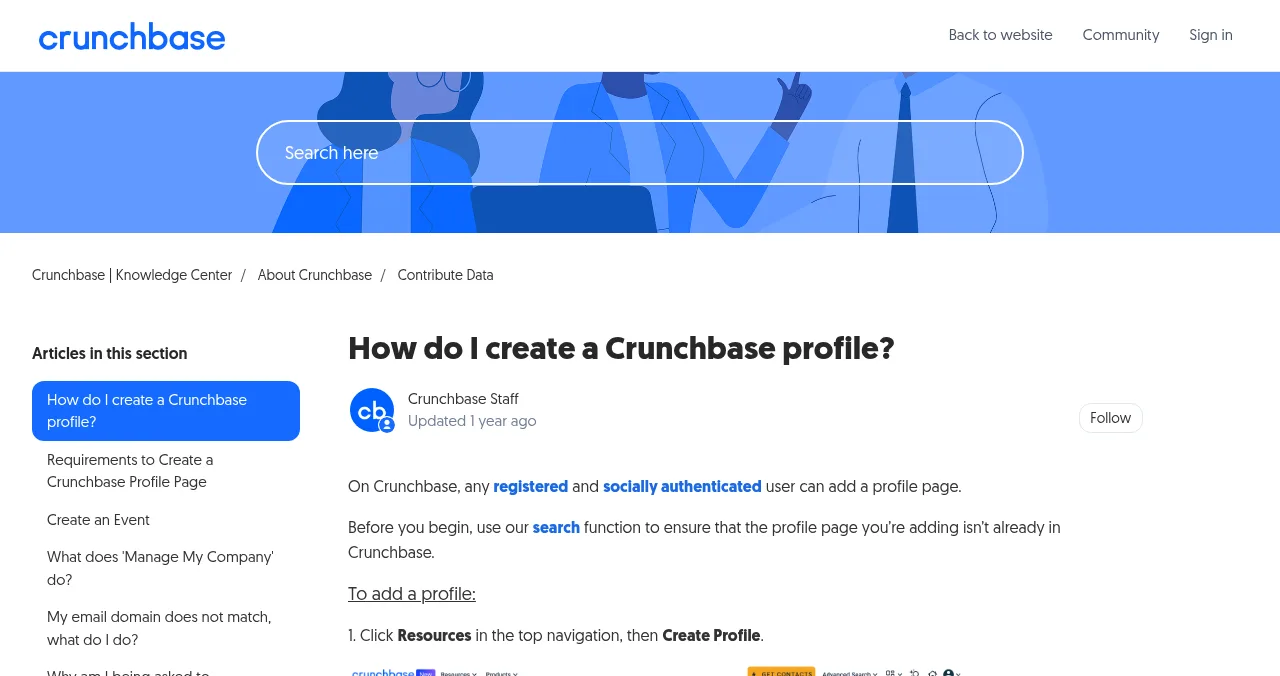
Crunchbase is where investors and journalists check founders, location, industry and funding. Its guidelines ask for objective content, so use your plainest description here. More in Launchpad vs Crunchbase.
LinkedIn Page: the professional profile
- Cost
- "You can create a LinkedIn Page for free"
- Needs
- A LinkedIn account; confirm you can act for the company
- Reader
- Professionals, candidates, partners
- Catch
- Only as useful as you keep it
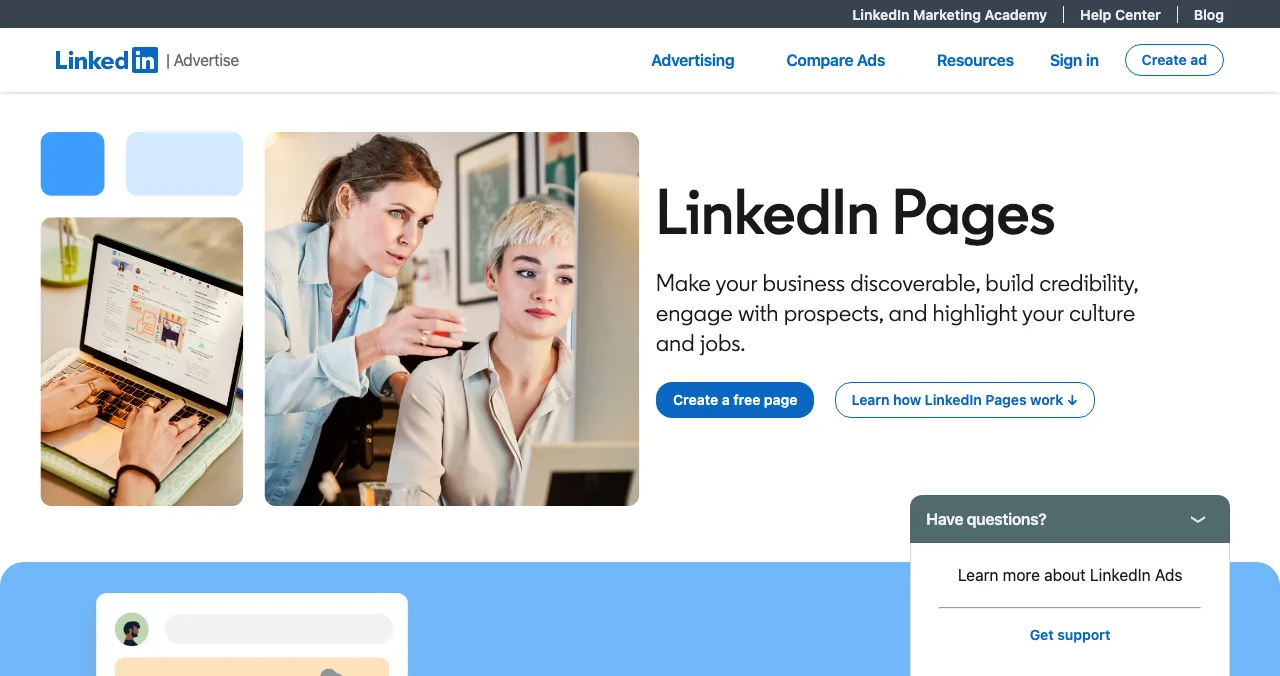
Your LinkedIn Page is where employees attach themselves to the company and where candidates check you out. Reuse your tagline and the first two sentences of your description.
Wellfound: the hiring profile
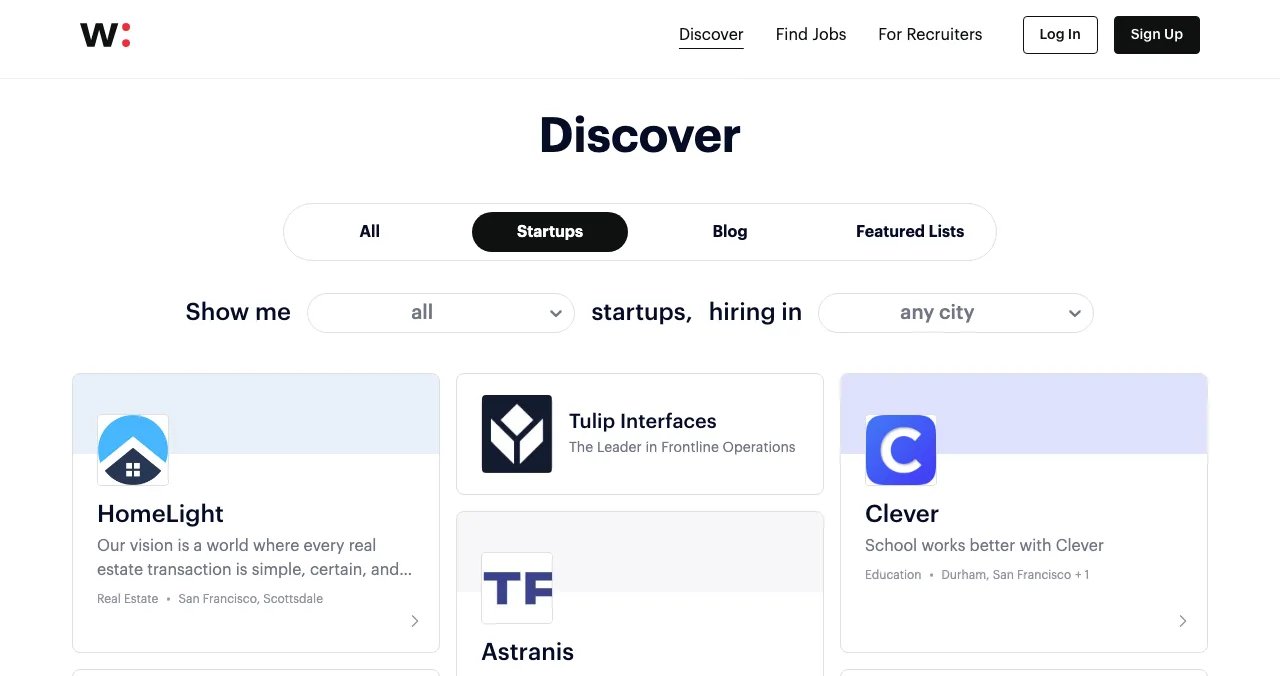
Wellfound's Discover page lists startups with a logo, a one-line description and a location, next to their open jobs. If you're hiring, your one-liner here should match your tagline everywhere else.
Why consistency matters
Search and AI engines build their picture of your startup from several sources. When your About page, Launchpad profile, LinkedIn Page and Crunchbase profile all agree on your name, category, website and founders, they have an easier time describing you correctly. Google's Organization structured data documentation is a good model for the facts that should never differ. See entity SEO for startups.

- Same name and spelling — everywhere, including capitalisation
- Same tagline — or a close variant
- Same website URL — one canonical domain, with or without www, never both
- Same founders and titles
- Same founding year and location
- Same logo file
A profile is a promise: check the product behind it
A great profile sends people to your product. Once your Launchpad listing is live, a free baseline diagnosis covers your landing page, discoverability and speed, and a full investigation tests the product itself.
- Areas of your product tested
- 22
- Automatic measurements, desktop and mobile
- 39
- Expert checks behind your login
- 74
- Verdicts that rank what to fix first
- 5
See what visitors find after they click
List free, then order the report that fits your stage.

 Economy
See what new customers see
- Store listing and homepage, screen by screen
- Scorecard against 60 Laws of UX
- Customers, competitors and the fixes worth most
PremiumThe full diagnosis and the plan
- Every screen, every finding, every flow
- All 60 laws with evidence and fixes
- 8 strategy chapters and a 90-day roadmap
Fact-checked against the evidence. Private to your team, and never affects ranking.
A plan: one afternoon, every profile
- Hour 1
Write the master
Fill in the ten-field template in a doc.
- Hour 2
Launchpad
Create your free listing from the master.
- Hour 3
LinkedIn and Crunchbase
Copy the same facts; claim or create both.
- Hour 4
Own About page
Match it, and add Organization structured data.
- Every quarter
Review
Update every profile on the same day.
Mistakes

- Leading with the brand story — lead with the problem
- Adjectives instead of facts — "revolutionary" proves nothing; a vouch does (social proof)
- Unclaimed profiles — someone else's description stands until you claim it
- Stale facts — an old team or price on one profile undermines the others
- Logo-only media — show the product
Ready to launch?
How we know
The template is Science of Apps' editorial framework; its example rows are illustrative. The Launchpad example comes from a live public profile and the Launchpad's homepage, launch and badges pages, read on 20 November 2026. Crunchbase, LinkedIn and Wellfound details come from their own help and discovery pages, checked on 17–18 November 2026. Science of Apps runs the Launchpad.
Key terms, defined
- Startup profile: a public page describing a startup: what it does, for whom, who runs it and where to try it.
- Company profile page: any page describing a business, on your own site or a platform.
- Claimed profile: a profile the company has verified as its own.
- Organization structured data: markup that tells Google your name, logo, URL and other facts.
- Vouch: on the Launchpad, a signed-in member's public endorsement; one per person, never bought.
Frequently asked questions
What should a startup profile include?
The name and a one-line tagline, the problem you solve, who it's for, what the product does, category, platforms and pricing model, real screenshots or video, the website and demo links, the founders, and proof such as vouches, users or press. Add the founding year and location for investor-facing profiles such as Crunchbase.
What is a company profile page?
A company profile page is a page that describes a business: what it does, who runs it, where it is and how to contact it. It can live on your own site as an About page, or on platforms such as LinkedIn Pages, Crunchbase, Wellfound or the Science of Apps Launchpad, each aimed at a different reader.
Is there a free startup profile template?
Yes: the ten-field template in this guide. The Science of Apps Launchpad also works as one, since its six listing steps ask for the name, story, details, media, links and founder, and turn them into a public profile for free. Copy the same text into LinkedIn, Crunchbase and your About page.
Where should a startup create profiles?
Start with your own About page, then a Science of Apps Launchpad listing for customers finding you by problem, a free LinkedIn Page for professionals and hiring, and a Crunchbase profile for investors and journalists. Add Wellfound if you're hiring. Keep the facts identical across all of them.
How long should a startup profile description be?
A one-line tagline of about 8 to 12 words, then a short paragraph of two to four sentences: the problem, who it's for, and what the product does about it. Longer detail belongs on your website. Every sentence should say something specific a reader could check.
Does a startup profile help SEO and AI search?
It helps engines understand you. Consistent profiles on trusted sites give Google and AI assistants several sources that agree on your name, category, founders and website, which helps them describe you correctly. A profile isn't a ranking shortcut, but an inconsistent one can confuse how you're described.
Sources
- Science of Apps — Example live profile: Tooldex (checked 20 Nov 2026)
- Science of Apps — Launchpad homepage: how listing works, FAQ (checked 20 Nov 2026)
- Science of Apps — Launch page: a canonical product record and founder card (checked 20 Nov 2026)
- Science of Apps — Badges: seven stages (checked 20 Nov 2026)
- Crunchbase Knowledge Center — How do I create a Crunchbase profile? (checked 17 Nov 2026)
- LinkedIn Help — Create a LinkedIn Page (checked 18 Nov 2026)
- Wellfound — Discover startups (checked 17 Nov 2026)
- Google Search Central — Organization structured data (checked 20 Nov 2026)
- Checked November 20, 2026. Figures that change — fees, salaries, prices — are reviewed every six months; if something is out of date, tell us.
Where to go from here
- Launchpad vs Crunchbase — customers vs investors
- Entity SEO for startups — why consistency matters
- Launch profile for an investor pitch — using your profile with investors
- Science of Apps - LaunchpadHow to get your startup listed on Crunchbase: register, authenticate, create the profile and make it completeHow to add your company to Crunchbase in 2027: register free, connect a social account, create the profile, verify you work there and fill in every field.
- Science of Apps - LaunchpadCrunchbase vs the Science of Apps Launchpad: a free company profile investors look up, or a free product listing customers find, with your product tested. What each does, what it costs and which to set up firstCrunchbase is where investors look you up; the Launchpad is where customers find your product. What each costs, what it does, and why most startups need both.
- Science of Apps - LaunchpadStartup databases compared: Crunchbase, Tracxn, PitchBook, Dealroom, Owler, SEC EDGAR, Apollo and Wellfound, with free tiers, prices and who each suits8 startup databases compared for 2027: Crunchbase, Tracxn, PitchBook, Dealroom, Owler, SEC EDGAR, Apollo, Wellfound, with free tiers and prices.
- Science of Apps - LaunchpadFree landing page templates for 2027: 10 verified sources by use, from no-code builders to free HTML, startup and SaaS landing page templates, with their licences and the checks every template should passThe best free landing page templates by use: 10 verified sources for no-code, HTML, startup and SaaS pages, with licences, and the checks to run before launch.
- Science of Apps - LaunchpadWhat is Crunchbase? What the private-company database covers, who uses it, what's free, what Pro and Business cost, and how startups use itWhat is Crunchbase? The private-company database explained: who uses it, what a free account gets, Pro and Business prices, and how startups use it.
- Science of Apps - LaunchpadFree business listing submission sites for startups in 2027: seven quality-checked places to list, which suit local businesses and which suit online startups, and what each one costsThe best free business listing sites: Google Business Profile and Bing Places for local, LinkedIn, Crunchbase and the Launchpad for online startups.
Get the ideas, not the noise.
Sign up with Google and we’ll send you short UX psychology tips by email — why people tap, stall and leave, and what to do about it. Unsubscribe anytime. Prefer something to keep? Get the free Laws of UX guide as a PDF.
Launch day ends. Your listing shouldn't.
A Science of Apps Launchpad profile follows this template field by field, stays up permanently and is found by the problem you solve, and once it's live your product can be tested end to end with a detailed report.