 By
Quick answer: Should a startup be on Crunchbase?
- Crunchbase: a company and funding database; a free account can create and edit your profile.
- Crunchbase Pro: $49 a month billed annually for the first year, or $99 monthly, for research and exports.
- Launchpad: a free, permanent product listing that people find by the problem they have.
- Only the Launchpad tests your product and hands you a detailed report.
- Do both: Crunchbase for credibility with investors, the Launchpad for users.
Key takeaways
- Crunchbase and the Launchpad answer different questions: 'who is this company?' and 'what does this product do for me?'
- A Crunchbase profile is free to create and edit; you only pay to research other companies.
- Crunchbase content must be factual and non-promotional, so it is not a sales page.
- A product listing collects vouches and followers from users; a company profile collects funding facts.
- Link the two: put your Launchpad listing on your website, and your website on Crunchbase.
"Crunchbase" is searched about 135,000 times a month worldwide (Google Keyword Planner, global 12-month average), and a good share of those searches are founders asking whether their startup needs to be there. It does. But founders often expect a Crunchbase profile to do a job it was never built for: bringing customers. Crunchbase tells investors and journalists who you are. A product listing tells a stranger with a problem why your product solves it. This comparison sets Crunchbase beside the free Science of Apps Launchpad, using each one's own pages as checked on 17–18 November 2026. Jump to the side-by-side table, which to set up first or the plan.
Science of Apps Launchpad vs Crunchbase
 List free
Science of Apps Launchpad For customers
A free, permanent product listing found by problem, plus your product tested with a detailed report.
Free foreverFor users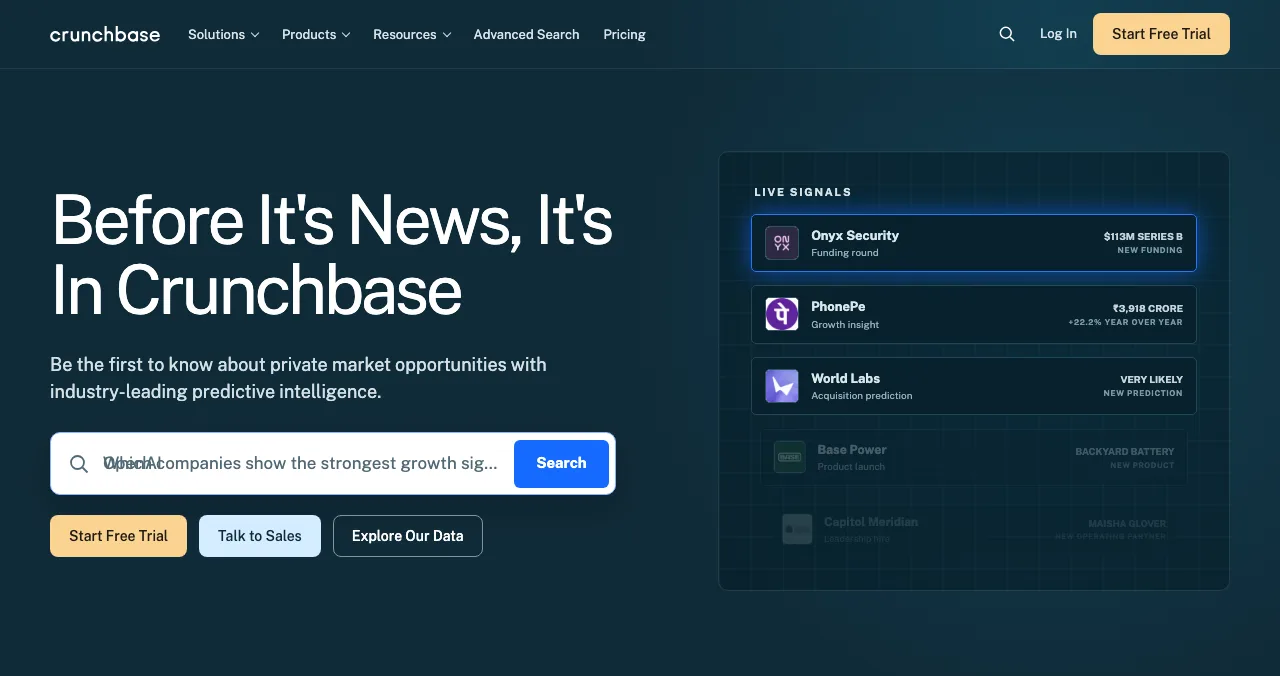
Crunchbase
The company and funding record investors, journalists and AI assistants look up.
Free profileFor investors
Crunchbase vs the Launchpad, side by side
The short answer: they're not rivals. Crunchbase is a reference record about your company; the Launchpad is a shop window for your product.
| Science of Apps Launchpad | Crunchbase | |
|---|---|---|
| What it is | A product discovery platform with permanent listings | A database of private companies, funding rounds, investors and people |
| Who reads it | People looking for a product that solves their problem | Investors, sales teams, journalists, analysts, AI assistants |
| Cost to be listed | Free, forever | Creating and editing a profile is free |
| Cost to research | Free to browse | Pro $49/month billed annually (first year) or $99 monthly; Business from $199/month |
| What your page shows | Product, screenshots, video, founder, vouches, badges | Company facts: founders, headquarters, industries, funding, people |
| Tone allowed | Your product's story, in your words | Objective and non-promotional, per its guidelines |
| Ranking | Relevance, editorial picks, community interest; never payment | Search and its own growth and heat scores |
| Product test and report | Yes: free baseline check, then detailed reports | No |
Table: Science of Apps Launchpad vs Crunchbase (each site's own pages, checked 17–18 Nov 2026)
Science of Apps Launchpad: where customers find the product
- Cost
- Free, forever
- Audience
- People searching by problem
- Visible for
- Permanent
- Ranking
- Relevance, never payment
- Included
- A product test and detailed report
A Crunchbase profile answers "is this a real company?" The Science of Apps Launchpad answers the question a customer asks: "will this solve my problem?" Your listing shows the product itself, with screenshots, video and the founder behind it.
- Cost: free to list, forever. Science of Apps earns money from optional reports and an optional, labelled Premium listing; paying never changes organic ranking ("0 paid placements").
- Getting listed: six short steps, automated checks and a human moderator.
- Being found: people find you by the problem you solve, through search, curated collections and editorial picks.
- Proof that builds up: Featured when you go live, then earned badges (Verified with a work email on your domain, Community favourite, Editor's pick), plus vouches and followers from real users. Those are traction signals an investor can see, too.
- Accepts: startups, SaaS, mobile apps, AI products, developer tools, browser extensions, games and open-source projects.
What Crunchbase can't tell you: how your product works for a stranger
Crunchbase records what you've raised. The Launchpad checks what a new user meets. A free baseline check of your landing page, discoverability and speed runs as you go live; a full investigation goes much further.
- Areas of your product tested
- 22
- Automatic measurements, desktop and mobile
- 39
- Expert checks behind your login
- 74
- Verdicts that rank what to fix first
- 5
Know what a stranger sees in your product
List free, then order the report that fits: what new customers see first, or the full diagnosis with a 90-day plan.

 Economy
See what new customers see
- Store listing and homepage, screen by screen
- Scorecard against 60 Laws of UX
- Customers, competitors and the fixes worth most
PremiumThe full diagnosis and the plan
- Every screen, every finding, every flow
- All 60 laws with evidence and fixes
- 8 strategy chapters and a 90-day roadmap
Researched from your live product and fact-checked against the evidence. Private to your team.
Best for: getting your product in front of users permanently, and finding out what to fix before you spend on growth.
Crunchbase: the record investors check
- Profile
- Free to create and edit
- Pro
- $49/month billed annually (first year)
- Monthly
- $99 billed monthly
- Business
- From $199/month, billed annually
- Catch
- Facts only; no promotion
Crunchbase is the default reference for private companies. When an angel hears your pitch, a journalist writes about your round or an AI assistant is asked "who founded X?", Crunchbase is one of the places they check. That's what it does better than any product directory, the Launchpad included.
- Cost to be on it: creating and editing profiles is part of the free account. Crunchbase's pricing FAQ says the free account also gives access to company profiles, search results, AI research and its MCP connection, with usage limits.
- Cost to research: Pro is $49 a month billed annually for the first year (normally $79), or $99 billed monthly, with a 7-day free trial and 2,000 export rows a month. Business starts at $199 a month billed annually; custom data solutions are priced by sales.
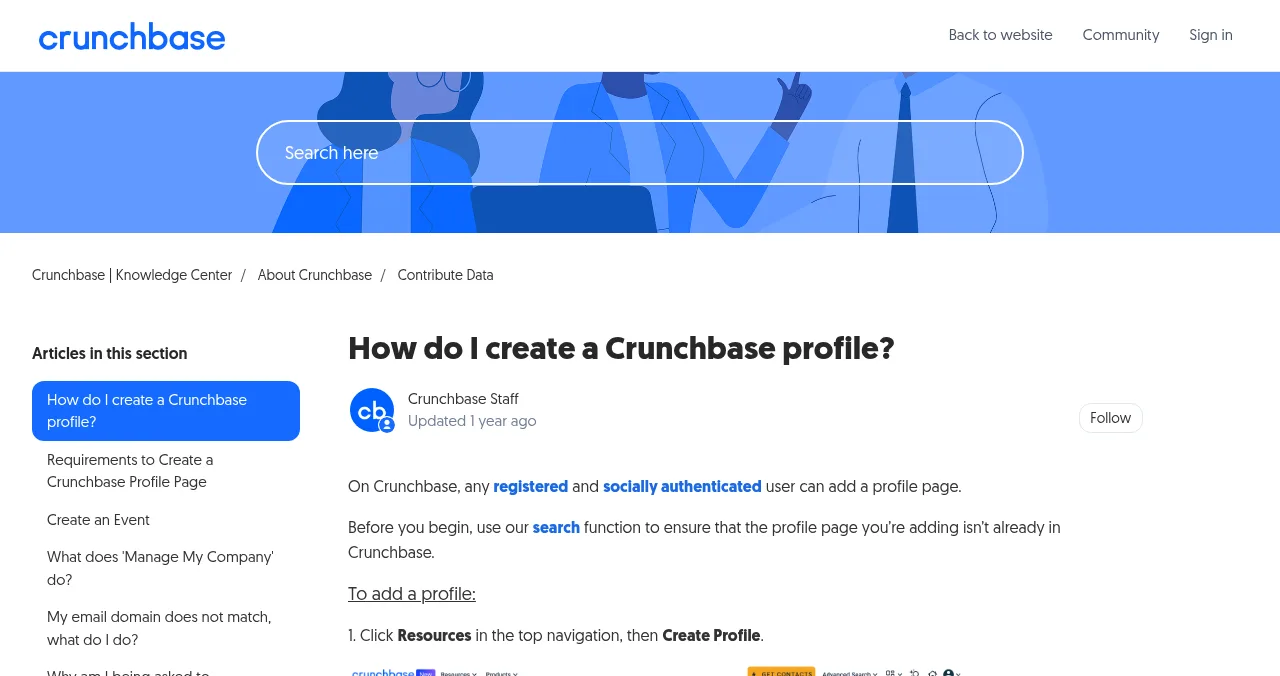
- How to get on it: register, connect a social account (Crunchbase requires a socially authenticated user), search for duplicates, then Create Profile. Our step-by-step guide covers each field.
- Rules: content must be accurate, objective and non-promotional. Use Manage My Company to verify you work there and control parts of the profile.
Best for: credibility with investors, partners and the press, and a consistent record AI assistants can quote.
Should a startup be on Crunchbase, the Launchpad or both?
Both, in most cases, because they're read by different people. The order depends on what you need next.
| Your situation | Start with | Then |
|---|---|---|
| You need first users | Launchpad listing | Crunchbase profile when you have founders and a website to record |
| You're about to raise | Crunchbase profile, complete and accurate | Launchpad listing, so investors who look see real users and vouches |
| You just closed a round | Update Crunchbase the same week | Announce on your Launchpad listing and site |
| You're bootstrapped and selling | Launchpad listing | Crunchbase for partners and press later |
| You want to research competitors | Crunchbase free account, Pro if you'll export | Read competitors' Launchpad listings too |
Table: When to use Crunchbase and the Science of Apps Launchpad
How to set up both: a one-week plan
- Day 1
List on the Launchpad
Publish your product listing; the baseline check of landing page, discoverability and speed runs as it goes live.
- Day 2
Create the Crunchbase profile
Free account, social authentication, Create Profile; factual descriptions, 3–5 industries, founders.
- Day 3
Verify both
Earn the Launchpad's Verified badge with a work email; use Crunchbase's Manage My Company.
- Days 4–6
Fix what the check found
Critical findings on the landing page and sign-up first.
- Day 7
Make the facts match
Same name, one-liner, founders and website on your About page, Crunchbase and the Launchpad.
Mistakes to avoid

- Writing your Crunchbase profile like an advert — its guidelines ask for objective content; save the pitch for your product page
- Expecting Crunchbase to send users — it's read by researchers, not shoppers
- Leaving funding out of date — investors notice stale rounds and missing founders
- Paying for Pro just to have a profile — the profile is free; Pro is for research
- Different facts on every profile — AI assistants trust what is consistent
Consistent badges, vouches and a verified founder work as social proof: a visitor who sees real users behind a product trusts it faster than one reading a funding total.
Ready to list?
How we compared them
Crunchbase's prices and free-account terms come from its pricing page and FAQ, read on 18 November 2026; its profile rules come from its Knowledge Center, read on 17 November 2026 (it blocked automated reading on 18 November). The Launchpad's terms come from its homepage, investigation page and pricing page, read on 18 November 2026. The 135,000 monthly searches figure is Google Keyword Planner's global 12-month average. Science of Apps runs the Launchpad and has no relationship with Crunchbase.
Key terms, defined
- Company profile: a factual record of a company (founders, location, industries, funding), as on Crunchbase.
- Product listing: a page about what a product does and who it's for, as on the Launchpad.
- Social authentication: connecting a Google or LinkedIn account, which Crunchbase requires before you can create profiles.
- Manage My Company: Crunchbase's way to verify you work at a company and control parts of its profile.
- Vouch: on the Science of Apps Launchpad, a public endorsement from a real user.
- Product investigation: a structured test of a live product, with each finding backed by evidence.
Frequently asked questions
Should a startup be on Crunchbase?
Yes. Creating and editing a Crunchbase profile is free, and it is one of the first places investors, journalists, partners and AI assistants check to confirm your founders, location, industry and funding. Keep it accurate and current. Just don't expect it to bring customers: it describes the company, not what the product does for a user.
Is Crunchbase free?
Partly. Crunchbase says a free account gives access to company profiles, search results, AI-powered research and its MCP connection, with usage limits, and it lets you create and edit profiles. Deeper research costs money: Pro is $49 a month billed annually for the first year (normally $79), or $99 billed monthly, with a 7-day free trial.
What is the difference between Crunchbase and the Science of Apps Launchpad?
Crunchbase is a database of private companies, funding rounds, investors and people, used mainly for research and prospecting. The Science of Apps Launchpad is a free product discovery platform: a permanent listing people find by the problem they have, ranked by relevance and community interest, with a test of your live product and a detailed report.
Does a Crunchbase profile help SEO?
It gives search engines and AI assistants another consistent source for your company name, website, founders and funding, which helps them describe you correctly. It isn't a ranking shortcut, and Crunchbase's guidelines ask for objective, non-promotional content. Treat it as a reference record and keep the facts identical to your own About page.
How do I add my startup to Crunchbase?
Register a free account, connect a social account under Account Settings, search to make sure your company isn't already listed, then use Create Profile from the Resources menu and fill in the logo, website, descriptions, headquarters, industries, founders and funding. Use Manage My Company to verify you work there.
Is Crunchbase Pro worth it for founders?
Only if you'll use it for research: building investor lists, tracking competitors' rounds or prospecting customers. Pro adds full profiles, AI search, saved lists and 2,000 export rows a month. If you only need your own profile to be right, the free account is enough.
Can investors find my startup on the Launchpad?
Anyone can find a public Launchpad listing, investors included, and a listing with real vouches, followers and a Verified badge is useful evidence of traction. But the Launchpad is built for customers and users. For investor research, keep your Crunchbase profile complete and link it from your website.
Sources
- Crunchbase — Product pricing: Pro, Business and Custom Data Solutions, with FAQ (checked 18 Nov 2026)
- Crunchbase Knowledge Center — How do I create a Crunchbase profile? (checked 17 Nov 2026)
- Crunchbase Knowledge Center — What are the guidelines for adding content to Crunchbase? (checked 17 Nov 2026)
- Crunchbase Knowledge Center — What does 'Manage My Company' do? (checked 17 Nov 2026)
- Science of Apps — Launchpad: launch your product free (checked 18 Nov 2026)
- Science of Apps — Product investigation (checked 18 Nov 2026)
- Science of Apps — Pricing: free listing, Economy and Premium reports (checked 18 Nov 2026)
- Checked November 18, 2026. Figures that change — fees, salaries, prices — are reviewed every six months; if something is out of date, tell us.
Where to go from here
- What is Crunchbase? — features, free account and Pro
- Get listed on Crunchbase — the profile, step by step
- Crunchbase alternatives — free and paid databases
- Science of Apps - LaunchpadG2 vs Capterra vs the Science of Apps Launchpad: where a new SaaS with no reviews should list first, what each costs, and how to get from zero reviews to a profile buyers trustG2 and Capterra now share one seller account, and both need reviews to rank. Where a new SaaS should list first, what it costs and how to get first reviews.
- Science of Apps - LaunchpadCrunchbase vs PitchBook: who each is built for, what each costs, and why most founders need one and not the otherCrunchbase vs PitchBook: Crunchbase is self-serve from $49 a month with a free account; PitchBook is enterprise, price on request. Who should use which.
- Science of Apps - LaunchpadIndie Hackers vs the Science of Apps Launchpad: a founder community for building in public, or a permanent product listing for users, with your product tested. What each is for and how to use bothIndie Hackers is where founders share the journey; the Launchpad is where users find the product. What each does, what works on each, and how to use both.
- Science of Apps - LaunchpadCB Insights vs Crunchbase compared for founders, investors and corporate teams: what each covers, how pricing works (self-serve vs request a quote) and which one a startup needsCB Insights vs Crunchbase: enterprise intelligence priced on request vs self-serve company data with a free account. Which fits founders, investors and teams.
- Science of Apps - LaunchpadFuturepedia vs Toolify vs the Science of Apps Launchpad: where to list an AI tool in 2027, what each costs, whether Futurepedia still takes submissions, and how to get your AI product testedFuturepedia has no public submission page; Toolify charges $99. Compare both with the free Launchpad, which tests your AI product with a detailed report.
- Science of Apps - LaunchpadFree business listing submission sites for startups in 2027: seven quality-checked places to list, which suit local businesses and which suit online startups, and what each one costsThe best free business listing sites: Google Business Profile and Bing Places for local, LinkedIn, Crunchbase and the Launchpad for online startups.
Get the ideas, not the noise.
Sign up with Google and we’ll send you short UX psychology tips by email — why people tap, stall and leave, and what to do about it. Unsubscribe anytime. Prefer something to keep? Get the free Laws of UX guide as a PDF.
Launch day ends. Your listing shouldn't.
Crunchbase describes your company for investors. The Science of Apps Launchpad gives your product a permanent, free page customers find by problem, and tests the product with a detailed report.