 By
Quick answer: How do I launch and promote a Chrome extension?
- Publish: register as a Chrome Web Store developer; one-time registration fee.
- Listing: a one-line purpose, real screenshots, honest permissions.
- Launch free: Product Hunt, Show HN, DevHunt (dev extensions), AlternativeTo, Science of Apps Launchpad.
- Link to the Web Store page — the place people install from.
- Keep improving the listing — reviews and clarity drive installs.
Key takeaways
- The Web Store listing is your landing page; treat it like one.
- Permissions are a trust question; ask only for what you need and explain why.
- Extensions are easy to try, which suits Show HN and Product Hunt.
- AlternativeTo lets you appear next to the extensions you replace.
- Use a dedicated developer email; Google sends important alerts there.
Chrome extensions have a launch advantage most products would envy: people can install one and see it work in seconds. They also have a handicap: a crowded store where the listing, not the website, decides most installs. This guide covers publishing on the Chrome Web Store, writing a listing people trust, and the free launch sites that take extensions, from each site's own pages as read on 17 November 2026. Jump to publishing, the listing or where to launch.
Publishing on the Chrome Web Store
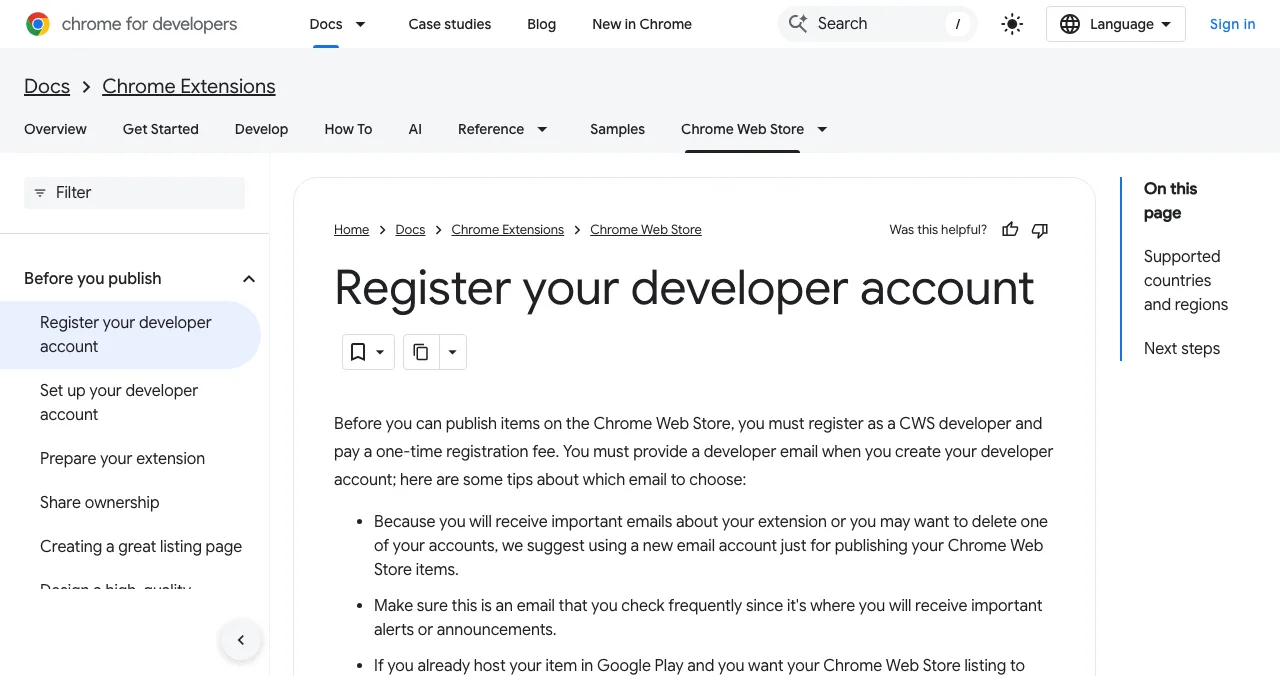

- Choose a developer email — Google suggests a new account just for publishing, one you check often.
- Open the developer dashboard — the registration screen appears the first time.
- Agree to the developer agreement and policies.
- Pay the one-time registration fee.
- Set up your developer account and prepare the extension.
A listing people trust

- A one-line purpose — the job it does, for whom
- Screenshots of it working — on a real page
- Minimal permissions, explained — why each is needed
- A short demo video — install to result
- A privacy statement in plain words
- A responsive support link
Where to launch
| Site | Why it fits extensions | Cost |
|---|---|---|
| Product Hunt | Link straight to the Web Store page | Free |
| Show HN | Try-able in seconds | Free |
| DevHunt | Developer-focused extensions | Free listing; $49 launch |
| AlternativeTo | Appear next to extensions you replace | Free |
| Peerlist Launchpad | Builders, Mondays | No fee mentioned |
| Science of Apps Launchpad | A permanent web profile | Free |
Table: Where to launch a Chrome extension (each site's own pages, checked 16–17 Nov 2026)

Mistakes

- Asking for broad permissions — trust drops, installs fall
- A vague one-liner — say the job
- Launching before the listing is approved
- Asking for upvotes or paid reviews — against launch-site rules
Ready to launch?
How we know
Registration steps come from Chrome for Developers' "Register your developer account" page, read on 17 November 2026; it describes a one-time fee without stating the amount on that page, so we don't quote one. Launch-site rules come from each site's own pages.
Key terms, defined
- Chrome Web Store: Google's store for Chrome extensions.
- Developer dashboard: where you register and publish.
- Permissions: what an extension can access in the browser.
- Listing: an extension's store page.
- Install: adding the extension to Chrome.
Frequently asked questions
How much does it cost to publish a Chrome extension?
Google says you must register as a Chrome Web Store developer and pay a one-time registration fee before publishing. The amount is shown during registration in the developer dashboard.
Where can I promote a Chrome extension for free?
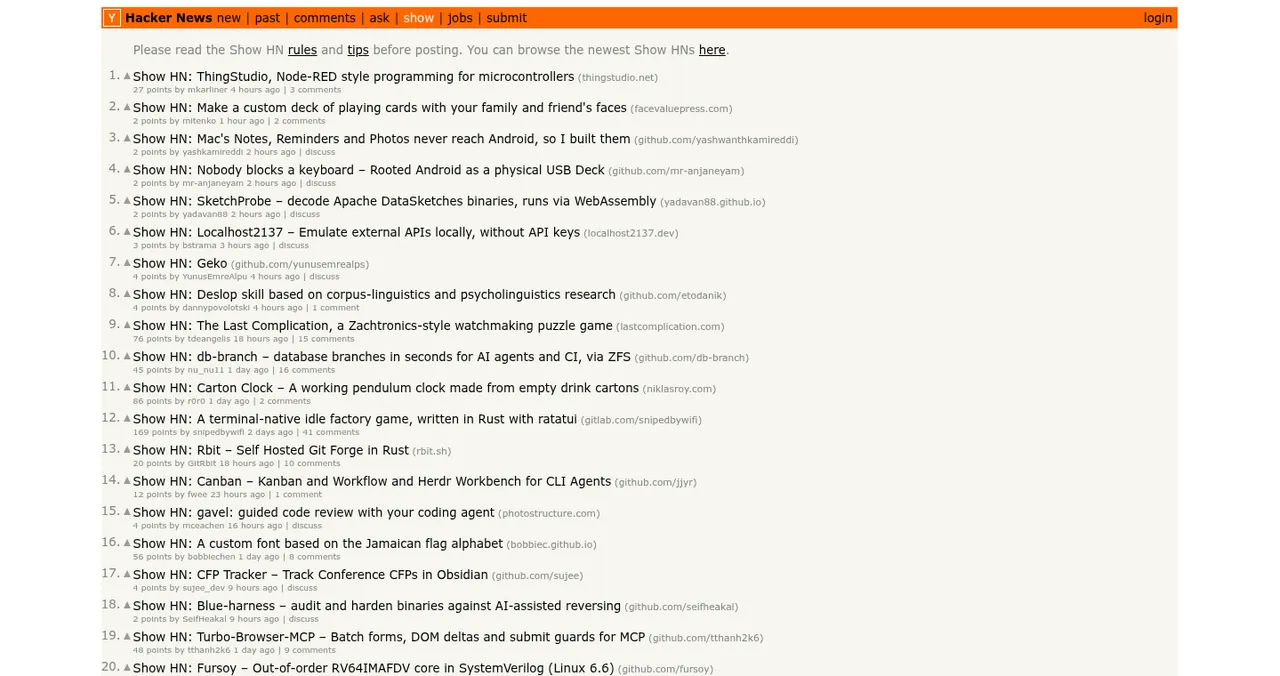
Product Hunt, Show HN on Hacker News, DevHunt for developer-focused extensions, AlternativeTo (as an alternative to extensions you replace), Peerlist, and Science of Apps Launchpad.
Can I launch a Chrome extension on Product Hunt?
Yes. Product Hunt asks for a direct link to where people can use or download the product, so link to the Chrome Web Store page.
Is a Chrome extension a good fit for Show HN?
Often, because people can install and try it in seconds, which is what Show HN asks for: something people can play with, not a landing page.
Which email should I use for the Chrome Web Store?
Google suggests a new email account just for publishing, one you check often, because important alerts and announcements are sent there.
How do I get more installs?
A one-line description of the job it does, screenshots of it working, minimal permissions explained, a short demo, and early users' honest reviews.
Sources
- Chrome for Developers — Register your developer account (checked 17 Nov 2026)
- Product Hunt Help Center — Build your product page (checked 17 Nov 2026)
- Hacker News — Show HN guidelines (checked 17 Nov 2026)
- DevHunt — FAQ (checked 17 Nov 2026)
- AlternativeTo — FAQ (checked 17 Nov 2026)
- Science of Apps — Launchpad: launch your product free
- Checked November 17, 2026. Figures that change — fees, salaries, prices — are reviewed every six months; if something is out of date, tell us.
Where to go from here
- How to launch a developer tool — if it's for developers
- Show HN guide — post it right
- Get listed on AlternativeTo — next to rivals
- Science of Apps - LaunchpadHow to get your first users for a new app: the store listing, launch sites, communities, direct outreach and a web page that keeps bringing people inHow to get users for a new app, free: fix the store listing, launch on Product Hunt and Peerlist, reach people directly, and add a permanent web page.
- Science of Apps - LaunchpadHow to launch an open source project: a README that converts, the launch sites developers read, and how to turn first users into contributorsHow to launch an open source project in 2027: a README that converts, Show HN, DevHunt and Product Hunt, and turning first users into contributors.
- Science of Apps - LaunchpadHow to launch a developer tool: Show HN, DevHunt, Product Hunt and Peerlist in the right order, and what developers need to try it in a minuteHow to launch a developer tool in 2027: make it try-able in a minute, then Show HN, DevHunt, Product Hunt and Peerlist in the right order, with the rules.
- Science of Apps - LaunchpadWhere to launch a mobile app in 2027: the App Store and Google Play costs, free launch sites that take apps, and a launch order that gets first usersWhere to launch a mobile app in 2027: App Store ($99 a year) and Google Play ($25 once) costs, free launch sites for apps, and a launch order for first users.
- Science of Apps - LaunchpadHow to market an AI tool in 2027: positioning by task, AI directories, AI search, demos and the trust that makes people payHow to market an AI tool in 2027: position by task, list in AI directories, get cited by AI search, show real outputs and earn trust that converts.
- Science of Apps - LaunchpadThe top 5 websites to launch your startup for free, checked against each site's own rulesThe 5 best free websites to launch a startup: Science of Apps Launchpad, Product Hunt, Show HN, Uneed and Peerlist, with costs, rules and who each one suits.

Get the ideas, not the noise.
Sign up with Google and we’ll send you short UX psychology tips by email — why people tap, stall and leave, and what to do about it. Unsubscribe anytime. Prefer something to keep? Get the free Laws of UX guide as a PDF.
Launch day ends. Your listing shouldn't.
Give your extension a free, permanent Launchpad page found by the problem it solves, ranked by relevance and never by payment, with a detailed product report once it's live.