 By
Quick answer: Is the GPT Store worth it?
- Retirement: custom GPTs retire on 11 Dec 2026 (standard date).
- Creation: no new GPTs on personal accounts (Free, Go, Plus, Pro).
- Replacement: plugins, which bundle skills and connected apps.
- Going public: a separate plugin submission process.
- Elsewhere: MCP registries, AI tool directories, your own page.
Key takeaways
- Building only on one platform's store is a risk; this is the proof.
- Migrate GPTs you rely on before retirement; custom actions don't transfer automatically.
- Public GPT users don't automatically get access to the replacement plugin.
- MCP servers work across several AI clients, not just one.
- A product page you control outlasts any marketplace.
For two years, "publish it to the GPT Store" was standard advice for anyone building on ChatGPT. That advice has expired. OpenAI's help centre now says it is retiring custom GPTs and moving creators to plugins, with a standard retirement date of 11 December 2026, and new GPT creation is already unavailable on personal accounts. If you built a GPT, you have weeks to migrate. If you were planning one, the question has changed: where should custom AI live now? This guide covers the change and the alternatives, from OpenAI's help articles as read on 17 November 2026. Jump to what's changing, migrating or where else to publish.
- Standard custom GPT retirement date
- 11 Dec 2026
- Later date for FedRAMP and approved deferrals
- 11 Feb 2027
- New GPT creation ended for affected Enterprise workspaces
- 26 Oct 2026
- New GPTs on personal accounts (Free, Go, Plus, Pro)
- 0
What's changing with the GPT Store
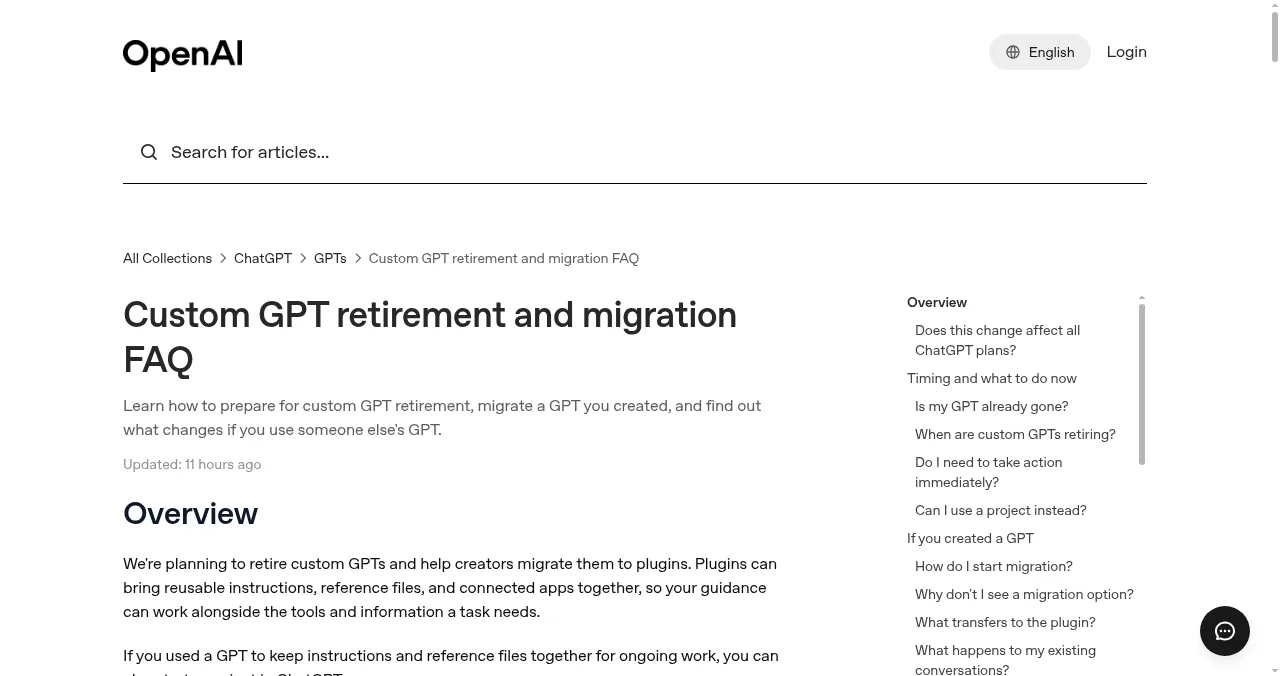
According to OpenAI's help articles, as of 17 November 2026:

- Retirement — custom GPTs are scheduled to retire on 11 December 2026; FedRAMP and approved-deferral workspaces on 11 February 2027
- Creation — new GPT creation and publishing aren't available on personal accounts (Free, Go, Plus, Pro)
- Existing GPTs — usable until retirement; read-only once migrated
- All plans affected — migration and plugin access vary by account
- Public sharing — doesn't carry over to the replacement plugin
- Custom actions — don't transfer automatically; allow extra time
What replaces custom GPTs: plugins
OpenAI describes plugins as bringing together skills (instructions and workflow guidance), connected apps (links to external accounts and actions), app templates and extensions. The plugin directory is available across ChatGPT plans, with Public, Workspace, Personal and Installed views. Some plugins carry an OpenAI Verified badge after OpenAI reviews them for quality, reliability and usefulness. Making a personal plugin public requires a separate submission process.
| Custom GPT (retiring) | Plugin | |
|---|---|---|
| Contains | Instructions, files, actions | Skills, connected apps, templates, extensions |
| Where it appears | GPT Store | Plugin directory |
| Going public | Publish to the GPT Store | Separate plugin submission |
| Status | Retiring 11 Dec 2026 (standard) | Current |
Table: Custom GPTs vs plugins in ChatGPT (OpenAI Help Center, checked 17 Nov 2026)
How to migrate a GPT

- List your GPTs — which you created and which you use.
- Finish essential edits — migration uses the latest published version.
- Save test prompts — to compare the plugin's answers with the GPT's.
- Migrate — in My GPTs, choose "Migrate to plugin" when it's available for your account.
- Rebuild custom actions — they don't transfer automatically.
- Tell your users — public access doesn't move to the plugin on its own.
Where else to publish custom AI
| Option | Reaches | Best for |
|---|---|---|
| ChatGPT plugin directory | ChatGPT users | Workflows built around ChatGPT |
| MCP server in the official registry | Several MCP clients | Tools and data other assistants can use |
| MCP directories (Glama, MCP.so) | Developers browsing | Discovery for MCP servers |
| AI tool directories | People searching for AI tools | The product itself |
| A launch listing | Search engines, AI answers, visitors | A permanent product page |
Table: Where to publish custom AI in 2027 (editorial comparison)
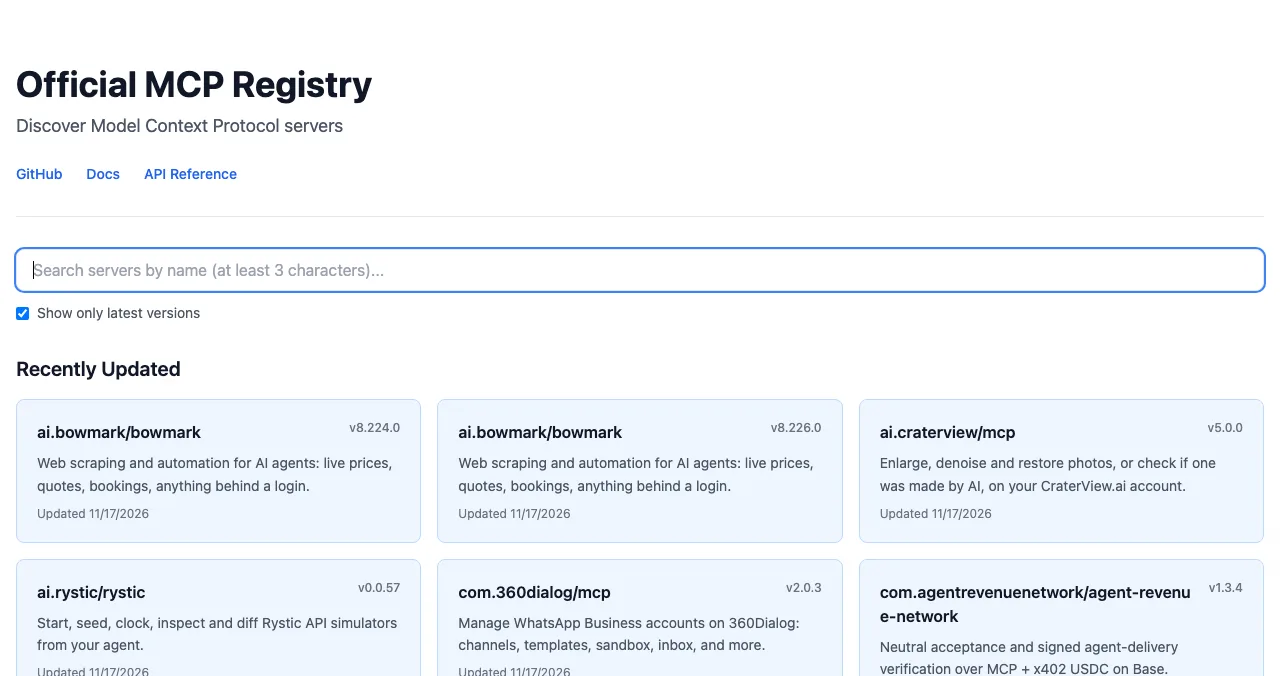
An MCP server works with any client that supports the Model Context Protocol, which spreads your risk beyond one platform. See MCP server directories and AI tools directories.
Lessons from the GPT Store

- Own the relationship — collect emails; don't rely on one store's users
- Own a page — a product page on your domain and on launch listings
- Spread across clients — MCP reaches more than one assistant
- Read platform notices — a store can change faster than your roadmap
Mistakes

- Waiting until December — migration access arrives at different times
- Assuming actions move automatically — they don't
- Forgetting public users — they won't find the plugin on their own
- Starting a new GPT — build a plugin or MCP server instead
Ready for a page that stays?
How we know
Dates, migration steps and plugin details come from three OpenAI Help Center articles (custom GPT retirement FAQ, creating and editing GPTs, and plugins in ChatGPT), read on 17 November 2026. OpenAI says timelines can differ by account; follow the notice for yours.
Key terms, defined
- Custom GPT: a configured version of ChatGPT with instructions, files and actions.
- GPT Store: OpenAI's directory of public GPTs.
- Plugin: ChatGPT's bundle of skills, connected apps and other components.
- Custom action: a GPT's connection to an external API.
- MCP server: a program that exposes tools to AI assistants over the Model Context Protocol.
Frequently asked questions
Is the GPT Store worth it?
Not as a new channel. OpenAI is retiring custom GPTs, with a standard retirement date of 11 December 2026, and new GPT creation isn't available on personal accounts. If you have a GPT, plan its migration to a plugin; if you're starting, build a plugin or an MCP server instead.
When are custom GPTs retiring?
OpenAI's FAQ says custom GPTs are scheduled to retire on 11 December 2026. FedRAMP workspaces and affected Enterprise workspaces with an approved deferral have a date of 11 February 2027. Follow the notice for your account.
What replaces custom GPTs?
Plugins. OpenAI says plugins bring together skills (instructions and workflows), connected apps and other components. Creators can migrate a GPT with 'Migrate to plugin' when migration is available for their account. For ongoing personal work, a ChatGPT project may be enough.
How do I publish a plugin publicly in ChatGPT?
OpenAI says making a personal plugin public requires a separate plugin submission process to the plugin directory. Some plugins show an OpenAI Verified badge after OpenAI reviews them for quality, reliability and usefulness.
What happens to users of my public GPT?
Migration doesn't carry over a GPT's public sharing settings, and access to a public GPT doesn't guarantee access to its replacement plugin. Tell your users where the replacement lives.
Where else can I publish custom AI?
An MCP server in the official MCP Registry and directories like Glama reaches several AI clients; AI tool directories list the product; and a launch listing gives it a permanent page.
Sources
- OpenAI Help Center — Custom GPT retirement and migration FAQ (checked 17 Nov 2026)
- OpenAI Help Center — Creating and editing GPTs (checked 17 Nov 2026)
- OpenAI Help Center — Plugins in ChatGPT (checked 17 Nov 2026)
- Official MCP Registry (checked 17 Nov 2026)
- Science of Apps — Launchpad: launch your product free
- Checked November 17, 2026. Figures that change — fees, salaries, prices — are reviewed every six months; if something is out of date, tell us.
Where to go from here
- MCP server directories — publish across clients
- AI tools directories — list the product
- How to launch an AI product — the full plan
- Science of Apps - LaunchpadWhere to list an AI agent: AI agent directories (AI Agents List, AI Agents Directory, There's An AI For That), MCP registries, the ChatGPT plugin directory and a permanent product pageWhere to list an AI agent: AI agent directories, There's An AI For That, MCP registries, ChatGPT's plugin directory and a permanent product page.
- Science of Apps - LaunchpadThe creator tools directory guide for 2027: where to launch a creator tool free, from the Kit App Store and Canva Apps to Zapier and Product HuntWhere to launch creator tools free: the Launchpad, Kit App Store, Canva Apps Marketplace, Zapier's App Directory and Product Hunt, with review rules checked.
- Science of Apps - LaunchpadHow ChatGPT, Google's AI features, Claude and Perplexity choose which products to recommend, from what they publish, and what that means for your startupHow ChatGPT, Google AI Overviews, Claude and Perplexity recommend products: search, fan-out, sources and corroboration, and how a startup gets included.
- Science of Apps - LaunchpadThe design tools directory guide for 2027: where to launch a design tool free, from Figma Community and the Framer Marketplace to Webflow Apps and Toools.designWhere to launch design tools free: the Launchpad, Figma Community, Framer Marketplace, Webflow Apps, Toools.design and Product Hunt, with every rule checked.
- Science of Apps - LaunchpadCrunchbase API pricing in 2027: why there's no public price, what happened to the free Basic API, what Pro and Business include instead, and cheaper or free alternatives for startup dataCrunchbase API pricing isn't public: API access is a custom licence via sales, and the free Basic API is gone. What Pro includes, and cheaper alternatives.
- Science of Apps - LaunchpadThe web app directory guide for 2027: where to launch a web app free, from Product Hunt and Show HN to the Microsoft Store, PWA directories and SaaSHubWhere to launch web apps free: the Launchpad, Product Hunt, Show HN, the Microsoft Store via PWABuilder, PWAStore.io and SaaSHub, with each one's rules checked.




Get the ideas, not the noise.
Sign up with Google and we’ll send you short UX psychology tips by email — why people tap, stall and leave, and what to do about it. Unsubscribe anytime. Prefer something to keep? Get the free Laws of UX guide as a PDF.
Launch day ends. Your listing shouldn't.
Platform marketplaces come and go; a free, permanent Launchpad profile for the product behind your GPT or plugin is found by the problem it solves, ranked by relevance, never payment.