 By
Quick answer: Where can I launch creator tools for free?
- Science of Apps Launchpad: free forever; a listing plus a product test of onboarding, pricing and the upgrade path.
- Kit App Store: build an app on Kit's APIs; reviewed within 10 business days; installable by creators on paid plans.
- Canva Apps Marketplace: publish an app inside Canva after a review by engineers, designers and QA.
- Zapier App Directory: free to build and publish an integration; 90 days in beta, then public.
- Product Hunt: free launch day for creator tools people can try in minutes.
Key takeaways
- Creators discover tools inside the platforms they already use, so an integration listing can outlast any launch day.
- Kit, Canva and Zapier all review submissions; build to their guidelines first, then submit.
- Creator tools win or lose in the first session: onboarding to a first result, and pricing a solo creator can understand.
- A launch day brings a spike; a marketplace listing and a permanent page keep bringing creators who search for a fix.
- Most creators judge a tool by its free tier and upgrade path; test both before launch.
Creators are busy, sceptical of new subscriptions and already living inside a handful of platforms: an email tool, a design tool, an automation tool, a storefront. That shapes where a creator tool should launch. A launch day gets attention, but the listings that keep bringing users are the ones inside the platforms creators open every morning, plus one permanent page that turns up when a creator searches for the problem you fix. We read each platform's developer docs on 18 November 2026, so the review rules below are current and sourced. Jump to the comparison table, which place to use first or the launch plan.
Where to launch a creator tool for free
 Launch free
Science of Apps Launchpad Top pick
A permanent listing, plus your onboarding, pricing and upgrade path tested.
Free foreverDetailed report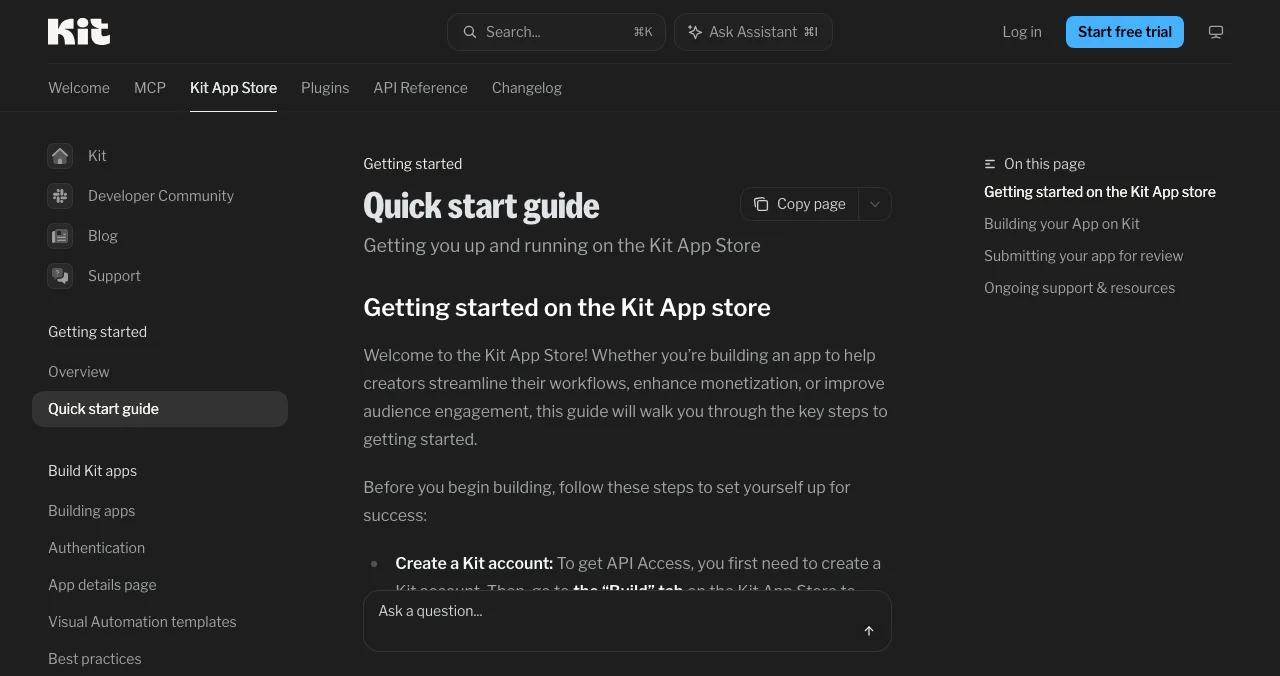
Kit App Store
Apps for newsletter and email creators, inside Kit.
ReviewedPaid-plan creators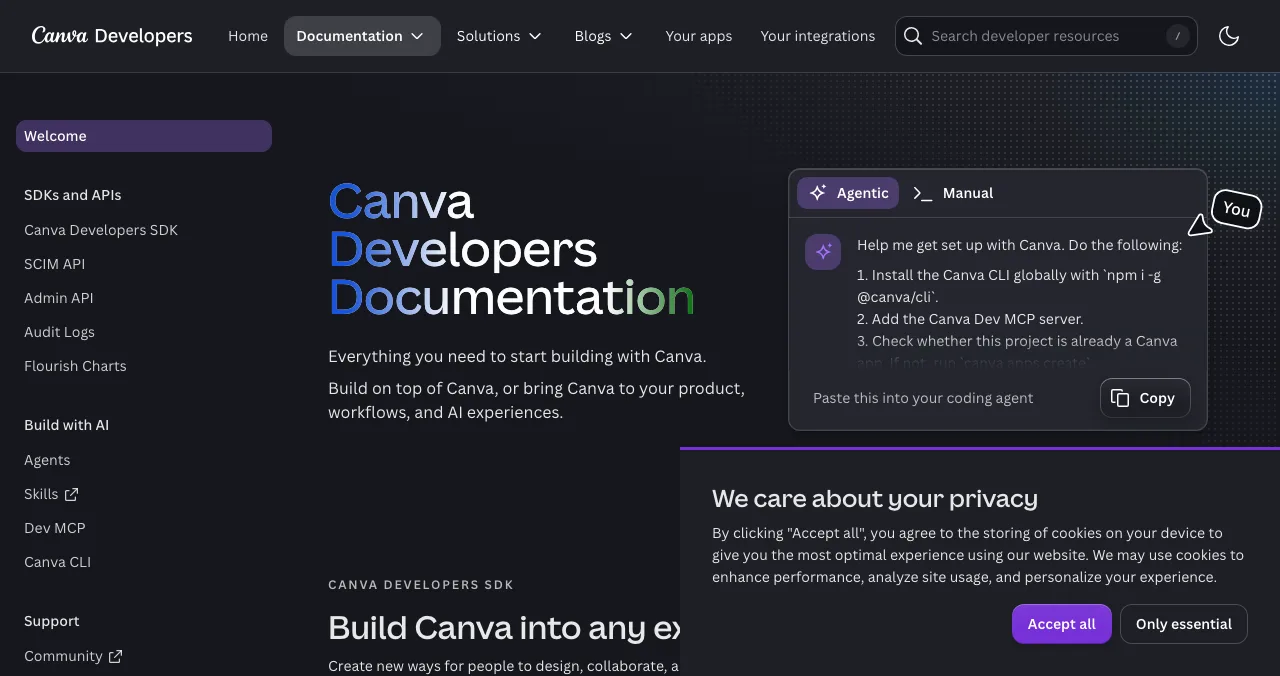
Canva Apps Marketplace
Apps that run inside Canva's editor.
ReviewedPublic apps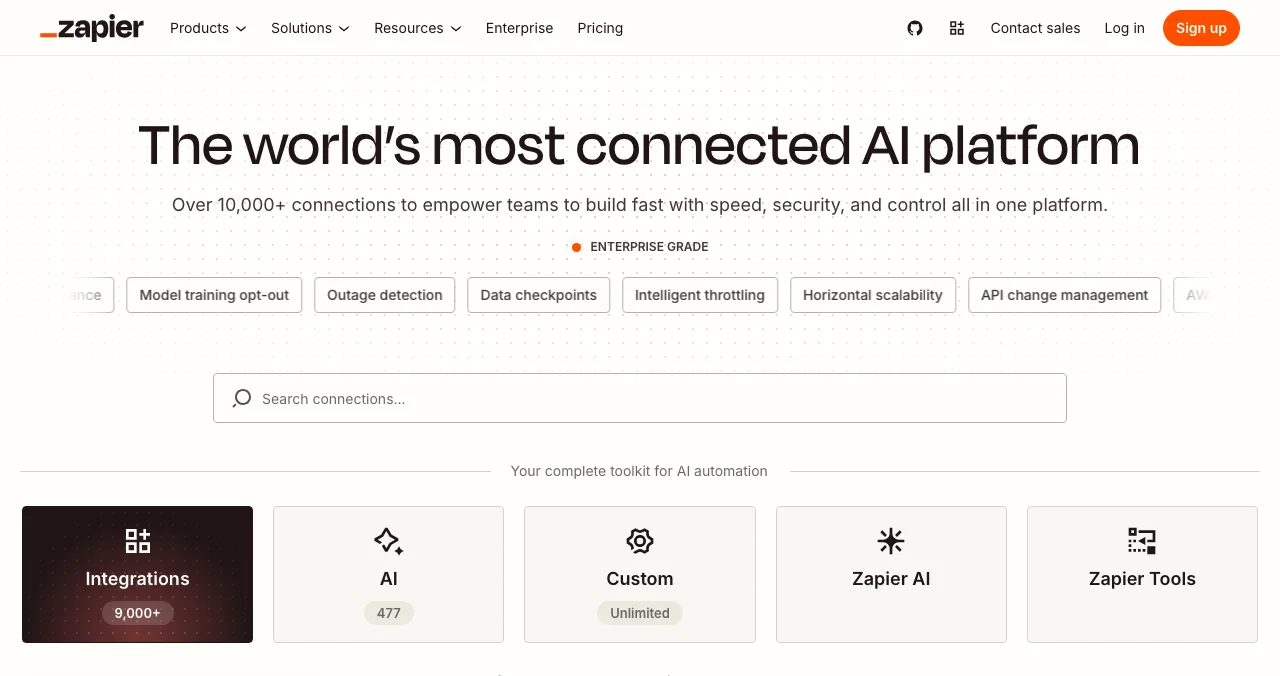
Zapier App Directory
An integration listing that connects you to 9,000+ apps.
Free to publish90-day beta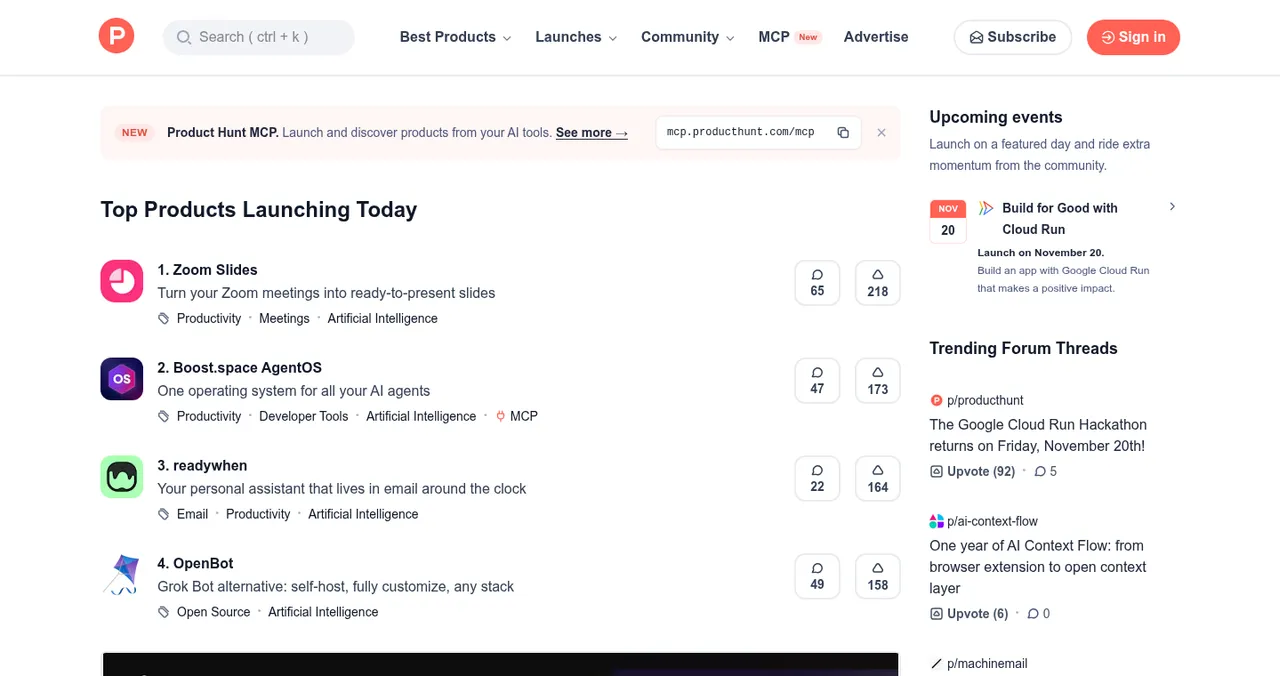
Product Hunt
A launch day for tools creators can try in minutes.
Free12:01 AM PT
The creator tools directory options, compared
| Place | Cost to list | What you need | Review | Who finds you |
|---|---|---|---|---|
| Science of Apps Launchpad | Free, forever | A live product | Automatic checks plus a person | Anyone searching by problem |
| Kit App Store | No fee in its docs | An app on Kit's APIs with OAuth | Within 10 business days | Kit creators on paid plans |
| Canva Apps Marketplace | No fee in its docs | An app built with Canva's Apps SDK | By engineers, designers and QA; no set time | Canva users in the editor |
| Zapier App Directory | Free | A public API you own | Publishing review; 90-day beta | Zapier users building automations |
| Product Hunt | Free | Something people can try | None to launch; featuring is editorial | Early adopters |
Table: Where to launch a creator tool, compared (each platform's own docs, checked 18 Nov 2026)
1. Science of Apps Launchpad: a listing, plus your first session tested
- Cost
- Free, forever
- Time to list
- About 2 minutes, six steps
- Ranking
- Relevance, never payment
- Tested
- Onboarding, pricing, upgrade
- Visible for
- Permanent
The Launchpad gives your tool a permanent, free profile found by the problem it solves ("schedule YouTube Shorts", "sell a Notion template", "grow a newsletter"), ranked by relevance, editorial picks and community interest, never by payment ("0 paid placements"). Listing takes about two minutes in six steps, with automated checks and a human review. You get a Featured badge on going live, and creators can vouch for and follow your tool.
Best for: every creator tool, whether or not it plugs into another platform.
Your creator tool, tested where creators decide
A creator tries your tool between two other jobs. If onboarding doesn't reach a real result fast, or the pricing page reads like it's for a 50-person team, they're gone. Once your listing is live, Science of Apps can investigate the product in a real browser, on desktop and mobile, across 22 areas, with experts reviewing the screens behind your login.
- Areas tested, from search result to settings
- 22
- Automatic measurements, desktop and mobile
- 39
- Expert checks behind the login
- 74
- Verdicts, from Good to Critical
- 5
For creator tools, the areas among the 22 that most often decide adoption are:
Arrive
Is it for me?
Discoverability, the landing page, and pricing and plans a solo creator can understand.
Join
How fast is the first result?
Sign up, sign in, and onboarding to the first published post, design or automation.
Use
Does it fit my workflow?
The core task flow, search and navigation, microcopy, and error states.
Pay
Is the upgrade fair?
Paywall and upgrade, and checkout and payments.
Stay
Will I keep it?
Notifications and messaging, account, settings, and help.
Science of Apps says the areas are re-cut for your category, and "anything unique to your product, we add". Every finding comes with evidence, a verdict and a next step, approved by an analyst and kept private; reports never affect ranking.
Find where creators drop off
List free, and once you're live, order the report that fits your stage.

 Economy
See what new customers see
- Store listing and homepage, screen by screen
- Scorecard against 60 Laws of UX
- Customers, competitors and the fixes worth most
PremiumThe full diagnosis and the plan
- Every screen, every finding, every flow
- All 60 laws with evidence and fixes
- 8 strategy chapters and a 90-day roadmap
Fact-checked against the evidence. Private by default.
2. Kit App Store: apps for newsletter creators
- Cost
- No fee mentioned in its docs
- Build
- Kit APIs, webhooks or plugins
- Review
- Within 10 business days
- Who installs
- Creators on all paid plans
- Must
- OAuth; install starts and ends on the store
Kit (formerly ConvertKit) runs an App Store for tools that extend its email platform. If your tool helps newsletter creators (landing pages, paid subscriptions, quizzes, analytics, community), a Kit app puts you in front of them inside the product they already pay for.
- Build: create a Kit account for API access, then create the app from the Build tab. Apps must make real use of Kit's APIs, webhooks or plugins.
- Requirements: OAuth for authentication (not API keys), an install flow that starts and ends on the Kit App Store (or uses the correct install URL with attribution), clear onboarding and help, and an app details page that follows Kit's best-practices guide. Provide test credentials if your app needs a paid account.
- Review: "The Kit team will review your app within 10 business days and provide feedback via email." Rejections come with the changes needed.
- Publish: once approved, publish from the Distribution tab; the app appears in the App Store "for all eligible creators (currently all paid plans)" and in other marketing placements on Kit's site.
Best for: tools for newsletter, course and digital-product creators.
3. Canva Apps Marketplace: inside the editor
- Cost
- No fee mentioned in its docs
- Submit
- Developer Portal or Canva CLI
- Review
- Engineers, designers and QA
- Timing
- No average given
- Catch
- Can't edit while submitted
Canva apps run inside the Canva editor, so your tool appears where creators are designing thumbnails, posts and slides. Public apps are listed in the Apps Marketplace after review.
- Submit: upload your bundle with the Canva CLI or Developer Portal, complete the listing (text, media, links), add testing instructions and logins if needed, agree to the terms and submit.
- Review: each submission gets a Jira Service Desk ticket; reviewers are engineers, designers and QA experts, and may ask for test logins, a video demo and a questionnaire. Canva says it isn't "practical for us to provide an average or expected duration".
- Why it's strict: Canva argues stricter review means less competition, so users are more likely to try new apps.
Best for: AI image, video, writing, stock and export tools that fit naturally inside a design.
4. Zapier App Directory: one integration, thousands of connections
- Cost
- Free to build and publish
- Status
- Beta tag for 90 days, then public
- Need
- API ownership; admin on your domain
- Reach
- Directory of 9,000+ apps
Creators automate everything: new subscriber to a spreadsheet, new sale to a thank-you email, new video to a social post. A Zapier integration makes your tool part of those workflows and puts it in Zapier's public App Directory.
- Cost: "Building a public integration on the Zapier Developer Platform is free" and "There are no fees for publishing an integration."
- Rules: you own or have permission to use the APIs; at least one admin has an email on your app's domain; your app is fully launched, not invite-only; every test Zap has a successful run.
- Beta: approved integrations get a Beta tag for 90 days, then become public. Public apps join Zapier's Partner Program.
Best for: any creator tool with an API. It's slower than a launch day but keeps working.
5. Product Hunt: a launch day for creator tools
- Cost
- Free
- Goes live
- 12:01 AM Pacific
- Book ahead
- Up to 30 days
- Accounts
- Personal, not company
Product Hunt is free; launches go live at 12:01 AM Pacific on the day you schedule (up to 30 days ahead) from a personal account, and makers can hunt their own product. Creator tools do well here when the gallery shows the output (the thumbnail, the clip, the page) rather than the settings screen, and when a visitor can get one result free.
Best for: self-serve creator tools with a visual result. Our Product Hunt launch guide has the hour-by-hour plan.
More places for creator-tool founders

Your own audience
Creator tools are often built by creators. Your newsletter, channel or community is a launch site; announce it there first.
Free startup directories
Add a profile to the general directories in our free startup directories guide for links and AI-search visibility.
Browser extensions
Many creator tools are extensions. See where to launch a Chrome extension.
Regional launch sites
Creators are global; see launch sites by country for regional platforms.
Which creator tools directory should you use first?
| If your tool is… | Start with | Then add |
|---|---|---|
| For newsletter and course creators | Launchpad listing | Kit App Store, Zapier |
| A design, image or video add-on | Launchpad listing | Canva Apps Marketplace, Product Hunt |
| A standalone web app with an API | Launchpad listing | Zapier App Directory, Product Hunt |
| A browser extension | Launchpad listing | Chrome Web Store, Product Hunt |
| Not live yet | A waitlist on your own site | Everything once creators can try it |
Table: Which creator tools directory to start with, by tool type
A creator-tool launch plan
- Weeks before
Submit to the slow queues
Submit your Kit, Canva or Zapier integration; reviews take days to weeks.
- Two weeks before
Publish your permanent page
List on the Launchpad; read the free baseline diagnosis of landing page, discoverability and speed.
- One week before
Fix onboarding and pricing
Act on the report: the first result, the free tier, the upgrade screen.
- Launch day
Product Hunt and your own audience
Go live at 12:01 AM Pacific; post to your newsletter and community the same morning.
- When approved
Announce each marketplace listing
Each approval is a small second launch; tell your users.
- Monthly
Ship and relaunch
Update the listing as you ship; relaunch on major releases.
Mistakes creator-tool founders make at launch

- Pricing built for teams — solo creators need a clear, small plan
- Onboarding without a first result — show the output in the first session
- API keys instead of OAuth — Kit requires OAuth for App Store apps
- Submitting marketplace apps on launch week — reviews take time; submit early
- Galleries full of settings screens — show what creators make with it
- Asking for upvotes — Product Hunt bans it; ask people to try it
Creators decide fast, so the first result matters more than the feature list (goal-gradient effect), and a plan pre-selected for solo creators makes the choice easy (default effect).
Ready to launch?
How we chose these places
We looked for the platforms where creators find new tools while they work, and kept those whose developer terms we could read on their own pages on 18 November 2026: Kit's App Store quick-start and going-live guides, Canva's submission and review docs, Zapier's publishing requirements and public-integration guide, and Product Hunt's help center. Kit's going-live page doesn't give a review time while its quick start says 10 business days; we use the latter. We left out creator-tool directories whose submission terms we couldn't confirm. Science of Apps runs the Launchpad and has no relationship with the other platforms.
Key terms, defined
- Creator tools directory: a listing of software for people who make and sell content, such as newsletters, videos, designs and courses.
- App marketplace: a platform's own store of third-party apps, such as the Kit App Store or Canva Apps Marketplace.
- OAuth: a standard that lets users connect accounts without sharing passwords or API keys.
- Integration: a connection between your tool and another platform, such as a Zapier integration.
- First result: the first useful output a new user gets, such as a published post or finished design.
Frequently asked questions
Where can I launch creator tools for free?
List free on the Science of Apps Launchpad for a permanent page and a test of your product. If your tool connects to platforms creators already use, publish in the Kit App Store, the Canva Apps Marketplace or Zapier's App Directory; all three review submissions. Add Product Hunt for a launch day.
What is the best creator tools directory?
For being found by creators who are already working, the best directories are the app stores inside creator platforms: Kit's App Store for newsletter creators, Canva's Apps Marketplace for designers and Zapier's App Directory for automation. For being found by search and AI assistants, a permanent Launchpad listing ranked by relevance works best.
How do I submit a creator tool free to the Kit App Store?
Create a Kit account, build your app from the Build tab using Kit's APIs, webhooks or plugins, use OAuth for authentication, and make the install flow start and end on the Kit App Store. Kit's quick-start guide says its team reviews apps within 10 business days; once approved, you publish from the Distribution tab.
Is publishing to Zapier's App Directory free?
Yes. Zapier's docs say building a public integration is free and there are no fees for publishing it. Approved integrations appear in the App Directory with a Beta tag for 90 days, then become public. You need ownership of the API and an admin with an email on your app's domain.
How do creator tools get users?
By being where creators already work and by making the first session pay off. Integration listings put you in front of creators mid-task; a free tier that produces a real result in minutes turns them into users; and simple, creator-sized pricing turns users into customers.
Does Canva charge to list an app?
Canva's submission and review documentation doesn't mention a listing fee. Public apps go through Canva's review queue, tracked in a Jira Service Desk ticket, and Canva says it can't give an average review time because it depends on the app's complexity and the feedback needed.
Does the Launchpad test creator tools?
It tests any live product across 22 areas, including onboarding, pricing and plans, paywall and upgrade, and checkout and payments, the steps where creator tools tend to lose people. Science of Apps re-cuts the areas per category and says it adds anything unique to your product. Findings come with evidence and a verdict.
Sources
- Science of Apps — Launchpad: launch your product free (checked 18 Nov 2026)
- Science of Apps — Product investigation: 22 areas (checked 18 Nov 2026)
- Kit Developers — Kit App Store quick start guide (checked 18 Nov 2026)
- Kit Developers — Going live on the Kit App Store (checked 18 Nov 2026)
- Canva Developers — Submitting apps (checked 18 Nov 2026)
- Canva Developers — App review process (checked 18 Nov 2026)
- Zapier Docs — Benefits of a public integration (checked 18 Nov 2026)
- Zapier Docs — Integration publishing requirements (checked 18 Nov 2026)
- Product Hunt Help Center — Launch FAQ and myths (checked 18 Nov 2026)
- Checked November 18, 2026. Figures that change — fees, salaries, prices — are reviewed every six months; if something is out of date, tell us.
Where to go from here
- Top 5 websites to launch a startup free — the general shortlist
- Free startup directories — where to list once you're live
- Launch sites by country — regional platforms
- Science of Apps - LaunchpadThe productivity apps directory guide for 2027: where to launch a productivity app free, from Setapp and the Raycast Store to Zapier, Notion and Product HuntWhere to launch productivity apps free: the Launchpad, Setapp, the Raycast Store, Zapier's App Directory, Notion's Marketplace and Product Hunt, rules checked.
- Science of Apps - LaunchpadThe marketing tools directory guide for 2027: where to launch a marketing tool free, from HubSpot's App Marketplace and G2 to Zapier and Product HuntWhere to launch marketing tools free: the Launchpad, HubSpot App Marketplace, G2's free plan, Zapier's App Directory and Product Hunt, with rules checked.
- Science of Apps - LaunchpadThe ecommerce software directory guide for 2027: where to launch an e-commerce tool, from the Shopify App Store and WooCommerce Marketplace to Wix and BigCommerce, with every fee checkedWhere to launch e-commerce tools: the Launchpad, Shopify App Store, WooCommerce Marketplace, Wix App Market and BigCommerce, with fees and reviews checked.
- Science of Apps - LaunchpadThe design tools directory guide for 2027: where to launch a design tool free, from Figma Community and the Framer Marketplace to Webflow Apps and Toools.designWhere to launch design tools free: the Launchpad, Figma Community, Framer Marketplace, Webflow Apps, Toools.design and Product Hunt, with every rule checked.
- Science of Apps - LaunchpadThe web app directory guide for 2027: where to launch a web app free, from Product Hunt and Show HN to the Microsoft Store, PWA directories and SaaSHubWhere to launch web apps free: the Launchpad, Product Hunt, Show HN, the Microsoft Store via PWABuilder, PWAStore.io and SaaSHub, with each one's rules checked.
- Science of Apps - LaunchpadHealthtech startup directories for 2027: where to launch a digital health startup free, from the NHS Innovation Service to app libraries and regulator sandboxesHealthtech startup directories and free launch routes: the Launchpad, NHS Innovation Service, MHRA's AI Airlock, ORCHA and Product Hunt, rules checked.
Get the ideas, not the noise.
Sign up with Google and we’ll send you short UX psychology tips by email — why people tap, stall and leave, and what to do about it. Unsubscribe anytime. Prefer something to keep? Get the free Laws of UX guide as a PDF.
Launch day ends. Your listing shouldn't.
A permanent, free page for your creator tool, found by the problem it solves, plus a test of your onboarding, pricing and upgrade flow, where most creator tools lose people, with a detailed report on what to fix.