Microsoft Certified Trainer Benefits Practice Test
Independent practice test on the Microsoft Certified Trainer program and the value of Microsoft credentials in three areas — trainer program basics, credential benefits and sharing, and credential strategy and exam policy. Not affiliated with or endorsed by Microsoft; check Microsoft Learn for current program terms and benefits. Pass to earn Microsoft Certified Trainer Benefits SOA-MCTB.
- Intermediate difficulty.Assumes hands-on experience in the role.
- 15 scenario questions
- 15 minutes, timed
- 70% to pass · 90% for distinction
- Free no sign-up needed
- LinkedIn-ready · add it to your profile in one clickSee how ↓

 Founder, Science of Apps
What is the Microsoft Certified Trainer Benefits Practice Test?
- Career Booster
- Quality Assured
- Exclusive Certification
Updated for 2026 and 2027. Covers trainer program basics & credibility, benefits, resources & career value of Microsoft credentials and credential strategy, exam policy & professional ethics.
The Microsoft Certified Trainer Benefits Practice Test is a free 15-minute skill test from Science of Apps. Independent practice test on the Microsoft Certified Trainer program and the value of Microsoft credentials in three areas — trainer program basics, credential benefits and sharing, and credential strategy and exam policy. Not affiliated with or endorsed by Microsoft; check Microsoft Learn for current program terms and benefits. Score 70% or more on its 15 questions to earn a verifiable Microsoft Certified Trainer Benefits certificate (SOA-MCTB). Every question is based on published standards and research — including Microsoft Credentials: certifications, Applied Skills and trainer program (Microsoft Learn), Study guide for Exam AZ-900: Microsoft Azure Fundamentals (Microsoft Learn), Exam AZ-104: Microsoft Azure Administrator (Microsoft Learn) — and each answer is explained with its source.
Built for your job title
Aspiring Microsoft trainers, IT instructors, Training managers, Cloud consultants and Career changers — and anyone who wants quick, verifiable proof of Microsoft credential knowledge for a CV or LinkedIn.
- Aspiring Microsoft trainer
- IT instructor
- Training manager
- Cloud consultant
- Career changer
What the test covers
Three skill areas with 5 questions each, drawn from a bank of 10 per area, so a retake brings questions you haven't seen.
Trainer program basics & credibility
33%- What the MCT program is
- Eligibility and renewal concepts
- How trainers use Microsoft credentials
Benefits, resources & career value of Microsoft credentials
33%- Credential benefits to employers
- Digital badges and transcripts
- Skills and market value
Credential strategy, exam policy & professional ethics
33%- Choosing credentials for a career path
- Exam integrity
- Continuing development
Independent practice test. Science of Apps is not affiliated with, endorsed by or sponsored by Microsoft. Exam, product and organisation names are trademarks of their owners and are used only to describe the knowledge tested. Passing earns a Science of Apps certificate, not the official credential.
Based on published standards
The questions are original scenarios, and each one names the public standard, official guide or research it draws on — shown under the question while you answer, and linked in your review. These are the sources behind this test:
- Microsoft Credentials: certifications, Applied Skills and trainer programMicrosoft Learn17 questions
- Study guide for Exam AZ-900: Microsoft Azure FundamentalsMicrosoft Learn2 questions
- Exam AZ-104: Microsoft Azure AdministratorMicrosoft Learn2 questions
- Exam MS-900: Microsoft 365 Fundamentals study guideMicrosoft Learn1 question
- Study guide for Exam AI-900: Microsoft Azure AI FundamentalsMicrosoft Learn1 question
- Study guide for Exam DP-900: Microsoft Azure Data FundamentalsMicrosoft Learn1 question
- Exam PL-900: Microsoft Power Platform FundamentalsMicrosoft Learn1 question
- Exam SC-100: Microsoft Cybersecurity Architect study guideMicrosoft Learn1 question
- Exam AZ-700: Designing and Implementing Microsoft Azure Networking Solutions study guideMicrosoft Learn1 question
- Exam AZ-400: Designing and Implementing Microsoft DevOps Solutions study guideMicrosoft Learn1 question
- Exam MS-700: Managing Microsoft TeamsMicrosoft Learn1 question
- Study guide for Exam AZ-305: Designing Microsoft Azure Infrastructure SolutionsMicrosoft Learn1 question
Try a sample question
What is the Microsoft Certified Trainer program primarily for?
- Professionals who teach Microsoft technologies
- Microsoft employees only, who are nominated by their own managers
- Retail staff who sell Surface devices in stores and online shops
- Students applying to universities who need a reference letter
Show the answer
A. Professionals who teach Microsoft technologies — The program recognises instructors who deliver training on Microsoft products and services. The real test has 15 questions like this.
How the test works
15 minutes, 15 questions
One question per screen, with a progress bar and a countdown. Your progress is saved on this device if you need to pause.
Graded on our server
Answers reach the page only after you submit, so the certificate can only be earned by passing.
Every answer explained
Pass or not, you see every question with the right answer, why, and the source behind it. Pass mark 70%, distinction 90%.
Your certificate
Founder-signed, with a QR code and credential ID. Download PDF or PNG, add to LinkedIn, and it's emailed to you.
What you earn
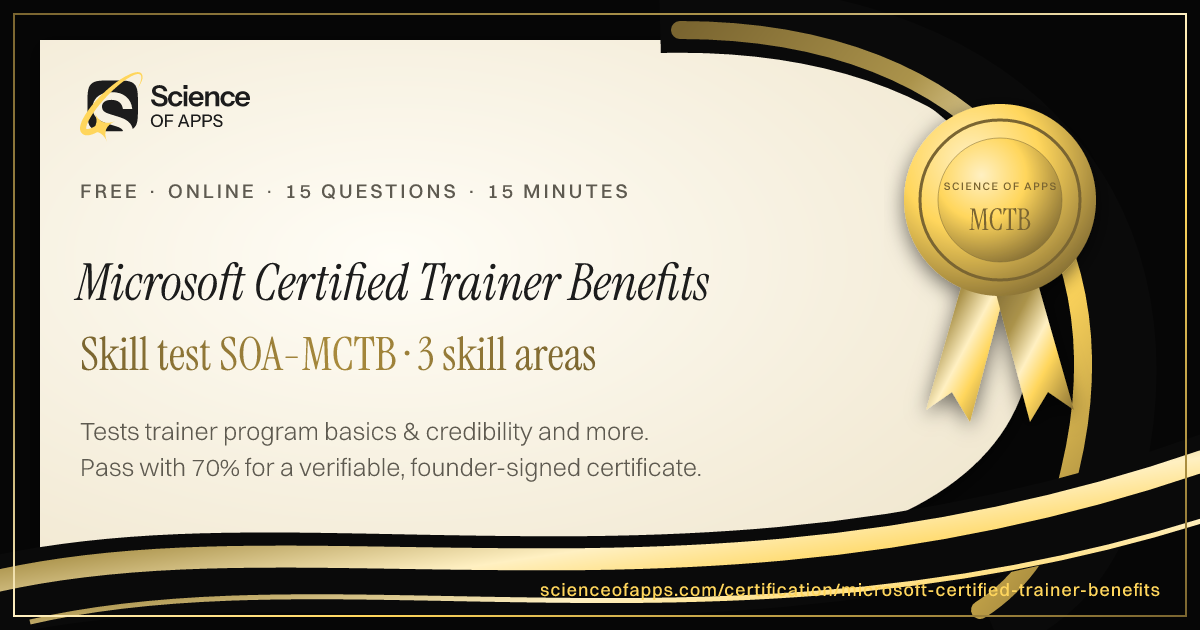
Pass, then add it to LinkedIn in one click
No typing. The Add to LinkedIn Certifications button opens your profile’s Licenses & certifications form already filled in: the certificate name, Science of Apps as the issuer, the issue date, your credential ID and a link recruiters can use to verify it.
- 1Take the 15-minute test
- 2Score 70% or more
- 3Click Add to LinkedIn Certifications

Microsoft Certified Trainer Benefits
Science of Apps
Show credential ↗Try another skill test
- 10 minSOA-CYF
Cybersecurity Certification Test (Fundamentals)
Tests core cybersecurity — the CIA triad, common threats, NIST CSF 2.0, authentication and MFA, patching, backups, encryption basics and security culture.
Difficulty: BeginnerTake the 10-minute test → - 10 minSOA-SAPD
Security Awareness Certification Test (Phishing Detection)
Tests everyday security awareness — spotting phishing emails, texts and calls, suspicious links and attachments, safe reporting, passwords, MFA fatigue and deepfake scams.
Difficulty: BeginnerTake the 10-minute test → - 15 minSOA-NSF
Network Security Certification Test (Fundamentals)
Tests network security — firewalls and segmentation, VPNs and zero trust, TLS, DNS security, common ports, IDS/IPS, Wi-Fi security and DDoS basics.
Difficulty: IntermediateTake the 15-minute test →
Frequently asked questions
What is the Microsoft Certified Trainer Benefits Practice Test?
The Microsoft Certified Trainer Benefits Practice Test is a free 15-minute skill test from Science of Apps. Independent practice test on the Microsoft Certified Trainer program and the value of Microsoft credentials in three areas — trainer program basics, credential benefits and sharing, and credential strategy and exam policy. Not affiliated with or endorsed by Microsoft; check Microsoft Learn for current program terms and benefits. Score 70% or more on its 15 questions to earn a verifiable Microsoft Certified Trainer Benefits certificate (SOA-MCTB). Every question is based on published standards and research — including Microsoft Credentials: certifications, Applied Skills and trainer program (Microsoft Learn), Study guide for Exam AZ-900: Microsoft Azure Fundamentals (Microsoft Learn), Exam AZ-104: Microsoft Azure Administrator (Microsoft Learn) — and each answer is explained with its source.
Is there a free Microsoft Certified Trainer Benefits practice test for 2026?
Yes. Science of Apps has a free Microsoft Certified Trainer Benefits Practice Test built on published standards and official documentation for 2026 and 2027. It covers trainer program basics & credibility, benefits, resources & career value of Microsoft credentials and credential strategy, exam policy & professional ethics, scores you instantly and issues a verifiable certificate.
How do I take the Microsoft Certified Trainer Benefits Practice Test for free?
Read the three skill areas on this page, then take the 15-minute test online — no fee, course or sign-up. You see every answer explained when you finish. Score 70% or more and you get a Microsoft Certified Trainer Benefits certificate straight away, on screen, as a PDF and by email, with a credential ID anyone can verify.
Are the Microsoft Certified Trainer Benefits Practice Test questions based on real standards?
Yes. The questions are original scenarios written by Science of Apps, and each one is based on a public source you can read: Microsoft Credentials: certifications, Applied Skills and trainer program (Microsoft Learn); Study guide for Exam AZ-900: Microsoft Azure Fundamentals (Microsoft Learn); Exam AZ-104: Microsoft Azure Administrator (Microsoft Learn); Exam MS-900: Microsoft 365 Fundamentals study guide (Microsoft Learn); Study guide for Exam AI-900: Microsoft Azure AI Fundamentals (Microsoft Learn); Study guide for Exam DP-900: Microsoft Azure Data Fundamentals (Microsoft Learn). The source is shown under each question and linked in the answer review. Science of Apps doesn't copy questions from other tests.
What does the Microsoft Certified Trainer Benefits Practice Test cover?
Three skill areas with five questions each, drawn from a bank of 10 per area so a retake brings new questions: Trainer program basics & credibility (What the MCT program is, Eligibility and renewal concepts, How trainers use Microsoft credentials); Benefits, resources & career value of Microsoft credentials (Credential benefits to employers, Digital badges and transcripts, Skills and market value); Credential strategy, exam policy & professional ethics (Choosing credentials for a career path, Exam integrity, Continuing development). Every question is an original scenario based on a published standard, official documentation or research, named under the question.
Who should take the Microsoft Certified Trainer Benefits Practice Test?
Aspiring Microsoft trainer, IT instructor, Training manager, Cloud consultant, Career changer. It suits anyone who wants a quick, verifiable way to show Microsoft Certified Trainer Benefits knowledge, from students and career switchers to experienced professionals.
Can I take the Microsoft Certified Trainer Benefits Practice Test from any country?
Yes. The test is online, in English and free everywhere — people take it from India, the US, the UK, Europe, Africa, Latin America and Asia-Pacific. Your certificate is dated with your own local date and can be verified from anywhere at scienceofapps.com/certification/verify/.
How long is the Microsoft Certified Trainer Benefits Practice Test?
15 questions — 5 from each of 3 skill areas — with a 15-minute limit. You need 70% (11 of 15) to pass and 90% for distinction.
How hard is the Microsoft Certified Trainer Benefits Practice Test?
We rate it Intermediate: assumes hands-on experience in the role. It has 15 scenario questions — 5 from each of 3 skill areas — and a 15-minute limit. You need 70% (11 of 15) to pass and 90% for distinction.
How much do Science of Apps certifications cost?
Nothing. There is no fee to take a test, to receive the certificate, to have it emailed or to verify it, and no sign-up.
How are the tests graded?
On our server, not in your browser. The answers never reach the page until you submit, so a certificate can only be earned by passing. Each certificate gets a unique credential ID stored by Science of Apps.
What happens if I don't pass?
You see your score for each area and every question with the correct answer and why, with the published source behind it. You can retake after 30 minutes, and the retake draws questions you haven't seen yet.
Do the certificates expire?
No. Every certificate is dated, so it always shows when you passed. Retake a test any time for a newer date or a higher score.
Can I add the certificate to LinkedIn?
Yes. After you pass, Add to LinkedIn opens the Licenses & certifications form with the certificate name, Science of Apps as the issuer, the issue date, your credential ID and the verification link filled in. You can also download it as a PDF or PNG, and it's emailed to you as a PDF.
How can an employer verify my certificate?
Every certificate has a credential ID and a QR code. Scanning it, or entering the ID at scienceofapps.com/certification/verify/, shows the holder's name, the certification, the score and the issue date from our records.
Are these accredited qualifications?
No. They are Science of Apps' own assessments of applied skill. They aren't issued by a university or standards body, and they work best alongside a portfolio that shows the skills in real work.
2934 more certifications to collect
Cybersecurity, IT, Cloud & DevOps
- Fiber Certification Practice Test (FTTH and Fiber Networks)15 min · Intermediate
- Good IT Certifications Practice Test15 min · Intermediate
- Hospital Administrator Certification Practice Test10 min · Beginner
- IBM Certified Developer Practice Test15 min · Intermediate
- IBM Data Engineer Professional Certificate Practice Test15 min · Intermediate
- IBM Full Stack Software Developer Professional Certificate Practice Test15 min · Intermediate
- IBM Skills Build Certification Practice Test15 min · Intermediate
- IT System Administrator Certifications Practice Test15 min · Intermediate
- Infosec Certification Practice Test10 min · Beginner
- LP1 Certification Practice Test (LPIC-1 Linux Administrator)15 min · Intermediate
- Microsoft Certified Data Scientist Practice Test15 min · Intermediate
- Microsoft Certified Instructor Practice Test15 min · Intermediate
- Microsoft Certified Trainer Benefits Practice TestYou're here
- Microsoft Teacher Certification Practice Test15 min · Intermediate
- Most Lucrative IT Certifications Practice Test15 min · Intermediate
- Ocsp Certificate Practice Test15 min · Intermediate
- PSP Certificate Practice Test (Physical Security Professional Knowledge)15 min · Intermediate
- Paying IT Certifications Practice Test (Best Paying IT Certifications Knowledge)15 min · Intermediate
- Payment Card Industry Certification Practice Test (PCI DSS Knowledge)15 min · Intermediate
- Cybersecurity Certification Test (Fundamentals)10 min · Beginner
- Security Awareness Certification Test (Phishing Detection)10 min · Beginner
- Network Security Certification Test (Fundamentals)15 min · Intermediate
- Identity and Access Management Certification15 min · Intermediate
- Cloud Security Certification Test (Fundamentals)15 min · Intermediate
Foundation
AI & Generative AI
- AI UX Design Certification30 min · Advanced
- Prompt Engineering Certification30 min · Intermediate
- AI Product Manager Certification30 min · Advanced
Software Engineering & Web Development
- HTML & CSS Certification Test10 min · Beginner
- JavaScript Certification Test (Fundamentals)10 min · Beginner
- TypeScript Certification Test (Fundamentals)15 min · Intermediate
Data Analytics & Business Intelligence
- Product Analytics Certification30 min · Advanced
- Data Literacy Certification10 min · Beginner
- Microsoft Excel Certification Test (Fundamentals)10 min · Beginner
Digital Marketing, SEO, AEO & Growth
- Conversion Rate Optimization (CRO) Certification30 min · Advanced
- App Store Optimization (ASO) Certification30 min · Intermediate
- Growth Marketing Certification30 min · Intermediate
UX/UI, Design, Research & Creative
- UX Design Certification30 min · Intermediate
- UI Design Certification30 min · Intermediate
- Product Design Certification30 min · Intermediate
Product, Project Management & Business Analysis
- Product Manager Certification30 min · Intermediate
- Design Leadership Certification30 min · Advanced
- Agile Product Owner Certification30 min · Intermediate
Sales, Customer Success & Support
- Sales Fundamentals Certification10 min · Beginner
- Consultative Selling Certification15 min · Intermediate
- B2B Sales Development Representative Certification10 min · Beginner
Human Resources & People Management
- Human Resources Certification Test (Fundamentals)10 min · Beginner
- Talent Acquisition Certification Test10 min · Beginner
- Technical Recruitment Certification15 min · Intermediate
Finance, Accounting, Operations & Entrepreneurship
- Financial Literacy Test (for Professionals)10 min · Beginner
- Accounting Certification Test (Fundamentals)10 min · Beginner
- Bookkeeping Certification Test (Fundamentals)10 min · Beginner
Communication, Leadership & Transferable Skills
- Critical Thinking Test10 min · Beginner
- Attention to Detail Test10 min · Beginner
- Cognitive Bias Test10 min · Beginner
Languages
- English Level Test30 min · Beginner
- American Sign Language (ASL) Foundations Test25 min · Intermediate
- App & Software Localization Test25 min · Intermediate
Healthcare, Education, Legal Operations & Sustainability
- Healthcare Administration Certification Test (Fundamentals)10 min · Beginner
- Medical Office Administration Certification10 min · Beginner
- Healthcare Data Privacy Awareness Certification10 min · Beginner
Test Prep, Academics & Aptitude
- SAT Math Practice Test20 min · Advanced
- SAT Reading and Writing Practice Test20 min · Advanced
- ACT Practice Test (English, Math, Reading & Science)20 min · Advanced
Language Exam Prep
- IELTS Academic Practice Test with Band Score20 min · Advanced
- IELTS General Training Practice Test20 min · Advanced
- TOEFL iBT Practice Test20 min · Advanced
Office & Productivity Software
- Microsoft Word Skills Certification15 min · Intermediate
- Microsoft PowerPoint Skills Certification15 min · Intermediate
- Microsoft Outlook Skills Certification10 min · Beginner
Engineering, Architecture, Construction & Safety
- Mechanical Engineering Practice Test (FE-Style)20 min · Advanced
- Electrical Engineering Practice Test (FE-Style)20 min · Advanced
- Civil Engineering Practice Test (FE-Style)20 min · Advanced
Hospitality, Travel & Retail
- Hospitality Management Certification10 min · Beginner
- Food Safety Certification10 min · Beginner
- Hotel Revenue Management Certification15 min · Intermediate
Cognitive Ability & Pre-Employment Tests
- IQ Test20 min · Intermediate
- Numerical Reasoning Test20 min · Intermediate
- Verbal Reasoning Test20 min · Intermediate
Personality & Career Assessments
- Hogan Assessment Practice Test11 min · Beginner
- Big Five Personality Test10 min · Beginner
- Enneagram Test11 min · Beginner
Health, Fitness & Wellness
- Personal Trainer Practice Test (NASM, ACE & ISSA)20 min · Intermediate
- ACSM Practice Test (CPT & EP)20 min · Intermediate
- Yoga Teacher Certification Test (RYT 200)15 min · Beginner
Beauty & Cosmetology
- Nail Technician Practice Test15 min · Beginner
- Cosmetology Practice Test15 min · Beginner
- Esthetician Practice Test15 min · Beginner
Business Software, ERP & CRM
- Sage Accounting Software Certification Test20 min · Intermediate
- Salesforce Certified Associate Practice Test15 min · Beginner
- HubSpot Content Marketing Certification Practice Test20 min · Intermediate
Consulting, Strategy & Industry Leadership
- AI for Management Consultants Certification20 min · Intermediate
- Chief of Staff Certification Test20 min · Intermediate
- Market Sizing & Estimation Certification15 min · Beginner
Law, Policy & Global Affairs
- AI for Lawyers & Legal Practice Certification20 min · Intermediate
- Geopolitical Risk Analysis Certification20 min · Intermediate
- AI for Public Policy Professionals Certification20 min · Intermediate
Frontier Science & Deep Tech
- Quantum Computing Certification Test (Fundamentals)20 min · Intermediate
- Neurotechnology & Brain-Computer Interfaces Certification20 min · Intermediate
- Nuclear Fission & Fusion Energy Fundamentals Certification20 min · Intermediate
Creative Arts, Writing & Media
- Creative Writing Certification15 min · Beginner
- Game Design Certification20 min · Intermediate
- Screenwriting Certification20 min · Intermediate
Hobbies, Culture & Lifestyle
- Chess Strategy & Tactics Test15 min · Beginner
- Philosophy Fundamentals Test15 min · Beginner
- Stoic Philosophy for Modern Leaders Test15 min · Beginner
Global Business & Country Markets
- India Stack & Digital Public Infrastructure Certification20 min · Intermediate
- Indian Startup Ecosystem & Fundraising Certification20 min · Intermediate
- Indian Capital Markets Fundamentals Certification15 min · Beginner
Read before you test
- Career guides by Science of Apps for 2027Certified ScrumMaster (CSM) review for 2027: is it worth it, who it's for and the best alternativesCertified ScrumMaster review for 2027: two-day course plus test, cost by trainer, renewal, job value and how it compares with PSM I.
- Career guides by Science of Apps for 2027Free Microsoft certifications and training in 2027: what's free on Microsoft Learn and what costs moneyFree Microsoft certifications and training in 2027: Microsoft Learn is free for AZ-900, AI-900, PL-300, AZ-104; exams are priced by country; renewals are free.
- Career guides by Science of Apps for 2027Free project management certifications in 2027: five ways to learn PM without paying5 free ways to learn project management in 2027: Google PM with aid, free Scrum study, HubSpot, Microsoft Learn and Science of Apps PMP practice tests.
- Career guidesHow to become a program or portfolio manager in 2027: benefits realisation, dependencies, governance, prioritising investments, capacity, portfolio balance and stage gatesHow to become a program or portfolio manager in 2027: benefits realisation, dependencies, governance, investment priorities, capacity, balance and stage gates.
- Career guides by Science of Apps for 2027Are machine learning certifications worth it in 2027? An honest answer, and the ones that areAre machine learning certifications worth it in 2027? Proctored platform exams usually are; courses help you learn. 5 that are worth it.
- Career guides by Science of Apps for 2027Microsoft Learn's free AI and cloud training review for 2027: is it worth it, who it's for and the best alternativesMicrosoft Learn free AI and cloud training review for 2027: free paths and sandboxes, how they map to exams, and alternatives.



Get the ideas, not the noise.
Sign up with Google and we’ll send you short UX psychology tips by email — why people tap, stall and leave, and what to do about it. Unsubscribe anytime. Prefer something to keep? Get the free Laws of UX guide as a PDF.
