Microsoft Mous Certification Practice Test
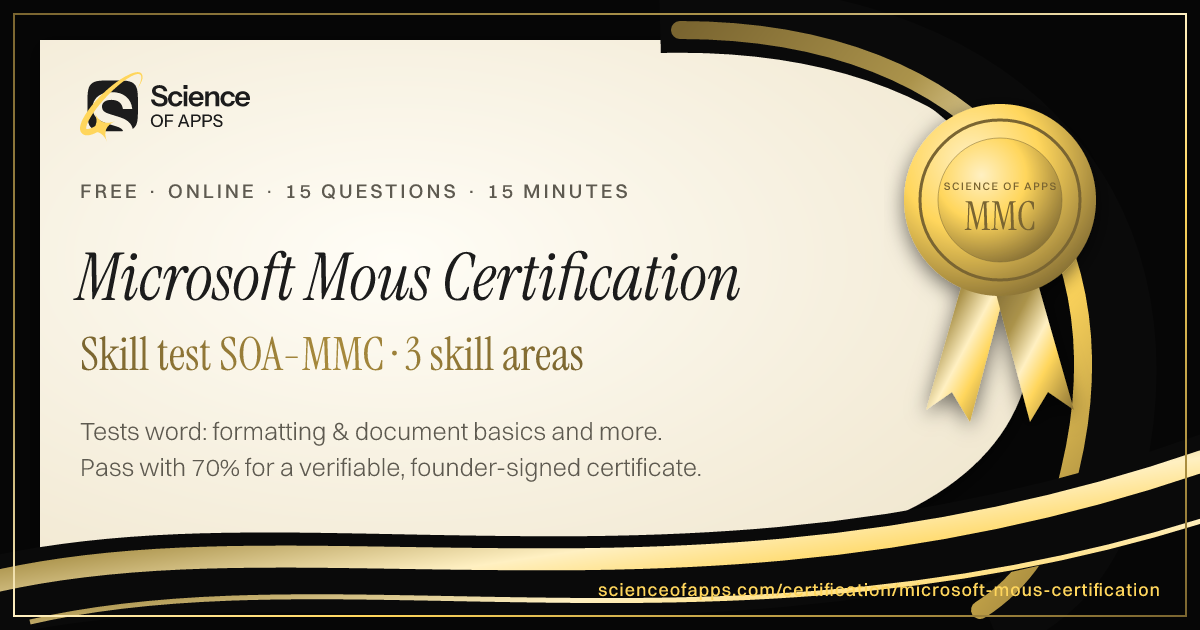
An independent practice test of core Office skills — Word formatting and documents, Excel formulas, functions and charts, and PowerPoint design and delivery. Not affiliated with or endorsed by Microsoft. Pass to earn Microsoft Mous Certification SOA-MMC.
- Intermediate difficulty.Assumes hands-on experience in the role.
- 15 scenario questions
- 15 minutes, timed
- 70% to pass · 90% for distinction
- Free no sign-up needed
- LinkedIn-ready · add it to your profile in one clickSee how ↓

 Founder, Science of Apps
What is the Microsoft Mous Certification Practice Test?
- Career Booster
- Quality Assured
- Exclusive Certification
The Microsoft Mous Certification Practice Test is a free 15-minute skill test from Science of Apps. An independent practice test of core Office skills — Word formatting and documents, Excel formulas, functions and charts, and PowerPoint design and delivery. Not affiliated with or endorsed by Microsoft. Score 70% or more on its 15 questions to earn a verifiable Microsoft Mous Certification certificate (SOA-MMC). Every question is based on published standards and research — including Word help & learning (Microsoft Support), PowerPoint help & learning (Microsoft Support), Excel functions (alphabetical) (Microsoft Support) — and each answer is explained with its source.
Built for your job title
Office administrator, Data entry clerk, Student, Executive assistant and Job seeker — and anyone who wants quick, verifiable proof of everyday Office knowledge for a CV or LinkedIn.
- Office administrator
- Data entry clerk
- Student
- Executive assistant
- Job seeker
What the test covers
Three skill areas with 5 questions each, drawn from a bank of 10 per area, so a retake brings questions you haven't seen.
Word: formatting & document basics
33%- Styles and formatting tools
- Sections, headers and footers
- Reviewing and sharing
Excel: formulas, functions & charts
33%- Formula basics and references
- Common functions
- Charts and filtering
PowerPoint: slides, design & delivery
33%- Slide design
- Animation and transitions
- Presenting and sharing
Based on published standards
The questions are original scenarios, and each one names the public standard, official guide or research it draws on — shown under the question while you answer, and linked in your review. These are the sources behind this test:
- Word help & learningMicrosoft Support9 questions
- PowerPoint help & learningMicrosoft Support9 questions
- Excel functions (alphabetical)Microsoft Support6 questions
- Keyboard shortcuts in WindowsMicrosoft Support1 question
- IFERROR functionMicrosoft Support1 question
- XLOOKUP functionMicrosoft Support1 question
- Available chart types in OfficeMicrosoft Support1 question
- Overview of Excel tablesMicrosoft Support1 question
- Improve accessibility with the Accessibility CheckerMicrosoft Support1 question
Try a sample question
If =A2*2 is entered in B2 and copied down to B3, what does B3 contain?
- =A2*2
- =B2*2
- =A3*2
- =A3*3
Show the answer
C. =A3*2 — Relative references adjust to the new row when a formula is copied. The real test has 15 questions like this.
How the test works
15 minutes, 15 questions
One question per screen, with a progress bar and a countdown. Your progress is saved on this device if you need to pause.
Graded on our server
Answers reach the page only after you submit, so the certificate can only be earned by passing.
Every answer explained
Pass or not, you see every question with the right answer, why, and the source behind it. Pass mark 70%, distinction 90%.
Your certificate
Founder-signed, with a QR code and credential ID. Download PDF or PNG, add to LinkedIn, and it's emailed to you.
What you earn
Pass, then add it to LinkedIn in one click
No typing. The Add to LinkedIn Certifications button opens your profile’s Licenses & certifications form already filled in: the certificate name, Science of Apps as the issuer, the issue date, your credential ID and a link recruiters can use to verify it.
- 1Take the 15-minute test
- 2Score 70% or more
- 3Click Add to LinkedIn Certifications

Microsoft Mous Certification
Science of Apps
Show credential ↗Try another skill test
- 15 minSOA-MSW
Microsoft Word Skills Certification
Tests practical Microsoft Word skills for work — document formatting and styles, long documents and references, and collaboration, review and accessibility — as used in offices, schools and admin roles.
Difficulty: IntermediateTake the 15-minute test → - 15 minSOA-MSPP
Microsoft PowerPoint Skills Certification
Tests practical Microsoft PowerPoint skills — slide design with masters and layouts, content, media and animation, and delivering, sharing and making presentations accessible.
Difficulty: IntermediateTake the 15-minute test → - 10 minSOA-MSO
Microsoft Outlook Skills Certification
Tests practical Microsoft Outlook skills — managing email efficiently with folders, rules and search, and scheduling meetings and sharing calendars — for office and admin work.
Difficulty: BeginnerTake the 10-minute test →
Frequently asked questions
What is the Microsoft Mous Certification Practice Test?
The Microsoft Mous Certification Practice Test is a free 15-minute skill test from Science of Apps. An independent practice test of core Office skills — Word formatting and documents, Excel formulas, functions and charts, and PowerPoint design and delivery. Not affiliated with or endorsed by Microsoft. Score 70% or more on its 15 questions to earn a verifiable Microsoft Mous Certification certificate (SOA-MMC). Every question is based on published standards and research — including Word help & learning (Microsoft Support), PowerPoint help & learning (Microsoft Support), Excel functions (alphabetical) (Microsoft Support) — and each answer is explained with its source.
How do I take the Microsoft Mous Certification Practice Test for free?
Read the three skill areas on this page, then take the 15-minute test online — no fee, course or sign-up. You see every answer explained when you finish. Score 70% or more and you get a Microsoft Mous Certification certificate straight away, on screen, as a PDF and by email, with a credential ID anyone can verify.
Are the Microsoft Mous Certification Practice Test questions based on real standards?
Yes. The questions are original scenarios written by Science of Apps, and each one is based on a public source you can read: Word help & learning (Microsoft Support); PowerPoint help & learning (Microsoft Support); Excel functions (alphabetical) (Microsoft Support); Keyboard shortcuts in Windows (Microsoft Support); IFERROR function (Microsoft Support); XLOOKUP function (Microsoft Support). The source is shown under each question and linked in the answer review. Science of Apps doesn't copy questions from other tests.
What does the Microsoft Mous Certification Practice Test cover?
Three skill areas with five questions each, drawn from a bank of 10 per area so a retake brings new questions: Word: formatting & document basics (Styles and formatting tools, Sections, headers and footers, Reviewing and sharing); Excel: formulas, functions & charts (Formula basics and references, Common functions, Charts and filtering); PowerPoint: slides, design & delivery (Slide design, Animation and transitions, Presenting and sharing). Every question is an original scenario based on a published standard, official documentation or research, named under the question.
Who should take the Microsoft Mous Certification Practice Test?
Office administrator, Data entry clerk, Student, Executive assistant, Job seeker. It suits anyone who wants a quick, verifiable way to show Microsoft Mous Certification skills, from students and career switchers to experienced professionals.
Can I take the Microsoft Mous Certification Practice Test from any country?
Yes. The test is online, in English and free everywhere — people take it from India, the US, the UK, Europe, Africa, Latin America and Asia-Pacific. Your certificate is dated with your own local date and can be verified from anywhere at scienceofapps.com/certification/verify/.
How long is the Microsoft Mous Certification Practice Test?
15 questions — 5 from each of 3 skill areas — with a 15-minute limit. You need 70% (11 of 15) to pass and 90% for distinction.
How hard is the Microsoft Mous Certification Practice Test?
We rate it Intermediate: assumes hands-on experience in the role. It has 15 scenario questions — 5 from each of 3 skill areas — and a 15-minute limit. You need 70% (11 of 15) to pass and 90% for distinction.
How much do Science of Apps certifications cost?
Nothing. There is no fee to take a test, to receive the certificate, to have it emailed or to verify it, and no sign-up.
How are the tests graded?
On our server, not in your browser. The answers never reach the page until you submit, so a certificate can only be earned by passing. Each certificate gets a unique credential ID stored by Science of Apps.
What happens if I don't pass?
You see your score for each area and every question with the correct answer and why, with the published source behind it. You can retake after 30 minutes, and the retake draws questions you haven't seen yet.
Do the certificates expire?
No. Every certificate is dated, so it always shows when you passed. Retake a test any time for a newer date or a higher score.
Can I add the certificate to LinkedIn?
Yes. After you pass, Add to LinkedIn opens the Licenses & certifications form with the certificate name, Science of Apps as the issuer, the issue date, your credential ID and the verification link filled in. You can also download it as a PDF or PNG, and it's emailed to you as a PDF.
How can an employer verify my certificate?
Every certificate has a credential ID and a QR code. Scanning it, or entering the ID at scienceofapps.com/certification/verify/, shows the holder's name, the certification, the score and the issue date from our records.
Are these accredited qualifications?
No. They are Science of Apps' own assessments of applied skill. They aren't issued by a university or standards body, and they work best alongside a portfolio that shows the skills in real work.
2534 more certifications to collect
Office & Productivity Software
- SAP Ariba Certification Test20 min · Intermediate
- Gmail Quiz15 min · Beginner
- Microsoft Office Specialist Practice Test (MOS)15 min · Beginner
- MS-900 Practice Test (Microsoft 365 Fundamentals)15 min · Beginner
- Excel VBA Certification Test20 min · Intermediate
- SAP ABAP Certification Test20 min · Intermediate
- Excel Pivot Tables Test15 min · Beginner
- Records Management Certification20 min · Intermediate
- Digital Literacy Certification20 min · Intermediate
- Microsoft Word Expert (MO-101) Practice Test25 min · Advanced
- Microsoft Teams Administrator (MS-700) Practice Test20 min · Intermediate
- MO-201 Practice Test20 min · Intermediate
- Microsoft Mous Certification Practice TestYou're here
- Microsoft Office User Specialist Certification Practice Test15 min · Intermediate
- Microsoft User Specialist Certification Practice Test15 min · Intermediate
- Mous Certification Practice Test15 min · Intermediate
- Microsoft Word Skills Certification15 min · Intermediate
- Microsoft PowerPoint Skills Certification15 min · Intermediate
- Microsoft Outlook Skills Certification10 min · Beginner
- Microsoft 365 Skills Certification15 min · Intermediate
- Microsoft Teams Skills Certification10 min · Beginner
- SharePoint Skills Certification15 min · Intermediate
- Power Automate Certification Practice15 min · Intermediate
- Power Apps Certification Practice15 min · Intermediate
Foundation
AI & Generative AI
- AI UX Design Certification30 min · Advanced
- Prompt Engineering Certification30 min · Intermediate
- AI Product Manager Certification30 min · Advanced
Software Engineering & Web Development
- HTML & CSS Certification Test10 min · Beginner
- JavaScript Certification Test (Fundamentals)10 min · Beginner
- TypeScript Certification Test (Fundamentals)15 min · Intermediate
Data Analytics & Business Intelligence
- Product Analytics Certification30 min · Advanced
- Data Literacy Certification10 min · Beginner
- Microsoft Excel Certification Test (Fundamentals)10 min · Beginner
Digital Marketing, SEO, AEO & Growth
- Conversion Rate Optimization (CRO) Certification30 min · Advanced
- App Store Optimization (ASO) Certification30 min · Intermediate
- Growth Marketing Certification30 min · Intermediate
UX/UI, Design, Research & Creative
- UX Design Certification30 min · Intermediate
- UI Design Certification30 min · Intermediate
- Product Design Certification30 min · Intermediate
Product, Project Management & Business Analysis
- Product Manager Certification30 min · Intermediate
- Design Leadership Certification30 min · Advanced
- Agile Product Owner Certification30 min · Intermediate
Cybersecurity, IT, Cloud & DevOps
- Cybersecurity Certification Test (Fundamentals)10 min · Beginner
- Security Awareness Certification Test (Phishing Detection)10 min · Beginner
- Network Security Certification Test (Fundamentals)15 min · Intermediate
Sales, Customer Success & Support
- Sales Fundamentals Certification10 min · Beginner
- Consultative Selling Certification15 min · Intermediate
- B2B Sales Development Representative Certification10 min · Beginner
Human Resources & People Management
- Human Resources Certification Test (Fundamentals)10 min · Beginner
- Talent Acquisition Certification Test10 min · Beginner
- Technical Recruitment Certification15 min · Intermediate
Finance, Accounting, Operations & Entrepreneurship
- Financial Literacy Test (for Professionals)10 min · Beginner
- Accounting Certification Test (Fundamentals)10 min · Beginner
- Bookkeeping Certification Test (Fundamentals)10 min · Beginner
Communication, Leadership & Transferable Skills
- Critical Thinking Test10 min · Beginner
- Attention to Detail Test10 min · Beginner
- Cognitive Bias Test10 min · Beginner
Languages
- English Level Test30 min · Beginner
- American Sign Language (ASL) Foundations Test25 min · Intermediate
- App & Software Localization Test25 min · Intermediate
Healthcare, Education, Legal Operations & Sustainability
- Healthcare Administration Certification Test (Fundamentals)10 min · Beginner
- Medical Office Administration Certification10 min · Beginner
- Healthcare Data Privacy Awareness Certification10 min · Beginner
Test Prep, Academics & Aptitude
- SAT Math Practice Test20 min · Advanced
- SAT Reading and Writing Practice Test20 min · Advanced
- ACT Practice Test (English, Math, Reading & Science)20 min · Advanced
Language Exam Prep
- IELTS Academic Practice Test with Band Score20 min · Advanced
- IELTS General Training Practice Test20 min · Advanced
- TOEFL iBT Practice Test20 min · Advanced
Engineering, Architecture, Construction & Safety
- Mechanical Engineering Practice Test (FE-Style)20 min · Advanced
- Electrical Engineering Practice Test (FE-Style)20 min · Advanced
- Civil Engineering Practice Test (FE-Style)20 min · Advanced
Hospitality, Travel & Retail
- Hospitality Management Certification10 min · Beginner
- Food Safety Certification10 min · Beginner
- Hotel Revenue Management Certification15 min · Intermediate
Cognitive Ability & Pre-Employment Tests
- IQ Test20 min · Intermediate
- Numerical Reasoning Test20 min · Intermediate
- Verbal Reasoning Test20 min · Intermediate
Personality & Career Assessments
- Hogan Assessment Practice Test11 min · Beginner
- Big Five Personality Test10 min · Beginner
- Enneagram Test11 min · Beginner
Health, Fitness & Wellness
- Personal Trainer Practice Test (NASM, ACE & ISSA)20 min · Intermediate
- ACSM Practice Test (CPT & EP)20 min · Intermediate
- Yoga Teacher Certification Test (RYT 200)15 min · Beginner
Beauty & Cosmetology
- Nail Technician Practice Test15 min · Beginner
- Cosmetology Practice Test15 min · Beginner
- Esthetician Practice Test15 min · Beginner
Business Software, ERP & CRM
- Sage Accounting Software Certification Test20 min · Intermediate
- Salesforce Certified Associate Practice Test15 min · Beginner
- HubSpot Content Marketing Certification Practice Test20 min · Intermediate
Consulting, Strategy & Industry Leadership
- AI for Management Consultants Certification20 min · Intermediate
- Chief of Staff Certification Test20 min · Intermediate
- Market Sizing & Estimation Certification15 min · Beginner
Law, Policy & Global Affairs
- AI for Lawyers & Legal Practice Certification20 min · Intermediate
- Geopolitical Risk Analysis Certification20 min · Intermediate
- AI for Public Policy Professionals Certification20 min · Intermediate
Frontier Science & Deep Tech
- Quantum Computing Certification Test (Fundamentals)20 min · Intermediate
- Neurotechnology & Brain-Computer Interfaces Certification20 min · Intermediate
- Nuclear Fission & Fusion Energy Fundamentals Certification20 min · Intermediate
Creative Arts, Writing & Media
- Creative Writing Certification15 min · Beginner
- Game Design Certification20 min · Intermediate
- Screenwriting Certification20 min · Intermediate
Hobbies, Culture & Lifestyle
- Chess Strategy & Tactics Test15 min · Beginner
- Philosophy Fundamentals Test15 min · Beginner
- Stoic Philosophy for Modern Leaders Test15 min · Beginner
Global Business & Country Markets
- India Stack & Digital Public Infrastructure Certification20 min · Intermediate
- Indian Startup Ecosystem & Fundraising Certification20 min · Intermediate
- Indian Capital Markets Fundamentals Certification15 min · Beginner
Read before you test
- Career guidesAI productivity skills employers want in 2027: using Copilot, ChatGPT, Gemini and Claude for email, meetings, documents and spreadsheets — safelyAI productivity skills employers want in 2027: email, meetings, documents, spreadsheets and research with AI assistants, done safely and checked.
- Career guidesExcel skills for jobs in 2027: what employers actually test, the questions they ask and how to prove itExcel skills for jobs in 2027: which roles need them, how employers test Excel in interviews, real test questions with answers, common traps and a plan.
- Career guidesGoogle Sheets skills for jobs in 2027: QUERY, IMPORTRANGE, shared trackers and what startups actually testGoogle Sheets skills for jobs in 2027: which roles use Sheets, how startups test it, QUERY, ARRAYFORMULA and IMPORTRANGE questions with answers, and a plan.
- Career guidesData visualisation jobs and skills in 2027: what employers test, the portfolio that wins and the chart mistakes that lose offersData visualisation jobs and skills in 2027: which roles need them, how employers test chart judgement, a portfolio that wins, interview questions and a plan.
- Career guidesAdvanced Excel test for jobs in 2027: XLOOKUP, dynamic arrays, Power Query and what analyst interviews really checkHow to pass an advanced Excel test for analyst jobs in 2027: XLOOKUP, dynamic arrays, LET, Power Query, data models, real test tasks with answers and a plan.
- Career guides by Science of Apps for 2027The top certifications for administrative assistants in 2027: six for productivity and the next roleThe 6 best certifications for administrative assistants in 2027: Google AI Essentials, Google PM, CAPM, Google Data Analytics, PL-300 and Canva.
Get the ideas, not the noise.
Sign up with Google and we’ll send you short UX psychology tips by email — why people tap, stall and leave, and what to do about it. Unsubscribe anytime. Prefer something to keep? Get the free Laws of UX guide as a PDF.