Electron Practice Test
Tests Electron desktop app development — the architecture of main and renderer processes, windows and the app lifecycle, inter-process communication (IPC) and the preload/context bridge, native APIs, menus and dialogs, and security, packaging and distribution — written to the official Electron documentation for 2026. Pass to earn Electron Proficiency SOA-E5.
- Intermediate difficulty.Assumes hands-on experience in the role.
- 20 scenario questions
- 20 minutes, timed
- 70% to pass · 90% for distinction
- Free no sign-up needed
- LinkedIn-ready · add it to your profile in one clickSee how ↓

 Founder, Science of Apps
What is the Electron Practice Test?
- Career Booster
- Quality Assured
- Exclusive Certification
Updated for 2026 and 2027. Covers architecture and processes, IPC and preload, native APIs and UI and security, packaging and distribution.
The Electron Practice Test is a free intermediate-level, 20-minute skill test from Science of Apps. It tests Electron desktop app development — the architecture of main and renderer processes, windows and the app lifecycle, inter-process communication (IPC) and the preload/context bridge, native APIs, menus and dialogs, and security, packaging and distribution — written to the official Electron documentation for 2026. Score 70% or more on its 20 questions to earn a verifiable Electron Proficiency certificate (SOA-E5). Every question is based on published standards and research — including Electron documentation (OpenJS Foundation) — and each answer is explained with its source.
Built for your job title
Desktop application developer, JavaScript/Node.js developer, Front-end engineer building cross-platform apps, Full-stack developer and Electron maintainer — and anyone who wants quick, verifiable proof of Electron knowledge for a CV or LinkedIn in 2026 and 2027.
- Desktop application developer
- JavaScript/Node.js developer
- Front-end engineer building cross-platform apps
- Full-stack developer
- Electron maintainer
What the test covers
Four skill areas with 5 questions each, drawn from a bank of 10 per area, so a retake brings questions you haven't seen.
Architecture and Processes
25%- Main
- Renderer
- Lifecycle
IPC and Preload
25%- IPC
- Preload
- Context bridge
Native APIs and UI
25%- Menus
- Dialogs
- System
Security, Packaging and Distribution
25%- Security
- Build
- Updates
Based on published standards
The questions are original scenarios, and each one names the public standard, official guide or research it draws on — shown under the question while you answer, and linked in your review. These are the sources behind this test:
- Electron documentationOpenJS Foundation40 questions
Try a sample question
In Electron, the process that creates application windows and controls the lifecycle is the
- main process
- renderer process
- preload only
- GPU process only
Show the answer
A. main process — Architecture. The real test has 20 questions like this.
How the test works
20 minutes, 20 questions
One question per screen, with a progress bar and a countdown. Your progress is saved on this device if you need to pause.
Graded on our server
Answers reach the page only after you submit, so the certificate can only be earned by passing.
Every answer explained
Pass or not, you see every question with the right answer, why, and the source behind it. Pass mark 70%, distinction 90%.
Your certificate
Founder-signed, with a QR code and credential ID. Download PDF or PNG, add to LinkedIn, and it's emailed to you.
What you earn
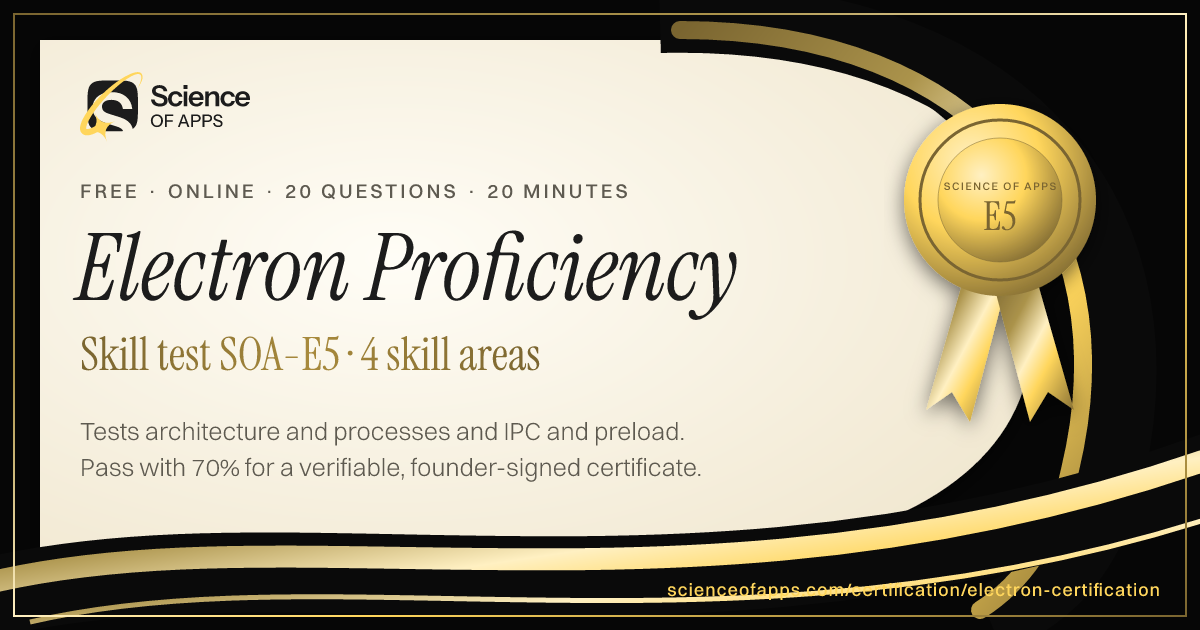
Pass, then add it to LinkedIn in one click
No typing. The Add to LinkedIn button opens your profile’s Licenses & certifications form already filled in: the certificate name, Science of Apps as the issuer, the issue date, your credential ID and a link recruiters can use to verify it.
- 1Take the 20-minute test
- 2Score 70% or more
- 3Click Add to LinkedIn

Electron Proficiency
Science of Apps
Show credential ↗Try another skill test
- 10 minSOA-HTML
HTML & CSS Certification Test
Tests modern HTML and CSS — semantic elements, forms, accessibility basics, the box model, Flexbox, Grid, responsive design and newer features like container queries.
Difficulty: BeginnerTake the 10-minute test → - 10 minSOA-JS
JavaScript Certification Test (Fundamentals)
Tests core modern JavaScript — variables and scope, types and equality, functions and closures, arrays and objects, promises and async/await, modules and the DOM.
Difficulty: BeginnerTake the 10-minute test → - 15 minSOA-TS
TypeScript Certification Test (Fundamentals)
Tests practical TypeScript — types and interfaces, unions and narrowing, generics, utility types, strict mode, the satisfies operator and typing real-world code.
Difficulty: IntermediateTake the 15-minute test →
Frequently asked questions
What is the Electron Practice Test?
The Electron Practice Test is a free intermediate-level, 20-minute skill test from Science of Apps. It tests Electron desktop app development — the architecture of main and renderer processes, windows and the app lifecycle, inter-process communication (IPC) and the preload/context bridge, native APIs, menus and dialogs, and security, packaging and distribution — written to the official Electron documentation for 2026. Score 70% or more on its 20 questions to earn a verifiable Electron Proficiency certificate (SOA-E5). Every question is based on published standards and research — including Electron documentation (OpenJS Foundation) — and each answer is explained with its source.
Where can I take a free Electron test online?
Science of Apps offers a free Electron Practice Test, updated for 2026 and 2027. It measures architecture and processes, IPC and preload, native APIs and UI and security, packaging and distribution and gives instant results with a shareable certificate.
How do I take the Electron Practice Test for free?
Read the four skill areas on this page, then take the 20-minute test online — no fee, course or sign-up. You see every answer explained when you finish. Score 70% or more and you get a Electron Proficiency certificate straight away, on screen, as a PDF and by email, with a credential ID anyone can verify.
Are the Electron Practice Test questions based on real standards?
Yes. The questions are original scenarios written by Science of Apps, and each one is based on a public source you can read: Electron documentation (OpenJS Foundation). The source is shown under each question and linked in the answer review. Science of Apps doesn't copy questions from other tests.
What does the Electron Practice Test cover?
Four skill areas with five questions each, drawn from a bank of 10 per area so a retake brings new questions: Architecture and Processes (Main, Renderer and Lifecycle); IPC and Preload (IPC, Preload and Context bridge); Native APIs and UI (Menus, Dialogs and System); Security, Packaging and Distribution (Security, Build and Updates). Every question is an original scenario written to the 2026–2027 standard, with the published source named under it.
Who should take the Electron Practice Test?
Desktop application developer, JavaScript/Node.js developer, Front-end engineer building cross-platform apps, Full-stack developer and Electron maintainer. It suits anyone who wants a quick, verifiable way to show Electron knowledge in 2026 and 2027, from students and career switchers to experienced professionals.
What is Electron?
Electron is an open-source framework for building cross-platform desktop applications with web technologies (HTML, CSS, JavaScript). It combines the Chromium rendering engine and the Node.js runtime so one codebase runs on Windows, macOS and Linux.
What are the main and renderer processes?
The main process runs Node.js, creates windows and controls the app lifecycle. Each window runs a renderer process that displays the UI like a web page. They communicate through inter-process communication (IPC).
Can I take the Electron Practice Test from any country?
Yes. The test is online, in English and free everywhere — people take it from India, the US, the UK, Europe, Africa, Latin America and Asia-Pacific. Your certificate is dated with your own local date and can be verified from anywhere at scienceofapps.com/certification/verify/.
How long is the Electron Practice Test?
20 questions — 5 from each of 4 skill areas — with a 20-minute limit. You need 70% (14 of 20) to pass and 90% for distinction.
How hard is the Electron Practice Test?
We rate it Intermediate: assumes hands-on experience in the role. It has 20 scenario questions — 5 from each of 4 skill areas — and a 20-minute limit. You need 70% (14 of 20) to pass and 90% for distinction.
How much do Science of Apps certifications cost?
Nothing. There is no fee to take a test, to receive the certificate, to have it emailed or to verify it, and no sign-up.
How are the tests graded?
On our server, not in your browser. The answers never reach the page until you submit, so a certificate can only be earned by passing. Each certificate gets a unique credential ID stored by Science of Apps.
What happens if I don't pass?
You see your score for each area and every question with the correct answer and why, with the published source behind it. You can retake after 30 minutes, and the retake draws questions you haven't seen yet.
Do the certificates expire?
No. Every certificate is dated, so it always shows when you passed. Retake a test any time for a newer date or a higher score.
Can I add the certificate to LinkedIn?
Yes. After you pass, Add to LinkedIn opens the Licenses & certifications form with the certificate name, Science of Apps as the issuer, the issue date, your credential ID and the verification link filled in. You can also download it as a PDF or PNG, and it's emailed to you as a PDF.
How can an employer verify my certificate?
Every certificate has a credential ID and a QR code. Scanning it, or entering the ID at scienceofapps.com/certification/verify/, shows the holder's name, the certification, the score and the issue date from our records.
Are these accredited qualifications?
No. They are Science of Apps' own assessments of applied skill. They aren't issued by a university or standards body, and they work best alongside a portfolio that shows the skills in real work.
2402 more certifications to collect
Software Engineering & Web Development
- HTML & CSS Certification Test10 min · Beginner
- JavaScript Certification Test (Fundamentals)10 min · Beginner
- TypeScript Certification Test (Fundamentals)15 min · Intermediate
- Front-End Development Certification15 min · Intermediate
- Back-End Development Certification15 min · Intermediate
- Full-Stack Web Development Certification15 min · Intermediate
- React Developer Assessment15 min · Intermediate
- Angular Developer Assessment15 min · Intermediate
- Vue.js Developer Assessment15 min · Intermediate
- Next.js Development Certification15 min · Intermediate
- Python Programming Certification10 min · Beginner
- Java Programming Certification15 min · Intermediate
- C++ Programming Certification20 min · Advanced
- C# and .NET Development Certification15 min · Intermediate
- PHP Certification Test (PHP & Laravel)15 min · Intermediate
- Node.js Development Certification15 min · Intermediate
- API Design and Integration Certification15 min · Intermediate
- REST API Testing Certification15 min · Intermediate
- GraphQL Certification Test (Fundamentals)15 min · Intermediate
- Git Certification Test (Git & GitHub)10 min · Beginner
- Data Structures and Algorithms Certification20 min · Advanced
- Object-Oriented Programming Certification15 min · Intermediate
- Software Architecture Certification Test (Fundamentals)20 min · Advanced
- Code Review and Code Quality Certification15 min · Intermediate
- Secure Coding Fundamentals Certification15 min · Intermediate
- AI-Assisted Software Development Certification15 min · Intermediate
- Technical Problem-Solving Assessment15 min · Intermediate
- Software Engineering Interview Readiness15 min · Intermediate
- Mobile App Development Certification Test (Fundamentals)10 min · Beginner
- React Native Development Certification15 min · Intermediate
- Android Development with Kotlin Certification15 min · Intermediate
- iOS Development with Swift Certification15 min · Intermediate
- API Documentation Certification15 min · Intermediate
- Go Programming Test20 min · Intermediate
- Rust Programming Test20 min · Intermediate
- Kotlin Programming Test20 min · Intermediate
- Flutter Certification Test (Flutter & Dart)20 min · Intermediate
- WordPress Developer Certification20 min · Intermediate
- Web Performance & Core Web Vitals Test20 min · Intermediate
- System Design Certification (Interview Practice)25 min · Advanced
- Unit Testing & TDD Test20 min · Intermediate
- ISTQB Foundation Level Practice Test20 min · Intermediate
- Playwright Testing Test20 min · Intermediate
- Selenium Test20 min · Intermediate
- Performance & Load Testing Test20 min · Intermediate
- Database Design & Normalization Test20 min · Intermediate
- PostgreSQL Test20 min · Intermediate
- MongoDB Test20 min · Intermediate
- Redis Test20 min · Intermediate
- Microservices Architecture Test25 min · Advanced
- WebSockets & Real-Time Apps Test20 min · Intermediate
- WebAssembly Test20 min · Intermediate
- Compiler Design Test25 min · Advanced
- Open Source Contribution Test15 min · Beginner
- MySQL Quiz15 min · Beginner
- SQL Server Quiz20 min · Intermediate
- Oracle SQL Quiz20 min · Intermediate
- Django Test20 min · Intermediate
- Flask Quiz20 min · Intermediate
- FastAPI Test20 min · Intermediate
- Spring Boot Test20 min · Intermediate
- Bash Quiz20 min · Intermediate
- QA Tester Certification Test15 min · Beginner
- Engineering Manager Test25 min · Advanced
- SSMS Quiz15 min · Beginner
- NoSQL Quiz20 min · Intermediate
- Elasticsearch Test20 min · Intermediate
- Firebase Quiz20 min · Intermediate
- Django REST Framework Test20 min · Intermediate
- Express JS Test20 min · Intermediate
- Ruby on Rails Test20 min · Intermediate
- ASP.NET Core Test20 min · Intermediate
- jQuery Quiz15 min · Beginner
- Bootstrap Quiz15 min · Beginner
- Regex Quiz20 min · Intermediate
- Salesforce Apex Test20 min · Intermediate
- Clean Code Quiz20 min · Intermediate
- Debugging Quiz20 min · Intermediate
- Embedded Systems Test25 min · Advanced
- Data Structures Quiz20 min · Intermediate
- WooCommerce Quiz20 min · Intermediate
- Webflow Certification Test20 min · Intermediate
- Framer Certification Test15 min · Beginner
- MariaDB Quiz20 min · Intermediate
- Ajax Quiz15 min · Beginner
- Ionic Framework Quiz20 min · Intermediate
- Solidity Quiz25 min · Advanced
- Android Quiz20 min · Intermediate
- Web Accessibility Quiz20 min · Intermediate
- Drupal Quiz20 min · Intermediate
- Magento 2 Certification Test20 min · Intermediate
- WordPress Quiz15 min · Beginner
- C Programming Certification Test20 min · Intermediate
- Operating Systems Certification Test20 min · Intermediate
- PCEP Practice Test (Python Institute)15 min · Beginner
- GitHub Foundations Practice Test (GH-900)20 min · Intermediate
- HackerRank Practice Test (Coding Assessment)20 min · Intermediate
- IoT Certification Test (Internet of Things)20 min · Intermediate
- AR/VR Development Certification Test20 min · Intermediate
- Raspberry Pi Certification Test15 min · Beginner
- GPU Programming with CUDA Certification25 min · Advanced
- Distributed Systems Fundamentals Certification25 min · Advanced
- Competitive Programming Certification25 min · Advanced
- High-Performance Computing Certification25 min · Advanced
- Low-Latency C++ for Trading Systems Certification25 min · Advanced
- Startup CTO Essentials Certification20 min · Intermediate
- Developer Relations Professional Certification20 min · Intermediate
- Database Internals & Storage Engines Certification25 min · Advanced
- Functional Programming Certification25 min · Advanced
- Formal Methods & Software Verification Certification25 min · Advanced
- Scientific Computing with Julia Certification20 min · Intermediate
- Automation Testing Certification20 min · Intermediate
- MATLAB Practice Test20 min · Intermediate
- DevSecOps Certification20 min · Intermediate
- OutSystems Developer Practice Test20 min · Intermediate
- Electronics Technician (ETA) Practice Test15 min · Beginner
- JMeter Practice Test20 min · Intermediate
- API 570 Practice Test25 min · Advanced
- Adobe Experience Manager Certification20 min · Intermediate
- Postman API Testing Practice Test20 min · Intermediate
- API 1169 Practice Test20 min · Intermediate
- SCADA Practice Test20 min · Intermediate
- Unreal Engine Certification20 min · Intermediate
- VHDL Practice Test20 min · Intermediate
- API 653 Practice Test25 min · Advanced
- Arduino Certification20 min · Intermediate
- Simulink Certification20 min · Intermediate
- API 580 Practice Test25 min · Advanced
- Cypress Testing Certification20 min · Intermediate
- Mendix Certification20 min · Intermediate
- Scala Certification20 min · Intermediate
- Supabase Certification20 min · Intermediate
- API 571 Practice Test25 min · Advanced
- Amazon DynamoDB Practice Test20 min · Intermediate
- Godot Certification20 min · Intermediate
- Perl Certification20 min · Intermediate
- Sitecore XM Cloud Developer Practice Test20 min · Intermediate
- VLSI Design Practice Test20 min · Intermediate
- Allen-Bradley PLC Practice Test20 min · Intermediate
- COBOL Practice Test20 min · Intermediate
- Elixir Certification20 min · Intermediate
- Haskell Certification20 min · Intermediate
- JUnit Practice Test20 min · Intermediate
- Svelte Certification20 min · Intermediate
- Tailwind CSS Practice Test20 min · Intermediate
- Salesforce Platform Developer II Practice Test20 min · Intermediate
- Contentful Certification20 min · Intermediate
- Accessibility Testing for Web Applications Practice Test20 min · Intermediate
- Web3 Practice Test20 min · Intermediate
- AUTOSAR Practice Test20 min · Intermediate
- Electron Practice TestYou're here
- FPGA Practice Test20 min · Intermediate
- Jetpack Compose Practice Test20 min · Intermediate
- Jira Service Management Practice Test20 min · Intermediate
- NDT UT Level 2 Practice Test20 min · Intermediate
- Oracle Java SE 17 Developer (1Z0-829) Practice Test20 min · Intermediate
- RabbitMQ Practice Test20 min · Intermediate
- Shopify Development Certification20 min · Intermediate
- HMI Programming Practice Test20 min · Intermediate
- ISTQB Advanced Test Analyst Practice Test25 min · Advanced
- commercetools Certification20 min · Intermediate
Foundation
AI & Generative AI
- AI UX Design Certification30 min · Advanced
- Prompt Engineering Certification30 min · Intermediate
- AI Product Manager Certification30 min · Advanced
Data Analytics & Business Intelligence
- Product Analytics Certification30 min · Advanced
- Data Literacy Certification10 min · Beginner
- Microsoft Excel Certification Test (Fundamentals)10 min · Beginner
Digital Marketing, SEO, AEO & Growth
- Conversion Rate Optimization (CRO) Certification30 min · Advanced
- App Store Optimization (ASO) Certification30 min · Intermediate
- Growth Marketing Certification30 min · Intermediate
UX/UI, Design, Research & Creative
- UX Design Certification30 min · Intermediate
- UI Design Certification30 min · Intermediate
- Product Design Certification30 min · Intermediate
Product, Project Management & Business Analysis
- Product Manager Certification30 min · Intermediate
- Design Leadership Certification30 min · Advanced
- Agile Product Owner Certification30 min · Intermediate
Cybersecurity, IT, Cloud & DevOps
- Cybersecurity Certification Test (Fundamentals)10 min · Beginner
- Security Awareness Certification Test (Phishing Detection)10 min · Beginner
- Network Security Certification Test (Fundamentals)15 min · Intermediate
Sales, Customer Success & Support
- Sales Fundamentals Certification10 min · Beginner
- Consultative Selling Certification15 min · Intermediate
- B2B Sales Development Representative Certification10 min · Beginner
Human Resources & People Management
- Human Resources Certification Test (Fundamentals)10 min · Beginner
- Talent Acquisition Certification Test10 min · Beginner
- Technical Recruitment Certification15 min · Intermediate
Finance, Accounting, Operations & Entrepreneurship
- Financial Literacy Test (for Professionals)10 min · Beginner
- Accounting Certification Test (Fundamentals)10 min · Beginner
- Bookkeeping Certification Test (Fundamentals)10 min · Beginner
Communication, Leadership & Transferable Skills
- Critical Thinking Test10 min · Beginner
- Attention to Detail Test10 min · Beginner
- Cognitive Bias Test10 min · Beginner
Languages
- English Level Test30 min · Beginner
- American Sign Language (ASL) Foundations Test25 min · Intermediate
- App & Software Localization Test25 min · Intermediate
Healthcare, Education, Legal Operations & Sustainability
- Healthcare Administration Certification Test (Fundamentals)10 min · Beginner
- Medical Office Administration Certification10 min · Beginner
- Healthcare Data Privacy Awareness Certification10 min · Beginner
Test Prep, Academics & Aptitude
- SAT Math Practice Test20 min · Advanced
- SAT Reading and Writing Practice Test20 min · Advanced
- ACT Practice Test (English, Math, Reading & Science)20 min · Advanced
Language Exam Prep
- IELTS Academic Practice Test with Band Score20 min · Advanced
- IELTS General Training Practice Test20 min · Advanced
- TOEFL iBT Practice Test20 min · Advanced
Office & Productivity Software
- Microsoft Word Skills Certification15 min · Intermediate
- Microsoft PowerPoint Skills Certification15 min · Intermediate
- Microsoft Outlook Skills Certification10 min · Beginner
Engineering, Architecture, Construction & Safety
- Mechanical Engineering Practice Test (FE-Style)20 min · Advanced
- Electrical Engineering Practice Test (FE-Style)20 min · Advanced
- Civil Engineering Practice Test (FE-Style)20 min · Advanced
Hospitality, Travel & Retail
- Hospitality Management Certification10 min · Beginner
- Food Safety Certification10 min · Beginner
- Hotel Revenue Management Certification15 min · Intermediate
Cognitive Ability & Pre-Employment Tests
- IQ Test20 min · Intermediate
- Numerical Reasoning Test20 min · Intermediate
- Verbal Reasoning Test20 min · Intermediate
Personality & Career Assessments
- Hogan Assessment Practice Test11 min · Beginner
- Big Five Personality Test10 min · Beginner
- Enneagram Test11 min · Beginner
Health, Fitness & Wellness
- Personal Trainer Practice Test (NASM, ACE & ISSA)20 min · Intermediate
- ACSM Practice Test (CPT & EP)20 min · Intermediate
- Yoga Teacher Certification Test (RYT 200)15 min · Beginner
Beauty & Cosmetology
- Nail Technician Practice Test15 min · Beginner
- Cosmetology Practice Test15 min · Beginner
- Esthetician Practice Test15 min · Beginner
Business Software, ERP & CRM
- Sage Accounting Software Certification Test20 min · Intermediate
- Salesforce Certified Associate Practice Test15 min · Beginner
- HubSpot Content Marketing Certification Practice Test20 min · Intermediate
Consulting, Strategy & Industry Leadership
- AI for Management Consultants Certification20 min · Intermediate
- Chief of Staff Certification Test20 min · Intermediate
- Market Sizing & Estimation Certification15 min · Beginner
Law, Policy & Global Affairs
- AI for Lawyers & Legal Practice Certification20 min · Intermediate
- Geopolitical Risk Analysis Certification20 min · Intermediate
- AI for Public Policy Professionals Certification20 min · Intermediate
Frontier Science & Deep Tech
- Quantum Computing Certification Test (Fundamentals)20 min · Intermediate
- Neurotechnology & Brain-Computer Interfaces Certification20 min · Intermediate
- Nuclear Fission & Fusion Energy Fundamentals Certification20 min · Intermediate
Creative Arts, Writing & Media
- Creative Writing Certification15 min · Beginner
- Game Design Certification20 min · Intermediate
- Screenwriting Certification20 min · Intermediate
Hobbies, Culture & Lifestyle
- Chess Strategy & Tactics Test15 min · Beginner
- Philosophy Fundamentals Test15 min · Beginner
- Stoic Philosophy for Modern Leaders Test15 min · Beginner
Global Business & Country Markets
- India Stack & Digital Public Infrastructure Certification20 min · Intermediate
- Indian Startup Ecosystem & Fundraising Certification20 min · Intermediate
- Indian Capital Markets Fundamentals Certification15 min · Beginner
Read before you test
- Tech stackFlutter vs React Native: which cross-platform framework should you pick for your app?Flutter vs React Native compared: performance, UI, developer hiring and salaries in India, ecosystem, web support and when each is the right choice.
- Tech stackSwift vs Flutter for iOS apps: when native wins and when cross-platform is the smarter betSwift vs Flutter for iOS: platform features, performance, SwiftUI, Android reach, cost, hiring and the cases where each approach is the right call.
- Career guides by Science of Apps for 2027The best web development certifications of 2027: seven for front-end, back-end and full-stackThe 7 best web development certifications of 2027: Meta Front-End and Back-End, freeCodeCamp, Harvard CS50, AWS Cloud Practitioner, Google UX and PCEP.
- Career guidesHow to get a Node.js developer job in 2027: the event loop, async patterns and the back-end skills employers testHow to get a Node.js developer job in 2027: the event loop, async patterns, APIs, security and testing skills employers test, pay and a plan.
- App developmentNative vs hybrid vs cross-platform apps: which one should you build?Native is fastest, cross-platform (Flutter, React Native) saves 25–40%, hybrid is cheapest but weakest. How each works and which to choose.
- Tech stackThe best programming language for app development — by platform, goal and careerThe best programming language for app development by platform — Kotlin, Swift, Dart, TypeScript — plus backends, India salaries and what to learn first.

Get the ideas, not the noise.
Sign up with Google and we’ll send you short UX psychology tips by email — why people tap, stall and leave, and what to do about it. Unsubscribe anytime. Prefer something to keep? Get the free Laws of UX guide as a PDF.