Project Planning with Digital Work Management Tools Practice Test
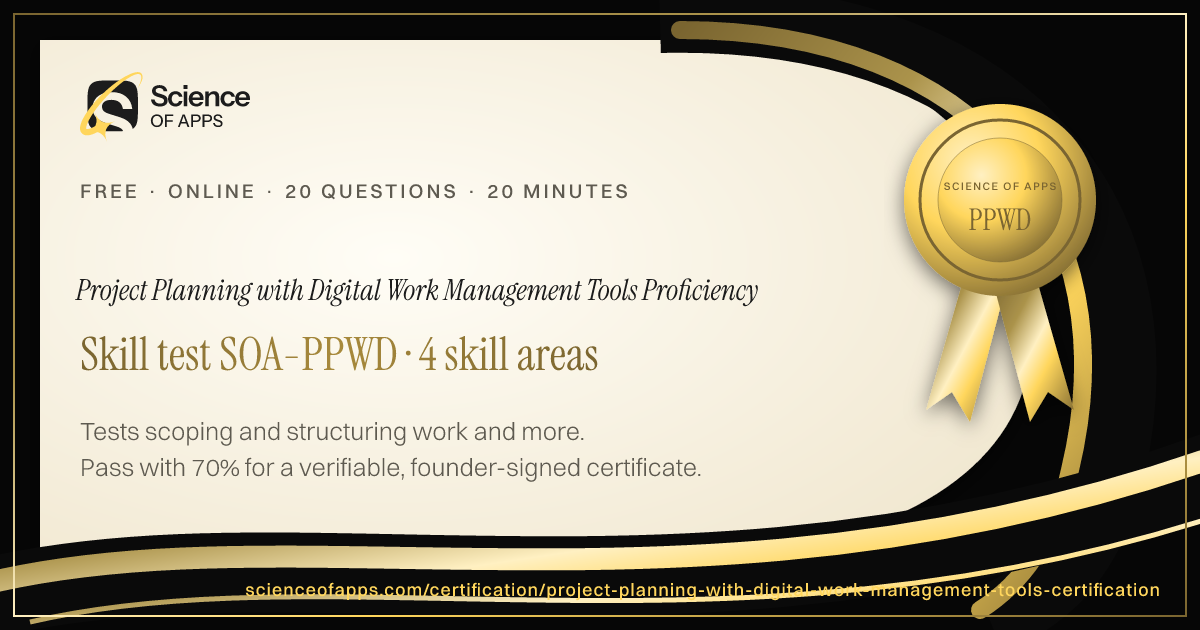
Tests project planning using digital work management tools such as Asana, Monday, Jira, Trello, ClickUp and Planner — scoping work into tasks and a work breakdown structure, scheduling with dependencies, Gantt and critical path, boards, Kanban, sprints and workflows, and automation, collaboration, dashboards and reporting — written to the PMBOK Guide, PMI scheduling standards, the Kanban and Scrum guides and MindTools planning guidance for 2026, tool-agnostic. Pass to earn Project Planning with Digital Work Management Tools Proficiency SOA-PPWD.
- Intermediate difficulty.Assumes hands-on experience in the role.
- 20 scenario questions
- 20 minutes, timed
- 70% to pass · 90% for distinction
- Free no sign-up needed
- LinkedIn-ready · add it to your profile in one clickSee how ↓

 Founder, Science of Apps
What is the Project Planning with Digital Work Management Tools Practice Test?
- Career Booster
- Quality Assured
- Exclusive Certification
Updated for 2026 and 2027. Covers scoping and structuring work, scheduling and dependencies, boards, agile and workflows and automation, collaboration and reporting.
The Project Planning with Digital Work Management Tools Practice Test is a free intermediate-level, 20-minute skill test from Science of Apps. It tests project planning using digital work management tools such as Asana, Monday, Jira, Trello, ClickUp and Planner — scoping work into tasks and a work breakdown structure, scheduling with dependencies, Gantt and critical path, boards, Kanban, sprints and workflows, and automation, collaboration, dashboards and reporting — written to the PMBOK Guide, PMI scheduling standards, the Kanban and Scrum guides and MindTools planning guidance for 2026, tool-agnostic. Score 70% or more on its 20 questions to earn a verifiable Project Planning with Digital Work Management Tools Proficiency certificate (SOA-PPWD). Every question is based on published standards and research — including Mind Tools (Mind Tools), Practice Standard for Scheduling (3rd edition) (Project Management Institute), The Official Kanban Guide (Kanban University) — and each answer is explained with its source.
Built for your job title
Project coordinator or manager, Team lead or operations manager, Product or marketing project owner, Scrum master or agile delivery lead and Anyone running projects in a digital tool — and anyone who wants quick, verifiable proof of Project Planning with Digital Work Management Tools knowledge for a CV or LinkedIn in 2026 and 2027.
- Project coordinator or manager
- Team lead or operations manager
- Product or marketing project owner
- Scrum master or agile delivery lead
- Anyone running projects in a digital tool
What the test covers
Four skill areas with 5 questions each, drawn from a bank of 10 per area, so a retake brings questions you haven't seen.
Scoping and Structuring Work
25%- Goals
- WBS
- Tasks
Scheduling and Dependencies
25%- Timelines
- Dependencies
- Critical path
Boards, Agile and Workflows
25%- Kanban
- Sprints
- Statuses
Automation, Collaboration and Reporting
25%- Automation
- Collaboration
- Dashboards
Based on published standards
The questions are original scenarios, and each one names the public standard, official guide or research it draws on — shown under the question while you answer, and linked in your review. These are the sources behind this test:
- Mind ToolsMind Tools21 questions
- Practice Standard for Scheduling (3rd edition)Project Management Institute7 questions
- The Official Kanban GuideKanban University6 questions
- The Scrum Guide (2020)Ken Schwaber & Jeff Sutherland4 questions
- The Standard for Project Management and PMBOK GuideProject Management Institute2 questions
Try a sample question
Breaking a project into smaller deliverables and tasks is called a
- backlog grooming only
- Gantt chart
- burndown
- work breakdown structure
Show the answer
D. work breakdown structure — WBS. The real test has 20 questions like this.
How the test works
20 minutes, 20 questions
One question per screen, with a progress bar and a countdown. Your progress is saved on this device if you need to pause.
Graded on our server
Answers reach the page only after you submit, so the certificate can only be earned by passing.
Every answer explained
Pass or not, you see every question with the right answer, why, and the source behind it. Pass mark 70%, distinction 90%.
Your certificate
Founder-signed, with a QR code and credential ID. Download PDF or PNG, add to LinkedIn, and it's emailed to you.
What you earn
Pass, then add it to LinkedIn in one click
No typing. The Add to LinkedIn button opens your profile’s Licenses & certifications form already filled in: the certificate name, Science of Apps as the issuer, the issue date, your credential ID and a link recruiters can use to verify it.
- 1Take the 20-minute test
- 2Score 70% or more
- 3Click Add to LinkedIn

Project Planning with Digital Work Management Tools Proficiency
Science of Apps
Show credential ↗Try another skill test
- ProfessionalSOA-PM
Product Manager Certification
Certifies that you can run product well — discovery, strategy and prioritization, metrics, delivery with design and engineering, and launch.
Difficulty: IntermediateEarn Certified Product Manager → - LeadershipSOA-DL
Design Leadership Certification
Certifies that you can lead design — build and grow teams, set design strategy, run design operations, measure design's impact and influence the business.
Difficulty: AdvancedEarn Certified Design Leader → - ProfessionalSOA-PO
Agile Product Owner Certification
Certifies that you can do the product owner job in agile teams — Scrum roles and events, backlog ordering and refinement, user stories and acceptance criteria, and value-focused releases.
Difficulty: IntermediateEarn Certified Agile Product Owner →
Frequently asked questions
What is the Project Planning with Digital Work Management Tools Practice Test?
The Project Planning with Digital Work Management Tools Practice Test is a free intermediate-level, 20-minute skill test from Science of Apps. It tests project planning using digital work management tools such as Asana, Monday, Jira, Trello, ClickUp and Planner — scoping work into tasks and a work breakdown structure, scheduling with dependencies, Gantt and critical path, boards, Kanban, sprints and workflows, and automation, collaboration, dashboards and reporting — written to the PMBOK Guide, PMI scheduling standards, the Kanban and Scrum guides and MindTools planning guidance for 2026, tool-agnostic. Score 70% or more on its 20 questions to earn a verifiable Project Planning with Digital Work Management Tools Proficiency certificate (SOA-PPWD). Every question is based on published standards and research — including Mind Tools (Mind Tools), Practice Standard for Scheduling (3rd edition) (Project Management Institute), The Official Kanban Guide (Kanban University) — and each answer is explained with its source.
Where can I take a free Project Planning with Digital Work Management Tools test online?
Science of Apps offers a free Project Planning with Digital Work Management Tools Practice Test, updated for 2026 and 2027. It measures scoping and structuring work, scheduling and dependencies, boards, agile and workflows and automation, collaboration and reporting and gives instant results with a shareable certificate.
How do I take the Project Planning with Digital Work Management Tools Practice Test for free?
Read the four skill areas on this page, then take the 20-minute test online — no fee, course or sign-up. You see every answer explained when you finish. Score 70% or more and you get a Project Planning with Digital Work Management Tools Proficiency certificate straight away, on screen, as a PDF and by email, with a credential ID anyone can verify.
Are the Project Planning with Digital Work Management Tools Practice Test questions based on real standards?
Yes. The questions are original scenarios written by Science of Apps, and each one is based on a public source you can read: Mind Tools (Mind Tools); Practice Standard for Scheduling (3rd edition) (Project Management Institute); The Official Kanban Guide (Kanban University); The Scrum Guide (2020) (Ken Schwaber & Jeff Sutherland); The Standard for Project Management and PMBOK Guide (Project Management Institute). The source is shown under each question and linked in the answer review. Science of Apps doesn't copy questions from other tests.
What does the Project Planning with Digital Work Management Tools Practice Test cover?
Four skill areas with five questions each, drawn from a bank of 10 per area so a retake brings new questions: Scoping and Structuring Work (Goals, WBS and Tasks); Scheduling and Dependencies (Timelines, Dependencies and Critical path); Boards, Agile and Workflows (Kanban, Sprints and Statuses); Automation, Collaboration and Reporting (Automation, Collaboration and Dashboards). Every question is an original scenario written to the 2026–2027 standard, with the published source named under it.
Who should take the Project Planning with Digital Work Management Tools Practice Test?
Project coordinator or manager, Team lead or operations manager, Product or marketing project owner, Scrum master or agile delivery lead and Anyone running projects in a digital tool. It suits anyone who wants a quick, verifiable way to show Project Planning with Digital Work Management Tools knowledge in 2026 and 2027, from students and career switchers to experienced professionals.
What are digital work management tools?
Digital work management tools, such as Asana, Monday.com, Jira, Trello, ClickUp and Microsoft Planner, help teams plan, assign, track and collaborate on work. They turn a project plan into tasks, boards, timelines and dashboards that update in real time.
Does the tool replace project management skills?
No. The tool makes planning and tracking easier, but you still need to scope the work, sequence it, set realistic deadlines, manage dependencies and communicate. Good planning practice plus the right tool is what delivers projects.
Can I take the Project Planning with Digital Work Management Tools Practice Test from any country?
Yes. The test is online, in English and free everywhere — people take it from India, the US, the UK, Europe, Africa, Latin America and Asia-Pacific. Your certificate is dated with your own local date and can be verified from anywhere at scienceofapps.com/certification/verify/.
How long is the Project Planning with Digital Work Management Tools Practice Test?
20 questions — 5 from each of 4 skill areas — with a 20-minute limit. You need 70% (14 of 20) to pass and 90% for distinction.
How hard is the Project Planning with Digital Work Management Tools Practice Test?
We rate it Intermediate: assumes hands-on experience in the role. It has 20 scenario questions — 5 from each of 4 skill areas — and a 20-minute limit. You need 70% (14 of 20) to pass and 90% for distinction.
How much do Science of Apps certifications cost?
Nothing. There is no fee to take a test, to receive the certificate, to have it emailed or to verify it, and no sign-up.
How are the tests graded?
On our server, not in your browser. The answers never reach the page until you submit, so a certificate can only be earned by passing. Each certificate gets a unique credential ID stored by Science of Apps.
What happens if I don't pass?
You see your score for each area and every question with the correct answer and why, with the published source behind it. You can retake after 30 minutes, and the retake draws questions you haven't seen yet.
Do the certificates expire?
No. Every certificate is dated, so it always shows when you passed. Retake a test any time for a newer date or a higher score.
Can I add the certificate to LinkedIn?
Yes. After you pass, Add to LinkedIn opens the Licenses & certifications form with the certificate name, Science of Apps as the issuer, the issue date, your credential ID and the verification link filled in. You can also download it as a PDF or PNG, and it's emailed to you as a PDF.
How can an employer verify my certificate?
Every certificate has a credential ID and a QR code. Scanning it, or entering the ID at scienceofapps.com/certification/verify/, shows the holder's name, the certification, the score and the issue date from our records.
Are these accredited qualifications?
No. They are Science of Apps' own assessments of applied skill. They aren't issued by a university or standards body, and they work best alongside a portfolio that shows the skills in real work.
2402 more certifications to collect
Product, Project Management & Business Analysis
- Product Manager Certification30 min · Intermediate
- Design Leadership Certification30 min · Advanced
- Agile Product Owner Certification30 min · Intermediate
- Product Strategy Certification30 min · Advanced
- User Onboarding & Retention Certification30 min · Intermediate
- Product Manager Interview Test15 min · Intermediate
- Product Discovery and Validation Certification15 min · Intermediate
- Product Roadmapping Certification15 min · Intermediate
- Product Prioritization and Trade-Offs Certification15 min · Intermediate
- Product Metrics and North Star Metrics Certification15 min · Intermediate
- Product-Led Growth Certification15 min · Intermediate
- Product Launch and Go-to-Market Certification15 min · Intermediate
- Technical Product Management Certification20 min · Advanced
- Product Operations Certification15 min · Intermediate
- Product Requirements and PRDs Certification10 min · Beginner
- User Stories and Acceptance Criteria Certification10 min · Beginner
- Agile Certification Test (Fundamentals)10 min · Beginner
- Kanban Certification Test15 min · Intermediate
- Project Management Fundamentals Certification10 min · Beginner
- Risk, Scope and Schedule Management Certification15 min · Intermediate
- Stakeholder Management Certification15 min · Intermediate
- Business Analysis Certification Test15 min · Intermediate
- Business Process Modeling Certification15 min · Intermediate
- OKRs Certification Test15 min · Intermediate
- Strategic Decision-Making Certification20 min · Advanced
- Change Management Certification15 min · Intermediate
- Program and Portfolio Management Certification20 min · Advanced
- Business Case and ROI Analysis Certification15 min · Intermediate
- Jira Certification Practice Test (Jira & Confluence Admin)15 min · Intermediate
- PMP Practice Exam20 min · Advanced
- PRINCE2 Foundation & Practitioner Practice Exam20 min · Advanced
- Business Process Management (BPM) Certification15 min · Intermediate
- Balanced Scorecard Certification15 min · Intermediate
- Strategic Planning Certification15 min · Intermediate
- Consulting Case Interview Practice20 min · Advanced
- Scrum Master Certification Test20 min · Intermediate
- PSM I Practice Test20 min · Intermediate
- CSM Practice Test15 min · Beginner
- CAPM Practice Exam20 min · Intermediate
- PMI-ACP Practice Exam25 min · Advanced
- TOGAF Practice Test (TOGAF 10 Foundation)20 min · Intermediate
- CSPO Practice Test15 min · Beginner
- PgMP Practice Test (Program Management)25 min · Advanced
- Earned Value Management Certification Test20 min · Intermediate
- Technical Program Manager Certification20 min · Intermediate
- Platform & API Product Management Certification25 min · Advanced
- Legal Project Management Certification20 min · Intermediate
- CBAP Practice Test25 min · Advanced
- Agile Software Development Certification20 min · Intermediate
- SAFe Agilist Practice Test25 min · Advanced
- ECBA Practice Test20 min · Intermediate
- Prosci Change Management Certification Practice Test20 min · Intermediate
- PSPO I Practice Test (Professional Scrum Product Owner)20 min · Intermediate
- SAFe Scrum Master Practice Test20 min · Intermediate
- CCBA Practice Test20 min · Intermediate
- MSP (Managing Successful Programmes) Practice Test20 min · Intermediate
- SAFe Product Owner Product Manager Practice Test20 min · Intermediate
- PMI-RMP Practice Test25 min · Advanced
- BPMN 2.0 Practice Test20 min · Intermediate
- CompTIA Project+ Practice Test20 min · Intermediate
- PMI-SP Practice Test20 min · Intermediate
- Project Coordinator Certification20 min · Intermediate
- ArchiMate Certification20 min · Intermediate
- PMI-CP Construction Project Management Practice Test20 min · Intermediate
- SAFe RTE Practice Test20 min · Intermediate
- AgilePM (DSDM) Practice Test20 min · Intermediate
- MoR 4 (Management of Risk) Practice Test20 min · Intermediate
- PRINCE2 Agile Practice Test20 min · Intermediate
- Zachman Framework Practice Test20 min · Intermediate
- Business Process Mapping and Improvement Practice Test20 min · Intermediate
- IIBA CBDA Practice Test20 min · Intermediate
- Project Planning with Digital Work Management Tools Practice TestYou're here
- IIBA AAC Practice Test20 min · Intermediate
- Process Mining and Workflow Analysis Certification20 min · Intermediate
Foundation
AI & Generative AI
- AI UX Design Certification30 min · Advanced
- Prompt Engineering Certification30 min · Intermediate
- AI Product Manager Certification30 min · Advanced
Software Engineering & Web Development
- HTML & CSS Certification Test10 min · Beginner
- JavaScript Certification Test (Fundamentals)10 min · Beginner
- TypeScript Certification Test (Fundamentals)15 min · Intermediate
Data Analytics & Business Intelligence
- Product Analytics Certification30 min · Advanced
- Data Literacy Certification10 min · Beginner
- Microsoft Excel Certification Test (Fundamentals)10 min · Beginner
Digital Marketing, SEO, AEO & Growth
- Conversion Rate Optimization (CRO) Certification30 min · Advanced
- App Store Optimization (ASO) Certification30 min · Intermediate
- Growth Marketing Certification30 min · Intermediate
UX/UI, Design, Research & Creative
- UX Design Certification30 min · Intermediate
- UI Design Certification30 min · Intermediate
- Product Design Certification30 min · Intermediate
Cybersecurity, IT, Cloud & DevOps
- Cybersecurity Certification Test (Fundamentals)10 min · Beginner
- Security Awareness Certification Test (Phishing Detection)10 min · Beginner
- Network Security Certification Test (Fundamentals)15 min · Intermediate
Sales, Customer Success & Support
- Sales Fundamentals Certification10 min · Beginner
- Consultative Selling Certification15 min · Intermediate
- B2B Sales Development Representative Certification10 min · Beginner
Human Resources & People Management
- Human Resources Certification Test (Fundamentals)10 min · Beginner
- Talent Acquisition Certification Test10 min · Beginner
- Technical Recruitment Certification15 min · Intermediate
Finance, Accounting, Operations & Entrepreneurship
- Financial Literacy Test (for Professionals)10 min · Beginner
- Accounting Certification Test (Fundamentals)10 min · Beginner
- Bookkeeping Certification Test (Fundamentals)10 min · Beginner
Communication, Leadership & Transferable Skills
- Critical Thinking Test10 min · Beginner
- Attention to Detail Test10 min · Beginner
- Cognitive Bias Test10 min · Beginner
Languages
- English Level Test30 min · Beginner
- American Sign Language (ASL) Foundations Test25 min · Intermediate
- App & Software Localization Test25 min · Intermediate
Healthcare, Education, Legal Operations & Sustainability
- Healthcare Administration Certification Test (Fundamentals)10 min · Beginner
- Medical Office Administration Certification10 min · Beginner
- Healthcare Data Privacy Awareness Certification10 min · Beginner
Test Prep, Academics & Aptitude
- SAT Math Practice Test20 min · Advanced
- SAT Reading and Writing Practice Test20 min · Advanced
- ACT Practice Test (English, Math, Reading & Science)20 min · Advanced
Language Exam Prep
- IELTS Academic Practice Test with Band Score20 min · Advanced
- IELTS General Training Practice Test20 min · Advanced
- TOEFL iBT Practice Test20 min · Advanced
Office & Productivity Software
- Microsoft Word Skills Certification15 min · Intermediate
- Microsoft PowerPoint Skills Certification15 min · Intermediate
- Microsoft Outlook Skills Certification10 min · Beginner
Engineering, Architecture, Construction & Safety
- Mechanical Engineering Practice Test (FE-Style)20 min · Advanced
- Electrical Engineering Practice Test (FE-Style)20 min · Advanced
- Civil Engineering Practice Test (FE-Style)20 min · Advanced
Hospitality, Travel & Retail
- Hospitality Management Certification10 min · Beginner
- Food Safety Certification10 min · Beginner
- Hotel Revenue Management Certification15 min · Intermediate
Cognitive Ability & Pre-Employment Tests
- IQ Test20 min · Intermediate
- Numerical Reasoning Test20 min · Intermediate
- Verbal Reasoning Test20 min · Intermediate
Personality & Career Assessments
- Hogan Assessment Practice Test11 min · Beginner
- Big Five Personality Test10 min · Beginner
- Enneagram Test11 min · Beginner
Health, Fitness & Wellness
- Personal Trainer Practice Test (NASM, ACE & ISSA)20 min · Intermediate
- ACSM Practice Test (CPT & EP)20 min · Intermediate
- Yoga Teacher Certification Test (RYT 200)15 min · Beginner
Beauty & Cosmetology
- Nail Technician Practice Test15 min · Beginner
- Cosmetology Practice Test15 min · Beginner
- Esthetician Practice Test15 min · Beginner
Business Software, ERP & CRM
- Sage Accounting Software Certification Test20 min · Intermediate
- Salesforce Certified Associate Practice Test15 min · Beginner
- HubSpot Content Marketing Certification Practice Test20 min · Intermediate
Consulting, Strategy & Industry Leadership
- AI for Management Consultants Certification20 min · Intermediate
- Chief of Staff Certification Test20 min · Intermediate
- Market Sizing & Estimation Certification15 min · Beginner
Law, Policy & Global Affairs
- AI for Lawyers & Legal Practice Certification20 min · Intermediate
- Geopolitical Risk Analysis Certification20 min · Intermediate
- AI for Public Policy Professionals Certification20 min · Intermediate
Frontier Science & Deep Tech
- Quantum Computing Certification Test (Fundamentals)20 min · Intermediate
- Neurotechnology & Brain-Computer Interfaces Certification20 min · Intermediate
- Nuclear Fission & Fusion Energy Fundamentals Certification20 min · Intermediate
Creative Arts, Writing & Media
- Creative Writing Certification15 min · Beginner
- Game Design Certification20 min · Intermediate
- Screenwriting Certification20 min · Intermediate
Hobbies, Culture & Lifestyle
- Chess Strategy & Tactics Test15 min · Beginner
- Philosophy Fundamentals Test15 min · Beginner
- Stoic Philosophy for Modern Leaders Test15 min · Beginner
Global Business & Country Markets
- India Stack & Digital Public Infrastructure Certification20 min · Intermediate
- Indian Startup Ecosystem & Fundraising Certification20 min · Intermediate
- Indian Capital Markets Fundamentals Certification15 min · Beginner
Read before you test
- ComparisonsBest Jira alternatives: eight issue trackers for product and engineering teams, comparedThe best Jira alternatives for product and engineering teams — Linear, ClickUp, Asana, monday dev, Shortcut, YouTrack, GitHub Projects and Plane — compared.
- Career guidesHow to get a project manager job in 2027: scope, schedule and budget, work breakdown structures, critical path, stakeholders, predictive vs agile and closing projectsHow to get a project manager job in 2027: scope, schedule, budget, WBS, critical path, stakeholders, predictive vs agile delivery, pay in India and US demand.
- ComparisonsTrello vs Asana: simplicity vs structure — which project tool fits your team?Trello vs Asana compared: kanban simplicity vs structured project management, views, automation, free plans, scaling and which team each suits best.
- ComparisonsNotion vs ClickUp vs Jira: which tool should a product team run on?Notion vs ClickUp vs Jira for product teams: docs, task tracking, sprints, roadmaps, AI and scale compared — with a verdict for each team size and stage.
- Career guides by Science of Apps for 2027The best agile and Scrum certifications of 2027: six for Scrum Masters, agile PMs and teamsThe 6 best agile and Scrum certifications of 2027: PSM I, Certified ScrumMaster, PMI-ACP, Google PM, ITIL 4 and Jira skills, with fees and formats.
- Career guides by Science of Apps for 2027Top 5 project management certifications to get hired in 2027: the ones PM job posts nameThe top 5 project management certifications to get hired in 2027: PMP, CAPM, CSM, PMI-ACP and PSM I, matched to project manager and Scrum Master roles.
Get the ideas, not the noise.
Sign up with Google and we’ll send you short UX psychology tips by email — why people tap, stall and leave, and what to do about it. Unsubscribe anytime. Prefer something to keep? Get the free Laws of UX guide as a PDF.