Doherty Threshold
Productivity and engagement rise sharply when a system responds in under about 400 milliseconds, so neither the user nor the computer is left waiting on the other.
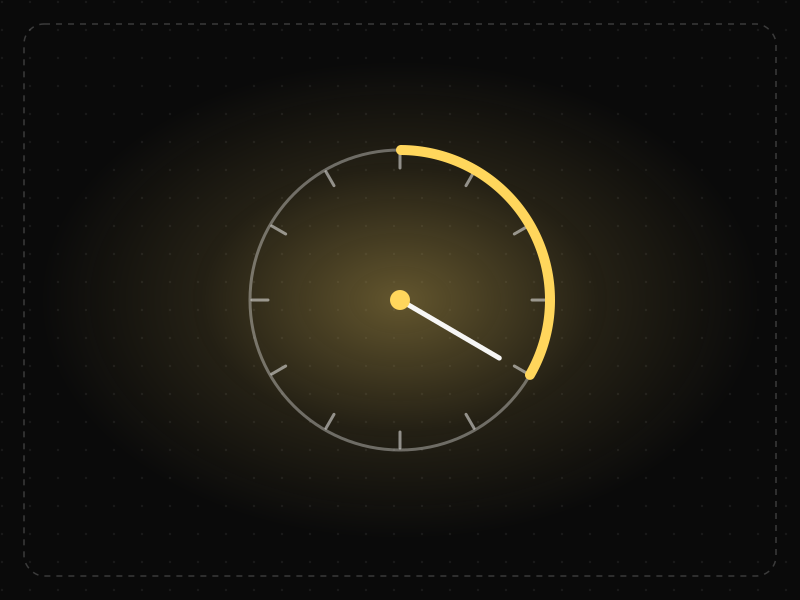
See it in action
The same screen without and with Doherty Threshold. Watch both sides play out, then compare the outcome.
Nearly two seconds of nothing: people tap again, doubt it worked and lose their flow.
The UI updates optimistically within 400 ms and syncs in the background — it feels effortless.
What to watch: the response bar: under ~400 ms the interaction feels instant and keeps people engaged.
Acknowledge every action within 400 ms: optimistic updates, skeletons, instant local feedback.
Block the interface on a network round-trip with no feedback.
Key takeaways
- Aim for feedback within 400 ms for every user action.
- When real work takes longer, respond instantly with progress, skeletons or optimistic UI.
- Perceived speed matters as much as measured speed.
Quick facts
- Also known as
- —
- Described by
- Walter Doherty & Ahrvind Thadani
- Year
- 1982
- Category
- Interaction & speed
- Related laws
- Flow, Fitts's Law, Peak-End Rule, Labor Illusion
Doherty Threshold explained
The Doherty Threshold states that productivity soars when a computer and its user interact at a pace (under about 400 milliseconds) that ensures neither has to wait on the other. Below that point, people stay engaged and in flow; above it, attention starts to drift.
Speed is not only about raw performance. Perceived speed matters just as much: instant visual feedback, optimistic updates, skeleton screens and progress indicators all make waits feel shorter and keep users oriented.
Slow responses compound. Every delay invites users to switch tabs, second-guess their action or tap again, which leads to duplicate submissions, errors and abandoned sessions.
Where it comes from
Walter J. Doherty and Ahrvind J. Thadani, researchers at IBM, published 'The Economic Value of Rapid Response Time' in 1982. They found that when system response time fell below roughly 400 ms, people worked faster and stayed engaged instead of switching attention while they waited.
How it shows up in apps
Slow taps, laggy transitions and spinners without feedback break the sense of control that keeps people in flow. In retention terms, sluggish core actions quietly make an app feel like work.
Doherty Threshold examples
When a user likes a post, the heart fills immediately and the request is sent in the background; if it fails, the app reverts and explains. The action feels instant even on a slow network.
Optimistic likes and messages
Social and messaging apps show a like or sent message immediately and sync with the server in the background, so interactions feel instant even on slow networks.
Skeleton screens
Content apps show the layout of a page with grey placeholder blocks while data loads, which makes waiting feel shorter than a blank screen or spinner.
Search as you type
Returning suggestions within a few hundred milliseconds of each keystroke keeps people refining their query, while slow suggestions make them stop and wait.
How to apply Doherty Threshold
- Give visible feedback to every tap or click within about 100 milliseconds, even if the full result takes longer.
- Aim for core interactions to complete in under 400 milliseconds, and measure real-user performance, not just lab results.
- Use optimistic UI for actions that almost always succeed, with clear recovery if they fail.
- Use skeleton screens and progress indicators for longer waits, and explain what is happening for waits over a few seconds.
- Prioritise loading what users need first and defer the rest.
Want Doherty Threshold checked in your own product? Our mobile app ux audit evaluates it alongside the other principles that shape how users decide, onboard and stay.
Common mistakes
- Optimising server response time while ignoring front-end rendering, which is often where users actually wait.
- Using spinners with no context for long operations, leaving users unsure whether anything is happening.
- Applying optimistic updates to risky actions like payments, where a false success message is worse than a short wait.
How to measure it
Monitor real-user metrics such as Interaction to Next Paint (INP), Largest Contentful Paint and custom timings for key actions. Correlate response times with engagement and conversion in analytics; a drop in completion as latency rises shows where speed work will pay off.
Frequently asked questions
What is Doherty Threshold?
Productivity and engagement rise sharply when a system responds in under about 400 milliseconds, so neither the user nor the computer is left waiting on the other.
Where does Doherty Threshold come from?
Walter J. Doherty and Ahrvind J. Thadani, researchers at IBM, published 'The Economic Value of Rapid Response Time' in 1982. They found that when system response time fell below roughly 400 ms, people worked faster and stayed engaged instead of switching attention while they waited.
How does Doherty Threshold apply to app design?
Slow taps, laggy transitions and spinners without feedback break the sense of control that keeps people in flow. In retention terms, sluggish core actions quietly make an app feel like work.
Where does the 400 millisecond figure come from?
It comes from a 1982 IBM paper by Walter Doherty and Ahrvind Thadani, which found that productivity rose sharply when system response times fell below about 400 milliseconds.
Can animations make an app feel faster?
Yes, when used well. Short transitions and progress feedback make waits feel shorter and help people follow changes, but long decorative animations can make an app feel slower.
How do you measure Doherty Threshold in a product?
Monitor real-user metrics such as Interaction to Next Paint (INP), Largest Contentful Paint and custom timings for key actions. Correlate response times with engagement and conversion in analytics; a drop in completion as latency rises shows where speed work will pay off.
Sources
- Doherty, W. J. & Thadani, A. J. (1982). The Economic Value of Rapid Response Time. IBM Report GE20-0752-0. Find on Google Scholar ↗
Related laws
 Motivation & emotion
Flow
Flow is the state of full, energized focus people reach when a task's challenge closely matches their skill and they get clear, immediate feedback.
 Interaction & speed
Fitts's Law
The time it takes to reach a target depends on its distance and size: bigger, closer targets are faster and easier to hit.
 Motivation & emotion
Peak-End Rule
People judge an experience mostly by how they felt at its most intense moment and at its end, not by the average of every moment.
 Interaction & speed
Labor Illusion
People value a service more when they can see the work being done for them, even if it means waiting a little longer.
Doherty Threshold in practice
- ComparisonsRevenueCat vs Superwall: which subscription and paywall platform should your app use?RevenueCat vs Superwall for app subscriptions: infrastructure, paywall experiments, pricing models, free thresholds and when to use one, the other or both.
- Architecture & engineeringThe best airports in the world in 2026, and the design science that makes them easy to useThe best airports in the world in 2026, led by Singapore Changi, and the design behind them: wayfinding, short walks, daylight and the psychology of waiting.
- App marketing & ASOHow to get app reviews and ratings legitimately — timing, prompts and repliesHow to get more app reviews legitimately: ask at the right moment with the official in-app prompts, reply to reviews, fix what users report.
- Career guidesAI trust and transparency design skills employers want in 2027: calibrated trust, explanations, confidence, sources, disclosure, control and correction in AI productsAI trust and transparency design skills for 2027: calibrated trust, explanations, confidence, sources, AI disclosure, user control and correcting AI errors.
- Making moneyApp monetization strategies that don't annoy users — designed with behavioural scienceMonetize your app without wrecking retention: value-first paywalls, honest trials, rewarded ads, anchoring and decoy pricing done ethically, and what to avoid.
- ComparisonsGoDaddy vs Hostinger: which is better for domains and web hosting in India?GoDaddy vs Hostinger for Indian websites: hosting performance, renewal pricing, domains, email, support and ease of use — and when to choose neither.
Certifications that test it
- Free certification · UX/UI, Design, Research & CreativeUX Design CertificationCertifies that you can take a product problem from user need to a tested, usable flow — research, information architecture, interaction design and usability evaluation.
- Free certification · AI & Generative AIAI UX Design CertificationCertifies that you can design AI-powered products people trust — setting expectations, conversational and agent UX, handling errors and uncertainty, and responsible AI.
- Free certification · UX/UI, Design, Research & CreativeFigma CertificationCertifies that you can build production-ready work in Figma — auto layout, components and variants, variables and modes, prototyping and developer handoff.
- Free certification · UX/UI, Design, Research & CreativeMobile App Design CertificationCertifies that you can design native-feeling iOS and Android apps — platform conventions, navigation and gestures, touch ergonomics and accessibility, and performance, offline and permission flows.
- Free certification · UX/UI, Design, Research & CreativeInteraction Design CertificationCertifies that you can design how interfaces behave — usability principles and mental models, feedback and states, forms and input, and motion and timing.
- Free certification · AI & Generative AIAI Product Manager CertificationCertifies that you can manage AI products — finding the right AI opportunities, data, models and evaluation, AI UX, trust and safety, and shipping, cost and operations.






Get the ideas, not the noise.
Sign up with Google and we’ll send you short UX psychology tips by email — why people tap, stall and leave, and what to do about it. Unsubscribe anytime. Prefer something to keep? Get the free Laws of UX guide as a PDF.