Figma Certification
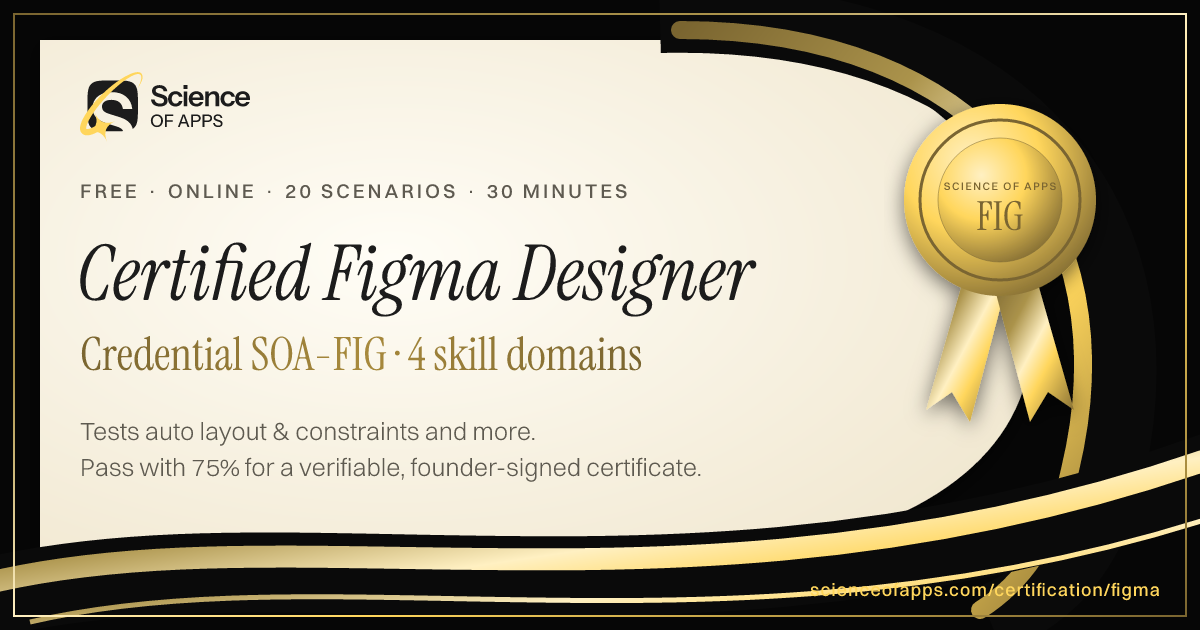
Earn the credential Certified Figma Designer SOA-FIG. It certifies that you can build production-ready work in Figma — auto layout, components and variants, variables and modes, prototyping and developer handoff.
- Intermediate difficulty.Assumes hands-on experience in the role.
- 20 scenario questions
- 30 minutes, timed
- 75% to pass · 90% for distinction
- Free no sign-up needed
- LinkedIn-ready · add it to your profile in one clickSee how ↓

 Founder, Science of Apps
What is the Figma Certification?
The Figma Certification is a free, test-based credential from Science of Apps. It certifies that you can build production-ready work in Figma — auto layout, components and variants, variables and modes, prototyping and developer handoff. Pass the 20-question, 30-minute test with 75% or more to become a Certified Figma Designer (SOA-FIG). Every question is based on published standards and research — including Guide to components in Figma (Figma Help Center), Guide to variables in Figma (Figma Help Center), Guide to auto layout (Figma Help Center) — and each answer is explained with its source.
Built for your job title
UI, UX and product designers who use Figma every day and want proof of advanced, systematic Figma skills rather than a screenshot of a pretty file.
- UI Designer
- Product Designer
- UX/UI Designer
- Visual Designer
- Design Systems Designer
- Figma Designer
Land the job, not just the certificate
Career guide · 8 min readFigma skills employers want in 2027: auto layout, components and variants, variables, prototyping, Dev Mode and working in shared files
Figma skills employers want in 2027: auto layout, components, variants, variables, prototyping, libraries, Dev Mode handoff and tidy, shared files.
Read the hiring playbook →What the test covers
Four domains with 5 questions each, drawn from a bank of 10 per domain, so a retake brings questions you haven't seen. Every domain links to the free Laws of UX guides its questions draw on.
- 01
Auto layout & constraints
25%- Build responsive frames with auto layout, padding and gaps
- Use Hug, Fill and Fixed sizing correctly
- Pin layers with constraints and absolute position
Study: Law of Proximity, Law of Common Region
- 02
Components, variants & properties
25%- Structure component sets with variant properties
- Expose text, boolean and instance swap properties
- Manage overrides and library updates
Study: Law of Similarity, Jakob's Law
- 03
Variables, styles & modes
25%- Create colour, number and string variables
- Theme with modes (light, dark, brand)
- Alias semantic tokens to primitives
Study: Law of Similarity
- 04
Prototyping, Dev Mode & handoff
25%- Prototype with smart animate, overlays and interactive components
- Store state with variables in prototypes
- Hand off with Dev Mode and the right export formats
Science of Apps is not affiliated with, endorsed or sponsored by Figma, Inc. Figma is a trademark of Figma, Inc., used here only to describe the skills tested.
Based on published standards
The questions are original scenarios, and each one names the public standard, official guide or research it draws on — shown under the question while you answer, and linked in your review. These are the sources behind this certification:
- Guide to components in FigmaFigma Help Center10 questions
- Guide to variables in FigmaFigma Help Center9 questions
- Guide to auto layoutFigma Help Center8 questions
- Guide to prototyping in FigmaFigma Help Center7 questions
- Guide to Dev ModeFigma Help Center4 questions
- Apply constraints to define how layers resizeFigma Help Center2 questions
Try a sample question
You want a card's title and description to stack with 12 px between them, and the card to grow as text is added. What do you use?
- Vertical auto layout with a 12 px gap and height set to Hug
- A fixed-height frame with the text layers grouped
- Two separate frames aligned with smart guides
- A layout grid with 12 px rows
Show the answer
A. Vertical auto layout with a 12 px gap and height set to Hug — Vertical auto layout spaces children evenly and Hug lets the frame grow with its content, so the card never clips text. The real test has 20 questions like this.
How the test works
30 minutes, 20 scenarios
One question per screen, with a progress bar and a countdown. Your progress is saved on this device if you need to pause.
Graded on our server
Answers reach the page only after you submit, so the certificate can only be earned by passing.
Every answer explained
Pass or not, you see every question with the right answer, why, and the source behind it. Pass mark 75%, distinction 90%.
Your certificate
Founder-signed, with a QR code and credential ID. Download PDF or PNG, add to LinkedIn, and it's emailed to you.
What you earn
Pass, then add it to LinkedIn in one click
No typing. The Add to LinkedIn button opens your profile’s Licenses & certifications form already filled in: the certificate name, Science of Apps as the issuer, the issue date, your credential ID and a link recruiters can use to verify it.
- 1Take the 30-minute test
- 2Score 75% or more
- 3Click Add to LinkedIn

Certified Figma Designer
Science of Apps
Show credential ↗Add a specialism
- ProfessionalSOA-UXD
UX Design Certification
Certifies that you can take a product problem from user need to a tested, usable flow — research, information architecture, interaction design and usability evaluation.
Difficulty: IntermediateEarn Certified UX Designer → - ProfessionalSOA-UID
UI Design Certification
Certifies that you can design clear, consistent, accessible interfaces — visual hierarchy, typography, colour, layout, components and interaction states.
Difficulty: IntermediateEarn Certified UI Designer → - ProfessionalSOA-PD
Product Design Certification
Certifies end-to-end product design: framing problems against business goals, designing and shipping solutions with engineering, and measuring their impact.
Difficulty: IntermediateEarn Certified Product Designer →
See every UX/UI & design certification and test → New to the laws of UX? Start with Product Design Science →
Frequently asked questions
What is the Figma Certification?
The Figma Certification is a free, test-based credential from Science of Apps. It certifies that you can build production-ready work in Figma — auto layout, components and variants, variables and modes, prototyping and developer handoff. Pass the 20-question, 30-minute test with 75% or more to become a Certified Figma Designer (SOA-FIG). Every question is based on published standards and research — including Guide to components in Figma (Figma Help Center), Guide to variables in Figma (Figma Help Center), Guide to auto layout (Figma Help Center) — and each answer is explained with its source.
How do I get a Figma certification for free?
Read the four skill domains on this page, study the free guides and sources linked to each, then take the 30-minute test online. There is no fee, course or sign-up. Score 75% or more and you get a Certified Figma Designer certificate straight away — on screen, as a PDF and by email — with a credential ID anyone can verify.
Are the Figma Certification questions based on real standards?
Yes. The questions are original scenarios written by Science of Apps, and each one is based on a public source you can read: Guide to components in Figma (Figma Help Center); Guide to variables in Figma (Figma Help Center); Guide to auto layout (Figma Help Center); Guide to prototyping in Figma (Figma Help Center); Guide to Dev Mode (Figma Help Center); Apply constraints to define how layers resize (Figma Help Center). The source is shown under each question and linked in the answer review. Science of Apps doesn't copy questions from other tests.
Is there an official Figma certification?
Figma offers learning resources but, at the time of writing, no official individual certification for designers. Third-party credentials fill the gap. The Science of Apps Figma Certification is a free, independent, scenario-based test of auto layout, components, variables, prototyping and Dev Mode, with a verifiable certificate. It isn't affiliated with Figma, Inc.
What Figma skills do employers look for?
Employers look for designers who build systematically: auto layout that responds to content, components with sensible variants and properties, variables for theming and spacing, realistic prototypes and clean developer handoff in Dev Mode. Those are exactly the four domains this certification tests.
Can I take the Figma Certification from any country?
Yes. The certification is online, in English and free everywhere — people take it from India, the US, the UK, Europe, Africa, Latin America and Asia-Pacific. Your certificate is dated with your own local date and can be verified from anywhere at scienceofapps.com/certification/verify/.
Will the Figma Certification help me get a job?
It helps you stand out: it shows employers, in a form they can check, that you can apply auto layout & constraints and components, variants & properties to real product scenarios. Add it to LinkedIn and your CV, and back it with portfolio work that shows the same skills — certifications open conversations, portfolios close them.
How hard is the Figma Certification?
We rate it Intermediate: assumes hands-on experience in the role. It has 20 scenario questions — 5 from each of 4 domains — and a 30-minute limit. You need 75% (15 of 20) to pass and 90% for distinction.
How do I prepare for a UI Designer job?
Employers in 2027 expect designers to be fluent in Figma beyond drawing screens: auto layout that responds to content, components with variants and properties, variables for themes and tokens, realistic prototypes, shared libraries, Dev Mode handoff, and files others can navigate. Two-thirds of Figma's users aren't designers, so tidy, collaborative files matter. Rebuild a real screen properly and verify your skills with a free test. Our full career guide covers the hiring process, interview loop, pay and a prep plan: scienceofapps.com/blog/figma-career-guide/
How much do Science of Apps certifications cost?
Nothing. There is no fee to take a test, to receive the certificate, to have it emailed or to verify it, and no sign-up.
How are the tests graded?
On our server, not in your browser. The answers never reach the page until you submit, so a certificate can only be earned by passing. Each certificate gets a unique credential ID stored by Science of Apps.
What happens if I don't pass?
You see your score for each area and every question with the correct answer and why, with the published source behind it. You can retake after 30 minutes, and the retake draws questions you haven't seen yet.
Do the certificates expire?
No. Every certificate is dated, so it always shows when you passed. Retake a test any time for a newer date or a higher score.
Can I add the certificate to LinkedIn?
Yes. After you pass, Add to LinkedIn opens the Licenses & certifications form with the certificate name, Science of Apps as the issuer, the issue date, your credential ID and the verification link filled in. You can also download it as a PDF or PNG, and it's emailed to you as a PDF.
How can an employer verify my certificate?
Every certificate has a credential ID and a QR code. Scanning it, or entering the ID at scienceofapps.com/certification/verify/, shows the holder's name, the certification, the score and the issue date from our records.
Are these accredited qualifications?
No. They are Science of Apps' own assessments of applied skill. They aren't issued by a university or standards body, and they work best alongside a portfolio that shows the skills in real work.
741 more certifications to collect
UX/UI, Design, Research & Creative
- UX Design Certification30 min · Intermediate
- UI Design Certification30 min · Intermediate
- Product Design Certification30 min · Intermediate
- UX Research Certification30 min · Intermediate
- UX Writing & Content Design Certification30 min · Intermediate
- Accessibility Certification (WCAG)30 min · Advanced
- Design Systems Certification30 min · Advanced
- Behavioral Design Certification30 min · Intermediate
- Figma CertificationYou're here
- Mobile App Design Certification30 min · Intermediate
- Interaction Design Certification30 min · Intermediate
- Usability Testing Certification30 min · Intermediate
- Information Architecture Certification30 min · Intermediate
- Service Design Certification30 min · Advanced
- UX Psychology Quiz10 min · Beginner
- UX Designer Interview Test15 min · Intermediate
- UX/UI Design Fundamentals Certification10 min · Beginner
- Design Thinking and Problem Framing Certification10 min · Beginner
- Design Critique and Visual Judgment Certification15 min · Intermediate
- UX Portfolio Assessment15 min · Intermediate
- UX Research Operations Certification20 min · Advanced
- Survey Design and Research Bias Certification15 min · Intermediate
- Usability Metrics and Experiment Design Certification20 min · Advanced
- Responsive Web Design Certification10 min · Beginner
- UX Writing for AI Interfaces Certification15 min · Intermediate
- Conversational and Voice UX Certification15 min · Intermediate
- AI Interface Trust and Transparency Certification15 min · Intermediate
- Product Design QA Certification15 min · Intermediate
- Visual Design Fundamentals Certification10 min · Beginner
- Graphic Design Fundamentals Certification10 min · Beginner
- Typography and Layout Assessment15 min · Intermediate
- Brand Identity Design Certification15 min · Intermediate
- Design Handoff and Developer Collaboration Certification15 min · Intermediate
- Creative Brief and Art Direction Certification15 min · Intermediate
- Adobe Photoshop Certification Practice15 min · Intermediate
- Adobe Illustrator Certification Practice15 min · Intermediate
- Adobe Premiere Pro Certification Practice15 min · Intermediate
- Adobe After Effects Certification Practice15 min · Intermediate
- Blender Certification15 min · Intermediate
- 3D Modeling Certification10 min · Beginner
- Video Editing Certification10 min · Beginner
- Motion Graphics Certification15 min · Intermediate
Foundation
AI & Generative AI
- AI UX Design Certification30 min · Advanced
- Prompt Engineering Certification30 min · Intermediate
- AI Product Manager Certification30 min · Advanced
Software Engineering & Web Development
- HTML and CSS Fundamentals Certification10 min · Beginner
- JavaScript Fundamentals Certification10 min · Beginner
- TypeScript Fundamentals Certification15 min · Intermediate
Data Analytics & Business Intelligence
- Product Analytics Certification30 min · Advanced
- Data Literacy Certification10 min · Beginner
- Microsoft Excel Fundamentals Certification10 min · Beginner
Digital Marketing, SEO, AEO & Growth
- Conversion Rate Optimization (CRO) Certification30 min · Advanced
- App Store Optimization (ASO) Certification30 min · Intermediate
- Growth Marketing Certification30 min · Intermediate
Product, Project Management & Business Analysis
- Product Manager Certification30 min · Intermediate
- Design Leadership Certification30 min · Advanced
- Agile Product Owner Certification30 min · Intermediate
Cybersecurity, IT, Cloud & DevOps
- Cybersecurity Fundamentals Certification10 min · Beginner
- Security Awareness and Phishing Detection Certification10 min · Beginner
- Network Security Fundamentals Certification15 min · Intermediate
Sales, Customer Success & Support
- Sales Fundamentals Certification10 min · Beginner
- Consultative Selling Certification15 min · Intermediate
- B2B Sales Development Representative Certification10 min · Beginner
Human Resources & People Management
- Human Resources Fundamentals Certification10 min · Beginner
- Talent Acquisition and Recruitment Certification10 min · Beginner
- Technical Recruitment Certification15 min · Intermediate
Finance, Accounting, Operations & Entrepreneurship
- Financial Literacy for Professionals Certification10 min · Beginner
- Accounting Fundamentals Certification10 min · Beginner
- Bookkeeping Fundamentals Certification10 min · Beginner
Communication, Leadership & Transferable Skills
- Critical Thinking Test10 min · Beginner
- Attention to Detail Test10 min · Beginner
- Cognitive Bias Test10 min · Beginner
Languages
- English Level Test30 min · Beginner
- American Sign Language (ASL) Foundations Test25 min · Intermediate
- App & Software Localization Test25 min · Intermediate
Healthcare, Education, Legal Operations & Sustainability
- Healthcare Administration Fundamentals Certification10 min · Beginner
- Medical Office Administration Certification10 min · Beginner
- Healthcare Data Privacy Awareness Certification10 min · Beginner
Test Prep, Academics & Aptitude
- SAT Math Practice Test20 min · Advanced
- SAT Reading and Writing Practice Test20 min · Advanced
- ACT Practice Test (English, Math, Reading & Science)20 min · Advanced
Language Exam Prep
- IELTS Academic Practice Test with Band Score20 min · Advanced
- IELTS General Training Practice Test20 min · Advanced
- TOEFL iBT Practice Test20 min · Advanced
Office & Productivity Software
- Microsoft Word Skills Certification15 min · Intermediate
- Microsoft PowerPoint Skills Certification15 min · Intermediate
- Microsoft Outlook Skills Certification10 min · Beginner
Engineering, Architecture, Construction & Safety
- Mechanical Engineering Practice Test (FE-Style)20 min · Advanced
- Electrical Engineering Practice Test (FE-Style)20 min · Advanced
- Civil Engineering Practice Test (FE-Style)20 min · Advanced
Hospitality, Travel & Retail
- Hospitality Management Certification10 min · Beginner
- Food Safety Certification10 min · Beginner
- Hotel Revenue Management Certification15 min · Intermediate
Read before you test
- Career guidesFigma skills employers want in 2027: auto layout, components and variants, variables, prototyping, Dev Mode and working in shared filesFigma skills employers want in 2027: auto layout, components, variants, variables, prototyping, libraries, Dev Mode handoff and tidy, shared files.
- How to make an appHow to design an app in Figma: a beginner's tutorialDesign your first app in Figma: frames, a simple style system, auto layout, components, a clickable prototype and a clean developer handoff. Free-plan friendly.
- Career guidesDesign handoff and developer collaboration skills employers want in 2027: specs, states, tokens, components, annotations, Dev Mode and working with engineersDesign handoff skills employers want in 2027: specs, states, design tokens, components, annotations, Figma Dev Mode and collaborating closely with engineers.
- Career guidesHow to get a UI designer job in 2027: visual hierarchy, layout, type, colour, components, states and the portfolio that proves craftHow to get a UI designer job in 2027: hierarchy, layout, type, colour, components, states, accessibility, a craft-focused portfolio and pay in India.
- Career guidesAI skills for UX/UI designers in 2027: research synthesis, ideation, UI generation and prototyping — with quality, originality and accessibility intactAI skills UX/UI designers need in 2027: research synthesis, ideation, UI generation, prototyping and copy with AI — plus accessibility and originality.
- Career guidesHow to get an AI agent developer job in 2027: workflows vs agents, tools and MCP, memory, guardrails and production operationsHow to get an AI agent developer job in 2027: workflows vs agents, tool and MCP design, memory, guardrails, oversight, pay and a portfolio plan.
Get the ideas, not the noise.
Sign up with Google and we’ll send you short UX psychology tips by email — why people tap, stall and leave, and what to do about it. Unsubscribe anytime. Prefer something to keep? Get the free Laws of UX guide as a PDF.