Mimecast Practice Test
Tests Mimecast email security administration — the secure email gateway and mail flow, anti-spam, anti-malware and URL and attachment protection, impersonation and DMARC defences, continuity, archiving and data retention, and policies, administration and user awareness — written to Mimecast product documentation and the email authentication standards SPF, DKIM and DMARC for 2026. Pass to earn Mimecast Proficiency SOA-Y76.
- Intermediate difficulty.Assumes hands-on experience in the role.
- 20 scenario questions
- 20 minutes, timed
- 70% to pass · 90% for distinction
- Free no sign-up needed
- LinkedIn-ready · add it to your profile in one clickSee how ↓

 Founder, Science of Apps
What is the Mimecast Practice Test?
- Career Booster
- Recruiter Friendly
- Quality Assured
Updated for 2026 and 2027. Covers gateway and mail flow, threat protection, impersonation and authentication and continuity, archiving and administration.
The Mimecast Practice Test is a free intermediate-level, 20-minute skill test from Science of Apps. It tests Mimecast email security administration — the secure email gateway and mail flow, anti-spam, anti-malware and URL and attachment protection, impersonation and DMARC defences, continuity, archiving and data retention, and policies, administration and user awareness — written to Mimecast product documentation and the email authentication standards SPF, DKIM and DMARC for 2026. Score 70% or more on its 20 questions to earn a verifiable Mimecast Proficiency certificate (SOA-Y76). Every question is based on published standards and research — including Mimecast products and email security (Mimecast), RFC 7489: DMARC (IETF), Recognize and report phishing (CISA) — and each answer is explained with its source.
Built for your job title
Email security or messaging administrator, Security operations analyst, IT administrator managing email, Mimecast administrator and Managed service provider engineer — and anyone who wants quick, verifiable proof of Mimecast knowledge for a CV or LinkedIn in 2026 and 2027.
- Email security or messaging administrator
- Security operations analyst
- IT administrator managing email
- Mimecast administrator
- Managed service provider engineer
What the test covers
Four skill areas with 5 questions each, drawn from a bank of 10 per area, so a retake brings questions you haven't seen.
Gateway and Mail Flow
25%- Routing
- Spam
- Queues
Threat Protection
25%- Malware
- URLs
- Attachments
Impersonation and Authentication
25%- Impersonation
- SPF/DKIM/DMARC
- Awareness
Continuity, Archiving and Administration
25%- Continuity
- Archiving
- Policies
Independent skills test. Science of Apps is not affiliated with, endorsed by or sponsored by Mimecast. Exam, product and organisation names are trademarks of their owners. Passing earns a Science of Apps certificate, not a credential issued by Mimecast.
Based on published standards
The questions are original scenarios, and each one names the public standard, official guide or research it draws on — shown under the question while you answer, and linked in your review. These are the sources behind this test:
- Mimecast products and email securityMimecast34 questions
- RFC 7489: DMARCIETF2 questions
- Recognize and report phishingCISA2 questions
- RFC 7208: Sender Policy Framework (SPF)IETF1 question
- RFC 6376: DomainKeys Identified Mail (DKIM) SignaturesIETF1 question
Try a sample question
Mimecast's role in the mail path is as a
- web browser
- file server
- secure email gateway
- VPN client
Show the answer
C. secure email gateway — Gateway. The real test has 20 questions like this.
How the test works
20 minutes, 20 questions
One question per screen, with a progress bar and a countdown. Your progress is saved on this device if you need to pause.
Graded on our server
Answers reach the page only after you submit, so the certificate can only be earned by passing.
Every answer explained
Pass or not, you see every question with the right answer, why, and the source behind it. Pass mark 70%, distinction 90%.
Your certificate
Founder-signed, with a QR code and credential ID. Download PDF or PNG, add to LinkedIn, and it's emailed to you.
What you earn
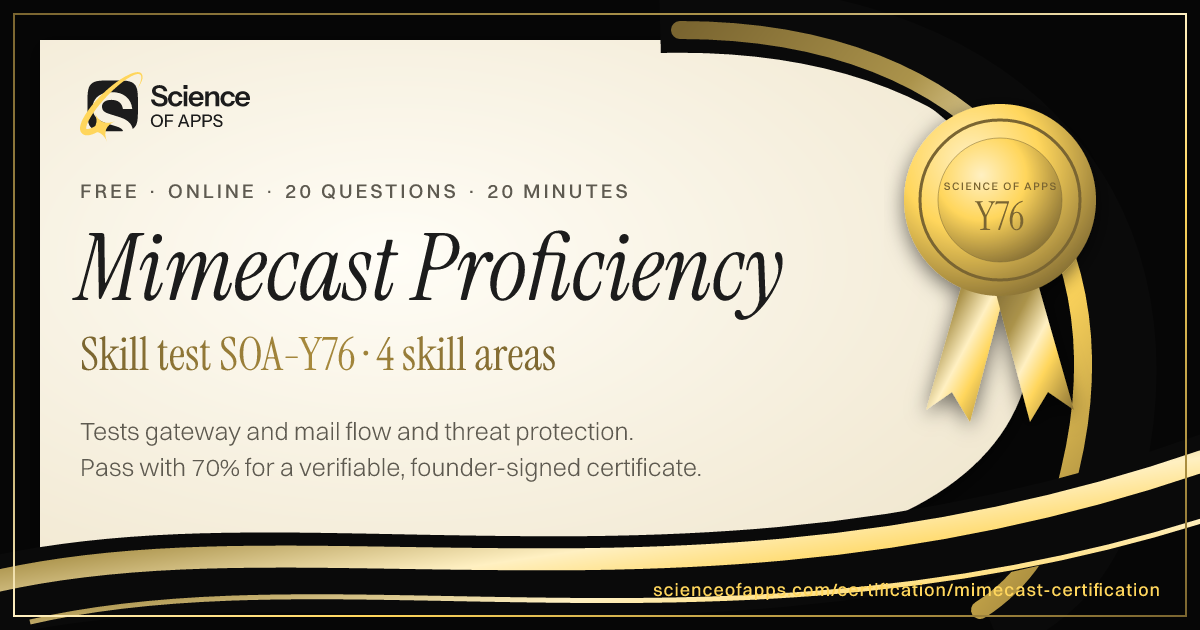
Pass, then add it to LinkedIn in one click
No typing. The Add to LinkedIn button opens your profile’s Licenses & certifications form already filled in: the certificate name, Science of Apps as the issuer, the issue date, your credential ID and a link recruiters can use to verify it.
- 1Take the 20-minute test
- 2Score 70% or more
- 3Click Add to LinkedIn

Mimecast Proficiency
Science of Apps
Show credential ↗Try another skill test
- 10 minSOA-CYF
Cybersecurity Certification Test (Fundamentals)
Tests core cybersecurity — the CIA triad, common threats, NIST CSF 2.0, authentication and MFA, patching, backups, encryption basics and security culture.
Difficulty: BeginnerTake the 10-minute test → - 10 minSOA-SAPD
Security Awareness Certification Test (Phishing Detection)
Tests everyday security awareness — spotting phishing emails, texts and calls, suspicious links and attachments, safe reporting, passwords, MFA fatigue and deepfake scams.
Difficulty: BeginnerTake the 10-minute test → - 15 minSOA-NSF
Network Security Certification Test (Fundamentals)
Tests network security — firewalls and segmentation, VPNs and zero trust, TLS, DNS security, common ports, IDS/IPS, Wi-Fi security and DDoS basics.
Difficulty: IntermediateTake the 15-minute test →
Frequently asked questions
What is the Mimecast Practice Test?
The Mimecast Practice Test is a free intermediate-level, 20-minute skill test from Science of Apps. It tests Mimecast email security administration — the secure email gateway and mail flow, anti-spam, anti-malware and URL and attachment protection, impersonation and DMARC defences, continuity, archiving and data retention, and policies, administration and user awareness — written to Mimecast product documentation and the email authentication standards SPF, DKIM and DMARC for 2026. Score 70% or more on its 20 questions to earn a verifiable Mimecast Proficiency certificate (SOA-Y76). Every question is based on published standards and research — including Mimecast products and email security (Mimecast), RFC 7489: DMARC (IETF), Recognize and report phishing (CISA) — and each answer is explained with its source.
Where can I take a free Mimecast test online?
Science of Apps offers a free Mimecast Practice Test, updated for 2026 and 2027. It measures gateway and mail flow, threat protection, impersonation and authentication and continuity, archiving and administration and gives instant results with a shareable certificate.
How do I take the Mimecast Practice Test for free?
Read the four skill areas on this page, then take the 20-minute test online — no fee, course or sign-up. You see every answer explained when you finish. Score 70% or more and you get a Mimecast Proficiency certificate straight away, on screen, as a PDF and by email, with a credential ID anyone can verify.
Are the Mimecast Practice Test questions based on real standards?
Yes. The questions are original scenarios written by Science of Apps, and each one is based on a public source you can read: Mimecast products and email security (Mimecast); RFC 7489: DMARC (IETF); Recognize and report phishing (CISA); RFC 7208: Sender Policy Framework (SPF) (IETF); RFC 6376: DomainKeys Identified Mail (DKIM) Signatures (IETF). The source is shown under each question and linked in the answer review. Science of Apps doesn't copy questions from other tests.
What does the Mimecast Practice Test cover?
Four skill areas with five questions each, drawn from a bank of 10 per area so a retake brings new questions: Gateway and Mail Flow (Routing, Spam and Queues); Threat Protection (Malware, URLs and Attachments); Impersonation and Authentication (Impersonation, SPF/DKIM/DMARC and Awareness); Continuity, Archiving and Administration (Continuity, Archiving and Policies). Every question is an original scenario written to the 2026–2027 standard, with the published source named under it.
Who should take the Mimecast Practice Test?
Email security or messaging administrator, Security operations analyst, IT administrator managing email, Mimecast administrator and Managed service provider engineer. It suits anyone who wants a quick, verifiable way to show Mimecast knowledge in 2026 and 2027, from students and career switchers to experienced professionals.
What is Mimecast?
Mimecast is a cloud email security and management platform. It sits in the mail flow to filter spam and malware, protect against phishing and impersonation, scan links and attachments, and provides email continuity, archiving and data retention.
How does Mimecast fit into mail flow?
Mimecast acts as a secure email gateway. Inbound mail is routed through Mimecast (via MX records) for inspection before delivery, and outbound mail is sent through Mimecast so it can apply security, encryption and data loss policies.
Can I take the Mimecast Practice Test from any country?
Yes. The test is online, in English and free everywhere — people take it from India, the US, the UK, Europe, Africa, Latin America and Asia-Pacific. Your certificate is dated with your own local date and can be verified from anywhere at scienceofapps.com/certification/verify/.
How long is the Mimecast Practice Test?
20 questions — 5 from each of 4 skill areas — with a 20-minute limit. You need 70% (14 of 20) to pass and 90% for distinction.
How hard is the Mimecast Practice Test?
We rate it Intermediate: assumes hands-on experience in the role. It has 20 scenario questions — 5 from each of 4 skill areas — and a 20-minute limit. You need 70% (14 of 20) to pass and 90% for distinction.
How much do Science of Apps certifications cost?
Nothing. There is no fee to take a test, to receive the certificate, to have it emailed or to verify it, and no sign-up.
How are the tests graded?
On our server, not in your browser. The answers never reach the page until you submit, so a certificate can only be earned by passing. Each certificate gets a unique credential ID stored by Science of Apps.
What happens if I don't pass?
You see your score for each area and every question with the correct answer and why, with the published source behind it. You can retake after 30 minutes, and the retake draws questions you haven't seen yet.
Do the certificates expire?
No. Every certificate is dated, so it always shows when you passed. Retake a test any time for a newer date or a higher score.
Can I add the certificate to LinkedIn?
Yes. After you pass, Add to LinkedIn opens the Licenses & certifications form with the certificate name, Science of Apps as the issuer, the issue date, your credential ID and the verification link filled in. You can also download it as a PDF or PNG, and it's emailed to you as a PDF.
How can an employer verify my certificate?
Every certificate has a credential ID and a QR code. Scanning it, or entering the ID at scienceofapps.com/certification/verify/, shows the holder's name, the certification, the score and the issue date from our records.
Are these accredited qualifications?
No. They are Science of Apps' own assessments of applied skill. They aren't issued by a university or standards body, and they work best alongside a portfolio that shows the skills in real work.
2402 more certifications to collect
Cybersecurity, IT, Cloud & DevOps
- Cybersecurity Certification Test (Fundamentals)10 min · Beginner
- Security Awareness Certification Test (Phishing Detection)10 min · Beginner
- Network Security Certification Test (Fundamentals)15 min · Intermediate
- Identity and Access Management Certification15 min · Intermediate
- Cloud Security Certification Test (Fundamentals)15 min · Intermediate
- Application Security Certification Test (Fundamentals)15 min · Intermediate
- Privacy Certification Test (Fundamentals)10 min · Beginner
- Security Incident Response Certification15 min · Intermediate
- SOC Certification Test (Security Operations Center)15 min · Intermediate
- Vulnerability Management Certification15 min · Intermediate
- Threat Modeling Certification20 min · Advanced
- Ethical Hacking Certification Test (Fundamentals)15 min · Intermediate
- IT Support Certification Test10 min · Beginner
- Linux Certification Test (Fundamentals)10 min · Beginner
- Networking Certification Test (Fundamentals)10 min · Beginner
- Cloud Computing Certification Test (Fundamentals)10 min · Beginner
- AWS Cloud Fundamentals Certification10 min · Beginner
- Microsoft Azure Fundamentals Certification10 min · Beginner
- Google Cloud Fundamentals Certification10 min · Beginner
- Docker Certification Test (Containers)15 min · Intermediate
- Kubernetes Certification Test (Fundamentals)15 min · Intermediate
- CI/CD Certification Test (DevOps Fundamentals)15 min · Intermediate
- Infrastructure as Code Certification15 min · Intermediate
- Site Reliability Engineering Certification Test20 min · Advanced
- Cloud Cost Optimization Certification15 min · Intermediate
- ServiceNow Certification Practice (CSA)20 min · Advanced
- CompTIA A+ Practice Test20 min · Advanced
- CompTIA Network+ Practice Test20 min · Advanced
- CompTIA Security+ Practice Test20 min · Advanced
- CompTIA Linux+ Practice Test20 min · Advanced
- Cisco CCNA Practice Test20 min · Advanced
- ISC2 CC (Certified in Cybersecurity) Practice Test20 min · Advanced
- CISSP Practice Test20 min · Advanced
- CISA Practice Test20 min · Advanced
- CISM Practice Test20 min · Advanced
- AWS Solutions Architect Associate Practice Exam20 min · Advanced
- Azure Administrator AZ-104 Practice Test20 min · Advanced
- Google Cloud Certification Practice Exams20 min · Advanced
- Linux Foundation Certification Practice (LFCS)20 min · Advanced
- CKA Certification Practice Exam (CKA & CKAD)20 min · Advanced
- Terraform Associate Practice Exam20 min · Advanced
- Microsoft 365 Administrator (MS-102) Practice Test20 min · Advanced
- GDPR Certification15 min · Intermediate
- Privacy Operations & DSAR Certification15 min · Intermediate
- ISO 27001 Certification Training15 min · Intermediate
- ISO 27001 Lead Auditor Practice Exam15 min · Intermediate
- SOC 2 Compliance Certification15 min · Intermediate
- GRC Certification (Governance, Risk & Compliance)20 min · Advanced
- Business Continuity Management Certification (ISO 22301)15 min · Intermediate
- Disaster Recovery Planning Certification15 min · Intermediate
- Penetration Testing Certification25 min · Advanced
- Digital Forensics Certification20 min · Intermediate
- Zero Trust Security Certification20 min · Intermediate
- Serverless Computing Test20 min · Intermediate
- CKS Certification Test (Kubernetes Security)25 min · Advanced
- AZ-900 Practice Test15 min · Beginner
- AWS Cloud Practitioner Practice Exam15 min · Beginner
- ITIL 4 Foundation Practice Exam15 min · Beginner
- CEH Practice Test25 min · Advanced
- Active Directory Test20 min · Intermediate
- Windows Server Quiz20 min · Intermediate
- Splunk Certification Test20 min · Intermediate
- PowerShell Quiz20 min · Intermediate
- SC-900 Practice Test15 min · Beginner
- AZ-204 Practice Test25 min · Advanced
- AZ-305 Practice Test25 min · Advanced
- AWS Developer Associate Practice Exam20 min · Intermediate
- Google Associate Cloud Engineer Practice Exam20 min · Intermediate
- CompTIA CySA+ Practice Test25 min · Advanced
- CompTIA PenTest+ Practice Test25 min · Advanced
- CompTIA Tech+ Practice Test15 min · Beginner
- Jenkins Test20 min · Intermediate
- Ansible Test20 min · Intermediate
- Windows 11 Quiz15 min · Beginner
- macOS Quiz15 min · Beginner
- Intune Quiz20 min · Intermediate
- VMware Quiz20 min · Intermediate
- Nginx Quiz20 min · Intermediate
- Wireshark Quiz20 min · Intermediate
- Cryptography Quiz25 min · Advanced
- CompTIA Cloud+ Practice Test20 min · Intermediate
- CIPT Practice Exam25 min · Advanced
- AWS Advanced Networking Certification Test25 min · Advanced
- Azure Networking Certification Test25 min · Advanced
- Google Cloud Network Engineer Certification Test25 min · Advanced
- Exchange Server Quiz20 min · Intermediate
- DigitalOcean Certification Test20 min · Intermediate
- Google Workspace Administrator Certification Test20 min · Intermediate
- CCSP Practice Test25 min · Advanced
- Data Center Certification Test (CDCP-Style)20 min · Intermediate
- CRISC Practice Test25 min · Advanced
- MD-102 Practice Test (Endpoint Administrator)20 min · Intermediate
- SSCP Practice Test20 min · Intermediate
- SOC Analyst Certification Test20 min · Intermediate
- GitHub Actions Practice Test (GH-200)20 min · Intermediate
- KCNA Practice Test (Kubernetes Cloud Native Associate)15 min · Beginner
- Fortinet NSE Practice Test (FCP & FCF)20 min · Intermediate
- COBIT 2019 Foundation Practice Test20 min · Intermediate
- GIAC GSEC Practice Test25 min · Advanced
- CCIE Enterprise Infrastructure Practice Test (Written)25 min · Advanced
- OCI Foundations Practice Test (Oracle Cloud)15 min · Beginner
- SC-100 Practice Test (Cybersecurity Architect)25 min · Advanced
- AZ-400 Practice Test (Azure DevOps Engineer)25 min · Advanced
- PCI DSS Practice Test (PCIP)20 min · Intermediate
- Google Cloud Digital Leader Practice Test20 min · Intermediate
- RHCE Practice Test (Ansible Automation)25 min · Advanced
- SC-200 Practice Test (Security Operations Analyst)20 min · Intermediate
- AZ-700 Practice Test (Azure Network Engineer)20 min · Intermediate
- NIST CSF 2.0 Certification Test20 min · Intermediate
- AWS Security Specialty Practice Exam (SCS-C02)25 min · Advanced
- Alibaba Cloud Certification Practice Test (ACA)15 min · Beginner
- RHCSA Practice Test20 min · Intermediate
- CMMC Practice Test (CCP)20 min · Intermediate
- CrowdStrike Falcon Administrator Practice Test (CCFA)20 min · Intermediate
- CGRC Practice Test25 min · Advanced
- CHFI Practice Test (Computer Hacking Forensic Investigator)25 min · Advanced
- CCNP Enterprise Practice Test (ENCOR 350-401)25 min · Advanced
- Palo Alto PCNSA Practice Test20 min · Intermediate
- VMware VCF 9 Practice Test25 min · Advanced
- Juniper JNCIA-Junos Practice Test15 min · Beginner
- AZ-500 Practice Test (Azure Security Engineer)25 min · Advanced
- Cisco CCST Cybersecurity Practice Test15 min · Beginner
- CCSK Practice Test20 min · Intermediate
- HashiCorp Vault Associate Practice Test20 min · Intermediate
- Nutanix NCP-MCI Practice Test20 min · Intermediate
- CGEIT Practice Test25 min · Advanced
- Google Professional Cloud Architect Practice Exam25 min · Advanced
- Cisco CCNA Automation Practice Test (DevNet Associate)20 min · Intermediate
- SC-300 Practice Test (Identity and Access Administrator)20 min · Intermediate
- Bug Bounty Certification Test20 min · Intermediate
- Post-Quantum Cryptography Certification25 min · Advanced
- Zero-Knowledge Proofs & Applied Cryptography Certification25 min · Advanced
- Google Cloud Professional Cloud Developer Practice Test25 min · Advanced
- Google IT Support Certificate Practice Test20 min · Intermediate
- AWS Certified Data Engineer – Associate (DEA-C01) Practice Test20 min · Intermediate
- Web Application Security Certification20 min · Intermediate
- GH-300 GitHub Copilot Exam Practice Test25 min · Advanced
- AB-400 (formerly PL-400) Power Platform Developer Practice Test20 min · Intermediate
- PNPT Practice Test20 min · Intermediate
- CompTIA Server+ Practice Test20 min · Intermediate
- GIAC GCIH Practice Test25 min · Advanced
- SailPoint Certification20 min · Intermediate
- GitLab CI Practice Test20 min · Intermediate
- AB-100 (after PL-600) Business Solutions Architect Practice Test20 min · Intermediate
- AWS CloudOps Engineer (formerly SysOps Administrator) Practice Test20 min · Intermediate
- GIAC GPEN Practice Test20 min · Intermediate
- Red Hat OpenShift (EX280) Practice Test20 min · Intermediate
- Cisco CCNP Security Practice Test20 min · Intermediate
- MS-700 Practice Test20 min · Intermediate
- SC-401 Practice Test20 min · Intermediate
- Okta Certified Professional Certification25 min · Advanced
- Burp Suite Certification20 min · Intermediate
- CCPA Practice Test20 min · Intermediate
- Cloudera Certification20 min · Intermediate
- Kali Linux Certification20 min · Intermediate
- Platform Engineering Certification20 min · Intermediate
- Red Hat RHCA Practice Test25 min · Advanced
- AWS Certified Data Engineer – Associate (DEA-C01) Practice Test20 min · Intermediate
- Cisco CCNP Data Center Practice Test20 min · Intermediate
- Helm Certification20 min · Intermediate
- MB-310 Dynamics 365 Finance Functional Consultant Practice Test20 min · Intermediate
- Privileged Access Management Certification20 min · Intermediate
- Puppet Certification20 min · Intermediate
- SIEM Practice Test20 min · Intermediate
- Threat Hunting Certification20 min · Intermediate
- AZ-140 Azure Virtual Desktop Practice Test20 min · Intermediate
- GitHub Advanced Security (GH-500) Practice Test25 min · Advanced
- Salesforce Service Cloud Consultant Practice Test25 min · Advanced
- Tenable Certification Practice Test20 min · Intermediate
- CircleCI Practice Test20 min · Intermediate
- FinOps Certified Practitioner Practice Test20 min · Intermediate
- Google Cloud Professional Cloud Security Engineer Practice Test25 min · Advanced
- MB-230 Practice Test20 min · Intermediate
- ServiceNow CIS-ITSM Practice Test20 min · Intermediate
- Automotive Cybersecurity Certification20 min · Intermediate
- EC-Council CCISO Practice Test25 min · Advanced
- Linux Foundation LFCA Practice Test15 min · Beginner
- MS-721 Practice Test20 min · Intermediate
- SentinelOne Certification20 min · Intermediate
- Bamboo CI Practice Test20 min · Intermediate
- Cisco CCST Networking Practice Test15 min · Beginner
- IBM QRadar Practice Test20 min · Intermediate
- Istio Certification20 min · Intermediate
- Nmap Practice Test20 min · Intermediate
- Oracle HCM Cloud Practice Test20 min · Intermediate
- Huawei HCIA-Datacom Practice Test20 min · Intermediate
- ISA CCST Practice Test20 min · Intermediate
- Mimecast Practice TestYou're here
- Nessus Practice Test20 min · Intermediate
- Salesforce Commerce Cloud Practice Test20 min · Intermediate
- AZ-120 Practice Test20 min · Intermediate
- Ping Identity Practice Test20 min · Intermediate
- Vanta Practice Test20 min · Intermediate
- Backstage Practice Test20 min · Intermediate
- Cisco CCT Practice Test20 min · Intermediate
- Fortinet FCSS Practice Test20 min · Intermediate
- Juniper JNCIP Practice Test20 min · Intermediate
- Linux Professional Institute LPIC-1 Practice Test25 min · Advanced
- Oracle Cloud Infrastructure Foundations Certification15 min · Beginner
- AI Privacy and Data Protection Assessment Practice Test15 min · Beginner
- Cisco CCNP Service Provider Practice Test20 min · Intermediate
- Darktrace Certification20 min · Intermediate
- ForgeRock Certification20 min · Intermediate
- ISC2 CSSLP Practice Test20 min · Intermediate
- Juniper JNCIS-ENT Practice Test20 min · Intermediate
- LogRhythm Certification20 min · Intermediate
- PagerDuty Certified Certification20 min · Intermediate
- Salesforce Nonprofit Cloud Certification20 min · Intermediate
- CIPM Practice Test20 min · Intermediate
- eJPT Practice Test20 min · Intermediate
- AWS Certified DevOps Engineer – Professional (DOP-C02) Practice Test25 min · Advanced
- Datadog Certification20 min · Intermediate
- ISO/IEC 27701 Practice Test20 min · Intermediate
- AB-410 (formerly PL-200) Power Platform Practice Test20 min · Intermediate
- Check Point CCSA Practice Test20 min · Intermediate
- AI-300 (formerly DP-100) Machine Learning Operations Practice Test20 min · Intermediate
- Jamf Certified Certification20 min · Intermediate
- Apple Certified Support Professional (ACSP) Practice Test25 min · Advanced
- Cloudflare Certification20 min · Intermediate
- CyberArk Certification20 min · Intermediate
- Dynatrace Certification20 min · Intermediate
- ISO 27001 Lead Implementer Practice Test25 min · Advanced
- NGFW Engineer (formerly PCNSE) Palo Alto Practice Test20 min · Intermediate
- ServiceNow Developer Certification20 min · Intermediate
- Aruba Practice Test20 min · Intermediate
- Grafana Certification20 min · Intermediate
- CompTIA SecurityX (CASP+) Practice Test20 min · Intermediate
- MB-800 Practice Test20 min · Intermediate
- Qualys Certification20 min · Intermediate
- Wireless Networking CWNA Practice Test20 min · Intermediate
- IBM Cloud Practice Test20 min · Intermediate
- New Relic Certification20 min · Intermediate
- SAP Security Practice Test20 min · Intermediate
- Cisco Meraki (CMNA) Practice Test20 min · Intermediate
- GitHub Administration (GH-100) Practice Test20 min · Intermediate
- OneTrust Certification20 min · Intermediate
- Prometheus Certified Associate (PCA) Practice Test20 min · Intermediate
- Splunk Enterprise Certified Admin Practice Test20 min · Intermediate
- Cisco CCDE Practice Test25 min · Advanced
- Configuration Management and Environment Parity Certification20 min · Intermediate
- LPIC-1 Linux Administrator Practice Test20 min · Intermediate
- MB-330 Dynamics 365 Supply Chain Management Functional Consultant Practice Test20 min · Intermediate
- Proofpoint Email Security Practice Test20 min · Intermediate
- SAP GRC Access Control Practice Test20 min · Intermediate
- Salesforce Sales Cloud Consultant Practice Test25 min · Advanced
- Amazon Bedrock Practice Test20 min · Intermediate
- Malware Analysis Certification20 min · Intermediate
- Siemens PLC (TIA Portal) Practice Test20 min · Intermediate
- Threat Intelligence Certification20 min · Intermediate
- CCNA Cybersecurity (CyberOps Associate) Practice Test15 min · Beginner
- HashiCorp Packer Certification20 min · Intermediate
- Auth0 Practice Test20 min · Intermediate
- IoT Security Certification20 min · Intermediate
- Salesforce Experience Cloud Consultant Practice Test20 min · Intermediate
- Social Engineering Certification20 min · Intermediate
- Cisco CCNP Collaboration Practice Test20 min · Intermediate
- Cisco CCST IT Support Practice Test15 min · Beginner
- IBM Mainframe z Practice Test20 min · Intermediate
- ISACA AAIA Practice Test20 min · Intermediate
- Kubernetes KCSA Practice Test20 min · Intermediate
- OSCP Practice Test20 min · Intermediate
- Sprout Social Practice Test20 min · Intermediate
- Google Cloud DevOps Engineer Practice Test25 min · Advanced
- eJPT Practice Test20 min · Intermediate
- MITRE ATT&CK Practice Test20 min · Intermediate
- Mobile Security Practice Test20 min · Intermediate
- Rapid7 Practice Test20 min · Intermediate
- VMware Cloud Foundation (VCF 9) Practice Test15 min · Beginner
- Aruba ACSA Practice Test20 min · Intermediate
- DP-420 Practice Test20 min · Intermediate
- OpenTelemetry (OTCA) Practice Test20 min · Intermediate
- Virtualization Practice Test20 min · Intermediate
- BeyondTrust Practice Test20 min · Intermediate
- CompTIA DataSys+ Practice Test20 min · Intermediate
- Fortinet FCA Practice Test20 min · Intermediate
- Google Cloud Database Engineer Practice Test20 min · Intermediate
- Keycloak Certification20 min · Intermediate
- NIST 800-53 Practice Test20 min · Intermediate
- Palo Alto PCCET Practice Test20 min · Intermediate
- Argo CD Practice Test20 min · Intermediate
- Cortex XDR Practice Test20 min · Intermediate
- Delinea Certification20 min · Intermediate
- Google Cloud Security Operations Engineer Certification20 min · Intermediate
- Incident Command and Technical Coordination Certification20 min · Intermediate
- KnowBe4 Practice Test20 min · Intermediate
- Network Segmentation and Zero Trust Design Certification20 min · Intermediate
- Pulumi Certification20 min · Intermediate
- Sitecore XM Cloud Practice Test20 min · Intermediate
- Tableau Server Certification15 min · Beginner
Foundation
AI & Generative AI
- AI UX Design Certification30 min · Advanced
- Prompt Engineering Certification30 min · Intermediate
- AI Product Manager Certification30 min · Advanced
Software Engineering & Web Development
- HTML & CSS Certification Test10 min · Beginner
- JavaScript Certification Test (Fundamentals)10 min · Beginner
- TypeScript Certification Test (Fundamentals)15 min · Intermediate
Data Analytics & Business Intelligence
- Product Analytics Certification30 min · Advanced
- Data Literacy Certification10 min · Beginner
- Microsoft Excel Certification Test (Fundamentals)10 min · Beginner
Digital Marketing, SEO, AEO & Growth
- Conversion Rate Optimization (CRO) Certification30 min · Advanced
- App Store Optimization (ASO) Certification30 min · Intermediate
- Growth Marketing Certification30 min · Intermediate
UX/UI, Design, Research & Creative
- UX Design Certification30 min · Intermediate
- UI Design Certification30 min · Intermediate
- Product Design Certification30 min · Intermediate
Product, Project Management & Business Analysis
- Product Manager Certification30 min · Intermediate
- Design Leadership Certification30 min · Advanced
- Agile Product Owner Certification30 min · Intermediate
Sales, Customer Success & Support
- Sales Fundamentals Certification10 min · Beginner
- Consultative Selling Certification15 min · Intermediate
- B2B Sales Development Representative Certification10 min · Beginner
Human Resources & People Management
- Human Resources Certification Test (Fundamentals)10 min · Beginner
- Talent Acquisition Certification Test10 min · Beginner
- Technical Recruitment Certification15 min · Intermediate
Finance, Accounting, Operations & Entrepreneurship
- Financial Literacy Test (for Professionals)10 min · Beginner
- Accounting Certification Test (Fundamentals)10 min · Beginner
- Bookkeeping Certification Test (Fundamentals)10 min · Beginner
Communication, Leadership & Transferable Skills
- Critical Thinking Test10 min · Beginner
- Attention to Detail Test10 min · Beginner
- Cognitive Bias Test10 min · Beginner
Languages
- English Level Test30 min · Beginner
- American Sign Language (ASL) Foundations Test25 min · Intermediate
- App & Software Localization Test25 min · Intermediate
Healthcare, Education, Legal Operations & Sustainability
- Healthcare Administration Certification Test (Fundamentals)10 min · Beginner
- Medical Office Administration Certification10 min · Beginner
- Healthcare Data Privacy Awareness Certification10 min · Beginner
Test Prep, Academics & Aptitude
- SAT Math Practice Test20 min · Advanced
- SAT Reading and Writing Practice Test20 min · Advanced
- ACT Practice Test (English, Math, Reading & Science)20 min · Advanced
Language Exam Prep
- IELTS Academic Practice Test with Band Score20 min · Advanced
- IELTS General Training Practice Test20 min · Advanced
- TOEFL iBT Practice Test20 min · Advanced
Office & Productivity Software
- Microsoft Word Skills Certification15 min · Intermediate
- Microsoft PowerPoint Skills Certification15 min · Intermediate
- Microsoft Outlook Skills Certification10 min · Beginner
Engineering, Architecture, Construction & Safety
- Mechanical Engineering Practice Test (FE-Style)20 min · Advanced
- Electrical Engineering Practice Test (FE-Style)20 min · Advanced
- Civil Engineering Practice Test (FE-Style)20 min · Advanced
Hospitality, Travel & Retail
- Hospitality Management Certification10 min · Beginner
- Food Safety Certification10 min · Beginner
- Hotel Revenue Management Certification15 min · Intermediate
Cognitive Ability & Pre-Employment Tests
- IQ Test20 min · Intermediate
- Numerical Reasoning Test20 min · Intermediate
- Verbal Reasoning Test20 min · Intermediate
Personality & Career Assessments
- Hogan Assessment Practice Test11 min · Beginner
- Big Five Personality Test10 min · Beginner
- Enneagram Test11 min · Beginner
Health, Fitness & Wellness
- Personal Trainer Practice Test (NASM, ACE & ISSA)20 min · Intermediate
- ACSM Practice Test (CPT & EP)20 min · Intermediate
- Yoga Teacher Certification Test (RYT 200)15 min · Beginner
Beauty & Cosmetology
- Nail Technician Practice Test15 min · Beginner
- Cosmetology Practice Test15 min · Beginner
- Esthetician Practice Test15 min · Beginner
Business Software, ERP & CRM
- Sage Accounting Software Certification Test20 min · Intermediate
- Salesforce Certified Associate Practice Test15 min · Beginner
- HubSpot Content Marketing Certification Practice Test20 min · Intermediate
Consulting, Strategy & Industry Leadership
- AI for Management Consultants Certification20 min · Intermediate
- Chief of Staff Certification Test20 min · Intermediate
- Market Sizing & Estimation Certification15 min · Beginner
Law, Policy & Global Affairs
- AI for Lawyers & Legal Practice Certification20 min · Intermediate
- Geopolitical Risk Analysis Certification20 min · Intermediate
- AI for Public Policy Professionals Certification20 min · Intermediate
Frontier Science & Deep Tech
- Quantum Computing Certification Test (Fundamentals)20 min · Intermediate
- Neurotechnology & Brain-Computer Interfaces Certification20 min · Intermediate
- Nuclear Fission & Fusion Energy Fundamentals Certification20 min · Intermediate
Creative Arts, Writing & Media
- Creative Writing Certification15 min · Beginner
- Game Design Certification20 min · Intermediate
- Screenwriting Certification20 min · Intermediate
Hobbies, Culture & Lifestyle
- Chess Strategy & Tactics Test15 min · Beginner
- Philosophy Fundamentals Test15 min · Beginner
- Stoic Philosophy for Modern Leaders Test15 min · Beginner
Global Business & Country Markets
- India Stack & Digital Public Infrastructure Certification20 min · Intermediate
- Indian Startup Ecosystem & Fundraising Certification20 min · Intermediate
- Indian Capital Markets Fundamentals Certification15 min · Beginner
Read before you test
- Career guidesHow to get an application security job in 2027: OWASP Top 10, secure code review, authentication and access control, input handling, dependencies, SAST, DAST and DevSecOpsHow to get an application security job in 2027: OWASP Top 10, secure code review, access control, input handling, dependencies, SAST, DAST and DevSecOps.
- Career guidesHealthcare data privacy for 2027: why health data is sensitive, consent under India's DPDP Act and ABDM, access controls, secure sharing, breach response, HIPAA basics and privacy careers in healthHealthcare data privacy for 2027: sensitive health data, consent under DPDP and ABDM, access controls, secure sharing, breach response and careers.
- Career guidesHow to start a career in healthcare administration in 2027: hospital departments, patient flow, billing and insurance, staffing, quality and accreditation, digital health records and ABDM, and growing into hospital managementHow to start a healthcare administration career in 2027: hospital operations, patient flow, billing, insurance, staffing, quality, digital records and pay.
- Career guidesThreat modelling skills employers want in 2027: data flow diagrams, trust boundaries, STRIDE, attack trees, prioritising threats, mitigations and modelling AI featuresThreat modelling skills employers want in 2027: data flow diagrams, trust boundaries, STRIDE, attack trees, prioritising threats, mitigations and AI features.
- Career guidesHow to get a lifecycle or retention marketing job in 2027: onboarding, activation, retention, win-back and the cohort data that proves impactHow to get a lifecycle or retention marketing job in 2027: onboarding, activation, cohorts, churn, win-back, channel orchestration, holdouts and pay.
- Career guidesSecurity awareness and phishing detection skills employers want in 2027: spotting phishing, smishing and vishing, deepfakes, safe reporting and secure habits at workPhishing awareness skills employers want in 2027: spotting phishing, smishing, vishing and deepfakes, safe reporting, MFA and secure everyday habits at work.


Get the ideas, not the noise.
Sign up with Google and we’ll send you short UX psychology tips by email — why people tap, stall and leave, and what to do about it. Unsubscribe anytime. Prefer something to keep? Get the free Laws of UX guide as a PDF.